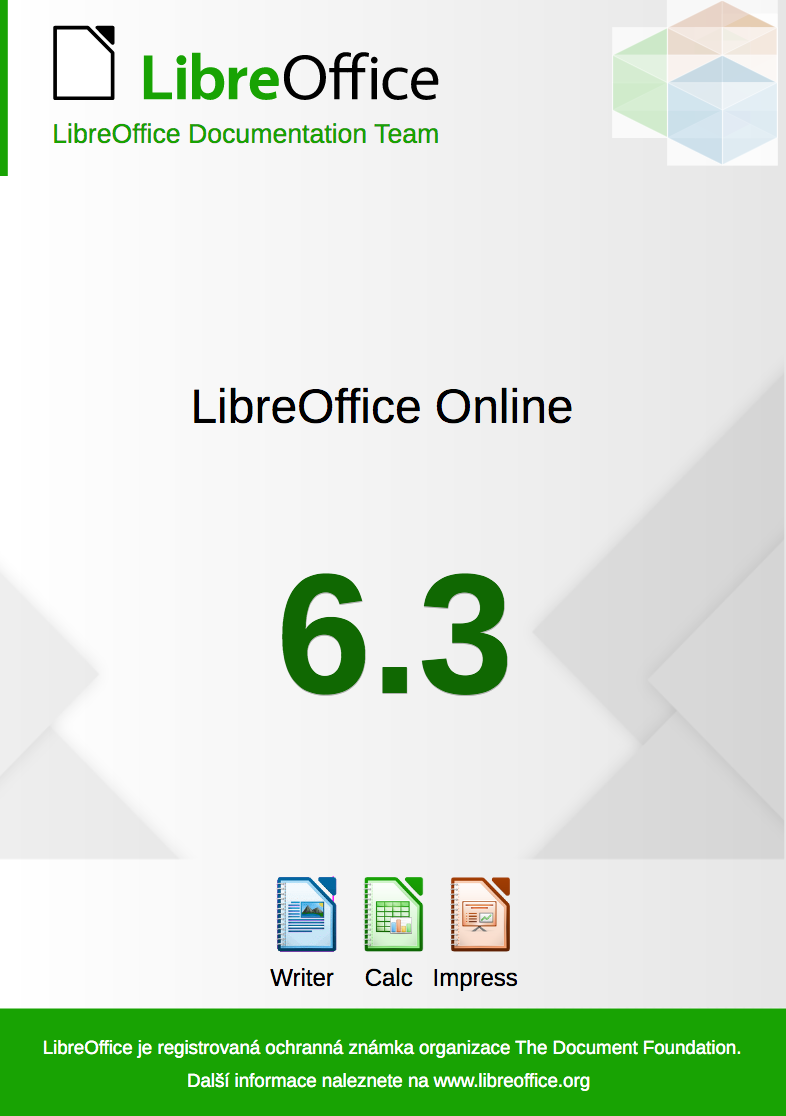
LibreOffice Online Guide translated into Czech

the LibreOffice Online Guide was created as part of the Google Season of Docs programme, and released in December 2019. Today we’re announcing that the Czech LibreOffice community has finished translating the guide, and it can be downloaded here. (See this page for English documentation.)

It was a team effort, and participants were Petr Kuběj, Zuzana Pitříková, Zdeněk Crhonek, Roman Toman, Tereza Portešová, Petr Valach and Stanislav Horáček. Thanks to all volunteers! The Czech team continues with the translation of the Getting Started Guide, and is always open for new volunteers, translators and correctors. Give them a hand!

LibreOffice Calc Guide 6.2 is now available

Berlin, January 27th, 2020 – The LibreOffice Documentation Team is happy to announce the Calc Guide 6.2, a long-awaited update of the old Calc Guide 4.4, to cover all of the innovations included in newer versions of the suite. The team wanted to catch-up with the forthcoming release of LibreOffice 6.4, while offering to the user community a book with its contents suitable for the most-used features of the LibreOffice 6 family.

Several team members contributed to the effort, notably Steve Fanning, Jean Weber, Kees Kriek, Cathy Crumbley, Zach Parlimann, Dave Barton and Drew Jensen.

Joining the LibreOffice Documentation Team was an opportunity for me to continue to be technically active after my recent retirement and, with my mathematical background, the Calc Guide was a great book for me to start with“, said Steve Fanning, volunteer technical writer. “I enjoyed contributing to the update of this guide, finding the task both interesting and challenging. In fact, one of the topics caught my imagination to such an extent that I proposed, and am now implementing, a new wiki-based online reference guide for the extensive set of spreadsheet functions provided by Calc“, he added.

Steve Fanning

The LibreOffice suite – and the Calc spreadsheet module in particular – is a complex application with many uses in the modern world. Calc is widely used in all kinds of businesses, and contains advanced calculation and mathematical features that demand quality and broad documentation. The team strived to provide the best content, from simple arithmetic calculations to complex features such as statistics, enhanced pivot tables, data crunching techniques and many more.

The Dutch community is actively translating the LibreOffice Guides to improve the reach of LibreOffice in the Netherlands. “The Calc Guide is an important piece of documentation that is always in great demand from our users. I devoted time and energy to review many chapters and get the guide ready quickly, so it was also possible to start the translation to Dutch sooner, and have the Dutch users benefit of the new Calc guide too“, said Kees Kriek, volunteer reviewer and translator for the Dutch community.

Kees Kriek of the Dutch Community

The LibreOffice 6.2 Calc Guide is available for immediate download from the link https://documentation.libreoffice.org/en/english-documentation/. Source files are available from the link https://nextcloud.documentfoundation.org/s/bbawfrEfMz4zDyw

The Documentation Team announces the Math Guide 6.4

Berlin, January 22nd, 2020 – With the upcoming release of LibreOffice 6.4, the Documentation Team is proud to announce the Math Guide 6.4, an update of the previous Math 4.0 guide, updated to cover all innovations included in LibreOffice 6.4. The guide was updated by Roman Kuznetsov and revised by Dave Barton from the documentation community.

Math Guide

“I updated the Math Guide to give everyone up-to-date information about using that interesting and (often forgotten) tool in LibreOffice”, said Roman Kuznetsov, community member and volunteer technical writer. “I did it to improve my skills in writing of documentation. Also I want say thank you to the LibreOffice Documentation Team for its help with that task.”

Roman Kuznetsov

The guide is available for immediate download from The Document Foundation cloud instance and is published in PDF format, as along in its source file in ODF format.

About the LibreOffice Documentation Team

The LibreOffice Documentation Team is devoted to producing the best documentation for the LibreOffice end user, and is actively pursuing the goal of keeping the LibreOffice literature updated, effective and accurate. Come and join us!.

The LibreOffice Documentation Team Announces the LibreOffice Online Guide

Berlin, December 12, 2019 – The LibreOffice Documentation Team announces the immediate availability of the LibreOffice Online Guide, a major work authored by Aaron Peters under the Google Season of Docs 2019 programme. LibreOffice Online is a web-based version of the office suite, that can be deployed on local infrastructure and connected to a file-sharing system for document collaboration.

LibreOffice Online 6.3 Guide

The guide includes content for end-users – as well as for system administrators – for rapid deployment and start of operation. It covers the basic usage of the word processor, spreadsheet and presentation modules, as well as guides for file handling and – one of the major technological achievements of LibreOffice Online – the collaborative editing capability, that allows several users to work on the same document, spreadsheet or presentation at the same time. Users familiar with LibreOffice on the desktop will quickly grasp the operation of LibreOffice Online, except for some specific differences addressed in the guide.

For the system administrator, the guide covers installation and basic operation, and explains deployment in small and limited environments. Professional support and operation services are strongly recommended for large installations and mission critical deployments, available in the LibreOffice business ecosystem.

“The current version of the Guide is complete and has the necessary information for the targeted audience (technology-savvy enthusiasts and/or small businesses), to be able to get the application, install it alongside a hosting application (NextCloud), use the main modules (Documents, Spreadsheets, and Presentations), and use other desktop and mobile tools to access their LibreOffice Online content,” says author Aaron Peters. “My experience working on this guide was fantastic, and I would urge anyone interested in getting involved with open source to consider documentation as a first step. The Document Foundation’s documentation team in particular has a very well-established process and infrastructure for producing their products, and one of the only things I can think of that would help them is more volunteers.”

“The Google Season of Docs programme was an opportunity The Document Foundation (TDF) could not have miss to add a valuable content to its documentation portfolio. The LibreOffice Online Guide is a document whose time had just come and is here to help the LibreOffice Online software and its professional and volunteer community to increase its usage and benefit of its incredible value,” says Olivier Hallot, TDF mentor and Documentation Coordinator. “And working with Aaron was a pleasure and all commitments were delivered on time, which was very appreciated. Special thank you to Google for the wonderful initiative and to the Season of Docs 2019 team for the support.”

The outline of the new Guide is as follows and gives a good view on what is inside.

  • Preface
  • Chapter 1: Introducing LibreOffice Online
  • Chapter 2: Installing LibreOffice Online
  • Chapter 3: Setting Up LibreOffice Online Before Use
  • Chapter 4: Navigating Your LibreOffice Online Files
  • Chapter 5: Editing, Saving, and Exporting LibreOffice Online Files
  • Chapter 6: The Documents Module
  • Chapter 7: The Spreadsheets Module
  • Chapter 8: The Presentations Module
  • Chapter 9: Integrating with LibreOffice Online

The guide is available for download at the documentation website at https://documentation.libreoffice.org/en/english-documentation/


Refreshing LibreOffice’s “Frequently Asked Questions” pages

Ilmari Lauhakangas (aka Buovjaga) writes:

A year ago we started migrating our wiki translations to the standard translation management system used across the known wikiverse. The system allows for proper tracking of translation status, and offers a user experience familiar to LibreOffice translators.

By the end of summer 2019, we had enough experience with the new system to be able to define best practices and give instructions to translators. Right at this moment one of our Czech contributor heroes, Zdeněk Crhonek (aka Raal), expressed interest in offering FAQ translation tasks through a volunteer platform called Um sem um tam. Zdeněk took it upon himself to migrate each FAQ article to the new system while creating the tasks.

In addition to the migration effort, the FAQ pages were checked for accuracy and many changes were made to bring them up to date. All of this work resulted in unprecedented activity in The Document Foundation wiki as can be seen in this chart:

Big thanks to Zdeněk Crhonek, Czech translator Petr Kuběj and the original French creators of the FAQ articles!

Translators are invited to update the FAQ translations as well as to confirm that the source text corresponds to the current LibreOffice interface. If you have questions regarding the migration process in general, please contact Ilmari Lauhakangas.

Community Member Monday: Celia Palacios

Today we’re talking to Celia Palacios, who has recently become a member of The Document Foundation, the non-profit entity behind LibreOffice:

To start, tell us a bit about yourself!

I am a Mexican old-guard user of Linux since 2001. I studied Electronic Engineering, and I have been working in thatfield since 1989. I learnt all sorts of Linux stuff because I love to learn by myself. In addition, I love to read historical detective novels, lots of science fiction, and go to the movies with my husband.

I love philosophy, symbolism and many alternative ideas about everything. I also like to have long, friendly debates about everybody’s presumptions (or assumptions?). I try to be open-minded, specially in this times when everyone’s getting polarized Mexico about our President. I used to be an athletic gal, but now I am a total coach-potato! Thanks, Netflix!

Why did you decide to become a member of TDF?

Because LibreOffice is one the leaders in free/libre software, and it is a real example of a community with many faces and one heart. And also because people in the Spanish LibreOffice Telegram channel are so intelligent, bright, open and charming: many of them working truly to help others. That moved me deeply.

What are you working on in the LibreOffice project right now?

I am helping the Spanish documentation team. I have an idea of asking university students to help us finish the first-steps guides. If we succeed, we will have an updated introductory guide, which is really needed in Spanish.

Anything else you plan to do in the future?

It is too early to answer that without saying “in the regular places”. But it is in my plans to update every module’s guide in Spanish. And also some advanced guides/tutorials, with practical cases, for Calc and Base, specially to equal the outcomes that Microsoft Excel’s Power Business Intelligence is achieving.

Thanks to Celia for all her help and input! If you’re reading this and also want to join our friendly community, see here to get started (or visit the Spanish page). And if you’re already active in the LibreOffice project, consider becoming a member, so you can vote for TDF’s Board of Directors and help to make other important decisions:

Please confirm that you want to play a YouTube video. By accepting, you will be accessing content from YouTube, a service provided by an external third party.

YouTube privacy policy

If you accept this notice, your choice will be saved and the page will refresh.