Rich Contents Arrives in New Help

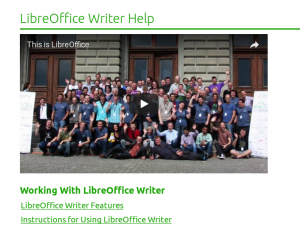
Last week the new help system – online and offline – received enhancements to add multimedia and other resources for a richer user experience of LibreOffice Help. The new help can now access external videos stored in You Tube or similar services and also to open or download OpenDocument files to support the textual explanations of LibreOffice features in the help pages.

External videos can be displayed in New Help pages

(more…)

Making Macro Programming a Breeze: The BASIC & API Reference Cards

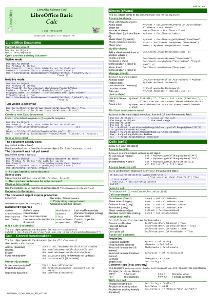
Update: Reference card for runtime library is now available.

One of the recurring issue when using LibreOffice as a replacement of other office applications is the migration of macros to the LibreOffice BASIC dialect and objects. While the LibreOffice BASIC programming language is almost standard, the objects inside a document have different names, methods and properties, and a rework on the macro is necessary in most cases to make it operational again, when imported from other suites.

(more…)

The LibreOffice Mardi Gras Party for Help: What’s new and fun in online Help?

Starting with the recent release of the 6.0 family, LibreOffice has now a brand new online help system. Unlike the previous version – based on the transfer of help content to the Mediawiki framework hosted by The Document Foundation – the new help is a direct transformation of the help XML files into simple HTML files, with additions of some JavaScript magic and CSS wizardry.

But how do I get this new help online? Actually it is quite easy. Either you navigate in your browser to https://help.libreoffice.org/6.0/ from your desktop or smartphone or you just don’t install the local help packages in your computer. When the local help is not installed, LibreOffice calls the online help, passing parameters that includes the dialog box identification or UNO command, operating system language and version. Your default browser will open the correct page at the right line position.

What is new in this help online? By working on the XML transformation targeted at modern browsers, LibreOffice developers were able to insert many nice features in the pages. Here are a few, just for a start:

The top header contains two drop-down lists, one to select the module and the second to select the language of the pages. These two lists are there to let you navigate in all help domains. If you want to read the help content in another language, just select the language in the list. There are as many as 50 languages available (not every Help page is fully translated in some languages). (more…)

Documentation Community Releases Writer Guide 5.4

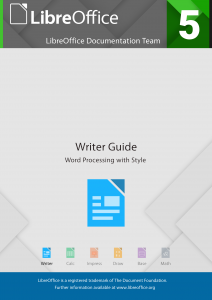
Internet, January 29th, 2018. The LibreOffice documentation community is pleased to announce the immediate availability of the Writer Guide 5.4, with all innovations and enhancements of LibreOffice 5.4. The guide is an in-depth reorganization and revision of the Writer Guide 4.2. The work was lead by Jean Hollis Weber, with collaboration from Cathy Crumbley and Bruce Byfield.

The book is targeted to end users, who look for advanced techniques for contents production, maintainability and update of text documents, unleashing the full power of a leading edge, solid word processor.

(more…)

Brazilian community releases its Getting Started Guide for LibreOffice 5.2

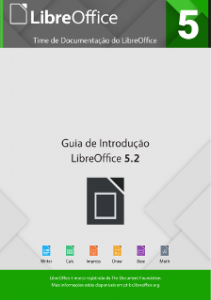
The Internet, January 25th, 2018. The Brazilian community is pleased to announce the immediate availability of the Getting Started Guide 5.2, with all innovations and enhancements from LibreOffice 5.2. The guide is an in-depth update of the 5.0 Getting Started Guide that has already been translated.
The team was composed of IT professionals, translators, engineers, teachers and technicians. The team members are:

  • Chrystina Pelizer (Getting Started Guide project leader, translator and reviewer)
  • Vera Cavalcante (reviewer and book assembler)
  • Fábio Coelho (translators, reviewer and infra manager)
  • Túlio Macedo, Raul Pacheco da Silva, Valdir Barbosa e Olivier Hallot (translators and reviewers)

Thanks to The Document Foundation’s support, the team met together at the Instituto de Física of UNESP university in São Paulo, Brazil for a final review sprint of the translated chapters, and then delivered the contents to Vera Cavalcante for book assembly and release.
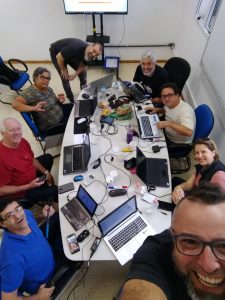
Without the face-to-face meeting in December 2017 sponsored by TDF, the guide’s release would have been delayed further due to personal and professional commitments of the volunteer team members. The face-to-face meeting was an opportunity to boost productivity, and the team finished the revision in two days of focused work. The team is planing more meetings for the other guides under production.

The new guide can be downloaded in PDF or ODT formats from the LibreOffice documentation website at http://documentation.libreoffice.org/pt-br/ .

LibreOffice community focus: Documentation

Earlier this month we talked to the localisation community about the preparations they are making for LibreOffice 6.0, which is due to be released in late January (or early February). Now we turn to the documentation project, and Olivier Hallot, who is coordinating updates to guidebooks and a new help system…

olivier_hallot_07062010_964x1036What has the documentation community been working on in preparation for LibreOffice 6.0?

The community is engaged in delivering two major features for the 6.0 release: the first is a new and updated Getting Started Guide, a book targeted at new users of LibreOffice 6.0. We included the latest developments that are in the scope of an introductory text for LibreOffice 6.0. For 2018 we are assembling a team of writers to update our other guides, starting with the Calc Guide.

The other major feature is the new LibreOffice help system, a completely redesigned help system that now uses the operating system’s web browser to display help pages. Here’s a screenshot from the LibreOffice 6.0 release notes, showing how it looks in a mobile web browser:

What are your favourite new features in this release?

I always appreciate applications that have beautiful aesthetics. When choosing between two applications or desktop environments with the same features, I take the one that’s good-looking and has a well-crafted user interface. There are so many excellent programs with clumsy interfaces or ugly aesthetics struggling to survive. It is purely subjective but in the end, beauty pays. So my take for 6.0 are the features that bring a better and nicer UI: new icons, toolbars and redesigned dialogs. Here’s a preview of the Elementary icon set, which will be included in 6.0:

Aesthetics, together with essential technology evolutions, were the drive to develop our new help system based on web technology. We expect to open an avenue for improving the contents of our help with multimedia, animations and better navigation – altogether bringing a modern web experience for our users who are reading the help.

What tools and services do you use in the documentation community?

At the moment we use Plone as our document repository, and we have a workflow for editing, revision and publication. Released documents are available on our documentation website for download, and some l10n (localisation) communities prefer to use the TDF wiki.

With the recent developments in LibreOffice Online, I am planning to use it for document editing and production, in a simpler way than using Plone. LibreOffice Online is by far the best online editor for OpenDocument formatted files, and is an essential feature for preserving our current documents and making editing easier.

For 2018, we will work to develop an special online editor for help files, making it easier for occasional contributors to make changes to the content.

Finally, how can people get involved with the documentation community?

The first step is to read this page and follow the instructions there. We need good software documenters, along with people who really know how an office suite works, and who are capable of writing about new features with authority.

Thanks Olivier, and thanks to the whole documentation community for their work in LibreOffice 6.0. Over the next few weeks, we’ll be talking to other projects, including QA and development – keep checking this blog for updates.