CISA Publishes Open Source Security Guidance: Verifiability Is the Difference

On 30 July 2026, the United States Cybersecurity and Infrastructure Security Agency published Open Source Software: Security Principles and Practices, a 31-page guidance document for federal civilian agencies. It is available at no cost and marked TLP:CLEAR, meaning it may be shared without restriction.

The document is addressed to US federal agencies, and it fulfils obligations under two executive orders on federal cybersecurity. It covers four areas: using open source solutions, contributing to open source projects, producing open source software, and evaluating open source artificial intelligence models. The observations below concern the first three.

Its analytical content is not jurisdiction-specific, and public administrations elsewhere — including in Europe — will find that it articulates, in the vocabulary of risk management, several positions that the open source community has been arguing for two decades.

What the guidance actually says

The central claim is more precise than the headlines suggest. CISA does not assert that open source software is more secure than proprietary software. It states that OSS is “no more or less risky than other software,” and locates the difference elsewhere: with open source, an organisation can assess code quality and security directly, rather than relying solely on vendor assurances.

This is a claim about verifiability, not about defect rates. It is also the more defensible claim, and the more consequential one for procurement. An agency evaluating proprietary software is evaluating a vendor’s statement about its own product. An agency evaluating open source software is evaluating the product.

The guidance draws the corollary explicitly. Among the benefits it lists for federal agencies is reduced vendor lock-in: open standards and modifiable code, CISA writes, protect agencies from “proprietary dependency traps.” A national cybersecurity authority has placed lock-in inside a security document rather than a competition-policy one. That is a meaningful shift in where this argument is permitted to live.

The C4 Framework

The most practically useful part of the guidance is Appendix A, which sets out the C4 Framework for assessing whether an open source project is trustworthy. Its premise is that, because contributors may be pseudonymous and are bound by no delivery obligation, trustworthiness cannot be assessed from who produced the software. It must be assessed from how the software was produced — which open source development makes visible in a way that closed development does not.

C4 groups the evidence into four categories:

  • Codebase — commit recency, known vulnerabilities, dependency currency.
  • Community — number of maintainers, institutional structure, whether the project sits within a foundation.
  • Conduct — whether there is a vulnerability disclosure policy, whether code review is required, whether maintainers merge their own commits, the licence, the code of conduct.
  • Configuration — whether defaults are secure, and what hardening the software supports.

The framework is applied in five steps: identify measurable criteria, determine risk tolerance and weight the criteria, collect observations (with automated tooling where available), evaluate against each criterion, and compare the result to the tolerance.

We would encourage public administrations to apply this framework to LibreOffice. Every category can be answered from public evidence: a continuous commit history since 2010, a published security policy and disclosure process, mandatory peer review, an OSI-approved licence, a documented code of conduct, and a governance structure — The Document Foundation, a German Stiftung with an elected Board of Directors — that is a matter of public record rather than of assertion.

We would encourage administrations to apply the same framework to every candidate solution, including proprietary ones, and to note which questions can be answered and which cannot.

Contributing, and the support question

The guidance also addresses a question that public administrations regularly raise about open source adoption: who is responsible for fixes. CISA’s answer is that no single entity is obliged to provide them, and that agencies should therefore plan accordingly — assigning internal staff, contracting third parties, or both — while following two principles in dealing with upstream projects: collaborate rather than demand, and push fixes upstream.

This is a fair description of how the LibreOffice ecosystem works. Support, long-term maintenance, and custom development are provided by certified developers and certified migration professionals, whose contributions return to the shared codebase and benefit every other deployment. The guidance is right that this requires organisations to plan for it. It is also right that the resulting improvements are shared rather than captured.

CISA further notes that where a project becomes unmaintained, an organisation may as a last resort take over a fork. This option has no equivalent in proprietary software, where end of support arrives on the supplier’s schedule and offers no remedy at all.

A note on scope

The document does not name any product. CISA states explicitly that it does not endorse commercial entities, products, or services, and nothing in the guidance should be read as an assessment of any particular software. What it provides is a set of criteria. The observation that LibreOffice satisfies them is ours, and rests on evidence that anyone may check.

Open Source Software: Security Principles and Practices is available from CISA: https://www.cisa.gov/resources-tools/resources/open-source-software-security-principles-and-practices

CISA’s announcement: https://www.cisa.gov/news-events/news/cisa-guide-helps-federal-agencies-securely-and-effectively-use-open-source-software

New LibreOffice extension: Impress Remote

Impress Remote extension logo

LibreOffice extensions are optional, third-party addons for the suite, that add extra functionality. Bora Yarkın has been working on a new extension for LibreOffice Impress, so let’s hear from him about it…

Tell us about it!

The extension lets you control a LibreOffice Impress presentation from your phone or any other device with a modern web browser.

When you start the remote, LibreOffice displays a QR code. Scan it with your phone and the presentation starts from the first slide. The phone interface then shows the current slide, presenter notes, elapsed time and navigation controls.

I tried to make the process as simple as possible: no separate mobile application and no manual pairing codes.

The remote can be opened from the Slide Show menu in LibreOffice’s top application menu bar—the menu alongside File, Edit, View and the other main menus.

This should not be confused with the Slide Show tab inside LibreOffice’s Tabbed user interface. LibreOffice’s UNO extension API does not currently let me add commands to that built-in tab. When using the Tabbed interface, the remote commands are therefore available under the Extensions tab instead.

The extension currently provides several connection modes:

  • Local network: The phone connects directly to the computer running LibreOffice through its local IPv4 address. This is the main mode and the one I have tested most thoroughly.
  • Direct IPv6: Works similarly, but uses an IPv6 connection. It is still marked experimental because my home internet connection is currently the only IPv6 network I can properly test with.
  • Relay server: A small Python service that can be hosted on Linux or Windows. It is useful when the phone and computer are on different networks or when direct connections are blocked by carrier-grade NAT, firewalls or other network restrictions. It also supports multiple connections, so an organisation can host one relay server on its own infrastructure.
  • LocalTunnel: An experimental fallback that creates an outbound connection through the LocalTunnel service. I consider this a last-resort option when the other connection methods are unavailable.

The compatible relay-server package is bundled with the extension. It can be downloaded or extracted directly from the Remote Settings window by selecting “Get Relay Server”. The package includes the required documentation and setup instructions.

To install the extension, download the .oxt file from the LibreOffice Extensions website or GitHub and open it with LibreOffice. It can also be installed manually through Tools > Extensions. After installation, restart LibreOffice if requested.

The extension includes translations for more than 100 languages and automatically follows LibreOffice’s interface language. English and Turkish are the two languages I have personally checked. Many of the other translations were created with ChatGPT, so I cannot guarantee their quality and would be very grateful for corrections from native speakers.

Screenshot of Impress Remote

Why did you create it, and what was the process like?

The original inspiration came from Apple Keynote.

When Keynote is installed on both a Mac and an iPhone, the phone can be used to control the presentation while also displaying presenter notes. That feature completely changed the way I give presentations.

Over time, my slides became more professional and less text-heavy. Instead of putting everything on the slide, I started using the presenter notes almost like a teleprompter, with the text I actually planned to say. This helped move the audience’s attention away from reading the screen and back towards me.

That workflow worked perfectly for a long time, but I never really liked Keynote itself. I could not get used to its interface, and Apple’s decision to introduce paid features was the final reason for me to start looking for an alternative.

There were already several possible solutions, but none of them really worked for me.

LibreOffice previously had its own Impress Remote mobile application, but it has not been maintained for a long time and is no longer practical on many current devices and systems.

Browser-based presentation platforms can offer remote-control features, but I did not want my main presentation workflow to depend on an online service. They also do not offer the same flexibility as a full desktop office suite.

Microsoft Office was another possible option, but I am not a fan of Microsoft’s current direction, particularly the increasing integration of Copilot throughout its products.

OnlyOffice Desktop Editors is a good alternative and I used it for a while, but I encountered several bugs and eventually needed features it did not provide.

That brought me to LibreOffice, which I now find more useful and capable than the other office suites I tried. The only thing missing was the remote-presenter experience I had become dependent on with Keynote.

So I decided to build it myself.

I work mainly in IT and I am familiar with programming, but I would not describe myself as an advanced software developer. Before starting this project, I knew almost nothing about LibreOffice’s UNO API.

I began with ChatGPT. I defined the architecture, features, user interface and constraints myself—including requirements such as localisation being mandatory—and used AI to help me understand UNO and implement the code. The result turned out much better than I expected.

The extension was originally only a personal project. The first version was very basic; the web interface did not even have a back button. I had no intention of publishing it. Once it started working reliably, however, I realised that other LibreOffice users might want the same experience. I decided to take the project more seriously and turn it into a complete extension rather than something that only worked on my own computer.

That meant adding a more polished phone interface, connection settings, QR-code generation, IPv6 support, the relay server, LocalTunnel support, localisation, documentation, error handling and packaging.

Publishing it on the LibreOffice Extensions website was much easier than I expected. I created an account, created the project page, entered the information, uploaded the package and submitted it. After roughly a day of review, the extension was available publicly.

Screenshot of Impress Remote

How can people help with testing and further development?

The source code and issue tracker are available on GitHub. The repository includes templates for bug reports, feature requests and pull requests.

My main development and testing setup is macOS with an iPhone. I have also tested the extension on Windows and Linux, but those tests were performed under less-than-ideal conditions, including virtual machines, Remote Desktop sessions and a headless Windows Server installation.

Because of that, testing on real Windows and Linux desktop systems would be especially useful.

The areas where community help would be most valuable are:

  • Testing different LibreOffice versions
  • Testing Windows, Linux and different macOS versions
  • Testing Android devices and different mobile browsers
  • Testing IPv6 connections between genuinely separate networks
  • Testing the relay server in real-world and organisational environments
  • Testing unusual firewall, VPN, NAT and carrier network configurations
  • Reviewing and correcting translations
  • Improving the documentation
  • Reporting bugs and suggesting features
  • Contributing fixes through pull requests

The local IPv4 mode has been tested extensively across different local networks, internet providers and VPN configurations. The IPv6, relay-server and LocalTunnel modes need broader community testing before I would consider them fully proven.

When reporting a connection problem, including the operating system, LibreOffice version, browser, phone type, selected connection mode and basic network configuration would help enormously.

The project started because I wanted this functionality for myself. Now I would like to make it reliable enough that other LibreOffice users and organisations can confidently use it for their own presentations.

Screenshot of Impress Remote

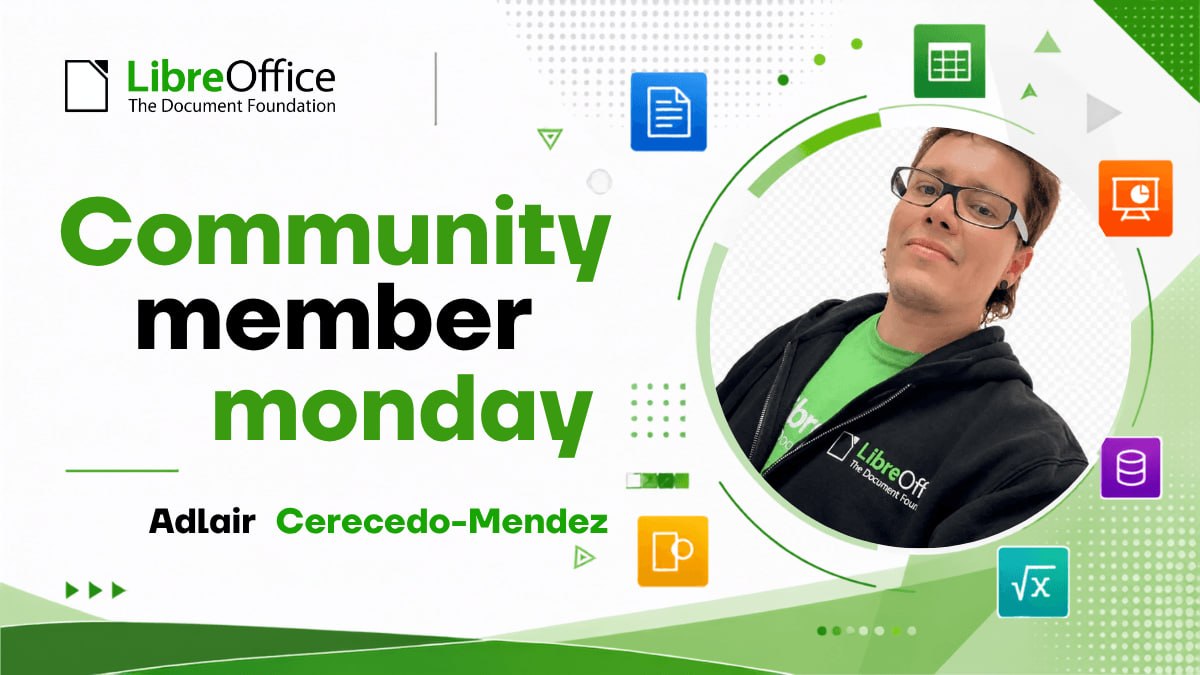
Community Member Monday: Karl-Heinz Gruner

Photo of Karl-Heinz Gruner

Today we’re talking to Karl-Heinz Gruner, who has been supporting the LibreOffice community at events in Germany and recently became a member of The Document Foundation, the non-profit behind the suite:

Tell us a bit about yourself!

I live in Middle Franconia, near Nuremberg. In my spare time, I enjoy riding my motorbike, even though I haven’t been getting out on rides as much as I’d like at the moment. I find hiking in the region a great way to unwind. Being active in the fresh air brings me peace and relaxation, whilst also giving me space to come up with new ideas.

Professionally, I have worked extensively with office applications from various manufacturers – both from a user’s perspective and in the context of supporting other users. A particular focus of my involvement is my work with the local Linux User Group. There, I focus on open-source software solutions, sharing experiences and imparting practical knowledge.

For what are you using LibreOffice right now?

My personal curiosity and interest in practical IT solutions prompted me to carry out a fundamental modernisation of an association’s accounting system.

The starting point was an outdated spreadsheet program that was used to create entries, reports and statements. Initially, the idea was to migrate this solution to LibreOffice Calc, making it clearer and more future-proof.

However, during the analysis, it became clear that simply revising the existing spreadsheets would not be sufficient. Consequently, the decision was made to switch to a more up-to-date system with more comprehensive functions within the existing IT environment. A key outcome of this process is the use of a comprehensive application for administration and communication.

In addition to this, I developed a training programme for the adult education centre to focus on a specific area: the professional design of documents using forms and mail merges.

What do you plan to do in the future?

Looking to the future, I believe it is particularly important to convey information through a variety of channels. Modern software offers a wide range of functions, which many users initially find difficult to get to grips with.

It is therefore crucial to break down reservations and barriers to access. Potential users should be provided with clear information, given practical support and encouraged to try things out for themselves. Software and digital services must remain not only functional but also appealing.

For me, this means continuing to share knowledge through talks and training sessions, explaining practical applications using concrete examples, and convincing users of the benefits of open solutions.

My guiding principle is: inform, provide practical support, and spark interest.

Many thanks to Karl-Heinz for his help! All contributors to LibreOffice are welcome to become members of TDF 😊

Why OOXML-Based Suites Handle ODF Badly

The question arises naturally for anyone who chooses the standard format over the proprietary one: why do office suites that use OOXML as their native format handle ODF in ways that range from poor to appalling?

The two most obvious answers are these: vendors have neglected the format, treating it as an afterthought, or they are quietly working to discredit the very idea of transparent interoperability, through support so bad that it demonstrates the format “does not work”.

Both answers are too simplistic. The reality is that three distinct mechanisms are at work, applying to different vendors in different proportions and ultimately converging on the same outcome.

A challenge that is not a challenge

Reading and writing ODF faithfully, in isolation, is genuinely feasible: the format is completely and openly specified, and there is no equivalent of OOXML’s notorious legacy compatibility flags, which refer to undocumented behaviours of old Microsoft products that only Microsoft can reproduce.

A competent development team is able to implement ODF correctly on the basis of the ODF specification alone.

An office suite, however, does not implement a format in isolation: it has an internal, in-memory representation of the document. Loading a document is a mapping into that representation, and saving a document is a mapping out of it.

Fidelity is greatest when the internal model is congruent with the document format. LibreOffice’s model is essentially ODF, which is why, in this context, ODF is genuinely native.

When a suite’s internal model has the shape of OOXML, ODF stops being native and becomes an external import that must be converted to and from a representation built for a different format.

Take an ODF feature that OOXML lacks: the ODP field that displays the total number of slides. The instructive part is that the information itself is not missing from a PPTX file. The package enumerates every slide, and the count is available to any program that opens it. What OOXML provides no way to express is the statement that this number is the total. There is a field for the current slide number and none for the count, and Microsoft’s own guidance is to type the figure into a text box and keep it up to date by hand, which is a precise description of not having a field at all. Every published workaround is a macro or an add-in that computes the number once and writes it out as fixed text.

So when an ODP file carrying that field is opened in an OOXML-based editor, what is lost is not the data but the instruction. The number survives. The fact that it was calculated does not, and from that moment the document no longer knows how long it is.

The reverse direction fails more quietly, and therefore worse. A slide count exported from Impress to PPTX has to be written out as fixed text, so the presentation is correct on the day it is converted and wrong the first time a slide is added or removed. A number that has stopped being calculated but still looks plausible is more damaging than a visible gap, because nothing in the document signals that it needs checking.

An ODF-based editor handles the reverse case in an entirely different way. When it encounters a feature present in one format and absent from the other, it sets the data aside rather than discarding it, and restores it when the document returns to OOXML. In LibreOffice this mechanism has a name, the grab bag, and it is a documented part of the import filters rather than an incidental behaviour.

The difference does not lie in the quality of the import filter, but in the fact that the architecture was designed to hold the meaning of the other format.

This matters, because it means that poor ODF support in OOXML-based suites is largely overdetermined before the question of motive even arises. The difficulty is not absolute, but relative to the architecture the vendor has chosen.

Three mechanisms

First: the bet on a reference format. Some suites do not consider ODF at all, because they have built their value proposition on the other format.

OnlyOffice is the clearest case, because it was built around OOXML and converts every other format into that model, so ODF is a second-class import and export format by design.

WPS Office is software created to open docx, xlsx and pptx files faithfully. Its ODF functionality derives from the add-in of Microsoft’s own OpenXML project and was integrated into the application only in May 2022, as a conversion layer written for ODF 1.1, which is to say for the 2007 revision of the standard. Fifteen years of delay were built in on the day of release.

Google Workspace is a variant of the same logic rather than an exception to it. Its internal model is neither ODF nor OOXML but a proprietary web representation, and both formats reach it through a conversion layer. For a public administration the consequence is identical: the open standard is an export target, not the substrate the software thinks in.

For these vendors, ODF was never part of the strategy. Their proposition is to open Microsoft documents in something other than Microsoft Office, and to make them look right, so poor ODF support is the direct consequence of the strategy.

Second: deliberate underinvestment. This is probably a cause that cuts across the whole office suite sector. Although ODF is easier and cheaper to implement correctly, the process still involves development, quality assurance and maintenance costs and timelines, in order to keep pace with a continuously evolving standard.

If a vendor’s users mostly exchange docx files, the marginal commercial value of excellent ODF support is close to zero, so ODF is first implemented at the minimum level and then quietly left to rot.

The perception that ODF support does not matter is itself a consequence of a single company’s market dominance, and its effect is twofold. Lock-in becomes a software feature that the market regards as entirely normal, and ODF acquires a reputation for fragility that no deliberate campaign was required to produce.

Third: deliberate disqualification. This mechanism is real, and it concerns Microsoft itself, with Service Pack 2 for Office 2007. The ODF support it shipped failed in two opposite directions at once.

When reading an ODF spreadsheet produced by another application, Excel silently stripped out the formulas and kept only the last value each cell had held, reducing the document, in Rob Weir’s assessment at the time, to a mere “table of numbers” with the calculation logic gone. When writing, Excel placed formulas in an Excel namespace that was neither the one used by OpenOffice and the other ODF applications nor the OOXML one. Applications that checked the namespace rejected the document outright; those that did not check it displayed a corrupted file showing neither the formula nor the value correctly.

This is a textbook mechanism for discrediting interoperability: meeting a format requirement with an implementation that conforms only on paper and produces visibly broken files, demonstrating to every observer that ODF does not actually work.

At the time, Microsoft argued that the ODF standard did not define spreadsheet formulas, which arrived only with ODF 1.2, and that there was therefore no reference to follow. The argument does not survive Microsoft’s own reply. Responding publicly to Weir, Microsoft’s evangelist Doug Mahugh set the two behaviours side by side: faced with the same unrecognised formula syntax, IBM Lotus Symphony preserved the formula markup, while Excel preserved the cached values. Neither application had a specification to follow. Only one had an architecture with somewhere to put what it did not understand.

It is worth noting what Excel kept. Not the formula, but its last result, which is the same reduction we saw with the slide count, in a different application. A model shaped by OOXML retains the value and loses the computation that produced it, and a document reduced to its last results is a document that has stopped being able to correct itself.

That episode is seventeen years old, and it would be easy to set it aside as history. Microsoft Office today declares support for ODF 1.4. But what improved is the nominal conformance, not the architecture. The internal model is still OOXML, and every ODF document that passes through it is still a translation.

The synthesis

Poor ODF support is not a technical verdict on the format, but the visible shape of a market organised around the dominance of a single vendor, and that shape did not come about by chance.

For European public administrations, this redefines the practical question, because the interoperability problems they encounter when they try to migrate to the open standard ODF are not caused by ODF, which is entirely ready. They are evidence that most of the available tools were designed to be native to somebody else’s format, and that the one vendor with the power to change this situation has repeatedly chosen not to.

The precarious state of ODF support in the market is not a reason to hesitate over adopting the standard, but the strongest possible reason to mandate it, and to mandate it precisely.

The question that protects a public body’s documents, and its sovereignty over them, is not whether ODF is supported, but whether that support is native, that is, whether the software’s own internal model is the open standard, or the standard is merely a foreign element inside an engine built for something else.

The document format is the substrate of administrative continuity and public memory. Choosing tools for which the open standard is native is not a preference between equivalent options, but the difference between owning your documents and renting access to them from whoever controls the format in which they are actually written.

LibreOffice, yours for a lifetime

On 13 October 2026, Microsoft ends support for Office 2021. No more security updates, no more fixes, no more assurances. The software will still launch. It will still open your files. But from that date it becomes a liability rather than an asset — and the only sanctioned path forward runs through a subscription.

This is not a bug in the model. It is the model.

Support that does not expire

LibreOffice has no end-of-support date, because there is no vendor with the power to declare one. The code is public. The development is community-driven and foundation-governed. When a release cycle closes, the next one is already available, free, to everyone — not to those who renewed.

The distinction matters more than it appears. Microsoft’s lifecycle policy is a commercial instrument: the date is chosen, not discovered. It marks the moment when continuing to use software you paid for becomes unwise, and it exists to convert perpetual licences into recurring revenue. LibreOffice cannot issue such a date because no one holds the authority to issue it.

Ownership of documents, not just access to them

A support deadline is the visible layer. Underneath it sits something more consequential: the format your documents are written in.

LibreOffice uses the OpenDocument Format (ODF), an ISO standard maintained by OASIS and implemented by multiple independent applications. The specification is public, complete, and readable. Anyone can write software that opens an ODF file correctly — today, or in forty years, using tools that have not yet been written.

OOXML, despite carrying an ISO number, is not comparable in practice. The standard that was approved and the format that Microsoft Office actually writes have diverged. Independent implementations remain approximations. This is why round-tripping a complex document between suites degrades it, and why the degradation is always the fault of the software that did not write the format in the first place.

The consequence is simple. If your archive is in OOXML, your ability to read it depends on a commercial relationship with a single company continuing indefinitely. If your archive is in ODF, it does not.

Documents are software

A modern document is not a page. It is a structured artefact: markup, style definitions, embedded objects, references to fonts, scripts, conditional logic, external data. It is executed by an application in exactly the way a program is executed by a runtime.

We accepted decades ago that critical software should not be built on formats and interfaces controlled by a single vendor. Documents have escaped that scrutiny only because they look like paper. They are not paper. The same argument that makes open standards essential for software makes them essential for the files that record contracts, medical histories, legislation, research, and institutional memory.

Costs that stop compounding

The licence saving is real but it is the least interesting part of the calculation. What changes structurally is the removal of a recurring, unilaterally repriceable line item from the budget — one that has risen repeatedly and will rise again, because the customer has no alternative to negotiate with.

Migration has costs. Training, template conversion, macro rewrites, integration work. These are one-off and quantifiable. Subscription is perpetual and is not.

Independence from the deployment model

Support deadlines are increasingly used to move users from local installation to cloud service. That transition is not neutral. It changes where documents reside, which jurisdiction governs them, who can be compelled to disclose them, and whether work is possible when connectivity is not.

LibreOffice runs locally, on Windows, macOS, GNU/Linux, and in a browser via LibreOffice Technology-based online solutions — as a choice, not as a condition of receiving updates.

What October 2026 actually asks

The deadline poses a question that the deadline itself cannot answer: should the readability of your organisation’s documents in 2046 depend on decisions made by a company in 2026?

If the answer is no, the migration is not a reaction to an end-of-support notice. It is the correction of a dependency that should never have been accepted.

Support ends on a date someone else chooses. Ownership does not end at all.

LibreOffice is developed by The Document Foundation, a non-profit organisation based in Berlin, and is available free of charge at libreoffice.org. The Document Foundation publishes a LibreOffice Migration Protocol for organisations planning a structured transition.

Image by Alexa from Pixabay

What is Digital Sovereignty

Digital sovereignty is not about owning everything, it is about ensuring that nothing essential can be taken away.

That single line settles more arguments than it first appears to, because it disqualifies the two positions that dominate the debate. One side imagines sovereignty as control. The other imagines it as choice. Both are talking about something real, and both have mistaken a part for the whole.

The control camp misreads the goal

The instinct to equate sovereignty with control is understandable. Sovereignty, in its older political sense, was control: borders, currency, the monopoly on force. So when the word migrates into the digital domain, people reach for the same picture: own the servers, hold the data, build the stack, depend on no one.

The trouble is that this picture is both impossible and beside the point.

It is impossible because no institution, and certainly no continent, is going to reimplement the entire computing stack from silicon upward. The dream of total self-sufficiency is not sovereignty, it is autarky, and autarky has failed everywhere it has been seriously attempted.

A Europe that tried to own everything would spend a generation rebuilding inferior versions of things that already work, and would be no freer at the end of it.

But the deeper problem is that control is the wrong target even when it is achievable. An institution can own the building and still be a tenant of the lock.

A public administration can run its own data centre, on its own soil, under its own staff, and still find that every document it produces is hostage to a format only one vendor fully understands. The hardware is sovereign. The institution is not. Control over the container tells you nothing about who controls the contents.

This is why the control framing quietly concedes the argument before it begins. It accepts that sovereignty is about what you hold, and so it can always be answered with “but you cannot hold all of it”, which is true, and which is why the framing loses. Sovereignty was never about the holding.

The choice camp misreads the threat

The opposite error is more fashionable and, for that reason, more dangerous.

Here the argument runs: sovereignty simply means freedom to choose. A sovereign buyer surveys the market and selects the best tool for the job, and if the best tool happens to be proprietary, so be it. To exclude proprietary software on principle, this camp says, is itself a kind of unfreedom, an ideology dressed up as independence. Real sovereignty, they insist, is vendor-neutral.

It is a seductive argument because it borrows the language of liberty. But it confuses a choice made today with a choice that remains available tomorrow, and that confusion is the whole game.

Consider what “choosing” a proprietary, closed-format platform actually buys you.

On the day of purchase, you have exercised your freedom: you compared options and picked one. But every document, every workflow, every trained habit that follows accumulates inside a system that only its owner can reproduce.

Five years later, when the licence terms change, or the price rises sharply, or a feature you depend on is discontinued, or the company is acquired and the product withdrawn, you discover that your freedom to choose has quietly expired. The market has not removed your options on paper. It has removed the ground beneath all but one of them.

This is the trap the choice framing cannot see, because it measures freedom at the moment of decision and never at the moment of exit. A choice you cannot reverse is not really a choice, it is a commitment wearing a choice’s clothes. Sovereignty has always been about the capacity to reverse, to leave, to change one’s mind, to refuse a deal that has turned bad. A buyer who cannot say no later was never sovereign to begin with.

What is actually essential

So if sovereignty is neither owning everything nor choosing freely among everything, what is left?

What is left is the thing the opening sentence points to: ensuring that nothing essential can be taken away.

The word doing the work there is essential. An institution does not need to own the cloud, it needs to be sure that if a provider vanishes tomorrow, its data does not vanish with it.

It does not need to forbid proprietary tools it needs to be sure that the things it commits to those tools – its records, its contracts, its citizens’ files – remain readable, movable, and re-creatable by someone other than the vendor who sold it the tool.

Sovereignty is not a wall around one’s possessions. It is a guarantee about one’s exits.

This is why open standards, and not ownership, are the real substance of digital sovereignty, and why open standards alone are not even enough.

A format must do two things. It must persist: it must be readable in ten years without asking permission. And it must be reimplementable: anyone, in principle, must be able to build a tool that reads and writes it, without reverse-engineering, without a licence, without the original vendor’s blessing.

Persistence without reimplementability is a museum exhibit: you can look at your data, but only one company can do anything with it. Reimplementability is what turns a surviving file into a living, portable, sovereign asset.

The shape of the mistake

The control camp and the choice camp look like opposites. One wants to build a fortress, the other wants to shop in an open market. But they make the same underlying error: they locate sovereignty in the present tense: in what you hold now, or what you select now.

Sovereignty lives in the future tense. It is the answer to a question you have not yet had to ask: when this provider fails me, what survives? If the honest answer is “everything essential, and I can take it elsewhere,” you are sovereign, whatever brands happen to sit on your desks today.

If the honest answer is “that depends on whether they let me,” then you are not sovereign, no matter how much you own or how freely you chose.

A closing note: this is not an abstract argument

Everything above can be stated in three letters and a contrast.

The OpenDocument Format (ODF) is what reimplementability looks like in practice. It is a published ISO standard that any developer can implement fully, without permission and without payment, and many independent applications do.

A file saved in ODF is not merely yours, it is re-creatable by anyone, which is precisely what makes it safe to entrust your institution’s memory to it. Nothing essential can be taken away, because nothing essential depends on a single vendor.

OOXML is the cautionary half of the contrast. It exists as a standard, and in that narrow sense a file saved in it will not “disappear.”

But the format as actually deployed carries provisions and behaviours that only its originator implements completely, and the effect is that full fidelity remains the property of one vendor. This is persistence without reimplementability, or the museum exhibit. You may keep the file forever and still be unable to do anything sovereign with it.

Which is why the most consequential decision a sovereignty-minded institution makes is not where its servers sit, nor which brand of software runs on them, but which format its documents are native in.

A platform that can export to an open format but lives, by default, in a proprietary one has granted its users persistence and quietly retained sovereignty for the vendor. The files will survive. The dependency survives with them.

Choose the native format that anyone can re-create, and the rest of the sovereignty question becomes manageable. Get that one choice wrong, and no amount of owned hardware or vendor-neutral procurement will buy back what has been signed away.

Nothing essential can be taken away. For documents, that sentence has a name, and the name is ODF.

This article was inspired by Roberto Di Cosmo’s formulation of digital sovereignty as the capacity to ensure that nothing essential can be taken away.