Getting Started with LibreOffice 7.0 Guide Just Arrived!

Get the LibreOffice introductory Guide and start producing professional documents.

The Documentation Team is happy to announce the immediate availability of the LibreOffice 7.0 Getting Started Guide, updated to include all LibreOffice 7.0 features.

The guide is written for anyone who wants to get up to speed quickly with LibreOffice. Readers may be new to office software, or may be familiar with another office suite. This guide is a valuable asset for all users.

LibeOffice Getting started Guide 7.0

(more…)

Community Member Monday: Steve Fanning

LibreOffice has extensive documentation in many languages, thanks to the great work of our worldwide docs community. Today we’re talking to Steve Fanning, who has been working on the updated LibreOffice Calc Guide

Hi Steve! Tell us a bit about yourself…

I live near Bolton in the North West of England with my wife and, sometimes, our adult son (he has recently been working in Australia for a year). I studied applied mathematics and theoretical physics at university and subsequently enjoyed a career mostly spent implementing and designing complex real-time software systems.

Passionate about improving the documentation for the company’s systems, I moved into specialist technical writer roles during the last few years of my employment. I retired around two years ago and now enjoy indulging in my main hobbies, which are bridge, computing, reading and coarse fishing. I guess that some readers might wonder about coarse fishing – it is angling for freshwater fish for pleasure and relaxation rather than food (all fish caught are returned to the water alive).

What are you doing in the LibreOffice project?

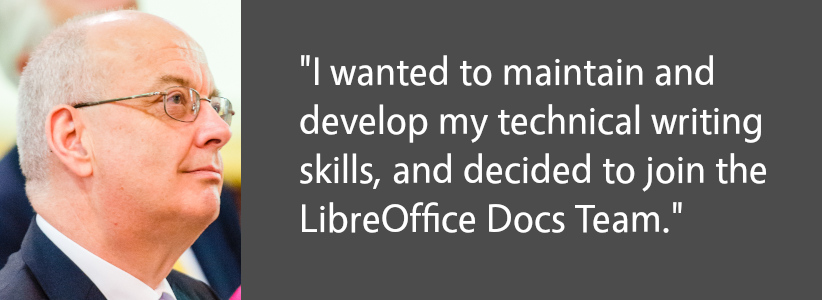
On retirement, I wanted to maintain and develop my technical writing skills and after some research, decided to join the LibreOffice Documentation Team. I immediately dived into the deep end, updating some of the more challenging chapters of the Calc Guide in preparation for the 6.2 issue. Since then I seem to have been digging deeper into Calc, coordinating the publication of the 6.4 Calc Guide, and updating many of the chapters for the 7.0 Calc Guide. I have also enjoyed creating an area on The Document Foundation’s wiki to describe Calc’s 500+ functions in more detail.

Why did you decide to become a member of The Document Foundation, the non-profit entity behind LibreOffice?

When the opportunity arose, I was delighted to become a member of TDF. I am hoping that it will make me more aware of the strategies of the organisation and, if appropriate, provide greater opportunity to influence those strategies. And who could resist the offer of a free @libreoffice.org email address?

What else are you working on, and is there any other area that interests you?

Currently most of my LibreOffice time is taken up supporting and mentoring Ronnie Gandhi, who is a technical writer helping us under the Google Season of Docs 2020 programme. His task is to populate many of the pages within the Calc Functions wiki area and I am reviewing his work and providing comments and other feedback as appropriate. Many of these functions are quite complex and require some research before raising comments but I am finding the whole experience very educational.

As for the future, it is hard to look too far ahead as we are all enduring the COVID-19 pandemic and the resulting restrictions and lockdowns. With lots of free time on my hands, I have been grateful to have interesting LibreOffice work to occupy myself and keep my brain ticking over. In the future I hope to continue to help keep our guides up to date, continue developing the Calc Functions wiki area, and would also like to get more involved in maintaining the help system.

Many thanks to Steve for all his work, and mentoring other contributors – this all helps millions of LibreOffice users around the world! Indeed, joining the documentation project is a great way to contribute back to LibreOffice, build up skills and meet new people in the community. Join in and give us a hand!

Please confirm that you want to play a YouTube video. By accepting, you will be accessing content from YouTube, a service provided by an external third party.

YouTube privacy policy

If you accept this notice, your choice will be saved and the page will refresh.

Make better presentations with the Impress Guide 7.0

Do you use LibreOffice Impress? Want to do more with your presentations? Check out the brand new Impress Guide 7.0 update, created by our awesome documentation community:

This 330-page book explores the basics of Impress, before moving on to master slides, styles, templates, graphic objects, effects, exporting in various formats, and much more. Download the PDF version here!

Who made this happen?

Answer: our community! Many thanks to Peter Schofield, Felipe Viggiano, Claire Wood, Regina Henschel, Dave Barton, Jean Hollis Weber, Samantha Hamilton and Olivier Hallot for their work on it.

We asked Peter to summarise his experiences as he updated the text:

I am experienced with LibreOffice in creating documents. Also, I have had over 30 years of experience as a Technical Writer in many fields of engineering, construction, electronics and software. However, I am not experienced in creating presentations, so writing the user guide was an experience and I now know more about creating presentations.

Did I enjoy it? Yes, because I enjoy having a challenge when writing instructions. Also, it gave me the opportunity to write the guide from the perspective of a novice in using presentation software. I do find that in some of the other LibreOffice guides, taking the novice view has been forgotten.

And what about newcomers to the documentation project – how can they get started? Peter adds:

The main tip for all contributors to LibreOffice is to write a software user guide assuming that a novice will be using the guide to help them become more experienced in using the software. Make it easier for users to understand, which will in turn make LibreOffice more popular as it gets recommended.

Write a user guide in a Simplified English, so that it becomes easier to translate and easier for non-English speakers to use an English-language user guide. Simplified English is used in the aviation industry and is a good standard to adopt for the LibreOffice team, but needs very tight control to be successful.

Thanks again to Peter and everyone else in the documentation team for the update. And everyone is welcome to give them a hand – it’s a great way to contribute back to LibreOffice, understand the software better, and build up skills for potential career options in technical writing!

Google Seasons of Doc 2020: Extensive Calc Functions Description is there.

The Calc Guide for LibreOffice release 6.2 contained a lengthy appendix (70 pages) devoted to the 500+ functions available in Calc, providing a shallow list of the functions and their arguments. During the update of the document for release 6.4 in 2019, the Documentation Team agreed that it would be better to move this list to an online service, and as part of this move, to enhance the function descriptions by adding more examples, use cases and collateral information on standards, compatibility and more.

That situation provided an opportunity for us to create a documentation project to submit to Google Season of Documents 2020 (https://developers.google.com/season-of-docs), an initiative by Google to create, enhance and extend the documentation of open source projects worldwide such as LibreOffice.

The Document Foundation applied to the program on behalf of the LibreOffice Community and submitted several ideas for documentation, which included the Extensive Calc Functions Wiki pages. The Foundation received several applications, containing important information including the technical writer’s resumés, proposals for project schedule and suggested deliverables. After a careful evaluation by the project mentors, the Foundation retained the application of Ronnie Gandhi (@Krezhairo) a computer science undergraduate student enrolled at IIT Roorkee, India.

The project was targeted for three months work and ended in early December 2020. Steve Fanning, who had already worked as coordinator of the Calc Guide, served as mentor with Olivier Hallot as second mentor. Ilmari Lauhakangas and Olivier managed the administrative aspects of the project on behalf of The Document Foundation.

Monitoring the project was an important part of the task. There was frequent correspondence on the Documentation Team’s mailing list to discuss the detailed technical aspects of the work. In addition, Ronnie, Steve and Olivier met online once each week for follow-up discussions and resolution of any issues. To maximize the benefit of the opportunity provided by Google, it was decided to improve the wiki page contents with

  • Statements describing each function’s compliance with the Open Document Format for Office Applications (OpenDocument) Version 1.2 specification
  • Extra use cases and examples
  • Illustrations when applicable
  • External references for further reading
  • Identification of equivalent functions in other spreadsheet software

A useful side-effect of the project was the identification of several potential areas of improvement for Calc’s help files and the exposure of a software issue in two rarely used functions! In addition, Ronnie was able to present his work at the openSUSE + LibreOffice Virtual Conference in October 2020 and hopefully gained some insights into the role of a Technical Writer.

We are grateful for the work that Ronnie was able to carry out during this task. As all documentation related to software development, the Extensive Calc Functions Wiki is open for further improvements. If you would be interested in helping, please get it touch through the Documentation Team’s mailing list.

Access the Extensive Calc Functions Description in the Document Foundation wiki at https://wiki.documentfoundation.org/Documentation/Calc_Functions.

Happy documenting!

Introducing the ScriptForge Basic Libraries

The arrival of the ScriptForge Libraries will greatly help macro programming in LibreOffice.

By Jean-Pierre Ledure

What is ScriptForge?

ScriptForge libraries are an extensible and robust collection of macro scripting resources for LibreOffice to be invoked from user Basic macros. Users familiar with other BASIC macro variants often face hard times to dig into the extensive LibreOffice Application Programming Interface even for the simplest operations. By collecting most-demanded document operations in a set of easy to use, easy to read routines, users can now program document macros with much less hassle and get quicker results.

ScriptForge abundant methods are organized in reusable modules that cleanly isolate Basic programming language constructs from ODF document content accesses and user interface(UI) features.

What is in ScriptForge?

ScriptForge libraries hold:

  • an extensive set of primitives for array handling, including sorts, set operations and interfaces with csv files
  • an extensive set of primitives for string handling, including replacements, regular expressions, encodings, hashing and localization
  • a Dictionary mapping class
  • a class to help internationalize Basic scripts
  • a coherent error handling for both user and ScriptForge scripts
  • complete FileSystem and TextStream classes for file and directory handling, plus text files read & write
  • detailed context information: platform, operating system, directories, …
  • interconnection between Basic and Python modules

Document-based and UI ready-made examples help overcome LibreOffice Application Programming Interface (API) steep learning curve. They offer easy access to and management of actual windows and documents, with specific modules for automation on Calc sheets, cells and ranges of cells, management of dialogs and their controls and access to data contained in databases, among many other services.

The described features are invoked from user scripts as “Services” that can be extended. ScriptForge libraries build up an extensible ecosystem that combines with standard libraries, libraries published as extensions or libraries distributed as enterprise extensions.

What else?

ScriptForge libraries documentation is undergoing review and translation and will be available from LibreOffice 7.2 onwards, but you can use ScriptForge services and scripts right away with LibreOffice release 7.1. A glimpse of the ScriptForge documentation is already online at this Help page.

A lecture on ScriptForge was delivered by Jean-Pierre Ledure at the LibreOffice 2020 conferenceA PDF presentation document is available for download.

ScriptForge is a community contribution by Jean-Pierre Ledure, Alain Romedenne and Rafael Lima.

Scripting LibreOffice macros with Basic just got easier with ScriptForge libraries!

The round-the-world trip to fix a bug

A little story: The beauty of planet-wide collaborative work in LibreOffice

Mrs. Vera Cavalcante (@veracape), from Brazil, a long-time contributor for the Portuguese documentation on LibreOffice, was reviewing the translation of the Calc Guide and double-checking the translated text, with respect to the current user interface and the Help pages. Vera noticed that the Help pages on conditional formatting were not correct any more, and reported in the Brazilian team Telegram group (Bugzilla is still very hard for non-native English speakers).

The message hit Olivier Hallot (@ohallot) from the LibreOffice documentation coordination team (and Brazilian community member), who reported the bug in LibreOffice’s Bugzilla, for later fixing. LibreOffice’s outstanding quality depends on good quality and numerous errors reports to be submitted properly, for improvements and fixing defects. There is no point leaving a bug unreported.

The topic was of special interest of Roman Kuznetsov (@kompilainenn) from Russia, who already wrote documentation about conditional formatting. Roman wrote the fix, and submitted a patch in Gerrit (the service that controls the code corrections in LibreOffice)…

…and Adolfo Jayme Barrientos (@fitojb) from Mexico reviewed and approved the patch for merging in the main Help code.

End result: LibreOffice’s Help page fixed!