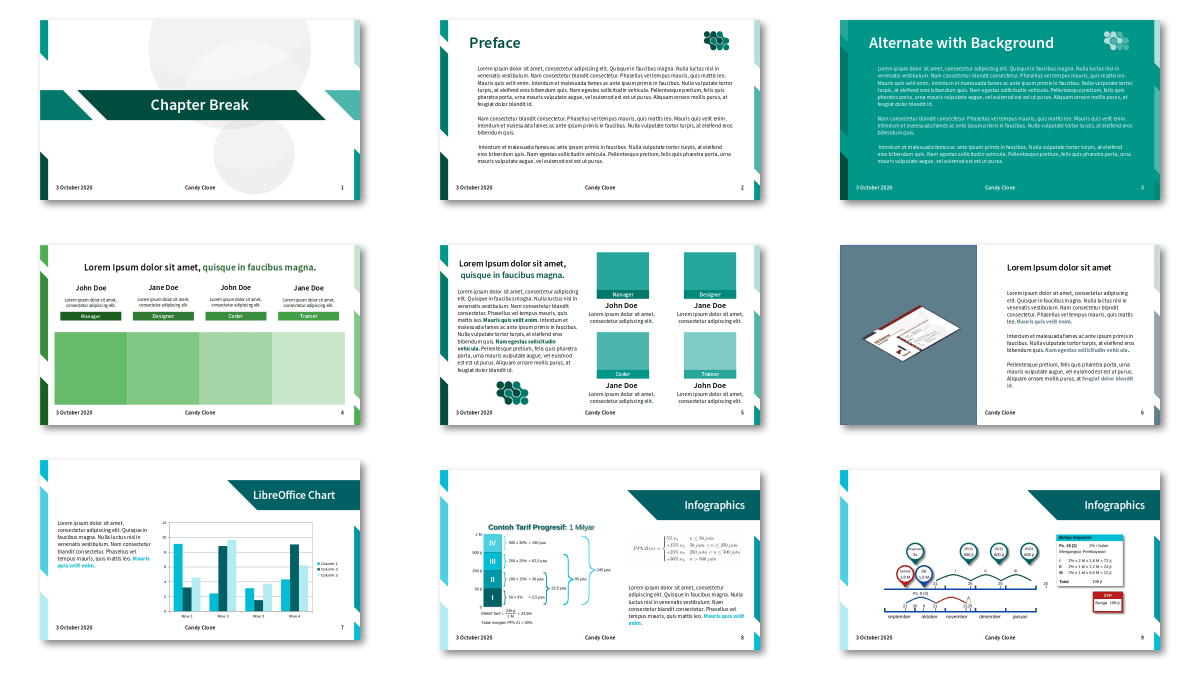
Last month, LibreOffice Indonesia held an Impress Template Contest and today we announced the results. There are several items for prizes, such as ARM Mini PC and shoes, sponsored by FANS Shoes Factory.
The main goal of this contest is to get more people active in the community, design good Impress templates, and if possible, change the old default templates with the new ones. Most of the participants are from the younger generation (since in our group, only fewer than than 10 members from 739 are older than me).
Thanks to Haris and the whole Indonesian community for their great work! The templates are available on the website here.
Who makes LibreOffice? How can you – as a user – get involved in the community? And what can you contribute to the project? Well, we’ll answer all of these questions, and more, in an upcoming online “hackfest” during the LibreOffice conference. This is a virtual event where the world’s foremost LibreOffice experts will be at hand, to answer your questions about contributing to the project. You can see how they work and “how the sausage is made”, as they say!
There are many ways to help out:
Designing the user interface
Improving the features and functionality with C++ programming
Updating the documentation
Translating the app and website
Starting cool marketing campaigns
Confirming bug reports from other users
And much more. By joining a well-known and well-established FOSS project like LibreOffice, you can build up your skillset for future career options. And also meet new people and have fun!
So, do you have a question about contributing? If so, please send your questions to ilmari.lauhakangas@libreoffice.org by 27 September 2020.
A panel of experts will convene to present on your questions and topics. Everyone is welcome to join and ask further questions. In the case that your spontaneous questions render the experts speechless, answers will be provided after the event. The duration of the event is one hour.
(Note: this is a section from The Document Foundation’s Annual Report 2019, which will be published in full in the coming weeks.)
Based on LibreOffice’s Human Interface Guidelines (HIG), which provide the core framework, several significant changes were made to LibreOffice’s user interface during 2019. The most important were the improvements and the additions to icon styles, and the release of the NotebookBar in additional flavours.
Improvements in LibreOffice 6.3
Dialog Windows
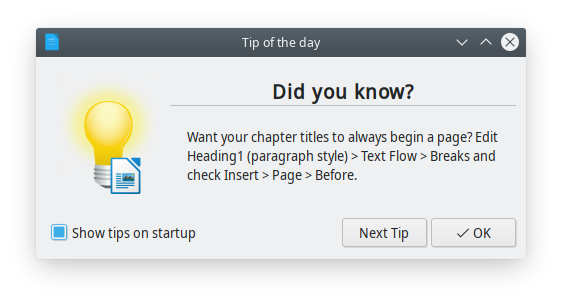
A completely new Tip of the Day window shows up once per day when the user opens LibreOffice, to provide useful information, tips and tricks about the software, and from time to time a reminder about contributing or donating to the project. Tips are rotating based on a list developed by LibreOffice volunteer contributors.
Menus
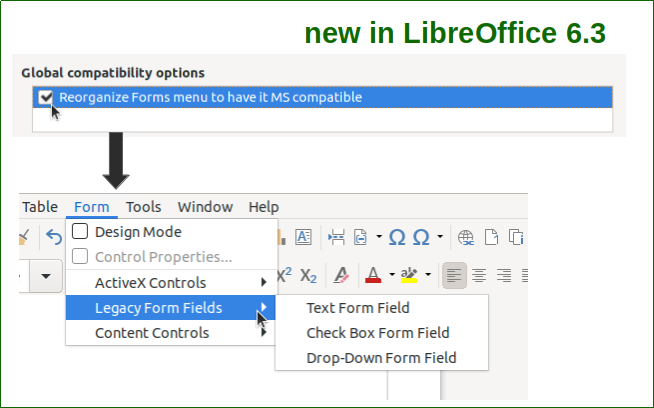
Writer’s Form menu can be reorganized to have it Microsoft Office compatible, by checking out the relevant option in the Option > Writer > Compatibility dialogue window.
Toolbars & Sidebar
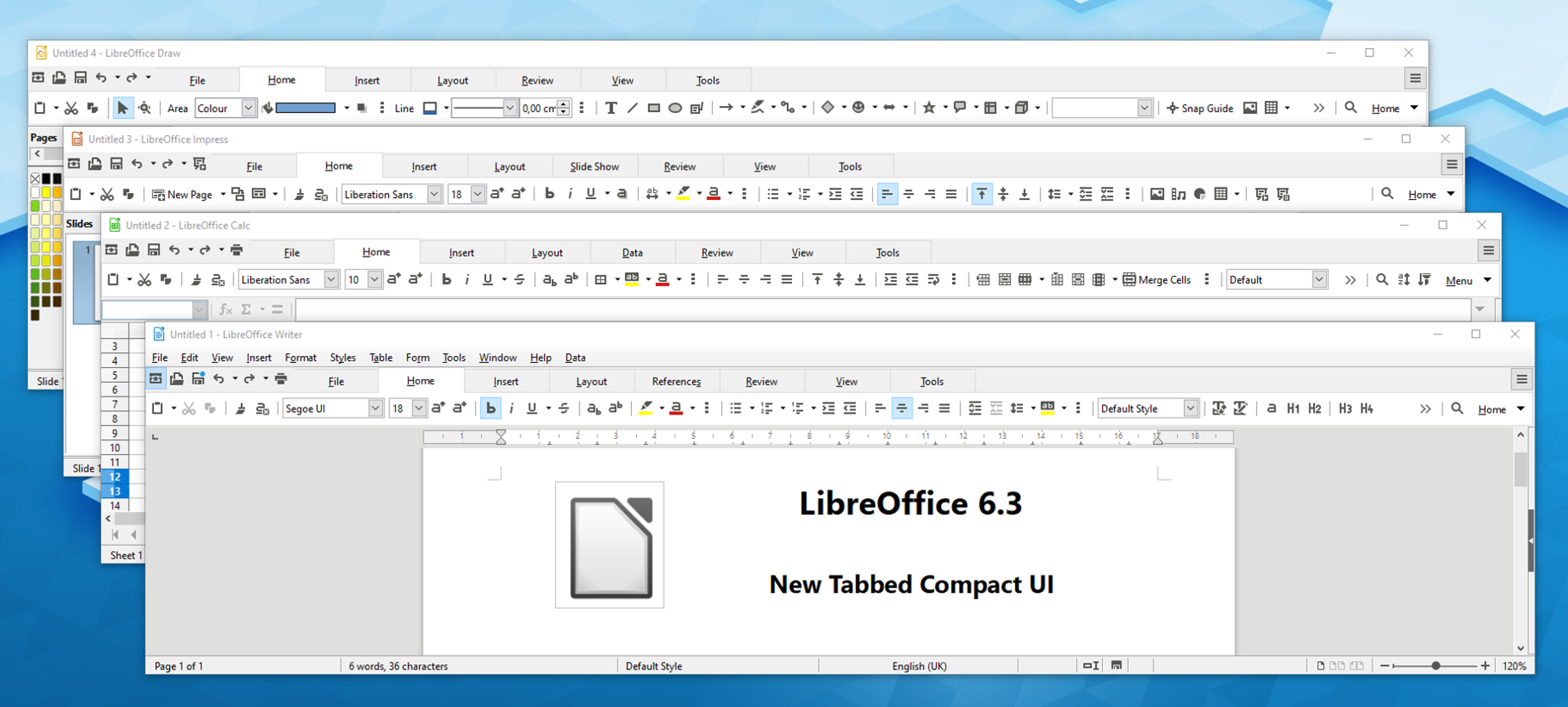
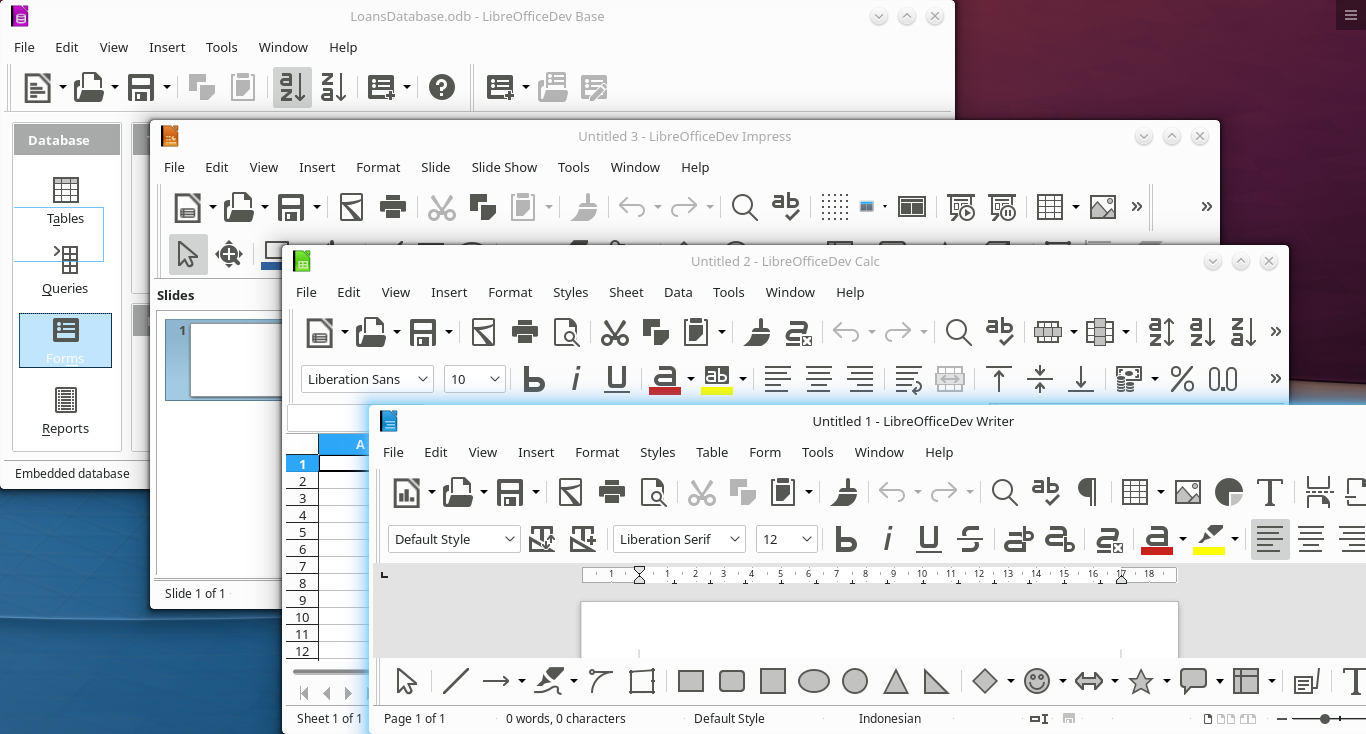
The NotebookBar has been improved with the addition of a Tabbed Compact option in Writer, Calc, Impress and Draw, to serve users with a wide screen where the Tabbed user interface would steal a large portion of the vertical space. In addition, a Contextual Single option has been added to Writer, Impress and Draw, to serve the same users when the choose the more traditional user interface based on toolbars.
The Toolbar “More Controls” was deleted, and all tools were moved to the toolbar “Form Controls” in all LibreOffice modules. In addition, the Sidebar width can be configured to accommodate contents of extensions which exceed the maximum width of 400 pixel.
Icons
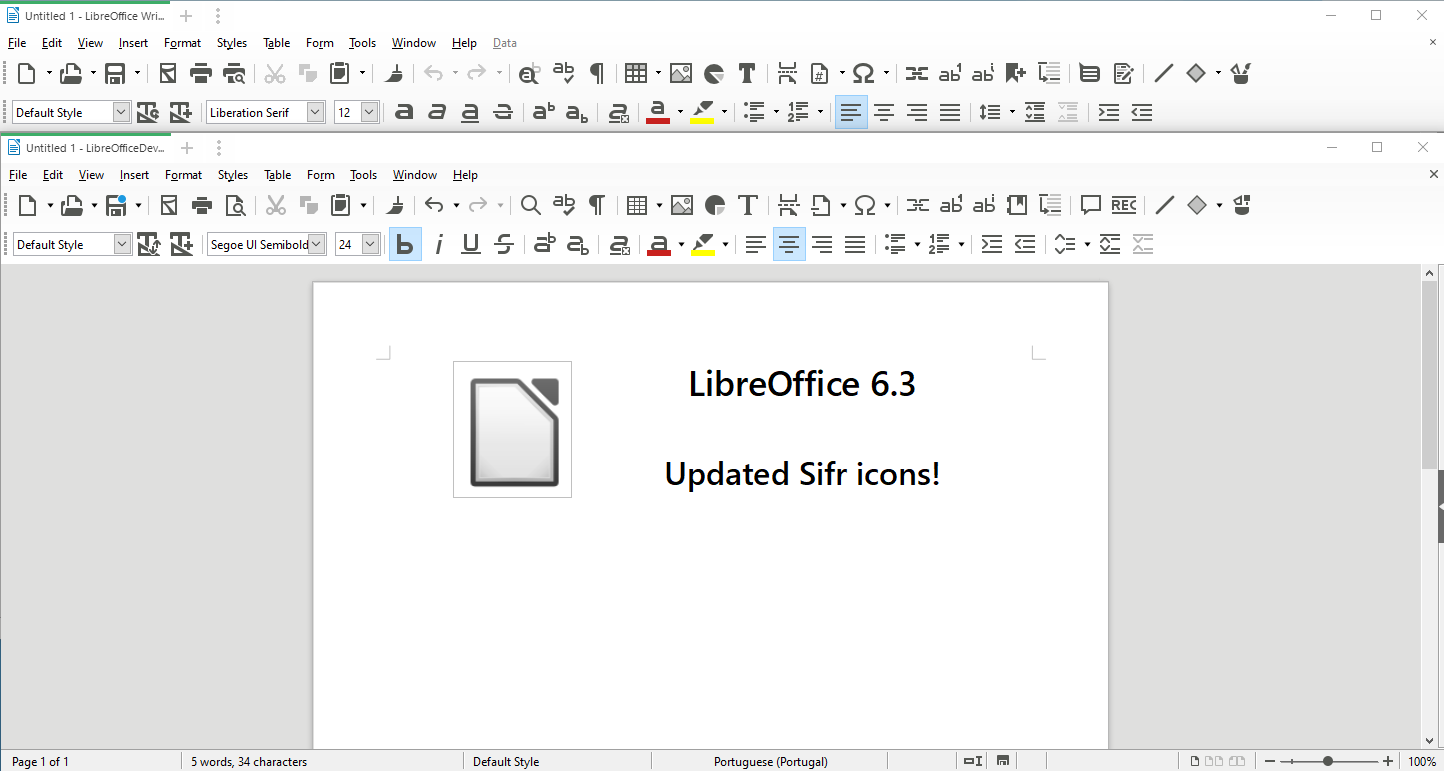
The monochrome Sifr icon theme was significantly reviewed and updated, and the Karasa Jaga icon theme was reworked from 22 to 24 pixels to follow other icon themes. All icons of the two icon themes were drawn in Inkscape to make them available also as SVG (Scalable Vector Graphics) images to support HDPI screens.
Other GUI Items
The old Sum tool in Calc’s formula bar has been replaced by a new drop-down widget providing Sum, Average, Min, Max and Count options.
Improvements in LibreOffice 6.4
Menus
Hyperlink context menus were unified. Every hyperlink now has the following context menu entries: Open Hyperlink, Edit Hyperlink, Copy Hyperlink Location and Remove Hyperlink.
Toolbars & Sidebar
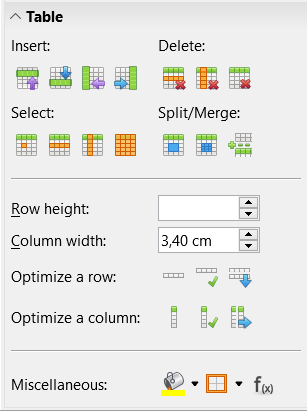
A Table panel was added to Writer’s Sidebar, with Insert, Delete, Select, Split/Merge, Optimize a Row, Optimize a Column, set the Table Cell Background Colour and the Border, insert a Function, and forms to set Row Height and Column Width.
Icons
A SVG variant of the dark version of Breeze and Sifr icon themes was added to the view options, and an extra large 32 pixels icon set has been added to Sifr.
Other GUI Items
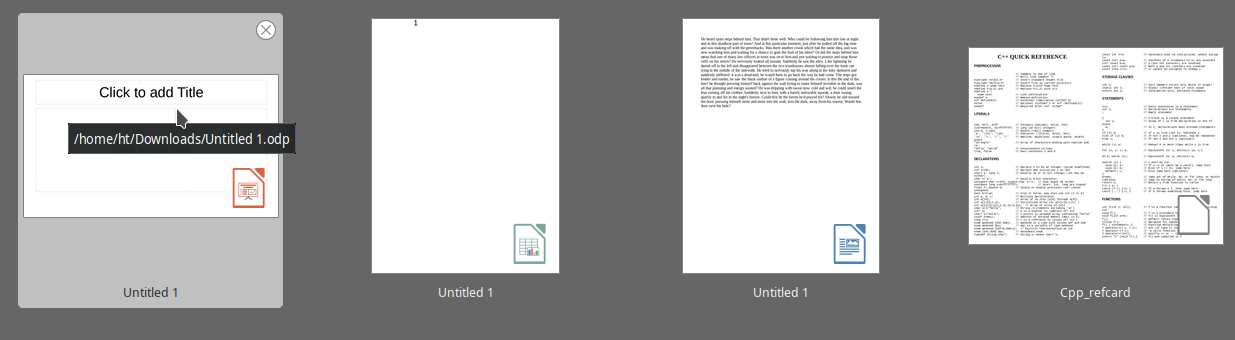
Thumbnails of documents in the Start Center are now overlaid with an icon showing the LibreOffice module they have been created with.
Much of this was implemented by our certified developers, along with community members volunteering their time. If you find LibreOffice useful, support us with a donation so that we can continue to build our community, share knowledge, and improve LibreOffice for everyone!
The year 2020 will be the 20th anniversary of the free office suite (OpenOffice.org was announced on July 19, 2000) and the 10th anniversary of LibreOffice (announced on September 28, 2010). We have the opportunity to celebrate both during the year, to reaffirm the fact that LibreOffice today is the leading free office suite available in the market.
For the anniversary project, we need a specific logo which celebrates the 10/20 anniversary without making a difference between the two dates, as the concept is that LibreOffice was born 20 years ago as OpenOffice.org, and evolved into LibreOffice 10 years ago.
The 10/20 logo should be easy to associate to the current LibreOffice logo (with tagline), and follow TDF design and style guides (Corporate Image) published on the wiki: https://wiki.documentfoundation.org/Marketing/Branding.
The 10/20 logo will be used for presentations, event signage, swag and gadgets (like stickers). It should be easy to recognize and read at small sizes.
The 10/20 logo must be developed with free and open source software, and released in vector-based (SVG) as well as bitmap-based (PNG, JPG) formats. The logo must be available in a squared or nearly squared format, plus other formats as appropriate.
One example of a possible implementation should also be provided with the proposal.
Intellectual property must be released under the Creative Commons Attribution-Share Alike 4.0 License (https://creativecommons.org/licenses/by-sa/4.0/), while a copyright transfer to TDF is not required.
Authors must declare in writing that they are the sole owners of all rights related to the artwork they have developed.
It should be clear that this is not a request for a mascot, and any kind of proposal which could be interpreted as a mascot will be rejected. Also, the 10/20 logo must be global and as such any reference to a regional styling approach (such as Anime or Manga) will also be rejected.
Logo proposals must be sent to: italo@libreoffice.org by November 30, 2019, at 11:59PM UTC. TDF will select the best proposal, which will be announced on December 16, 2019.
The author of the winning proposal will be announced at FOSDEM 2020, where the 10/20 logo will be displayed for the first time during a global FOSS event.
The LibreOffice and openSUSE communities will have a joint conference next year in Nuremberg, Germany, and for this special co-conference, we are having a logo competition. The dates of the event are still being finalized, but there are some things we can do beforehand.
A logo is essential for the conference and we want to visualize both communities during this co-conference as LibreOffice will celebrate its 10-year anniversary and openSUSE will celebrate its 15-year anniversary during the conference.
You have seen both the openSUSE Conference logo and LibOCon logo change over the years. For this unique co-conference, we would like to have a unique logo reflecting both communities in one logo.
The competition is open now and ends on January 17, 2020. The organising team will send a “Mystery Box” as an appreciation for the best logo designed. This year, logo will be voted on by the organizers of the conference.
The logo should be licensed under CC-BY-SA 4.0 and allow everyone to use the logo without attribution (BY) if your work is used as the logo of LibOCon/oSC20. Note that the attribution is going to be shown on the conference website.
Design must be original and should not include any third party materials.
Both monochromes and color formats are essential for submission.
Submissions must be in SVG format.
Design should reflect the LibreOffice and openSUSE communities.
The logo should avoid the following things:
Brand names or trademarks of any kind.
Illustrations that may be considered inappropriate, offensive, hateful, tortuous, defamatory, slanderous or libellous.
Sexually explicit or provocative images.
Violence or weapons.
Alcohol, tobacco, or drug use imagery.
Discrimination based on race, gender, religion, nationality, disability, sexual orientation or age.
Bigotry, racism, hatred or harm against groups or individuals.
Subject: Co-Conference Logo Design 2020 – [your name]
Your name and mail address to contact
A document about philosophy of the design (txt or pdf)
Vector file of the design with SVG format ONLY (created in eg LibreOffice Draw, Inkscape or another tool)
Bitmap of design in attachment — image size: 256*256 px at least, PNG format
File size less than 512 KB
The co-conference organizing team will decide on the logos, which is subject to the conditions that the logo meets all the requirements. The final decision will be made by the co-conference organizing team and it may not be the highest scored design.
We look forward to seeing your designs!
(Note: The LibOCon logo competition should not be confused with the LibreOffice 10th anniversary logo contest, which will be announced separately via our blog – stay tuned for more…)
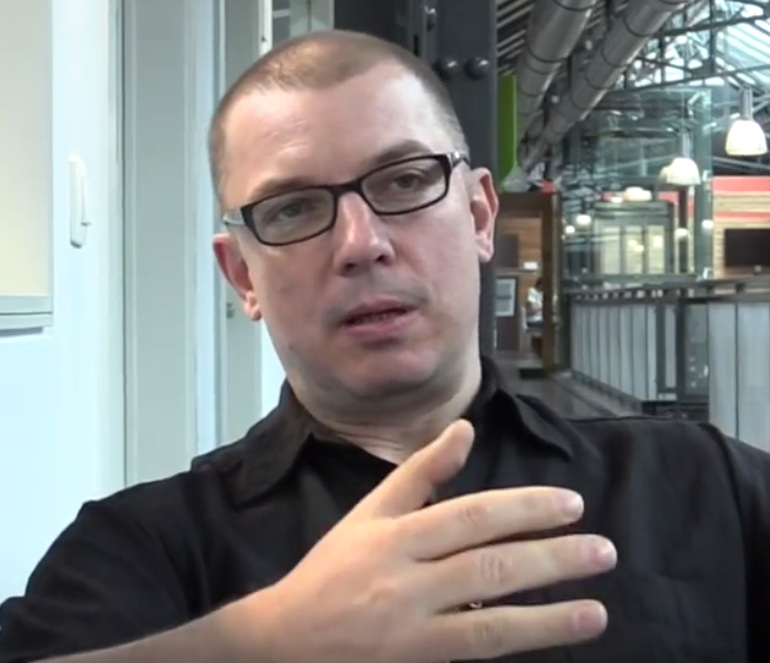
LibreOffice 6.2 is due to be released at the end of this month, and many communities in the project have been working hard on new features. Today we talk to Heiko Tietze, The Document Foundation’s UX designer, about the upcoming release…
What new feature(s) in LibreOffice 6.2 are you most excited about?
Two years ago, The Document Foundation announced the MUFFIN concept, that is supposed to give users the freedom to change the user interface to what they are familiar with, and to adopt to any usage scenarios. Now, with the upcoming LibreOffice 6.2 release, we finally made this feature available for everyone, not only the brave users who enable experimental features.
We present the “Tabbed” and “Groupedbar” variants in the first stage (View > User Interface in the menu). The Tabbed variant aims to provide a familiar interface for users coming from Microsoft Office. It is supposed to be used primarily without the sidebar. Here’s a quick animation of it in action:
Please confirm that you want to play a YouTube video. By accepting, you will be accessing content from YouTube, a service provided by an external third party.
If you accept this notice, your choice will be saved and the page will refresh.
Meanwhile, the Groupedbar design follows the mantra “Simple by default, powerful when needed” with the basic principle to access “first-level” functions with one click, and second-level functions with a maximum of two clicks.
What has the design community been working on in preparation for this release?
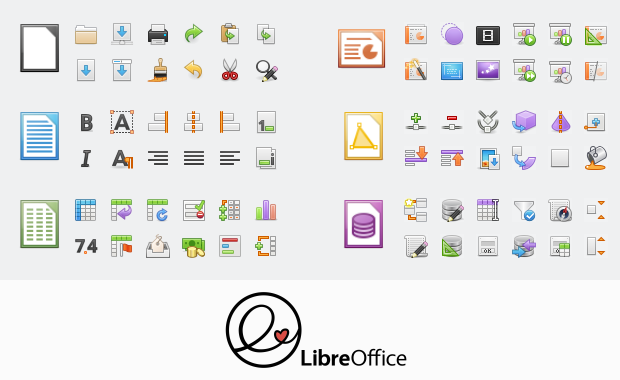
We also made massive changes and improvements to icon themes, in particular Elementary and Karasa Jaga. Here’s Elementary:
Plus, the icons are now shipped as SVG vector graphics. If the rendering is stable and accurate we plan to switch completely in one of the upcoming releases. Read more on the technical background on this blog.
Another great step ahead has been made regarding the personalization feature (Tools > Options) that took ages in the past to show results. Now it brings up the Firefox personas within a second or two. Read more about this here.
Looking further ahead, what else are you planning – or want to achieve – in the community?
We will continue the work on the Notebookbar variants. Some concepts are almost ready for publication. Ideally, users load the Notebookbar variants as an extension. And we are aware that a lot of work has to be done in this regards.
Other than that, we discuss the ideas from the community on a daily basis. Some would be great enhancements; others are probably not suited to an office suite. The evaluation of this input takes some resources. And last but not least, we have many “creaking doors” that might benefit from a redesign: bullets and numbering, outlines, bezier curves, bibliography…
So how can people get involved?
Everybody is welcome to join the design group. Most of us are active on Telegram and you can just lurk around there and listen. But your input on tickets on Bugzilla with keyword needsUXEval is also very welcome. We pick some of those topics and discuss it in the weekly meeting, biweekly either on Wednesday evening (7pm UTC) or Thursday afternoon (1pm UTC).
All information about who we are, how we work, and how to get in contact are provided on the LibreOffice wiki.
Thanks to Heiko and the whole design community for their great work. We’ll be talking to other communities over the next few weeks, so keep an eye on this blog for more…



 LibreOffice 6.2 is due to be released at the end of this month, and many communities in the project have been working hard on new features. Today we talk to Heiko Tietze, The Document Foundation’s UX designer, about the upcoming release…