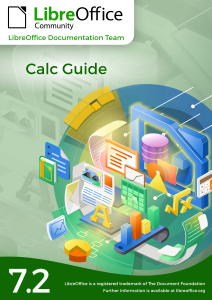
LibreOffice Getting Started Guide 7.2

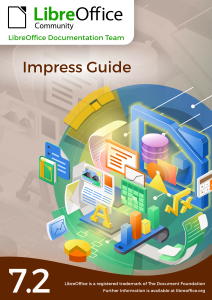
The LibreOffice Documentation Team is happy to announce the LibreOffice Getting Started Guide 7.2, covering the latest innovations of the best open source office suite. The new guide is an effort of many volunteers and among them, Jean Hollis Weber, Kees Kriek, Peter Schofield, Vasudev Narayanan, Rafael Lima and Mitchell Camfield.

A big THANK YOU ALL ! YOU ROCK!

(more…)

Interviewing Hypra’s Jean-Philippe Mengual about software accessibility

Accessibility is a key factor for the inclusiveness of digital transformation, but only a few people are really competent in the topic. To learn more about accessibility, we interviewed Hypra’s co-founder, Jean-Philippe Mengual.

Q1. Jean-Philippe, can you tell us about the birth of Hypra?

A1. In 2008 I met Corentin at the Sciences Po higher-learning school in Aix-en-Provence. Through our friendship and the time we spent together studying, he realized how much IT can bring to visually impaired people, but also realized the current limitations.

Together, we understood the revolution it represents: digital technology may erase some inequalities, when one knows how to use it of course. We studied how digital technology can bring equality between visually impaired and sighted people, and then we realized that other people may also benefit from this phenomenon.

We were looking for a solution to this challenge, and we decided to create a computer that was accessible to all, easy to use, adaptable and accompanied by an empowering training.

That is how Hypra was born.

Q2. How challenging is it to work full-time to improve accessibility, and to help seniors and people with disabilities to leverage the opportunities offered by IT?

A2. It is a challenge indeed, and most of us are actually split between several jobs and specialties: psychology, sociology, teaching, but also hacking a distro, patching code, debugging, testing, talking with many communities. The most difficult is to experience regressions and needing of “race” after the accessibility regression to ensure a good end-user experience. And either the upstream project is reactive with our bug reports and/or patches, or it is not, so it may become disappointing.

However, working with people who, because of age or disabilities, are reluctant to use a computer, has allowed us to come to the conclusion that anyone can learn to use a computer fully autonomously, no matter your situation their age, as long as they are well supported at the beginning.

When we see such people progress and succeed, we realize that all of our work is worthwhile.

Q3. How far is free and open source software from offering true accessibility?

A3. Since I started with FOSS in the 2000s, I have seen a lot of real improvements. I, for one, am now able to only use free open source software in my daily activities, with a nice graphical interface.

However, I think reaching actual feature parity would allow users to be fully autonomous with FOSS. At the top of my mind, all features regarding speech synthesis (text to speech) and voice recognition (speech to text) are not quite up to what is achievable with proprietary software. It is the same for OCR (optical character recognition).

Another important dimension is the durability of software environments. Indeed, some programs that used to be perfectly accessible may cease to be so, from one day to another. This may be because some crucial contributors have abandoned that particular project, or it may be due to an update in which accessibility has been put on the back burner.

Q4. Hypra provides hardware solutions both for seniors and for people with disabilities. Can you tell us about these products, and about the software?

A4. We rely on Debian GNU/Linux for our products. We chose it because of its stability and careful update pace, which allows us to guarantee optimal use for our customers including our own layer of customizations in good conditions.

We mainly use free and open source software on our computers. To enable individual support, we provide Mumble, VNC to take control of the system remotely, and we use SSH for maintenance.

Regarding the tools for our visually impaired customers, we have chosen the Orca screen reader and Compiz for visual filters, rely on the MATE desktop (great for its full flexibility from a user point of view). Alongside with the computers, we provide scanners which, together with the screen reader, turn your laptop into a reading machine.

Generally speaking, the fact we produce only free code and use mainly free software enables us to sell, for a standard price, hardware with a high service level.

Q5. Hypra is working with enterprises to integrate people with disabilities in business environments. How difficult is this task?

A5. It’s important to know that the first task when adapting a workstation is to reassure both the user and their company. They have to be reassured that the equipment is compatible with the work environment already in place and that we’ll be there to support them.

In fact, the highest challenge is the diversity of the infrastructures: many solutions, more and more remote, few free software in the workstation (which is not always accessible, by the way, under Windows). It depends on the size of the organization and the flexibility possible in respect with the IT teams and the security needs of the company. The good news comes when the clients are web interfaces, even if some improvements are needed to make everything accessible. But a web interface is potentially easier to make accessible than software, because it is governed by standards, while software is based on various toolkits, not always compatible with any accessibility solution – in particular remotely.

Q6. What kind of integration have you done with LibreOffice?

A6. We only use vanilla LibreOffice versions. We’re generally very happy with these, except for certain aspects such as the stability of certain versions or occasional accessibility regressions in LibreOffice.

As far as Orca users are concerned, we’ve chosen to use an older LibreOffice build, version 4.2, as it gives us full satisfaction – which also applies to all low vision software.

However, we have noticed that accessibility is becoming more and more present in LibreOffice’s development in the recent years; we’re speculating that from version 8.x onwards we’ll hopefully be able to migrate all users to a more recent version.

On our end, we plan to systematize regression testing of the master branch in order to get more actively involved in the development process. This will also allow us to alert contributors immediately if a specific proposed change affects accessibility.

We also want to provide use cases to the community, so that each of its members can concretely test what a user with specific needs expects from the program in their daily use.

LibreOffice project and community recap: August 2021

Here’s our summary of updates, events and activities in the LibreOffice project in the last four weeks – click the links to learn more!

  • We’re looking forward to the LibreOffice Conference 2021, coming up in September – and we now have a logo, thanks to Alan Ward!

  • Our series of guides to fixing interoperability bugs in LibreOffice continued this month with part 2 and part 3.

  • In the LibreOffice project, we make use of various social media platforms to spread the word, and bring new contributors to us. We posted about the importance of LinkedIn pages for our projects, and how we’re growing them.

  • French social-impact company Hypra, focused on accessibility in free and open source software, joined TDF’s Advisory Board this month. We look forward to sharing insights and experiences, strengthening all our work together.

  • Finally, some documentation updates! The Brazilian Portuguese Writer 7.1 guide was released on August 23, while the English Writer Guide 7.2 was also made available around the same time. Many thanks to all contributors in the docs project for their updates and translations!

Keep in touch – follow us on Twitter, Facebook and Mastodon. Like what we do? Support our community with a donation – or join us and help to make LibreOffice even better!

The Writer Guide 7.2 just arrived

The new Guide comes one week after the release of the latest LibreOffice Community software

Jean H. Weber and Kees Kriek from the LibreOffice Documentation Team are happy to announce the immediate availability of the Writer Guide 7.2, one week after the release of LibreOffice Community 7.2

LibreOffice 7.2 Community includes many changes not visible in the user interface. These changes include improved interoperability with Microsoft’s proprietary file formats and performance improvements in handling large files, opening certain .docx and .xlsx files, managing font caching, and opening presentations and drawings that contain large images.

The Writer Guide 7.2 has been updated from Writer Guide 7.1. It covers changes that are visible in the user interface, including:

  • Added a note about icon sets and Gallery sets in this Preface.
  • Added details about the Insert > Formatting Mark submenu (Chapter 2).
  • Updated list terminology and changed screenshots in Chapters 4, 8, 9, 11, and anywhere else lists are mentioned.
  • Added new gutter margins and choices for page background fills (Chapters 5, 6, and 9).
  • Updated details about some options on tabs of the PDF Options dialog (Chapter 7).
  • Added new, advanced features of the Style Inspector (Chapter 9)
  • Updated details about Templates dialog (Chapter 10).
  • Added “no registered database” error message in Mail Merge Wizard (Chapter 14).
  • Added information on classifying document contents (Chapter 17).
  • Added Basic Fonts options and custom dictionaries (Chapter 20).
  • New Chapter 21 on user interface variants.
  • Minor rewording, updates to terminology, and replacement figures in many chapters.

LibreOffice Community 7.2 release notes are here: https://wiki.documentfoundation.org/ReleaseNotes/7.2.

A big thank you to Jean and Kees for their wonderful work.

Jean Weber
Kees Kriek


The LibreOffice Documentation Team is devoted to produce the best documentation for LibreOffice and is open to everyone interested in contributing to our collective effort.

LibreOffice community members: Have your say in our survey!

At The Document Foundation, we try to grow and strengthen our community in many ways. We’d like to improve our support for existing community members who’re working on LibreOffice, but also increase the number of contributors (and TDF members).

To achieve this, we’ve created a survey for active members inside the LibreOffice community, to identify areas where focused activity is needed, and address the needs of local projects around the world.

There are 17 questions in the survey, and it runs from today until September 8. So, if you’re active in the LibreOffice or Document Liberation projects, let us know what you think! We appreciate all feedback:

» Click here to take part in the survey

The Guia do Writer 7.1 is finally here.

Translation courtesy of Timothy Brennan Jr.

Brazilian computer users in general, the community of Brazilian free software users and supporters, and of LibreOffice in particular, have received quite the gift today: the Brazilian LibreOffice documentation team proudly announces the publication of the Guia do Writer 7.1, the most complete Writer word processor guide for the best free software office suite, the LibreOffice Community.

The Guia do Writer 7.1 is an extensive 570-page volume covering the most advanced text-editing techniques, from simple typing of a page to assembling multi-volume documents, including electronic forms, illustrations, tables, indexes and summaries, automation and export to numerous file formats.

The guide is the LibreOffice Brazilian documentation team’s contribution to the public. The team has used automatic translation followed by a thorough manual review correcting terms, drafting and stylistics of the Portuguese language, as well as proofreading. While rereading the content, the team is able to check the accuracy of the techniques described in the documentation and review the terminology used in the software, signaling to the LibreOffice translation team the inconsistencies found in the interface suggesting improvements in terms, changes in the vocabulary of the commands and correction of the software Help Pages. This feedback has served to make the LibreOffice interface even more robust, consistent and has helped consolidate its command terminology.

The Guia do Writer 7.1 is available in three formats: The traditional PDF with adjusted pagination for those who want to print the guide and bind it, the source file in Open Document Format (ODF) for free editing, and the installed online version on The Document Foundation’s servers for reading on tablets, your desktop browser and — of course — on mobile phones.

“The importance of the  Guia do Writer is enormous. I suggest reading it for all who need to produce professional documents, as well as using the guide for creating courses, video classes, and even material for public tenders” says Olivier Hallot, coordinator of LibreOffice’s global documentation. “We are working on the LibreOffice Community ‘s manual library to provide the most advanced user guides for all LibreOffice modules, and, other volumes are on the way.” added Olivier.

The Brazilian  LibreOffice Community documentation team is made up of volunteers from all over Brazil (and one person in Ireland) and has been dedicated to producing the reference material in Brazilian Portuguese. The team includes (name and state or country) Vera Cavalcante (São Paulo), Luciana Mota (Distrito Federal), Márcia Buffon Machado (Ireland), Jackson Cavalcanti Jr. (Pernambuco), Raul Pacheco da Silva (São Paulo), Timothy Brennan Jr (Rio Grande do Sul), Túlio Macedo (Distrito Federal), Diego Peres Marques (Rio de Janeiro), Rafael Lima (Santa Catarina) and Olivier Hallot (Rio de Janeiro).

The Brazilian Guia do Writer 7.1 can be downloaded at https://documentation.libreoffice.org/pt-br/portugues   along with other volumes for Impress, Calc, Math and the Beginner’s Guide.

The original Writer Guide 7.1 can be downloaded at https://documentation.libreoffice.org/en/english-documentation/