The Documentation Team announces the Math Guide 6.4

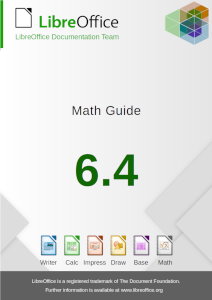
Berlin, January 22nd, 2020 – With the upcoming release of LibreOffice 6.4, the Documentation Team is proud to announce the Math Guide 6.4, an update of the previous Math 4.0 guide, updated to cover all innovations included in LibreOffice 6.4. The guide was updated by Roman Kuznetsov and revised by Dave Barton from the documentation community.

Math Guide

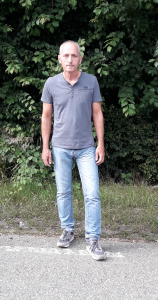
“I updated the Math Guide to give everyone up-to-date information about using that interesting and (often forgotten) tool in LibreOffice”, said Roman Kuznetsov, community member and volunteer technical writer. “I did it to improve my skills in writing of documentation. Also I want say thank you to the LibreOffice Documentation Team for its help with that task.”

Roman Kuznetsov

The guide is available for immediate download from The Document Foundation cloud instance and is published in PDF format, as along in its source file in ODF format.

About the LibreOffice Documentation Team

The LibreOffice Documentation Team is devoted to producing the best documentation for the LibreOffice end user, and is actively pursuing the goal of keeping the LibreOffice literature updated, effective and accurate. Come and join us!.

The LibreOffice Documentation Team Announces the LibreOffice Online Guide

Berlin, December 12, 2019 – The LibreOffice Documentation Team announces the immediate availability of the LibreOffice Online Guide, a major work authored by Aaron Peters under the Google Season of Docs 2019 programme. LibreOffice Online is a web-based version of the office suite, that can be deployed on local infrastructure and connected to a file-sharing system for document collaboration.

LibreOffice Online 6.3 Guide

The guide includes content for end-users – as well as for system administrators – for rapid deployment and start of operation. It covers the basic usage of the word processor, spreadsheet and presentation modules, as well as guides for file handling and – one of the major technological achievements of LibreOffice Online – the collaborative editing capability, that allows several users to work on the same document, spreadsheet or presentation at the same time. Users familiar with LibreOffice on the desktop will quickly grasp the operation of LibreOffice Online, except for some specific differences addressed in the guide.

For the system administrator, the guide covers installation and basic operation, and explains deployment in small and limited environments. Professional support and operation services are strongly recommended for large installations and mission critical deployments, available in the LibreOffice business ecosystem.

“The current version of the Guide is complete and has the necessary information for the targeted audience (technology-savvy enthusiasts and/or small businesses), to be able to get the application, install it alongside a hosting application (NextCloud), use the main modules (Documents, Spreadsheets, and Presentations), and use other desktop and mobile tools to access their LibreOffice Online content,” says author Aaron Peters. “My experience working on this guide was fantastic, and I would urge anyone interested in getting involved with open source to consider documentation as a first step. The Document Foundation’s documentation team in particular has a very well-established process and infrastructure for producing their products, and one of the only things I can think of that would help them is more volunteers.”

“The Google Season of Docs programme was an opportunity The Document Foundation (TDF) could not have miss to add a valuable content to its documentation portfolio. The LibreOffice Online Guide is a document whose time had just come and is here to help the LibreOffice Online software and its professional and volunteer community to increase its usage and benefit of its incredible value,” says Olivier Hallot, TDF mentor and Documentation Coordinator. “And working with Aaron was a pleasure and all commitments were delivered on time, which was very appreciated. Special thank you to Google for the wonderful initiative and to the Season of Docs 2019 team for the support.”

The outline of the new Guide is as follows and gives a good view on what is inside.

  • Preface
  • Chapter 1: Introducing LibreOffice Online
  • Chapter 2: Installing LibreOffice Online
  • Chapter 3: Setting Up LibreOffice Online Before Use
  • Chapter 4: Navigating Your LibreOffice Online Files
  • Chapter 5: Editing, Saving, and Exporting LibreOffice Online Files
  • Chapter 6: The Documents Module
  • Chapter 7: The Spreadsheets Module
  • Chapter 8: The Presentations Module
  • Chapter 9: Integrating with LibreOffice Online

The guide is available for download at the documentation website at https://documentation.libreoffice.org/en/english-documentation/


The First LibreOffice Latin America Conference is a success and achieved important community milestones.

Linguistic challenges, women’s participation in FOSS, interoperability, professional training, migration, scripting and much more were hot topics in the conference held at the Facultad Politecnica of the Universidad Nacional de Asunción, Paraguay.

By Daniel A. Rodriguez.

The event started internally on Thursday 18 with a translation sprint of the LibreOffice Guarani team, with the assistance of Olivier Hallot (Brazil), LibreOffice volunteer translator for Brazilian Portuguese.

The Conference opened to public on Friday 19 in a ceremony that gathered the Minister of the Secretariat of Linguistic Policies (SPL), Ladislaa Alcaraz de Silvero, Prof. Limpia Ferreira Ortiz, FP-UNA Vice-Dean, members of the Guaraní Culture Atheneum, Prof. Mag. Alcides Torres Gutt, Coordinator of the Translation Team together with Italo Vignoli and Gustavo Pacheco representing The Document Foundation and the LibreOffice Community.

“The LibreOffice Latin American Conference is an event not only of technology, it is also a space for the study of new forms of productive organization. It will deal with technical topics such as development and quality control, but also with successful cases of migration and, with special attention, the translation into Guaraní, native of the American continent and official in Paraguay,” said the Vice-dean in her inaugural speech.

The conference initiative was declared of “Scientific and Technological Interest” by the Honorable Chamber of Deputies of Paraguay.

This regional conferences were carried out for 8 years in Europe and other continents, and for this time Paraguay was chosen as the venue, because it has a vibrant Free Software community, a special interest for the Guaraní language, and was completely organized by volunteers. Talks and workshops were held by speakers, members of the LibreOffice community, from Italy, Spain, Mexico, Costa Rica, Bolivia, Chile, Brazil, Argentina and Paraguay, from Thursday 18 to Saturday 20 of July at the Polytechnic Faculty of the National University of Asuncion in San Lorenzo campus.

The first presentations covered the Hispanic community, the reality of the companies linked to the FLOSS in Paraguay and the difficulties faced by women workforce in the technological field. An official photo of the participants followed.

Starting the afternoon Henry Castro (Bolivia) talked on the development and technical challenges of LibreOffice Online. He was followed by José Gattica (Chile) talk on “Migration to LibreOffice in a vulnerable school”. Simultaneously, Mauricio Baeza (Mexico) gave the workshop on macros in the computer lab.

Xiomara Céspedes talked about the migration to LibreOffice and open document formats at the University of Costa Rica. She was followed by Renato Barsotti (Argentina) experience of the Faculty of Economics of the National University of Misiones (UnaM).

The next day morning, Olivier Hallot (Brazil) shared with the attendees the details about the importance of documenting the software. Simultaneously, Klaibson Ribeiro (Brazil) conducted the Calc workshop.

Italo Vignoli (Italy) talked about the characteristics of the LibreOffice community on a global scale, presenting graphs and figures to support the features and trends of the people involved in LibreOffice. He was followed after lunch by Xisco Fauli (Spain) on LibreOffice Development and Quality Control. At the same time, the certification team reviewed and approved the application of Rute Solipa (Portugal) for Professional Instructor and Xiomara Céspedes (Costa Rica) as Certified Migration Consultant in a video call session with Lothar Becker (Germany), Italo Vignoli and Gustavo Pacheco.

Italo Vignoli returned to give two presentations, the first one explaining the certification policy of The Document Foundation and the second one addressing the importance of adopting and using open documents formats such as the ODF standard.

The conference ended with the testimony of the participating students and the general public about the personal gains from the themes and knowledge presented at the conference and, in particular, the individual commitment to create a genuinely Paraguayan LibreOffice community and focus on LibreOffice translated into Guarani.

First LibreOffice Latin America Conference: Call For Papers

The Document Foundation invites all members and contributors to submit talks, lectures and workshops for this year’s First LibreOffice Latin America Conference in Asunción, Paraguay. The event is scheduled for mid July, from Friday 19 to Saturday 20. Whether you are a seasoned presenter or have never spoken in public before, if you have something interesting to share about LibreOffice or the Document Liberation Project we want to hear from you!

Proposals should be filed by May 31st, 2019, in order to guarantee that they will be considered for inclusion in the conference program.

The conference program will be based on the following tracks:

a) Cases of migration to LibreOffice

b) Standard OpenDocument Format (ODF)

c) Community & Ecosystem

d) Resources & functionalities of LibreOffice

e) Quality Assurance

f) Localization, Documentation and Native Language Projects

g) Advocating LibreOffice

Presentations, case studies, workshops, and technical talks will discuss a subject in depth, and will last 30 minutes (including Q&A). Lightning talks will cover a specific topic and will last 5 minutes (including Q&A). To submit your proposal, visit https://latam.conference.libreoffice.org/

The talks will be presented in the auditorium of the Polytechnic Faculty of the National University of Asuncion (FPUNA). The authors of the approved talks will be notified by e-mail as of June 10 and the publication of the preliminary programming grid will be carried out on June 30. The event is free and registration is open.

If you do not agree to provide the data for the talk under the Creative Commons Attribution-Share Alike 4.0 License please explicitly state your terms.

If you want to give multiple talks please send a separate response for each.

Announcing the First Latin America LibreOffice Conference

This is the first ever LibreOffice conference covering Latin America, a rapidly-growing area for free and open source software.

Berlin, April 2nd, 2019 – The Document Foundation announces the LibreOffice Latin America Conference 2019, held at the Facultad Politécnica de Universidad Nactional de Assunción (FPUNA) in Asunción, Paraguay on July 19th (Friday) and 20th (Sat).

LibreOffice Latin America Conference will be the first event gathering LibreOffice users, advocates and contributors (not only development, but also localization, PR/marketing, documentation, quality assurance, … etc.) from different countries in Latin America, to exchange and share experiences and knowledge.

An exclusive translation sprint to Guarani will be held in parallel during the event with supervision of LibreOffice volunteer developers.

During the conference, we will discuss LibreOffice related business such as supporting and training, migrating to LibreOffice and the ODF true standard format, developing, and any other community activity in Latin America. In addition, we will have guests from the core team at The Document Foundation, which is a charitable foundation and the home of LibreOffice.

“The event will be an important opportunity for the consolidation of LibreOffice and free open source software in the region, bringing experiences from other countries for discussions and software development in Latin America” commented Alcides Javier Torres Gutt, professor at FPUNA. “FPUNA is proud to host the event for the Paraguayan FOSS communities, as well as advancing in the creation of a real LibreOffice with Guarani user interface”.

“The Document Foundation is a global organization, and as such wants to tighten the relationship with local communities in areas like Latin America, where there are huge growth opportunities for free open source software. A conference is the best way of putting together LibreOffice advocates, and sharing experiences and best practices at continental level” said Italo Vignoli, Marketing and Communication specialist at the Document Foundation.

Contact the conference organizers at mail address latinoamerica@global.libreoffice.org.

Documentation: Getting Started Guide 6.0 released

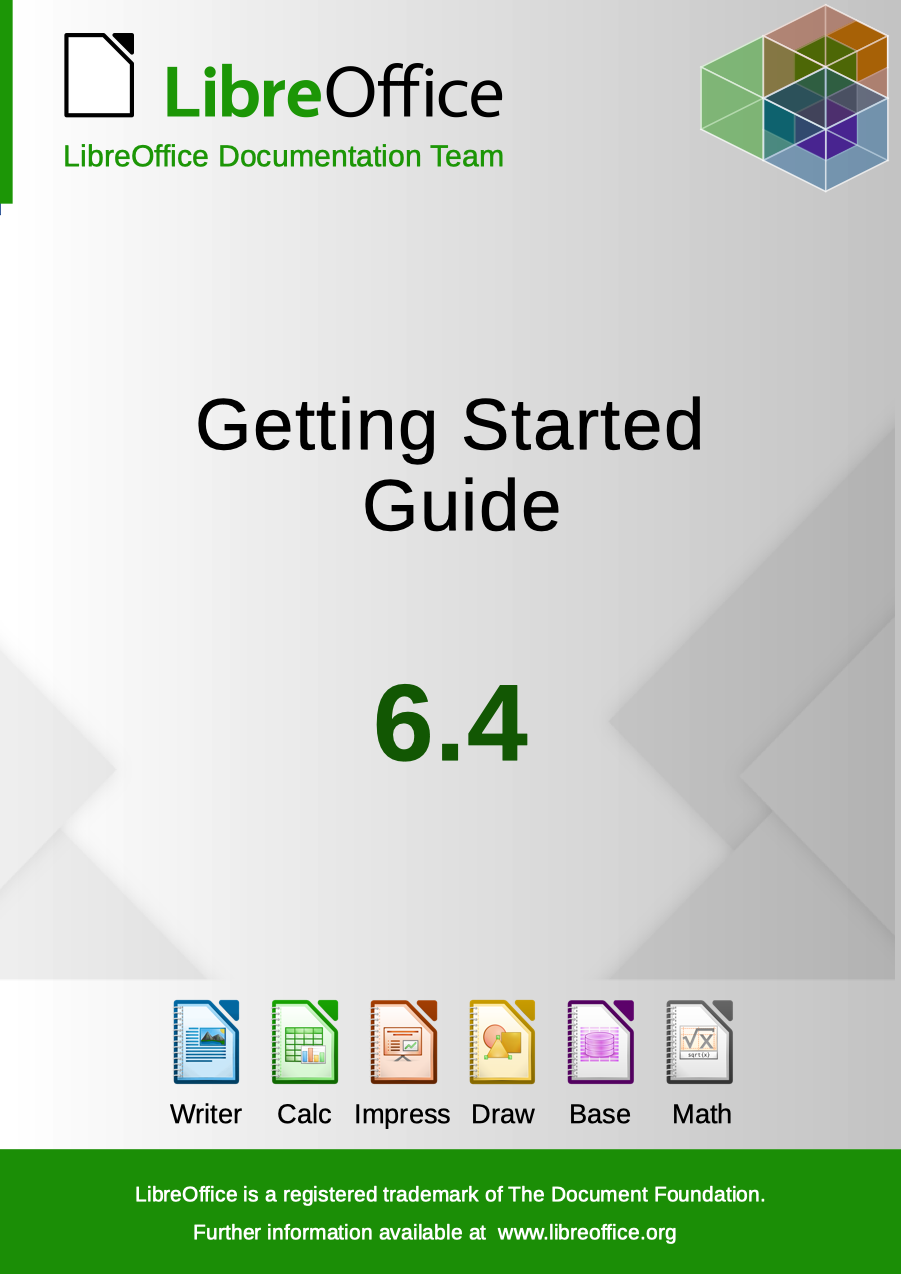
LibreOffice’s Documentation Team releases the Getting Started Guide 6.0, the introductory text for all LibreOffice applications and more.

Cover

Covering spreadsheets, presentations, texts, drawings, databases and the equations editor, as well as other important concepts in LibreOffice, the guide updates the previous book for LibreOffice 5.2 with the features implemented up to the 6.0 release. As it’s an introductory text, some advanced topics were left out, and are to be addressed in the other specialized modules guides, such as the Writer Guide 6.0. This turns the Getting Started Guide into a light reading on all of LibreOffice’s most important features and concepts.

“We are pleased to announce the release the new Getting Started Guide 6.0, bringing the contents closer to the latest version of the software. With this effort we also want to improve the documentation development process, and deliver the next update in much shorter time frame” said Dave Barton, member of the Documentation team. “We will begin the Getting Started 6.1 Guide project shortly” he added.

“The Guides update has been a very long process and revealed issues especially with revision, which is a very time consuming task and hard to carry out. A delicate balance is necessary between contribution and revision. We would like to try a time-based release of the next guide” said Olivier Hallot, Documentation Team Coordinator. “We will announce new methods and tools to speed up the authoring and release of the Guides”, he added.

The Guide was assembled using the techniques of the LibreOffice master document, a container of linked individual chapters, allowing the update of the chapters to be carried out automatically for the final document. The master document was then the source for exporting the Guide in PDF,  EPUB and ODT formats for download.

The Getting Started Guide 6.0 is available for download in the documentation website at https://documentation.libreoffice.org/en/english-documentation/getting-started-guide/ and the individual chapters and master document are in the TDF wiki at https://wiki.documentfoundation.org/Documentation/Publications#Getting_Started_with_LibreOffice .

LibreOffice 6.0’s Getting Started Guide is also available as a printed book from Lulu, by Friends of Open Document Inc., an Australia-based volunteer organization with members around the world, which will be using profits from the sale to benefit the LibreOffice community.