The LibreOffice documentation team is happy to announce the immediate availability of the Writer Guide 7.1
The book is a complete guide for users who want to explore the best resources of LibreOffice Writer, the word processor of the LibreOffice suite. Covering advanced topics such as styles, illustrations, indexes and table of contents, master documents, form design, document automation and more, this guide will bring your word processing skills to a professional level.
The Writer Guide 7.1 is a joint effort of Jean Weber and Kees Kriek, who reviewed and updated The LibreOffice 6.4 Writer Guide with the new features of LibreOffice 7.1, released last February.
“I enjoy writing user documentation for LibreOffice because it gives me an excuse to learn about new and improved features that I might otherwise not know about. The team members are good to work with, friendly and helpful. I especially want to thank Kees Kriek for reviewing all the chapters of this book.”
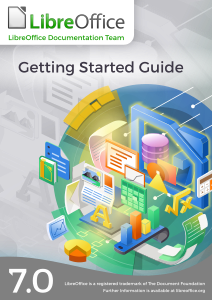
The Brazilian LibreOffice community is pleased to announce availability of the LibreOffice 7.0 Getting Started Guide in Brazilian Portuguese.
Guia de Introdução 7.0
The guide is intended for Portuguese speaking users who wants to begin their first contact with LibreOffice and needs a manual that expounds all the software’s features and allows them to immediately start some sophisticated tasks.
The Getting Started Guide describes the important concepts that guided the development of LibreOffice and presents each of its modules: spreadsheets (Calc), presentations (Impress), vector drawings (Draw), texts (Writer), equations (Math), and databases (Base). In addition to these modules, there are several chapters describing important concepts common to all modules such as styles, printing, electronic signature, macros, exporting in various formats, redacting, and document classification.
Making the Getting Started Guide available is the teamwork of Brazilians LibreOffice enthusiasts who have gone to great lengths to produce a comprehensive and accessible guide. The guide is a translation of the guide from English, this time using automatic translation, but with a thorough review of the result by the team, who put in great effort to confirm the concepts presented, but also to improve the Portuguese generated by the automatic translation. The next editions of the Getting Started Guide will be done without translation, but by writing directly in Portuguese the new information introduced in the new versions of LibreOffice.
Vera Cavalcante
“I have dedicated myself intensely in the LibreOffice community, putting effort into the LibreOffice Magazine project of which I was one of the publishers. This edition of the Getting Started Guide was a great opportunity to get back to interacting with LibreOffice and meet new people with the same interest, in a voluntary work context.”, stated Vera Cavalcante, a member of the Brazilian LibreOffice community. “I am very meticulous, and helped correct some translations and (a few) inconsistencies in the software during the process of revising the Guide. In the end, we have better software ”, she added.
Jackson Cavalcanti Jr.
“Joining the translation and proofreading team for the Getting Started Guide was an opportunity to get back to interacting with the LibreOffice community, returning to my participation I had started years ago. The opportunity was very rewarding, not only for self-improvement in the use of the LibreOffice suite but also to learn a lot about document writing.”, said Jackson Cavalcanti Jr. “I used the opportunity to instigate debates about the terms used and the technical vocabulary in Brazilian Portuguese, which allowed me to review some terms used in the software and improve the translation of the LibreOffice suite.” he added.
Timothy Brennan Jr.
“I participated as a novice in the effort of the Getting Started Guide and could see the seriousness of the work and the good spirit of collaboration in the Brazilian team. It has been a teamwork lesson where questions were answered promptly and, at the same time, I learned a lot about elaborating complex documents.”, said Timothy Brennan Jr., a team member. “I have dedicated myself to reviewing some chapters of the Getting Started Guide (Chapters 8, Getting Started with Base and, 10, Print, Export, Send, and Sign). Now I consider myself an expert in LibreOffice as well as any other office suite. It has also been an important professional gain”.
Flávio Schefer
“I am also new to free software projects and revieweing the GettingStarted Guide was an opportunity to team up with the Brazilian team and acquire knowledge,” said Flávio Schefer. “I was in a career transition and the knowledge and practices acquired in the team’s work was important during this period”, he added.
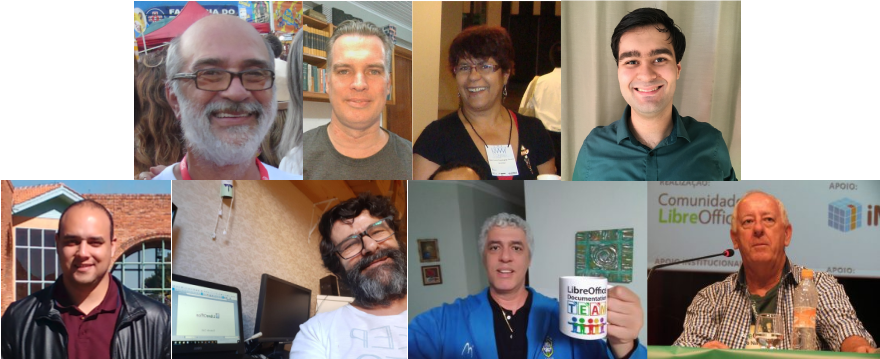
Felipe Viggiano, Raul Pacheco da Silva, Túlio Macedo and Olivier Hallot also participated in the effort.
Felipe Viggiano, Raul Pacheco da Silva, Túlio Macedo e Olivier Hallot
Get the LibreOffice introductory Guide and start producing professional documents.
The Documentation Team is happy to announce the immediate availability of the LibreOffice 7.0 Getting Started Guide, updated to include all LibreOffice 7.0 features.
The guide is written for anyone who wants to get up to speed quickly with LibreOffice. Readers may be new to office software, or may be familiar with another office suite. This guide is a valuable asset for all users.
The Calc Guide for LibreOffice release 6.2 contained a lengthy appendix (70 pages) devoted to the 500+ functions available in Calc, providing a shallow list of the functions and their arguments. During the update of the document for release 6.4 in 2019, the Documentation Team agreed that it would be better to move this list to an online service, and as part of this move, to enhance the function descriptions by adding more examples, use cases and collateral information on standards, compatibility and more.
That situation provided an opportunity for us to create a documentation project to submit to Google Season of Documents 2020 (https://developers.google.com/season-of-docs), an initiative by Google to create, enhance and extend the documentation of open source projects worldwide such as LibreOffice.
The Document Foundation applied to the program on behalf of the LibreOffice Community and submitted several ideas for documentation, which included the Extensive Calc Functions Wiki pages. The Foundation received several applications, containing important information including the technical writer’s resumés, proposals for project schedule and suggested deliverables. After a careful evaluation by the project mentors, the Foundation retained the application of Ronnie Gandhi (@Krezhairo) a computer science undergraduate student enrolled at IIT Roorkee, India.
The project was targeted for three months work and ended in early December 2020. Steve Fanning, who had already worked as coordinator of the Calc Guide, served as mentor with Olivier Hallot as second mentor. Ilmari Lauhakangas and Olivier managed the administrative aspects of the project on behalf of The Document Foundation.
Monitoring the project was an important part of the task. There was frequent correspondence on the Documentation Team’s mailing list to discuss the detailed technical aspects of the work. In addition, Ronnie, Steve and Olivier met online once each week for follow-up discussions and resolution of any issues. To maximize the benefit of the opportunity provided by Google, it was decided to improve the wiki page contents with
Statements describing each function’s compliance with the Open Document Format for Office Applications (OpenDocument) Version 1.2 specification
Extra use cases and examples
Illustrations when applicable
External references for further reading
Identification of equivalent functions in other spreadsheet software
A useful side-effect of the project was the identification of several potential areas of improvement for Calc’s help files and the exposure of a software issue in two rarely used functions! In addition, Ronnie was able to present his work at the openSUSE + LibreOffice Virtual Conference in October 2020 and hopefully gained some insights into the role of a Technical Writer.
We are grateful for the work that Ronnie was able to carry out during this task. As all documentation related to software development, the Extensive Calc Functions Wiki is open for further improvements. If you would be interested in helping, please get it touch through the Documentation Team’s mailing list.
The arrival of the ScriptForge Libraries will greatly help macro programming in LibreOffice.
By Jean-Pierre Ledure
What is ScriptForge?
ScriptForge libraries are an extensible and robust collection of macro scripting resources for LibreOffice to be invoked from user Basic macros. Users familiar with other BASIC macro variants often face hard times to dig into the extensive LibreOffice Application Programming Interface even for the simplest operations. By collecting most-demanded document operations in a set of easy to use, easy to read routines, users can now program document macros with much less hassle and get quicker results.
ScriptForge abundant methods are organized in reusable modules that cleanly isolate Basic programming language constructs from ODF document content accesses and user interface(UI) features.
What is in ScriptForge?
ScriptForge libraries hold:
an extensive set of primitives for array handling, including sorts, set operations and interfaces with csv files
an extensive set of primitives for string handling, including replacements, regular expressions, encodings, hashing and localization
a Dictionary mapping class
a class to help internationalize Basic scripts
a coherent error handling for both user and ScriptForge scripts
complete FileSystem and TextStream classes for file and directory handling, plus text files read & write
Document-based and UI ready-made examples help overcome LibreOffice Application Programming Interface (API) steep learning curve. They offer easy access to and management of actual windows and documents, with specific modules for automation on Calc sheets, cells and ranges of cells, management of dialogs and their controls and access to data contained in databases, among many other services.
The described features are invoked from user scripts as “Services” that can be extended. ScriptForge libraries build up an extensible ecosystem that combines with standard libraries, libraries published as extensions or libraries distributed as enterprise extensions.
What else?
ScriptForge libraries documentation is undergoing review and translation and will be available from LibreOffice 7.2 onwards, but you can use ScriptForge services and scripts right away with LibreOffice release 7.1. A glimpse of the ScriptForge documentation is already online at this Help page.
A little story: The beauty of planet-wide collaborative work in LibreOffice
Mrs. Vera Cavalcante (@veracape), from Brazil, a long-time contributor for the Portuguese documentation on LibreOffice, was reviewing the translation of the Calc Guide and double-checking the translated text, with respect to the current user interface and the Help pages. Vera noticed that the Help pages on conditional formatting were not correct any more, and reported in the Brazilian team Telegram group (Bugzilla is still very hard for non-native English speakers).
The message hit Olivier Hallot (@ohallot) from the LibreOffice documentation coordination team (and Brazilian community member), who reported the bug in LibreOffice’s Bugzilla, for later fixing. LibreOffice’s outstanding quality depends on good quality and numerous errors reports to be submitted properly, for improvements and fixing defects. There is no point leaving a bug unreported.
The topic was of special interest of Roman Kuznetsov (@kompilainenn) from Russia, who already wrote documentation about conditional formatting. Roman wrote the fix, and submitted a patch in Gerrit (the service that controls the code corrections in LibreOffice)…
…and Adolfo Jayme Barrientos (@fitojb) from Mexico reviewed and approved the patch for merging in the main Help code.