Join us in Mexico City for the Latin America LibreOffice Conference 2023

The Latin American LibreOffice Community proudly invites you to join our 2023 Latin American LibreOffice Conference – LATAM 2023.

Please confirm that you want to play a YouTube video. By accepting, you will be accessing content from YouTube, a service provided by an external third party.

YouTube privacy policy

If you accept this notice, your choice will be saved and the page will refresh.


The conference will take place at the Universidad Nacional Autonoma de Mexico, Mexico City, from November 9 to 10, 2023.

For more information, please visit https://latam.conference.libreoffice.org/2023/

LATAM Conference 2023 billboard

Writer Guide 7.6 is Ready for You!

Cover of LibreOffice Writer Guide 7.6 Portrait photo of Jean H. Weber

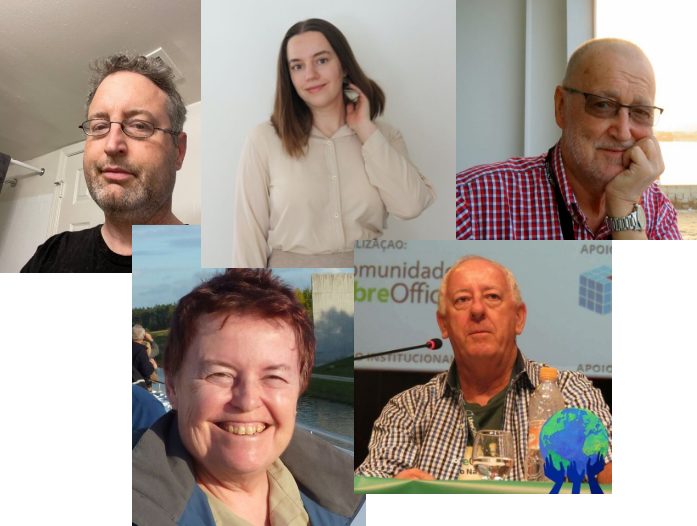
Jean H. Weber (photo) and the Documentation Team are happy to announce the immediate availability of the Writer Guide 7.6, the latest update based on the recently released LibreOffice 7.6.

Writer is the word-processing application. It is compatible with a wide range of document formats including Microsoft Word (.doc, .docx), and you can export your work in several formats including PDF. Anyone who wants to get up to speed quickly with Writer will find this book valuable. You may be new to word processing software, or you may be familiar with another office suite.

The 7.6 Writer Guide incorporates the latest features including:

  • Themes management for better MS Word compatibility
  • The Accessibility checker used to produce accessible documents
  • Styles Spotlight to assist user in the best practices in document editing with styles.
New theme selection dialog showing different colour palettes Screenshot of Style Highlighter in action, with coloured identifiers in the left margin Detail of the new Accessibility Sidebar, recommending to add alternative or descriptive text to pictures


The Writer Guide 7.6 is available in the Documentation Website as well as in the LibreOffice Bookshelf website and it includes the guides in HTML format for web navigation, as well as the traditional PDF, ODT and the printed version from LuLu Inc.

Happy Documentation!

Double Gift for the Community: Impress Guide 7.5 and Draw Guide 7.5

The community documentation team is happy to announce the immediate availability of the Impress Guide 7.5 and Draw Guide 7.5. The guides are updated to the latest LibreOffice release as a community effort to keep our literature sharp and up to date.

Impress and Draw Guides

The double gift is brought to you by Peter Schofield with valuable contributions by Socks Eight, members of the documentation team.

The Impress Guide covers the main features of Impress, the presentations (slide show) component of LibreOffice. You can create slides that contain text, bulleted and numbered lists, tables, charts, clip art, and other objects. Impress comes with prepackaged text styles, slide backgrounds, and Help. It can open and save to Microsoft PowerPoint formats and can export to PDF, HTML, and numerous graphic formats. This book was written by volunteers from the LibreOffice community.

The Draw Guide introduces the main features of LibreOffice Draw. Draw is a vector graphics drawing tool, although it can also perform some operations on raster graphics (pixels) such as photographs. Using Draw, a wide variety of graphical images can be quickly created.

The guides can be downloaded or purchased in printed version from the Documentation website as well as the bookshelf project.

Happy reading!

Getting Started Guide updated to LibreOffice 7.5

The LibreOffice Documentation Team is proud to release the latest version of the Getting Started Guide updated to the features available in LibreOffice 7.5.

Download the Getting started Guide 7.5

This book is for anyone who wants to get up to speed quickly with LibreOffice 7.5. It introduces Writer (word processing), Calc (spreadsheets), Impress (presentations), Draw (vector drawings), Math (equation editor), and Base (database). This book was written by volunteers from the LibreOffice community.

The Getting Started Guide 7.5 update was coordinated by Olivier Hallot with valuable contributions by Peter Schofield, Jean Weber, flywire and Nay Catina Dia-Schneebeli.

Doc team

The Guides can be downloaded or purchased in printed version from the Documentation website as well as the bookshelf project.

LibreOffice project volunteers receive tribute from Mexican institute

By Gustavo Pacheco

In early 2023, all TDF members in the 2022 Latin America LibreOffice Conference meeting organization received at home a beautiful tribute to the success of the event: a piece in wood and mosaic glass made in Mexico especially created for this homage.

The pieces were created in the workshops of the Instituto Integración Down, which has been active for over 25 years dedicated to the education of children with Down Syndrome. The institution’s students created the pieces based on the suggestion of Mauricio Baeza, a member of TDF and the institute’s governing body. According to Mauricio, the work was done to show gratitude to the Brazilians who worked voluntarily to hold the conference.

The eight pieces were originally sent to Porto Alegre, where they were separated and then sent to their final destinations. Three pieces were sent to Brasília/DF, two pieces to Rio de Janeiro/RJ, one piece to Olinda/PE and one piece to Londrina/PR.

LibreOffice Math Guide is Updated to Release 7.5

The LibreOffice Documentation team is happy to announce the new Math Guide 7.5, for the equation editor of the LibreOffice productivity suite.

Anyone who wants to learn how to insert formulas and equations using Math will find this 73-page guide valuable. Formulas can be inserted as objects into Writer, Impress, Draw, and Calc documents. Regardless of the document type, formula objects are edited using LibreOffice Math.

Thanks to Vitor Ferreira, the new guide has included the changes carried from LibreOffice 7.2 and is now fully updated.

Math Guide 7.5

He added:

I am a college professor of Mechanical Engineering at Universidade Federal da Bahia (UFBA) in Salvador, Brazil. I use LibreOffice Math since 2019 for my documents and lectures notes, and I together with the Brazilian LibreOffice Community I updated the Math Guide to the latest release.” Said Vitor Ferreira. “The opportunity to volunteer to LibreOffice Documentation was unique and I found it very encouraging in all aspects of document production.

Vitor Ferreira

The Math Guide 7.5 is available for immediate download in PDF and ODF formats at the Documentation website and the LibreOffice Bookshelf website.