LibreOffice community focus: Design

LibreOffice’s design community works on the software’s user interface (UI), improving its usability and accessibility. With LibreOffice 6.0 due to be released at the end of the month, we talked to members of the community to get their perspectives on the new version…

What have you been working on in preparation for LibreOffice 6.0?

Various things, including:

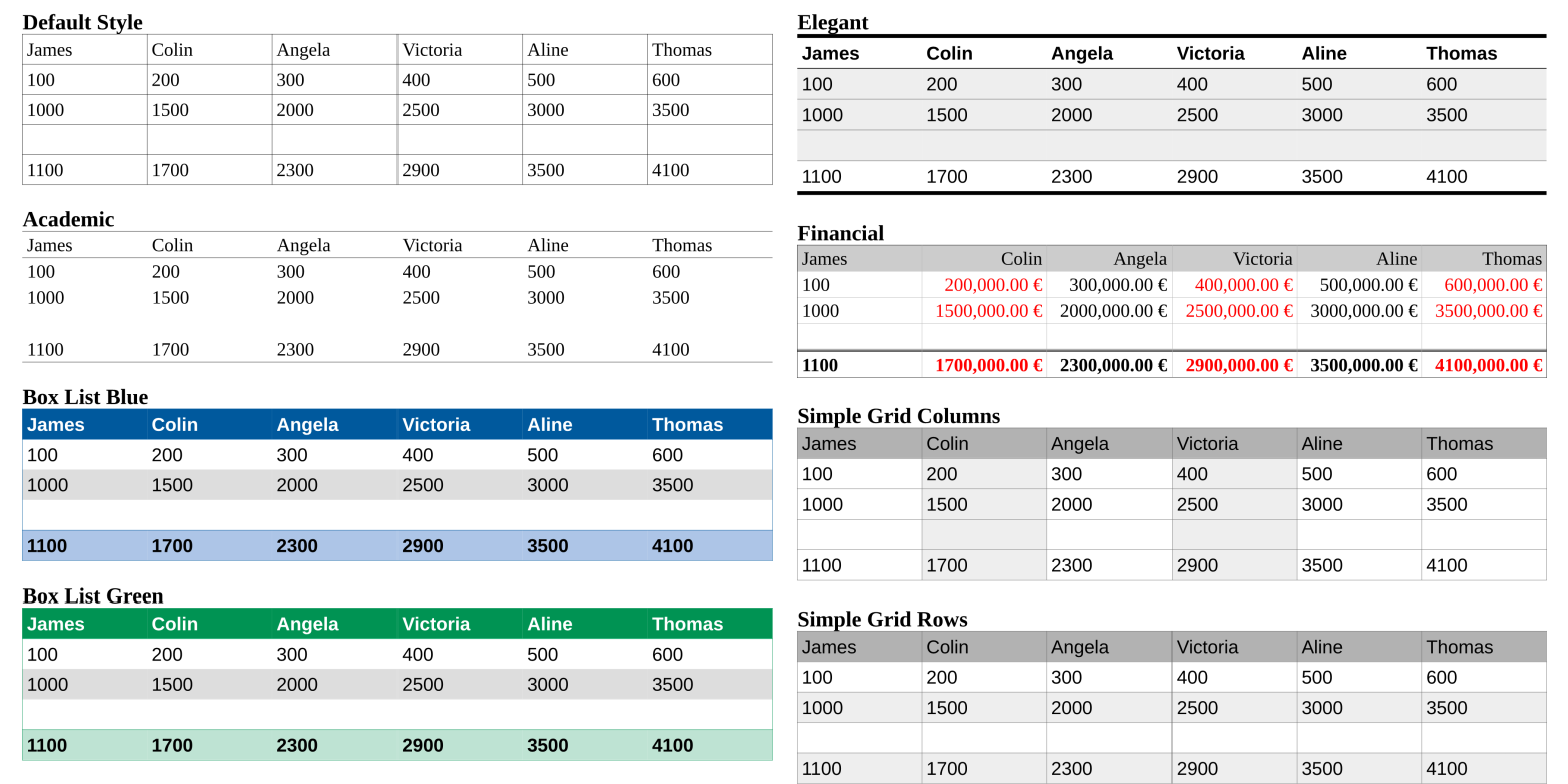
  • New table styles and new gradients (click for bigger):

  • The LibreOffice 6.0 motif/splash screen:

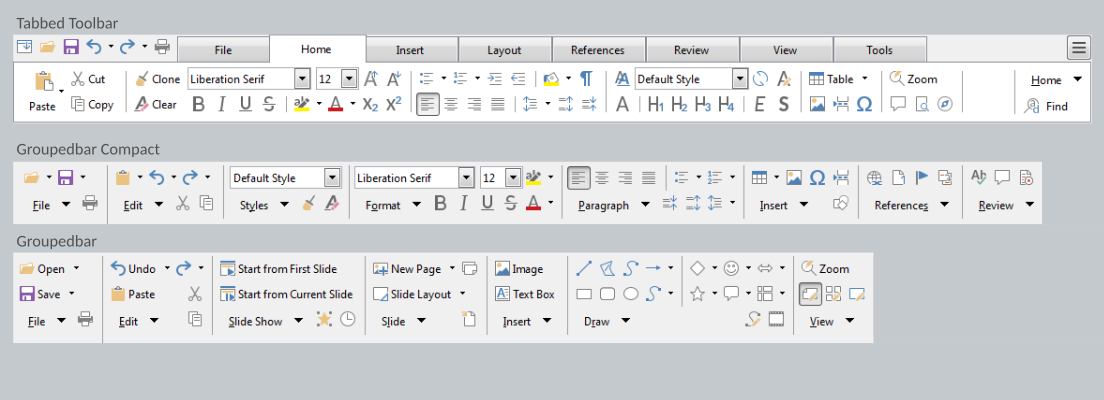
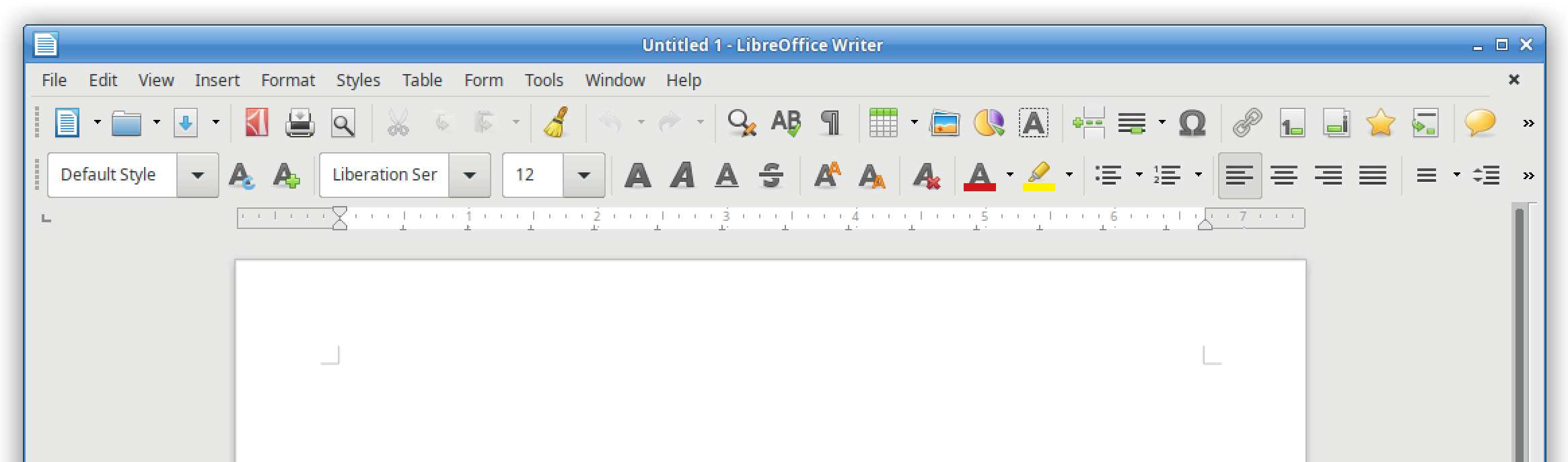
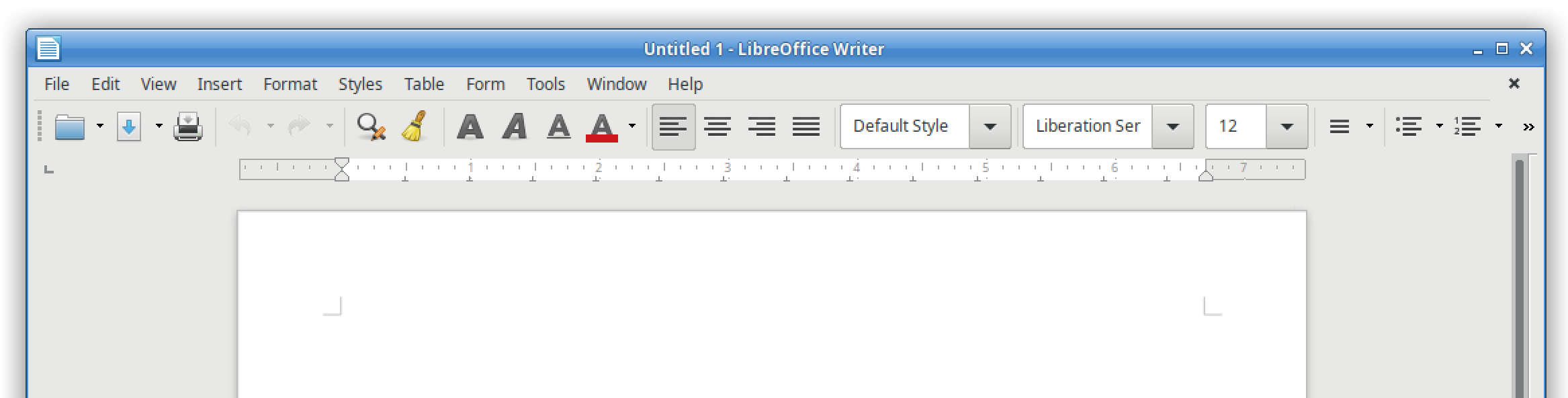
  • And menu and toolbar improvements

What are your favourite new features in this release?

Both GSoC (Google Summer of Code) projects are really nice: the revamped customization dialog, and the special character dialog with quick access from the toolbar. In addition, there’s the ability to rotate images to arbitrary degrees, and many other small improvements.

What tools and services do you use in the design community?

At the moment we use Balsamiq Mockups, but next we switch to Pencil. In addition, we use LibreOffice Draw (eg for the new motif) and Inkscape. For communication, we are active on IRC in the #libreoffice-design channel and Telegram.

Finally, how can people get involved with the design community?

A big thanks to the design team for their input and improvements in LibreOffice 6.0. For our final Community Focus, we’ll talk to the development community – more on that soon!

World Usability day – and making LibreOffice’s UX shine

Today is World Usability Day, beginning events around the world that “bring together communities of professional, industrial, educational, citizen, and government groups for our common objective: to ensure that the services and products important to life are easier to access and simpler to use.”

Starting today, and over the next few days, there will be 73 events across the globe, celebrating progress in user experience (UX) and educating everyone about how good design and usability affects our daily lives. Click here to find an event near you, and see this page to learn how to get involved.

UX at LibreOffice

Meanwhile, the LibreOffice design team is active in many areas relating to UX. One of the tasks is to respond to bug reports or enhancement requests on Bugzilla when UX input is requested with the keyword “needsUXEval”. This request might be just a simple “what do you folks think” or “how do we handle this in general”, through to a proposal for a complete redesign.

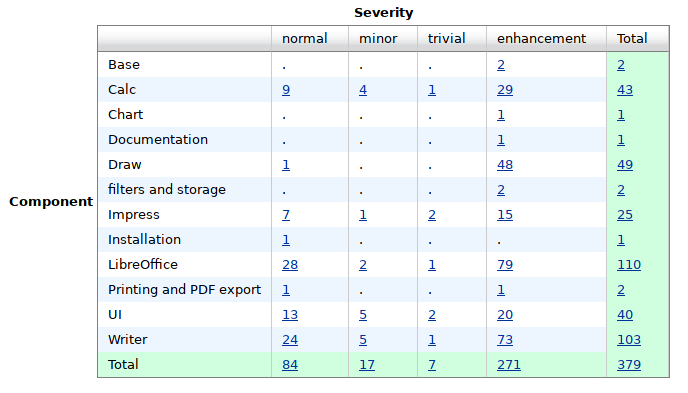
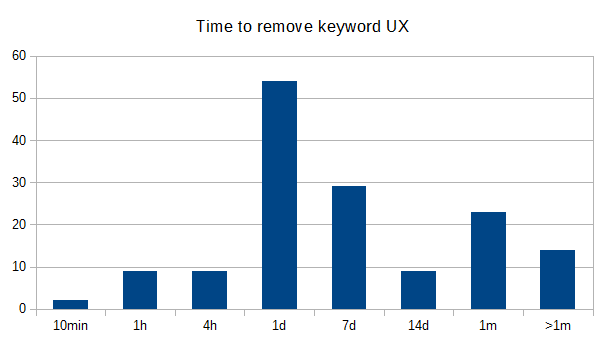
Started with a total number of more than 500 issues the team got the number down to 380 in the last year. And most tickets have been answered within one day!

Join the party

Most conversation is done on Bugzilla, where every opinion is valued. Some issues need a closer look and are discussed in the weekly meetings. Your contribution at both places would be highly appreciated!

Get involved with our UX communityand you can make a big difference for millions of end users around the world.

Video interview: Heiko Tietze, LibreOffice UX mentor

At FOSDEM this year, we made video interviews with members of the LibreOffice community and staff at The Document Foundation. We’ll be editing and uploading them regularly to the blog, so stay tuned! We start with Heiko Tietze, who is The Document Foundation’s UX (user experience) mentor and works with the design community:

Please confirm that you want to play a YouTube video. By accepting, you will be accessing content from YouTube, a service provided by an external third party.

YouTube privacy policy

If you accept this notice, your choice will be saved and the page will refresh.

FOSDEM Call for Papers: Open Document Editors DevRoom

fosdemFOSDEM is one of the largest gatherings of Free Software contributors in the world and happens each year in Brussels (Belgium) at the ULB Campus Solbosch. In 2017, it will be held on Saturday, February 4, and Sunday, February 5.

As usual, the Open Document Editors DevRoom will be jointly organized by Apache OpenOffice and LibreOffice, on Saturday, February 4, in room 4.401 in Building K (from 10:30AM to 6:30PM). The shared devroom gives every project in this area a chance to present ODF related developments and innovations.

We are now inviting proposals for talks about Open Document Editors or the ODF document format, on topics such as code, extensions, localization, QA, UX, tools and adoption related cases. This is a unique opportunity to show new ideas and developments to a wide technical audience.

Length of talks should be limited to a maximum of 30 minutes, as we would like to have questions after each presentation, and to fit as many presenters as possible in the schedule. Exceptions must be explicitly requested and justified. You may be assigned LESS time than you request.

All submissions have to be made in the Pentabarf event planning tool: https://penta.fosdem.org/submission/FOSDEM17.

While filing your proposal, please provide the title of your talk, a short abstract (one or two paragraphs), some information about yourself (name, bio and photo, but please do remember that your profile might be already stored at Pentabarf).

To submit your talk, click on “Create Event”, then make sure to select the “Open Document Editors” devroom as the “Track”. Otherwise, your talk will not be even considered for any devroom at all.

If you already have a Pentabarf account from a previous year, even if your talk was not accepted, please reuse it. Create an account if, and only if, you don’t have one from a previous year. If you have any issues with Pentabarf, please contact ode-devroom-manager@fosdem.org.

The deadline is Monday, December 5th, 2016. Accepted speakers will be notified by Sunday, December 11th, 2016. The DevRoom schedule will be published on the same day.

Recording Permission

The talks in the Open Document Editors DevRoom will be audio and video recorded, and possibly streamed live too.

In the “Submission notes” field, please indicate that you agree that your presentation will be licensed under the CC-BY-SA-4.0 or CC-BY-4.0 license and that you agree to have your presentation recorded. For example: “If my speech is accepted for FOSDEM, I hereby agree to license all recordings, slides, and other associated materials under the Creative Commons Attribution Share-Alike 4.0 International License. Sincerely, Name”.

LibreOffice Community Weeks: Wrapping up

LibreOffice Community Weeks

We’re already in to a new Month of LibreOffice, but in October we ran a series of Community Weeks, looking at what different teams in the LibreOffice project do, and how you can help them. So firstly, here’s a reminder of the articles, and then we’ll find out what effect they had…

Documentation

Development

Quality Assurance (QA)

Design


Feedback from the teams

So what effect did the Community Weeks have on the projects? Here’s what each team had to say:

Olivier Hallot (documentation): “The Community Weeks brought more people to the realm we are working in, and I had 3 new people showing up. One is a PhD professor from a university in India, who wrote a page on a set of Calc functions, and asked for more work. Another is a New Zealand national, involved in migrations and support, who is updating our books. I also got someone on IRC, but he did not came back. So overall, the week is positive, but we need people to return after their first contributions.”

Jan Iversen (development): “The week worked well – during the last period 15 people have got their first patch merged, and will appear by name in the 5.4 release notes. I often hear “but I cannot work full-time”, so it is important to realize that while roughly 50% of the changes are done by 20-30 people, the other 50% is done by hundreds of people making 1-10 patches a year. Every change counts and is very welcome! We arrange developers days, when a group wants help, so please contact us at mentor@documentfoundation.org if you need help.”

Xisco Fauli (QA): “There were 4-5 new users who showed up on IRC during the Bug Hunting Session, who may have joined from reading the Community Week posts. Also, we hope both posts from that week will help readers to report better bugs in the future (attaching simpler samples, adding clearer steps, and so forth).”

Heiko Tietze (design): “The campaign was interesting and encouraged readers to follow links to the Design Team Blog. Even if we didn’t get more active people showing up in the design project, comments are always welcome.”

Thanks to everyone who took part. We’ll do more Community Weeks next year, so if there’s something you want us to focus on, just let us know!

Community Week: Design – get involved

LibreOffice Community Weeks

Earlier this week we talked to Heiko Tietze, LibreOffice’s user experience (UX) mentor, and then looked at some of the changes that the Design team has made in recent releases of the suite. You’ve seen that even the smallest updates to the interface can have a significant effect, and the Design team is always looking for new ideas and contributions. So read on to learn how you can get involved and make LibreOffice better for everyone.

1. Check out the design guidelines

When new features are added to LibreOffice, the Design team works to ensure they fit into the guidelines. These guidelines are part of an overall vision for LibreOffice on the desktop, which is: “Simple for beginners and powerful for experts”. Making software that appeals to both type of user is a challenging task, as workflows can vary so much. But if you read the UX manifesto you can see how this is achieved.

2. Submit bug reports and suggestions

Have you found a user interface bug in LibreOffice, or an issue that violates the guidelines? Learn how to submit bug reports so that the Design team can investigate them and work on fixes. Alternatively, if you have a suggestion for improving usability in the suite, you can submit an enhancement request on the bug tracker. Of course, the more detail you provide, the better: saying “Feature X is hard to use” isn’t helpful, but “Feature X could be improved by adding Y to Z or moving A to B” is much better. And you could even add a mock-up to show how you think an improvement would be implemented.

3. Start communicating

The Design team is active on social media, with a Twitter account, Google+ page and blog. Some activity takes place on the #libreoffice-design IRC channel on Freenode (webchat link), but it’s also worth signing up to the mailing list. Don’t miss the weekly Hangouts meetings on Friday – see here for details and minutes of the last meeting.

So with October coming to a close, that’s it for the Community Weeks! We hope you enjoyed reading about the different teams and projects involved in LibreOffice, and got a sense for what they all do. Most of all, we hope you’re encouraged to get involved – not only would your help be good for LibreOffice and free software in general, but participating in a well-known open source project is also good for your CV and future career. So join us!