Adam Seskunas – Implement Report Builder in C++: replacing the current Java-based Report Builder with a new solution will improve maintainability and remove one of the last remaining dependencies on Java.
Karthik Godha – New dialog to edit Table Styles: Writer and Calc have a feature called AutoFormat styles with the possibility to add custom styles. This project will make it possible to edit existing table styles.
Devansh Varshney – BASIC IDE code auto-completion: rudimentary auto-completion for BASIC macro authors is already available, but this project will make the feature much more helpful.
Manish Bera – Python code auto-completion: currently there is no support at all for Python auto-completion when developing scripts for LibreOffice, so this will be quite a welcome addition.
Mohamed Ali Mohamed – Rust UNO language binding: last year LibreOffice received support for Lua and the latest .NET and now it’s time to make it possible to use the API with Rust.
Ujjawal Kumar – Import Markdown files into Writer: Markdown is a rather popular markup language for quickly formatting text in blog content, comments, chats and more. Requests to support it have increased recently, so it makes sense to tackle it.
Shardul Vikram Singh – Rework Impress slideshow to use DrawingLayer primitives: this is one of those projects that are incomprehensible to most users, but really important for the long term maintenance of the code.
Good luck to the contributors – we appreciate their work on these important features and improvements! And thanks to our mentors for assisting them: Thorsten Behrens, Stephan Bergmann and Sarper Akdemir (allotropia); Rafael Lima; Jonathan Clark, Heiko Tietze, Xisco Faulí, Michael Weghorn and Hossein Nourikhah (TDF).
Our two main websites are vital sources of information for The Document Foundation and the LibreOffice software. We also use our social media channels to raise awareness about our work, share information and encourage new contributors to join us
(This is part of The Document Foundation’s Annual Report for 2024 – we’ll post the full version here soon.)
TDF website
The Document Foundation website provides general information about the foundation (overview, statutes, code of conduct, financials and reports) and its governance (board of directors, membership committee, members, advisory board, and engineering steering committee), and about LibreOffice certification, including a list of certified developers, and professionals for migrations and trainings.
During 2024, the foundation’s website was visited 98,499 times, with 146,456 page views – a slight reduction in visits but also a slight growth in page views from 2023. Continent-wise, the largest chunk of visits were from Europe (52%), followed by North America (24%) and Asia (16%). And regarding software: the most visits were from PCs using the Windows (65%) operating system, followed by GNU/Linux (10%) and macOS (8%) and devices uses Android (6.2%), while for browsers: Chrome had 39%, followed by Firefox (16%) and Microsoft Edge (15%).
LibreOffice website
The LibreOffice website provides information about the office suite and the document format, the various download options, how to get help, how to contribute to the project, events where users can get to know the LibreOffice community, and how to make a donation to support the project and the community.
In 2024, we continued to make improvements and tweaks to the website, updating the “Discover” and “New Features” sections of the site to reflect new versions of the software.
During 2024, the English-language LibreOffice website was visited 19,298,517 times (a 0.6% gain over 2023), with 46,065,236 page views (a 0.1% gain). Most visits were from Europe (52%), followed by Asia (20%), North America (15%) and South America (9%), from PCs using the Windows operating system (82%), followed by macOS (6%) and Linux (23%). Regarding web browsers, Chrome was the most popular (41%), followed by Microsoft Edge (29%) and Firefox (13%).
Blogs
TDF’s blogs (like this one) are essential for communicating activities inside and around the project, including new releases of LibreOffice, community events and support for other free and open source initiatives. In 2024, we used them to post regular interviews with community members and provide updates from team members about documentation, marketing, QA, design and more.
Blogs were also maintained by various native language communities including Japanese, Spanish, German and others. Thanks to the hard work of community members, we had press releases, tips and other articles translated into many languages, and picked up by local media organisations.
These native language blogs complement the information provided by the main blog in English, and by the two blogs managed by members of the design and the quality assurance projects, which provide updates about activities for the upcoming major releases.
In 2024, the blog had 100,180 visits and 131,174 page views – a drop in both cases of around 30% from the previous year. The press releases for LibreOffice 24.2 and 24.8 were the most popular posts, followed by the posts about the German state of Schleswig-Holstein moving 30,000 PCs from Microsoft Office/365 to LibreOffice.
Social media
In January 2024, our X (formerly known as Twitter) account (@LibreOffice) had 63,060 followers; by the end of the year, we had grown this to 68,870. Our most popular posts were for major releases of LibreOffice, and news about migrations to the suite. We posted customised images for “Community Member Monday” interviews with short quotes, encouraging more users to get involved with LibreOffice projects.
In addition, we focused not only on our own posts, but also retweeting announcements from the LibreOffice community members. We liked and reposted messages of support from end users – many of whom were surprised and thankful that a large project would show them support. To keep the content flowing, we reposted popular older tweets, and responded to individual messages.
On other social media platforms, we focused on growing our account on Mastodon, a Twitter-like open source, federated and self-hosted microblogging service. In 2024 we worked more on expanding our activities on our account @libreoffice@fosstodon.org, and from January to December, we grew our follower base from 25,440 to 29,326. We also joined Bluesky in late 2023 thanks to invites from a community member, and by December 2024 our follower count had reached 2,900.
Our Facebook page growth was smaller, from 63,348 page followers to 64,239. We’ve noticed a gradual reduction in activity on Facebook over the last few years, which reflects its changing audience, and the move towards other social media platforms. Nonetheless, Facebook still provides a good opportunity to interact with end users of LibreOffice, and every day we checked in to answer questions, get feedback, and post announcements/tips about the software.
YouTube channel
Our YouTube channel grew from 20,638 subscribers and 3,243,107 video views in January 2024 to 22,586 subscribers and 3,534,370 video views by the end of the year. The most popular videos were the “New Features” videos for LibreOffice 24.2 and 24.8, and we also added videos of talks, presentations and workshops from the LibreOffice Conference 2024.
At the end of 2024, we posted the first video from the new LibreOffice Podcast series, where Italo Vignoli and Mike Saunders from TDF talked about the challenges and opportunities in marketing free and open source software like LibreOffice. More podcasts are planned for 2025.
Please confirm that you want to play a YouTube video. By accepting, you will be accessing content from YouTube, a service provided by an external third party.
Quality Assurance (QA) is a cornerstone of the LibreOffice project, thanks to the activity of a large number of volunteers and the feedback of many users who help in reporting bugs and regressions
(This is part of The Document Foundation’s Annual Report for 2024 – we’ll post the full version here soon.)
QA team work
In 2024, the QA team triaged thousands of bugs, bisected hundreds of regressions, and answered questions from countless bug reporters. As one of the most visible groups directly responding to end users, the QA team must be nimble and able to adapt to changes. In addition, it must deal with specific requests for help from other teams.
The QA team meets regularly on IRC on the #libreoffice-qa channel, which is the best medium for discussing bugs and regressions. The IRC channel provides an excellent opportunity to remain in close contact with team members, and to tutor new members in the art and skill of LibreOffice QA. This is bridged to the Telegram group.
During 2024, 5351 bugs were reported by 2463 users, which means 103 new bugs were reported every week on average. The QA team prepared monthly reports about their activity and posted on the QA blog.
Top 10 bug reporters
Eyal Rozenberg (211)
Gabor Kelemen (193)
Mike Kaganski (137)
Telesto (86)
Regina Henschel (85)
Xisco Faulí (82)
Stéphane Guillou (78)
peter josvai (75)
Rafael Lima (72)
Heiko Tietze (54)
Triaging
During 2024, 5086 bugs were triaged by 328 people. The top 10 bug triagers were:
Stéphane Guillou (stragu) (762)
Buovjaga (684)
m_a_riosv (499)
Heiko Tietze (374)
V Stuart Foote (241)
Mike Kaganski (232)
Julien Nabet (186)
Xisco Faulí (175)
ady (144)
Dieter (144)
Bibisecting
Also, during 2024, the QA team performed 561 bibisects of regressions by 30 people. The top 10 bisecters were:
On May 1st, 2005, the Open Document Format (ODF) become an OASIS standard. One year after, it became an ISO/IEC standard. After two decades, it is the only true open standard for document formats available on the market, and the only one protecting users from proprietary lock in and ensuring a full control over contents. The presentation provides an overview over ODF features and explains why ODF should be used versus Microsoft OOXML (DOCX, XLSX and PPTX).
YouTube: https://youtu.be/Z-Xo9v9-1YU (please note that once you leave this blog to access the video, a different set of privacy rules will apply)
Open Document Format (ODF) has been designed as a document standard for the next 20-50 years, to liberate users from the lock-in strategy built into yesterday’s and today’s proprietary formats and foster interoperability. On the contrary, OOXML – approved by ISO/IEC in 2008 in a version never implemented by MS Office – has been designed as a document pseudo-standard format to propagate yesterday’s document issues and lock-in strategy for the next 20-50 years, to the detriment of users and interoperability.
The philosophy behind the ODF standard document format was to design a mechanism in a vendor neutral manner from the ground up, using existing standards wherever possible. Although this means that software vendors had to tweak their individual packages more than if they continued down their original routes, the benefits for interoperability were important enough to justify this objective. The OOXML pseudo-standard document format was designed by Microsoft for Microsoft products, and to interoperate with the Microsoft environment. Little thought appears to have been exercised for interoperability with non-Microsoft environments, or compliance with established vendor-neutral standards.
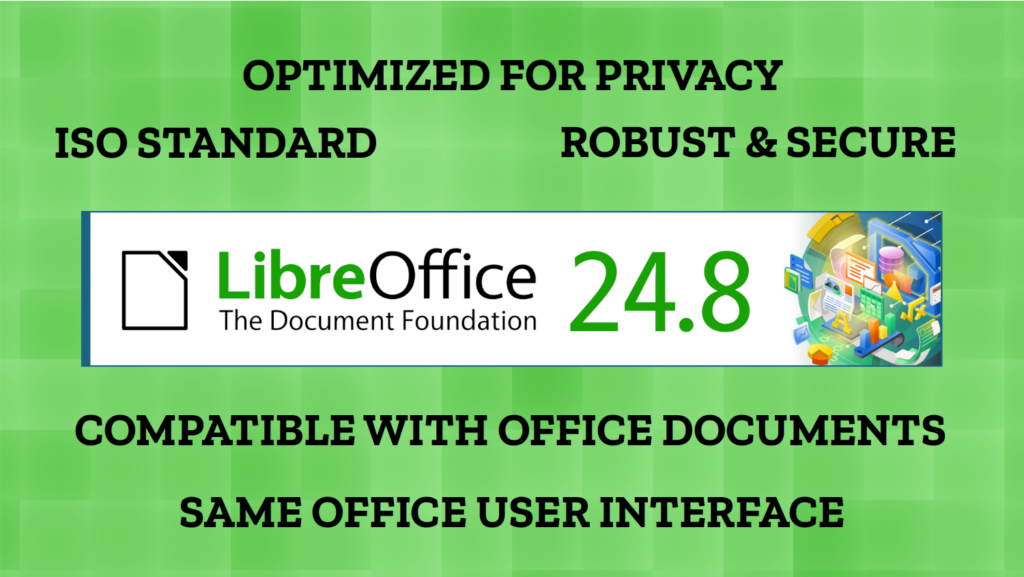
Berlin, 8 May 2025 – LibreOffice 24.8.7, the seventh and last minor release of the LibreOffice 24.8 family of the free open source, volunteer-supported office suite for Windows (Intel, AMD and ARM), MacOS (Apple and Intel) and Linux, is available at www.libreoffice.org/download. LibreOffice is the only office suite that respects the privacy of the user, ensuring that the user is able to decide if and with whom to share the content they create. It even allows deleting user related info from documents. In addition, it has a feature set comparable to the leading product on the market.
The biggest advantage over competing products is the LibreOffice Technology engine, the single software platform on which desktop, mobile and cloud versions of LibreOffice – including those from ecosystem companies – are based. Products based on LibreOffice Technology are available for desktop operating systems (Windows, macOS, Linux and ChromeOS), mobile platforms (Android and iOS) and the cloud.
End users looking for manuals can download the LibreOffice 24.8 guides from the following link: books.libreoffice.org/.
For enterprise-class deployments, TDF strongly recommends the LibreOffice Enterprise family of applications from ecosystem partners, with three or five year backporting of security patches, other dedicated value-added features and Service Level Agreements: www.libreoffice.org/download/libreoffice-in-business/.
LibreOffice 24.8 will reach its EOL (End of Life) in mid-June 2025. Users are encouraged to migrate to LibreOffice 25.2, which is now fully tested for all types of use in production. The current version is LibreOffice 25.2.3.
End users can get first-level technical support from volunteers on mailing lists and the Ask LibreOffice website: ask.libreoffice.org. They can support the project by donating at www.libreoffice.org/donate.
Join us in Budapest and tell us what you’re doing with LibreOffice!
The Document Foundation invites all members and contributors to submit talks, presentations and workshops for this year’s LibreOffice conference in Budapest at ELTE’s Faculty of Informatics, co-organized by FSF.hu Foundation. The event will take place from 4 to 6 September, with an informal community meeting on 3 September. Whether you are an experienced presenter or have never spoken in public before, if you have something interesting to say about LibreOffice, the Document Liberation Project, the Open Document Format or the ODF Toolkit, we want to hear from you!
Proposals should be submitted by 30 June 2025 to ensure they are considered for inclusion in the conference programme.
The conference programme will be based on the following tracks
a) Development, APIs, Extensions, Future Technology
b) Quality Assurance
c) Localisation, Documentation and Native Language Projects
d) Appealing LibreOffice: Usability, Design and Accessibility
e) Open Document Format, Document Liberation and Interoperability
f) Advocacy, promotion and marketing of LibreOffice
Presentations, case studies, workshops and technical talks will cover a topic in depth and last 30 minutes (including Q&A). Lightning talks will cover a specific topic and last 5 minutes (including Q&A). Sessions will be streamed live and recorded for download.
Please submit your proposal – including a short description of contents and a short biography of yourself – to https://events.documentfoundation.org/. If you would like to give more than one talk, please submit a separate proposal for each one. Only software based on the LibreOffice Technology platform will be allowed on stage, while slide decks will be shared using the ISO standard ODP and PDF file formats.
If you need a VISA, please contact the organising team at conference@libreoffice.org as soon as possible to receive an invitation letter.
If you are unable to travel to Hungary and prefer to present remotely, please include a note in your proposal to allow the organisers to schedule your presentation (and organise a test session beforehand).
If you do not agree to make the data for the presentation available under the Creative Commons Attribution-Share Alike 4.0 Licence, please specify your terms. In order to make your presentation available on the TDF YouTube channel, please do not make use of copyrighted material (music, images, etc.) for your slide deck.
Of course, this is only the Call for Papers, but everyone is welcome to attend the talks and events! We’ll post again soon when registration is open…