Event report: Google Summer of Code presentation in Ankara, Turkey

The Google Summer of Code – aka GSoC – is a global programme focused on bringing more student developers into free and open source software development. In 2019, LibreOffice was once again a participating project, and we describe the results here.

Meanwhile, Muhammet Kara from the Turkish LibreOffice community gave a presentation about GSoC on November 8 at YILDIZ Amphitheater M2, Hacettepe University (Beytepe Campus), Ankara – here’s what he had to say:

There were around 40 attendees, mostly from the Computer Science department. The best part was that they were very excited, and asked many questions – and the event took almost two hours instead of the planned 40 minutes. Many of them seemed ‘sold’ at the idea of spending the next summer (or at least one summer, sometime) working on LibreOffice or another free/libre open source software (FLOSS) project, through GSoC.

I also tried to share my adventure as a FLOSS enthusiast, from a volunteer translator to a professional developer working as part of Collabora’s LibreOffice development team. And I am glad to say that they seemed inspired of the story. 🙂

This is an after-event tweet by Hacettepe University ACM Student Chapter, with photos. Oh, and be prepared to hear more from around here regarding LibreOffice/FLOSS activities in the upcoming days. We have more activities in the planning, and hope to share soon. 😉

Thanks to Muhammet and all the participants for their work! Everyone is welcome to join our community and help to improve LibreOffice – see what you can do to make a difference.

Community Member Monday: Celia Palacios

Today we’re talking to Celia Palacios, who has recently become a member of The Document Foundation, the non-profit entity behind LibreOffice:

To start, tell us a bit about yourself!

I am a Mexican old-guard user of Linux since 2001. I studied Electronic Engineering, and I have been working in thatfield since 1989. I learnt all sorts of Linux stuff because I love to learn by myself. In addition, I love to read historical detective novels, lots of science fiction, and go to the movies with my husband.

I love philosophy, symbolism and many alternative ideas about everything. I also like to have long, friendly debates about everybody’s presumptions (or assumptions?). I try to be open-minded, specially in this times when everyone’s getting polarized Mexico about our President. I used to be an athletic gal, but now I am a total coach-potato! Thanks, Netflix!

Why did you decide to become a member of TDF?

Because LibreOffice is one the leaders in free/libre software, and it is a real example of a community with many faces and one heart. And also because people in the Spanish LibreOffice Telegram channel are so intelligent, bright, open and charming: many of them working truly to help others. That moved me deeply.

What are you working on in the LibreOffice project right now?

I am helping the Spanish documentation team. I have an idea of asking university students to help us finish the first-steps guides. If we succeed, we will have an updated introductory guide, which is really needed in Spanish.

Anything else you plan to do in the future?

It is too early to answer that without saying “in the regular places”. But it is in my plans to update every module’s guide in Spanish. And also some advanced guides/tutorials, with practical cases, for Calc and Base, specially to equal the outcomes that Microsoft Excel’s Power Business Intelligence is achieving.

Thanks to Celia for all her help and input! If you’re reading this and also want to join our friendly community, see here to get started (or visit the Spanish page). And if you’re already active in the LibreOffice project, consider becoming a member, so you can vote for TDF’s Board of Directors and help to make other important decisions:

Please confirm that you want to play a YouTube video. By accepting, you will be accessing content from YouTube, a service provided by an external third party.

YouTube privacy policy

If you accept this notice, your choice will be saved and the page will refresh.

Four more videos from the auditorium at LibreOffice Conference 2019

We’ve uploaded some more videos from our recent LibreOffice Conference 2019 in Almeria, Spain! First up, “Databases in LibreOffice” with Tamás Bunth:

Please confirm that you want to play a YouTube video. By accepting, you will be accessing content from YouTube, a service provided by an external third party.

YouTube privacy policy

If you accept this notice, your choice will be saved and the page will refresh.

Next, “Scripting LibreOffice Python macros” with Alain Romedenne:

Please confirm that you want to play a YouTube video. By accepting, you will be accessing content from YouTube, a service provided by an external third party.

YouTube privacy policy

If you accept this notice, your choice will be saved and the page will refresh.

“Custom Widget Themes” with Tomaž Vajngerl:

Please confirm that you want to play a YouTube video. By accepting, you will be accessing content from YouTube, a service provided by an external third party.

YouTube privacy policy

If you accept this notice, your choice will be saved and the page will refresh.

And the Google Summer of Code (GSoC) panel:

Please confirm that you want to play a YouTube video. By accepting, you will be accessing content from YouTube, a service provided by an external third party.

YouTube privacy policy

If you accept this notice, your choice will be saved and the page will refresh.

Starting today: The Month of LibreOffice, November 2019 – get cool swag!

Thanks to our worldwide community of developers and supporters, every release of LibreOffice includes new features, bugfixes, compatibility boosts, translations, and other improvements. This month, we want to say a big thanks to everyone who helps out – and encourage more people to join our friendly community as well! So how are we going to do this?

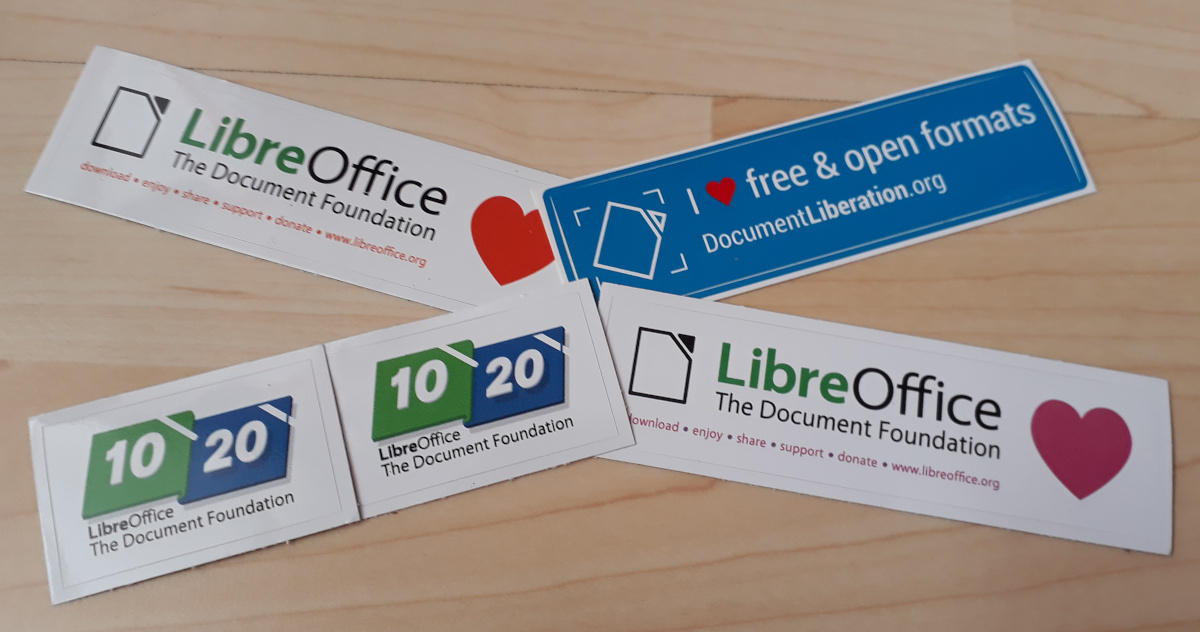
Well, everyone who contributes can claim an awesome sticker pack at the end of the month:

And even better, we’ll also choose 10 contributors at random to receive an exclusive glass LibreOffice mug – there aren’t many of these in the wild:

How to take part

So, let’s get started! There are many ways you can help out – and you don’t need to be a developer. For instance, you can be a…

  • Handy Helper, answering questions from users: over on Ask LibreOffice there are many users looking for help with the office suite. We’re keeping an eye on that site so if you give someone useful advice, you can claim your shiny stickers.
  • First Responder, helping to confirm new bug reports: go to our Bugzilla page and look for new bugs. If you can recreate one, add a comment like “CONFIRMED on Windows 10 and LibreOffice 6.3.3”. (Make sure you’re using the latest version of LibreOffice!)
  • Drum Beater, spreading the word: tell everyone about LibreOffice on Twitter or Mastodon! Just say why you love it or what you’re using it for, add the #libreoffice hashtag, and at the end of the month you can claim a sticker. (We have a maximum of 100 stickers for this category, in case the whole internet starts tweeting/tooting!)
  • Globetrotter, translating the user interface: LibreOffice is available in a wide range of languages, but its interface translations need to be kept up-to-date. Or maybe you want to translate the suite to a whole new language? Get involved here.
  • Code Cruncher, contributing source code: The codebase is big, but there are lots of places to get involved with small jobs. See our Developers page on the website and this page on the wiki to get started. Once you’ve submitted a patch, if it gets merged we’ll send you a sticker!
  • Docs Doctor, writing documentation: Another way to earn a badge is to help the LibreOffice documentation team. Whether you want to update the online help or add chapters to the handbooks, here’s where to start.

So there’s plenty to do! As the contributions come in, we’ll be updating this page every day with usernames. So dive in, get involved and help make LibreOffice better for millions of people around the world – and enjoy your sticker as thanks from us. We’ll be posting regular updates on this blog and our Mastodon and Twitter accounts over the next four weeks!

The Document Foundation releases LibreOffice 6.3.3

Berlin, October 31, 2019 – The Document Foundation announces LibreOffice 6.3.3, the third minor release of the LibreOffice 6.3 family, with many quality and compatibility improvements. LibreOffice 6.3.3 “fresh” is targeted at technology enthusiasts and power users, who are invited to update their current version.

LibreOffice’s individual users are helped by a global community of volunteers: https://www.libreoffice.org/get-help/community-support/. On the website and the wiki there are guides, manuals, tutorials and HowTos. Donations help us to make all of these resources available.

LibreOffice 6.3.3’s changelog pages are available on TDF’s wiki: https://wiki.documentfoundation.org/Releases/6.3.3/RC1 (changed in RC1) and https://wiki.documentfoundation.org/Releases/6.3.3/RC2 (changed in RC2).

LibreOffice in business

For enterprise-class deployments, TDF strongly recommends sourcing LibreOffice from one of the ecosystem partners to get long-term supported releases, dedicated assistance, custom new features and other benefits, including Service Level Agreements (SLAs). Also, the work done by ecosystem partners flows back into the LibreOffice project, benefiting everyone.

Also, support for migrations and training should be sourced from certified professionals who provide value-added services which extend the reach of the community to the corporate world and offer CIOs and IT managers a solution in line with proprietary offerings.

In fact, LibreOffice – thanks to its mature codebase, rich feature set, strong support for open standards, excellent compatibility and long-term support options from certified partners – represents the ideal solution for businesses that want to regain control of their data and free themselves from vendor lock-in.

Availability of LibreOffice 6.3.3

LibreOffice 6.3.3 is immediately available from the following link: https://www.libreoffice.org/download/. Minimum requirements are specified on the download page. TDF builds of the latest LibreOffice Online source code are available as Docker images: https://hub.docker.com/r/libreoffice/online/.

LibreOffice Online is fundamentally a server-based platform and should be installed and configured by adding cloud storage and an SSL certificate. It might be considered an enabling technology for the cloud services offered by ISPs or the private cloud of enterprises and large organizations.

All versions of LibreOffice are built with document conversion libraries from the Document Liberation Project: https://www.documentliberation.org.

Support LibreOffice

LibreOffice users are invited to join the community at https://ask.libreoffice.org, where they can get and provide user-to-user support. People willing to contribute their time and professional skills to the project can visit the dedicated website at https://whatcanidoforlibreoffice.org.

LibreOffice users, free software advocates and community members can provide financial support to The Document Foundation with a donation via PayPal, credit card or other tools at https://www.libreoffice.org/donate.
LibreOffice and Google Summer of Code 2019: The results

This year, LibreOffice was once again a mentoring organization in the Google Summer of Code (GSoC) a global programme focused on bringing more student developers into free and open source software development. We ran six projects – and all were finished successfully. Both students and mentors enjoyed the time, and here we present some of the achievements, which should make their way into LibreOffice 6.4 in early February!

Generating QR Codes in LibreOffice – by Shubham Goyal

The ability to print and display hyperlinks as quick response (QR) codes has been requested for many years (bug 62168), and eventually Shubham Goyal implemented this feature. You can insert a QR code at the current cursor position or the table cell per Insert > Object > QR Code… or edit the inserted object with the context menu. Learn more in the final report.

NotebookBar improvements – by Sumit Chauhan

LibreOffice introduced the optional NotebookBar user interface in version 6.2. Now, thanks to Sumit, users can customise the NotebookBar by changing the visibility of buttons, as shown here:

Please confirm that you want to play a YouTube video. By accepting, you will be accessing content from YouTube, a service provided by an external third party.

YouTube privacy policy

If you accept this notice, your choice will be saved and the page will refresh.

Users will be able to access this dialog from the menu: Tools > Customize, then go to the NotebookBar tab. Sumit explains some of the technical work behind this on his blog.

Another project Sumit worked on is extension support, which allows users to add extensions in the NotebookBar. There is an extension tab in all the NotebookBar interfaces where the added extension will be available (technical details here).

LibreOffice for Android (Online) – by Kaishu Sahu

In the last few years, LibreOffice for Android was lagging behind development of LibreOffice Online, because all the new features had to be re-implemented in Java. This year, a new approach to the LibreOffice Android app took place, reusing the Online work directly in the app. Kaishu Sahu’s code was important part of this effort – he has implemented features like inserting images, slideshows, save as, printing, sharing a document, dimming when inactive, and more.

Implement Chart Styles – by Gagandeep Singh

Previously, all chart formatting was directly applied. Chart styles allow users to quickly apply the same formatting presets to different charts and therefore make it easier to change them.

Wrapping up

Many thanks to all students who spent their summer time improving LibreOffice. You are awesome! And special thanks also to the mentors who always put some much love and energy into these tasks. That‘s what makes LibreOffice rock.

Now we are looking forward to next year’s GsoC. If you are interested, why not prepare early? Learn more at out wiki page where some ideas are listed.