Documentation: Getting Started Guide 6.0 released

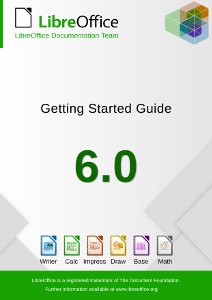
LibreOffice’s Documentation Team releases the Getting Started Guide 6.0, the introductory text for all LibreOffice applications and more.

Cover

Covering spreadsheets, presentations, texts, drawings, databases and the equations editor, as well as other important concepts in LibreOffice, the guide updates the previous book for LibreOffice 5.2 with the features implemented up to the 6.0 release. As it’s an introductory text, some advanced topics were left out, and are to be addressed in the other specialized modules guides, such as the Writer Guide 6.0. This turns the Getting Started Guide into a light reading on all of LibreOffice’s most important features and concepts.

“We are pleased to announce the release the new Getting Started Guide 6.0, bringing the contents closer to the latest version of the software. With this effort we also want to improve the documentation development process, and deliver the next update in much shorter time frame” said Dave Barton, member of the Documentation team. “We will begin the Getting Started 6.1 Guide project shortly” he added.

“The Guides update has been a very long process and revealed issues especially with revision, which is a very time consuming task and hard to carry out. A delicate balance is necessary between contribution and revision. We would like to try a time-based release of the next guide” said Olivier Hallot, Documentation Team Coordinator. “We will announce new methods and tools to speed up the authoring and release of the Guides”, he added.

The Guide was assembled using the techniques of the LibreOffice master document, a container of linked individual chapters, allowing the update of the chapters to be carried out automatically for the final document. The master document was then the source for exporting the Guide in PDF,  EPUB and ODT formats for download.

The Getting Started Guide 6.0 is available for download in the documentation website at https://documentation.libreoffice.org/en/english-documentation/getting-started-guide/ and the individual chapters and master document are in the TDF wiki at https://wiki.documentfoundation.org/Documentation/Publications#Getting_Started_with_LibreOffice .

LibreOffice 6.0’s Getting Started Guide is also available as a printed book from Lulu, by Friends of Open Document Inc., an Australia-based volunteer organization with members around the world, which will be using profits from the sale to benefit the LibreOffice community.

Taming LibreOffice 6.1’s New Help System

or… the Help must help.

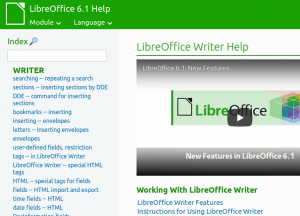
LibreOffice 6.1 has been released and carries a refactored and improved new Help system, based on modern browser technologies. Let’s explore what this new help brought to LibreOffice.

The main driver of the new Help is our vision that the Help must help. When we look at the old help system from the perspective of a typical user, we realize quickly that the text and layout of the help pages don’t provide the best experience. So how can we improve the experience and help our users better? The diagnostic was straightforward: the LibreOffice Help system was tied to a very limited technology, so we had to unleash LibreOffice Help.

The approach was to look at the capabilities of modern browser technologies of 2018, and compare them to the aging help system that relied on 2000’s web standards. Until LibreOffice 6.1, the local help consisted of static description text, very few images, no multimedia and almost no easy support for evolution and improvements.

(more…)

LibreOffice 6.0 Writer Guide

LibreOffice Documentation Team has just released the LibreOffice 6.0 Writer Guide, with a general Introduction to LibreOffice Writer followed by the following chapters: Working with Text (basics), Working with Text (advanced), Formatting Text, Formatting Pages (basics), Formatting Pages (advanced), Print Export Email, Introduction to Styles, Working with Styles, Templates, Images & Graphics, Lists, Tables of Data, Mail Merge, TOCs Indexes Biblios, Master Documents, Fields, Forms, Spreadsheets Charts Objects, Setting Up Writer and Customizing Writer, for a total of 448 pages.

LibreOffice 6.0 Writer Guide is available from TDF Wiki as ODT and PDF, both the complete book and individual chapters, and from ODF Authors as ODT of individual chapters.

LibreOffice 6.0 Writer Guide is also available as a printed book from Lulu, by Friends of Open Document Inc., an Australia-based volunteer organisation with members around the world which will be using profits from the sale to benefit the LibreOffice community.

Guide Revision Sprint Week

We are announcing a Revision Sprint Week, starting Monday May 21st and ending on Sunday May 27th to review the contents of all chapters of the Getting Started Guide 6.0.

The task consist of downloading a chapter and review it. Then send it back to documentation at libreoffice dot org when revision is finished.

Volunteers are invited to visit our Wiki page and have a deep reading on the contents.

Cover

Please use our communication channels described there to access us for interaction.

Happy Revision Sprint Week!

Rich Contents Arrives in New Help

Last week the new help system – online and offline – received enhancements to add multimedia and other resources for a richer user experience of LibreOffice Help. The new help can now access external videos stored in You Tube or similar services and also to open or download OpenDocument files to support the textual explanations of LibreOffice features in the help pages.

External videos can be displayed in New Help pages

(more…)

Making Macro Programming a Breeze: The BASIC & API Reference Cards

Update: Reference card for runtime library is now available.

One of the recurring issue when using LibreOffice as a replacement of other office applications is the migration of macros to the LibreOffice BASIC dialect and objects. While the LibreOffice BASIC programming language is almost standard, the objects inside a document have different names, methods and properties, and a rework on the macro is necessary in most cases to make it operational again, when imported from other suites.

(more…)