

Calling all developers! The LibreOffice Technology Hackfest will take place in the City of Budapest on June 4th and 5th, 2024.
Calling all developers! The LibreOffice Technology Hackfest will take place in the City of Budapest on June 4th and 5th, 2024.

The LibreOffice Google Summer of Code projects have been selected for 2024.
Good luck to the contributors – we appreciate their work on these important features and improvements! And thanks to our mentors for assisting them: Tomaž Vajngerl (Collabora); Thorsten Behrens, Stephan Bergmann and Sarper Akdemir (allotropia); Rafael Lima; Andreas Heinisch; Heiko Tietze, Xisco Faulí, Michael Weghorn and Hossein Nourikhah (TDF).
Between August 19 and 26, contributors will submit their code, project summaries, and final evaluations of their mentors. Find out more about the timeline here, and check out more details about the projects on this page.
The LibreOffice Help documentation project members have now a much better Help editor, thanks to Juan José Gonzales (JJ) of the TDF team.
Based on the editor originally created by Olivier Hallot and Mike Saunders, the new editor was greatly improved by JJ fixing many usability issues, adding a handy toolbar to the editor and automating some tasks for rendering the help page.
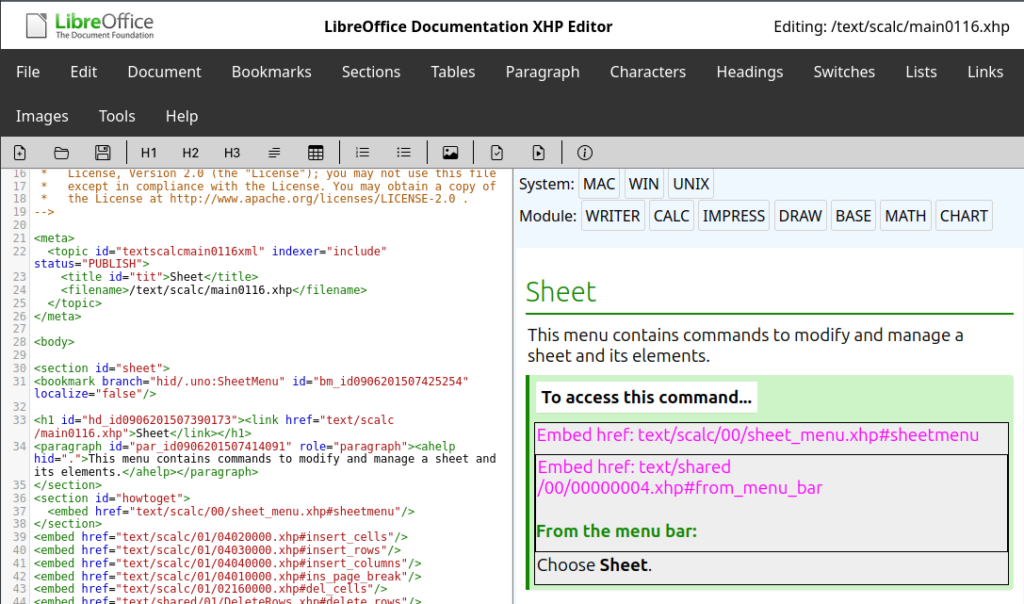
The Help editor renders the page in a way to assist the content editor in dealing with the several specific XML tags used in the Help pages. It displays the resulting page with information on links, embeds and other information, including switches that changes contents based on the system and the application.
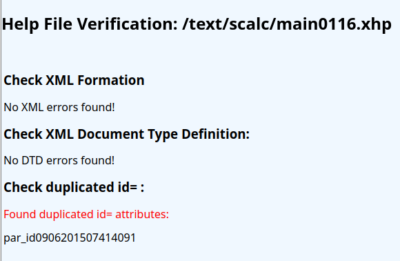
The editor is also capable to perform checking, notably XML conformity, DTD compliance and best of all, paragraph’s ID uniqueness, which is the most common mistake in writing Help pages.
Content editors can access the editor at the address here, and source code for the Help editor is available for download and improvements on this page.
This year, LibreOffice was once again a mentoring organization in the Google Summer of Code (GSoC), a global program focused on bringing more developers into free and open source software development. Five projects were finished successfully. Contributors and mentors enjoyed the time, and here we present some of the achievements, which should make their way into LibreOffice 24.2 in early February 2024!
You can experiment with the new features by using daily builds and report any problems in our bug tracker.
Mentors: Thorsten Behrens (allotropia), Heiko Tietze (TDF), Hossein Nourikhah (TDF)
LibreOffice can encrypt documents using OpenPGP public key cryptography by making use of external applications such as gpg4win, GPGTools and gnupg. Thanks to Ahmed’s work, it is now easier to manage and search keys and faster to navigate large keyrings.
Learn more about the encryption experience improvements in the final report.
Mentors: Thorsten Behrens (allotropia), Stéphane Guillou (TDF), Christian Lohmaier (TDF)
This project was inspired by Mozilla’s work on Firefox’s continuous integration. There is now a system in place that makes predictions on the test failure possibility of submitted code changes and decides the most efficient way to build the changes. As this kind of machinery is very new to everyone, we expect many tweaks to follow.
Learn more about the machine learning project in the final report.
Mentors: Andreas Heinisch, Heiko Tietze (TDF)
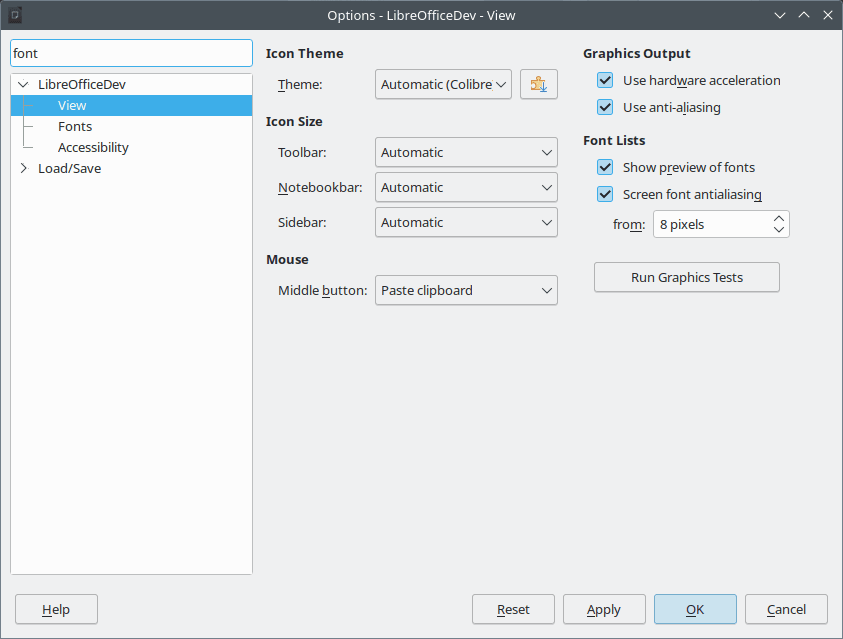
Searching through options is pretty standard in applications these days, so it is about time LibreOffice learned how to do it!
Learn more about the search feature in the final report.
Mentors: Tomaž Vajngerl (Collabora), Xisco Faulí (TDF)
The idea here was to reduce the dependency on Java during the LibreOffice build process. Half of the tests for Writer were converted.
Learn more about the test conversion project in the final report.
Mentors: Tomaž Vajngerl (Collabora)
APNG is short for Animated Portable Network Graphics. It is not an official extension to PNG, but nevertheless has broad support in web browsers these days. Thanks to Paris’s work, LibreOffice now fully supports this format.
Learn more about the APNG feature in the final report.
Many thanks to all contributors who spent their summer time improving LibreOffice. You are awesome! And special thanks also to the mentors who always put so much love and energy into these tasks. That’s what makes LibreOffice rock.
Now we are looking forward to next year’s GSoC. If you are interested, why not prepare early? Learn more at out wiki page where some ideas are listed.
Participating in GSoC is a great way to build your skills, and show future employers what you’re capable of!
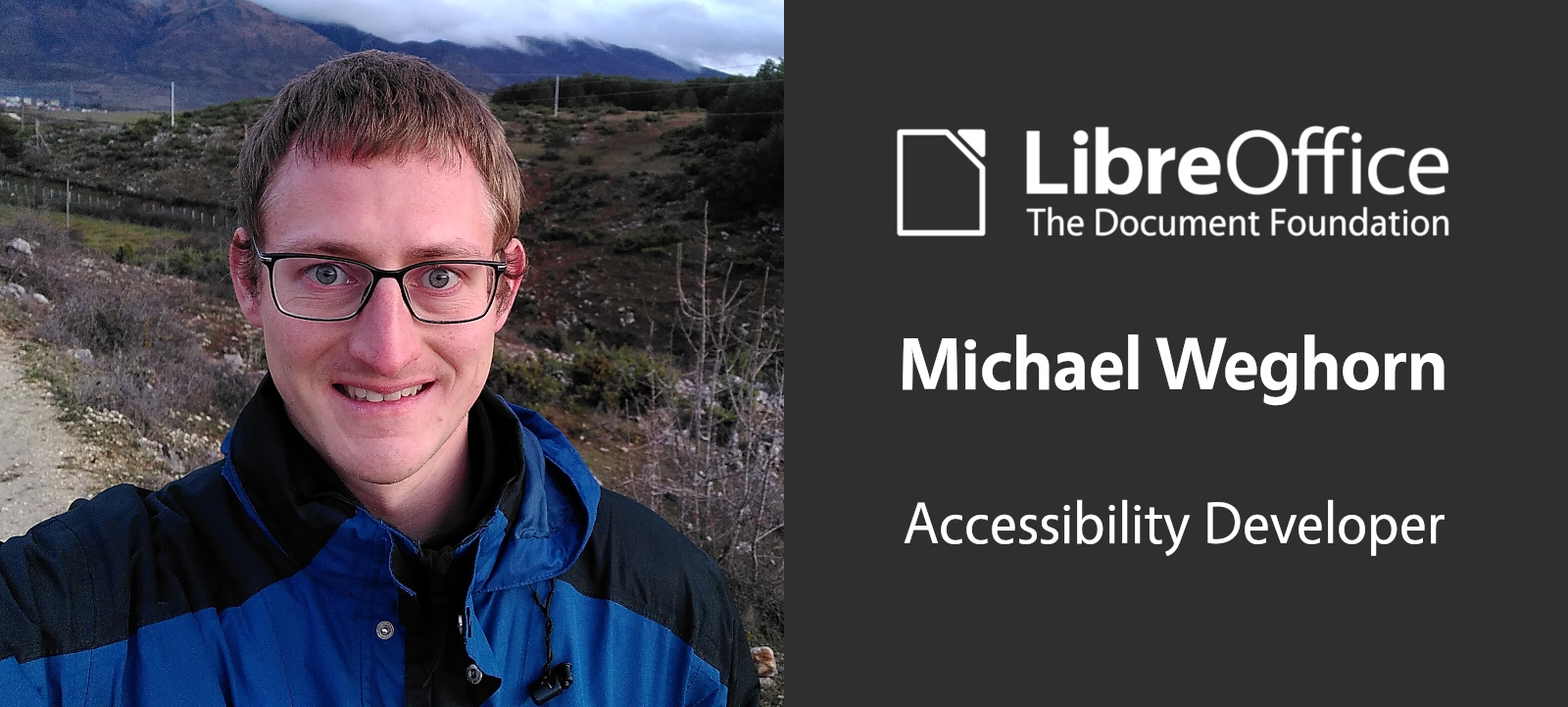
The Document Foundation (TDF) is the non-profit entity behind LibreOffice, providing infrastructure and support for the community that makes the suite. Recently, TDF decided to expand its small team with two new Developers – the first (Khaled Hosny) focusing on “complex” text layout languages. Today, we welcome our second Developer, Michael Weghorn, who will initially focus on accessibility improvements. Let’s hear from him…
I am from Germany, and have been living in Munich since moving here for my studies in computer science about 12 years ago.
I am a free and open source software enthusiast.
Before coming to TDF, I was working for the City (administration) of Munich, first being part of their Linux client team – and since 2018 with the main focus on LibreOffice development. I am also a member of the LibreOffice Engineering Steering Committee (ESC).
Besides my involvement in LibreOffice, I have also contributed a few changes to other open source projects – mostly fixes for issues that I ran into myself as a user. The possibility to do this is certainly one of the many benefits of open source software.
Besides being an open source software developer, I’m involved in a Christian church and like meeting friends, sports and reading.
I have been involved in the LibreOffice project since 2014, mostly in QA (Quality Assurance) and development.
The first code change I was working on had to do with the selection of the Java runtime on LibreOffice startup, and I was also translating German comments in the source code back then.
Since then, I have mostly been working on fixing bugs in different areas of LibreOffice. The main areas that I have been focusing on are Qt/KDE integration, the Android version and accessibility.
I’m joining TDF as a LibreOffice Developer, focusing on accessibility.
Accessibility is quite a broad topic, ranging from the accessibility of LibreOffice’s user interface to the accessibility of the documents that the program creates.
From what I have seen so far, LibreOffice has a good basis regarding accessibility. It’s also great to see recent contributions by others to further improve accessibility (eg improvements for document accessibility and PDF/UA export, the accessibility checker and accessibility on macOS), but there are certainly also areas that will benefit from getting some more attention.
My initial focus will probably be fixing problems encountered in the user interface when using LibreOffice with a screen reader.
From my experience so far, this often not only involves making changes to LibreOffice itself, but also to the corresponding screen reader or elsewhere in the accessibility software stack. Therefore, cooperation with other projects is also essential.
There are different ways to get involved – for example:
There’s also an accessibility page in the wiki, which contains some more information and will be further updated in the future.
Great to have Michael on board! 😊 Follow this blog and our Mastodon and Twitter accounts for updates on his work – plus more news from the LibreOffice community.
LibreOffice doesn’t include an email program, but there are many excellent free and open source software clients that work well alongside it. One prominent example is Mozilla Thunderbird – a sister project to the Firefox web browser.
We know that many people use LibreOffice and Thunderbird as part of their daily workflows – so how can we make them work better together? We reached out on social media to hear from our users – on Mastodon and Twitter (and the Thunderbird project posted on their Mastodon and Twitter accounts too).
Thanks a lot to everyone who responded! There were many great ideas, and here are our top five:
Jay Robbie:
A consistent UI/UX would help familiarize newcomers to both tools more quickly…. possibly a unified Settings area if you were to combine the functionality of both apps. Include a Thunderbird app launcher in the LibreOffice dashboard.
Briani Davide:
Link documents to calendar events or tasks, enabling quick access to relevant files during meetings or when working on projects and create calendar events or tasks directly from within LibreOffice.
this.ven:
What about a better integration of the viewing, editing and exporting capabilities from LibreOffice into Thunderbird for files send via mail? For example, an ODT file can be viewed and edited directly in Thunderbird (without leaving the window) and exported as PDF file.
Johannes:
For me it would help if both would have the same shortcuts for styling the text. For example Ctrl+1 for Header1 etc.
Fabián Valverde:
Being able to insert from Thunderbird contacts into LibreOffice while writing, like when you type “@” on Twitter…
So, let’s make these improvements happen! LibreOffice and Thunderbird are community-driven open source projects, so the more help we get, the better. On our side, we have a meta bug tracking interoperability and integration, and this page shows how to get involved. If you want to help out in the Thunderbird project, see this page. (And if you’re a business running LibreOffice and Thunderbird, please consider funding developers to work on the features you need.)