Sunday Marketing #5

On Friday, we have announced LibreOffice 5.4.5 and LibreOffice 6.0.1. In both cases, it has been an earlier than scheduled – and expected – release, to solve a couple of issues which were considered significant enough to change the usually predictable release schedule. The first issue was related to security, and we decided to release a patched version to reduce the risk for LibreOffice users (details are available on dedicated channels). The second issue was related to the increase of crashes on Windows of the just announced LibreOffice 6.0.

The chart on the left shows the increase of crashes after January 31 announcement and the subsequent decrease after February 9 announcement (right-clicking on the image will allow opening the original image, which is easier to read). It is important to underline the fact that the chart is generated by our test system, which is stressing the software, and does not reflect the actual number of crashes experienced by end users. On the other hand, we received several reports of unexpected crashes, which confirmed data provided by the test system.

Although both issues were reported while a large number of developers and other community members were in Brussels for FOSDEM and for a series of internal meetings, they were immediately tackled by developers – who provided the patches – and triggered a new release process: production of the binaries for the different operating systems, test of the binaries to verify that issues were solved, upload of the binaries on mirrors, preparation of web pages relevant for the announcement (changelogs on the wiki, and download pages on websites), and draft of the announcement text for the announce mailing list, the blog post and the press release distribution. From the decision to the release, the entire process was completed in less than two days, confirming the maturity of the LibreOffice project in front of unexpected events.

Sunday Marketing #4

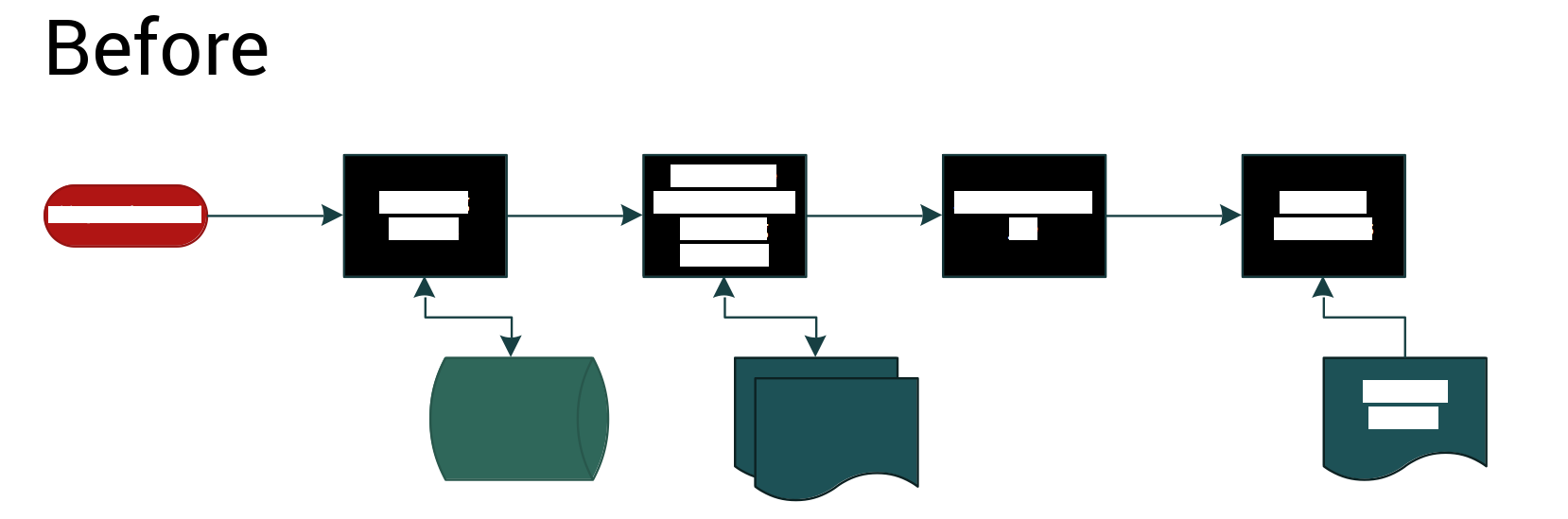
Document classification is one of LibreOffice 6.0 improved features. As the concept of classification is not well known outside enterprises and large organizations, to help marketing the feature we have produced this graphic to help community members with presentations. Of course, we have used LibreOffice Draw, and you are invited to localize the ODG file embedded into the attached Hybrid PDF file. The graphic complements the background, which provides additional information about classification.

Call for Papers Open Document Editors DevRoom at FOSDEM 2018

FOSDEM is one of the largest gatherings of Free Software contributors in the world and happens each year in Brussels (Belgium) at the ULB Campus Solbosch. In 2018, it will be held on Saturday, February 3, and Sunday, February 4.

As usual, the Open Document Editors DevRoom will be jointly organized by Apache OpenOffice and LibreOffice, on Saturday, February 3 (from 10:30AM to 6:30PM, room AW1.120). The shared devroom gives every project in this area a chance to present ODF related developments and innovations.

We are now inviting proposals for talks about Open Document Editors or the ODF standard document format, on topics such as code, localization, QA, UX, extensions, tools and adoption related cases. This is a unique opportunity to show new ideas and developments to a wide technical audience. Please do keep in mind, though, that product pitches are not allowed at FOSDEM.

Length of talks should be limited to a maximum of 30 minutes, as we would like to have questions after each presentation and to fit as many presenters as possible in the schedule. Exceptions must be explicitly requested and justified. You may be assigned LESS time than you request.

All submissions have to be made in the Pentabarf event planning tool: https://penta.fosdem.org/submission/FOSDEM18.

While filing your proposal, please provide the title of your talk, a short abstract (one or two paragraphs), some information about yourself (name, bio and photo, but please do remember that your profile might be already stored at Pentabarf).

To submit your talk, click on “Create Event”, then make sure to select the “Open Document Editors” devroom as the “Track”. Otherwise, your talk will not be even considered for any devroom at all.

If you already have a Pentabarf account from a previous year, even if your talk was not accepted, please reuse it. Create an account if, and only if, you don’t have one from a previous year. If you have any issues with Pentabarf, please contact ode-devroom-manager@fosdem.org.

The deadline is Monday, December 4th, 2017. Accepted speakers will be notified by Monday, December 11th, 2017. The schedule will be published by Friday, December 15, 2017.

Recording Permission

The talks in the Open Document Editors DevRoom will be audio and video recorded, and possibly streamed live too.

In the “Submission notes” field, please indicate that you agree to have your presentation recorded and published under the same license as all FOSDEM content (CC-BY). For example: “If my speech is accepted for FOSDEM, I hereby agree to be recorded and to have recordings – including slides and other presentation-related documents – published under the Creative Commons Attribution (CC-BY) 4.0 International License. Sincerely, Name”.

Call to Action: Hackfests “The New Generation”

LibreOffice’s development community has been growing steadily for seven years, thanks to the great enthusiasm demonstrated by several core members. They have mentored an entirely new generation of LibreOffice developers, also thanks to Hackfests and other face-to-face meeting opportunities such as FOSDEM and the LibreOffice Conference.

After seven years is now the right time to start thinking about the new generation of Hackfests. For several reasons, their number has decreased over the last couple of years, and they have never really gone beyond European borders (even with core developers flying over the Atlantic to attract potential new developers).

Bjoern Michaelsen will be hosting a conference call to discuss HackFests “The New Generation” on Sunday, September 17, at 4:30PM CEST (Berlin time, or UTC +2). Everyone interested is warmly invited to participate, especially from LibreOffice native language communities around the world.

If you cannot connect, make your voice heard by sending a couple of ideas by email to the Projects mailing list: projects@global.libreoffice.org.

Updates from the Document Liberation Project


The Document Liberation Project (aka DLP) is working to free users and content creators from vendor lock-in. To achieve this, it develops and maintains libraries for reading documents in many different formats – including those generated by proprietary software. To learn more about the DLP, check our our short video.

In recent months, DLP developers have been working on updates and new features, so read on for all the details.

QuarkXPress import filter

Lithuanian coder Aleksas Pantechovskis (who we interviewed last year) has been working with David Tardon on a filter to read documents generated by the QuarkXPress desktop publishing application. He was doing this as a Google Summer of Code project, and added code for importing text boxes, shapes and other objects.

The image below shows an original QuarkXPress document on the left, and how it is converted into the open and standardised OpenDocument Format for use in LibreOffice and other software:

Aleksas and David have implemented the filter in a new library, libqxp – it supports QuarkXPress 3.1 – 4.1 documents at the moment.

PowerPoint and StarOffice

Meanwhile, Laurent Alonso has been improving a number of libraries for better compatibility with legacy documents. For instance, in libmwaw he has implemented an import filter for presentations created in Microsoft PowerPoint 2 (Windows), PowerPoint 4 (Mac and Windows) and PowerPoint for Windows 95. If you have old presentations in this format and need to retrieve the main contents, this filter will help you out.

In addition, he has updated libstaroffice, which is a library used to read files generated by StarOffice (which later became OpenOffice.org and then LibreOffice – see our timeline for the full history). Thanks to Laurent’s work, .sdc spreadsheet files preserve more of their formatting when imported, while .sda files created with StarOffice Impress are now converted as presentations.

Give us a hand!

As you’ve seen, DLP is helping users and content creators to free their data from old, legacy and proprietary formats. DLP libraries are used by many well-known applications such as LibreOffice, Inkscape and Scribus, so your contributions can help millions of people around the world.

And you don’t have to be a developer! While code contributions are always welcome, you can help us by reverse-engineering and documenting file formats, or sending us sample documents to analyse and test against the DLP libraries. Any help can really make a big difference, so see this page to learn more. We look forward to meeting you!

Surpassed the 40,000 closed bugs milestone

As Tommy kindly mentioned on the QA mailing list, this week the LibreOffice project has surpassed the 40,000 resolved bugs milestone – a huge achievement demonstrating the enormous amount of effort the community puts into software quality. If we take a look at the numbers from August 2016 (the month we started to collect data from Bugzilla) up to now, 7,143 bugs have been closed during this year, with an average of 133 bugs closed each week.

Let’s see some charts for the mentioned timeframe.

Number of bugs closed each week
Accumulative number of bugs closed
Statuses of the bugs closed

Get Involved!
So, you’ve seen what the QA team is doing across the LibreOffice project – why not get involved and help out? Even if you only have half an hour of spare time each week, by confirming bugs (and fixes) you can make LibreOffice better for millions of people around the world. And in addition, you build up valuable experience working with a large project and open source community – which could be very useful for a future career! Discover more about the QA team in our video interview with QA engineer Xisco Fauli.

(Notes about this blog post: raw data can be checked here. For more stats, visit the stats page in the QA wiki.)