LibreOffice 24.2 Community available for all operating systems

Berlin, 31 January 2024 – LibreOffice 24.2 Community, the new major release of the free, volunteer-supported office suite and the first to use the new calendar-based numbering scheme (YY.M), is now available at https://www.libreoffice.org/download for Windows (Intel, AMD and ARM), macOS (Apple and Intel) and Linux. The new numbering scheme will help users keep their LibreOffice installation up to date.

LibreOffice is the only open source personal productivity office suite with a feature set comparable to the leading product on the market. It also offers a range of interface options to suit different user habits, from traditional to modern, and makes the most of different screen form factors by optimising the space available on the desktop to put the maximum number of features just a click or two away.

The biggest advantage of LibreOffice over any other office suite is the LibreOffice Technology engine, a single software platform for all environments: desktop, cloud and mobile. This infrastructure allows LibreOffice to offer a better user experience and, most importantly, to produce identical – and perfectly interoperable – documents based on the two available ISO standards: the Open Document Format (ODT, ODS and ODP) for users concerned about compatibility, resilience and digital sovereignty and the proprietary Microsoft OOXML (DOCX, XLSX and PPTX).

Highlights of LibreOffice 24.2 Community

GENERAL

  • Save AutoRecovery information is enabled by default, and is always creating backup copies. This reduces the risk of losing content for first-time users who are unfamiliar with LibreOffice settings.
  • Fixed various NotebookBar options, with many menu improvements, better print preview support, proper resetting of customised layout, and enhanced use of radio buttons. This improves the experience for users familiar with the Microsoft Office UI.
  • The Insert Special Character drop-down list now displays a character description for the selected character (and in the tooltip when you hover over it).

WRITER

  • “Legal” ordered list numbering: make a given list level use Arabic numbering for all its numeric portions.
  • Comments can now use styles, with the Comment paragraph style being the default. This makes it easier to change the formatting of all comments at once, or to visually categorise different types of comments.
  • Improved various aspects of multi-page floating table support: overlap control, borders and footnotes, nesting, wrap on all pages, and related UI improvements.

CALC

  • A new search field has been added to the Functions sidebar deck.
  • The scientific number format is now supported and saved in ODF: embedded text (with number format like ###.000 E0); lower case for exponent (with number format like ###.000e0); exponent with empty ‘?’ instead of ‘0’ (with number format like 0.00E+?0).
  • Highlight the Row and Column corresponding to the active cell.

IMPRESS & DRAW

  • The handling of small caps has been implemented for Impress.
  • Moved Presenter Console and Remote control settings from Tools > Options > LibreOffice Impress to Slide Show > Slide Show Settings, with improved labelling and dialogue layout.
  • Several improvements and fixes to templates: added and improved placement of various placeholders; fixed order of slides; made fonts and formatting consistent; fixed styles and their hierarchy; improved ODF compliance; made it easier to use templates in languages other than English; fixed use of wrong fonts for CJK and CTL.

ACCESSIBILITY

  • Several significant improvements to the handling of mouse positions and the presentation of dialogue boxes via the Accessibility APIs, allowing screen readers to present them correctly.
  • Improved management of IAccessible2 roles and text/object attributes, allowing screen readers to present them correctly.
  • Status bars in dialogs are reported with the correct accessible role so that screen readers can find and report them appropriately, while checkboxes in dialogs can be toggled using the space bar.

SECURITY

  • The Save with Password dialogue box now has a password strength meter. This uses zxcvbn-c to determine the password strength.
  • New password-based ODF encryption that performs better, hides metadata better, and is more resistant to tampering and brute force.
  • Clarification of the text in the options dialogue box around the macro security settings, so that it is clear exactly what is allowed and what is not.

A full description of all the new features can be found in the release notes [1].

Contributors to LibreOffice 24.2 Community

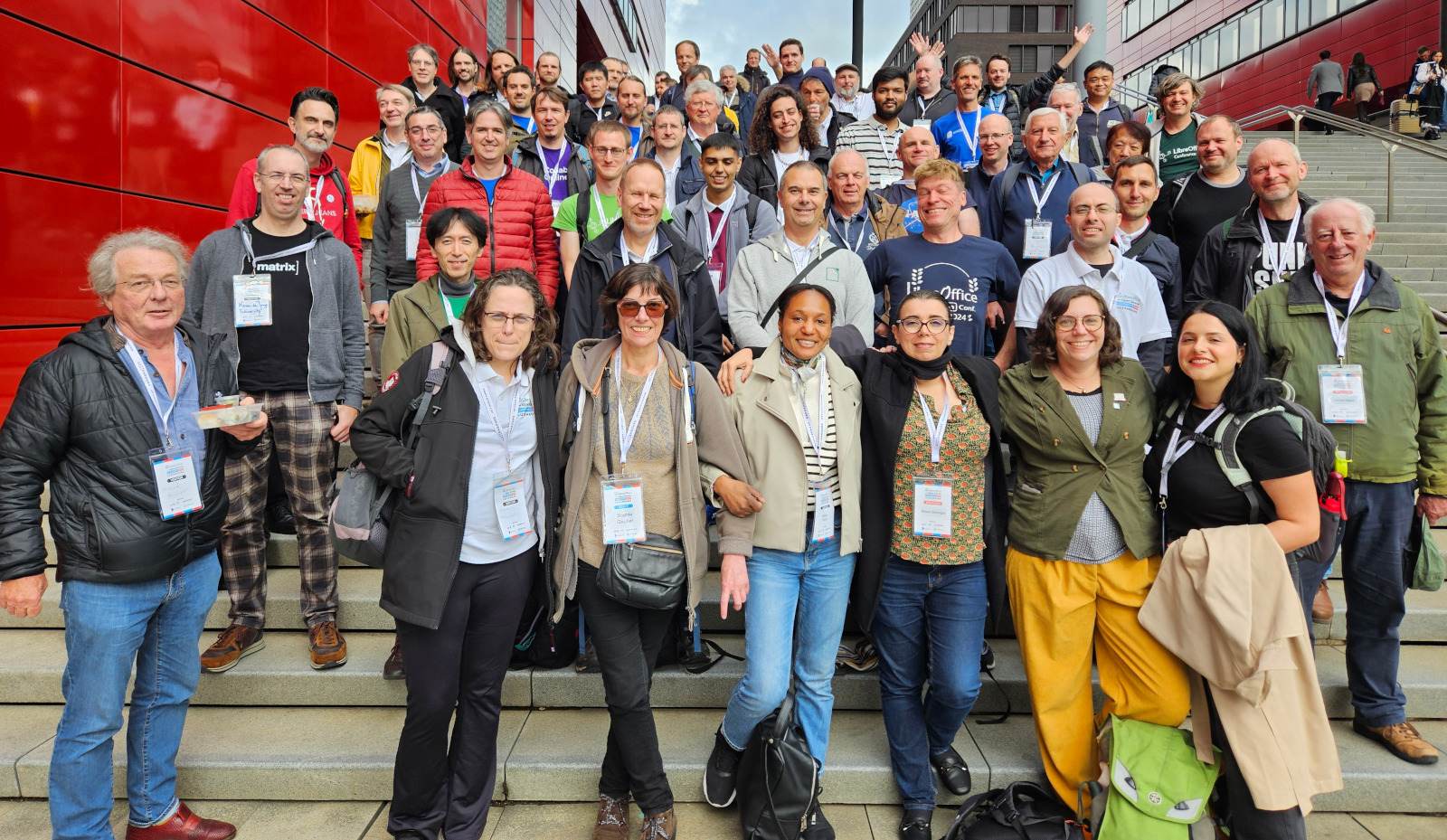
There are 166 contributors to the new features of LibreOffice 24.2 Community: 57% of code commits come from the 50 developers employed by three companies on the TDF Advisory Board – Collabora, allotropia and Red Hat – or other organisations, 20% from 8 developers at The Document Foundation, and the remaining 23% from 108 individual volunteers.

An additional 159 volunteers have committed to localisation in 160 languages, representing hundreds of people providing translations. LibreOffice 24.2 Community is available in 120 languages, more than any other desktop software, making it available to over 5.5 billion people worldwide in their native language. In addition, over 2.4 billion people speak one of these 120 languages as a second language (L2).

LibreOffice for Enterprises

For enterprise-class deployments, TDF strongly recommends the LibreOffice Enterprise family of applications from ecosystem partners – for desktop, mobile and cloud – with a wide range of dedicated value-added features and other benefits such as SLAs: https://www.libreoffice.org/download/libreoffice-in-business/.

Every line of code developed by ecosystem companies for their enterprise customers is shared with the community on the master code repository and improves the LibreOffice Technology platform.

Products based on LibreOffice Technology are available for all major desktop operating systems (Windows, macOS, Linux and ChromeOS), mobile platforms (Android and iOS) and the cloud.

Migrations to LibreOffice

The Document Foundation has developed a migration protocol to help companies move from proprietary office suites to LibreOffice, based on the deployment of an LTS (long-term support) enterprise-optimised version of LibreOffice plus migration consulting and training provided by certified professionals who offer value-added solutions consistent with proprietary offerings. Reference: https://www.libreoffice.org/get-help/professional-support/.

In fact, LibreOffice’s mature code base, rich feature set, strong support for open standards, excellent compatibility and LTS options from certified partners make it the ideal solution for organisations looking to regain control of their data and break free from vendor lock-in.

Interoperability with Microsoft Office

LibreOffice 24.2 offers a host of improvements and new features aimed at users who share documents with or migrate from MS Office, building on the advanced features of the LibreOffice Technology platform for personal productivity on desktop, mobile and in the cloud. These users should check new releases of LibreOffice frequently, as progress is so rapid that each new version dramatically improves upon the previous.

A few of the most significant improvements:

  • Writer: improved first page headers/footers OOXML import by using the first page property in the existing page style instead of creating a new page style just for the first page.
  • Writer: templates optimised for Japanese text added to the Localisation category to improve interoperability with Microsoft Word for Japanese users.
  • Writer: import of “drawing canvas” from DOCX documents, with connectors no longer imported as simple shapes but as true connectors, primitive shapes like ellipses imported as OOXML shapes (text inside the shape can now wrap), and multicolour gradients, theme colours and glow effects for shapes.
  • OOXML: support for the SVG OOXML extension, which imports the SVG image (svgBlip element) instead of the fallback PNG, and exports the SVG image in addition to the fallback PNG image used when the svgBlip element is not supported (older MS Office versions).

LibreOffice offers the highest level of compatibility in the office suite market, from native support for the Open Document Format (ODF) – which beats proprietary formats in terms of security and robustness – to superior support for MS Office files, as well as filters for a wide range of legacy document formats.

Microsoft files are still based on the proprietary format deprecated by ISO in 2008, rather than the ISO-approved standard, so they hide a great deal of artificial complexity. This creates problems for users who are confident that they are using a true open standard.

Availability of LibreOffice 24.2 Community

The LibreOffice 24.2 Community is available at https://www.libreoffice.org/download/. Minimum requirements for proprietary operating systems are Microsoft Windows 7 SP1 and Apple MacOS 10.15. Products based on LibreOffice Technology for Android and iOS are listed here: https://www.libreoffice.org/download/android-and-ios/.

For users who don’t need the latest features and prefer a version that has undergone more testing and bug fixing, The Document Foundation maintains the LibreOffice 7.6 family, which includes several months of back-ported fixes. The current release is LibreOffice 7.6.4 Community.

The Document Foundation does not provide technical support for users, although they can get it from volunteers on user mailing lists and the Ask LibreOffice website: https://ask.libreoffice.org

LibreOffice users, free software advocates and community members can support the Document Foundation by making a donation at https://www.libreoffice.org/donate.

[1] Release Notes: https://wiki.documentfoundation.org/ReleaseNotes/24.2

Press Kit

Download link: https://nextcloud.documentfoundation.org/s/i4LtiHDBbwJa9Cs

Armenian translation of LibreOffice complete

Armenian script

LibreOffice is available in over 100 languages, thanks to our worldwide community of localisers and translators. And for the upcoming LibreOffice 24.2 release, it will be available in Armenian for the first time!

Armenian is an Indo-European language, spoken by 5 – 7 million people in the Republic of Armenia and elsewhere in the world. The translation of LibreOffice’s user interface was largely done by Tigran Zargaryan, who shared the announcement with us:

Dear members of The Document Foundation, and the LibreOffice community! With great pleasure, I’m informing that the Armenian localisation of LibreOffice is complete, and this is an especially significant event for Armenian community members worldwide, who are using various office suites in their daily work and – due to lack of Armenian user interface translations – are facing language difficulties.

I hope that the presence of the Armenian language interface translation will be of great support especially in schools, educational institutions and state organisations. In general, many state-based entities are financed by tax payers, and the presence of such a suite will ease their life, as they will legally be able to use office products without copyright infringement, and for them a totally new world of Free/Open Source Software (FOSS) philosophy will be introduced.

Big thanks and շնորհակալություն to Tigran for his contributions! Everyone is welcome to join our native-language communities, and help us to translate LibreOffice into even more languages.

And here, a couple of screenshots of the suite in Armenian:

LibreOffice Writer in Armenian

LibreOffice Impress in Armenian

LibreOffice QA help from CSUMB students – Steven Casey

Steven Casey

The Document Foundation – the non-profit entity behind LibreOffice – recently teamed up with the California State University, Monterey Bay (CSUMB) to encourage students to learn about LibreOffice quality assurance (QA) and help out. A few days ago we chatted with Keldin Maldonado, and today we’re talking to Steven Casey…

What did you work on in your 25 hours?

During my 25 hours, I was primarily tasked with working on bug reports for LibreOffice. At the beginning of my service, I was simply testing unconfirmed reports and retesting confirmed reports to ensure the bugs were still present in the up-to-date version of the software. I would leave comments on those reports about my findings and follow up later if needed. Once I got a better understanding of Bugzilla, the software, and my duties (and I sure did make my fair share of mistakes), I moved on to binary bisecting. Binary bisecting was more advanced than what I was doing before, but it was also quite a bit of fun!

It was common for me to spend hours digging deep into a report to figure out which commit was causing the regression and more importantly, why. As a student studying computer science with an intention of becoming a software engineer, it was important to me to try and figure out why these bugs were happening. Often times, I came up with a theory and happily appended it to my comment on the report, but sometimes I would run into a roadblock and not be able to figure it out.

What was the experience like?

Honestly, the experience was a lot better than I initially expected. I think a large part of that was due to my mentor during my service, Ilmari Lauhakangas. Ilmari was both understanding and extremely helpful, not to mention just a great individual. I was often pretty loaded with work during my service and I really appreciated the no commitment, work on your own time whenever approach. There were some days I would work 5 hours mid-day, and other days where I would work for an hour between 1 and 2 in the morning!

LibreOffice also has a fantastic wiki with a lot of info for beginner bug triagers on getting started which helped a lot, as it was a little overwhelming in the beginning. Thanks to the wiki along with the tutorial videos Ilmari provided, I was able to mostly get a grasp on things pretty quickly. However, the wiki, while holding great information, feels a little scattered. There were a couple of times where I would search for something on the wiki, and end up not finding it to have Ilmari send me a link to a slightly different page I just happened to miss.

Please confirm that you want to play a YouTube video. By accepting, you will be accessing content from YouTube, a service provided by an external third party.

YouTube privacy policy

If you accept this notice, your choice will be saved and the page will refresh.

For example, there is a GetInvolved page and a BugTriage page, which have very similar info, but some small differences which can be important. While it wasn’t an issue for me, time zones can also be a slight issue for someone who is interested in volunteering. Being based in California in the United States, available meeting times would either be around 10pm or 9am or so. Luckily, I am often up late at night, so 10pm was great for me!

What are you planning to do next?

I still plan to contribute to bugs here and there very casually. I genuinely mean it when I say that this experience was “life changing” no matter how silly that may sound. I graduate in August of 2024 so I plan on focusing on that the most. I do need to be career ready, and secure a position for graduation. With that being said, Ilmari has asked me to email him if I’m interested in LibreOffice development after the holidays. I don’t know what that will entail quite yet, but I plan on taking him up on that offer. Maybe I will be the one accidentally introducing the regressions soon!

Many thanks thanks to Steven and Keldin for their help! All LibreOffice users are welcome to join our QA community and keep the software strong and robust.

Community Member Monday: Don Matschull

Thumbnails from Don Matschull's YouTube channel

TXDon (aka Don Matschull) is a regular on our Ask LibreOffice website, helping users with their questions. He also maintains a YouTube channel with video tutorials about the suite, and has created courses on Udemy. We chatted with him about his work – and here’s what he had to say.


Don Matschull: I really want to help others learn about what LibreOffice has to offer. I especially want to emphasize the advantage of using styles rather than trying to use LibreOffice Writer like other applications with direct formatting.

In the past, I tended to learn just enough about an application to accomplish the task at hand. After using one application for years, I had some extra time and started to read more of the user manual and other books. I quickly learned that I could have saved hours, days, months of time if I had delved more deeply when I first started using the application. Now, I try to gain a deeper knowledge of the application I am working with.

As I learn, I like to share the knowledge I’ve gained. Trying to explain something helps me understand it even better. When researching a topic, I tend to check the user guides, help files, do internet searches for written and video tutorials, and use help forums such as Ask LibreOffice. Often, I find only bits and pieces of what I want to know and end up experimenting until I’m satisfied that I have a decent grasp of the subject. Then, I try to share what I’ve learned to keep others from having to spend the time and frustration I spent learning.

I try to design my courses in a somewhat logical progression, though this can be difficult because of the way topics can be interrelated. My YouTube videos are more spontaneous. The biggest difficulty with these is trying to keep them short while also covering the topic in more than a superficial manner.

My next video will probably be about how to make lists more distinctive and attractive. Then, I expect to discuss the new features and changes introduced by LibreOffice 7.6 when it reaches the point that version 7.5 now holds.

Eventually, I would like to prepare a whole new course or more on LibreOffice Writer incorporating audio and video techniques I learned since my initial course.


Click here to view Don’s LibreOffice tutorial videos

LibreOffice QA help from CSUMB students – Keldin Maldonado

Keldin Maldonado

Recently, The Document Foundation – the non-profit entity behind LibreOffice – teamed up with the California State University, Monterey Bay (CSUMB) to encourage students to learn about LibreOffice quality assurance (QA) and help out. Let’s hear from one of the students, Keldin Maldonado:

What did you work on in your 25 hours?

I worked in the QA team for LibreOffice. I was tasked with looking over bug reports and providing feedback on these reports by either confirming the bug, asking for more information, or providing my feedback if I wasn’t able to replicate the bug.

Later in my volunteer time, I learned about finding the specific commits that caused the bugs through bibisecting that made life for developers a lot easier. I must say, it was honestly really cool seeing the open source model in action. I was able to witness the community effort to resolve these issues in LibreOffice and see how this product was consistently improving.

What was the experience like?

This was the first time doing any sort of work like this, so I had a hard time getting used to some of the tooling, specifically Bugzilla with its infinite options. Luckily, I had Ilmari Lauhakangas to mentor me through this. He provided search queries that definitely made life easier. Apart from this, I also had issues with my working environment because of backward compatibility. I was able to use Distrobox, however, on a Linux box I built specifically for bug hunting that I then SSHed into from my main machine to be able to run older versions of LibreOffice, and my compatibility issues disappeared.

Bugzilla logo

In terms of the good things, I genuinely think that the last couple of mentoring meetings that I had with Ilmari taught me things that will stick with me for life, and for that, I have to give him a huge thanks for being patient and a good mentor. Specifically, I think learning about bibisecting was a great skill to be taught. I will definitely continue to use this going into my professional career and participating further in the open source community.

I also think that having a chance to work in this community maintaining LibreOffice, a product that many people rely on a day to day basis, was great. It might sound a bit cliche, but it genuinely felt really good knowing about the impact I was making, albeit small on the grand scheme of things. I know that my efforts made people’s lives a bit easier in the long run.

What are you planning to do next?

In terms of my professional plans, I am still enrolled in my undergraduate computer science program, which I will finish in the summer of 2024, and then I hope to go into software engineering. Currently, that is what’s taking up the majority of my time. In regards to The Document Foundation and LibreOffice, I will continue to provide help. Last I spoke with Ilmari, he asked me if I wanted to continue with the development side of things, which I think is a great opportunity for me to further develop my skill, and it will give me a chance to continue helping with The Document Foundation’s efforts.

Big thanks to Keldin for his contributions! But he wasn’t alone – Steven Casey also joined the QA community, and we’ll talk to him in our next interview on this blog…

Czech translation of LibreOffice Impress Guide 7.5

Impress Guide cover

Zdeněk Crhonek (aka “raal”) from the Czech LibreOffice community writes:

The Czech team has finished its translation of the LibreOffice Impress Guide 7.5. As usual it was a team effort, with translations by Petr Kuběj, Zdeněk Crhonek and Radomír Strnad. Localized pictures were provided by Roman Toman, and technical support came from Miloš Šrámek. Thanks to all the team for their work!

The Czech translation of the Impress Guide 7.5 is available for download on this page. We haven’t yet decided what we will translate next – probably we will wait for the next big release (LibreOffice 24.2), but if any volunteers would like to join us in the meantime, please visit this page.

Great work everyone!