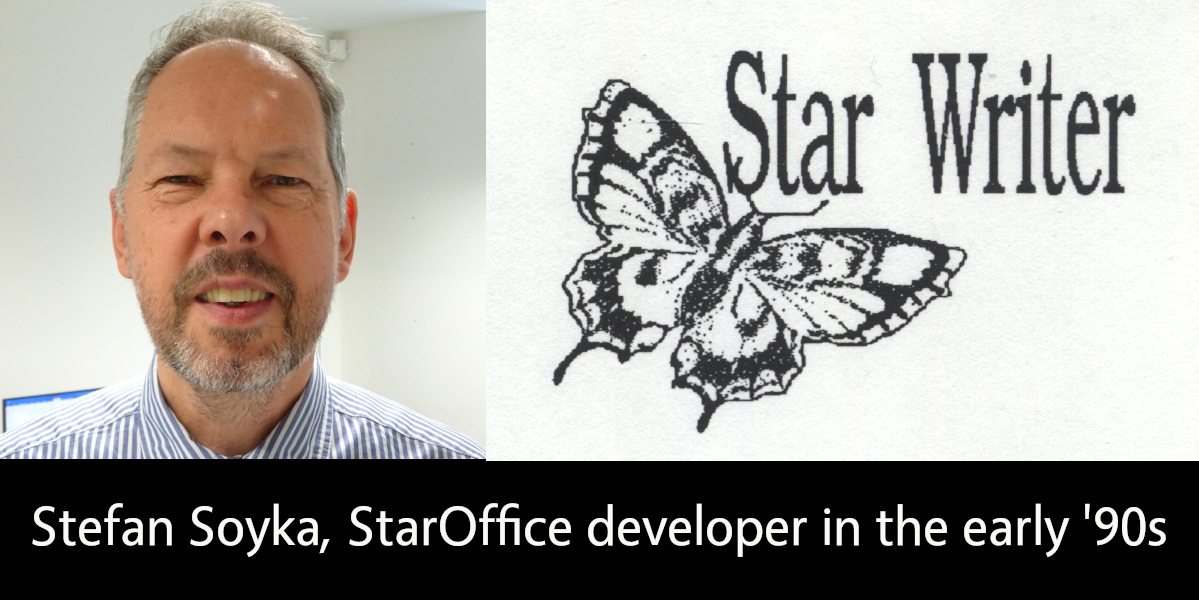
LibreOffice is the successor project to OpenOffice(.org), which in turn was based on StarOffice, a proprietary office suite developed in the 1990s. Learn more about the history here! And let’s hear from Stefan Soyka, who worked on StarOffice from 1990 – 1992…
When did you join Star Division, and what did you work on?
I came from Berlin to Hamburg to work for Marco Börries in his Star Lab in spring 1990, together with my friend and study mate Stefan. Both of us joined the project more or less at the same time and shared the same first name, which caused some confusion at first.
The situation in Hamburg needs some explaining if you are new to it. The Writer application that is the foundation of what we use today is not the first Star Writer – but thesedays it is often referred to as Star Writer 6 or Star Writer Graphic. Marco’s company Star Division, based in rural Lüneburg not far from Hamburg, had developed and sold with considerable success a text processing application with the same name, that was an MS-DOS application based on a home-grown graphics framework. A team of freelance programmers was working on it under the lead of Sven-Ola Tücke.
This was also the tool we used to write the first drafts for specifications, by the way.
The old Star Writer had a solid fanbase and sold quite well even after Star Lab started in Hamburg. So it is fair to say that the money we burned in Hamburg was earned in Lüneburg.
Marco, however, had the right feeling that graphical user interfaces were already around and taking up speed. The future (that is the time we live in now) would belong to applications running on the main graphical user interface platforms at this time, being Microsoft Windows, the X Window System and macOS. Of course there were voices that argued that graphical user interfaces were only hampering productivity and real pros would always use the command line. That may sound a bit funny today, but I took it all in my heart.
When I arrived there, development had pretty much advanced in the compatibility layer named Star View, that allowed portable programming of both operating system functions and graphical user interfaces. There was, however, no application yet. Because I had worked on a C++/X Window System project on the ODA standard (ISO 8613, Open Document Architecture), I had some background on this and formed with some others the core of the Star Writer project team.
Tell us about the office location and team back then!
The offices of Star Lab at that time were at Heidenkampsweg, near Berliner Tor, in Hamburg in a quite modern building. I remember the adjacent gas station; many of us were heavy cigarette-smokers at that time, and I sometimes went there at night to get the next pack.
Dirk Bartels supervised the daily operations. He had a software company back in Berlin and he expected benefits from the Star View portability layer for his own products. His personal secretary was Marita, if I remember the name correctly, a lovely young woman, I think the only one in the project at that time. When I joined the team, there were about twenty people working there including administrative staff.
Andreas, a good-natured guy with intense freckles, managed the Star View project. Almost all the coding however, at least for the Microsoft platform, was completed by Thomas – a very young man who was incredibly well-organized and productive, the type of coder who writes a screen full of statements that compile instantly error-free. He also virtually lived in the offices. The staffing for this platform was good; the other platforms had fewer developers. I remember Dirk, a shy young man who did the Macintosh port. One day, he showed us that all output appeared like upside down. It turned out that the Macintosh uses a y-origin different from the Microsoft platform (top left, I think). That gave him certainly some headaches.
Michael, a freelancer from Lüneburg, sometimes visited Star Lab in his tiny, first generation Mazda MX-5, that he could barely fit into. He was the only engineer who contributed to both the “classic” Star Writer with Sven-Ola Tücke, and Star Lab. He introduced the first Star Basic macro language. For the Windows platform, it had been worth thinking about a Star Writer application programmers interface or component object model (OLE at that time, but was just emerging in 1991 with Word and Excel), but with portability above all, this did not come to pass.
The team at this time was Euro-centric at least – effectively most staff members came from nearby. Another great developer in the Star View team, however, was Eddy McGreal, an Irish guy, whom I saw by incidence recently in a software product presentation he held. Can’t stop hacking.
Armin kept the business in order. He was also working on internationalisation. When he married, he invited all mates to comes and celebrate. It was in a small town in the moors, I don’t remember the name, but we had a great time. When we went back to Hamburg in the morning – hopefully at least the driver was more or less sober.
In the Star Writer team, Jürgen was the most productive programmer, about two meters tall with a sad face. Playing handball was his first priority, if he was not hacking. He did incredible work under the hood, like importing exotic files from other text processors, and never complained or missed a deadline. I think we never gave him enough credit for what he achieved.
Despite all the good work, the Star Writer project did not meet the expectations in the time when I was there. Later, I spent many thoughts on why we were not more successful in the beginning, because it felt like a wasted opportunity to me. It was not for the lack of ambition: there are folders full of splendid concepts and intricate specifications. But none of us had a good blueprint of the best way to start this enormous, complex task, I believe.
What was the toolset and development process like back then?
The object-oriented programming paradigm had evolved into the first C++ standard and implementations. Before I came to Hamburg, a pre-compiler was used, on Sun Workstations at least, to generate standard K&R C code, that was fed into the platform native C-compiler. The result was not always predictable or free of errors, but luckily, at Star Division, we had the one-step Microsoft C++ compiler, so we were a step ahead at this point.
Star View, however, was a huge library and the Microsoft linker had a hard time (and needed a long time) to do the static linking. When it came to a code freeze, that is the integration of the stable versions of all projects, Stefan used an egg timer so that he didn’t miss the time when the linker had finished, to see if there were problems with the linking or not. It took so long, you could easily forget it. If it failed, it needed fixes and another round. The whole process needed much time, until Stefan one day found out that someone had tackled the problem with the Microsoft linker and had released a better implementation that did the job in a fraction of the time.
Another paradigm that came up at the time was the Model-View-Controller (MVC) pattern. It says, in short: what you see is only a volatile transformation of the model. The controller, like someone typing text into the application or a report generator producing table data output into a document, changes the model, which in turn from time to time updates the view.
Many in the project and even in the management were not comfortable with this procedure, because it appeared to make a simple thing unnecessarily complex. The argument was like: “This is meant to be a WYSIWYG text processor, and we need nothing beyond what the user sees on the screen, so let’s store this”. Nobody wanted to look at a document any different from before, when he or she opened it again – maybe on a different machine were fonts were missing or the display had a different resolution. There was a lot to explain and no proof that either concept was superior. What’s more, nobody could tell reliably and by their own experience, what adopting the MVC pattern for a text processing application meant in practice, and how the code would look like.
Then, the Unicode standard was evolving and a controversial debate started about what that meant for our plans. Speaking of 16-bit Unicode only, two aspects were unsettling: the same document would need twice the memory compared to 8-bit characters (we had no concept for memory management then and kept the whole document in RAM all the time, which obviously still needed some reworking). At that time, the model was using zero-terminated C strings for text paragraphs for the comfort of using the standard C string libraries.
Turning to Unicode, we would have to say goodbye to that and rewrite the functions we needed. It probably had not yet dawned everyone, that C strings would not suit the requirements of text attributes and formatting anyway.
UTF-8 strings, on the other hand had the downside that it was complicated to find out, how many character positions the output would use. Building substrings from UTF-8 strings is also a delicate matter, because the string can not be cut at any position without creating invalid UTF-8 character sequences.
Most of the developers working on StarOffice later will certainly be surprised, what basic considerations were moving us at the start, but man, this was all serious stuff.
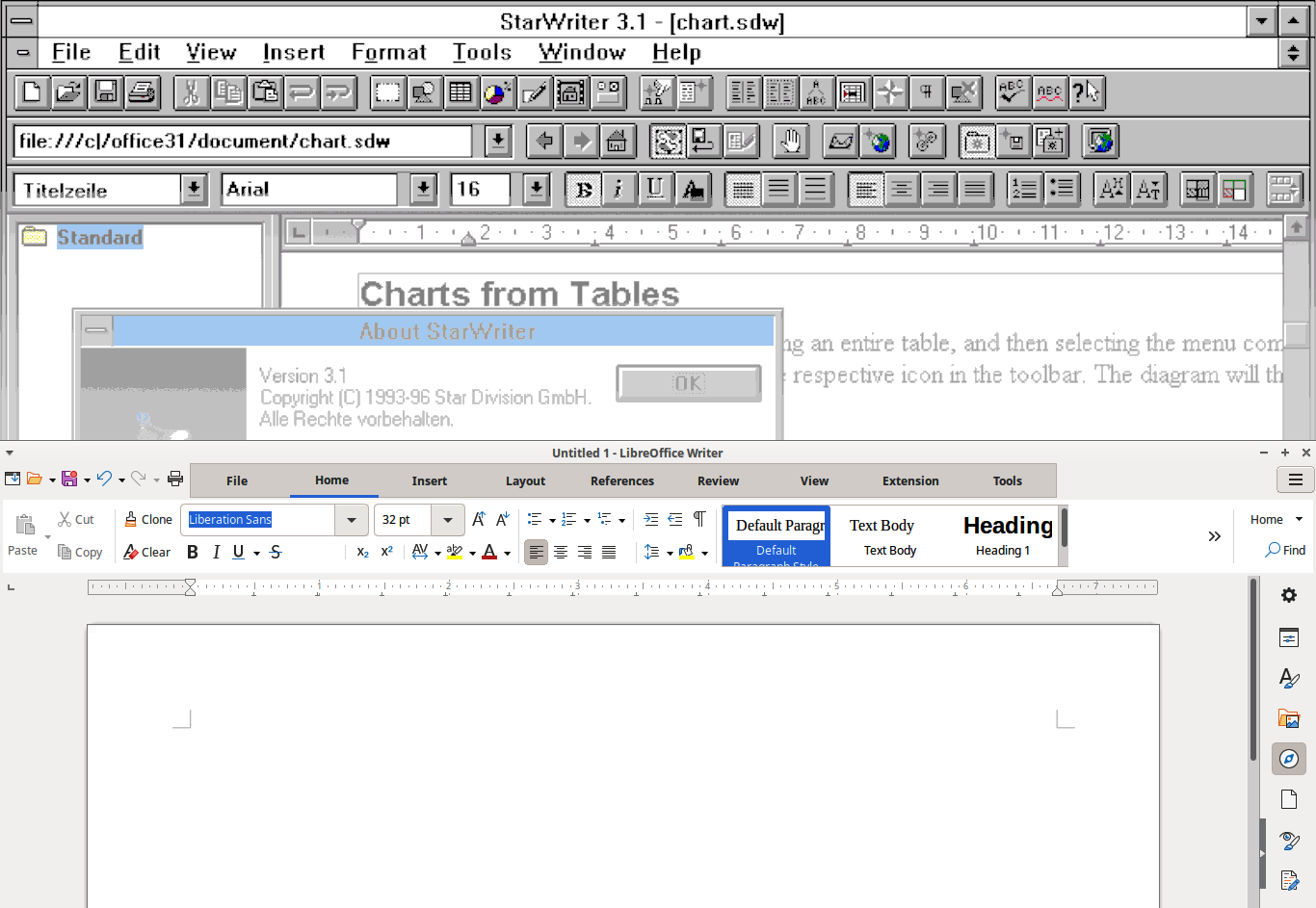
StarWriter 3.1 (screenshot courtesy of WinWorld) and modern LibreOffice
Do you still use LibreOffice today, and do you have any contact with old Star Division team members?
Sorry to say that I have no contact any more with my has-been workmates. I left Star Division somewhat frustrated because it took so long for the good concepts to materialize and also, because I felt, I was not the right man to promote that. But I also had a pregnant girlfriend (now my wife) in Berlin, which was even a better reason to say good-bye.
Frankly, I was relieved and amazed to see the first product. It was not free at that time. I don’t think it really paid for Marco before it went to Sun Microsystems – anyway there was no free download. With my Zyxel 14.400 baud modem, it had taken a long time anyway. I got versions on batches of CDs from time to time from my friend Stefan, though, who was still with the project.
I was not so happy with the application at first, because at that time it was a monolithic “desktop” with all applications in its belly (like Writer, Calc, Impress and Draw, I believe), which took ages on my machine to load. I would have loved to see more collaboration in it: at that time that would meant an e-mail client and calendar.
Sometimes I thought to myself, “If I had to decide …” but ended with a sigh :“There would be no Star Writer to this very day”. In fact, it would be another interesting story, which changes it took to finally make it happen.
I never had Microsoft Office for myself (I like Microsoft Publisher for the themes and the artwork that came bundled with it, but somehow Pokémon Druckstudio was an acceptable replacement). I had to buy a Microsoft licence for my children though, because teachers did not expect that someone would not have access to Microsoft Office, and I was hesitant to end my child’s learning career over this.
I use LibreOffice almost every day now. It has all I need, and probably much more.
I use LibreOffice for my everyday correspondence, and less often I use it to create PDF files for printing. I have a nice set of Star Basic macros, and a good document template I load all the formatting from, to create a good-looking A5 format book from a text file or a website, in no time at all. Creating PDF files is very easy in LibreOffice, yet it has some uncommon features that come in very handy at times, like the option to export also blank pages (that would usually be omitted). Believe me, you don’t want to go to print without the blank pages.
The E-books that I create from the same document (printing is a bit out of fashion) have no frills (they could have, of course) but they are nice to read. I confess that I find it very convenient to load them into my Kindle account, from which I can read them on any device that comes near to me.
Well, I’m not a young man anymore, I like to say that before anyone else does, and programming to empower users (with more luck in later projects) is still my passion to this day. The StarOffice project has been with me more or (sometimes) less all the way, a bit like a child I gave up for adoption at an early age.
TDF says: Thanks to Stefan for the insights into the early days of StarOffice – and we’re happy to hear that he’s still using LibreOffice today!