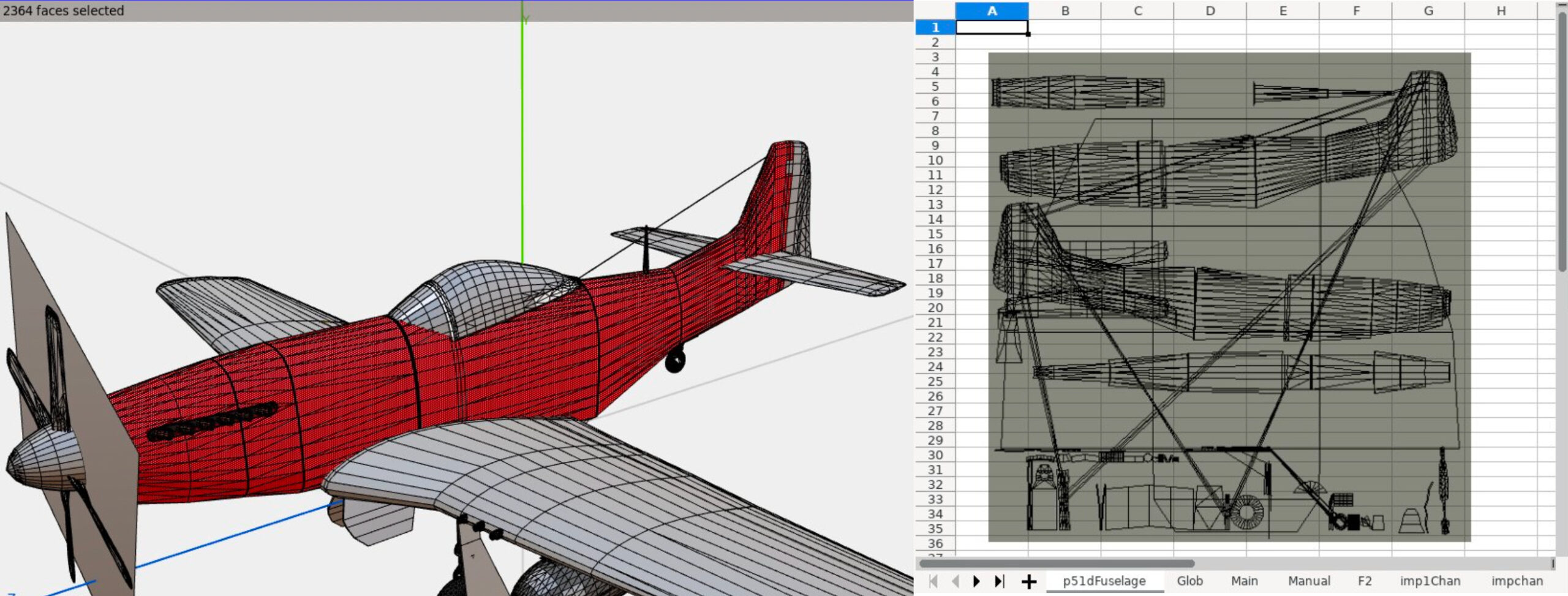
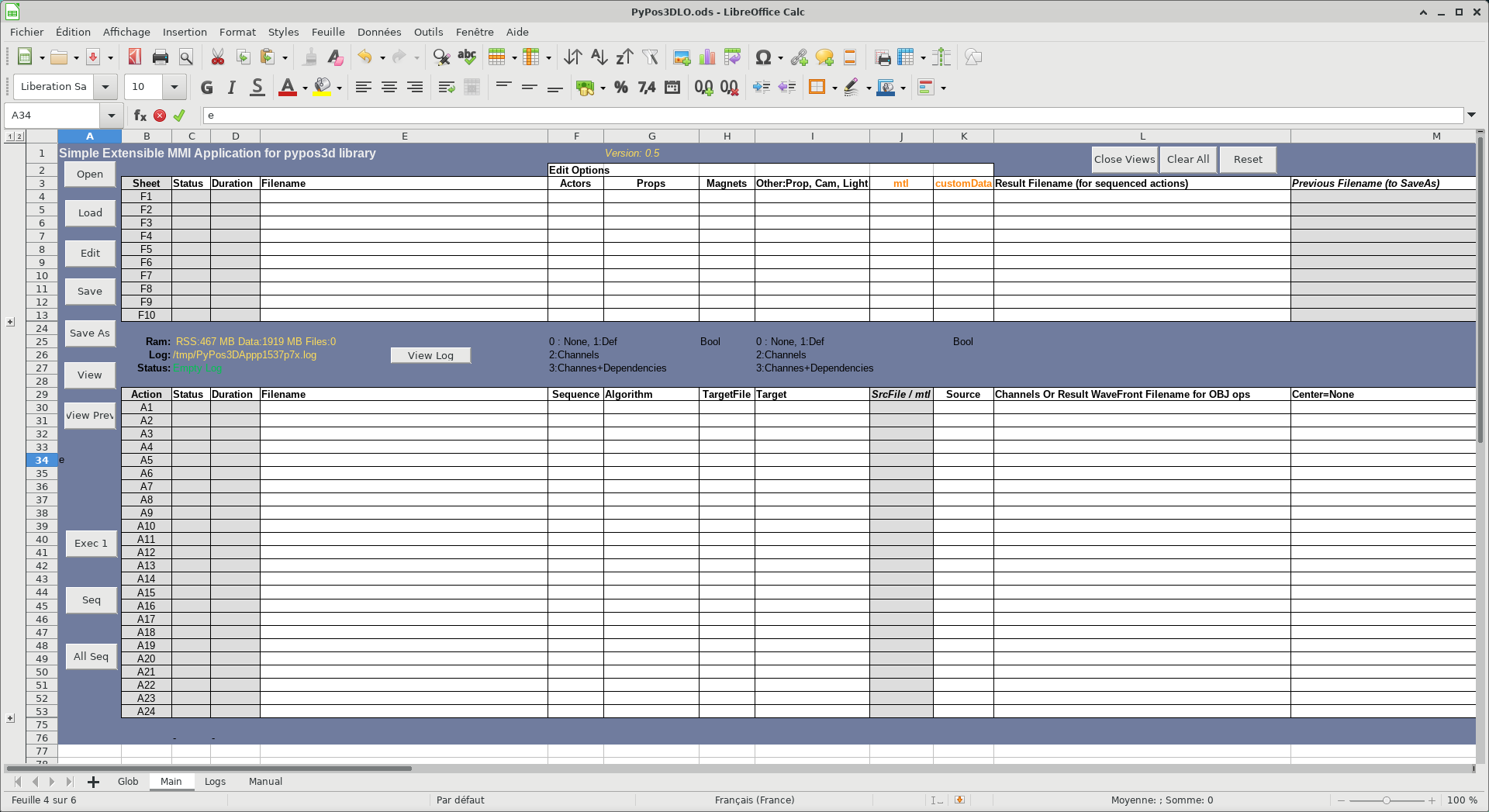
Today we’re talking to Olivier Dufailly, who’s working on PyPos3DLO, an app based on LibreOffice to create mechanical characters, edit and optimize Poser files, and manipulate WaveFront files:
Tell us a bit about yourself!
I live in Toulouse (France) and for around 30 years I’ve mainly worked in the space and aeronautical domain (from software to system engineering), although I was also a business manager for a few years, and the first CIO of a mid-size engineering company. But now, I’m back in my preferred domain: space systems engineering and development. It’s a so exciting environment.
On a personal side, I like and practice sports (swimming, biking, running) and 3D modeling. I remember, when I bought my first Casio graphic tracer in 1985, I immediately ported some Apple BASIC 3D curves programs to Casio BASIC!
And now, I always like to produce some airplanes models for 3D rendering (unfortunately, the former free site ShareCG.com has disappeared so I need to find a way to publish my work elsewhere). Additionally, I think that we – all of us – are responsible of our children’s planet, and open source software is sustainable and so is vital to help us in the future.
What are you working on right now?
I’ve produced a LibreOffice-based application to help 3D mechanical characters development. I’d would be proud to present it in more detail later, but for now: PoJamas aims to provide a Python library and tools for loading, processing, and producing .cr2, pz3 (crz, pzz) files compatible with the SmithMicro (e-Frontier) Poser character animation application. It includes PyPos3DLO, an app based on LibreOffice to create mechanical characters, and edit and optimize Poser files.
Why did you choose to become a member of The Document Foundation?
LibreOffice is a great project and I’d like to try to contribute to its development. It’s just the beginning, but I feel welcome in the project already.
Anything else you plan to do in the future? What does LibreOffice really need?
I have a strategic approach concerning LibreOffice and general engineering usage.
In my professional and personal domains, engineers, PhD, techs guys produce studies and data for testing and running large and complex systems. To do this, they usually use Microsoft Office with a huge amount of BASIC macros. Moreover, they also use MATLAB and try to integrate or automatize things.
They usually have a lot of “integration” problems and the result is frequently a mess: hard to use, and more or less impossible to maintain or transfer. It’s a lack of experts’ time, when they spend too much time o “silly” development instead of doing their own business.
Our main problems are testing, maintainability and costs.
Finally, I’m convinced that we should promote a new maintainable approach for engineering studies with a better integration of Python (or other, if any languages) in LibreOffice. (Financial studies may be also greatly enhanced with an easy integration between Python libraries and Calc/Excel sheets).
At the end of the journey, BASIC should naturally become extinct.
To achieve this goal, we will need to enhance LibreOffice, ease the development of LibreOffice macros, and teach our users with many tutorials.
I’d be happy to help with testing, writing tutorials, or anything else.
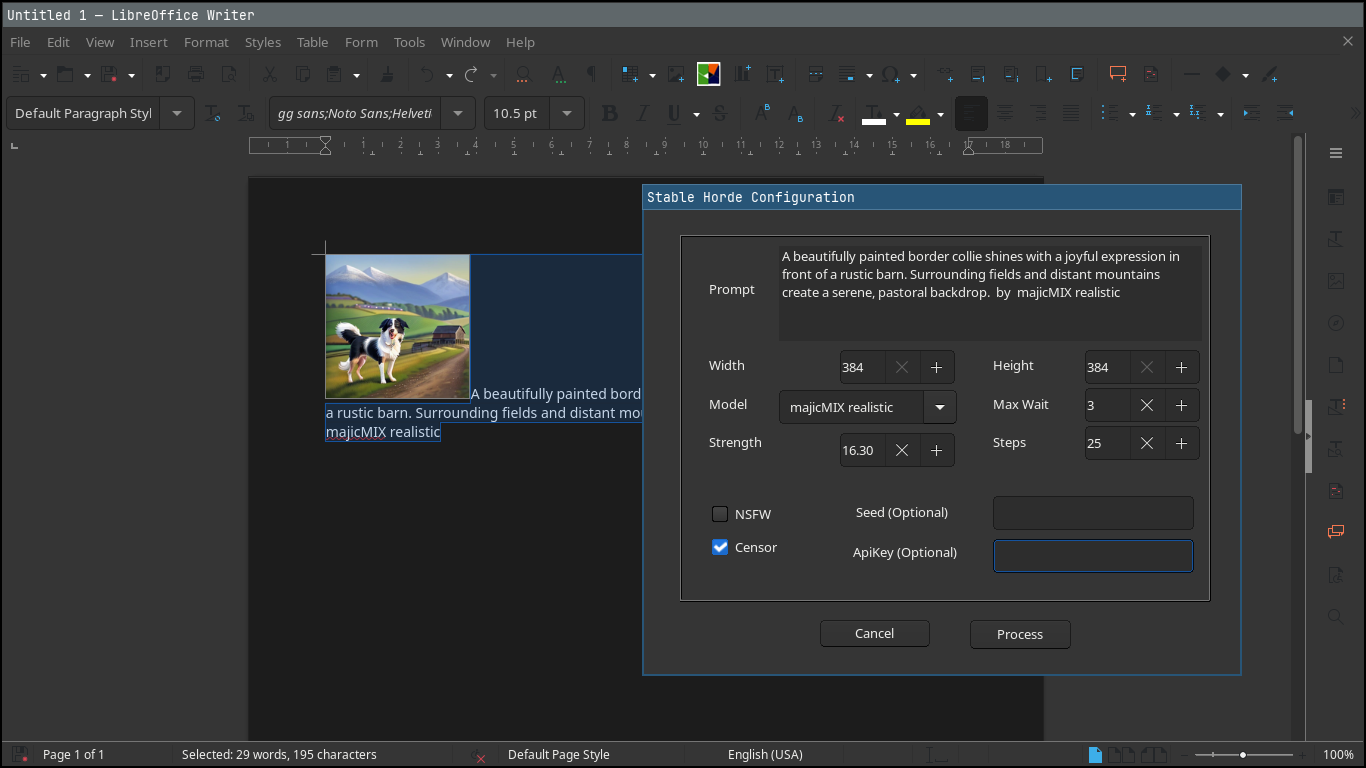
LibreOffice does not include artificial intelligence (AI) out-of-the-box. But many users want AI features in the suite – so we encourage developers to make them available as optional extensions. And that’s what Igor Támara did, creating the “Stable Diffusion for LibreOffice” extension for AI-generated images powered by AI Horde (a volunteer crowd-sourced distributed cluster of image generation workers).
We talked to Igor about the extension – here’s what he had to say:
What does the extension do?
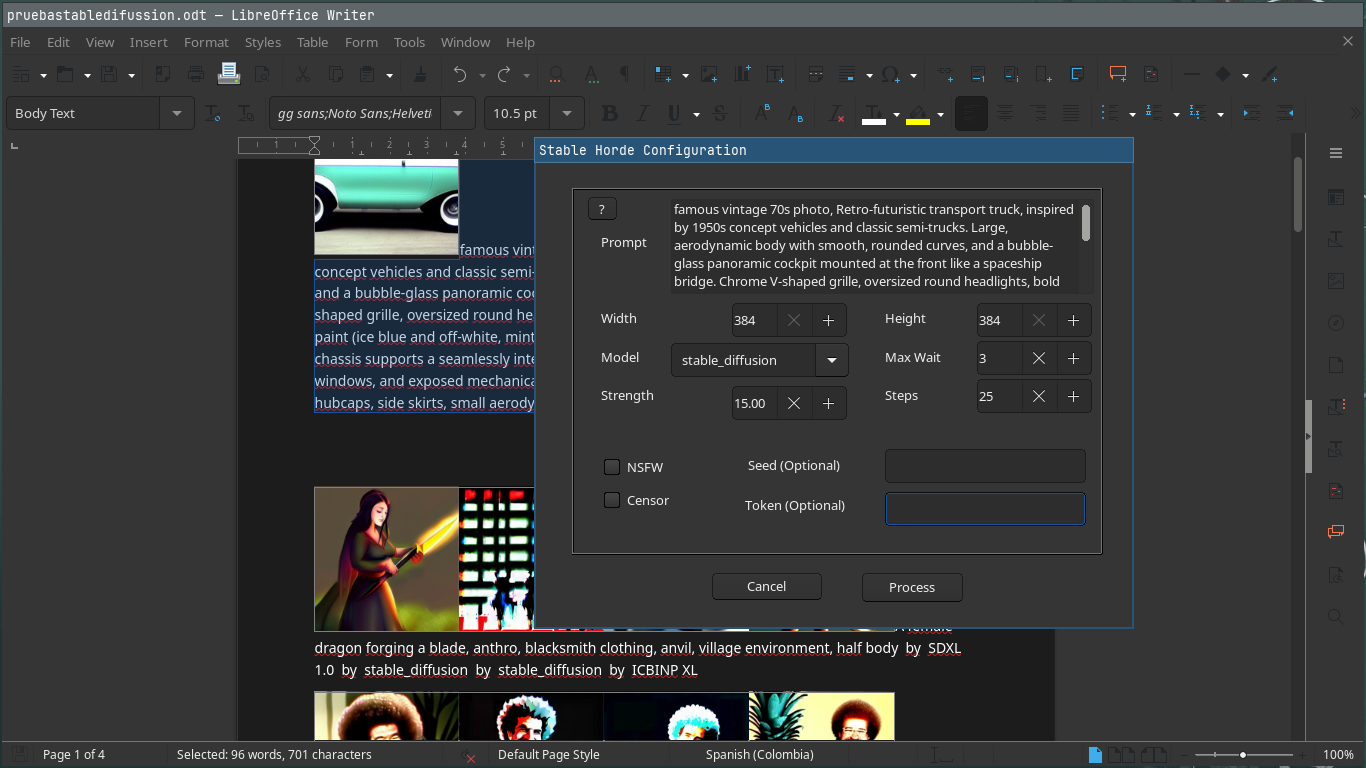
You write some text describing an image, and get an AI image generated from the given text. You can tweak parameters, choose a model and use the best result on written documents, presentations or the place you prefer. The images are generated on volunteer GPUs through AI Horde.
When did you start working on it?
Two weeks ago, starting from a Gimp plugin as a base. I’m brand new to the LibreOffice project, and started it as a macro to get this functionality in the software. One week later I put it on GitHub.
What are the current limitations, and what’s coming next?
Be aware that the text you provide is sent to AI Horde and seen by the machines that create the image, so do not send sensitive data. Also, you can get better results if you send the description of the desired image in English. You are encouraged to try different languages to see the results.
You need internet connection to use it. If you wanted to create images locally on your machine, it would take time to configure your environment with local AI models, with gigabytes of memory dedicated to this purpose, and maybe processing for hours to get something useful.
Sometimes the text can be marked as NSFW (“not safe for work”) – in which case you end up with black and white text saying so.
For now, the extension works in Writer and Impress; when invoked from other LibreOffice components, it opens a new text document and inserts the image along with the provided text.
The roadmap includes:
Translating the plugin to other languages
An option to pre-translate the text to English
Better integration with LibreOffice Calc and Draw
Earn kudos, rating the images to have more priority when requesting an image
How can others help to improve it?
Report any problems you find, and help to translate into your language. Please do so by filling an issue with your intention saying which language.
If you have a GPU (and good graphics hardware in general), you can volunteer as a worker joining the horde, to add to the computing power – and you can earn kudos to have higher priority when you need it.
If you work with a friendly company that wants to make use of the existing hardware, you can join the horde too.
This plugin and AI Horde are all open source, so everyone can learn and be as transparent as possible in this changing and revolutionary world of AI times.
There might be concerns about the use of products and the ownership of work. As I see it, we are always learning by example and reusing what others have invented from thousands of years ago, like how to walk, make fire, communicate, explore, recreate and mix. We can continue to learn and make fair use of resources – and contribute too.
Good software needs good documentation. But how do we define “good” in this sense? And what does the future hold? Find out in episode 4 of the LibreOffice Podcast! (This episode is also available on PeerTube.)
Please confirm that you want to play a YouTube video. By accepting, you will be accessing content from YouTube, a service provided by an external third party.
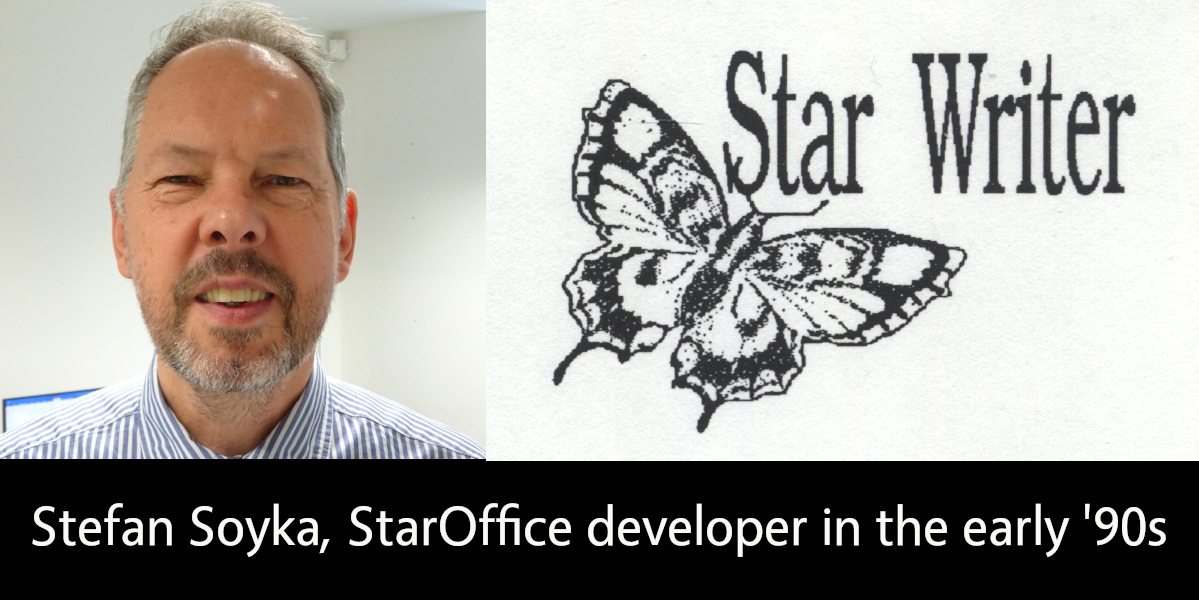
LibreOffice is the successor project to OpenOffice(.org), which in turn was based on StarOffice, a proprietary office suite developed in the 1990s. Learn more about the history here! And let’s hear from Stefan Soyka, who worked on StarOffice from 1990 – 1992…
When did you join Star Division, and what did you work on?
I came from Berlin to Hamburg to work for Marco Börries in his Star Lab in spring 1990, together with my friend and study mate Stefan. Both of us joined the project more or less at the same time and shared the same first name, which caused some confusion at first.
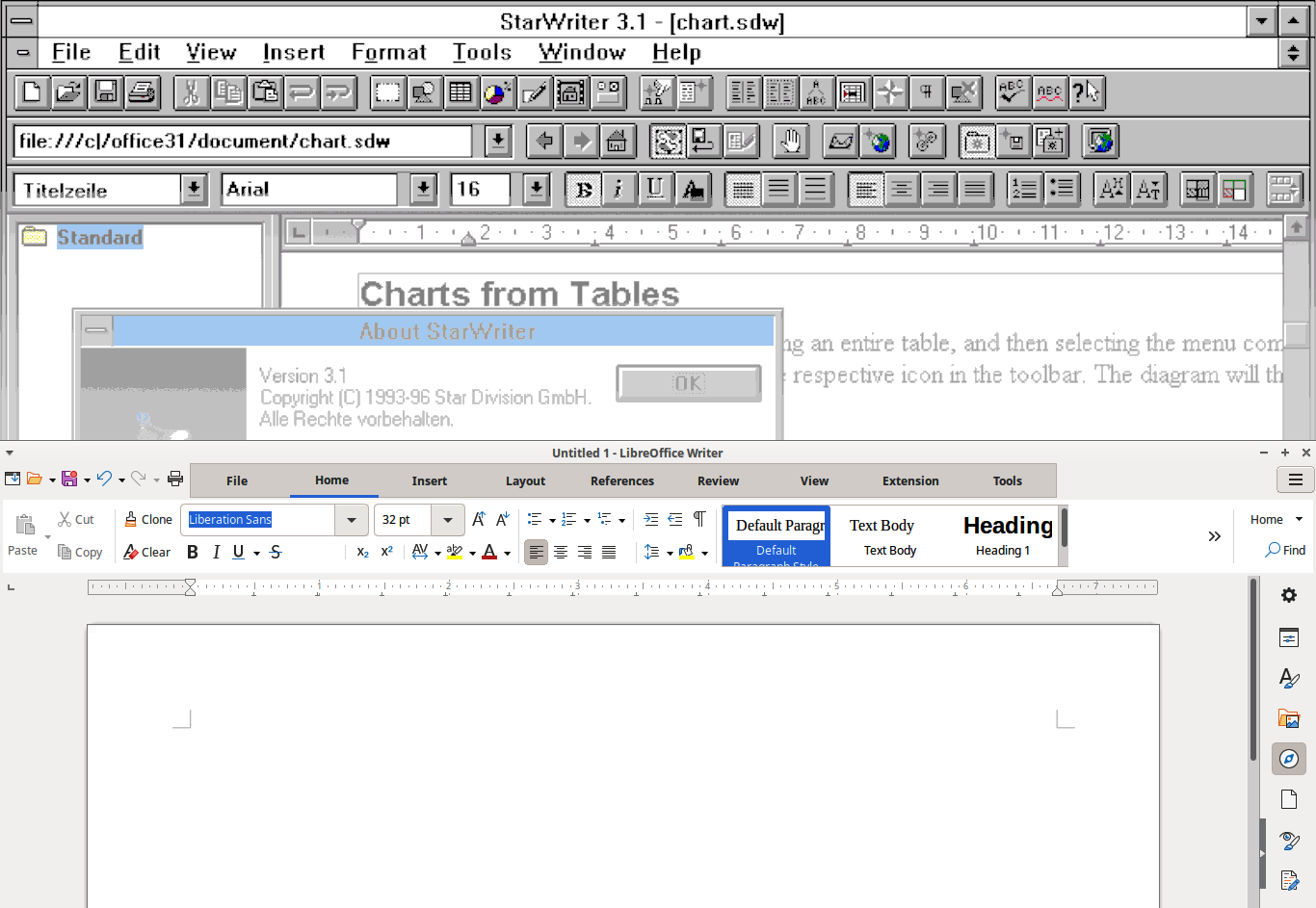
The situation in Hamburg needs some explaining if you are new to it. The Writer application that is the foundation of what we use today is not the first Star Writer – but thesedays it is often referred to as Star Writer 6 or Star Writer Graphic. Marco’s company Star Division, based in rural Lüneburg not far from Hamburg, had developed and sold with considerable success a text processing application with the same name, that was an MS-DOS application based on a home-grown graphics framework. A team of freelance programmers was working on it under the lead of Sven-Ola Tücke.
This was also the tool we used to write the first drafts for specifications, by the way.
The old Star Writer had a solid fanbase and sold quite well even after Star Lab started in Hamburg. So it is fair to say that the money we burned in Hamburg was earned in Lüneburg.
Marco, however, had the right feeling that graphical user interfaces were already around and taking up speed. The future (that is the time we live in now) would belong to applications running on the main graphical user interface platforms at this time, being Microsoft Windows, the X Window System and macOS. Of course there were voices that argued that graphical user interfaces were only hampering productivity and real pros would always use the command line. That may sound a bit funny today, but I took it all in my heart.
When I arrived there, development had pretty much advanced in the compatibility layer named Star View, that allowed portable programming of both operating system functions and graphical user interfaces. There was, however, no application yet. Because I had worked on a C++/X Window System project on the ODA standard (ISO 8613, Open Document Architecture), I had some background on this and formed with some others the core of the Star Writer project team.
Tell us about the office location and team back then!
The offices of Star Lab at that time were at Heidenkampsweg, near Berliner Tor, in Hamburg in a quite modern building. I remember the adjacent gas station; many of us were heavy cigarette-smokers at that time, and I sometimes went there at night to get the next pack.
Dirk Bartels supervised the daily operations. He had a software company back in Berlin and he expected benefits from the Star View portability layer for his own products. His personal secretary was Marita, if I remember the name correctly, a lovely young woman, I think the only one in the project at that time. When I joined the team, there were about twenty people working there including administrative staff.
Andreas, a good-natured guy with intense freckles, managed the Star View project. Almost all the coding however, at least for the Microsoft platform, was completed by Thomas – a very young man who was incredibly well-organized and productive, the type of coder who writes a screen full of statements that compile instantly error-free. He also virtually lived in the offices. The staffing for this platform was good; the other platforms had fewer developers. I remember Dirk, a shy young man who did the Macintosh port. One day, he showed us that all output appeared like upside down. It turned out that the Macintosh uses a y-origin different from the Microsoft platform (top left, I think). That gave him certainly some headaches.
Michael, a freelancer from Lüneburg, sometimes visited Star Lab in his tiny, first generation Mazda MX-5, that he could barely fit into. He was the only engineer who contributed to both the “classic” Star Writer with Sven-Ola Tücke, and Star Lab. He introduced the first Star Basic macro language. For the Windows platform, it had been worth thinking about a Star Writer application programmers interface or component object model (OLE at that time, but was just emerging in 1991 with Word and Excel), but with portability above all, this did not come to pass.
The team at this time was Euro-centric at least – effectively most staff members came from nearby. Another great developer in the Star View team, however, was Eddy McGreal, an Irish guy, whom I saw by incidence recently in a software product presentation he held. Can’t stop hacking.
Armin kept the business in order. He was also working on internationalisation. When he married, he invited all mates to comes and celebrate. It was in a small town in the moors, I don’t remember the name, but we had a great time. When we went back to Hamburg in the morning – hopefully at least the driver was more or less sober.
In the Star Writer team, Jürgen was the most productive programmer, about two meters tall with a sad face. Playing handball was his first priority, if he was not hacking. He did incredible work under the hood, like importing exotic files from other text processors, and never complained or missed a deadline. I think we never gave him enough credit for what he achieved.
Despite all the good work, the Star Writer project did not meet the expectations in the time when I was there. Later, I spent many thoughts on why we were not more successful in the beginning, because it felt like a wasted opportunity to me. It was not for the lack of ambition: there are folders full of splendid concepts and intricate specifications. But none of us had a good blueprint of the best way to start this enormous, complex task, I believe.
What was the toolset and development process like back then?
The object-oriented programming paradigm had evolved into the first C++ standard and implementations. Before I came to Hamburg, a pre-compiler was used, on Sun Workstations at least, to generate standard K&R C code, that was fed into the platform native C-compiler. The result was not always predictable or free of errors, but luckily, at Star Division, we had the one-step Microsoft C++ compiler, so we were a step ahead at this point.
Star View, however, was a huge library and the Microsoft linker had a hard time (and needed a long time) to do the static linking. When it came to a code freeze, that is the integration of the stable versions of all projects, Stefan used an egg timer so that he didn’t miss the time when the linker had finished, to see if there were problems with the linking or not. It took so long, you could easily forget it. If it failed, it needed fixes and another round. The whole process needed much time, until Stefan one day found out that someone had tackled the problem with the Microsoft linker and had released a better implementation that did the job in a fraction of the time.
Another paradigm that came up at the time was the Model-View-Controller (MVC) pattern. It says, in short: what you see is only a volatile transformation of the model. The controller, like someone typing text into the application or a report generator producing table data output into a document, changes the model, which in turn from time to time updates the view.
Many in the project and even in the management were not comfortable with this procedure, because it appeared to make a simple thing unnecessarily complex. The argument was like: “This is meant to be a WYSIWYG text processor, and we need nothing beyond what the user sees on the screen, so let’s store this”. Nobody wanted to look at a document any different from before, when he or she opened it again – maybe on a different machine were fonts were missing or the display had a different resolution. There was a lot to explain and no proof that either concept was superior. What’s more, nobody could tell reliably and by their own experience, what adopting the MVC pattern for a text processing application meant in practice, and how the code would look like.
Then, the Unicode standard was evolving and a controversial debate started about what that meant for our plans. Speaking of 16-bit Unicode only, two aspects were unsettling: the same document would need twice the memory compared to 8-bit characters (we had no concept for memory management then and kept the whole document in RAM all the time, which obviously still needed some reworking). At that time, the model was using zero-terminated C strings for text paragraphs for the comfort of using the standard C string libraries.
Turning to Unicode, we would have to say goodbye to that and rewrite the functions we needed. It probably had not yet dawned everyone, that C strings would not suit the requirements of text attributes and formatting anyway.
UTF-8 strings, on the other hand had the downside that it was complicated to find out, how many character positions the output would use. Building substrings from UTF-8 strings is also a delicate matter, because the string can not be cut at any position without creating invalid UTF-8 character sequences.
Most of the developers working on StarOffice later will certainly be surprised, what basic considerations were moving us at the start, but man, this was all serious stuff.
Do you still use LibreOffice today, and do you have any contact with old Star Division team members?
Sorry to say that I have no contact any more with my has-been workmates. I left Star Division somewhat frustrated because it took so long for the good concepts to materialize and also, because I felt, I was not the right man to promote that. But I also had a pregnant girlfriend (now my wife) in Berlin, which was even a better reason to say good-bye.
Frankly, I was relieved and amazed to see the first product. It was not free at that time. I don’t think it really paid for Marco before it went to Sun Microsystems – anyway there was no free download. With my Zyxel 14.400 baud modem, it had taken a long time anyway. I got versions on batches of CDs from time to time from my friend Stefan, though, who was still with the project.
I was not so happy with the application at first, because at that time it was a monolithic “desktop” with all applications in its belly (like Writer, Calc, Impress and Draw, I believe), which took ages on my machine to load. I would have loved to see more collaboration in it: at that time that would meant an e-mail client and calendar.
Sometimes I thought to myself, “If I had to decide …” but ended with a sigh :“There would be no Star Writer to this very day”. In fact, it would be another interesting story, which changes it took to finally make it happen.
I never had Microsoft Office for myself (I like Microsoft Publisher for the themes and the artwork that came bundled with it, but somehow Pokémon Druckstudio was an acceptable replacement). I had to buy a Microsoft licence for my children though, because teachers did not expect that someone would not have access to Microsoft Office, and I was hesitant to end my child’s learning career over this.
I use LibreOffice almost every day now. It has all I need, and probably much more.
I use LibreOffice for my everyday correspondence, and less often I use it to create PDF files for printing. I have a nice set of Star Basic macros, and a good document template I load all the formatting from, to create a good-looking A5 format book from a text file or a website, in no time at all. Creating PDF files is very easy in LibreOffice, yet it has some uncommon features that come in very handy at times, like the option to export also blank pages (that would usually be omitted). Believe me, you don’t want to go to print without the blank pages.
The E-books that I create from the same document (printing is a bit out of fashion) have no frills (they could have, of course) but they are nice to read. I confess that I find it very convenient to load them into my Kindle account, from which I can read them on any device that comes near to me.
Well, I’m not a young man anymore, I like to say that before anyone else does, and programming to empower users (with more luck in later projects) is still my passion to this day. The StarOffice project has been with me more or (sometimes) less all the way, a bit like a child I gave up for adoption at an early age.
TDF says: Thanks to Stefan for the insights into the early days of StarOffice – and we’re happy to hear that he’s still using LibreOffice today!
Xisco Fauli, Ilmari Lauhakangas and Mike Saunders from The Document Foundation, the non-profit organisation behind LibreOffice, discuss Quality Assurance (QA) in free and open source software . (This video is also available on PeerTube.)
Please confirm that you want to play a YouTube video. By accepting, you will be accessing content from YouTube, a service provided by an external third party.
Heiko Tietze from LibreOffice’s Design community tells us about UI and UX improvements in the suite, how decisions are made, and more. (Also available on PeerTube).
Please confirm that you want to play a YouTube video. By accepting, you will be accessing content from YouTube, a service provided by an external third party.
If you accept this notice, your choice will be saved and the page will refresh.
Transcript
Mike: Welcome to episode two of the LibreOffice Podcast. This is our second episode. In the first episode, we talked about marketing free and open-source software like LibreOffice: some of the challenges of marketing in a competitive world, but also marketing not just a product, but a community as well – getting people to join a community.
In this episode, we’re going to talk about design and usability. I’m Mike Saunders from The Document Foundation, the non-profit behind LibreOffice. My colleague over there, Heiko Tietze, oversees the LibreOffice design, UX, UI, and usability community. They work on improvements to the software’s design, and we’ll be talking a bit about some of the recent changes and some of the challenges the design team has when working on free and open-source software.
So, last month — where are we now? We’re in the middle of March. At the start of last month, we released our new major stable release of LibreOffice 25.2, with the year.month versioning system, with a bunch of new features and changes as well, but quite a few on the design and user-interface side. So, Heiko, what are some of the most notable design- and UX-related changes in 25.2?
Heiko: Well, it feels to me as if our release notes grow with each release. Everything, more and more is being done with every new release, and everything is great. There might be details that get implemented, fixed, and improved, but sometimes we do larger changes.
We had a couple in the last release regarding design. One that I personally like a lot is the new appearance. It started a little bit – many years ago with Personas. Persona was a term coming from Firefox Mozilla Persona, and we picked it up and provided a similar way to customise the appearance of the program by adding an image to the background, by changing the colour gradient. Then Mozilla changed the way Personas worked and broke our implementation. Someone fixed it; Mozilla changed again, and it broke again. So it was annoying over the years. This feature was not working at all.
They also implemented some dark mode to make the application work in dark environments. It was a kind of hijacking, another way to customise the application, so it switches the background anyway. Long story short: a lot of ways to change the appearance of the application, the look and feel, and to make it blend into the operating system or to have it not blended, whatever you like. In the last release, this was merged together into one way of modification, of customisation.
The basic idea behind it – which I personally like a lot – is that we relieve users from changing the very details and let them pick some broader options. In this case, it is an extension. I like extensions — something that everyone, every individual, can help us with, can support LibreOffice with, can help the community with. It needs, in this case, just to fiddle around with RGB values, create an XML file, package it into the proper format, and share it on our application extension site. The application itself can load it, and you can change the appearance of the application. Great feature. I like it a lot. People believe it is not much needed and we should focus on more important parts.
I have another feature, if you want me to talk more, something that is probably even more controversial. Well, LibreOffice has grown from StarOffice, OpenOffice, and whatnot into LibreOffice over 30 years and even more. We have different concepts in the software, different ideas, and different people who work on it. That makes some details sometimes really difficult to understand — not only as a user; even as a developer. I’m not a developer, I’m a designer. I’m looking into the functionality. I try to verify if a feature is easy to use for the average user, something like this. But this is sometimes very difficult.
One example was the way text boundaries indicate or are switched on, and under what condition it was there. It was dependent on the non-printing characters, so the pilcrow symbol that shows up at the end of the paragraph to show the user has pressed Return to start a new paragraph. This symbol being shown or not is bound, on the other hand, to the indicator of the page boundaries, where the text ends. That’s pretty weird. There are other parts, like tables, sections, and more, that get some boundaries, all in a really strange way combined. In particular, for a table you had to go to the colour customisation to enable it.
Something that I took care of: I removed everything, put it together, put the customisation under the Tools options, Writer section, under Formatting Aids. Average users might not find it easily; a bit more experienced users hopefully do not struggle too much. Then I added one option to enable everything, and people come and say, “Oh no, that’s not going to work. It is terrible.” Partially it is. For example, the idea was that most users probably want a distraction-free editing capability of the software. You want to write down just a letter and do not care about pressing Enter twice, or about where exactly the page side — the content of the document — ends in relation to the page. That was the idea: to remove everything by default, which makes it a bit hard for tables without borders to spot.
The development was a bit — not really broken — but we fixed it. I mean, someone else took care of it, or did I? I don’t remember. In the next release, this part is fixed. So the point is: we have a lot of goodies. We are not perfect. We iterate with every release, we improve, and now it’s up to the user to tell us if it’s nice and great.
Mike: Yeah. I know there are so many different workflows, and being on social media as well for LibreOffice, I see people who, like you say, want to write a letter. They want the absolute minimum user interface. They want stripped-down, bare bones. They don’t understand why it is so complicated for the software to be able to do so many things in the background, like you were talking about.
Then you have very, very more or less experienced users because, like you say, the code base goes back to OpenOffice and StarOffice before that. There were some things in the interface, in the menus, that have been there for — what can we say now? — 40 years perhaps, since StarWriter. So people have these expectations that something will always be in the same place, or the options will always be in the same place. But if you want to simplify something… It must be difficult.
Heiko: It is always hard to remove features. Adding stuff, more and more features, that’s simple. But if we remove something, for sure someone shows up and says, “Oh no, you’ll break my workflow.” But that’s well known from every application, from every tool.
Mike: Yeah, I guess finding that balance between giving people one big toggle to turn things on and off — there are lots of fine-grained controls as well. A lot of people just want one button for dark mode: turn dark mode on. Then other people want extremely fine-grained controls over every tiny element in the interface.
Heiko: That’s exactly true. I personally like simple applications that do not give you all the options by default. I think, if we stick to the office-productivity context, Google made a great application for simple workflows. You open it, you type your text, you have a few options to modify, and that’s all. I know people who really love the presentation part. I don’t know the name. Personally, I don’t understand why.
At some point, you need the ability to go beyond the basic functionality, and Google won’t help you there. You might need a different application. Microsoft Office: great application. But if you need to understand how it works, if you go even further, if you want to change something that is not done by anything else, or something very special, then you don’t have a chance with even applications that are the market leader.
Mike: Yeah. How do you make things discoverable as well? So often I see LibreOffice being used in places where people are centering text by pressing the space bar a thousand times to move a piece, and then you show them some buttons on the toolbar that are visible by default on the toolbar, and yet they don’t use them. This is not some obscure feature tucked away in an experimental mode that you have to compile a development build for. All the stuff is there, but they don’t know a lot about this. Discoverability: some things are just there in front of our eyes anyway.
Heiko: That’s a nice aspect of software. We trust a lot in icons, and users with a bit of experience in muscle memory: you always click at some point, then you know what to do. I think everyone knows an application that exactly works how it has to work, and if you change something, everything breaks. But it is not so easy to trust the icons.
We provide options to pick an icon from different themes, mostly because we want to blend into the different operating systems. You get one icon theme on Windows that has some name; you get a different icon theme on macOS, and it makes the application use and feel at home on the system. That’s one of the basic ideas of LibreOffice.
But sometimes the icon might be not enough to identify the operation. Not might: it is for sure. We have a million — okay, a gazillion — different functions and a thousand different icons, and no one can remember the different icons. I could imagine, for the centre icon, you need to very clearly take a lot of care into the small bars that identify left-aligned, centered, and right-aligned.
What we could do to solve the problem is to label all the elements. Labels are great. Labels help to understand what is going on, and you quickly read it. It is a challenge when it comes, first of all, to localisation. There are languages that take much more space than English. I mean, Finnish is one of the fun stories: it has a lot of letters to describe a simple thing, more or less. Maybe it’s the opposite sometimes. I don’t want to blame the Finnish people for their language.
But we need to take care with all the design that we do of different languages. The length of text must not change everything in the UI and make it less appealing than it is. Of course, it is the amount of functionality. It is actually possible to enable labels on a toolbar, the classic toolbar. You can show them centered next to the icon or just the label. But in this case, the number of functions on the standard or formatting toolbar — the two on top of the UI in Writer — we don’t have enough space.
We have users who run a machine with low resolution, maybe not always an old machine, but that’s one idea we have. We don’t want the user to run the latest machines and dump everything which has an age more than two years. That’s ridiculous. Ten-year-old computers should still work, and do work properly, with LibreOffice. But in this case, you have a low resolution, and to fit functions that 90% of users want to have at a certain place at the same size, that’s a bit of a challenge.
If you talk about the primary UI, we have many users who are familiar with Microsoft products and expect us to do something like a ribbon. It is maybe the next question you would ask me. This we call the NotebookBar. It’s not really a ribbon, but it looks a bit familiar. It has the opportunity to show the labels, but also trusts a lot in the icons. From my point of view, it is not really easy to use. It is just one way to deal with the UI, but not the best, I would say.
Mike: Yeah, because I remember there’s discussion about having a floppy-disc icon used for saving, for instance. What does that mean? I mean, we’re geeks who can remember floppy disks, but it’s going back a long way. Perhaps it’s become such a novelty now that people who’ve grown up without disks still associate that with saving: that weird icon, that thing I’ve never seen in real life — ah, that means saving. But then for a lot of people now, what does saving actually mean? They save into the cloud, or you have mobile devices which don’t really expose the file system.
Heiko: That was how I started to get involved 10, 12, or more years ago. I ran an analysis about icons, and it is very typical for designers to draw an arrow, and if the arrow comes from top down, it means to save. And what? Yeah, sure, it is save. No, the floppy disk is obviously a great icon and a great way to represent it.
Then it comes quickly to design questions. Now let me try to pronounce it correctly: skeuomorphism. It was the idea of macOS to make the icons appear much more like in real life: beautiful. But the zeitgeist has changed, and I think flat icons that are everywhere nowadays are generally easy to recognise still. At this point, it is an aesthetical question.
Going back to the interface, the mixture of good icons and labels, it is crucial, and perhaps a choice for the user, something where they can decide or can start off: “I’m a beginner. I don’t know the software, so I need help from the software,” which is not just Clippy. I want to read or skim over some text. That’s very quick, much faster than hovering over an icon and waiting for the tooltip to understand what it means.
Mike: Yeah, I guess the cosmetic side is one element of usability then, because I was thinking: how do you define usability? I learned Vim years ago, and then it became very usable for me, but it’s completely unusable if you’ve never come across it before. Modal editing, absolutely no feedback unless you turn on status lines and things. So some people say, “Oh, Vim is really, really usable when you know how to use it already.” But what does usability actually mean? I guess we’ve touched on it a bit with things like icons…
Heiko: Of course it goes deeper into software. The more you learn about software, the better you understand what and how to use. I have one example from Calc. As a usability or UX team, you have to analyse the user behaviour from time to time, and we ask them what features they use, how happy they are, what they prefer, and, and, and. Everything is on the blog, and even with data everything is transparent. What I’m talking about now in detail, everyone can read in the blog post.
The point is, some of these functions are well known by everyone — copy, paste. Some are less well known. If one compares the amount of “knowledge” — bad word — how well people know a certain feature, with how the other people who know it attribute importance to it, then you find easily functions that need more love, that need to be handled easier. One example in this case would be the pivot table. When you put some data, crunch it, merge it, and put it into a new table, people who know this feature cannot live without it. Others: “What? Pivot table? What is it?”
Usability is always a question of the use case, first of all: the scenario, the user. In general, it defines some kind of persona based on real data. It analyses the scenario. It requires knowing what people want to achieve and puts this together, goes back and back and round and round, and iterates again and again. But mostly it has limited scenarios. Some specialised software has a clear use case: you enter something and you want to achieve something.
Office productivity is a broad topic. People want to write a letter, or create a thesis, write a comic. They want to create some weird stuff with a wrong application, and it is not perfectly clear. In many cases, we cannot make everyone happy, or perfectly happy, and we need to focus on the majority. We are not Vi, or Vim. Vim is one dedicated program for the nerds, and LibreOffice is for the other nerds, and hopefully for not just, say, nerds.
Mike: Yeah. How do you go about actually implementing changes then? We have, in LibreOffice, the design community, and you are overseeing their work. I guess we have developers from the ecosystem, volunteers as well, and people in all sorts of different areas. So how does a change typically come about? Is it like somebody goes on to Bugzilla and says, “Hey, this feature I find hard to use. It was impossible to discover”? I know you have different tools and mockup tools as well. What’s a typical way that an improvement comes about?
Heiko: We take the input of users. We are actually also users, but it is not like a dictatorship. We don’t tell the users how they have to work. Input is done on Bugzilla. They write a bug report: something is broken, something does not work as expected, or they have ideas how the application can be enhanced — enhancement requests. Write it down. We typically have a conversation. We discuss it a couple of times, clarify, for example, the use case, clarify if it is backed up by some standards, the idea, if it is usable in more scenarios by different users – things like that.
We create some possible solution. That can be a mockup, which is a kind of a drawing of the resulting dialog. That often helps to understand the workflow better than just writing down, “You click here, and then it happens there.” The mockup is always a good help here. But the point is, if we change the workflow, the developer needs to understand what to do, how it affects the software, and like any other people, no one wants to read a lot and try to replicate mentally the other side. Here, look at a picture.
We have a couple of companies around the ecosystem who do a lot of really great work and share their work with the open source community on LibreOffice. But we also have volunteers. We have many volunteers who do it in their spare time, and everyone is welcome — to point that out very much clearly, everyone is welcome. It makes the software great. It makes the project great. We can talk about this later.
The thing with this development is that one needs a lot of time to understand the code. It has many millions, 10 million lines of code. Once you understand a little bit of the structure, or you get help, it is not so difficult to read the code. Some parts, like Calc, are almost art: beautiful to read and beautiful to understand and easily combined. Other parts are a bit more complex, to say it politely.
We have students who take the time to understand the code and implement larger pieces. That’s often done and sponsored by Google Summer of Code. We’ve participated in the project since it was started. For example, the appearance project was one of the Google Summer of Code students, who, by the way, was hired – or now he is an intern — at one of the companies in the ecosystem. We have almost every year students that are convincing the companies to hire them. So it’s not just the money that Google pays for the student; it is not just the fun to do something for millions of users and to realise something. Writing code is a great thing, to get something really done and to make it nice – but it’s also a chance to put it on your CV and even to get a job.
Mike: Yeah, we’ve used this from the marketing side before, to encourage people to join the project and get involved in LibreOffice and open source, because traditionally free software community marketing has been: join a project because, you know, we’re all working on this nice thing together, and it’s nice for you and nice for the world. But I think it’s worth pointing out some of the more personal benefits as well.
So you join the LibreOffice design community, you make a change to some element of the interface that goes out then to tens of millions of users who will benefit from it. Some people will be annoyed by it, whatever any kind of change, but you’ve had an impact. Then, like you say, you can put that in your CV and say, “My work is now being used by millions of people.”
Heiko: Yes, that’s a point. It’s not just us, TDF, like you and me. We don’t dictate anyone what to do. It is an open source project in the very basic sense that you do open source: you, as a user, want a feature? Implement it. We help; we make it possible. My contribution is to warn users to do nothing in a very complicated way, to not add much on the primary UI, to consider the users, maybe accessibility, localisation. But no one stops anyone to request a feature, to get in contact with the developers, to discuss with experts about the software.
If you compare this with commercial products, you have no way to talk to the design team – to the leader of the design team. You don’t even know who it is. In LibreOffice, you get it. It is pretty easy to get in contact with the CEO, if there was one. For the development, there is no CEO, but even in development, we have some kind of a committee, people that come together and talk about development. Design is close to development, so I’m part of this committee. It is open for everyone. People can join and can ask questions, and that’s something that we encourage users.
From the design team, or the design aspect, it is pretty easy for me to make proposals. It is tagged on Bugzilla as EasyHack, skill design, difficulty beginner – so it means it is easy to implement, it is something that affects the design, and it is for beginners. In this case, many of these changes are just labels, and changing a label does not require any knowledge in programming. People need to understand how computers work. It is not really bad to understand what Git is, but in the end you don’t even need Git for a label change. There are different ways.
You may want to talk to other people who can explain it better than me, but the actual change, as you said, where you can make an impact – the entry hurdle for this is very low. There’s no big barrier. It goes step-by-step further and reaches quickly a point where you need more expertise, that’s for sure.
Mike: I think you talked about the transparency as well, and the fact that it’s all in the open. I think it’s interesting because, although I’m not really involved in design, I’m browsing around Bugzilla and keeping eyes on different parts of the projects, and I often see quite intense discussions going on in the design team about what to do about something. Then some people might think, “Wow, look at that from the outside. Look at this big discussion, even this argument they’re having.” But those same discussions and arguments happen inside the closed companies – it’s just you’ve got no idea.
So people have no idea what they’re talking about. I was reading today rumours of Apple radically changing the design of iOS in the next release, but we don’t know anything. We can’t read their discussions. We have no insight into the decisions they’re making and why, even if you agree or disagree with them. So I think having it in the open, people say, “Oh look, they’re arguing about something. They’re having a big argument about it,” and not just in design but in QA and stuff. But I think that’s fine. That’s great. It’s there, and then anybody can join in and “add their mustard”, as we say in German.
Heiko: Yes, that’s very German: “add your mustard”. I’m pretty sure the big companies base their decisions on user data, user input, surveys, but they don’t tell you exactly what is done. They don’t tell you how they analyse data. The amount of work is likely also so huge I guess they analyse data from thousands of people in many different ways before they do the big decision, the disruptive change in the software, for sure.
We don’t do it at this large scale. Maybe we do it similarly, but we don’t reach everyone in the community. We typically reach only the people who are interested in participation, who read on social media what LibreOffice is doing, who follow LibreOffice channels, where you multiply and share the invitation to a poll, to a survey, and even then, not everyone is eager to spend 10 or 20 minutes on a survey, answering some weird questions. Yes, that’s something that we cannot solve as an open source project. We cannot do it. But what we do is to tell people why we do something, what exactly we do, and how the results are.
One more example why it might be helpful: I do my data analysis with R, and I create graphics with R. It is a nice way, I believe, to do some — not even statistics — but data analysis. If you like my graphics, you can look into the code and learn how I create the graphics from the data. You get the raw data, what people answered, of course anonymously, and you get the code to analyse this data. Isn’t it cool? I think so.
Mike: Yeah, that’s the raw openness of it. So anybody who’s watching this and thinks, “Hey, I want to poke my nose around, have a look around, get involved in the LibreOffice design community,” what’s the best way to start? Get on IRC, Telegram, mailing list?
Heiko: Yes. The design group is everywhere. We have a special IRC channel, we have a Telegram group, and we have a Matrix room. There are bridges between Telegram and IRC, and Telegram and Matrix, so the chat systems understand each other if the bridge is running well. Most people are on Telegram. It’s a convenient way and simple.
There is a mailing list that reaches out to a couple of hundred people who are registered on the mailing list. It has not much traffic. It mostly has the announcements for the meetings — it changes between Wednesday and Thursday — so we have meetings every week. One week is meant for people from the West, and the other week meant for people from the East, and everyone is welcome to join the meeting. I announce in advance the topics. It comes from Bugzilla – input from users where I cannot do quick replies or where I feel my reply would be a bit premature. It would be too quick if I think it is not needed to do a request and resolve a ticket, and people put a lot of effort into writing down their wishes. At least we should talk about it sometimes.
Participation in the Design group is possible on the chats. People can just hang out in our chats and read what people write. They can participate in the meeting or just listen to what others talk about. They can comment on Bugzilla. This is very much welcome. That is the first and most important way to contribute to user experience and design: comment on tickets or even maybe make proposals on Bugzilla.
Everyone can tag a ticket to be relevant for the UX group. There’s a special keyword, needsUXEval, that needs to be combined with a CC. A bit overly difficult, but it is possible to trigger the attention of the UX people on Bugzilla if you just want to get input, and of course doing the actual grunt work. That’s great: analysing what people said.
Mike: Yeah, and then actually doing it, because you mentioned that as well before: doers decide. We get so many questions saying, “When will LibreOffice have feature X or improvement Y?” We say, “Well, when somebody steps up to implement it.” Doers decide the project.
So, yeah, thanks for those insights, Heiko, into the way the design team works. Anything else you’d like to add before we wrap up?
Heiko: Well, no. I’m glad to do the work. I’m happy to welcome everyone else, and if I can convince people from using LibreOffice, from going into the open source world to use open source, then my job is perfectly done, I think.
Mike: Pretty much all of us in the LibreOffice project agree with that. Having lots of users is really nice, but having lots of contributors is even better as well – to have a nice active community.
So thanks, Heiko. Thanks, everybody, for tuning in. Keep an eye or ear out for the next episode, episode three. Not sure what it will be about yet, but we have lots of other projects, sub-projects in LibreOffice to talk to as well, like QA, documentation. So let’s see what comes up next. But thanks, everybody, and bye-bye.