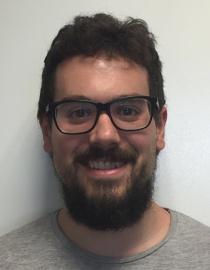
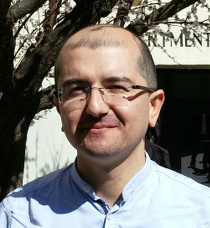
Interview with Björn Michaelsen about the Hackfest

(by Jorge Rodriguez and Hans de Vries)

Please, tell us something about you and your activities? And how you became involved with Open Source Software and LibreOffice?

I started to get involved with Open Source when I was still a student. I got involved quite a bit with Gentoo (the Linux distribution) in its early days, somewhere around Gentoo 1.2. I even wrote some tools for it, only to scratch my personal itch, but it seems that for example ‘etc-proposals’ is still quite popular. I kept being involved in Open Source, although my first job after graduating from the university was not Open Source related. In 2008 I joined Sun’s OpenOffice Writer team, motivated by the opportunity to work on one of the biggest – and most important – Open Source projects in the world. I learned quite a lot about the codebase and the product there and in turn could bring in some experience from the sometimes chaotic, but always dynamic ways of Open Source projects. As of February 2011 I am employed by Canonical and take care of LibreOffice releases on Ubuntu. Since that date I am contributing code changes directly to LibreOffice. Later I also joined the Engineering Steering Committee of LibreOffice.

How was Hackfest 2011?

It was delighting in its concentration on the essentials. There was: a room, food, a possibility to sleep, a build server (in case you didn’t bring your own hardware to build LibreOffice) and there were lots of cool people to meet.

Hackfest 2011 was an Unconference (see http://en.wikipedia.org/wiki/Unconference) in its best form. It provided exactly what was needed without bureaucratic overhead. Comparing Hackfest 2011 to the then still related to OpenOffice.org Hackfest 2010 in Hamburg, there was a tremendous growth in participants and interest. If this growth continues, some more organization will be needed or the Hackfest might become a victim of its own success. On the other hand, that might be just German over-cautiousness on my part. 😉

There were eleven topics to hack. As I saw the hacks, you were the mentor for Christoph Lutz. Can you tell us something about how you and Christoph came to work together?

Christoph already had his mind clearly set on the topic, which he choose himself. I only became his mentor at the Hackfest. I just noticed what the problem was he was trying to solve at the Hackfest and that I had already meddled quite a bit with related code. So naturally, as these things go on Hackfests and Unconferences, I became his mentor.

In a few words that a newbie can understand, what was the problem that you were working on (‘Non-linear execution time in mail merge’)?

If you had a mail merge document with bookmarks in it, which is quite common in corporate environments or public authorities (like the City of Munich), creating the merged document would get needlessly and unbearably slow with a large number of repititions/recipients.

Did you and Christoph manage to solve that problem?

Yes, the goal to speed up mail merge in this scenario was archived. Actually any scenario with large numbers of bookmarks existing in one document has been made faster.

Did you encounter any difficulties working on that hack?

I didn’t expect any, but there always are some. For example the issue documented at http://nabble.documentfoundation.org/Patch-for-MarkManager-td3308412.html. Fortunately, these issues have been quickly dealt with, so we now can enjoy the fruits of the effort. Quite a bit of work was put into getting Christoph up-and-running with callgrind (http://valgrind.org/docs/manual/cl-manual.html) to safely confirm where exactly the problem was. Once that was done, fixing the issue was the easier part in the end. At least thats how I felt about it. I cant speak for Christoph’s experience here.

I read you are also working on the Gerrit project (aimed at code review). Can you tell us something about that?

We installed a test instance at http://gerrittest.libreoffice.org/ at the time of the Hackfest which is offline again now. It basically worked (kudos also to Norbert Thiebaud, who — among a thousand other Good Things he does for the project also tested Gerrit with me), but in the end we found we needed much more resources for hosting Gerrit than that virtual machine for testing could provide. This is currently being addressed, so that does not invalidate our general assessment that Gerrit would be good for the project and is desperately needed (see http://nabble.documentfoundation.org/Minutes-of-the-tech-steering-call-td3362130.html for all the gory details). More on this topic will be presented in all its epic broadness at the LibreOffice conference in Paris. I invite everyone who is there (and not only developers!) to join that talk as it will also address the general question of “how we communicate” and changes to the source code are the most important means of communication between developers.

Is there a final document or presentation where the all results of all hack topics achieved during the Hackfest are saved? And could anyone interested in these results access it?

http://wiki.documentfoundation.org/Hackfest2011 is still the best with regard to this topic as far as I know. There are no restrictions on access once it is written. However, not every participant might be inclined to spend too much time on documenting progress when he/she rather likes to fix a few more things. So, of course such documentation is valuable, but it is also a trade-off against hacker productivity. More fundamentally: you can’t force volunteers to write documentation when they’d rather write code.

Also I like to note that there were open discussions I had (for example with Andre Schnabel, Christoph Noack, Florian Effenberger and Italo Vignoli) about the general direction of the project that I found extremely valuable. The outcome of those discussions often  can’t be nailed down to some direct result in the product, but they gave me a better perception of the project as a whole.

Finally we had a good chance to exchange quite a bit about the little tricks that everybody uses to make work on LibreOffice easier “on the fly”, just by watching each other work. Even better of course, if this gets documented, which is what Regina did here: http://wiki.documentfoundation.org/User:Regina/DraftParametersForAutogenForWindows for building LibreOffice on Windows.

Finally, in general what do you think of Hackfest 2011?

It was awesome and way more than I expected. In fact, I fear a bit that further growth of the Hackfest might destroy its cozy productivity. Maybe we need more Hackfests?

What made you decide to become a LibreOffice developer?

I was a full time developer on the codebase of LibreOffice at Sun/Oracle a year ago. I had a gut feeling that the Document Foundation had a much better idea of where to take LibreOffice long term and a better understanding on how to handle a open source project as a whole. When I got the opportunity to work on Ubuntu and LibreOffice for Canonical, I didnt miss it.

What did you do to familiarize yourself with the code and development model for LibreOffice?

I knew the code quite a bit from my previous job (and http://opengrok.libreoffice.org/ helps a lot for the areas that I am not fully acquainted with), however I needed to (re-)learn the (actually much simpler) development model. There are three important channels that helped me to learn about the development model in practice:

  • IRC
  • the developer mailing list
  • the wiki

Once you knew how things were done, what was your first contribution? And why did you choose to work on that?

Making LibreOffice 3.3.X the first LibreOffice release on Ubuntu with Natty was the first thing I did — along with a lots of odds and ends towards that. It was the primary task I selected with my new job.

If you look back at that time and what you learned then, what advise would you give new developer’s (not necessarily well-seasoned ones) to make those first steps easier?

a) Start off with an Easy Hack:

http://wiki.documentfoundation.org/Development/Easy_Hacks
http://wiki.documentfoundation.org/Development/Easy_Hacks_by_required_Skill

b) Find help on IRC or the developer mailing list

It might help if you name the Easy Hack you are intending to work on, as seasoned developers are esp. interested in helping new contributors with a clear goal — it also helps finding others who are knowledgable about that area of code.

What are you working on at the moment?

Last week I was mostly setting myself up for the LibreOffice 3.5 release to be shipped with the “Precise Pangolin” LTS release, and identifying what I need and can do for that. The parts relevant to LibreOffice can be mostly be found in these two blueprints:

https://blueprints.launchpad.net/df-libreoffice/+spec/libreoffice-3-5-engineering-steering
https://blueprints.launchpad.net/ubuntu/+spec/desktop-p-libreoffice-packaging
http://status.ubuntu.com/ubuntu-precise/u/bjoern-michaelsen.html

If you had unlimited resources, what improvements or new features would you like to see added to LibreOffice?

With unlimited resources, that question isnt too tricky, is it? However, if I had a limited set of additional resources at my will, I would use it to be even faster with streamlining our existing features and functionality. And if I had — because of the additional resources — more free time at hand, I would try to implement nifty Calc chart visualizations with the OpenGL Shading Language that you can walk/fly around in. But dont tell anyone, as it would only be fun if I do it myself! 😉

Developer Interview : Markus Mohrhard

Coding LibreOffice to relax a bit from studying tough mathematical problems? Read why and how Markus Mohrhard works on LibreOffice!

LibreOffice can only exist since people are working on it: so please ! tell us a bit about yourself.

I’m a third year math student and have always been interested in computer science(which is even a subsidiary subject for me). I’m always interested in anything new in math, physics and computer science and try to learn as much as possible in these areas.


In what other software projects have you been involved ?

I’ve been working on a university project for about one year now. This project is mainly about model to model transformations.

Where do you live (and study)?

I live at Karlsruhe and study at the Karlsruhe Institute for Technology (formerly know as university Karlsruhe)

What do you do when you’re not working on LibreOffice ?

Mainly studying, but in my free time I do sports or just do something with my friends.

Ah sports means healthy people in the project 🙂 …so, what type of sports?

I’m jogging and playing football. But since university I have no more time for doing this in a club only with friends and in my free time.

When do you usually spend time on the project ?

Mainly in the evening and during nights. Mostly when I have some math problems which drive me crazy and I need to think about something else for some time.

Working on LibreOffice code to relax – could be worse 😉
Do you have a preferred text editor for this relaxing work? And why?

Notepad++, Vim and Gedit. Depending on what I’m doing. Notepad++ is my prefered editor at Windows and sometimes I miss it in Linux. I think for developing in Linux there is only the choice between Emacs and Vim and I just prefer Vim(even if it sometimes drives me crazy). And I like Gedit for its simplicity.

How did you hear about LibreOffice ?

I’m following a tech news site and they report regularly about Libreoffice and the Documentfoundation. I liked the idea of an independant foundation behind LibreOffice that would not force developers to sign a CLA.

Why did you get involved ?

I’ve always wanted to contribute to an open-source project. After I discovered the Easy Hacks page my decision was made and the community made it really easy to get into the development. Especially Kohei helped me a lot to understand the code around calc.

What was your first contribution to LibreOffice ?

It was a one line change to fix a problem showing the right shortcut. Nothing special but I learned a lot about the structure of LibreOffice there. It was about the crasher bug (fdo#37429) and listed and the most annoying bugs. As soon as I found the problem (which took a lot of time) it was just a one line change.

What was your initial experience of contributing to LibreOffice like ?

It was amazing how positive the core developers react to someone new and how much they encourage someone to go on. Even when I started working on my autofilter patch and made some really bad design decisions, they helped me every time with some hints how I can improve my code.

What have you done since then ?

I’ve written some code to support one autofilter per sheet in calc and the corresponding import and export filters(thanks a lot there for Kohei’s help). Since then I’ve fixed several bugs and started working on supporting an unlimited number of sheets in calc together with improving the performance in some situations.

What do you think was your most important contribution to LibreOffice so far ?

For me it is the support for one autofilter per sheet, but for others it might be one of the bugs I fixed.

How will that improve things for users?

This was a long requested feature and improves the compatibility to Excel a bit. There was a workaround for this this but it was extremely uninitive, so I hope that a lot of people can benefit from this feature.

What is your vision for the future and/or what would you most like to see improved ?

It would be amazing if more people would help in the QA and help the developers to find bugs much earlier. I broke some minor things with my patches but they were not detected before RC1 and I think our quality could improve if there were more people testing the nightly builds or beta builds.

Anything else interesting you get up to when not hacking ?

I’m playing chess and doing sports regularly. But I’m always open to new things and try something different. I’d like to travel to other countries more but that will not possible as long as I study.

Thanks a lot for your answers and time!

Developer Interview : Rob Snelders

LibreOffice can only exist because people are working on it: so please, tell us a bit about yourself.

I am Rob Snelders, a 28 years old Dutch guy. I am a programmer at a manufacturer of household equipment. I have studied Computer Sience at the Fontys University in Eindhoven.

In what other software projects have you been involved ?

I am also involved in T-Dose (www.t-dose.org), Ubuntu-NL.

What do you do when you’re not working on LibreOffice ?
(more…)

Developer interview: Christina Rossmanith

In this developer interview we talk someone who started with helping out other developers by translating comments in the code from German to English.

“Translating of comments brings me across different parts of the code, so I get a feeling for LibreOffice.”

LibreOffice can only exist since people are working on it: so please ! tell us a bit about yourself.

In what other software projects have you been involved ?

None, this is my first project.

What do you do when you’re not working on LibreOffice ?

I’m working in the field of medical image processing (part time), bring my four daughters up,
play volleyball / coach volleyball girls, play flute, read, cook …

(more…)

Interview with Paulo José O. Amaro

By: Clóvis Tristão
Today, we have the pleasure of interviewing Web Designer and Computer Science Student in the Federal University of São João del-Rei, Paulo José. He has been outstanding with his work in LibreOffice, specially in the Design Team. Hope you enjoy the interview with this promising Artist.
Now, tell us a bit about yourself:
It’s a bit weird to talk about myself in a interview, since I’m just a student. But first all, I want to thank you and the BrOffice Magazine for this invitation. I’m very glad in taking part on it.
I’m a 20 year old Brazilian guy. I’m becoming a programmer now, but I’ve always worked with Blender, GIMP, Inkscape and many other open-source and proprietary graphic apps. Since my childhood, I love to draw, read about design and computer related things, so the university course’s choice was an actual challenge.
Since I began Computer Science, I tried to join these two universes – sometimes too diverse – on my curriculum. Among my projects, I helped on the redesign of the faculty’s website, took place on an usability and accessibility research group, and created the visual identify for a national Bio-Engineering congress. On a personal note, I’m a huge fan of the singer Shania Twain, so most of my high-school artwork is Shania-related. I love music and science too.
What do you do when you’re not hacking on LibreOffice ?
I became a LibreOffice member just one month ago, so in our (southern hemisphere) summer break, I just stayed with friends and family enjoying this moment. Now I’m back in class, so in my “spare time” from LibreOffice, I study, trying to finish my research with my class colleagues, having fun with my room mates, and even running or biking some kilometers to try to thwart the almost inevitable sedentary inherent to the full time computer driven life style.
When do you usually spend time on the project ?
Some times during the day I read and send some emails and before sleep. On the hollidays, I could dedicate much more time to this project, and I did, since I really enjoyed to work on this team.
Being a student, how do you reconcile this with your classes?
Well, actually I realize now this is not a trivial task… I think it is not a question of just correctly managing how much time you spend on each task, but actually manage how you spend your time every day. Spending 10 minutes effectively on a less important task is much better than spending some really unproductive 60 minutes on a important task. Start with the easy tasks, be productive on this time and you’ll be calm to totally complete the harder things. And probably you’ll get even some spare time for an ice cream after work.
Which is your preferred design program? And why?
Hard question… For 3D creation, video edition or graphic post-production tasks, Blender with no doubt. For vector graphics, web design and text-related stuff, Inkscape for sure! And I’m not talking about open-source software, but on general software. I’ve used Photoshop, Corel Draw, Adobe Premiere and such for years. All these are great pieces of software, except by Corel Draw of course. But the true seems to be: today, the open-source software are equal or better than theirs proprietaries alternatives. Not just in functionality, but usability, flexibility and constant updating.
But if it’s an one-answer question, I’d say I prefer Blender, because its fast in development and it has some awesome features.
About GIMP: I don’t like the program by itself – mainly because the lack of updates and its no-answer policy to user feedback. But its third part plug-ins like GIMP Registry or G’MIC are incredible and very professional. They made me an ex-user of Adobe Photoshop a long time ago.
How to get involved with the LibreOffice, tell us a little about that?
I was a little bored in my summer vacations and also trying to find some nice computer-related project to join, for personal reasons. Then I saw the Microsoft’s ribbon mock-ups to LibreOffice on OMG Ubuntu and WebUpl8 blogs. They caused many waves on the user sea and I just thought “Well, maybe I can do something like that, but not taking the whole idea from a particular app. So I did some Blender UI-based mock-ups for LibreOffice and they were posted in OMG Ubuntu, WebUpl8 and other places and the feedback was so cool that I felt the urge to join the LibreOffice team and maybe help/be helped in someway. But I’m learning much more than I could imagine!
What was your first contribution to LibreOffice ? Tell us your impressions about the feedbacks?
My first “actual” contribution to LibreOffice was the 256px version for the mimetype icons, now they are called the file type icons (Open Text Document, Open Presentation Document and so). The icons up to 128px already had been done, mainly by Christoph Noack, with additions from the hole community. When I joined the team, Christoph and Bernhard Dippold helped me so much, guiding my eyes and focus on what I should do. I perceived the mimetype icons deadline was coming close and so tried to finish the 256px icons.
When I presented they to community, the feedback was great. When Christoph Noack said he didn’t think the icons could not look so good at 256px, It made my day. Now the icons are basically a finished work for the current branding and I’m very glad I took part on it. I actually never thought it could happen to me. But as everything in my life, I’m trying to do my best and enjoy each second of this awesome experience.
Paul, thank you for sharing some of this brilliant work in Art Work. You are one of those that can contribute greatly to the community, and we are proud to have a Brazilian as a part of this team.

Developer interview: Robert Nagy

Again a new story in our series of developer interviews.
We started this serie to show how others got involved, and have choosen the work they like to contribute to LibreOffice.
In this inteview someone who is, in his own words, a normal guy, and doesn’t expect that users will experience much improvements from his contributions. Yet his work builds bridges between communities. So sooner rather than later, users will benefit…

Programming is about people: so please ! tell us a bit about yourself:

I am Robert Nagy (rnagy on IRC) and I am just a 24 year old regular everyday normal guy living in Budapest, Hungary with my lovely girlfriend Zsofia and our dog Kiki.

Any chance you can remember what was your very first program ?

I don’t really remember but it was back in high school on a CS class.

What do you do when you’re not hacking on LibreOffice ?

I am working on OpenBSD for fun and profit, doing software development and system administration for companies based in Hungary and all over the world.

(more…)