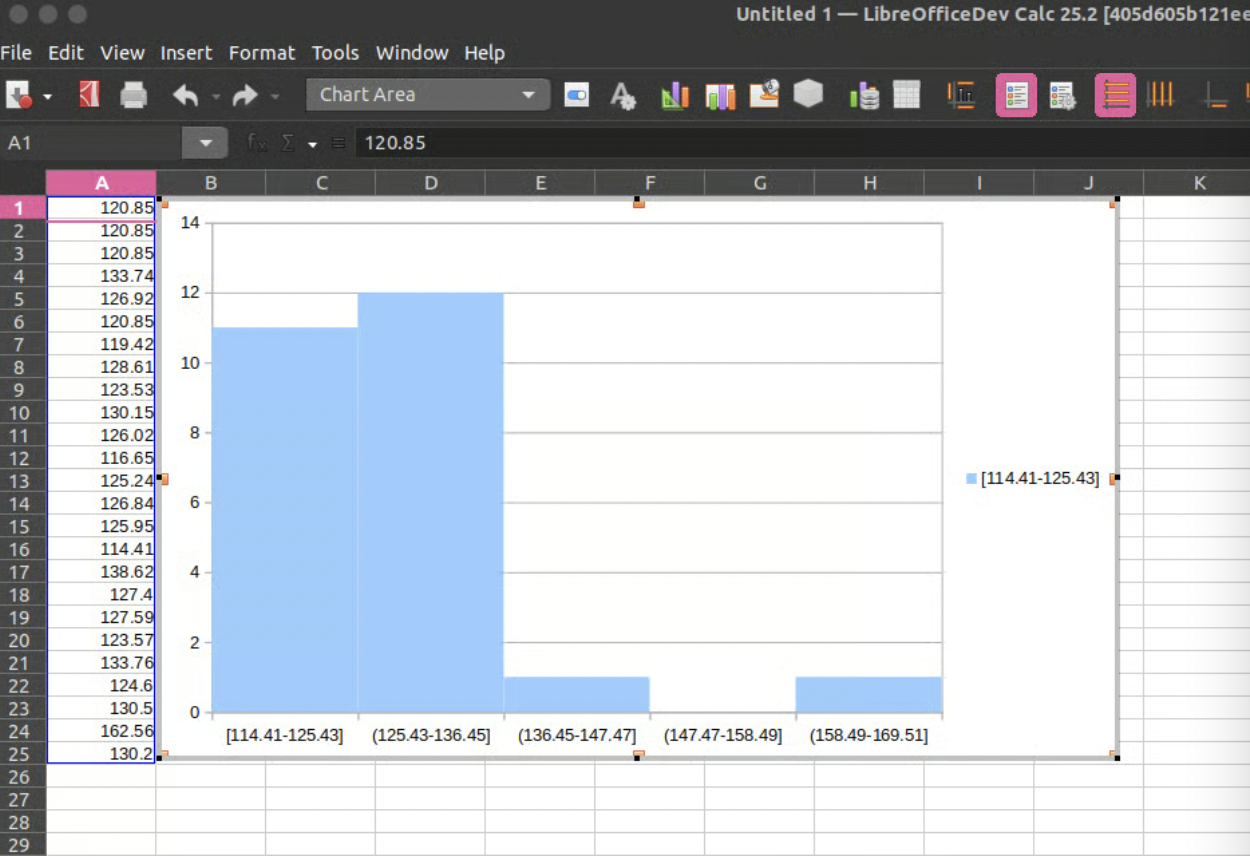
Today we’re talking to Devansh Varshney, who added histogram chart support to LibreOffice and is working on improvements to the Basic IDE…
Tell us a bit about yourself!
I am from Mathura in India, one of the historical cities where the first image of Buddha was carved during the Kushan Empire, Jain Tirthankar Neminatha’s birthplace and the more famous Bhagwan Krishna birthplace. A city where Greek kings also ruled and whose history has been documented by many travellers, the more famous Xuanzang and Faxian.
The rich history and diverse art culture of Mathura also reflects my interests too. My interests range from history to astrophysics to economics, and from tweaking custom Android ROMs back in high school to now tweaking the LibreOffice codebase which is one of the most interesting puzzles I came across. Even the people around me noticed and back in school I was given the name “Internet” – which was quite an interesting name but really reflects my nature.
Besides working on the LibreOffice codebase, I am also planning to complete my book on ADHD which I have mapped around first principles and physics. Hopefully by next year it will be complete.
Vishram Ghatl on the banks of river Yamuna in Mathura (image: Umang108 on Wikimedia, CC-BY-SA)
What are you working on in the LibreOffice project right now?
This year I am working on making the Basic IDE better and more powerful by introducing a new Object Browser in the IDE, which is one of the most-demanded features as users working with LibreOffice had to visit the online API webpage to refer to the details of UNO APIs. That was quite a friction, and slows down not just the work but also decreases the user experience specially for macro developers.
Along with this, there is also the Basic code suggestion which will be available to users, so that they do not have to look every time what is going to be put when the suggestion can show the list of possible parameters and variables that can be placed.
Why did you choose to join the LibreOffice project, and how was the experience?
This is an interesting question. Back in 2017-2018 I experienced a lot of challenges with the Chrome browser, and thought about fixing them. That’s when I came across the Chromium project – upon which Chrome is based – and I did try to ask how to contribute and got some reply, but it was different from what I got in the LibreOffice project.
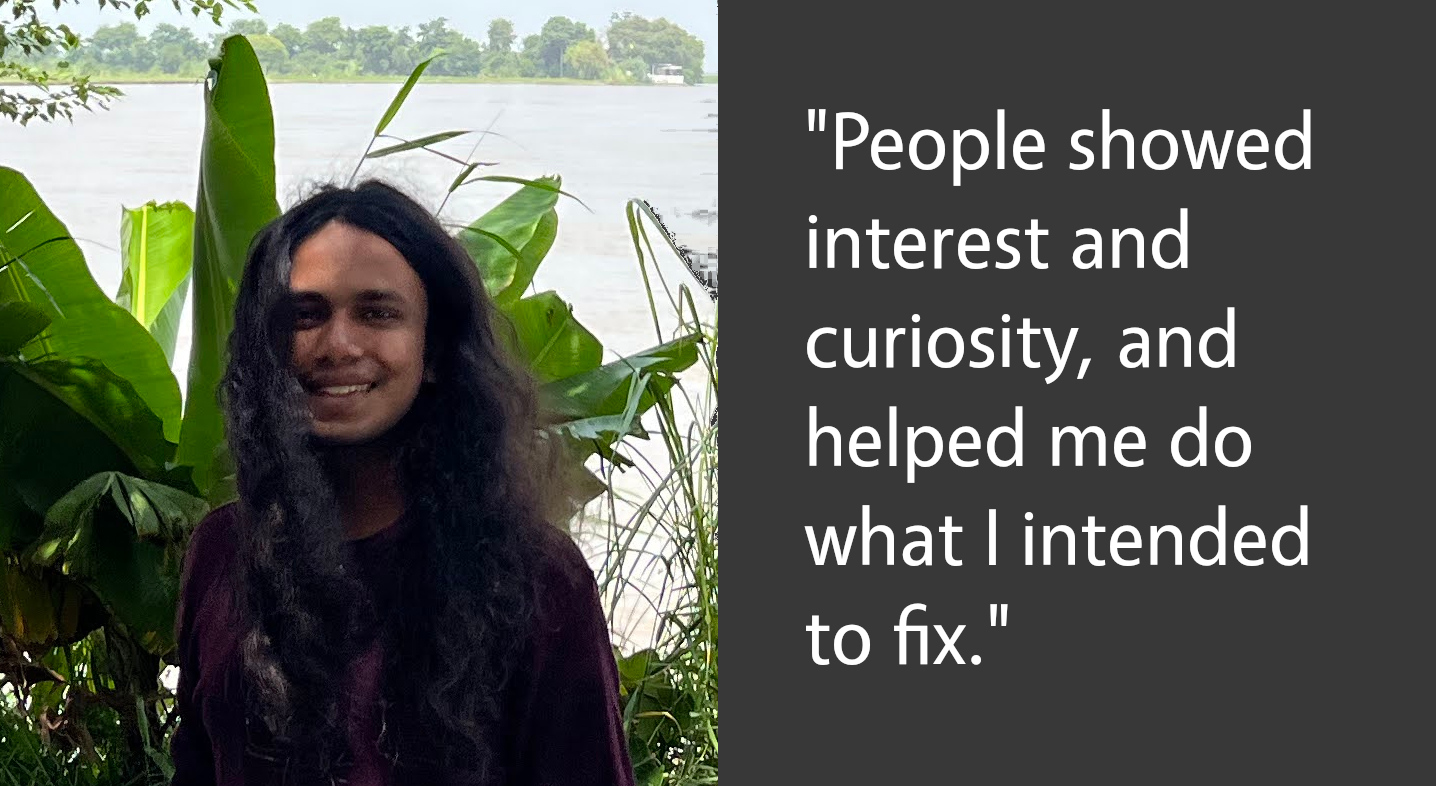
Here I did not get silence or confusion when I picked a bug, rather people showed interest and curiosity, and helped me do what I intended to fix. I am not putting other open-source projects on a pedestal – it’s just what I experienced at LibreOffice.
I also made some small contributions to the Google Benchmark and Blockly project and Phoenix Framework previously, but the big twist came last year when Ilmari got curious and asked me why I hadn’t mentioned the Google Summer of Code (GSoC) yet and pushed me to apply for 2024. I looked at the projects and found “Adding Native Histogram support to LibreOffice“.
Since in the past I had worked with machine learning, I saw that the need for these new chart types is crucial. But this is not just the point — while preparing the proposal for the histogram project, I found that CERN uses LibreOffice for their work and they even had a tutorial on a workaround of making histogram charts via column charts (link).
Which showed me two things: first, the lack of this feature is not just slowing human research, but also that the impact of LibreOffice is worldwide. This was the exact moment I realised that LibreOffice is not just about an office suite that lets people have autonomy over their data – but also its impact on human evolution and development is of sheer size.
Anything else you plan to do in the future? What does LibreOffice really need?
Yes, there is a lot of work remaining. First and foremost is the addition of Histogram Chart and other new chart types, as we later found challenges with how charts are being mapped in the codebase, and the newly introduced namespace by Microsoft for OOXML export made work more challenging. Then this year I got more interested in OCR with images and files like PDFs, natively available to users locally.
I tried to make an extension with Tesseract but its efficiency is not that great and it misses the whole structure of how the text was in the image.
Since LLMs (large language models) are something famous nowadays, I looked at how they are processing and reading images, and found they really can’t read images directly. The images first have to be processed by something called Vison Language Models (VLMs).
Nowadays there are some amazing open-source VLMs available which are also small in size and can run locally – even with the computing power of a mobile device. So I am also looking at ways we can get this working with LibreOffice, so that not just OCR but also reliable translation from text to the captured structure and modifying that structure can be done.
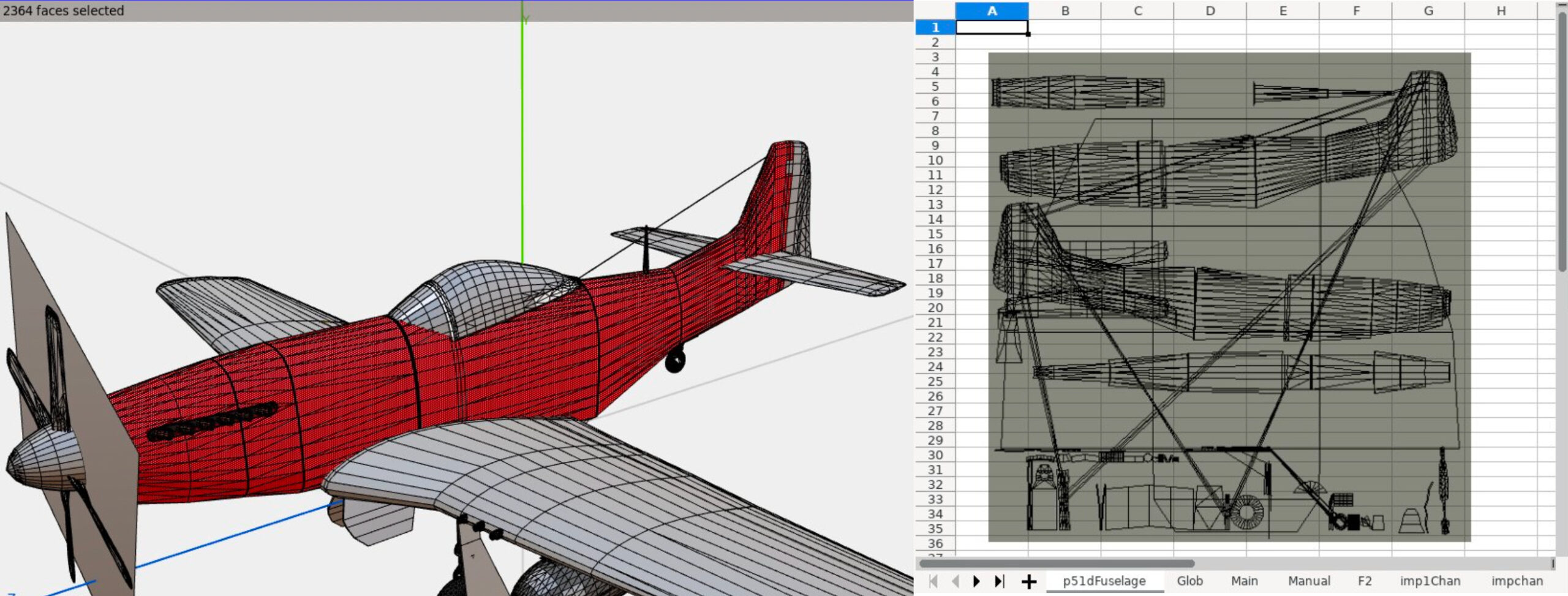
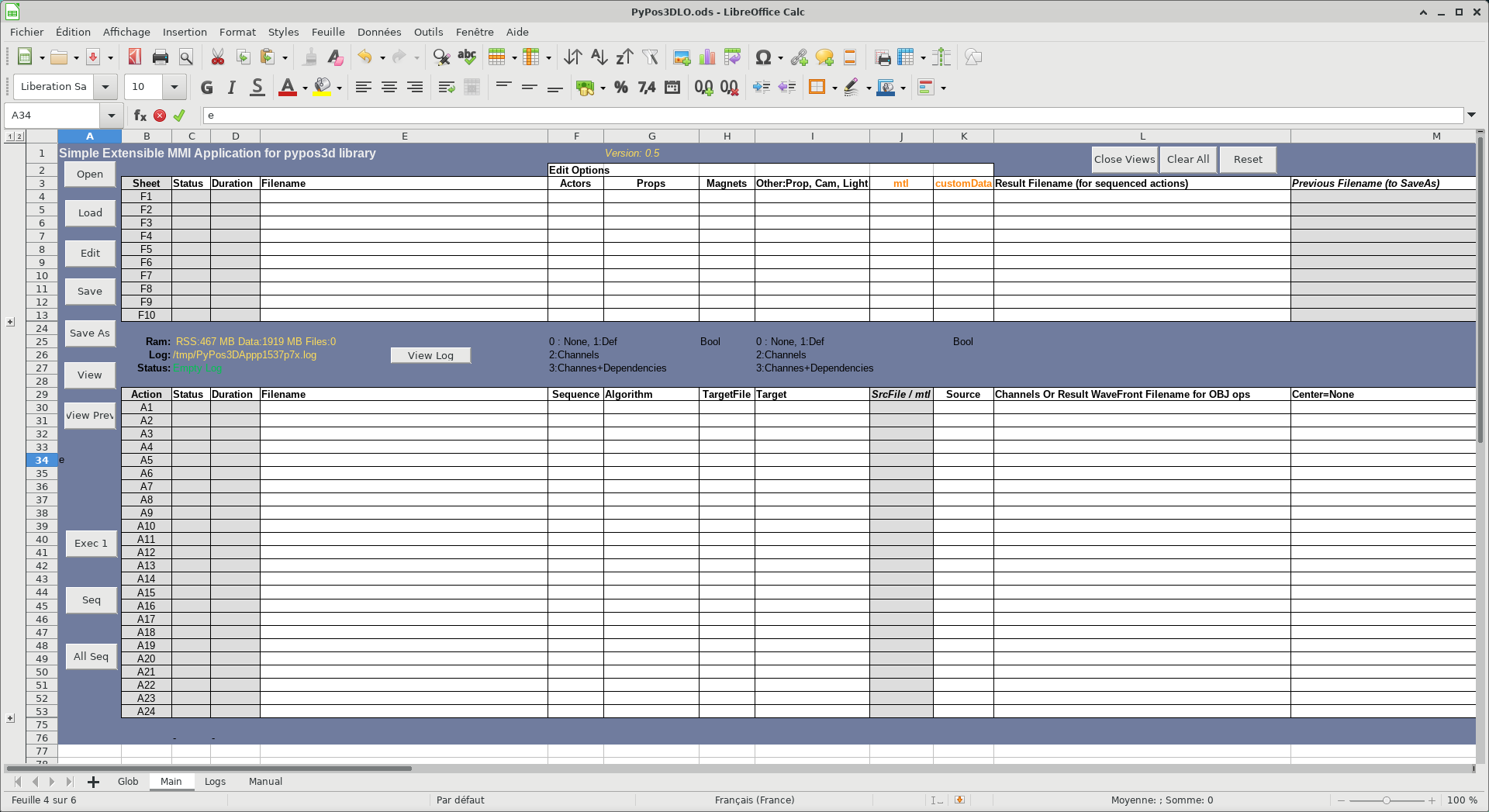
Today we’re talking to Olivier Dufailly, who’s working on PyPos3DLO, an app based on LibreOffice to create mechanical characters, edit and optimize Poser files, and manipulate WaveFront files:
Tell us a bit about yourself!
I live in Toulouse (France) and for around 30 years I’ve mainly worked in the space and aeronautical domain (from software to system engineering), although I was also a business manager for a few years, and the first CIO of a mid-size engineering company. But now, I’m back in my preferred domain: space systems engineering and development. It’s a so exciting environment.
On a personal side, I like and practice sports (swimming, biking, running) and 3D modeling. I remember, when I bought my first Casio graphic tracer in 1985, I immediately ported some Apple BASIC 3D curves programs to Casio BASIC!
And now, I always like to produce some airplanes models for 3D rendering (unfortunately, the former free site ShareCG.com has disappeared so I need to find a way to publish my work elsewhere). Additionally, I think that we – all of us – are responsible of our children’s planet, and open source software is sustainable and so is vital to help us in the future.
What are you working on right now?
I’ve produced a LibreOffice-based application to help 3D mechanical characters development. I’d would be proud to present it in more detail later, but for now: PoJamas aims to provide a Python library and tools for loading, processing, and producing .cr2, pz3 (crz, pzz) files compatible with the SmithMicro (e-Frontier) Poser character animation application. It includes PyPos3DLO, an app based on LibreOffice to create mechanical characters, and edit and optimize Poser files.
Why did you choose to become a member of The Document Foundation?
LibreOffice is a great project and I’d like to try to contribute to its development. It’s just the beginning, but I feel welcome in the project already.
Anything else you plan to do in the future? What does LibreOffice really need?
I have a strategic approach concerning LibreOffice and general engineering usage.
In my professional and personal domains, engineers, PhD, techs guys produce studies and data for testing and running large and complex systems. To do this, they usually use Microsoft Office with a huge amount of BASIC macros. Moreover, they also use MATLAB and try to integrate or automatize things.
They usually have a lot of “integration” problems and the result is frequently a mess: hard to use, and more or less impossible to maintain or transfer. It’s a lack of experts’ time, when they spend too much time o “silly” development instead of doing their own business.
Our main problems are testing, maintainability and costs.
Finally, I’m convinced that we should promote a new maintainable approach for engineering studies with a better integration of Python (or other, if any languages) in LibreOffice. (Financial studies may be also greatly enhanced with an easy integration between Python libraries and Calc/Excel sheets).
At the end of the journey, BASIC should naturally become extinct.
To achieve this goal, we will need to enhance LibreOffice, ease the development of LibreOffice macros, and teach our users with many tutorials.
I’d be happy to help with testing, writing tutorials, or anything else.
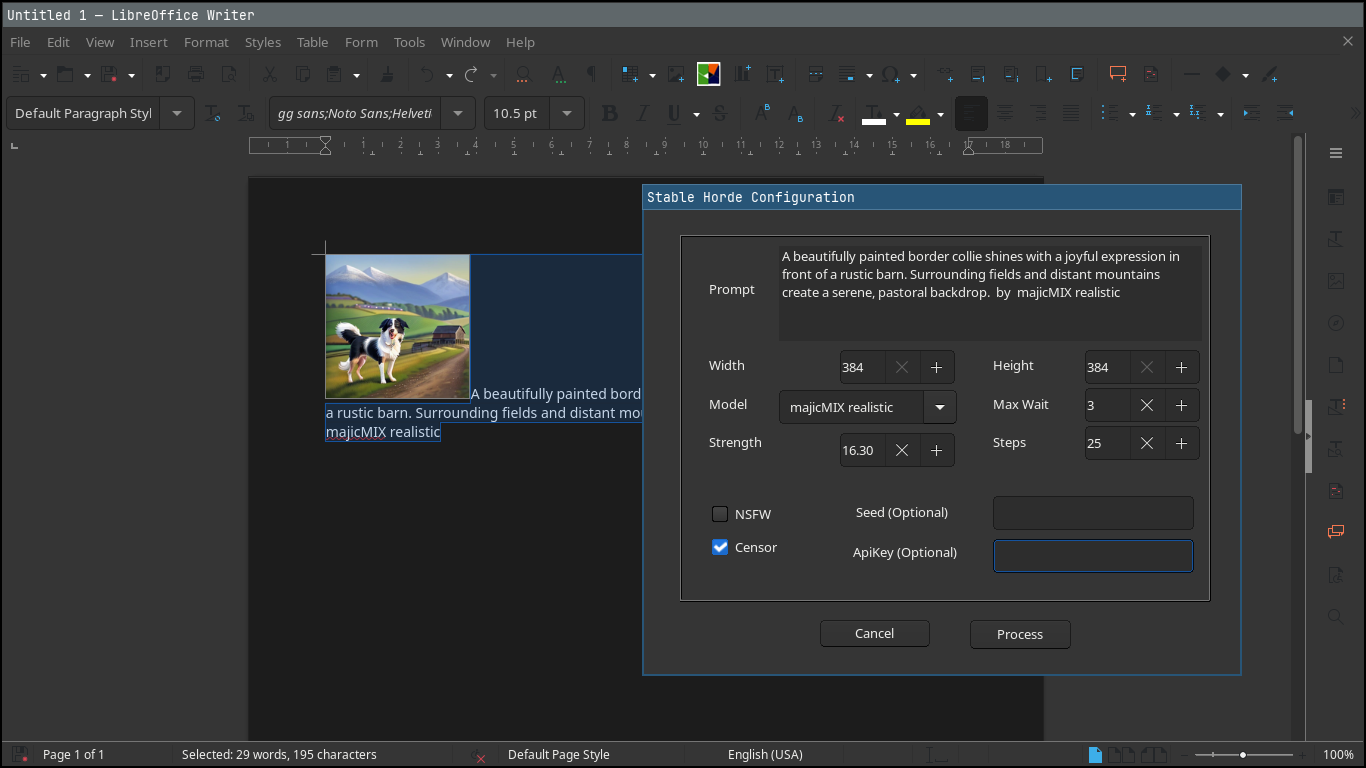
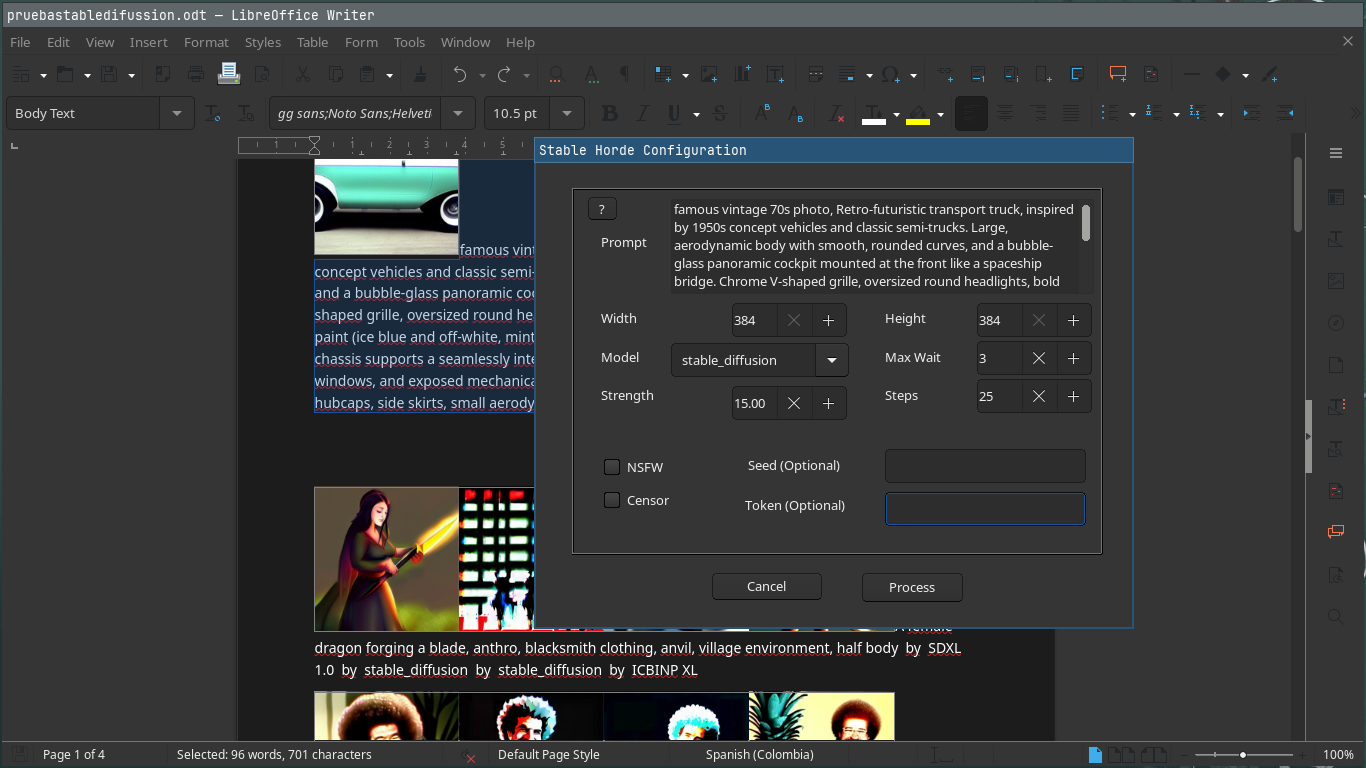
LibreOffice does not include artificial intelligence (AI) out-of-the-box. But many users want AI features in the suite – so we encourage developers to make them available as optional extensions. And that’s what Igor Támara did, creating the “Stable Diffusion for LibreOffice” extension for AI-generated images powered by AI Horde (a volunteer crowd-sourced distributed cluster of image generation workers).
We talked to Igor about the extension – here’s what he had to say:
What does the extension do?
You write some text describing an image, and get an AI image generated from the given text. You can tweak parameters, choose a model and use the best result on written documents, presentations or the place you prefer. The images are generated on volunteer GPUs through AI Horde.
When did you start working on it?
Two weeks ago, starting from a Gimp plugin as a base. I’m brand new to the LibreOffice project, and started it as a macro to get this functionality in the software. One week later I put it on GitHub.
What are the current limitations, and what’s coming next?
Be aware that the text you provide is sent to AI Horde and seen by the machines that create the image, so do not send sensitive data. Also, you can get better results if you send the description of the desired image in English. You are encouraged to try different languages to see the results.
You need internet connection to use it. If you wanted to create images locally on your machine, it would take time to configure your environment with local AI models, with gigabytes of memory dedicated to this purpose, and maybe processing for hours to get something useful.
Sometimes the text can be marked as NSFW (“not safe for work”) – in which case you end up with black and white text saying so.
For now, the extension works in Writer and Impress; when invoked from other LibreOffice components, it opens a new text document and inserts the image along with the provided text.
The roadmap includes:
Translating the plugin to other languages
An option to pre-translate the text to English
Better integration with LibreOffice Calc and Draw
Earn kudos, rating the images to have more priority when requesting an image
How can others help to improve it?
Report any problems you find, and help to translate into your language. Please do so by filling an issue with your intention saying which language.
If you have a GPU (and good graphics hardware in general), you can volunteer as a worker joining the horde, to add to the computing power – and you can earn kudos to have higher priority when you need it.
If you work with a friendly company that wants to make use of the existing hardware, you can join the horde too.
This plugin and AI Horde are all open source, so everyone can learn and be as transparent as possible in this changing and revolutionary world of AI times.
There might be concerns about the use of products and the ownership of work. As I see it, we are always learning by example and reusing what others have invented from thousands of years ago, like how to walk, make fire, communicate, explore, recreate and mix. We can continue to learn and make fair use of resources – and contribute too.
Good software needs good documentation. But how do we define “good” in this sense? And what does the future hold? Find out in episode 4 of the LibreOffice Podcast! (This episode is also available on PeerTube.)
Please confirm that you want to play a YouTube video. By accepting, you will be accessing content from YouTube, a service provided by an external third party.
If you accept this notice, your choice will be saved and the page will refresh.
Transcript
Mike: Welcome to the fourth episode of the LibreOffice and Free Software podcast. I’m Mike Saunders from The Document Foundation, the small nonprofit behind LibreOffice. In the first few episodes, we talked about marketing, free and open source software and LibreOffice. Then we looked at design, UX, UI.
In episode three, we talked to a couple of people from the LibreOffice QA community looking at bug fixing, bug triaging, and so forth. And today’s topic – we’re going to talk about documentation. So in free and open source software projects, it’s a bit of a cliche – and maybe true in some cases – that documentation tends to be neglected. The developers want to work on code, want to implement new features, do cool stuff, and then documentation… who wants to write that?
But of course, many end users still need it. There’s a big difference between projects with no documentation, which we see all over the place, and projects with very extensive documentation. So yeah, I’m joined by Olivier Hallot, my colleague at The Document Foundation. Olivier oversees the documentation team and community in LibreOffice. Hi Olivier.
Olivier: Hi. Hi Mike.
Mike: So let’s talk a bit about this then – what actually makes good documentation? We say that projects and applications should have good documentation – but what exactly does that mean? And in an era of everybody looking on Reddit and Stack Overflow and stuff, why is good documentation still important today?
Olivier: Yes, of course. Documentation is very important in several aspects. The first one I would like to mention is that there is no software that is good enough if it doesn’t have a good documentation. So when you deploy a solution in your organisation, the government or corporation or whatever, you absolutely need to introduce the culture of your software to the public. And this is done mainly by documentation.
And if you don’t have documentation, people will not think your software is good enough and they will have questions. They will have probably doubts in how to use the software, and in some corporations and governments, it ends up as calls to the help desk which is always something that is increasing the cost of the deployment of the solution.
So documentation of software – in general – is part of the solution deployment in any organisation. Software without documentation is not good software, and the quality of documentation is also part of the quality of the solution. So that’s the first point.
The second one I would like to mention is that effectively, like you said, we have a situation where most of the developers like to write code – but don’t like to write documentation, or even sometimes inform the new features for the documentation team. And this leads to a situation where the feature is not well understood. And if it’s not well understood, it’s not well used and for the development team – you don’t get the right feedback from the new feature.
So that’s also an important situation where documentation is really part of software development and cannot be minimised in terms of investment and in terms of deployment.
So that’s the two aspects I would like to highlight with documentation – and it’s very important not only for commercial products where you eventually sell a license, but also for open source. In open source we have this situation where it’s nice to code but it’s not nice to document. So some big corporation has already took action to fill this gap. Notably Google has already a programme in the past. I’m not sure if it’s still there but in the past they invested into people for writing documentation on key software – especially key open software.
Mike: I think it’s an important point, especially when you’re looking at targeting businesses and large organisations, because we in the in the Linux and open source and free software world have in it for years, decades – people tend to say “Yeah but you can check a man page or look on Stack Overflow or Reddit if you have a problem”. And as geeks as home users I think a lot of the time we can do that personally, but if you are a company and you’re deploying something you want a resource – or your boss comes to you and says, “This isn’t working.” Yeah, look in the manual and fix it. Look in the documentation. Let’s fix it.
And if you say, “Well, I’ve just posted a question on a random subreddit.” Then it doesn’t look super professional. So, I think that is something we often overlook in free software. We think, “Yeah, people will find a solution on some forum somewhere. I’ll go on IRC.” But no, a company deploying free and open source software needs a resource – whether it’s a handbook or good manual pages but actually needs something to point to.
Olivier: I would like to stress that in the case of LibreOffice, I estimate that we have a very accurate documentation in the sense that we have a very good set of user guides which is maintained by the community – and also we keep track very closely with the help system. So most of the new features are introduced and documented in each release of our software.
So in terms if I compare documentation of LibreOffice with other open-source documentation, we are in a very good position to offer to the public a good set of information and documentation on the software. So that turns LibreOffice into a very good solution for businesses and also for the individuals.
Mike: So when you are overseeing the documentation team, what is it that they work on a daily basis – because I guess, like you said, you have new features in every major release that need to be documented and we see them in the release notes. The developers hopefully normally add a new feature to the release notes, but often from a developer perspective with a bug number, but then I guess you and your team then need to make sure this gets into the documentation – into the online help, into the user guide. So what is the kind of daily work of the docs team? What does it do?
Olivier: We have seven books for user guides – one for each main module of LibreOffice plus one specifically to an introductory text for that we call the Getting Started Guide. These guides are updated for each release based on the release notes that developers publish in a wiki page that we have.
So in our cases, we when we update our guides, we look at the release notes, pick each of the relevant information that needs to go to the guide, and exercise the feature, and write about the feature. So if a new feature is introduced, we exercise it to understand because sometimes the report from the developers is very terse – and we have to elaborate on the feature. And then we write in the chapter that we elected for the writing and we describe this the feature.
Plus we if we have good experience and we were savvy in terms of office suite users, you can elaborate and write about how to use the feature and where the feature applies. So that’s gives a lot of very good information for the end user.
As an example, I just wrote in the Calc Guide a feature that was introduced a bit earlier which is the new chart type. I had to imagine and understand the feature in order to really describe it correctly – not only in the books but also I use it as the information is the same for the help system.
So this is the activity that we do, and also periodically we do revise the writing of the guides in order to make the writing clear and more direct, and improving the English and the wordings of the of the content.
So that’s the permanent and ongoing work that the documentation team is executing in writing the guides. So we have, as I said seven books, and this is a lot of work. Some we fortunately only need to – let’s say – permanently update, but also when we can and we have time we can revise and rewrite the contents. So it’s an ongoing business. It’s an ongoing activity and it’s open to everyone who has good knowledge on not only in English, which is very appreciated, but also in using the advanced features of the software.
LibreOffice is a very extensive software. It goes from text editing to a database, and it is normal that not everyone understands all the features – but if you are specialist in spreadsheets, if you are good in databases, then you can improve and help us in terms of writing a good user guide for these all these modules.
So a spreadsheet, text documents, database, presentations, drawings, math equations. This these are the topics that we deal in writing the guides.
Mike: One of the challenges must be that LibreOffice has a few user interface variants. So by default, when you install it has the standard menu bar and toolbar that has been similar for years and years – but of course LibreOffice has a tabbed user interface that many people now use. It’s not enabled by default, but it’s more familiar to some users.
So how do you – as in the docs team – deal with that? Because I guess for so many things that you are documenting, so many features, where you enable the feature and how you interact with it will depend on the user’s choice of user interface – whether it’s the standard user interface or the tabbed user interface. And then there is like a simplified version with just one toolbar. So that must be a challenge to deal with.
Olivier: Yeah, the most consolidated interface is the classical menu driven and toolbar driven interface. Sometimes people complain that it looks old and it looks not modern – but it is the most complete and where all the features are. The other interfaces are still in development and we mention these interfaces – but essentially the books and the guides also deal only for the moment with the classical interface.
This is a point of attention that we can bring to the development of the books – to the new writing. I just think that we need, maybe, some more consolidation of the new interfaces that we have, so that we can eventually move the classical to the new one inside the guides. So far I have not yet got any feedback on not using the new interfaces inside our guides.
What we have in terms of feedback is sometimes some improvements of the writing. So maybe we have some unclear description of a feature – or sometimes, another example that may be a bit more illustrative than the old one. But the interface is a point of attention that we may bring to the development and also to improve the guides.
One point that is also going to be addressed in the near future is that we have changes in the dialogues and we do a lot of screenshots inside the guides – and these all these screenshots needs to be updated which is not very difficult to do. But it requires time and attention to update to the new layout of the of the dialogues. So that’s a point of attention as well.
Mike: You say updating the screenshots isn’t a such a big work – but given there are so many screenshots, are there any tools or any tips or tricks you have for generating those screenshots instead of somebody going through and pressing print screen or whatever?
Olivier: Yeah, it’s not like that. LibreOffice has a hidden feature. One of the major hidden features is that LibreOffice allows you to take a screenshot inside your own application. That means you are editing text and you want a screenshot of a feature. Then you can open the feature and with a couple of clicks you can take the screenshots of the dialogues of the feature – and doing this you can save the screenshot and insert inside into your text.
So this is a very nice feature that we have – but it’s not very well known. It’s already documented but it’s not very well known, and this is one of the things that we need to surface, because it’s a feature that sometimes is buried inside the software, and if we surface it will be very well appreciated by users.
And there are a lot of features inside LibreOffice that people sometimes oversee and are not able to really appreciate the quality of the software – and that is something that the user guides and the help can assist the user in being more productive, by using those very specific features. There is too much to say about that, and the number of features that we have is enormous – and people really need to go through and be familiar with the software to appreciate the quality of LibreOffice.
Mike: I think one improvement, two or three years ago, was the addition of the command search bar in LibreOffice. So it’s not directly documentation itself. But I think it helps with discoverability of features. Now you can actually just type in something about printing and it will show you the different features – at least accessible from the menu.
But that’s one thing that will change, if LibreOffice ever makes the tabbed user interface the default in the future – then that would be a big change for documentation. But what do you think what else has changed over the years in documentation in not just LibreOffice but free software? What do you think the future holds? What will new technologies or changes that will happen?
Olivier: You know, we are in 2025 and everybody has a cell phone, a tablet and a notebook or desktop computer. Anyway, the point is that people – especially the newer generations – they are very much connected to images and to pictures. And I think that this new generation awaits information that comes in an easier way, rather than reading text.
I really can understand that the newer generation prefers to look at streaming or look at or hear a podcast – instead of going through a manual and so, and things that are written. So it is a challenge to make the documentation more accessible to people that really are sometimes in trouble in terms of reading – not because they have not learned to read, but they are not used to reading.
So how can I make people understand the software without having to write a 500-page manual? This is a challenge. And I used to mention that if I could just plug two wires in my brain and have it downloaded the content, I would be very happy for that. But that’s a vision of the future. I don’t have the technology to achieve that. But this is the way we should look at documentation in order to make it more accessible to people that need to use an office suite – but it’s still a is quite a steep barrier to enter into software as complex as an office suite.
So I would like that people could really just make everything work by just either, for example, using a keyboard or using a voice command so that the report of April 2025 is done in a couple of minutes – instead of doing and entering data and looking at the features and updating things like that.
So this is a vision. This is for the future and who knows if we can achieve that kind of situation where everything goes easier. So this is a nice challenge.
Mike: And we’ve joked over the years about having LibreOffice on TikTok, but as time goes on, I start to think not necessarily TikTok, but short videos explaining a feature, showcasing a feature – like you say, may be more effective in many cases than a big section of a of a guide book. Although it’s nice to have a guide book and know that everything is in there, but a lot of people want that. They want to search and quickly see: right how do I how do I create a chart, and then a 30 second video comes up – bing bang bong – a short, snappy kind of video.
Olivier: And that is that is that brings us to a how can we use artificial intelligence or large language models in order to assist the user by giving the user an easier way to access the information. Maybe with an a natural interface where you can dialogue with your computer, and ask it how you execute some operations that you need for your text, for your presentation or for your spreadsheet. And this information, the knowledge, is already there – but it has to be delivered to the user. And that’s why I still also I am also looking forward to see how artificial intelligence and other technologies can be integrated inside LibreOffice in order to make the use of the office suite more easy.
So not to replace the user. It’s not the case of to replace the user because the intelligence has to come from the user. But all the hassle of formatting of arranging the information and even writing the right the correct information is something that can be assisted by the use I mean the artificial intelligence or large language model.
I’m very keen to investigate that kind of outcome. And I think that it will be a quantum leap forward in terms of using the office suite – an open source office suite with a good artificial intelligence support, restricted of course on the operation of the software, not on the contents of the user – which is something that the user needs to provide but the software can do all the formats for you and the arrangement of the information.
Just to complement, we understand at least in terms of documents that document is the combination of content, which is something that is provided by the user, and formatting. Okay. So formatting can be assisted by the computer – which is done by the software – but the content is definitely from the user.
So if we want to make the life of the user easier, we don’t not only format but also eventually improve the content or suggest content from the end user. But not replace the end user at all. That’s absolutely not in a possibility. I don’t believe that this is feasible.
Mike: I think it’s an important point. We always say there’s a lot of interesting technology in AI but a lot of people are very concerned about other office suites putting it – in forcing it in – then using it to mine data, making suggestions and people say “Just leave me alone – I just want to write.”
So I think from the LibreOffice side we steer clear of using any AI on people’s own data, but like you say from for the rest of the suite yeah the possibility one day that some kind of local – purely local – helper you say to it, “I want to change all these headings” and you could use that – I think be very interesting.
But of course we are a privacy respecting office suite, and we don’t want to do anything – we will not do anything with anyone’s data. But also maybe from the documentation side, I wonder if you trained an LLM – a large language model – on all of the documentation of the LibreOffice – all of the handbooks, the guide books, all of the online help, the wiki pages. It will be interesting to see if you fed an LLM with all of this and then see how it responds when you ask it questions like “I want to do page numbering” – this is one thing people have a lot of fun with. “I want to start the page numbering from page four and have two blank pages” – and then it’s in the documentation, but it can be tricky.
So, I wonder if that would be a case for an LLM. Again, privacy respecting – nothing to do with anyone’s data – but an LLM trained on documentation that says “Right, I’ve just scanned the handbook and the wiki pages, and here’s how to do it.”
Olivier: That is the project I think is feasible in short or medium term – to have a specific LLM that you can either have in your local computer or maybe as a service – I don’t know – but it’s I don’t think this will be extremely hard, and it will be restricted. Of course, privacy will be preserved because you’re not communicating with the outside world.
But the point is that really we I mean it’s I think it’s feasible, and I think it can be helpful not only for the user, but also for all the ecosystems that we have in terms of developers, in terms of users, in terms of documenters – all the community that is around LibreOffice will benefit of this new technologies.
Mike: And you mentioned earlier as well the languages. So one of the jobs and challenges in the documentation is – so English is kind of the working language, say the standard language – because every language is equally as valuable – but obviously it’s the de-facto communication language in many situations. But LibreOffice, the suite, is available I think in over 120 languages which is which is amazing – and big thanks to the localisation communities for doing that
But I guess that’s another challenge for the docs team then. And how do you all do it? Keep all that documentation translated and updated in all those languages.
Olivier: So let me talk about that because not only I do the coordination of the documentation inside LibreOffice, the foundation, but also I’m a translator for the interface and the help in Portuguese – Brazilian Portuguese. I live actually in Brazil. It’s a tremendous challenge I’m facing at the moment. The technology is evolving and the amount of documents that we are that we should translate is daunting. I mean it’s amazingly high volume. It’s a very high volume.
We use most modern tools that we have at hand in terms of translation. In the case of the Brazilian, team which is very active, we spend six months in terms of time to translate a 500-page book which is not good. And so the tools that we are using are not very effective. It’s a tremendous help but it’s not effective.
What we see with the new offerings that we have in terms of automatic – what we call machine translation – for Brazilian Portuguese, in that case the quality is very good and although it requires some second reading to see if there are no ambiguities translated or pure mistakes. The amount of typing and the speed of the translation can be increased and we are looking at features and ways to translate with machine translation such as DeepL or Google or MyMemory.
This will be a step forward for the translations. In the past, and actually the foundation has a server that relies at the moment on what we call translation memory – which is different from machine translation. Translation memory was a technology that was used in the last decade or so. It helps but it’s not perfect – and in our cases still there is quite a lot of work each time we need to translate a new string or book. But machine translation is quicker and is giving us with the Portuguese language very good results.
And we are confident that this is going to be the way that we can bring the new content of documentation to other languages.
Mike: It does sound like a huge challenge. And yeah, so any tools and techniques there that can help must be very welcome.
Olivier: I would like to add that like in English, where of course good documentation is absolutely necessary, good documentation in the language of the user is also a key asset for the deployment of LibreOffice – and this is a tremendous challenge that we have, to bring all this nice documentation, accurate documentation and high quality documentation, into the languages.
Even other big languages for example – if you if you take Spanish, if you take Portuguese, if you take French and German – still the translation is lagging in terms of the English documentation which is an unfortunate situation that is very hard to overcome. But how can we… still we need people to address this and that’s a challenge.
Mike: And I think it’s a requirement in some places as well, in the public sector, to have the documentation in that local language. You can’t say, “Well, there is documentation, but it’s all in English” – because even though we use English in the LibreOffice project and as a kind of standard communication language, of course, not everybody can and it’s not fair if we say, “Oh, yeah, just read some English docs.”
Olivier: I would like I would like to add that we at the foundation – we have several guides already translated of course, and we have a website we call books.libreoffice.org or where you can download the books – not only in PDF format, which is good for printing, but also the source files if you wants to use it for your personal activity. But also a third one third possibility is to read the books online, and this is very important because we often have in social networks or in forums that we are following – we have questions, people asking “How do I make the page landscape: and things like that, because maybe it’s not so easy to get catch it.
But we are able to send the reference to the user in our guides, and they can read the chapter or the section about turning a page landscape format. So this is another way that it’s important is make the documentation easy to find and easy to navigate. This is a second, another issue that we try to address at our best efforts.
Mike: I think we’ve covered a lot of topics then today – the importance of documentation, what the team does as well. Is there anything else you’d like to add before we wrap up?
Olivier: Yes, I would like just to mention to the public that not only documentation is important, but if you want to be part of the documentation team, it’s important that you understand that we have best practices in terms of writing books. We are very careful about the precision and the accuracy of the content, and also we think that it’s not only important to be a good English writer, which is nice but also to understand the software.
To understand the software means sometimes you need to exercise the software, understand what the software is doing, and then write about it. So this is a technical activity and it’s a commitment that you need to do in terms of studying the software and being part of a team that is conscious in terms of quality and accuracy.
And this rewards you and for sure, do not forget to put this a line in your resume that you were part of a documentation team. And I think this is very rewarding for your professional resume. And think about that – and also think about your personal improvement and personal enhancement of your own skills. People are happy to understand how a document is not a specific set of pages that you type in a typewriter but it’s a more deep – a concept of information management and also quality, formatting and understanding how to fit all the contents into a logical description.
So it’s not just, “Oh I know about that, I know English, I know how to write.” No, you absolutely need to really understand what an office suite is, and be it will be a good reward for you and for your professional resume.
Mike: Yes and we have some interviews on the TDF blog with people involved in documentation talking about the same thing as well and their experiences – but also how it does help to you to build up your own personal experience in technical writing as well.
So in the description of the video under or on the side depending on what video platform people using there are the links to some of these blog post interviews as well, to the LibreOffice bookshelf that Olivier mentioned and to other resources as well. So lots of nice links down there or there or there. Yeah and thanks Olivier.
Olivier: One last word for whoever wants to be part of the documentation team. It has to be fun. If it’s not fun, it’s not nice.
Mike: I totally agree. And that should be the case for everything in the in the project as well. Yeah, absolutely. So, yeah, thanks Olivier, thanks everybody for listening as well and stay tuned, we still plan some more LibreOffice podcast episodes as well. And anybody listening or watching, of course, if you have an idea for a podcast – a subject you would like us to cover in the LibreOffice project or about free software in general – then let us know in the comments. Bye everybody.
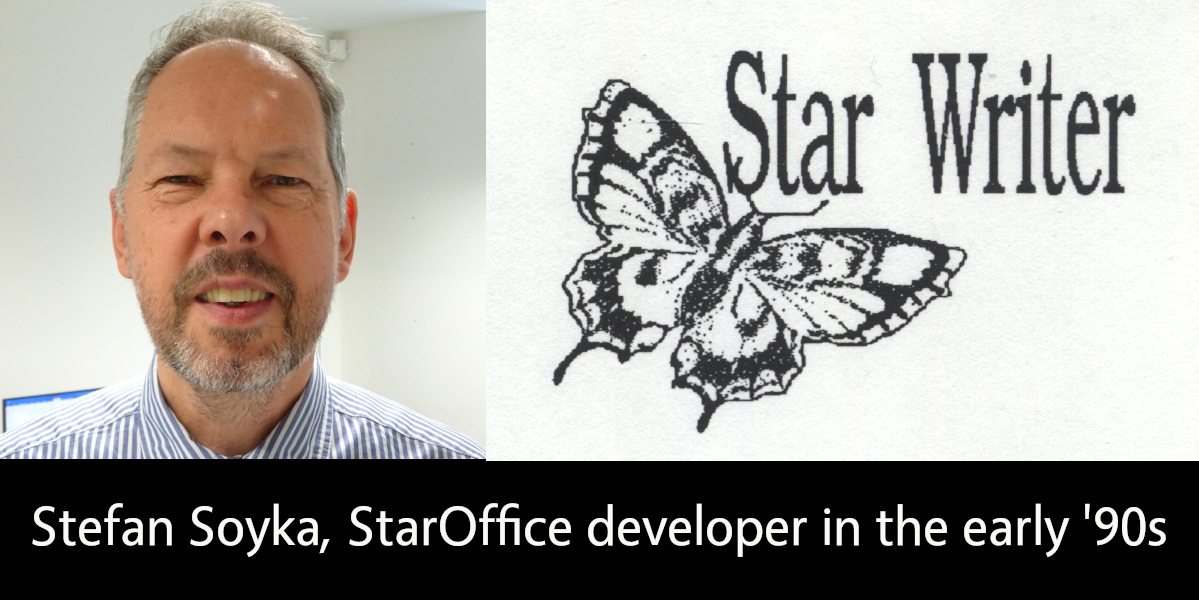
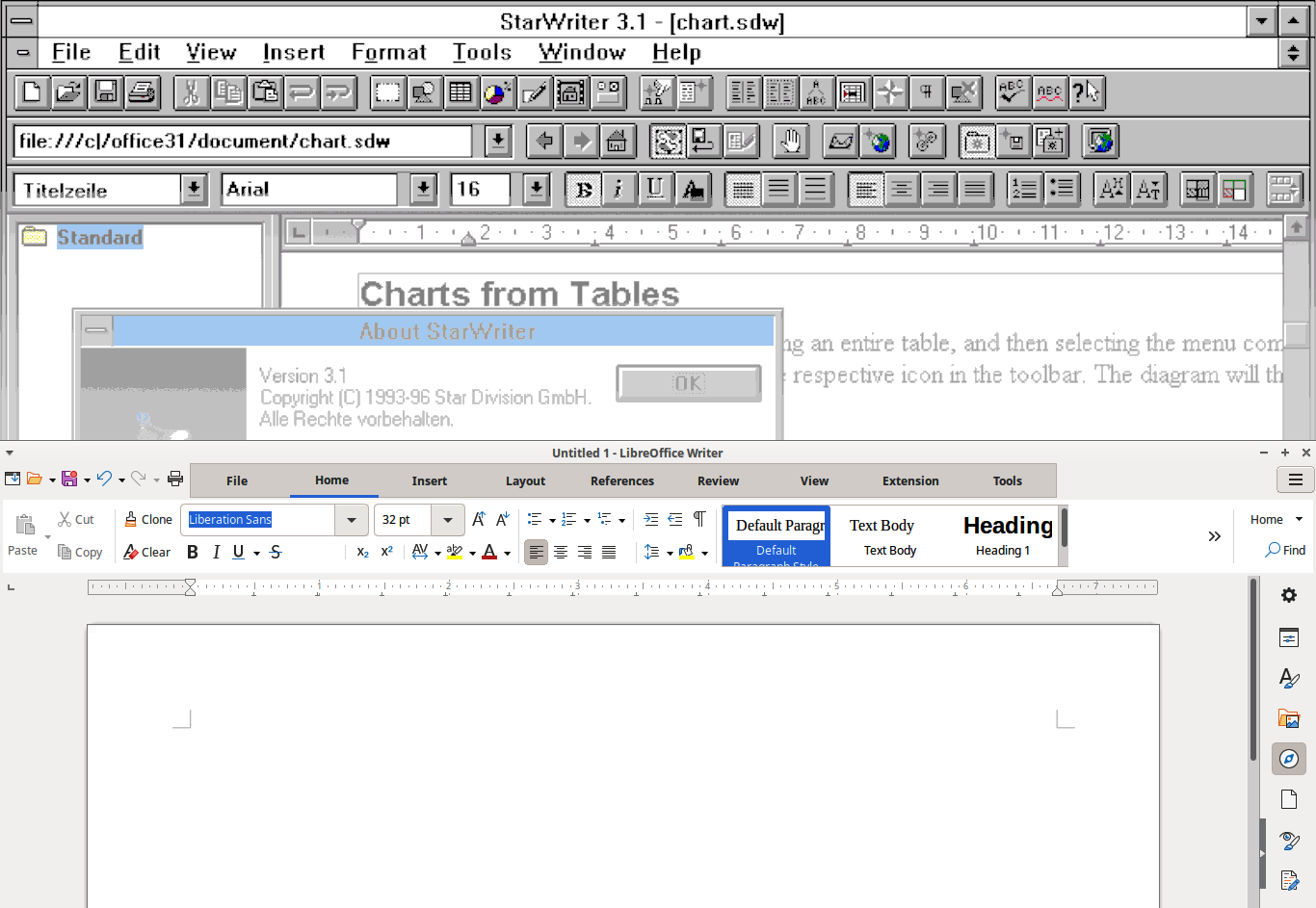
LibreOffice is the successor project to OpenOffice(.org), which in turn was based on StarOffice, a proprietary office suite developed in the 1990s. Learn more about the history here! And let’s hear from Stefan Soyka, who worked on StarOffice from 1990 – 1992…
When did you join Star Division, and what did you work on?
I came from Berlin to Hamburg to work for Marco Börries in his Star Lab in spring 1990, together with my friend and study mate Stefan. Both of us joined the project more or less at the same time and shared the same first name, which caused some confusion at first.
The situation in Hamburg needs some explaining if you are new to it. The Writer application that is the foundation of what we use today is not the first Star Writer – but thesedays it is often referred to as Star Writer 6 or Star Writer Graphic. Marco’s company Star Division, based in rural Lüneburg not far from Hamburg, had developed and sold with considerable success a text processing application with the same name, that was an MS-DOS application based on a home-grown graphics framework. A team of freelance programmers was working on it under the lead of Sven-Ola Tücke.
This was also the tool we used to write the first drafts for specifications, by the way.
The old Star Writer had a solid fanbase and sold quite well even after Star Lab started in Hamburg. So it is fair to say that the money we burned in Hamburg was earned in Lüneburg.
Marco, however, had the right feeling that graphical user interfaces were already around and taking up speed. The future (that is the time we live in now) would belong to applications running on the main graphical user interface platforms at this time, being Microsoft Windows, the X Window System and macOS. Of course there were voices that argued that graphical user interfaces were only hampering productivity and real pros would always use the command line. That may sound a bit funny today, but I took it all in my heart.
When I arrived there, development had pretty much advanced in the compatibility layer named Star View, that allowed portable programming of both operating system functions and graphical user interfaces. There was, however, no application yet. Because I had worked on a C++/X Window System project on the ODA standard (ISO 8613, Open Document Architecture), I had some background on this and formed with some others the core of the Star Writer project team.
Tell us about the office location and team back then!
The offices of Star Lab at that time were at Heidenkampsweg, near Berliner Tor, in Hamburg in a quite modern building. I remember the adjacent gas station; many of us were heavy cigarette-smokers at that time, and I sometimes went there at night to get the next pack.
Dirk Bartels supervised the daily operations. He had a software company back in Berlin and he expected benefits from the Star View portability layer for his own products. His personal secretary was Marita, if I remember the name correctly, a lovely young woman, I think the only one in the project at that time. When I joined the team, there were about twenty people working there including administrative staff.
Andreas, a good-natured guy with intense freckles, managed the Star View project. Almost all the coding however, at least for the Microsoft platform, was completed by Thomas – a very young man who was incredibly well-organized and productive, the type of coder who writes a screen full of statements that compile instantly error-free. He also virtually lived in the offices. The staffing for this platform was good; the other platforms had fewer developers. I remember Dirk, a shy young man who did the Macintosh port. One day, he showed us that all output appeared like upside down. It turned out that the Macintosh uses a y-origin different from the Microsoft platform (top left, I think). That gave him certainly some headaches.
Michael, a freelancer from Lüneburg, sometimes visited Star Lab in his tiny, first generation Mazda MX-5, that he could barely fit into. He was the only engineer who contributed to both the “classic” Star Writer with Sven-Ola Tücke, and Star Lab. He introduced the first Star Basic macro language. For the Windows platform, it had been worth thinking about a Star Writer application programmers interface or component object model (OLE at that time, but was just emerging in 1991 with Word and Excel), but with portability above all, this did not come to pass.
The team at this time was Euro-centric at least – effectively most staff members came from nearby. Another great developer in the Star View team, however, was Eddy McGreal, an Irish guy, whom I saw by incidence recently in a software product presentation he held. Can’t stop hacking.
Armin kept the business in order. He was also working on internationalisation. When he married, he invited all mates to comes and celebrate. It was in a small town in the moors, I don’t remember the name, but we had a great time. When we went back to Hamburg in the morning – hopefully at least the driver was more or less sober.
In the Star Writer team, Jürgen was the most productive programmer, about two meters tall with a sad face. Playing handball was his first priority, if he was not hacking. He did incredible work under the hood, like importing exotic files from other text processors, and never complained or missed a deadline. I think we never gave him enough credit for what he achieved.
Despite all the good work, the Star Writer project did not meet the expectations in the time when I was there. Later, I spent many thoughts on why we were not more successful in the beginning, because it felt like a wasted opportunity to me. It was not for the lack of ambition: there are folders full of splendid concepts and intricate specifications. But none of us had a good blueprint of the best way to start this enormous, complex task, I believe.
What was the toolset and development process like back then?
The object-oriented programming paradigm had evolved into the first C++ standard and implementations. Before I came to Hamburg, a pre-compiler was used, on Sun Workstations at least, to generate standard K&R C code, that was fed into the platform native C-compiler. The result was not always predictable or free of errors, but luckily, at Star Division, we had the one-step Microsoft C++ compiler, so we were a step ahead at this point.
Star View, however, was a huge library and the Microsoft linker had a hard time (and needed a long time) to do the static linking. When it came to a code freeze, that is the integration of the stable versions of all projects, Stefan used an egg timer so that he didn’t miss the time when the linker had finished, to see if there were problems with the linking or not. It took so long, you could easily forget it. If it failed, it needed fixes and another round. The whole process needed much time, until Stefan one day found out that someone had tackled the problem with the Microsoft linker and had released a better implementation that did the job in a fraction of the time.
Another paradigm that came up at the time was the Model-View-Controller (MVC) pattern. It says, in short: what you see is only a volatile transformation of the model. The controller, like someone typing text into the application or a report generator producing table data output into a document, changes the model, which in turn from time to time updates the view.
Many in the project and even in the management were not comfortable with this procedure, because it appeared to make a simple thing unnecessarily complex. The argument was like: “This is meant to be a WYSIWYG text processor, and we need nothing beyond what the user sees on the screen, so let’s store this”. Nobody wanted to look at a document any different from before, when he or she opened it again – maybe on a different machine were fonts were missing or the display had a different resolution. There was a lot to explain and no proof that either concept was superior. What’s more, nobody could tell reliably and by their own experience, what adopting the MVC pattern for a text processing application meant in practice, and how the code would look like.
Then, the Unicode standard was evolving and a controversial debate started about what that meant for our plans. Speaking of 16-bit Unicode only, two aspects were unsettling: the same document would need twice the memory compared to 8-bit characters (we had no concept for memory management then and kept the whole document in RAM all the time, which obviously still needed some reworking). At that time, the model was using zero-terminated C strings for text paragraphs for the comfort of using the standard C string libraries.
Turning to Unicode, we would have to say goodbye to that and rewrite the functions we needed. It probably had not yet dawned everyone, that C strings would not suit the requirements of text attributes and formatting anyway.
UTF-8 strings, on the other hand had the downside that it was complicated to find out, how many character positions the output would use. Building substrings from UTF-8 strings is also a delicate matter, because the string can not be cut at any position without creating invalid UTF-8 character sequences.
Most of the developers working on StarOffice later will certainly be surprised, what basic considerations were moving us at the start, but man, this was all serious stuff.
Do you still use LibreOffice today, and do you have any contact with old Star Division team members?
Sorry to say that I have no contact any more with my has-been workmates. I left Star Division somewhat frustrated because it took so long for the good concepts to materialize and also, because I felt, I was not the right man to promote that. But I also had a pregnant girlfriend (now my wife) in Berlin, which was even a better reason to say good-bye.
Frankly, I was relieved and amazed to see the first product. It was not free at that time. I don’t think it really paid for Marco before it went to Sun Microsystems – anyway there was no free download. With my Zyxel 14.400 baud modem, it had taken a long time anyway. I got versions on batches of CDs from time to time from my friend Stefan, though, who was still with the project.
I was not so happy with the application at first, because at that time it was a monolithic “desktop” with all applications in its belly (like Writer, Calc, Impress and Draw, I believe), which took ages on my machine to load. I would have loved to see more collaboration in it: at that time that would meant an e-mail client and calendar.
Sometimes I thought to myself, “If I had to decide …” but ended with a sigh :“There would be no Star Writer to this very day”. In fact, it would be another interesting story, which changes it took to finally make it happen.
I never had Microsoft Office for myself (I like Microsoft Publisher for the themes and the artwork that came bundled with it, but somehow Pokémon Druckstudio was an acceptable replacement). I had to buy a Microsoft licence for my children though, because teachers did not expect that someone would not have access to Microsoft Office, and I was hesitant to end my child’s learning career over this.
I use LibreOffice almost every day now. It has all I need, and probably much more.
I use LibreOffice for my everyday correspondence, and less often I use it to create PDF files for printing. I have a nice set of Star Basic macros, and a good document template I load all the formatting from, to create a good-looking A5 format book from a text file or a website, in no time at all. Creating PDF files is very easy in LibreOffice, yet it has some uncommon features that come in very handy at times, like the option to export also blank pages (that would usually be omitted). Believe me, you don’t want to go to print without the blank pages.
The E-books that I create from the same document (printing is a bit out of fashion) have no frills (they could have, of course) but they are nice to read. I confess that I find it very convenient to load them into my Kindle account, from which I can read them on any device that comes near to me.
Well, I’m not a young man anymore, I like to say that before anyone else does, and programming to empower users (with more luck in later projects) is still my passion to this day. The StarOffice project has been with me more or (sometimes) less all the way, a bit like a child I gave up for adoption at an early age.
TDF says: Thanks to Stefan for the insights into the early days of StarOffice – and we’re happy to hear that he’s still using LibreOffice today!
Xisco Fauli, Ilmari Lauhakangas and Mike Saunders from The Document Foundation, the non-profit organisation behind LibreOffice, discuss Quality Assurance (QA) in free and open source software . (This video is also available on PeerTube.)
Please confirm that you want to play a YouTube video. By accepting, you will be accessing content from YouTube, a service provided by an external third party.
If you accept this notice, your choice will be saved and the page will refresh.
Transcript
Mike Welcome to episode three of the LibreOffice and Open Source podcast. I’m Mike Saunders from the Document Foundation, the small non-profit organisation behind the LibreOffice project and community.
In the last two episodes, we talked about marketing free and open source software such as LibreOffice – the challenges and the opportunities as well. And then we talked in the second episode about design, UX, UI in LibreOffice and open source software – the challenges of making changes to user interfaces that people have been using for years, but also some of the cool things happening.
But today we’re going to talk about how we test half a million documents in LibreOffice. Yeah. So we sit down and load half a million documents into LibreOffice. File, Open, File Open and check the compatibility. Yeah, we’re very committed. Of course not – we do that automatically. I’m going to talk about that a bit later, because we’re talking in general today about LibreOffice QA – quality assurance – as well.
So how do we make sure that the software stays strong and stable and reliable when we add new features to LibreOffice, how are they tested and integrated before they go out to millions and millions of people as well.
How do we handle bug reports? So somebody submits a bug with the software. What makes a good bug report as well? And how do we maintain compatibility? There are billions and billions of documents out there in mostly Microsoft formats. So how do we make sure that LibreOffice stays compatible with them when things are changing, the formats are changing?
Microsoft’s famous transitional format makes life extra difficult for many of us. So, let’s talk a bit about QA. I’m joined, as mentioned, by two of my colleagues at The Document Foundation. So, again, we are the small 15 people non-profit organisation. But of course we at The Document Foundation are backed up by a community of hundreds of people making LibreOffice as well.
But I’m joined by Xisco Faulí, who is a QA engineer – I think is your title. Xisco is that right?
Xisco Yes, you’re right. Yes.
Mike And you’ve been at TDF for a few years now. I think the same as me.
Xisco More or less. I joined TDF in 2016. So it’s almost 10 years next year. And I joined as a QA engineer and since then I’ve been doing that.
Mike How did you get involved in QA before that? What’s your background leading to this?
Xisco Yeah, that’s a good question. So before that I studied computer science in the university and at the same time there was – and it’s still going – the Google Summer of Code program. So I first joined LibreOffice as a Google summer of Code student and then after that I got a job as a QA engineer in another company, and at that time I also contributed to the project doing QA as a volunteer as many other people do.
Nowadays they spend their time volunteering doing different things in the project and, yeah, I was doing QA – and then at some point the QA offer was published – this job position – so I applied and I got the position.
Mike And our other guest in this episode is Ilmari Lauhakangas – I think—have I pronounced that correctly?
Ilmari Yeah, Ilmari Lauhakangas
Mike Excellent. Yeah. Who does various things. We all do various things at TDF as well. There’s a lot of overlap in what we do and overseeing the community. But yeah, Ilmari, tell us a bit about what you do at TDF and how you got to this point.
Ilmari I was hired by TDF in 2019 to do mentoring and recruitment of volunteers. So I focus on onboarding new people and I do it for basically most of the areas where you can contribute. So in addition to quality assurance, development, design, documentation – so I also do stuff like web development for TDF applications and stuff like that.
And of course, there’s always room to grow at TDF, so it’s nice. And I got my start as a volunteer at around 2014. And back then I was contributing to a couple of open source projects. And I was wondering, how someone who does not know programming that well might help developers and kind of save them time to focus on the stuff that matters.
It hadn’t really occurred to me that testing bugs would be such an impactful thing. So when I somehow ran into the topic in the context of LibreOffice, I kind of really got excited and really put a lot of effort into regularly testing bugs. So that was a nice experience.
And even before that I had done some recruitment for other open source projects. So yeah, I was kind of motivated to see what was possible – like how can we collaborate as a team and how to organise all the information for contributors.
I was kind of impressed even at that time – like over 10 years ago – how well organised the whole thing was. There were these easy tasks for developers mainly, and all the information was laid out quite nicely in the wiki and then there were people helping, chatting, sending emails and it was quite a supportive experience back then.
Mike Yeah, the recruitment, the mentoring that Ilmari mentions is a big thing of what we do as well and in many other free and open source software projects – because it’s nice to have a load of users – we talk about having around 200 million users – but if nobody’s contributing, then what does that mean?
So a big part of what we do as well as doing our work in marketing, design, QA is mentoring people who want to contribute to the project, but often don’t know where to start – and of course we try to make that easier, but LibreOffice is I think 7 million lines of source code has quite a complex build system (although I think that’s been simplified a lot over the years).
So when people come to us and say “I want to contribute, but where do I start I’m daunted?” Then Ilmari often does interviews with them – just a chat to say right where do you want to go, instead of sending people straight to a big wiki page – which is helpful for some people they like that approach, but often it’s nice just to have a chat and say “Right what do you want to do and where can we get started”.
Of course we’re hugely international project as well – I’m in Germany, Ilmari’s in Finland and Xisco’s in Spain – so that’s just a few, but we have contributors in I think the majority of the 190-ish countries in the world.
Ilmari Yeah. And it was nice for me to discover bug testing. I didn’t have any experience any training on it. So everything I know I learned in the context of LibreOffice originally, and it was nice to have such a low threshold for contributing. So you don’t really need to know anything.
Just follow the steps and then you can progress to more challenging investigations and yeah. It’s also quite a pleasant thing to do – like a very calm activity. So usually when your software crashes you get mad, but in case of QA you’re glad that it crashed because you found something interesting or you could reproduce something. So there’s not that much stress in it as an activity. So that was nice as well to discover.
Mike Yeah. And we see as well over the years, lots of contributors in the LibreOffice project who started out on with QA and testing some things – confirming some bugs and then as we’ll talk about in a moment – but they’re moving on to other stuff in the project as well.
So I think it is a good kind of onramp to contributing. But how does the QA team work then? I guess most of the work is centred around the Bugzilla instance we have. Is that right Xisco?
Mike Yeah that’s correct. So Bugzilla is the bug tracker where all the issues are reported, and where developers coordinate and check the issues that they have to fix or they have to work on. So yeah basically the QA activities around Bugzilla – we have to deal with the reports that the users report in Bugzilla and once we deal with those reports we have to talk with the developers and try to find someone to work on those reports.
Mike And, so when a bug comes into Bugzilla it’s not automatically marked as new. Somebody first has to confirm it. Xisco, is that right?
Xisco Yeah, that’s correct. That’s called triage. It’s basically the same that is done in hospitals for instance. When a new patient comes in, we have to do some triaging and see what’s the problem. So we do the same here. When a new report comes in we check the report; we see if they if the information provided is enough to reproduce the issue and then once we try to reproduce. If we succeed to reproduce it, then we try to analyse it and try to have as much information as possible to help developers, to make their life easier. So for them it gets easier to fix those issues.
Mike And on the QA blog which we’ll link to in the notes, you post monthly reports as well Xisco about the number of bugs fixed. I think it’s often like 400 or 500 issues resolved.
Xisco Yeah that’s correct. We have a monthly report where we talk about QA and development activities. It’s a picture of what’s going on. Not everything is mentioned there because we have list of top 10 QA triagers for instance.
So it’s not like we only have 10 people. We have hundreds of contributors, but we only list the most relevant or the most active ones. But yeah, it’s a way to, at least from my point of view, it’s a way to say thank you to all these people contributing in QA – to say, okay, your work is it’s really appreciated and well, at least you’ve been listed here in these metrics and, at least from my side, it’s a way to say thank you to them.
Mike And occasionally on the other blog on the main TDF blog, we’ve posted some stories about a bug report coming in and then a developer jumping in two hours later to look at something and then resolving the issues. I know that’s not always the case.
Some things take a lot more time, but there have been some stories of bugs being resolved in a few hours because everyone’s in the right place at the right time – and those make nice stories as well.
What I also find interesting, as somebody who’s not involved in QA but watches a lot of what you guys are doing, is the ability to pinpoint exactly where a change took place that caused a problem.
So we do a new major release of LibreOffice every six months. About once a month we have a point release with largely bug fixes or security updates.
But I see that when you guys get a report, a bug report comes in, you can analyse, often pinpoint the exact code change that caused this issue, if it was a code change that made it happen. It could just be another general bug. But if a code change somewhere in the past in all the years of development, you can identify the exact build of LibreOffice – even a development snapshot. And I think, Ilmari, this is called bibisecting. I have no idea how to pronounce it…
Ilmari So it comes from binary bisecting. So we can say bibisecting. So we emphasise binary here because we offer repositories which contain thousands of runnable LibreOffice versions. So each code change can be run as a program – as a binary. So this is a very convenient way for contributors to participate. They don’t have to have a development environment. They don’t have to wait how many hours it would take to do the building of each of these – like, I don’t know, 13 tries when you’re testing a specific bug.
So you might have to do the same steps like 13 times in a row. So it can be a bit tedious, but it’s also very powerful way to help developers. And yeah, obviously if we go into practical things, it will take a lot of space on your computer if you want to really have a long history of the different versions. But of course most of the old issues have already been analysed.
So a new contributor can do a lot of good work with just a handful of the newer repositories.
And yeah, it’s really nice to be able to help developers in this way. And it’s also kind of a way to learn more about the code, in a kind of a soft-landing way. So you get closer to the source code. You can read it exactly where the issue is and learn about it that way.
Mike Thousands of builds that must be take up quite a bit of space.
Ilmari Yeah, it does have some kind of compression benefits there. So they don’t exactly take like terabyte per repository. It only takes like seven gigabytes about per repository. So, not that bad.
Mike But it’s still a very practical thing to have. But where do you even start then if you get a bug report and you really don’t know in the last few years which change may have caused this issue? Do you jump between two dates and say, “Well, it could have happened between a change in 2015 to now – and then we’ll go with these binary builds and try and narrow down the time?” Or how do you approach it?
Ilmari That’s a good point because as the history grows longer, the tedious part also gets longer. So a part of it is when you’re an experienced triager you already kind of remember when some feature was introduced. So maybe you remember this is not inherited from like before 2010 or something like that. So you can immediately select some version that is not super old and then go from there. But yeah, it can be like an intuitive process in a way.
But usually you start from a reasonably old version and then check is it is the bug here and then kind of bisect it or divide the whole testing process manually first – and then you rejoice when you find the version where it appeared in. And obviously the bug report itself may contain already a mention that it wasn’t in this version; it was in this version. So then you can see okay I’ll start with this that the reporter pointed out and yeah, so we get a lot of benefit from the user testing.
Like discussed earlier we mostly do analysis of user reports. So we are kind of in a huge debt to our users for providing all of these manual testing experiences, because we don’t really even have time to do manual testing much ourselves. Although that does happen when we test reports we do discover new issues as well.
Mike And I noticed in the last few years one of the priorities has been to keep the number of unconfirmed bug reports down. I think is that still the case, Xisco? Is that one of the priorities and what are some of the other priorities of the QA team at the moment?
Xisco Yeah, the that’s one of the priorities. Sure. But it’s really tough to keep the number of unconfirmed bugs low because we keep receiving new reports every week. I would say around 100 reports every week, and all of them have to be triaged manually. So yeah, it’s a lot of work recurrent work to do.
So yeah we try to keep volunteers that we have and sometimes it goes up and sometimes it goes down, but that’s one of the priorities here. Another priority is to keep the number of regressions as slow as possible. Of course, the more regressions we have, the worse the quality of the software is and it’s very important – every time we have a new major release – of course there’s going to be regressions it’s software, so there’s always issues. So the one priority is to try to fix those regressions as fast as soon as possible. Yeah, that’s also very important. So then when we have a new major release then we can have a fix within one month in the next minor release for that version.
Ilmari Yeah, you mentioned regression. So to clarify kind of you can have an existing feature which worked fine and then there was some code change which broke something in that feature. That’s called a regression. But on the other hand, you can introduce a new feature, but you overlooked something and it doesn’t really work like you intended.
So that’s kind of like a general bug or an implementation issue – however you want to call it. But yeah, the regressions are the ones that are the target of the detective work. So for the bisecting and such. And sometimes it’s kind of unfortunate that we can’t go back in history beyond like 2012 or something like that. Around that time like we don’t get the precise bisecting ability because things get complicated. The build system was not that high quality back then and you can imagine it’s kind of having a time machine or wishing to have
Mike I remember when the LibreOffice project started like you said – you talked about 2012 and 2010 – the LibreOffice project started, and I was working as a Linux journalist at the time and one of the earliest things the LibreOffice project was trying to do was to modernise the build system. And I guess now looking back at it, it’s not just to make life easier for developers and potential developers, but to make it possible to do these tests more easily as well. So, but Xisco, you talked about how a lot of things have to be done manually, like of course triaging new bug reports that come in, but a lot of things can be automated as well. At the beginning of the episode I mentioned this half a million documents which can be automatically tested. So tell us a bit about automatic testing.
Xisco We have a virtual machine that basically takes thousands of documents from the internet and from public repositories like Bugzilla and other bug trackers and some forums, and downloads those documents. And then recurrently it tries to import those documents, export them, reimport them, reimport them again. So basically this is trying to find crashes or asserts in those documents.
This is something that has been done for many years by Caolán, and it’s has improved a lot the quality of the software because before we had this automation, there were many reports from users saying that LibreOffice was crashing. From time to time, we still get reports about crashes when importing or exporting documents, but it has reduced a lot the number of such reports and it helps a lot in that matter.
We also have another kind of automation. We also have unit tests. So basically nowadays it’s kind of common to see when there is a fix for an issue, to also have a unit test for that fix. So this way we make sure that this is going to work forever and in the future we are not introducing a regression for that fix. So we know for sure it’s going to work – and at the moment I don’t know how many we have, but we also have thousand of unit tests that have been written and added to the codebase in the last years.
This has increased a lot since LibreOffice project started. Before that we had some unit tests, but recently we have many of them and it’s helping a lot with the quality of the software.
Ilmari About the automated tests – if we have so many tests, how can we still get bugs? Well, the explanation is you can’t predict the future. So you can’t really write a test for every possible scenario. So, there will always be something due to the complexity of the software. So, the test writing is often reactive. So when it’s not in conjunction with introducing a new feature, if it’s reacting to a regression, then you have this integration test.
So you write a scenario where you kind of simulate what a user would do. You might have some simple document and manipulate it somehow. So it’s not like a very small atomic unit test. It’s a more broad test, but it’s good because it will also catch things that you might not even know about. So yeah, that’s kind of a one way of future proofing, but it can never be.
Xisco And it’s surprising to see how changing one part of the code might impact on another different part of the code. So yeah, you think: oh this change is going to be safe. I’m not going to break anything, and then a few months later someone reports that something completely unrelated gets gets a regression. So yeah, that’s the magic of LibreOffice.
Mike And whenever I’m looking around on Bugzilla, and seeing what new reports are coming in, when people have to submit a bug report or when people choose to submit a bug report, they have to fill in different things – different bits of information about the software. Because I know from handling the LibreOffice social media side, we also get bug reports via social media, but they tend to be: “LibreOffice doesn’t work – why not?” Or “Why did LibreOffice stop working after the latest update?” – with no information which updates
Those are not the most useful bug reports because there’s no standardisation of what information needs to be required, but Xisco, what makes then a good bug report, what does a good bug report that you guys can work with, what does it need to include?
Xisco Considering that LibreOffice runs on different platforms, different environments, it’s really important to provide as much information as possible.
If you have to record your screen to show how to report the issue, then that’s going to be helpful – providing the document because many times a specific problem might happen with a specific document, but not within a general case. So attaching that document is really help helpful as well. Providing the steps to reproduce the issue. So yeah, basically the more information is provided the better.
Mike Yeah, definitely. You see the big difference it makes – a bug report with a huge amount of information versus a generic “Yeah, this doesn’t work”.
So we’ve talked about what the QA project does and some of the different tools as well. Anybody listening to this, or watching it as well, who thinks, “Right, I want to get involved. I want to get some experience in QA. I want to help out with the LibreOffice project.” Ilmari, you talked about this a bit at the beginning, about how you got involved and, but what is a good way for people to help out and get involved in QA? What steps to reproduce should they take?
Ilmari So people navigate things differently. We have this mentoring approach for people who are not that comfortable maybe absorbing large amounts of information, or are not at that stage in their learning that they would be comfortable jumping into a big project like this. But of course, it’s possible to navigate everything yourself. Our wiki documentation is quite clear. It also has quick start steps, so you can just drill down on the basic stuff – and of course we recommend to start with the basics. So get comfortable with the simple confirming.
It can just be, if you think what is the simplest bug report, it can be “The document doesn’t look the same as in some other software”. Then you just confirm it. You open the document and notice – yes, that’s truem and there might be screenshots. So it can be extremely simple to verify these reports.
In my mentoring I meet with the mentees regularly in the chat – in the text chat – and I review their work. So we go through the reports that they commented on, and I give feedback, and after a couple of dozen basic tests, I already introduced this advanced bisecting technique to them. Which kind of sounds ambitious or at least sounded to me when I started doing it, because myself – I took quite a long time to really get into it, actually over a period of two years. It was somehow daunting to me to get into it, but I wanted to refine the documentation and the whole process of getting into it, and now we are getting quite good results.
Depending a little bit on the technical background of the person, we might have them doing bisecting like in a week or two when they were introduced to it. So they immediately can get results from it instead of just scratching their heads for weeks and weeks and trying to figure out what the thing is about. So that’s always kind of impressive to me how quickly they are able to get into it.
Mike Indeed – two weeks from checking how a document looks to doing bibisecting. That’s cool. So yes, thanks guys – I think that’s a good overview of what we’re doing in the QA project and some of the different challenges and opportunities as well. Anything else you’d like to add?
Xisco For someone new interested in contributed in QA, Ilmari is also doing weekly live sessions where – well maybe you can talk a bit about those because I think it’s interesting for someone new to see the way you think when you are triaging issues, or the thinking behind what your actions.
Ilmari That’s a good point – I forgot it. So I indeed do these kind of live streams. Not really live streams. I don’t use Twitch or YouTube or anything. Just have a conference room and people can join and ask questions.
I do it one hour at a time – I don’t prepare for it beforehand. So it’s very realistic. I just look at the list of reports and go through them one by one and explain what I’m seeing and what I’m going to do and stuff like that. So it gives a realistic view of the testing process.
Mike But not on Twitch – so we can’t make live donations while you’re doing it!
Ilmari Yeah, I don’t really understand all that stuff. Like, if we had thousand people in the chat like – chat is going brrrrrr! It doesn’t seem to mesh well with the testing – it would be too distracting.
Mike Quite probably. OK, thanks a lot Xisco and Ilmari – I think that was a good overview of what we’re doing 0 what you guys are doing – and again the hundreds of people in the community. When I look around on Bugzilla, and as we’re recording this we’re doing a Month of LibreOffice campaign, where I collect statistics from Bugzilla for people who are confirming bug reports, contributing, a lot of new volunteers as well.
So it really is a big group effort – and again anybody I think it’s a good way for anybody to get involved and yes, the simplest things, comparing a document, saying “Oh yes, in this bug report the same thing happens to me in this version on this operating system”
So I think it is a really useful, genuinely useful way to jump into the project, help out and make a difference as well to the software. So let’s wrap it up here then episode three of the podcast – we have more to come covering different topics as well in LibreOffice. So, thanks Xisco. Thanks, Ilmari.