Update about Font Replacement

Last Saturday, November 8, I have managed a workshop at SFScon on Font management for document interoperability in LibreOffice. The workshop aimed to demonstrate how to configure and manage the LibreOffice font replacement feature, one of the key elements of document interoperability. Although font replacement on the fly is a long-standing LibreOffice feature, it is rather unknown and must be configured and managed properly in order to substitute proprietary fonts, which are standard on Windows and macOS and have been used as a lock-in tool for years, with metrically compatible free fonts.

In September 2020, I wrote the blog post LibreOffice Tips & Tricks: Replacing Microsoft Fonts, which explained how to create a Font Replacement Table (available in Tools > Options > LibreOffice > Fonts) to instantly replace Microsoft’s proprietary fonts with metrically equivalent free fonts, available from Google Fonts and other websites. However, I recommend using Google Fonts for legal compliance, as they provide the font, licence and all other documents from the font designer. This post prompted several responses and inspired Jean-François Nifenecker, a volunteer contributor, to develop the FontsSubstTableExporter extension, which creates an extension embedding the font’s replacement table for easy duplication or backup, as well as the resulting FontSubstTable, which sets the font’s substitution table values.

During the webinar, I used a short LibreOffice Impress presentation to help the audience follow my talk more easily:

SFScon Font Management 2025 Download the Slide Deck


I opened the webinar by showing the 2020 blog post and its associated font replacement table. I then presented the updated table, as Spartan — one of the free fonts — has evolved into League Spartan. I also explained how the situation has changed radically since 2020, as Microsoft has deprecated ClearType fonts (Calibri, Candida, Candara, Consolas, Constantia, Corbel and Segoe for Western languages) and now uses Aptos as the default font for Western languages. Although Aptos is Microsoft proprietary, it has a weaker licence which only prohibits redistribution. As such, it can be downloaded and installed by all users (including Linux users) provided the download is from the official Microsoft Aptos Page.

I also announced that, ideally before the release of LibreOffice 26.2 in February 2026, I will update the FontSubstTable extension to include all Microsoft proprietary fonts with restrictive licences. These are fonts that require replacement as they cannot be installed by Linux users or those without a Microsoft Windows or Microsoft 365 licence. I will also try to generate additional FontSubstTable extensions for the most commonly used fonts in DOCX, XLSX and PPTX files. Thanks to AI, I now have access to a list of these fonts in just a few seconds, which would have taken me weeks to compile manually. These extensions will be available for general use and for specific verticals, such as visual design.
AI extension: Stable Diffusion image generator for LibreOffice

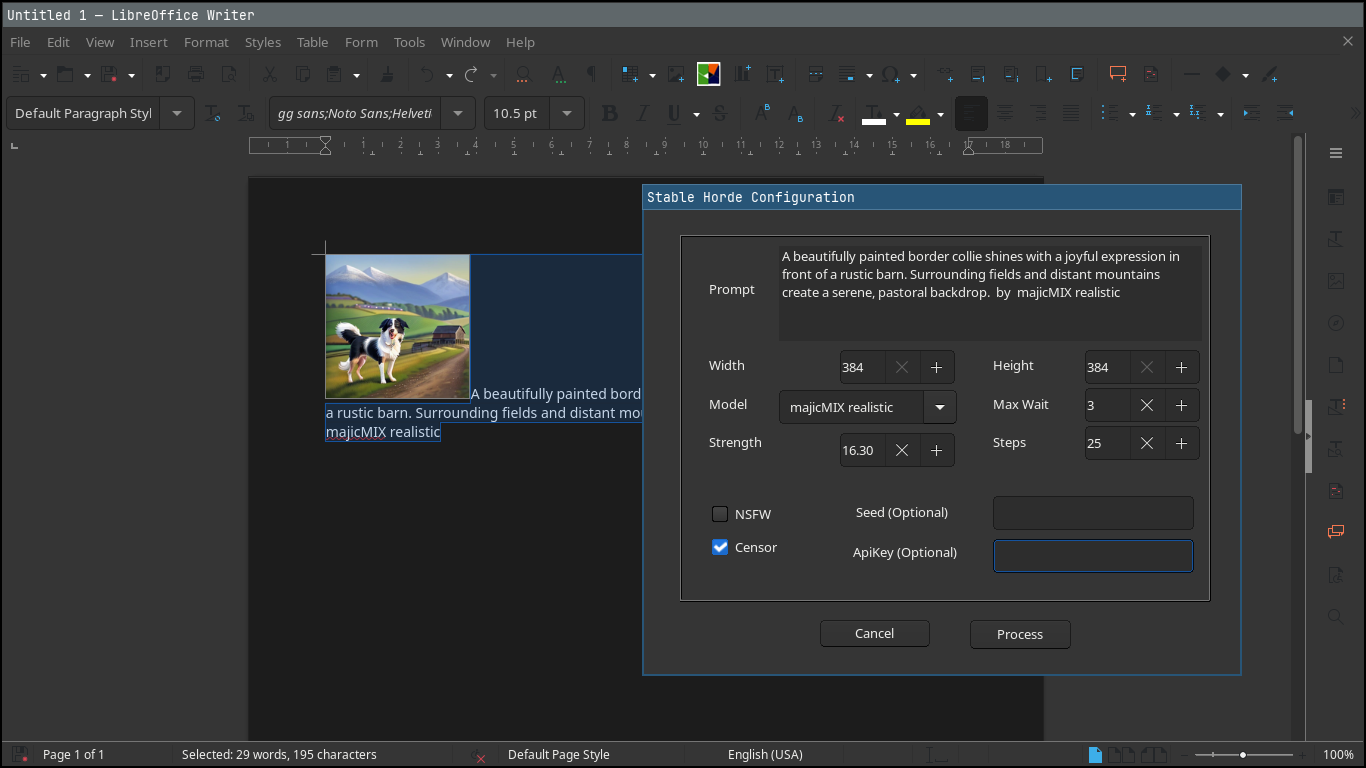
Screenshot of Stable Diffusion extension for LibreOffice

LibreOffice does not include artificial intelligence (AI) out-of-the-box. But many users want AI features in the suite – so we encourage developers to make them available as optional extensions. And that’s what Igor Támara did, creating the “Stable Diffusion for LibreOffice” extension for AI-generated images powered by AI Horde (a volunteer crowd-sourced distributed cluster of image generation workers).

We talked to Igor about the extension – here’s what he had to say:

What does the extension do?

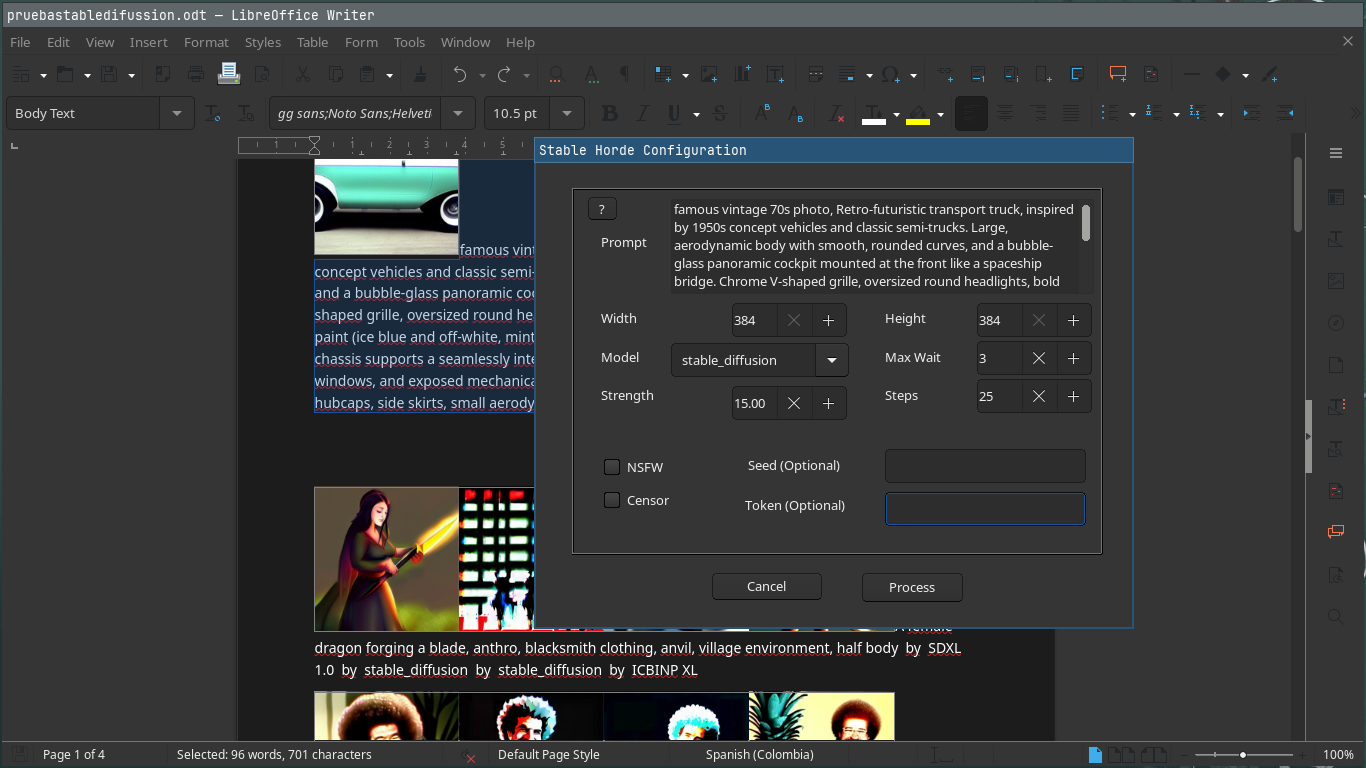
You write some text describing an image, and get an AI image generated from the given text. You can tweak parameters, choose a model and use the best result on written documents, presentations or the place you prefer. The images are generated on volunteer GPUs through AI Horde.

When did you start working on it?

Two weeks ago, starting from a Gimp plugin as a base. I’m brand new to the LibreOffice project, and started it as a macro to get this functionality in the software. One week later I put it on GitHub.

Later on I got help from friendly people on the forum to turn it into an extension. I also joined the the chat and filled some requests in the bug tracker.

What are the current limitations, and what’s coming next?

Be aware that the text you provide is sent to AI Horde and seen by the machines that create the image, so do not send sensitive data. Also, you can get better results if you send the description of the desired image in English. You are encouraged to try different languages to see the results.

You need internet connection to use it. If you wanted to create images locally on your machine, it would take time to configure your environment with local AI models, with gigabytes of memory dedicated to this purpose, and maybe processing for hours to get something useful.

Sometimes the text can be marked as NSFW (“not safe for work”) – in which case you end up with black and white text saying so.

For now, the extension works in Writer and Impress; when invoked from other LibreOffice components, it opens a new text document and inserts the image along with the provided text.

The roadmap includes:

  • Translating the plugin to other languages
  • An option to pre-translate the text to English
  • Better integration with LibreOffice Calc and Draw
  • Earn kudos, rating the images to have more priority when requesting an image

Screenshot of Stable Diffusion extension for LibreOffice

How can others help to improve it?

Report any problems you find, and help to translate into your language. Please do so by filling an issue with your intention saying which language.

If you have a GPU (and good graphics hardware in general), you can volunteer as a worker joining the horde, to add to the computing power – and you can earn kudos to have higher priority when you need it.

If you work with a friendly company that wants to make use of the existing hardware, you can join the horde too.

One of the purposes of AI Horde is to aid education, having a special program for that.

This plugin and AI Horde are all open source, so everyone can learn and be as transparent as possible in this changing and revolutionary world of AI times.

There might be concerns about the use of products and the ownership of work. As I see it, we are always learning by example and reusing what others have invented from thousands of years ago, like how to walk, make fire, communicate, explore, recreate and mix. We can continue to learn and make fair use of resources – and contribute too.

Click here to get the extension

localwriter: An optional LibreOffice Writer extension for local generative AI

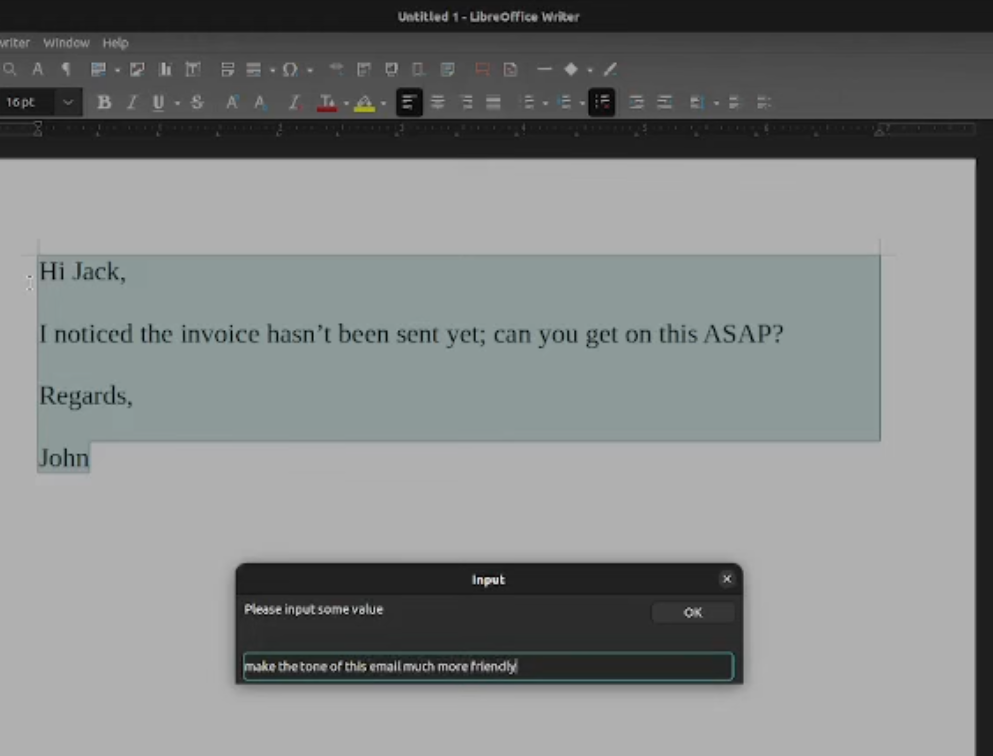
localwriter screenshot

LibreOffice is a privacy-oriented office suite that runs on your own computer and doesn’t include AI features out-of-the-box. But we know that many users are interested in combining AI tools with the suite, so we talked to John Balis who is working on a (fully optional!) LibreOffice extension called localwriter. Here’s what he had to say…

What does the extension do?

Localwriter is a libreoffice writer extension to allow for inline generative editing with local inference. It can be used with any language model supported by Ollama or text-generation-webui. This extension adds two powerful commands to LibreOffice Writer:

  • Extend Selection – Uses a language model to predict what comes after the selected text. There are a lot of ways to use this. Some example use cases for this include, writing a story or an email given a particular prompt, adding additional possible items to a grocery list, or summarizing the selected text.
  • Edit Selection – A dialog box appears to prompt the user for instructions about how to edit the selected text, then the selected text is replaced by the edited text. Some examples for use cases for this include changing the tone of an email, translating text to a different language, and semantically editing a scene in a story.

When did you start working on it?

I started working on localwriter in July 2024, because I wanted an AI tool to assist with my writing that would benefit from the intrinsic advantages in terms of availability (can’t lose access), confidentiality (doesn’t leak data), and integrity (no surprise model version changes) that come with using a fully open source local AI stack instead of a third-party API. I feel it is really important to embrace learning to benefit from artificial intelligence without sacrificing agency, and this software follows from that line of thinking.

What are the current limitations, and what’s coming next?

localwriter currently only supports LibreOffice Writer, although Calc support is in development and will be offered in the next release. Another limitation is that it does not support streaming, and does not offer a “Chat with document” feature.

How can others help to improve it?

There are a ton of open feature requests in the repository from several users, which should be really easy for an experienced LibreOffice extension developer to complete. I can easily set up anyone interested with a task to work on. Tests would be welcome, as currently it doesn’t have any tests. Also, donating to me helps me allocate my own time towards development.

Get the extension here

Try our updated Extensions and Templates site!

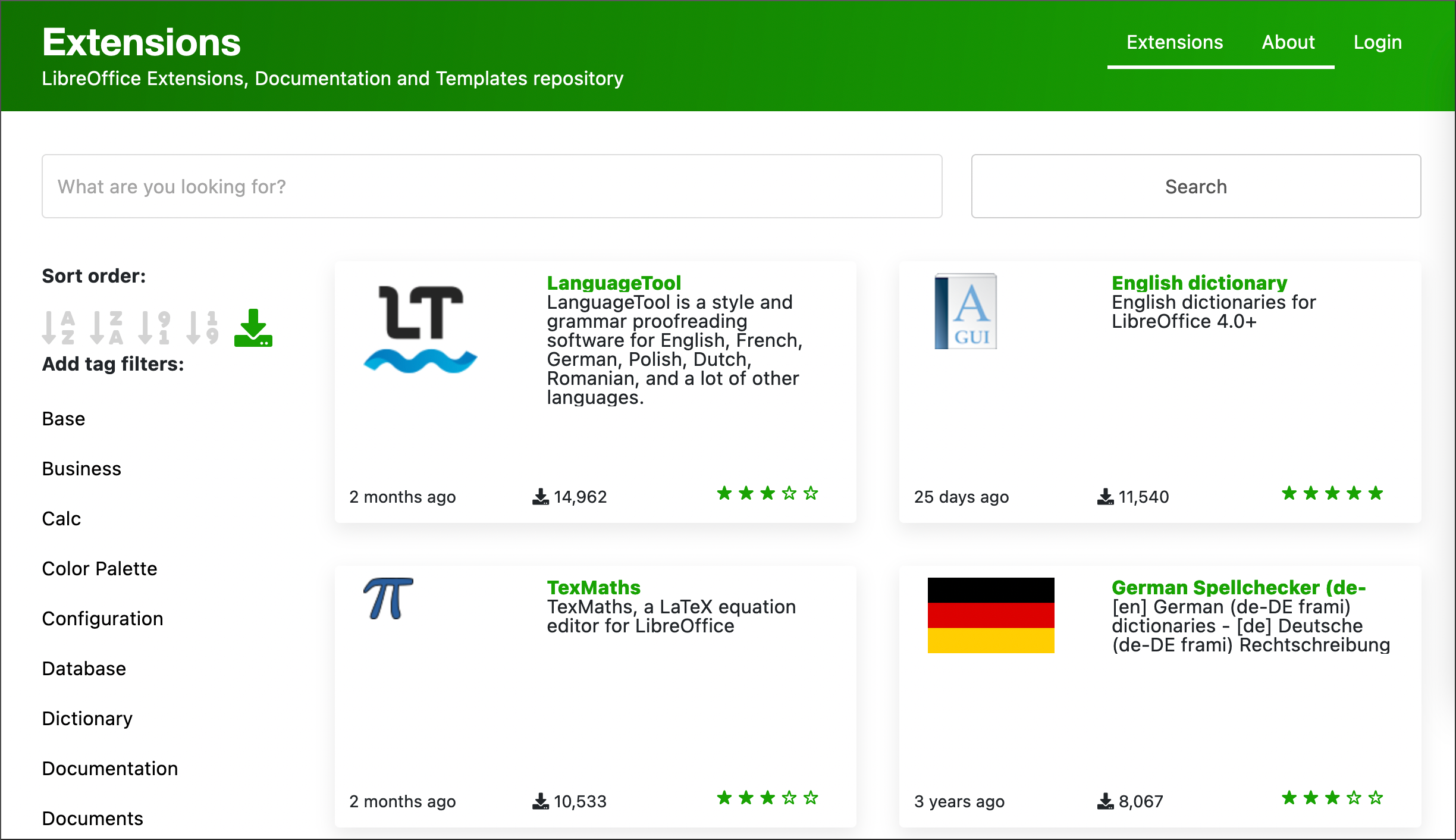
Screenshot of LibreOffice extensions and template website

LibreOffice includes a wide range of features, covering most use-cases. But it also supports extensions for more functionality, and our worldwide community has submitted hundreds of great extensions (and templates).

Recently, our new Web Developer Juan José González (aka “JJ”) improved the design of the site, to make it more usable and visually appealing, including:

  • Counters for number of downloads
  • A more prominent search bar
  • Tag filters in a menu on the left
  • Larger sort order buttons
  • Easier to read dates of last update (e.g. “2 months ago”)

Explore the new site here! If you notice anything that could still be improved, please report it on our tracker.

And a huge thanks to all extension and template maintainers – you’ve done the biggest work on the website.

Create and submit an extension

Interested in making an extension and sharing it with the world? It’s a great way to learn about LibreOffice development. Here are some guides to get started:

Lox365 extension: XLOOKUP (and more) for LibreOffice Calc

More news from the LibreOffice subreddit! User goose_pirate posted about an extension:

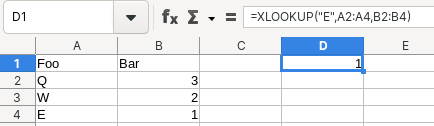
Hi everyone, I made this little extension for LibreOffice Calc which adds a few functions, currently FILTER, SORT, and XLOOKUP. I hope others will find this as useful as I do.

XLOOKUP is a function for finding things in a table by range or row. We asked goose_pirate for a bit of background on the extension:

I’ve been using both Excel and LibreOffice for many years and found the new(er) Excel functions like XLOOKUP to be really nice compared to the old VLOOKUP or INDEX MATCH. I wanted to use it in LibreOffice too, so I wrote this extension.

How I made it: I researched information about LibreOffice extensions, dissected a few such extensions made by others, and finally started my own. It wasn’t too bad, I was surprised no one has made something similar yet.

Great work, goose! 😊

Learn more and download here (in the “build” folder)

LibreOffice extension to remove blank cells – Help to improve it!

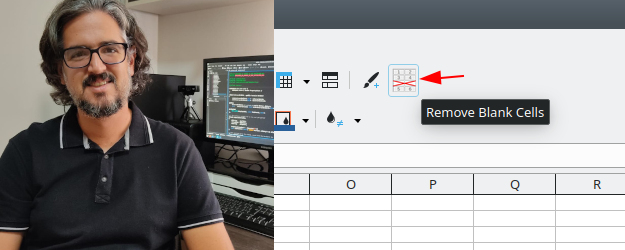
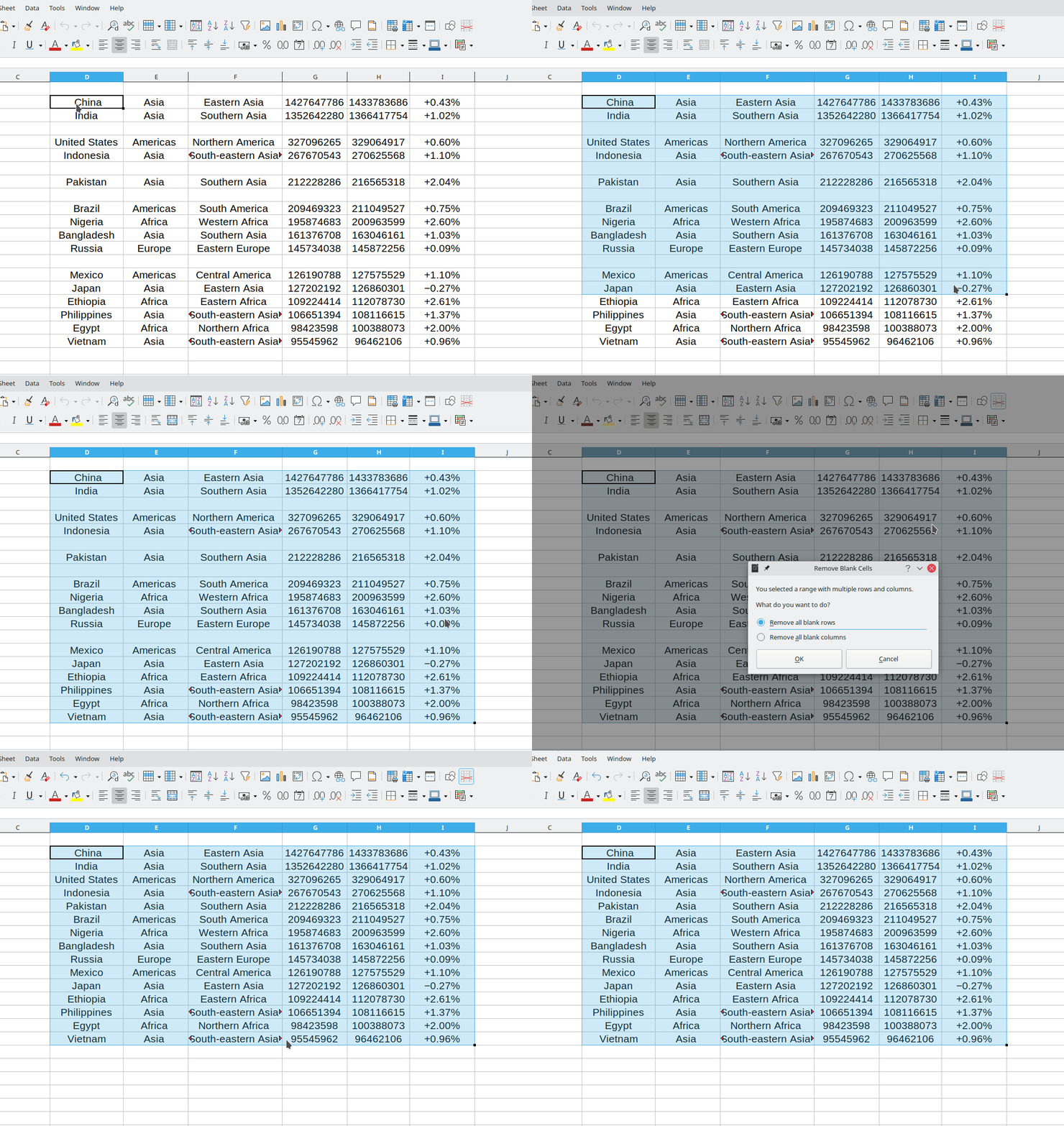
Rafael Lima from the Brazilian LibreOffice community is working on an extension to remove blank cells in LibreOffice Calc. It has four modes (single column, single row, blank rows and blank columns). Here’s a quick animation of it in action:

So far, the main functionality is there, but Rafael would like to improve it. We asked him for some more info…

What does the extension do?

The main purpose of this extension is to remove blank cells to easily compact data. For instance, suppose you have a table with data and then you delete the contents of some rows. The next thing you might want to do is remove these blank rows to compact your table. By using the Remove Blank Cells extension this can be done with a single click.

Currently the extension supports four modes to remove blank cells. The simplest one is when you select a single row or column, then the extension will detect the selection and compact the data removing all blank cells. However, if a matrix is selected, then a message will be displayed and you can choose if blank rows or blank columns are to be removed.

When did you start making it?

I started writing the extension in February this year and finished the first version in less than one month. Then I kept testing it and working on improvements and the final version was finished in July.

At first the extension focused on my use case, because in my work with data analysis I often have to remove blank rows and columns. However, after seeing many people asking about how to remove blank cells in LibreOffice, I decided to pack it and make it available for everyone since it might be useful for other people.

What are the current limitations of it?

The main limitation of the extension is when the user wants to process very large tables (with tens of thousands of rows), which might take some time to finish. In these cases a progress bar is shown so the user can keep track of the data processing.

Moreover, the extension still does not support translations, so the user interface is only available in English. I plan to support translations in the next release.

How can people help to improve it?

Because this is the first released version of the extension, I would appreciate having more people testing it and reporting issues on the extension’s GitHub page.

I would also like to invite the community to create a better icon for the extension, so that it would be more in line with the default icon theme in LibreOffice.

In the future I will also need some assistance with translating the extension’s strings.

So, everyone is welcome to try out the extension – and if you have some technical knowledge, jump in and help Rafael and the community to improve it! Check out the wiki for more information on extension development.