This year, LibreOffice was once again a mentoring organization in the Google Summer of Code (GSoC) a global programme focused on bringing more student developers into free and open source software development. We ran six projects – and all were finished successfully. Students and mentors enjoyed the time, and here we present some of the achievements, which should make their way into LibreOffice 7.1 in early February 2021!
You can experiment with the new functionality by using daily builds and report any problems in our bug tracker.
Styles Inspector for Writer by Shivam Kumar Singh
Mentors: Tomaž Vajngerl, Mikhail Kaganskiy (Collabora)
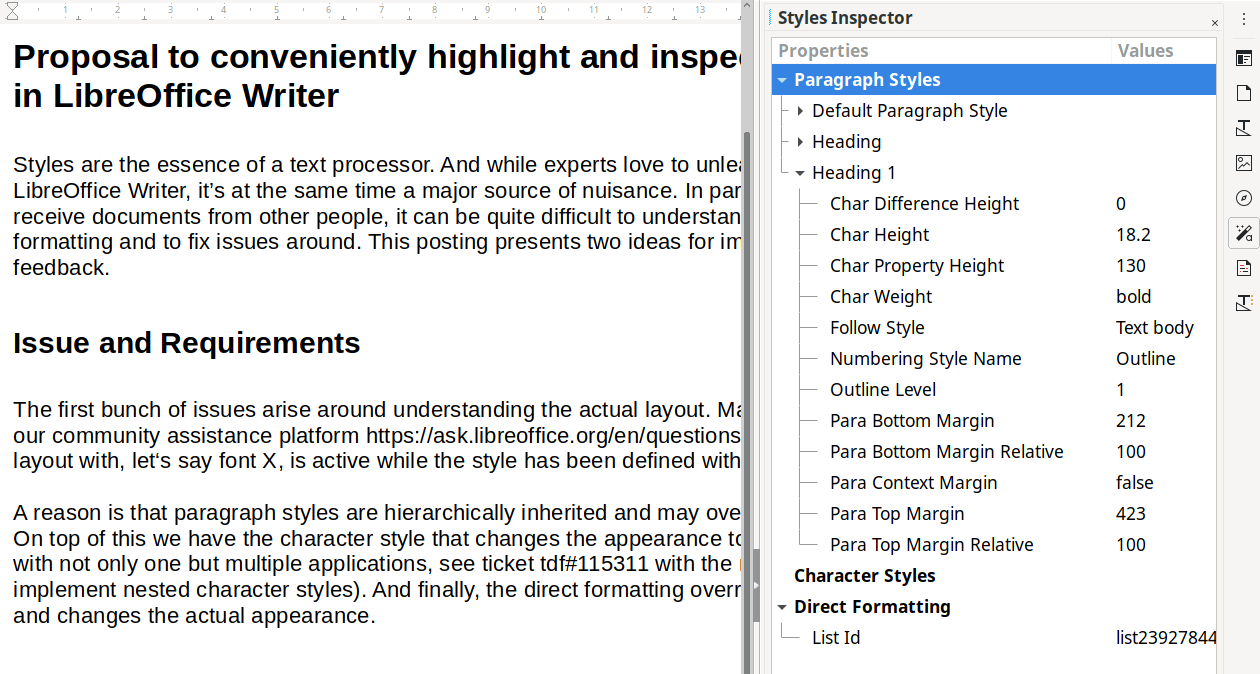
Dealing with styles and formatting in complex documents can become tedious, especially when you are working on something you did not create yourself. The Styles Inspector implemented by Shivam conveniently displays all the properties of the elements making up a document. It will surely become an essential tool for Writer experts.
Learn more about the Styles Inspector in the final report.
Additions – Tight integration of extensions by Yusuf Keten
Mentor: Muhammet Kara (Collabora)
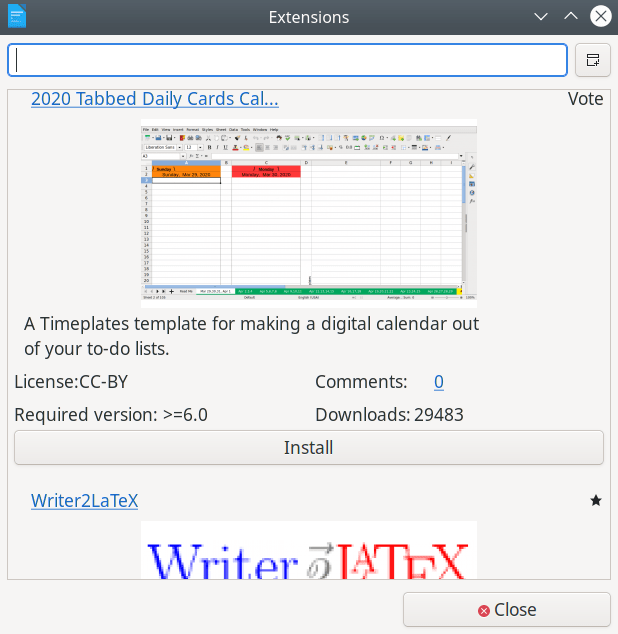
Thanks to the work of Yusuf, users are now able to fetch extensions, templates and other resources as well as discover guide books without ever leaving LibreOffice.
Learn more about Additions in the final report.
Extending the UI testing framework by Ahmed ElShreif
Mentor: Markus Mohrhard
A domain-specific language (DSL) for LibreOffice’s Python-based UI testing framework was originally implemented by Saurav Chirania in 2018. Ahmed ElShreif continued the work in 2019 and now tackled further improvements in the DSL and in the testing framework itself. This means that the automated quality assurance system is better at preventing bugs from slipping into LibreOffice.
Learn more about the UI testing project in the final report.
Impress shape animations with a real physics engine by Sarper Akdemir
Mentor: Thorsten Behrens (CIB)
Sarper added the ability to enrich presentations with animations powered by the physics simulator engine Box2D.
Please confirm that you want to play a YouTube video. By accepting, you will be accessing content from YouTube, a service provided by an external third party.
If you accept this notice, your choice will be saved and the page will refresh.
Learn more about the physics engine project in the final report.
Moving the gallery code to a friendly format by Aditya Sahu
Mentors: Tomaž Vajngerl, Michael Meeks (Collabora)
It was not simple to work on galleries due to them being stored in a custom binary format. Now Aditya got us out of this unfortunate situation and designers will have a much easier time.
Learn more about the gallery project in the final report.
Blurry shadows by Ahmad Ganzouri
Mentors: Tomaž Vajngerl, Miklos Vajna (Collabora)
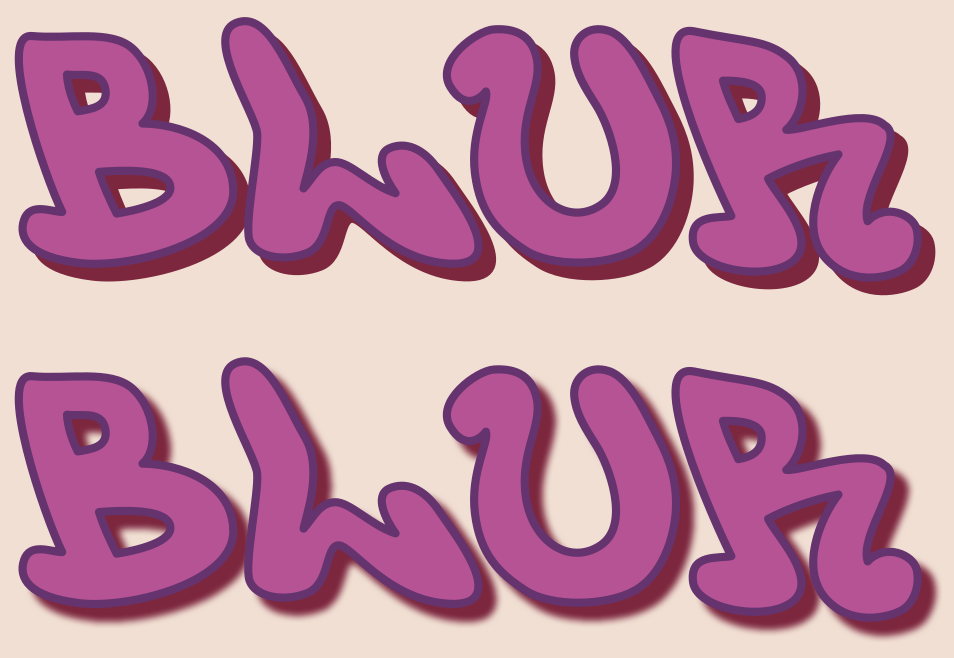
Shapes and objects in LibreOffice used to only support hard shadows. Now Ahmad implemented proper blurriness for the shadows, supporting both ODF and OOXML formats.
Learn more about blurry shadows in the final report.
Wrapping up
Many thanks to all students who spent their summer time improving LibreOffice. You are awesome! And special thanks also to the mentors who always put so much love and energy into these tasks. That‘s what makes LibreOffice rock.
Now we are looking forward to next year’s GsoC. If you are interested, why not prepare early? Learn more at out wiki page where some ideas are listed. Participating in GSoC is a great way to build your skills, and show future employers what you’re capable of!