The Document Foundation (TDF) is the non-profit entity behind the world’s leading open source office suite, LibreOffice. We are truly passionate about free software, the open source culture and about bringing new companies and people with fresh ideas into our community, especially as we are about to enter the second decade of our project.
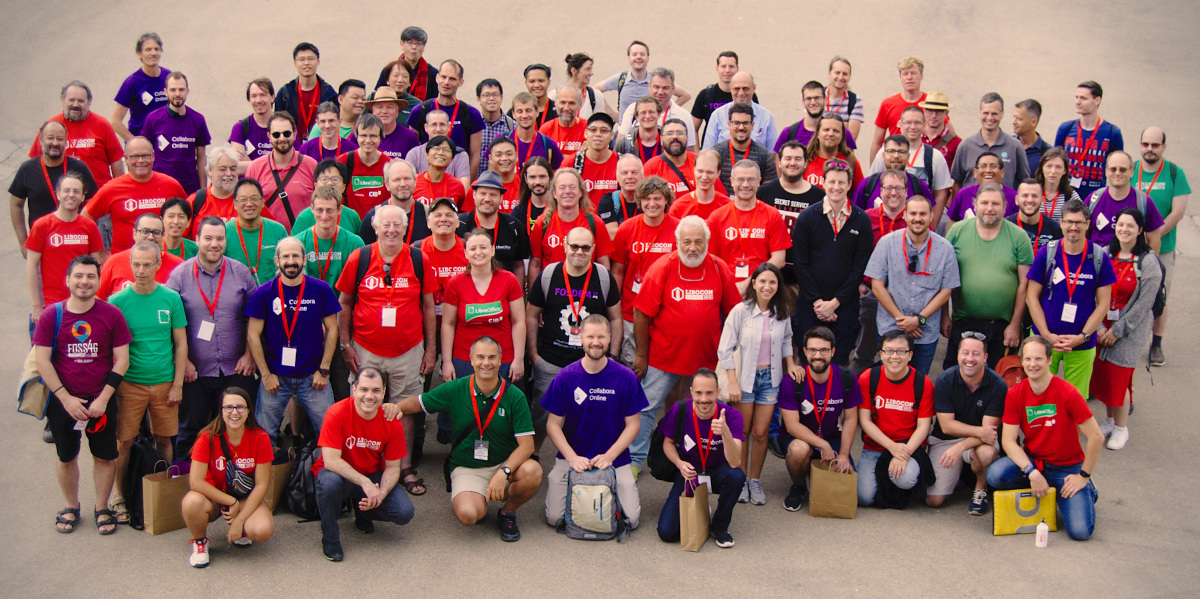
To grow the LibreOffice community and to enlarge the associated ecosystem, together working on office productivity for over 200 million users around the globe 🌎, we’re searching for a Developer Community Architect (m/f/d) to start work as soon as possible.
As our future Developer Community Architect, you work with a great team of currently eleven to:
-
Attract new contributors by promoting the LibreOffice project
-
Identify and onboard them, by building relationships between new coders and the community
-
Introduce them to our communication channels where they meet fellow co-hackers
-
Affirm and encourage everyone’s contribution and show community members ways to grow
-
Bring skilled contributors in contact with existing experts in the various fields for even deeper learning
To succeed in this new role, you ideally already have some of the following skills:
-
Previous experience in remote work
-
Self-driven and an excellent team player, who is interested in working as part of our team
-
Patience and kindness to work with potential contributors of various skill levels
-
Been a long-time contributor to one or more FLOSS communities, with coding experience in at least one FLOSS code base – ideally LibreOffice, of course! 🙂
-
Demonstrable C++ coding experience of at least five years, or a comparable language like C#, plus active knowledge of at least one more language used in LibreOffice, like Python or Java
-
Excellent communication abilities, that help you transport your enthusiasm for LibreOffice and our community
-
A quick learner with good self-starting capabilities (demonstrable quick learning is a good compensation for immediate lack of LibreOffice knowledge!)
-
Experience in web development and/or mobile technologies is a plus
-
When possible again, willingness to regularly travel to Hackfests and conferences in Europe and globally. In the meantime, you are excited to create virtual events on a regular basis, with the excellent infrastructure offered by TDF.
-
Fluent written English for e-mail and chat, with good speaking and comprehension is a mandatory requirement. Fluency in another widely-used language like e.g. Spanish or Mandarin would be considered an advantage.
Here’s how a typical day in your new role might look like:
You start your day by looking in Gerrit for unreviewed patches. There, you help to onboard new contributors, by positively reviewing their code contributions, which also involves syncing the coding style of their patches with LibreOffice’s. Your goal is to work with them and help them grow their skills where needed, like C++ programming, design and coding, and encourage them to bring up their own ideas how to implement a new feature or fix a bug in the codebase – in short, you are their guide to make their ideas become a reality. Especially for new contributors, you will introduce them not only to our community culture, but also to our variety of tools, which you regularly review and make proposals to improve or unify them.
One way to attract new contributors is to lower the entry barriers. You design and define easy tasks (“Easy Hacks”) for coders, that help them to learn about the code, our toolchain, the LibreOffice build system and leads them step by step into growing mature in the repository, so that they can ideally work on more advanced tasks.
Apart from the individual mentoring, an important part of your role is about knowledge sharing with the general public by writing and updating our technical documentation, like the developer guide, our wiki articles and also code comments. You master that thanks to your ability to write comprehensive texts for technical people.
The role you will fill gives you a lot of freedom and flexibility to shape our mentoring program. That requires you to work goals-oriented and with a laser-sharp focus to grow excellent LibreOffice core contributors. As our successful Developer Community Architect, you will come up with creative ways of finding and attracting volunteers who will stay in the community!
All jobs at The Document Foundation are remote jobs 🌟, where you can work from your home office or a coworking space. The work time ⌚ during the day is flexible, apart from very few fixed meetings. The role is offered both as part- or fulltime, with the option to grow the hours later, just as you grow into your role.
Are you interested? Get in touch! We aim to schedule the first interview within two weeks of your application. You can also approach us anytime for an informal chat to learn about the role or in case of questions – and you can directly join our virtual FOSDEM DevRoom on February 7 to see what’s going on in the community!
TDF welcomes applications from all suitably qualified persons regardless of their race, gender, disability, religion/belief, sexual orientation or age. Don’t be afraid to be different, and stay true to yourself. We like you that way!
We are looking forward to receiving your application, including information about you, when you are available for the job, and of course your salary expectations. Please send us an e-mail to mentor.application@documentfoundation.org by February 18, 2021. A final decision for the role will be made by March 18, 2021.
Note: We do not accept agency resumes. Please do not forward resumes to any recruiting alias or employee.