Google Seasons of Doc 2020: Extensive Calc Functions Description is there.

The Calc Guide for LibreOffice release 6.2 contained a lengthy appendix (70 pages) devoted to the 500+ functions available in Calc, providing a shallow list of the functions and their arguments. During the update of the document for release 6.4 in 2019, the Documentation Team agreed that it would be better to move this list to an online service, and as part of this move, to enhance the function descriptions by adding more examples, use cases and collateral information on standards, compatibility and more.

That situation provided an opportunity for us to create a documentation project to submit to Google Season of Documents 2020 (https://developers.google.com/season-of-docs), an initiative by Google to create, enhance and extend the documentation of open source projects worldwide such as LibreOffice.

The Document Foundation applied to the program on behalf of the LibreOffice Community and submitted several ideas for documentation, which included the Extensive Calc Functions Wiki pages. The Foundation received several applications, containing important information including the technical writer’s resumés, proposals for project schedule and suggested deliverables. After a careful evaluation by the project mentors, the Foundation retained the application of Ronnie Gandhi (@Krezhairo) a computer science undergraduate student enrolled at IIT Roorkee, India.

The project was targeted for three months work and ended in early December 2020. Steve Fanning, who had already worked as coordinator of the Calc Guide, served as mentor with Olivier Hallot as second mentor. Ilmari Lauhakangas and Olivier managed the administrative aspects of the project on behalf of The Document Foundation.

Monitoring the project was an important part of the task. There was frequent correspondence on the Documentation Team’s mailing list to discuss the detailed technical aspects of the work. In addition, Ronnie, Steve and Olivier met online once each week for follow-up discussions and resolution of any issues. To maximize the benefit of the opportunity provided by Google, it was decided to improve the wiki page contents with

  • Statements describing each function’s compliance with the Open Document Format for Office Applications (OpenDocument) Version 1.2 specification
  • Extra use cases and examples
  • Illustrations when applicable
  • External references for further reading
  • Identification of equivalent functions in other spreadsheet software

A useful side-effect of the project was the identification of several potential areas of improvement for Calc’s help files and the exposure of a software issue in two rarely used functions! In addition, Ronnie was able to present his work at the openSUSE + LibreOffice Virtual Conference in October 2020 and hopefully gained some insights into the role of a Technical Writer.

We are grateful for the work that Ronnie was able to carry out during this task. As all documentation related to software development, the Extensive Calc Functions Wiki is open for further improvements. If you would be interested in helping, please get it touch through the Documentation Team’s mailing list.

Access the Extensive Calc Functions Description in the Document Foundation wiki at https://wiki.documentfoundation.org/Documentation/Calc_Functions.


Happy documenting!

Introducing the ScriptForge Basic Libraries

The arrival of the ScriptForge Libraries will greatly help macro programming in LibreOffice.

By Jean-Pierre Ledure

What is ScriptForge?

ScriptForge libraries are an extensible and robust collection of macro scripting resources for LibreOffice to be invoked from user Basic macros. Users familiar with other BASIC macro variants often face hard times to dig into the extensive LibreOffice Application Programming Interface even for the simplest operations. By collecting most-demanded document operations in a set of easy to use, easy to read routines, users can now program document macros with much less hassle and get quicker results.

ScriptForge abundant methods are organized in reusable modules that cleanly isolate Basic programming language constructs from ODF document content accesses and user interface(UI) features.

What is in ScriptForge?

ScriptForge libraries hold:

  • an extensive set of primitives for array handling, including sorts, set operations and interfaces with csv files
  • an extensive set of primitives for string handling, including replacements, regular expressions, encodings, hashing and localization
  • a Dictionary mapping class
  • a class to help internationalize Basic scripts
  • a coherent error handling for both user and ScriptForge scripts
  • complete FileSystem and TextStream classes for file and directory handling, plus text files read & write
  • detailed context information: platform, operating system, directories, …
  • interconnection between Basic and Python modules

Document-based and UI ready-made examples help overcome LibreOffice Application Programming Interface (API) steep learning curve. They offer easy access to and management of actual windows and documents, with specific modules for automation on Calc sheets, cells and ranges of cells, management of dialogs and their controls and access to data contained in databases, among many other services.

The described features are invoked from user scripts as “Services” that can be extended. ScriptForge libraries build up an extensible ecosystem that combines with standard libraries, libraries published as extensions or libraries distributed as enterprise extensions.

What else?

ScriptForge libraries documentation is undergoing review and translation and will be available from LibreOffice 7.2 onwards, but you can use ScriptForge services and scripts right away with LibreOffice release 7.1. A glimpse of the ScriptForge documentation is already online at this Help page.

A lecture on ScriptForge was delivered by Jean-Pierre Ledure at the LibreOffice 2020 conferenceA PDF presentation document is available for download.

ScriptForge is a community contribution by Jean-Pierre Ledure, Alain Romedenne and Rafael Lima.

Scripting LibreOffice macros with Basic just got easier with ScriptForge libraries!

The round-the-world trip to fix a bug

A little story: The beauty of planet-wide collaborative work in LibreOffice

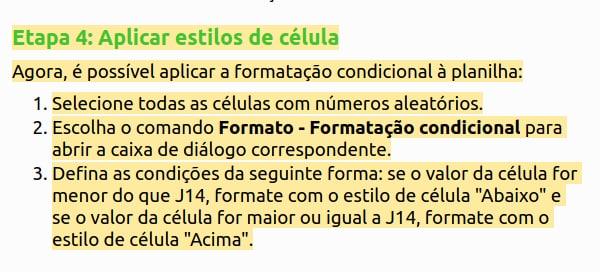
Mrs. Vera Cavalcante (@veracape), from Brazil, a long-time contributor for the Portuguese documentation on LibreOffice, was reviewing the translation of the Calc Guide and double-checking the translated text, with respect to the current user interface and the Help pages. Vera noticed that the Help pages on conditional formatting were not correct any more, and reported in the Brazilian team Telegram group (Bugzilla is still very hard for non-native English speakers).

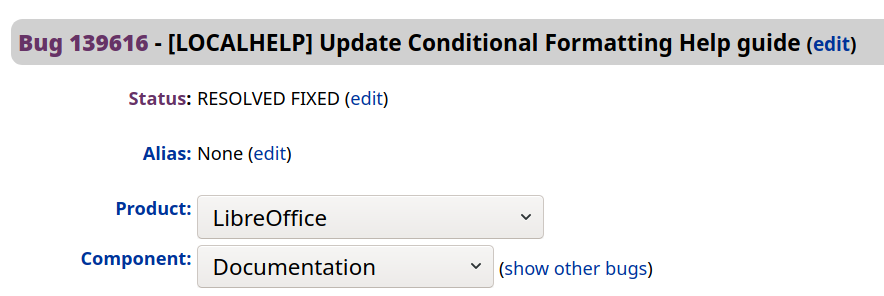
The message hit Olivier Hallot (@ohallot) from the LibreOffice documentation coordination team (and Brazilian community member), who reported the bug in LibreOffice’s Bugzilla, for later fixing. LibreOffice’s outstanding quality depends on good quality and numerous errors reports to be submitted properly, for improvements and fixing defects. There is no point leaving a bug unreported.

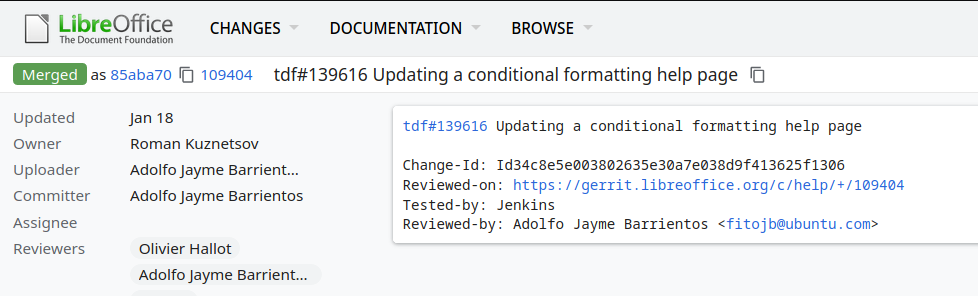
The topic was of special interest of Roman Kuznetsov (@kompilainenn) from Russia, who already wrote documentation about conditional formatting. Roman wrote the fix, and submitted a patch in Gerrit (the service that controls the code corrections in LibreOffice)…

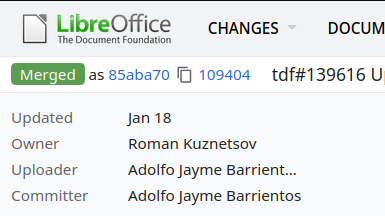
…and Adolfo Jayme Barrientos (@fitojb) from Mexico reviewed and approved the patch for merging in the main Help code.

End result: LibreOffice’s Help page fixed!

The LibreOffice Calc Guide 7.0 Just Arrived!

The LibreOffice Documentation Team is happy to announce the availability of the LibreOffice Calc Guide 7.0, the most comprehensive guide for the Calc module, updated to the latest version of LibreOffice.

The Guide is available in PDF format and contains 545 pages, covering all basic and advanced features of the spreadsheet module of LibreOffice, and is a must-read book for exploiting the maximum of LibreOffice Calc.

(more…)

LibreOffice Math Guide 7.0 is Published

The Math Guide 7.0 is the first book published based on LibreOffice 7.0

The Documentation Team is happy to announce the publication of the Math Guide 7.0, the latest update of the guide based on the recently released LibreOffice 7.0, the best open source office suite ever.

Math Guide 7.0

The effort was mostly carried by Rafael Lima and reviewed by Jean H. Weber. The new guide covers were designed by Rizal Muttaqin and Drew Jensen. The final publication was carried by Olivier Hallot.

“I work as a university professor in Brazil and I often write papers and prepare presentations that involve mathematical models and notation, and for that I’ve been using LibreOffice Math for over a year. When I read about the Documentation Team on a TDF blog post and learned that the Math Guide needed a volunteer, I felt it was my chance to contribute back to the LibreOffice project” said Rafael Lima, leader of the project. “The experience was seamless and it has been a pleasure working with the Documentation Team. Now I am looking forward to continuing contributing to the project, not only with the Math Guide, but also in other publications developed and maintained by the team.” he added.

Rafael Lima

The new Math Guide is available at the documentation website at https://documentation.libreoffice.org and the source files are on the LibreOffice wiki at https://wiki.documentfoundation.org/Documentation/Publications#LibreOffice_Math_Guide

Happy documenting!