Free Software – It’s about much more than zero cost

Today we’re celebrating I love Free Software Day, where we say a big thank you to the developers and maintainers of free software projects around the world. You are awesome!

One such project is LibreOffice, of course – but what does “free software” actually mean?

Well, from a purely practical perspective, it means that you can get it without paying for it. That’s nice, but free software doesn’t come out of nowhere: certified developers in the LibreOffice ecosystem need funding to keep adding new features, and The Document Foundation (the non-profit that oversees LibreOffice) appreciates donations to manage the project, organise events and share knowledge.

But “free” means a lot more

When we talk about free software like LibreOffice, we’re talking about fundamental freedoms:

  • The freedom to run the software as you wish, for any purpose
  • The freedom to study how the program works, and change its source code
  • The freedom to redistribute copies so you can help your friends and colleagues
  • The freedom to distribute copies of your modified versions to others, so that they can benefit

Fundamental to this is the license under which the software is made available. LibreOffice is released under the Mozilla Public License Version 2.0, a free and open source license that lets everyone share the program – and gives everyone the right to study how it works and modify it.

Help to spread the message

LibreOffice users help to spread the word about LibreOffice to friends, family and colleagues, and we’re incredibly grateful for that. When you introduce someone to LibreOffice and highlight the low cost, you can also mention these freedoms too – the freedom to use your computer how you want, and not be controlled by any software company.

To learn more, check out the Free Software Foundation Europe’s page about free software. It’s a great overview of the social benefits that it beings.

And finally, a bit of fun

Here’s a great image from Elektrollart, made up of logos from many free and open source software projects. How many of them can you recognise? And can you find LibreOffice in here?

Show your love for free software using LibreOffice Draw

Free Software Foundation Europe has developed an “I Love Free Software” template for the upcoming Valentine Day, to allow free open source software advocates to express the reason why they love FOSS, and they support it as volunteer contributors, or as simple users. FSFE template was developed using Inkscape, which is an outstanding FOSS application to create and manage vector images, but is also rather difficult to use if your graphics skills are limited. So, I imported the Inkscape SVG template into LibreOffice Draw, and tweaked it a bit by using Liberation Sans and Liberation Sans Narrow fonts – which are installed by LibreOffice and as such are always available to LibreOffice users, and by replacing the lines of text with a text box, to make it easier to write the personal notes and the name. I have also added a text box with instructions on how to fit the user portrait inside the heart shape, which is a rather easy operation with LibreOffice Draw.

Here you are. This is my FOSS Valentine made with LibreOffice Draw (and if you wonder why the font looks different, it is because I replaced Liberation Sans with IBM Plex Condensed, a different FOSS font, as I wanted to fit a longer text into the text box). You can download the LibreOffice Draw template from this link (the file is a Hybrid PDF, so you have to open LibreOffice and then open the file from LibreOffice, as otherwise the file opens as a regular PDF and cannot be edited as a LibreOffice Draw template).

Make better presentations with the Impress Guide 7.0

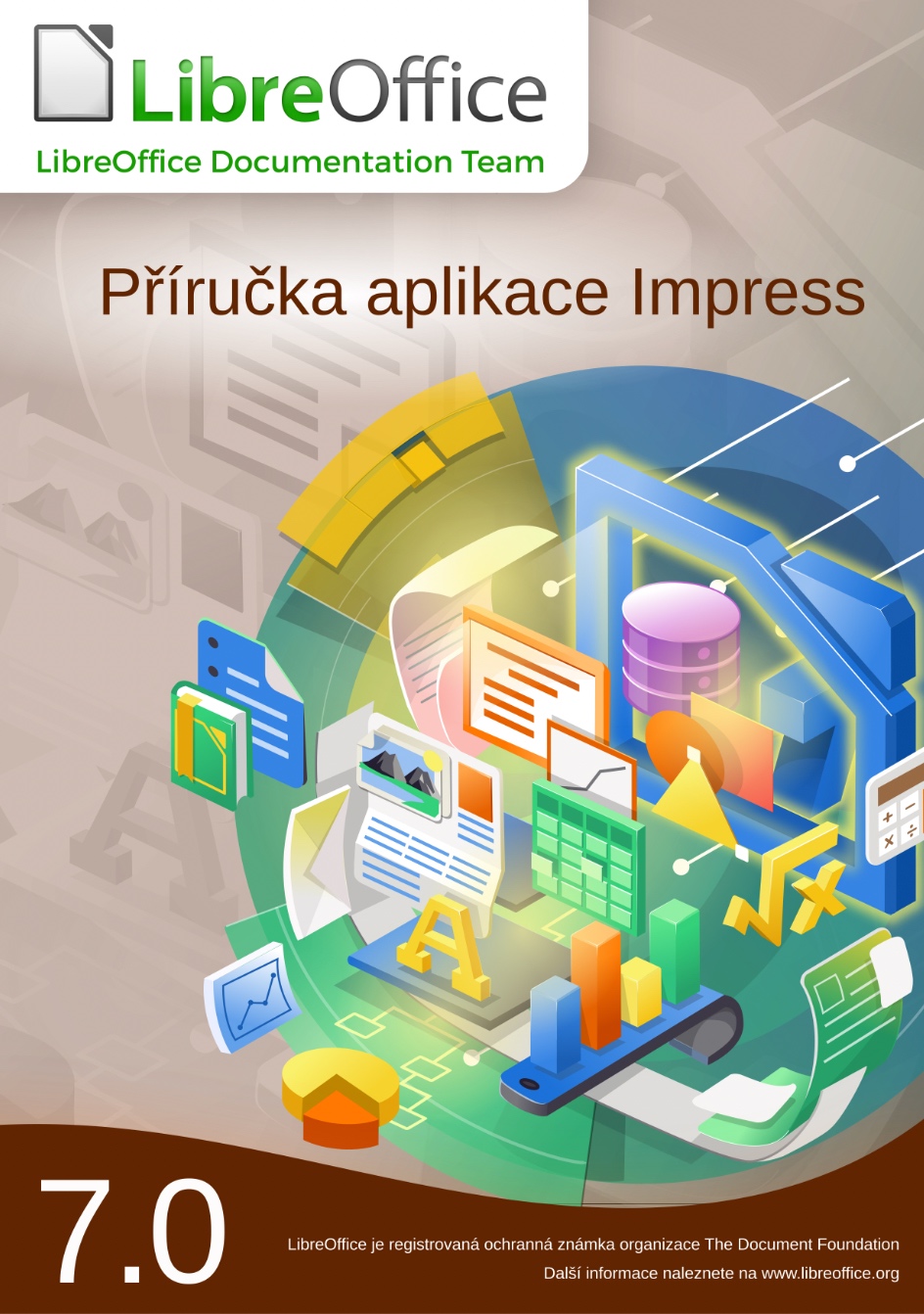
Do you use LibreOffice Impress? Want to do more with your presentations? Check out the brand new Impress Guide 7.0 update, created by our awesome documentation community:

This 330-page book explores the basics of Impress, before moving on to master slides, styles, templates, graphic objects, effects, exporting in various formats, and much more. Download the PDF version here!

Who made this happen?

Answer: our community! Many thanks to Peter Schofield, Felipe Viggiano, Claire Wood, Regina Henschel, Dave Barton, Jean Hollis Weber, Samantha Hamilton and Olivier Hallot for their work on it.

We asked Peter to summarise his experiences as he updated the text:

I am experienced with LibreOffice in creating documents. Also, I have had over 30 years of experience as a Technical Writer in many fields of engineering, construction, electronics and software. However, I am not experienced in creating presentations, so writing the user guide was an experience and I now know more about creating presentations.

Did I enjoy it? Yes, because I enjoy having a challenge when writing instructions. Also, it gave me the opportunity to write the guide from the perspective of a novice in using presentation software. I do find that in some of the other LibreOffice guides, taking the novice view has been forgotten.

And what about newcomers to the documentation project – how can they get started? Peter adds:

The main tip for all contributors to LibreOffice is to write a software user guide assuming that a novice will be using the guide to help them become more experienced in using the software. Make it easier for users to understand, which will in turn make LibreOffice more popular as it gets recommended.

Write a user guide in a Simplified English, so that it becomes easier to translate and easier for non-English speakers to use an English-language user guide. Simplified English is used in the aviation industry and is a good standard to adopt for the LibreOffice team, but needs very tight control to be successful.

Thanks again to Peter and everyone else in the documentation team for the update. And everyone is welcome to give them a hand – it’s a great way to contribute back to LibreOffice, understand the software better, and build up skills for potential career options in technical writing!

[White Paper] LibreOffice Technology, the only software platform for personal productivity on the desktop, mobile and cloud

The most mature and capable code-base, outside of Microsoft, to interoperate with Microsoft’s proprietary document formats

LibreOffice Technology is the result of ten years of intensive activity on the software’s open source code, coordinated by the Engineering Steering Committee and carried out by developers, software engineers, security experts, and interface and user experience specialists of many affiliations.

The goal of this evolutionary process was to create a single software platform for individual productivity on desktop, mobile and the cloud: the only approach able to offer users the interoperability features that enable transparent sharing of all content, and independence from single commercial vendors and vendor lock-in strategies.

This is the opposite approach to all other proprietary and open core office suites, which have developed different versions for each platform trying to replicate the functionality, but only succeeding in part, so that – for example – the internal structure of documents (which is not visible to users) is different for each application.

The evolutionary process from product to platform

The source code inherited from OpenOffice – with a heritage stretching back decades – was too complex for the average developer and had a build environment that was difficult to create and manage. It was therefore essential to mentor new developers, to reduce the learning curve and speed up the process.

To help newcomers, senior developers invented “Easy Hacks”: simple tasks for people with little or no knowledge of the source code, with the twofold objective of easing the learning curve, and having a number of problems solved without spending their precious time.

Thanks to Easy Hacks, the project managed to attract new code contributors, create a strong base of new developers, increase the number of core developers, and also involve several new “star” contributors capable of working on challenging code cleaning and refactoring tasks.

In a short time, under the stewardship of LibreOffice’s Engineering Steering Committee, developers managed to reduce the software footprint, undertake a long awaited source code renovation with the removal of tens of thousands of lines of dead code (and a large number of deprecated libraries), simplify the build process to the point where it could be automated and translate the majority of German comments into English.

To support the process, the development infrastructure was enhanced with the integration of several components and the update or replacement of existing ones. Today, the process is based on automation – as much as possible – including tests, to free developers’ time for more demanding tasks.

The result is a source code base characterised by one of the lowest defect densities in the industry, according to static analysis tools such as Coverity Scan [1]. The density inherited from OpenOffice – 1.1 errors per 1000 lines of code – has dropped to 0.001, against an average of 0.71 for projects of the same size.

Overall performance was also significantly improved, especially when reading and writing large files in the ODF native document format and in DOCX, XLSX and PPTX proprietary file formats.

Once the bulk of the source code renovation process was completed, developers and UI designers worked on improving the user experience. They reorganized several menus, created new icon sets for Windows and macOS, improved existing icon sets, and extended the user interface options by adding a NotebookBar, with Tabbed, Grouped and Contextual variants.

Last but not least: LibreOffice – thanks to a huge community of volunteers active in localization – is the software for personal productivity available in more native language versions than any other application. Today, the software is released in 119 language versions, with 26 more in development.

New LibreOffice APIs and Scripting Libraries

LibreOffice’s APIs (Application Programming Interfaces) are known for their steep learning curve, which was considered an obstacle for the development of macros within LibreOffice, and for integration projects on mobile and cloud platforms. To solve this issue, developers have created the more accessible LibreOffice Kit APIs and ScriptForge scripting libraries.

LibreOfficeKit is a thin API that provides access to LibreOffice functionality via C/C++ or writing external apps, without having to compile or link to LibreOffice, or learn UNO – the office suite component model – or other complex languages. The Kit allows fast rendering of documents for any application.

ScriptForge is an extensible and robust collection of macro scripting resources for LibreOffice, which can be invoked from user Basic or Python scripts. They help to overcome the LibreOffice API’s challenges, as they offer easy access to and management of windows and documents, automation of Calc sheets, cells and ranges of cells, management of dialogs and their controls, as well as access to data contained in databases.

LibreOffice, a champion of interoperability

LibreOffice is the most versatile office suite in the market for interoperability, thanks to its outstanding level of compatibility with the OOXML Transitional proprietary file format – the majority of DOCX, XLSX and PPTX files – and to the large number of import and export filters for legacy file formats released by the Document Liberation Project [2].

Given the large number of proprietary Microsoft Office files generated by users, they are managed by teams of developers with specific skills.

Microsoft Office file are analyzed to spot issues and “roundtripped”: opened and edited with LibreOffice, and saved back in the original format to check for consistency, until all issues are solved and the result is the same, independent of the software used (the image shows the process for XLSX files, but the same applies to DOCX and PPTX).

Interoperability with proprietary Microsoft Office formats is further improved with every new LibreOffice release, to ensure transparent handling of documents independent to the format: standard ODF or proprietary OOXML.

Open Document Format, the true document standard

LibreOffice Technology is also the best platform for true interoperability thanks to the ISO-standard ODF (Open Document Format), the native file format inherited from OpenOffice. ODF is maintained and further developed thanks to The Document Foundation, which has established the independent COSM [3] project – the Community of ODF Specification Maintainers – to hold funds and retain editors for contributing to standardisation of ODF 1.3 and other future versions.

The ODF standard document format was designed in a vendor neutral manner from the ground-up, using existing standards wherever possible, to achieve a level of interoperability which is still unrivaled. ODF is robust and solid, and is consistent and predictable (i.e. the underlying XML code of the document will always be the same, independent to the program version, the hardware platform and the operating system, and this will make the document easy to visualize and manage on any device).

Products based on LibreOffice Technology

Today, there is a large family of products based on LibreOffice Technology, for the desktop (with community and enterprise-optimized versions), for the cloud, for Android and iOS, and for Chrome OS. LibreOffice Technology is also used within larger products to convert and process document formats. These products are released by different organizations and have different brand names, but share the same common engine to offer users the same unique advantages in term of interoperability, resiliency, robustness and security.

[1] https://scan.coverity.com/
[2] https://www.documentliberation.org/
[3] https://blog.documentfoundation.org/blog/2019/07/02/the-cosm-project/

LibreOffice Technology White Paper is also available as PDF: Download File

LibreOffice monthly recap: January 2021

Two days ago we announced the release of LibreOffice 7.1, but a lot happened in the project in January too! Let’s check it out…

  • And that wasn’t the only big update in the docs project. The Brazilian Portuguese community announced the translation of the Calc Guide 7.0. This is a detailed handbook covering all aspects of the spreadsheet component of LibreOffice.

  • On the lookout for a career change? The Document Foundation, the non-profit entity behind LibreOffice, is looking for a Development Mentor. This is a remote position, 20 – 40 hours per week, focused on bringing new contributors into LibreOffice project. The deadline for applications is February 18, so if you’re interested, apply ASAP!

  • Ever reported a bug in LibreOffice? Wondered who handles it, and how it gets resolved? Well, check out this story of a round-the-world trip to fix a bug. A glitch was spotted in the LibreOffice Help content, and community members in Brazil, Russia and Mexico came together to fix it – a truly international effort 😊

  • Later in the month, Jean-Pierre Ledure wrote about his ScriptForge project, an extensible and robust collection of macro scripting resources for LibreOffice to be invoked from user Basic macros. If you regularly use macros in LibreOffice, check it out!

  • Finally, we wrapped up January by announcing the LibreOffice New Generation project. This aims to tbring new – and especially younger – people into the LibreOffice community, so that they can build up their skills and contribute in many areas (coding, design, marketing, localisation, QA and more). Join us and let us know your ideas…

Keep in touch – follow us on Twitter, Facebook and Mastodon. Like what we do? Support our community with a donation – or join us and help to make LibreOffice even better for everyone!

LibreOffice 7.1 Community released by The Document Foundation

A brand new version of the best free open source office suite, based on the LibreOffice Technology platform for desktop, mobile and cloud productivity

Berlin, February 3, 2021 – LibreOffice 7.1 Community, the volunteer-supported version of the best open source office suite for desktop productivity, is available from https://www.libreoffice.org/download. The Community label underlines the fact that the software is not targeted at enterprises, and not optimized for their support needs.

For enterprise-class deployments, TDF has strongly recommended the LibreOffice Enterprise family of applications from ecosystem partners – for desktop, mobile and cloud – with long-term support options, professional assistance, custom features and other benefits, including SLA (Service Level Agreements): https://www.libreoffice.org/download/libreoffice-in-business/.

Despite this recommendation, an increasing number of enterprises have chosen the version supported by volunteers over the version optimized for their needs. This has had a twofold negative consequence for the project: a poor use of volunteers’ time, as they have to spend their time to solve problems for business that provide nothing in return to the community, and a net loss for ecosystem companies.

This has been a problem for the sustainability of the LibreOffice project, because it has slowed down the evolution of the software. In fact, every line of code developed by ecosystem companies for their customers is shared with the global community, and this improves the product and fosters the growth of the LibreOffice Technology platform.

Both LibreOffice Community and the LibreOffice Enterprise family of products are based on the LibreOffice Technology platform, which is the result of years of sustained development efforts (see the white paper) with the objective of providing a state of the art office suite not only for the desktop but also for mobile and the cloud, following the evolution of the marketplace since 2010.

Today, products based on LibreOffice Technology are available for major desktop operating systems (Windows, macOS, Linux and Chrome OS), for mobile platforms (Android and iOS) and for the cloud. They may have a different name, according to each company brand strategy, but they share the same LibreOffice unique advantages, robustness and flexibility.

By using the Community label we underline the importance of enterprise customers contributing to our mission, according to their ability, and how much we appreciate their support.

LibreOffice 7.1 Community New Features [1]

LibreOffice 7.1 Community’s new features have been developed by a large number of code contributors: 73% of commits are from developers employed by companies sitting in the Advisory Board – Collabora, Red Hat and CIB/allotropia – to serve their enterprise customers, plus other organizations (including TDF), and 27% are from individual volunteers.

GENERAL

  • New dialog to select the User Interface flavor, aiming to pick the right UI based on each user’s own preferences at first start
  • Improved search for a matching printer paper size for the printed document
  • Show all supported files when adding a new extension in Extension Manager
  • Print Preview is now updated asynchronously, to not block UI when adjusting settings in Print Dialog
  • Additions Dialog: to search, get and install extensions with one-click

WRITER

  • New Style Inspector to display the attributes of Paragraph and Character Styles, and manually formatted (Direct Formatting) properties
  • Default anchor for newly added images can be set using Tools ▸ Options ▸ LibreOffice Writer
  • Ability to detect Unicode, even if the imported text file does not have the BOM (Byte Order Mark)
  • Significant speed improvement of find/replace operations

CALC

  • Added an option to manage pasting with Enter key, which can be switched on/off in the Tools ▸ Options ▸ LibreOffice Calc ▸ General dialog
  • Added option to select items in Autofilter window clicking on all item’s row, in addition to the checkbox
  • Significant speed improvement of Autofilter and find/replace operations

IMPRESS & DRAW

  • Possibility to add visible signatures to existing PDF files in Draw
  • Possibility to change animations for several objects at once in Impress
  • Addition of “Pause/Resume” and “Exit”buttons to Presenter’s Screen
  • Addition of realistic soft blurred shadows to objects
  • Addition of new physics based animation capabilities and new animation effect presets that use them

MACRO

  • ScriptForge libraries: an extensible and robust collection of macro scripting resources for LibreOffice to be invoked from user Basic or Python scripts

A video summarizing the top new features in LibreOffice 7.1 Community is available on YouTube: https://www.youtube.com/watch?v=PLutwM8XKvo and also on PeerTube: https://peertube.opencloud.lu/videos/watch/38ac180b-62b5-44b7-b649-74c7efe05758

LibreOffice, the best tool for interoperability

LibreOffice 7.1 Community adds several interoperability improvements with DOCX/XLSX/PPTX files: improvements to Writer tables (better import/export and management of table functions, and better support for change tracking in floating tables); a better management of cached field results in Writer; support of spacing below the header’s last paragraph in DOC/DOCX files; and additional SmartArt improvements when importing PPTX files.

LibreOffice offers the highest level of compatibility in the office suite arena, starting from native support for the OpenDocument Format (ODF) – with better security and interoperability features over proprietary formats – to optimized support for DOCX, XLSX and PPTX files. In addition, LibreOffice includes filters for many legacy document formats, and as such is the best interoperability tool in the market.

Migrations to LibreOffice

The Document Foundation has developed a Migration Protocol to support enterprises moving from proprietary office suites to LibreOffice, which is based on the deployment of a LTS version from the LibreOffice Enterprise family, plus migration consultancy and training sourced from certified professionals who offer CIOs and IT managers value-added solutions in line with proprietary offerings. Reference: https://www.libreoffice.org/get-help/professional-support/.

In fact, LibreOffice – thanks to its mature codebase, rich feature set, strong support for open standards, excellent compatibility and long-term support options from certified partners – represents the ideal solution for businesses that want to regain control of their data and free themselves from vendor lock-in.

Availability of LibreOffice 7.1 Community

LibreOffice 7.1 Community is immediately available from the following link: https://www.libreoffice.org/download/. Minimum requirements for proprietary operating systems are Microsoft Windows 7 SP1 and Apple macOS 10.12.

LibreOffice Technology based products for Android and iOS are listed here: https://www.libreoffice.org/download/android-and-ios/, while for App Stores and ChromeOS are listed here: https://www.libreoffice.org/download/libreoffice-from-microsoft-and-mac-app-stores/

For users whose main objective is personal productivity and therefore prefer a release that has undergone more testing and bug fixing over the new features, The Document Foundation maintains the LibreOffice 7.0 family, which includes some months of back-ported fixes. The current version is LibreOffice 7.0.4.

The Document Foundation does not provide technical support for users, although they can get it from volunteers on user mailing lists and the Ask LibreOffice website: https://ask.libreoffice.org

LibreOffice users, free software advocates and community members can support The Document Foundation with a donation at https://www.libreoffice.org/donate.

LibreOffice 7.1 is built with document conversion libraries from the Document Liberation Project: https://www.documentliberation.org

[1] Release Notes: https://wiki.documentfoundation.org/ReleaseNotes/7.1

Press Kit

Download link: https://nextcloud.documentfoundation.org/s/FQXoczJb9RrExFA