LibreOffice 6.0: The stats so far

On January 31, we released LibreOffice 6.0 (shortly followed up by 6.0.1). So what has happened in the last two weeks? Let’s look at some statistics…

969,108 downloads

Yes, there have been almost 1 million downloads of LibreOffice 6.0 since release day. Of course, this is just part of the overall downloads of LibreOffice – we also offer the “still” 5.4 family, which has reached version 5.4.5 and is more suited to enterprise deployments.

661,539 visits to our website

Our main website is the central resource for all things LibreOffice, including downloads, release notes, help, community support and more.

252,495 visits to our blog

Most of these were for the release announcement, but we’ve been posting other updates as well. On a related note, if you want to follow blog posts by other members of the LibreOffice community, check out the TDF Planet.

Over 3,500 donations

Donations are the lifeblood of The Document Foundation: they help us to support the LibreOffice project with infrastructure, events and a small team working on release management, quality assurance (QA), marketing, design and documentation. Click here to see how we used donations in 2016 – and see this page if you’d like to support us too. A huge thanks to everyone who donated!

80,516 views of our New Features video

As with previous releases, for LibreOffice 6.0 we made a video showcasing some of the great new features. (And on the topic of videos, we’ve just uploaded talks and presentations from the LibreOffice community at FOSDEM, Europe’s biggest free software developer meetup – click here for the playlist.)

87,358 impressions of the announcement tweet

We use Twitter to spread the word about LibreOffice, free software and open standards, and thanks to our supporters who retweeted the announcement, over 87,000 people saw it. It also had 561 retweets and 621 likes.

32,578 people reached on Facebook

Another social media platform we use is Facebook, where our page has 51,987 likes. In addition, we’re active on Google+ where we have 16,731 followers, and our announcement of LibreOffice 6.0 received 217 +1s.

So that’s an overview of activity in the last two weeks – but there’s much more going on in the LibreOffice project! If you’d like to get involved with a friendly community that’s passionate about open source and open standards, you can help us in many ways – see this page to get started.

And thanks to everyone in the community who helped to make LibreOffice 6.0 happen!

LibreOffice talks and presentations at FOSDEM 2018

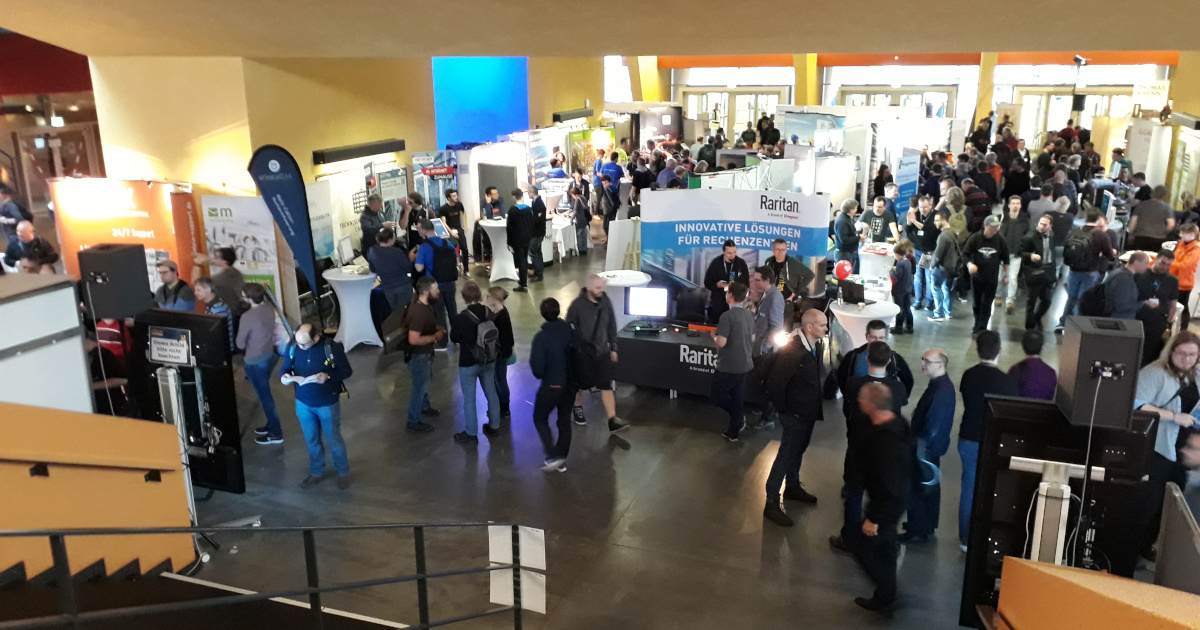
FOSDEM is a major event in the free and open source software world – thousands of FOSS supporters get together to discuss new features, work on bugs, make new contacts, and just have a great time.

This year, many members of the LibreOffice community were there too, and gave talks and presentations in the Open Document Editors devroom. We’ve added the videos to a playlist, embedded below, so enjoy browsing through them to see what’s to come in LibreOffice! (Click the button in the top-left to switch between videos in the playlist.)

Please confirm that you want to play a YouTube video. By accepting, you will be accessing content from YouTube, a service provided by an external third party.

YouTube privacy policy

If you accept this notice, your choice will be saved and the page will refresh.

The LibreOffice Mardi Gras Party for Help: What’s new and fun in online Help?

Starting with the recent release of the 6.0 family, LibreOffice has now a brand new online help system. Unlike the previous version – based on the transfer of help content to the Mediawiki framework hosted by The Document Foundation – the new help is a direct transformation of the help XML files into simple HTML files, with additions of some JavaScript magic and CSS wizardry.

But how do I get this new help online? Actually it is quite easy. Either you navigate in your browser to https://help.libreoffice.org/6.0/ from your desktop or smartphone or you just don’t install the local help packages in your computer. When the local help is not installed, LibreOffice calls the online help, passing parameters that includes the dialog box identification or UNO command, operating system language and version. Your default browser will open the correct page at the right line position.

What is new in this help online? By working on the XML transformation targeted at modern browsers, LibreOffice developers were able to insert many nice features in the pages. Here are a few, just for a start:

The top header contains two drop-down lists, one to select the module and the second to select the language of the pages. These two lists are there to let you navigate in all help domains. If you want to read the help content in another language, just select the language in the list. There are as many as 50 languages available (not every Help page is fully translated in some languages). (more…)

Sunday Marketing #5

On Friday, we have announced LibreOffice 5.4.5 and LibreOffice 6.0.1. In both cases, it has been an earlier than scheduled – and expected – release, to solve a couple of issues which were considered significant enough to change the usually predictable release schedule. The first issue was related to security, and we decided to release a patched version to reduce the risk for LibreOffice users (details are available on dedicated channels). The second issue was related to the increase of crashes on Windows of the just announced LibreOffice 6.0.

The chart on the left shows the increase of crashes after January 31 announcement and the subsequent decrease after February 9 announcement (right-clicking on the image will allow opening the original image, which is easier to read). It is important to underline the fact that the chart is generated by our test system, which is stressing the software, and does not reflect the actual number of crashes experienced by end users. On the other hand, we received several reports of unexpected crashes, which confirmed data provided by the test system.

Although both issues were reported while a large number of developers and other community members were in Brussels for FOSDEM and for a series of internal meetings, they were immediately tackled by developers – who provided the patches – and triggered a new release process: production of the binaries for the different operating systems, test of the binaries to verify that issues were solved, upload of the binaries on mirrors, preparation of web pages relevant for the announcement (changelogs on the wiki, and download pages on websites), and draft of the announcement text for the announce mailing list, the blog post and the press release distribution. From the decision to the release, the entire process was completed in less than two days, confirming the maturity of the LibreOffice project in front of unexpected events.

Early availability of LibreOffice 5.4.5 and LibreOffice 6.0.1: all users are invited to update for improved robustness and security

Berlin, February 9, 2018 – The Document Foundation announces the earlier than planned release of LibreOffice 5.4.5 and LibreOffice 6.0.1, to solve issues which have popped up after the launch of LibreOffice 6.0. In addition, the new release has been leveraged to integrate a security patch.

Although members of the LibreOffice core development team were attending FOSDEM in Brussels to talk about LibreOffice and meet the FOSS community, they have immediately reacted to QA reports and provided the necessary patches. This confirms the level of responsiveness achieved by LibreOffice project.

All LibreOffice users are therefore strongly invited to update to the new versions:

  • Power users, early adopters and technology enthusiasts should update from the recently installed LibreOffice 6.0 to LibreOffice 6.0.1,

  • All individual users and organizations of any size should update from any other version of LibreOffice to LibreOffice 5.4.5.

Organizations should deploy LibreOffice with the backing of certified developers, migrators and trainers (an updated list is available at https://www.libreoffice.org/get-help/professional-support/).

LibreOffice 5.4.5 bug and regression fixes are described here: https://wiki.documentfoundation.org/Releases/5.4.5/RC1 while LibreOffice 6.0.1 bug and regression fixes are described here: https://wiki.documentfoundation.org/Releases/6.0.1/RC1

Download LibreOffice

LibreOffice 5.4.5 and LibreOffice 6.0.1 are immediately available for download from the following link: https://www.libreoffice.org/download/download/

LibreOffice users, free software advocates and community members can support The Document Foundation with a donation at https://www.libreoffice.org/donate/. Donations help TDF to maintain its infrastructure, share knowledge, and fund the presence of volunteers at events, where they can meet with other free software advocates.

Several companies sitting in TDF’s Advisory Board (https://www.documentfoundation.org/governance/advisory-board/) provide either value-added LTS versions of LibreOffice or consultancy services for migrations and training, based on best practices distilled by The Document Foundation.

The Document Foundation announces LibreOffice 6.0: power, simplicity, security and interoperability from desktop to cloud

Berlin, January 31, 2018 – The Document Foundation announces LibreOffice 6.0, a major release and a dramatically improved free office suite, which celebrates the 7th anniversary of the availability of the very first version of LibreOffice. Today LibreOffice is more powerful, simple and secure, and offers superior interoperability with Microsoft Office documents.

LibreOffice 6.0 is immediately available for Windows, macOS and Linux, and for the cloud. The new major release adds a large number of significant new features to the core engine and to individual modules (Writer, Calc and Impress/Draw), with the objective of providing users with the best in terms of personal productivity.

A video summarizing the top new features of LibreOffice 6.0 is available on YouTube: https://www.youtube.com/watch?v=YHBve8v13VY.

Power

The Notebookbar, although still an experimental feature, has been enriched with two new variants: Grouped Bar Full for Writer, Calc and Impress, and Tabbed Compact for Writer. The Special Characters dialog has been reworked, with the addition of lists for Recent and Favorite characters, along with a Search field. The Customize dialog has also been redesigned, and is now more modern and intuitive.

In Writer, a Form menu has been added, making it easier to access one of the most powerful – and often unknown – LibreOffice features: the ability to design forms, and create standards-compliant PDF forms. The Find toolbar has been enhanced with a drop-down list of search types, to speed up navigation. A new default table style has been added, together with a new collection of table styles to reflect evolving visual trends.

The Mail Merge function has been improved, and it is now possible to use either a Writer document or an XLSX file as data source.

In Calc, ODF 1.2-compliant functions SEARCHB, FINDB and REPLACEB have been added, to improve support for the ISO standard format. Also, a cell range selection or a selected group of shapes (images) can be now exported in PNG or JPG format.

In Impress, the default slide size has been switched to 16:9, to support the most recent form factors of screens and projectors. As a consequence, 10 new Impress templates have been added, and a couple of old templates have been updated.

Simplicity

The old WikiHelp has been replaced by the new Help Online system, with attractive web pages that can also be displayed on mobile devices. In general, LibreOffice Help has been updated both in terms of contents and code, with other improvements due all along the life of the LibreOffice 6 family.

User dictionaries now allow automatic affixation or compounding. This is a general spell checking improvement in LibreOffice which can speed up work for Writer users. Instead of manually handling several forms of a new word in a language with rich morphology or compounding, the Hunspell spell checker can automatically recognize a new word with affixes or compounds, based on a “Grammar By” model.

Security

OpenPGP keys can be used to sign ODF documents on all desktop operating systems, with experimental support for OpenPGP-based encryption. To enable this feature, users will have to install the specific GPG software for their operating systems.

Document classification has also been improved, and allows multiple policies (which are now exported to OOXML files). In Writer, marking and signing are now supported at paragraph level.

Interoperability

OOXML interoperability has been improved in several areas: import of SmartArt and import/export of ActiveX controls, support of embedded text documents and spreadsheets, export of embedded videos to PPTX, export of cross-references to DOCX, export of MailMerge fields to DOCX, and improvements to the PPTX filter to prevent the creation of broken files.

New filters for exporting Writer documents to ePub and importing QuarkXPress files have also been added, together with an improved filter for importing EMF+ (Enhanced Metafile Format Plus) files as used by Microsoft Office documents. Some improvements have also been added to the ODF export filter, making it easier for other ODF readers to display visuals.

LibreOffice Online

LibreOffice Online is fundamentally a server service, and should be installed and configured by adding cloud storage and an SSL certificate. It might be considered an enabling technology for the cloud services offered by ISPs or the private cloud of enterprises and large organizations.

New features introduced with LibreOffice 6.0 aim to align the functionality of the desktop and cloud versions, especially in areas where users expect similar behavior. For instance, a Save As feature has been added, while the amount of rows managed by Calc has been increased to half a million. In addition, a Find and Replace dialog and spell checking support have been added to Writer, Calc and Impress.

Builds of the latest LibreOffice Online source code are available as Docker images: https://hub.docker.com/r/libreoffice/online/. Background on LibreOffice Online: https://nextcloud.documentfoundation.org/s/scDjtQPATAzpeyE.

LibreOffice Viewer for Android

The upcoming release of LibreOffice Viewer for Android will be able to create new documents, will offer a tab-based toolbar with formatting options, and will let users add pictures either from the camera or from a file stored locally or in the cloud. In addition, the Calc user interface will be improved with column headers, while Impress will offer a presentation mode. The release is planned during the first quarter of 2018.

Enterprise deployments

LibreOffice 6.0 represents the bleeding edge in term of features for open source office suites, and as such is targeted at technology enthusiasts, early adopters and power users.
For enterprise class deployments, TDF maintains the more mature 5.4 family – now at 5.4.4 – which should always be supported by certified professionals (a list is available here: http://www.libreoffice.org/get-help/professional-support/).

Several companies sitting in TDF Advisory Board (http://www.documentfoundation.org/governance/advisory-board/) are providing either value added Long Term Supported versions of LibreOffice or consultancy services for migrations and trainings, based on best practices by The Document Foundation.

LibreOffice is deployed by large organizations in every continent. A list of the most significant migrations announced in the media is available on TDF wiki: https://wiki.documentfoundation.org/LibreOffice_Migrations.

Availability of LibreOffice 6.0

LibreOffice 6.0 is immediately available from the following link: https://www.libreoffice.org/download/. Minimum requirements for proprietary operating systems are Microsoft Windows 7 SP1 and Apple macOS 10.9.

LibreOffice users, free software advocates and community members can support The Document Foundation with a donation at https://www.libreoffice.org/donate.

LibreOffice 6.0 is built with document conversion libraries from the Document Liberation Project: https://www.documentliberation.org.

Press Kit

The press kit, with background documents – Hybrid PDF, opened from within LibreOffice can be edited as normal ODT files – and high-resolution images, is here: https://nextcloud.documentfoundation.org/s/0hAzrnp6ecLJwbe.