Fixing an Interoperability Bug in LibreOffice: Missing Lines from DOCX (part 1/3)

By Hossein Nourikah, Developer Community Architect at The Document Foundation

In LibreOffice, interoperability is considered a very important aspect of the software. Today, LibreOffice can load and save various file formats from many different office applications from different companies across the world. But bugs are inevitable parts of every software:there are situations where the application does not behave as it should, and a developer should take action and fix it, so that it will behave as it is expected by the user.

What if you encounter a bug in LibreOffice, and how does a developer fix the problem? In these series of articles, we discuss the steps needed to fix a bug. In the end, we will provide a test and make sure that the same problem does not happen in the future.

The article is presented in three parts:

  1. Understanding the Bugs and QA
  2. Developing a Bug Fix
  3. Writing the Tests and Finishing the Task

This blog post is the first part.

1. Understanding the Bugs / QA

Bugs can be found in any software and in a broader view, every technological product. There are situations that a system behaves in a way that the user does not like or expect, and then the engineers come in, take action and fix that. It is proven that no software can be completely bug-free, because there is no exact way to describe all the aspects of a software, even mathematically using formal methods.

Although we can not avoid the bugs completely, we can improve the situation. The important thing here is to document these bugs, reproduce them using sample documents, investigate the cause(s), and hopefully fix them as soon as possible while considering the priority. The whole process of dealing with the bugs and improving the quality of the software is is called: “Quality Assurance”, or simply “QA”.

You can take a look at LibreOffice Wiki QA section and ask QA questions in the IRC channel #libreoffice-qa on the Libera.Chat network connect via webchat

1.1. Bug Report

So, you have encountered a problem in the LibreOffice! In this case, first of all you should try to report the bug to Bugzilla. If a bug is not recorded in Bugzilla, there is a little chance that it will be fixed.

So, everything starts with a bug report in TDF’s Bugzilla. A detailed explanation of what a good bug report should contain is available in the TDF Wiki: https://wiki.documentfoundation.org/BugReport

In short, a good bug report should have suitable summary for the problem, appropriate description and specific components/hardware/version for the context of the problem. Steps to reproduce the bug are important parts of every report, because a developer should be able to reproduce the bug in order to fix it.

The bug reporter should carefully describe the “actual results” and why it is different from the “expected results”. This is also important because the desired software’s behaviour is not always as obvious as it seems to be for the bug reporter.

Let’s talk about a regression bug that is recently fixed. The “NISZ LibreOffice Team” reported this bug. The National Infocommunications Service Company Ltd. (NISZ) has an active team in LibreOffice development and QA.

This is the bug title and description provided by the NISZ LibreOffice Team:

Bug 123321 – FILEOPEN | DOC, missing longer line when saved in LO (shorter line remains)

https://bugs.documentfoundation.org/show_bug.cgi?id=123321

Description:
When the attached original document gets saved in LO as doc the middle line gets its length resized.

Steps to Reproduce:

  1. Open the attached doc in LO.
  2. Save it as doc.
  3. Reload.
  4. Notice the changes.

Actual Results: The middle arrow gets smaller.
Expected Results: It should stay the same size even after saving in LO.
Reproducible: Always
User Profile Reset: No

Every bug has a number associated to it, and at TDF Bugzilla, it is referred to by its number, like tdf#123321.

1.2. Bug Confirmation

After a bug is reported, it is needed that someone else check and see If it is reproducible or not. If so, the bug is then confirmed and its status will be set to “New”. In this case, a user named Timur from the QA team of volunteers has confirmed this bug. It is needed that someone else other than the original bug reporter confirms the bug report.

Here, the bug reporter has provided several examples:

Attachments

  • The original file (39.50 KB, application/msword)
  • The saved file. (24.00 KB, application/msword)
  • Screenshot of the original and exported document side by
    side in Writer. (298.50 KB, image/png)
  • Minimized test document in docx format (19.66 KB,
    application/vnd.openxmlformats-officedocument.wordprocessingml.document)

Opening the first file, we see that it contains several shapes. 4 ellipses, 2 diagonal lines, and a vertical line. But if we look closely, we find out that the vertical line actually consists of 3 different vertical lines. This can be understood by try selecting the line, and then pressing the tab to select the other lines.

The Shapelinelength_min.docx only contains 3 overlapped vertical lines (the overlap is not important).

  • First one on the top with the length 0.17″ (Verified in Word 2007)
  • Second one in the middle with the length of 1″ (Verified in Word 2007)
  • Third one at the bottom with the length of 2.77″ (Verified in Word 2007)

When you save it in LibreOffice and reload it, the first and the third vertical lines disappear, but if you select the second one (the only visible after save and reload), you can select the two other lines by pressing “tab” button. If you look at the size of these two lines, you will see that both have the length of 0″.

By opening the examples, saving and reloading them, we can verify that the bug is present even in the latest master build.

Images showing the bug

(Good)

(Bad)

Figure 1. The visible lines in the middle become smaller after save and reload

1.3. Bisect / Bibisect

Regression bugs are special kinds of bugs. They describe a feature that was previously working well, but at some point a change in the code has caused it to stop working. They are source of disappointment for the user, but they are easier to fix for the developers compared to other bugs! Why? Because every single change to the LibreOffice code is kept in the source code management system (Git), it is possible to find that which change actually introduced the bug.

Git has a special tool for this purpose, which is call bisect. It uses a binary search to find the commit that introduced the bug. But for LibreOffice which is a huge piece of software consisting of roughly 10 million lines of code, this can take a lot of time. So, a trick is used here: bisecting with the binaries! If you have access to every built LibreOffice for the commits, you can use git bisect command to find the source for problem in a very short time: This is called bibisect!

A very detailed description is on the wiki: https://wiki.documentfoundation.org/QA/Bibisect

Aron Budea from Collabora Productivity Ltd’s core engineering team did the bibisect, and now we know the exact commit that caused the problem:

Bibisected to the following commit using repo bibisect-win32-6.0.

https://git.libreoffice.org/core/+/d72e0cadceb0b43928a9b4f18d75c9d5d30afdda

Watermark: tdf#91687 correct size in the .doc

Export:
* Watermarks saved using Writer were very small in the MSO.
  Export fUsegtextFStretch property in the Geometry Text
  Boolean Properties.
* tdf#91687: SnapRect contains size of Watermark after rotation.
  We have to export size without rotation.

Import:
* When import set height depending on used font and width.
  Text will keep the ratio. Remember the padding for export.

* added unit test
* introduced enum to avoid magic numbers for stretch and best fit
  properties.

Change-Id: 
I3427afe78488d499f13c543ca401c096161aaf34
Reviewed-on: 
https://gerrit.libreoffice.org/38979
Tested-by: Jenkins <ci@libreoffice.org>
Reviewed-by: Andras Timar <andras.timar@collabora.com>

This bug is a regression. The DOCX import/export was working well before this commit, but after that, it doesn’t work: Good catch!

In the second part of this series, we talk about how we can create a fix for the bug.


Hossein Nourikhah is the Developer Community Architect at the The Document Foundation (TDF), the non-profit behind LibreOffice. If you need assistance getting started with LibreOffice development, you can get in touch with him:

E-Mail: hossein@libreoffice.org

IRC: hossein in the IRC channel #libreoffice-dev on the Libera.Chat network connect via webchat

100 Paper Cuts as a new student mentoring activity

Just before the pandemic, the Board of Directors of The Document Foundation approved a budget to launch an educational program targeted to universities, where students at selected tech schools would receive an economic incentive to promote LibreOffice amongst their peers, with the objective of increasing the number of young contributors both in source code development and in other areas. Unfortunately, the pandemics has forced all universities to stop all collateral activities, and this has resulted in the program being frozen for over one year.

Although the situation is not yet back to normal, we have the opportunity to mentor a student in Turkey. Muhammet Kara, a member of the MC and a Collabora full time developer, will mentor Ahmet Hakan Çelik, an undergraduate computer science student at Çanakkale Onsekiz Mart University, who will be working on 100 Paper Cuts – a list of bugs and enhancement requests relating to LibreOffice’s user experience – during June and July, trying to solve as many issues as he can. The target is to collect 10 points.

This is a first step in the direction set before the pandemic. We are planning to make similar announcements soon.

After the summer, if the academic activities will be back to normal – although the recover will be slow, and will have to cope with entirely new regulations – The Document Foundation will be able to get back in touch with the universities to start the planned Ambassador Program.

LibreOffice IRC channels moving to Libera.Chat

Many projects in the LibreOffice community use IRC (Internet Relay Chat) to communicate. This is a real-time text-based communication protocol that’s popular amongst many free and open source software projects.

We are moving our IRC channels to a new host, Libera.Chat, which is run by a Swedish non-profit organisation. Here’s an alphabetical list of the current channels – for more information, see our wiki:

  • #libreoffice
  • #libreoffice-de
  • #libreoffice-design
  • #libreoffice-dev
  • #libreoffice-doc
  • #libreoffice-fi
  • #libreoffice-fr
  • #libreoffice-gsoc
  • #libreoffice-hackfest
  • #libreoffice-NLP
  • #libreoffice-qa
  • #libreoffice-telegram
  • #tdf-infra

Thanks to everyone who participates in our IRC channel discussions, and keeps LibreOffice moving forward!

Projects selected for LibreOffice in the Google Summer of Code 2021

In March, we announced that LibreOffice will be participating in the Google Summer of Code (GSoC), a programme that connects students with free and open source software projects. GSoC helps students to implement new features, and provides them with financial support along the way.

Well, the projects have been selected, so here they are!

  • Bayram Çiçek – 100 Paper Cuts: This aims to improve LibreOffice’s user interface, implementing enhancement requests and solving the most annoying UX (user experience) issues.
  • Anshu Khare – Sidebar: It’s planned to revamp the current styles deck sidebar and to merge paragraph and character styles into one Text Style deck. Furthermore, the student wants to rework the filter workflow. Here’s a mockup (click for larger):

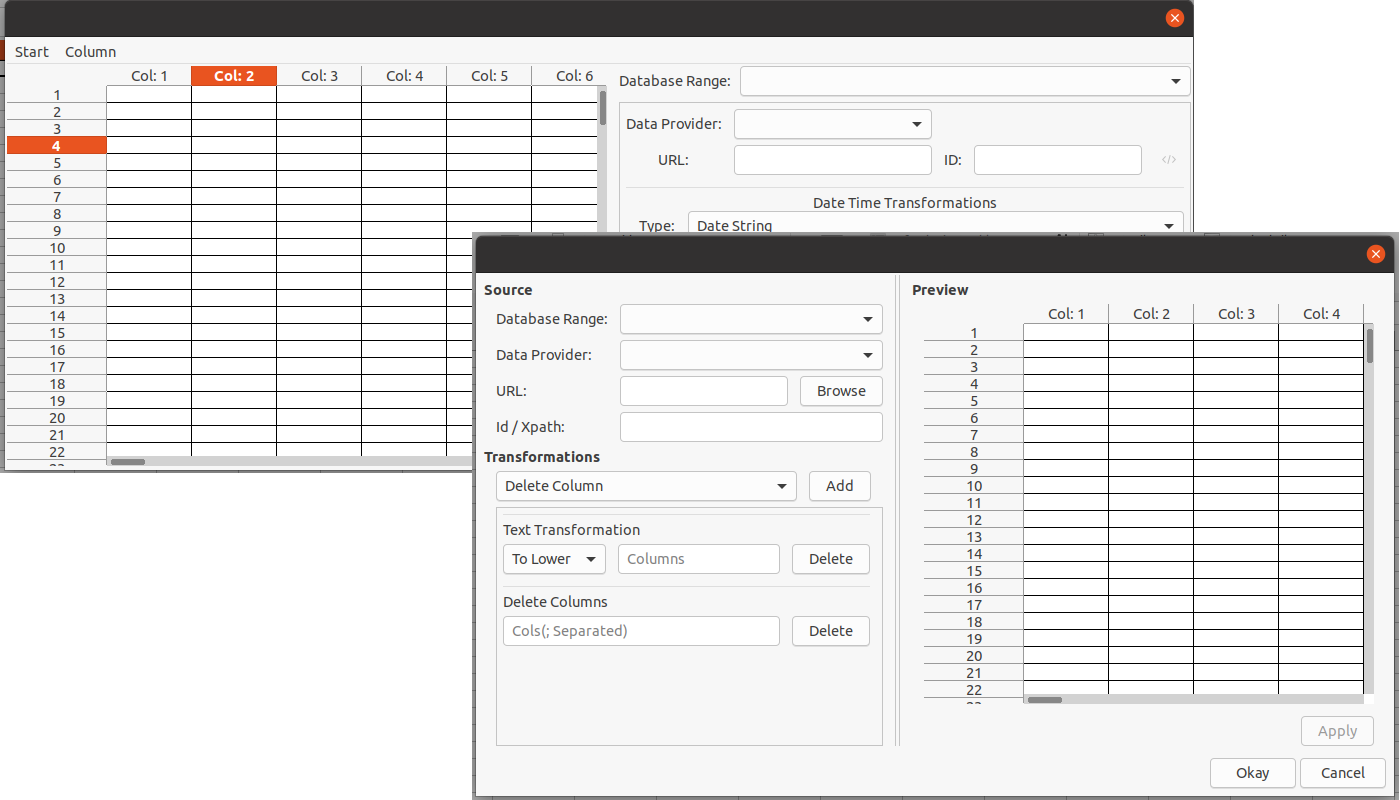
  • Tushar Kumar – Implement an interface for external data source import in Calc: Currently, Calc’s back-end data provider supports CSV, HTML, XML and and Base’s data provider. This feature is not yet ready for production, however, so this project’s goal is to improve it. Here’s a mockup:

  • Balázs Sántha – Implement table styles in OOXML (.docx) support: At the moment, table styles found in .docx documents are converted into direct formatting at at Writer’s core level. This project aims to take a step towards a solution for handling proper table styles.

  • Panos Korovesis – Make the SVM format independent of the VCL metafile + tests for the format: This requires the completion of the tests regarding SVM, and then the separation of the read and write functionality of MetaActions to new distinct classes.
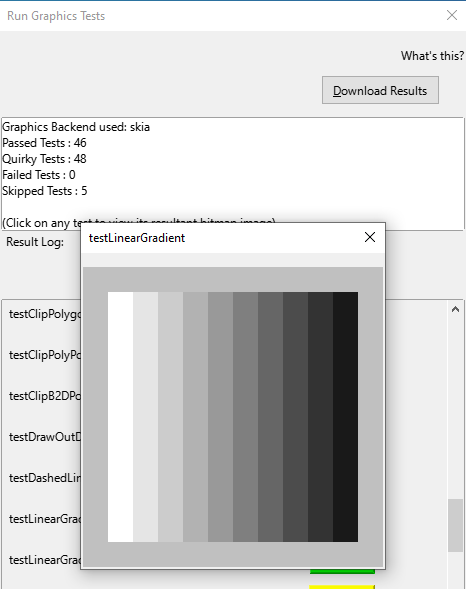
  • Akshit Kushwaha – Tests for the VCL graphics back-end: Add more test cases to the pre-existing tests, running those tests in every back-end, and implement a usable UI for the users to test the graphic’s feasibility themselves. This should make graphics rendering smoother.
  • Shubham Jain – Write missing unit tests: Extend the tests in Libreoffice. There are currently more than 1300 bugs fixes which do not have tests written for them, so this project aims to bring down that number.

Good luck to all the students – we appreciate their work on these important features and improvements! And thanks to our mentors for assisting them: Heiko Tietze, Xisco Fauli, lmari Lauhakangas, Olivier Hallot and Christian Lohmeier (The Document Foundation); Tomaž Vajngerl, Muhammet Kara, Luboš Luňák, Miklos Vajna and Mike Kaganski (Collabora); Thorsten Behrens (allotropia); László Németh and Markus Mohrhard.

From August 16 – 23, students will submit their code, project summaries, and final evaluations of their mentors. Find out more about the timeline here, and check out more details about the projects on this page.

Improvements in LibreOffice’s PowerPoint presentation support

LibreOffice’s native file format is OpenDocument, a fully open and standardised format that’s great for sharing documents and long-term data storage. Of course, LibreOffice does its best to open files made by other office software as well, even if they’re stored in pseudo-“standards” with cryptic and obfuscated contents. Compatibility with PowerPoint PPT(X) presentations is therefore a challenge, but developers are working hard on improvements…

In September 2019, we announced an initiative to improve the support of PPT and PPTX files in LibreOffice. A year has passed since the last review and it is time to summarise achievements again.

Everyone is invited to participate in the PowerPoint support initiative, either in development or testing. If you are interested in joining, please send an email to ilmari.lauhakangas@libreoffice.org.

Audio

Miklos Vajna (Collabora):
Added import and export support for slide narrations and their icons

Borders and fills

Miklos Vajna (Collabora):
Handle stroke properties of image shapes
Improve import of transparency in multi-step gradients

Before screenshot of bug 134183
Slide before Miklos’s fix

After screenshot of bug 134183
Slide after Miklos’s fix

Regina Henschel:
PPTX: transparency gradient on solid fill is not considered in export
Add fill to fontwork in export to PPTX

Charts

Zhenhua Fong (PPT/X team):
Chart background is white instead of Automatic/No fill plot area

Custom shapes

Gülşah Köse (Collabora):
Handle greyscale effect on bitmap filled custom shapes (blog post)
Apply mirror property to custom cropped graphic (blog post)
Import support for custom stretch values (blog post)
Import crop position of bitmap filled shape (blog post)
Import graphics cropped into custom geometry as custom shapes (blog post)

Mark Hung (PPT/X team):
Export names of custom shapes

Miklos Vajna (Collabora):
Handle adjust values from both the custom shape and its placeholder

Tünde Tóth (NISZ):
Fix lost arcTo shape

Xisco Faulí (TDF):
PPT: export custom shapes as Bitmap

Hyperlinks

Tibor Nagy (NISZ):
Fix internal hyperlink to slide in PPTX
Fix lost direct hyperlink colors
Fix internal hyperlinks with PPTX export

Zhenhua Fong (PPT/X team):
Import hyperlinks from PPT

Tables

Gülşah Köse (Collabora):
Table row height improvement in Impress (blog post)

Miklos Vajna (Collabora):
Shadow for tables from PPTX in Impress (blog post)

Tibor Nagy (NISZ):
Fix vertical alignment in exported table

Text boxes

Attila Bakos (NISZ):
Fix exporting of placeholders

Gülşah Köse (Collabora):
Fix the placeholders priority order
Text box gets displaced by text coming from master page

Text in shapes

Gülşah Köse (Collabora):
Camera Rotation Improvement (blog post)

Miklos Vajna (Collabora):
SmartArt improvements in Impress, part 5 (blog post)
SmartArt improvements in Impress, part 6 (blog post)

Regina Henschel:
Text transformation “Deflate” is wrongly imported as “Inflate”
Wordart 3D is lost on round trip

Serge Krot (CIB):
Top-aligned text in imported PPTX becomes bottom-aligned

Various

Ahmad Ganzouri:
OOXML support for shadow blur

Bartosz Kosiorek (PPT/X team):
OOXML Fix storage of date in Custom Properties

Dániel Arató (NISZ):
Fix missing chart in exported PPTX

Gülşah Köse (Collabora):
Protect aspect ratio of graphic bullets
Import shadow size

Luboš Luňák (Collabora):
Load images in parallel
Implement PowerPoint ‘flash’ slide transition

Mike Kaganski (Collabora):
Support for transparency attribute of glow effect

Miklos Vajna (Collabora):
Crash fix for pyramid SmartArt import
Detecting 0-byte files based on extension in Impress and elsewhere (blog post)

Samuel Mehrbrodt (allotropia) and Piet van Oostrum:
Tab positions not being retained in PPT and being lost in PPTX

Tibor Nagy (NISZ):
Fix duplicated slide name with PPTX import

Vasily Melenchuk (CIB):
Support API-based MS-CRYPTO algorithms

Zhenhua Fong (PPT/X team):
Correct positions for group shapes
SmartArt caption text location is wrong

From left to right: PowerPoint, LibreOffice before Zhenhua’s fix, LibreOffice after the fix

LibreOffice Macro Team: progress report

Macros help users to automate common tasks in LibreOffice. In September 2019 we announced a new team in our community to work on macro support. The last progress report was published in April 2020, so it is high time to look into what has happened since then.

If you are interested in contributing to the macro team (development, testing or documentation), we’d love to hear from you – please send an email to ilmari.lauhakangas@libreoffice.org and we’ll get in touch.

ScriptForge Libraries

The biggest single event was the introduction of ScriptForge Libraries in LibreOffice 7.1. ScriptForge and its documentation is a collaboration betwen Jean-Pierre Ledure, Alain Romedenne and Rafael Lima. You can read more about it in the January 2021 blog post and the work-in-progress Help content.

Wiki docs

Nathan Ullberg continued working on Impress macro articles.

Celia Palacios improved the Python guide and added new macro tutorials, such as populating spreadsheets with data from an SQL database.

Alain Romedenne continued adding syntax diagrams and improved and expanded the Python guide and macro articles.

Mauricio Baeza improved and expanded articles and added new ones, such as Insert a comment with custom presets, Copy content cell from Spreadsheet to other and Charts in Calc.

Steve Fanning added several new examples of Calc macros.

Code contributions from macro team members

Alain Romedenne:

Andreas Heinisch:

George Bateman:

Tomoyuki Kubota:

Code contributions from honorary associate members

Compatibility fixes for Python 3.8 to 3.12 done by David Ostrovsky, Dante Doménech, Noel Grandin (Collabora) and Stephan Bergmann (Red Hat).

Anshu Khare:

Arnaud Versini:

  • Many cleanups and optimisations in Basic handling code

Arpit Bandejiya:

Caolán McNamara (Red Hat):

John Turpish:

Maxim Monastirsky:

Michael Stahl (allotropia):

Mike Kaganski (Collabora):

Noel Grandin (Collabora):

Serge Krot (CIB):

Shubham Jain:

Stephan Bergmann (Red Hat):

Tushar Kumar Rai:

Xisco Fauli (TDF):

Help content

Improved by Alain Romedenne:

Added by Alain Romedenne:

Improved by Rafael Lima:

Improved by Olivier Hallot (TDF):

Added by Olivier Hallot (TDF):