Hurry Up, deadline for LibOCon Call for Locations is approaching!

The deadline for LibreOffice Conference 2019 Call for Locations is on June 30 and is approaching fast… and we are sure you don’t want to miss the excitement of organizing one of the most important events in the FLOSS environment, with dozens of participants coming from all over the world to share best practices in LibreOffice development, quality assurance, localization, accessibility, user interface and experience and marketing, plus open document standards.

In 2017, almost 200 people from 32 countries in six continents have gathered on the Capitol Hill, and we are ready to welcome a similar crowd in Tirana, the capital city of Albania, from September 26 to September 28, 2018.

All the elements which have to be included in the proposal are described with plenty of details on this page: https://wiki.documentfoundation.org/Events/2019/LibreOffice_Annual_Conference/Call_for_Location. Hurry up, the deadline is in three weeks!!!

After receiving the applications, TDF BoD and Team will evaluate the proposals to check if all preconditions are fulfilled, and give applicants a chance to clarify all details. A decision will be taken during the month of July. Organizers of the 2019 conference will have the opportunity to attend the Tirana event, in order to get acquainted with the conference details.

LibreOffice interview: Andreas Kainz talks about new icons and the Notebookbar

Andreas Kainz

LibreOffice’s design community works on improving the user interface of the software. Today we talk to Andreas Kainz, who has created new icon themes and made improvements to the Notebookbar, an experimental and alternative user interface layout that will become an option in future releases…

Tell us a bit about yourself!

I live in Vienna, Austria. I have a KDE and LibreOffice-related blog, and a new one only for LibreOffice things, because I started by contributing to KDE, but in the last few years have been doing more and more with LibreOffice.

What have you been working on recently?

Here are some of the changes:

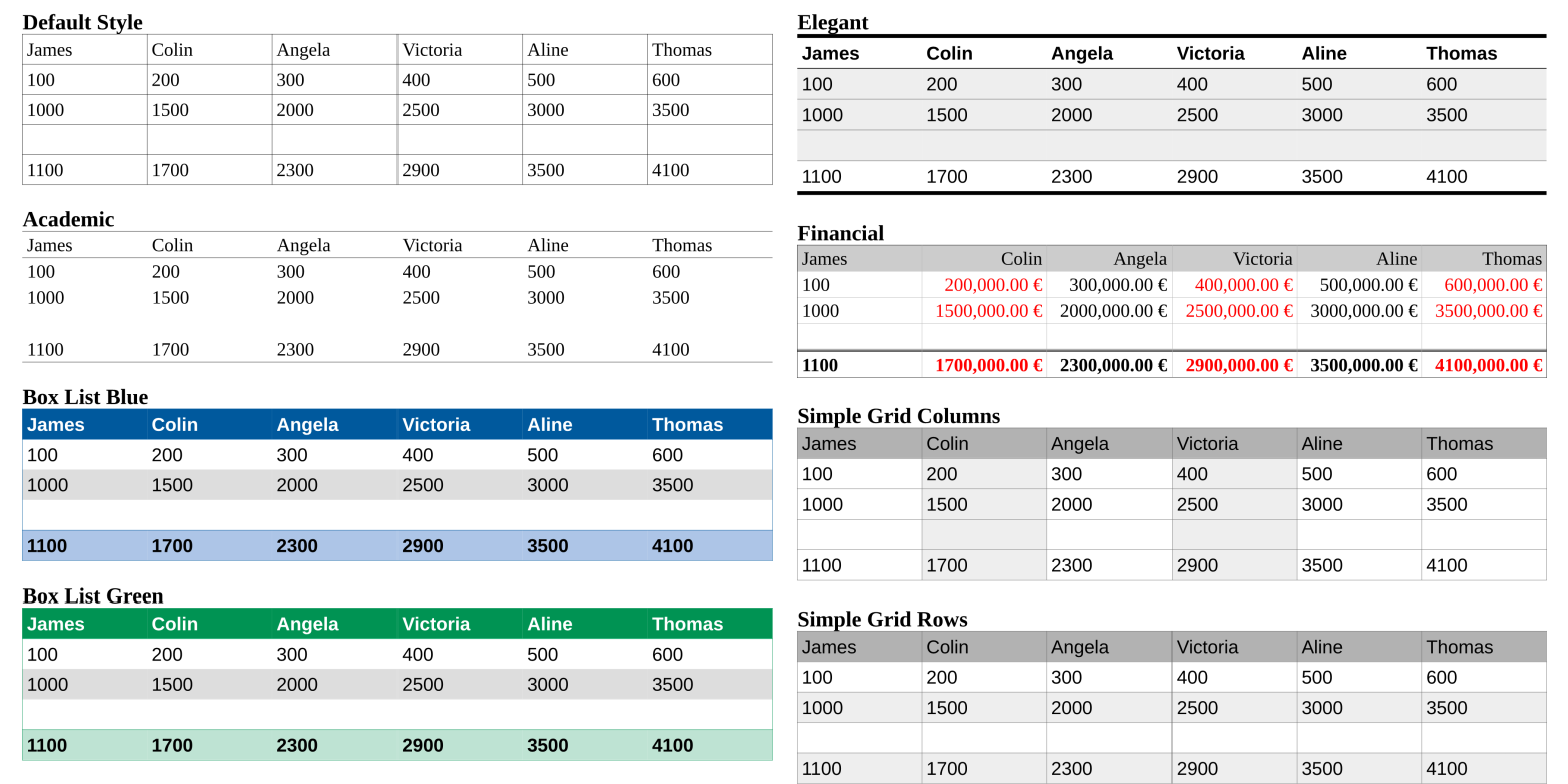
  • New default table styles for LibreOffice 6.0:

  • New area fill gradients for LibreOffice 6.1

And then, in terms of icons:

  • Colibre icon theme (for LibreOffice 6.1). Here’s what it looks like, with the Notebookbar activated:

All icon themes are available in PNG and SVG formats, under a GPL conforming licence, and I also maintain all three icon themes (Elementary, Colibre and Breeze – see below).

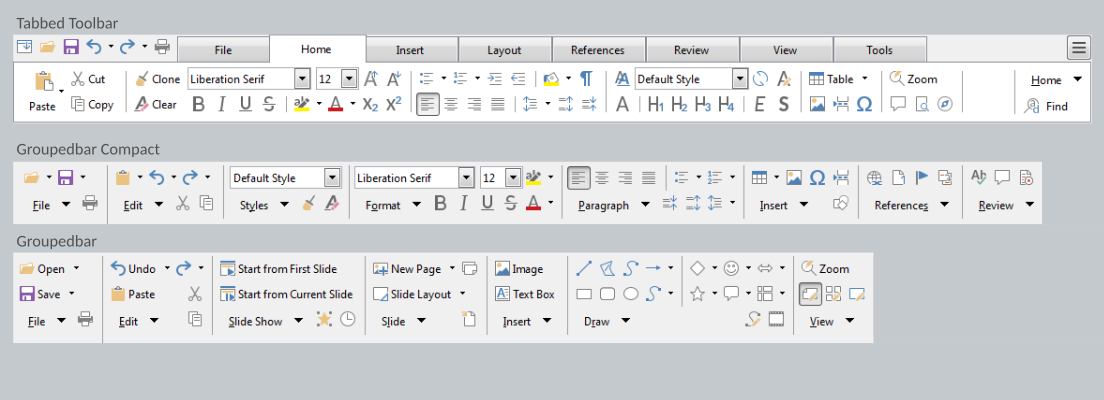
Regarding the Notebookbar, I have worked on the groupedbar full and compact, and the tabbedbar full and compact. I think that the Notebookbar is a great (optional) addition to the default toolbars and the sidebar.

(If you’re using LibreOffice 6.0 or 5.4, you can try the Notebookbar by following these steps. Please note that it’s still an experimental feature, though, and not ready for production use! But we’d like to hear your feedback.)

How much time do you spend contributing to LibreOffice?

I contribute in my spare time, between 23:00 – 01:00, when my daughter and wife are sleeping. Since 2014 I have submited 412 commits and 893,810 addition to LibreOffice core, which mean that I’m in second place in terms of additions (see the stats here – my username is DarkknightAK).

How did you get involved with LibreOffice?

I’m the maintainer of the Breeze icons for KDE, and in 2014 the LibreOffice community asked if the Breeze icons could be available for LibreOffice. Four months later, 2,500 breeze icons had been drawn and Breeze become default in LibreOffice 5 for KDE, Unity, macOS and LibreOffice Online. Here’s what Breeze looks like:

What was your initial experience of contributing to LibreOffice like?

LibreOffice is a friendly and structured project. With Gerrit and Jenkins it’s easy to have a good review process, when you’d like to submit a patch.

What does LibreOffice need most right now?

Contributors are always welcome. It would be awesome to have some goals where a team of developers AND designers work on them.

What tools do you use?

Inkscape and Kate.

Anything else you want to mention?

If you like my work, read my blog posts, join the LibreOffice design IRC channel (#libreoffice-design) or become a Patreon.

A big thanks to Andreas for his great work. As mentioned, LibreOffice users can try out the Notebookbar today, and give feedback to our design community, so that we can improve it further and make it available as a standard (optional) feature in the future!

Month of LibreOffice, May 2018: A look at the numbers

Last week, the Month of LibreOffice, May 2018 came to a close – and 336 stickers were awarded! You can read more about the results here, and today we’ll take a closer look at the numbers.

But first, we want to say a special thanks to the following people who took part during May, but weren’t in the lists during last year’s Months of LibreOffice. Welcome to the project (or welcome back if you’ve been away for a while), and a huge thanks for all your help:

Abhyudaya Sharma, Anass Ahmed, Andrew Watson, Angelos Skembris, Angermuller Hubert, Anil Kumar Shrestha, Anton Shevtsov, arindam, baffclan, Balint Fodor, bblack4jc, bertrandgajac, Brian Barker, carnish, cesar.rickinho, Charles Valente, ChenyHsu, Christian Preuß, DaeHyun Sung, Dan Lewis, Daniel Silva, David, david.vantyghem@free.fr, daviding, Denis J Navas, Derek Keats, Ding Duck, Dipesh Kumar, Drew, Drew Jensen, ebot, Eddie, eglejasu, Ekansh Jha, Elizabeth Contreras, Emersson Augusto Suarez Ortiz, EricBright, Fito, ge60, geraldg@libreoffice.org, Gerhard Weydt, gho87, Girvin Herr, himajin100000, hjek, Hrbrgr, Hussam Al-Tayeb, Ilhan Yesil, impreza233, Jean-Francois Nifenecker, Jihui Choi, jimrussell98116@gmail.com, Joachim Jacob, Joao Farias, Johannes Kingma, jomali, Jonathan Fisher, Juan C. Sanz, Kacper Kasper, Keith Curtis, kiloran, konsultor, Lamamane, Lant, Laurent BP, Leo442, Liberty Belle, Lorenzo Chiola, Luca Daghino, Luis, Luuk, merzouk.ouchene, Nikola, nobody_special, oldgoatroper, oleg.tolmatcev@gmail.com, OSS-user, PaulaO, Pheeble, Philip Jackson, Prajwol Lamichhane, Pratit Raj Giri, Regis Perdreau, Remy Gauthier, Rene Engelhard, René Leyva, Ricardo Berlasso, rir, Robert Großkopf, Roy Reese, Rraj_Gautam, Salim Habchi, scott092707@aol.com, Selim Ozcan, Sergio bh, serval2412, slimane.amiri, sludge7051-x, SteenRønnow, subedimonika, sukho, surbun@hotmail.com, Sveinn í Felli, Séamas Ó Brógáin, Takeshi Abe, Thomas Woltjer, Tim Lloyd, toki, Tom Davies, Tomáš Chvátal, Ujwal, ve3oat, Virgil Arrington, Xoristzatziki, Yauhen Kharuzhy, Ysabeau, zahra a, Zdeněk Crhonek, _dave, निराजन पन्त, सन्जोग सिग्देल

We hope you had fun in the Month of LibreOffice, and look forward to your future contributions! Oh, and if you haven’t seen it yet, here’s a video just for you:

Please confirm that you want to play a YouTube video. By accepting, you will be accessing content from YouTube, a service provided by an external third party.

YouTube privacy policy

If you accept this notice, your choice will be saved and the page will refresh.

Where do the numbers come from?

If you look at the wiki page listing the stickers that were awarded, you can see that they are split into several categories. We use various tools and data sources to gather the names (and usernames), but if we’ve missed someone, let us know! Here’s a bit more background on the various sub-projects:

  • Contributing code patches: – For this, we use our Gerrit installation. Note that we are tracking contributions from community members in the Month of LibreOffice, but throughout May there were many more code patches from various people working for LibreOffice-related companies, as you can see here.
  • Helping to report and confirm bugs: – Our QA community was really well supported in May, so thanks a lot to everyone who reported and/or confirmed bugs! Of course, you can submit a bug report at any time, as described on the wiki.
  • Helping with translations: – LibreOffice is available in over 100 languages, helping to break down digital divides. We want to express our massive appreciation for all the hard work done by people around the globe, who use our translation tools to make LibreOffice a truly universal suite.
  • Answering questions from users: – This covers Ask LibreOffice and the users mailing list. Our community does a great job there, helping users with their questions. If you want to help the LibreOffice project but don’t have much spare time, answering a few questions here and there makes a big difference, as the answers can be useful in the future too!
  • Updating documentation: – LibreOffice’s documentation comprises the built-in help and the user guides, so another hearty thanks to those who gave time to keep them up-to-date. It really makes a difference to the overall quality of the software we all use.
  • Marketing, and spreading the word on Twitter: – We don’t have to add much here! Marketing is essential to spread the word about LibreOffice and grow our community, so it’s great to see people active on social media, telling the world about free software and open standards.

So that was the Month of LibreOffice, May 2018! We’ll be running another one later in the year, with another chance to get a cool sticker bag. Of course, you can help our project and community at any time, and make LibreOffice better for millions of people around the world. Thank you!

Month of LibreOffice, May 2018: The results!

At the start of May, we kicked off a new Month of LibreOffice, celebrating contributions all across the project. Well, May has come to a close now, so how many people got stickers throughout the month? Check it out…

Great work, everyone! This is higher than the previous three Months of LibreOffice (in November 2016, and May and November 2017), which reflects our growing and thriving community. Click the number to see the full details, showing usernames of the contributors helping out in various parts of the project.

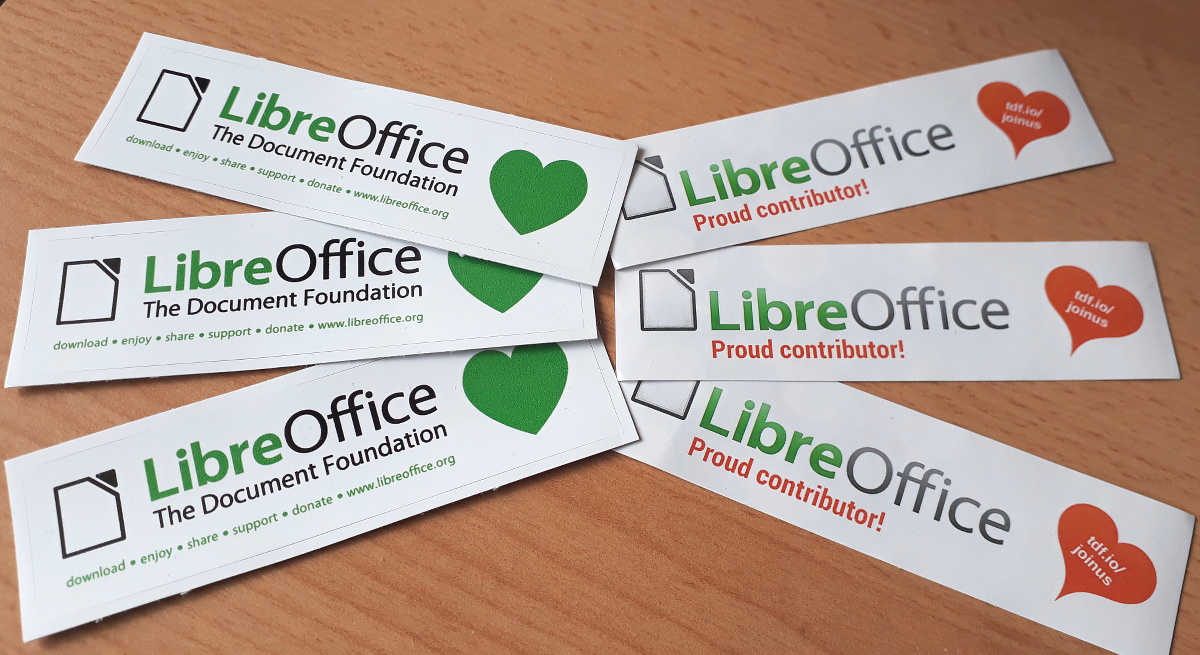
Now, if you see your name (or username) on that page, we want to send you a cool sticker pack! Email mike.saunders@documentfoundation.org with your name (or username) from the wiki page, along with your postal address, and we’ll send you these:

(Note: we will only use your postal address to send the stickers. No data will be transferred to third parties, and your address will be deleted as soon as the stickers are posted.)

If you contributed to the LibreOffice project in May but your name (or username) isn’t on the list, let us know! Send us an email stating what you did and with your address, and we’ll make sure you get a sticker too!

And here’s a special thanks to everyone who took part:

Please confirm that you want to play a YouTube video. By accepting, you will be accessing content from YouTube, a service provided by an external third party.

YouTube privacy policy

If you accept this notice, your choice will be saved and the page will refresh.

The hundreds of contributions during May have helped to make LibreOffice even better – but we’re not done yet! There are still many ways you can get involved, join our friendly community and have fun – see this page to get started. Thanks again!

LibreOffice monthly recap: May 2018

Lots of things are happening in the LibreOffice community – in development, documentation, design, QA, translations and much more. Here’s a summary of news and updates in May…

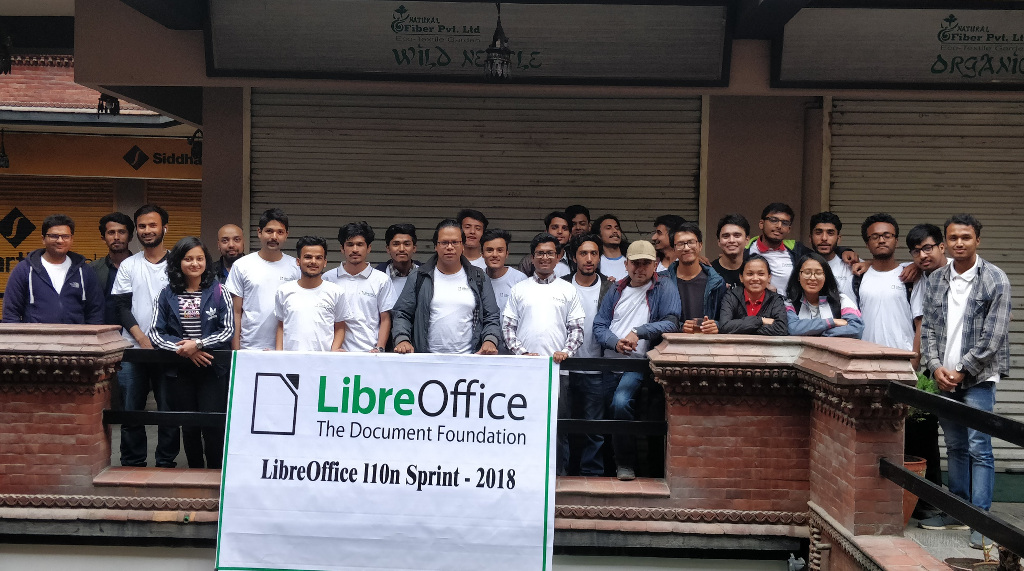
  • The Nepalese LibreOffice community reported back on their localisation sprint. Thousands of text strings were translated, LibreOffice Online was completely localised, and the number of active contributors increased from 2 to 35. Thanks to Saroj Dhakal for feedback and photos.

  • TDF announced LibreOffice 6.0.4, which includes almost 90 bug and regression fixes. In addition, LibreOffice 5.4.7 was released – the last version from the 5.4 branch.
  • Ilmari Lauhakangas set up a LibreOffice page on VolunteerMatch, with the goal of bringing in new contributors in the fields of user interface design, programming, marketing, documentation and more. If you like LibreOffice and want to help improve it in these areas, take a look!

  • The LibreOffice documentation team announced a Guide Revision Sprint Week, to review the contents of all chapters of the Getting Started Guide 6.0.

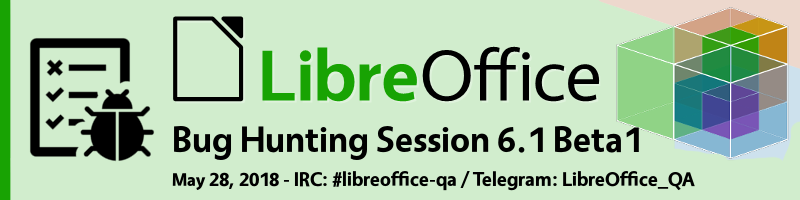
  • The QA community organised a Bug Hunting Session for LibreOffice 6.1 Beta 1, helping to identify and fix issues before the official release in early August. Thanks to the following who helped out on IRC: djredaux, Rubén, Abad, Vitdom, bogger and Stéphane Guillou.

  • And, of course, development work continued on LibreOffice 6.1. Most of the features are in place already and being refined, but there have been some extra updates this month including: a new set of default gradients (Andreas Kainz); an embedded HSQLDB to embedded Firebird migration assistant in Base (Tamas Bunth); new drawing styles and clean-up of legacy styles (Kompilainenn); Malay Arabic, Juǀ’hoan and Naro as additional languages (Eike Rathke (Red Hat, Inc.)); Autocorrect exceptions to common Greek abbreviations (László Németh); and a new UI translation into Frisian (Berend Ytsma)

Keep in touch – follow us on Twitter, Facebook and Google+. Like what we do? Support our community with a donation – or join us and help us to make LibreOffice even better!

Interview: MK Yadava talks about LibreOffice and FOSS adoption in India

Free and open source software (FOSS), such as LibreOffice, is being adopted by governments and companies around the world. But this doesn’t happen by magic – it takes hard work by local communities to spread the word, advocate the benefits of FOSS, and fight for political change. Today we talk to MK Yadava about his experiences from promoting GNU/Linux and LibreOffice, distributing it on 250,000 computers, and how LibreOffice can improve to become even more widespread…
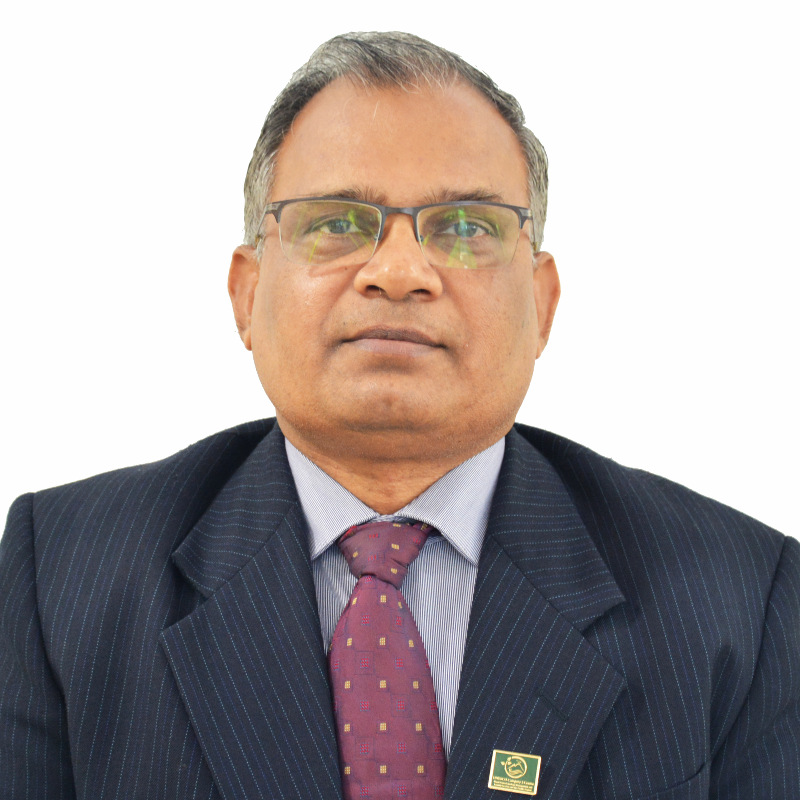
Tell us a bit about yourself…

I belong to the Indian Forest Service, and am actually a “forester” by profession, which I love very much. Wildlife conservation, climate change, and working plans are my favourite subjects. I have been posted in various parts of Assam, a province in the north eastern India famous for Kaziranga, the abode of the Greater One Horned Rhinoceros, and Assam Tea. I have also been doing GIS (geographic information systems) and RS (remote sensing) since 1993. Even in those days, GIS/RS software was costly and tough to get; and that’s when I decided to code my own software. I realized at the very early point in my career that knowledge cannot be disseminated without “free” software.

In 2005 the Government of Assam decided to give free desktop computers to all students who passed the 10th standard examination in 1st Division (>=60%). The scheme was named after the late Anundoram Borooah, the great Sanskrit Scholar and an Indian Civil Service (ICS) Officer from Assam. To my knowledge, this was the first program providing free computers to students in such large numbers in India, and possibly by any government in the world.

The challenge was how to give 12,500 computers within the budget limits. When I decided to provide GNU/Linux as the operating system, I was told by my political masters that there would be so much ruckus if the students didn’t get popular proprietary software such as Microsoft Office. I convinced them that I would be giving the students the best operating system available. So I decided to banish proprietary software from my life altogether – for I could not be using such things while my dear students would use something else, and if GNU/Linux was the best OS, I should be using that myself too.

Eventually, I destroyed all my proprietary CDs and other software – numbering almost 100. And only then I announced that GNU/Linux would be loaded in the computers. When the students were given the computers, journalists tried to corner me, but I could convince them that if it was good enough OS for me, as the former Managing Director of AMTRON (Assam Electronics Development Corporation Ltd), it was indeed good for the students.
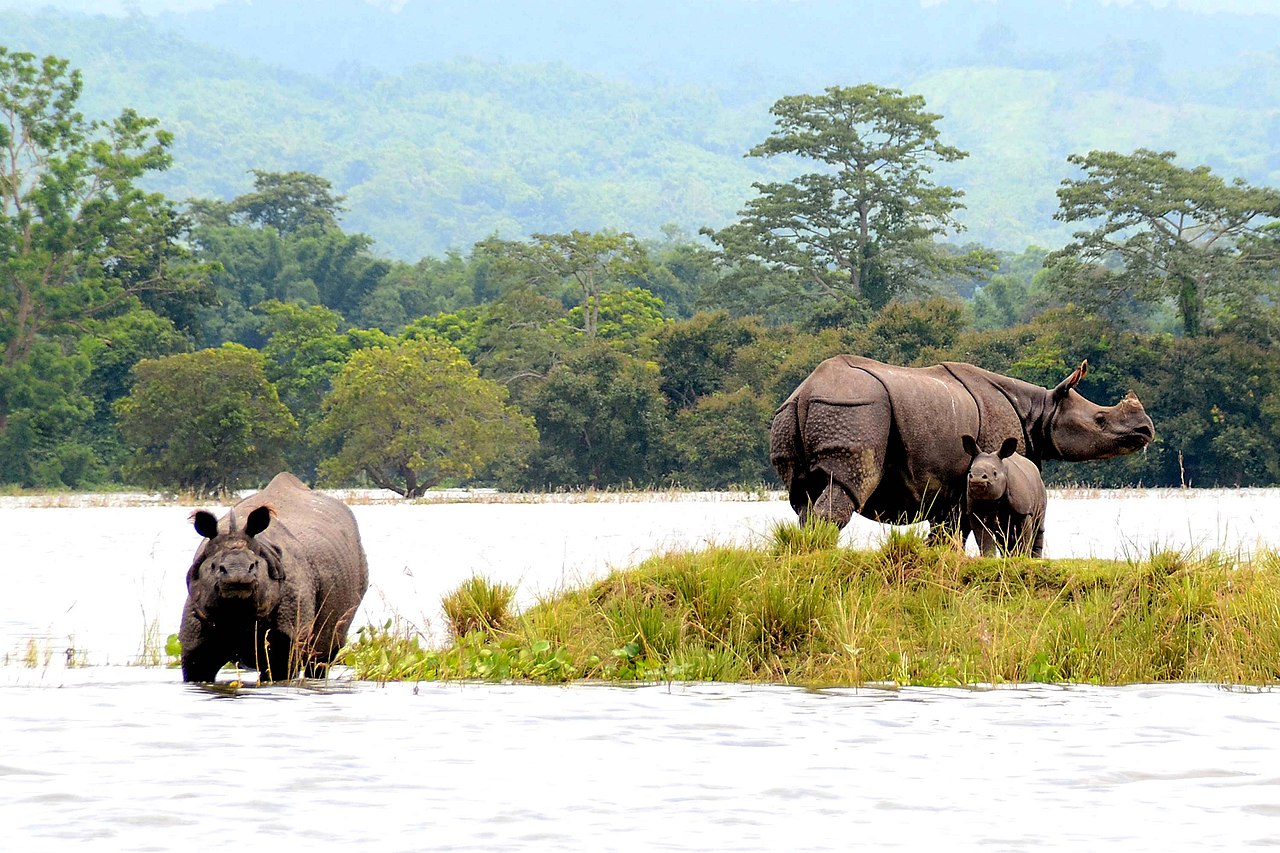
Kaziranga National Park (photo: Diganta Talukdar, CC-BY-SA)

What was your approach for promoting free software, like LibreOffice?

These were my additional arguments in favour of free software:

  1. Students must be able to examine all code loaded in the computers. Any proprietary code would hamper students’ learning.
  2. Students could be “proud owners” of the computers, as every software was licensed and genuine. That would also eliminate the tendency to load pirated software.
  3. GNU/Linux are great pieces of software – in fact these are masterpieces, and make up the essence of computers and computing. Computers without GNU/Linux is like life without oxygen.
  4. Students would cultivate a good habit of using and respecting free software, and would become, over time, proponents of a clean software ecosystem.
  5. It also enforces a possible policy that the education system in India must adopt, which is “all software must be free in the educational curriculum”, and “professional/paid software must only be taught in professional academies outside the educational system, which is to be seen as having an altruistic objective of universal education”
  6. The top 500 fastest computers mostly run on GNU/Linux, so why not expose the students to the best and most versatile OS which powers tiny embedded systems to super computers, rather than making them learn an operating system which is largely confined to desktops and laptops and is closed source?

That’s how I became a die-hard proponent of free software. The Anundoram Borooah Award program still runs GNU/Linux. So far we have distributed around 250,000 computers and laptops to students, all running free software. In my opinion, to develop a sense of freedom in a student is more important than just bundling software that just seems to be “powerful or the best or attractive”.

However, the decision makers in the country are largely unaware of the rich features in GNU/Linux, and so are the “computer teachers” in schools, whether in the public (private) schools or government schools, and to my mind we are doing injustice to the student community in the country and preventing creation of the knowledge society that India could become. India owns very little of IPR (intellectual property rights) or brands in IT software, and we are definitely not an IT super power in that sense. Free software is the way to go, if we seriously eye capturing this arena in future. Promoting free software would ignite young minds.

How popular is free software and LibreOffice in Assam State?

Well, in India, there are two main states where free software and LibreOffice is popular, and used by many: Assam and Kerala. In Assam, you can stumble upon it in the remotest of the government offices or homes of the brilliant students scattered across the state. Some of the largest deployments on GNU/Linux in the country have happened here. AMTRON has played a pivotal role in spreading free software in the region. It has been able to establish itself as an institution par excellence in matters of free software. All of the software that is developed/deployed by it in the government are based on free software and their enterprise versions. We have deployed almost 300 virtual machines in our datacentre that run GNU/Linux. We politely refuse to host any commercial OS-based servers here, because we don’t invest in such proprietary licenses at all.

Assam is one of the few states in the country – and elsewhere in the world – that has its own operating system called “SuperX”, which is now being branded as “AMTRON SuperX”, a distribution of GNU/Linux. So, we are excited a lot about rolling out a large number of deployments of free software. I am also thinking how to take forward the localization of LibreOffice in Assamese and Bodo languages. While we have developed and made available local scalable truetype fonts in Assamese, and made available for Assamese typing “online”, there is a lot left to be done. I am sure these steps would push the cause of LibreOffice to reach out to a larger target of farmers, artisans and women in the state. Of course, bringing all this to the smartphone would be great, but it needs a whole lot of project funding.

What are the challenges? How does LibreOffice need to improve to be more widely used?

There are several key challenges in the adoption of LibreOffice. To my mind, the primary challenge is the lack of clarity of the phrase “power user”. All blogs and reviews talk of power user, and say that if you are a power user, then you may not get full satisfaction from LibreOffice, and it has miles to go before can be adopted by a power user. Now, the question is who is a power user? I am a CEO, and I on my own churn out documents which are pretty complicated even for Microsoft Word to handle, documents which are auto styled and formatted and run into 300-500 pages on an average. I churn out spreadsheets which have almost 50-70,000 rows and 100s of columns. I use LibreOffice Draw extensively to design new mind-maps and ideas and use them in the presentation and documents. I use a lot of Math in my documents. The only challenge that I have actually found is handling a lot of large-sized photographs and images in the documents.

However, while there could be localization issues for LibreOffice in languages such as Assamese, Bodo and Bengali (and our own associated challenges of Unicode, of setting up a separate slot for Assemese), in making LibreOffice a complete local office suite, and very little has been done so far – by and large there are no great local issues. The issues of overall acceptance and the respect that it needs to gain as an office suite, and what percentage of the “power” people use and make others feel that LibreOffice is great is actually what matters. It’s just a perception issue.
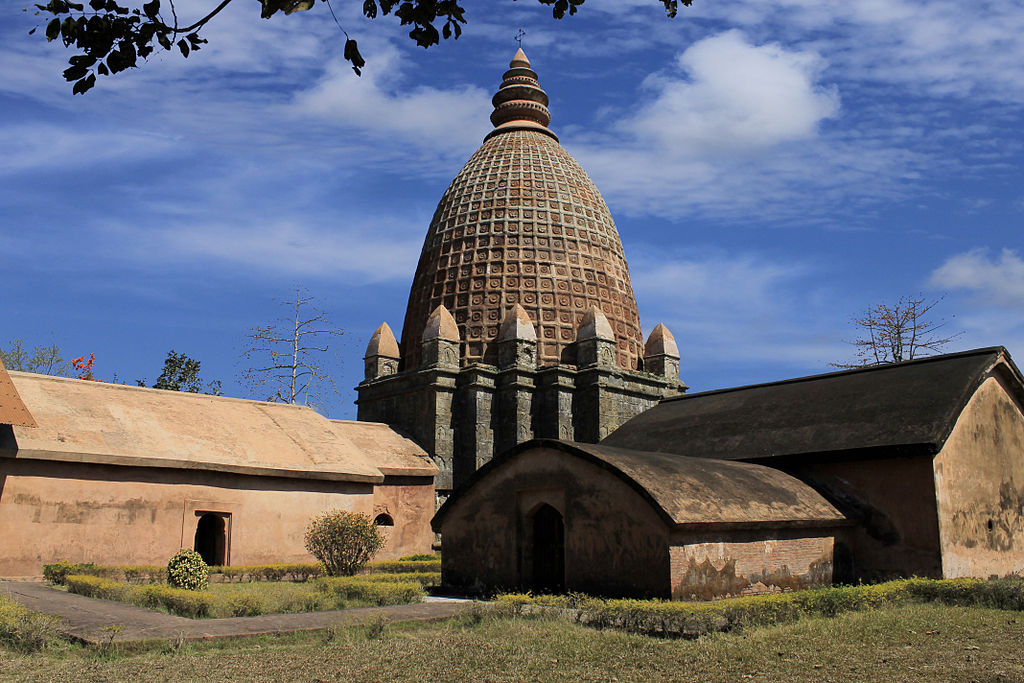
Vishnudol temple in Joysagar, Assam (photo: Rofiuddin Ahme, CC-BY-SA)

In terms of the feature list, I would say that while there are great features in LibreOffice such as tables (where you can do almost everything – formulae and inter-table linking), charts and Draw, these need to be enriched further. I won’t go into detail about these and many other features where LibreOffice actually scores over popular commercial office suites, but still a lot more is desirable.

While many people complain about Impress, I actually never found it lacking in what I do. All my presentations are in Impress. However, it needs to improve regarding media handling, and needs to look at better interactivity in terms of the emerging technologies of Augmented Reality, IoT (internet of things) and AI, where there could be more interactive graphical presentations. For instance, let’s say my graph is linked to the IoT system at the back, and updates every second while the presentation is being made in real time to show how the parameter is actually impacting, say, climate.

One feature that I have been always requesting is how to make “digital signing” a document into a visual image in a document, which is clearly displayed when I signed the document and carries my “insignia” not only digitally, but also visually (such as a QR code or image). This also includes a request to add more such signatures on the document, which would make the document more real-world. While LibreOffice has features of multiple digital signing, it’s – to my best of knowledge – all digital, and does not leave a visual print on the document, nor does it offer a mechanism to the user for a visual means of additional digital signing.

My wish list of features also includes a better PDF conversion feature, having optimisations for file size, and a collaborative feature for editing of documents among a group of users.

Thanks to MK Yadava for his insights and experience. If you’re a FOSS supporter and want to help promote LibreOffice in your region, check out our native language communities – we look forward to meeting you!