LibreOffice at the Linux Arena in Pordenone, Italy

LibreOffice at the Linux Arena in Pordenone

Marco Marega writes:

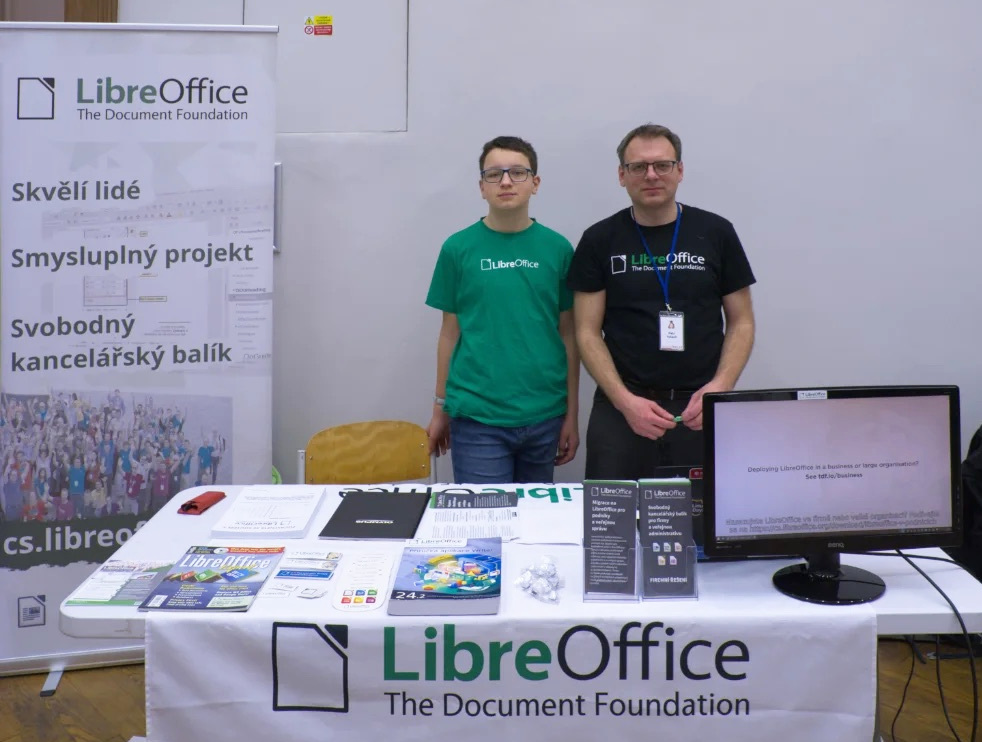
Hi, I’m Marco, an Italian translator and Member of The Document Foundation. Twice a year I take part in an event in Pordenone to promote LibreOffice within the stand “Linux Arena” of the PNLUG Linux User Group. It’s inside a local fair, part of which is dedicated to technology, makers, electronics and so on.

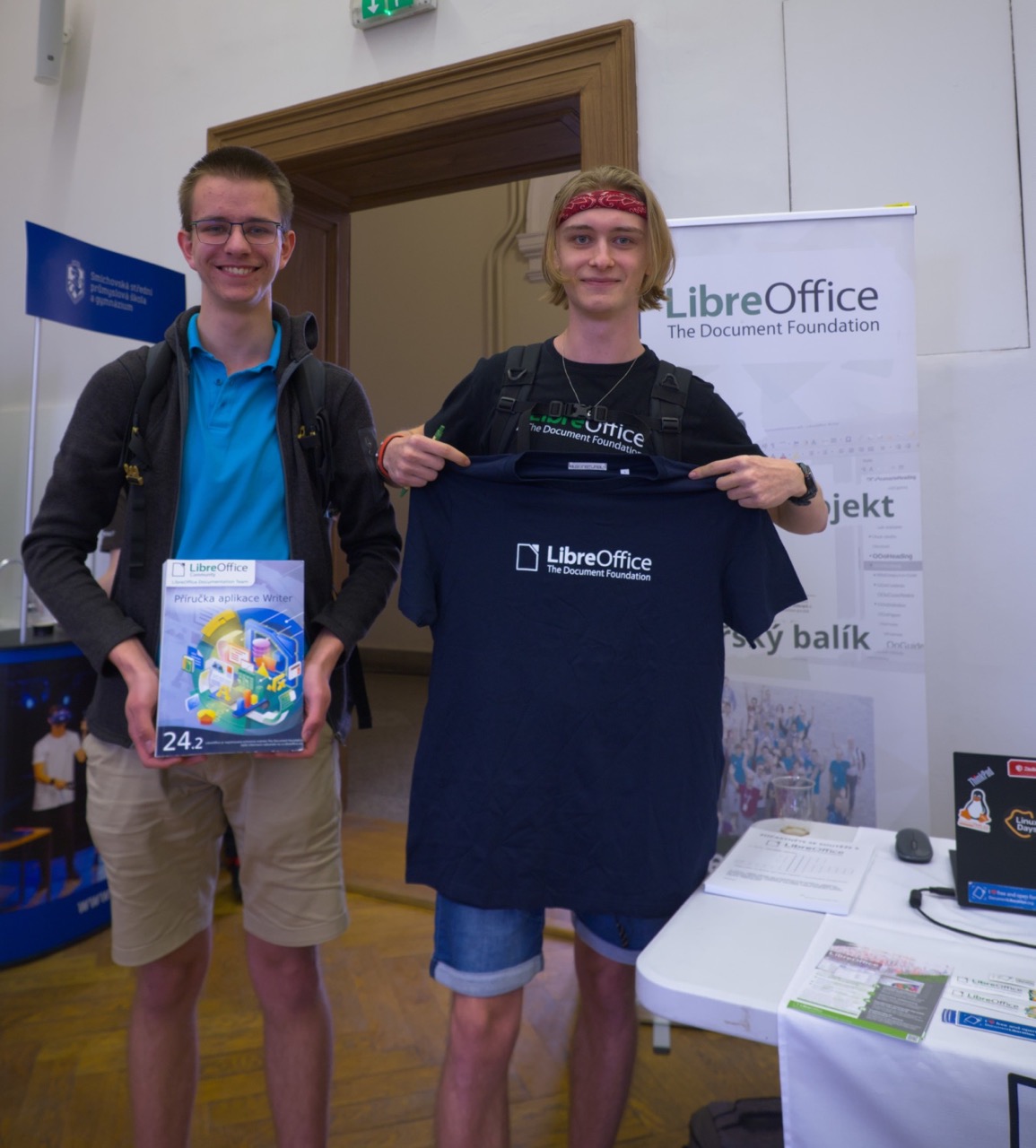
For the event from April 25 – 27 we had a LibreOffice stand with a 32″ monitor, showing an Impress presentation about LibreOffice on a loop. At the stand I met different interested people – some of whom I already know since they visit the fair regularly, while others I saw for the first time.

There is always curiosity about LibreOffice, and this time I noticed an increasing demand about AI integration and related plugins. The LibreOffice coffee/beer mats were very much appreciated by visitors to the stand.

LibreOffice at the Linux Arena in Pordenone

The Pordenone Linux User Group invited other associations to share the stand, so there were also:

  • Trieste Linux Users Group, with a nice game to learn bash commands while trying to deactivate a bomb
  • Odoo group, presenting the ERP/CRM/…
  • Bergamo Linux Users group presenting OpenWRT and some other projects (Emiliano Vavassori is one of them)
  • A Blender expert
  • Another member who uses openSUSE for multimedia production
  • A corner where volunteers helped visitors to install Linux on their PCs, or to solve little problems

The next edition of the event will be on 22 – 23 November.

LibreOffice at the Linux Arena in Pordenone

ODF: An Analysis of the Adoption of the Open Document Format

Over the course of its 20-year history, the ODF standard has been adopted, or at least recommended, by numerous supranational bodies and several countries on almost every continent. However, this does not necessarily mean that the ODF standard is used in accordance with these decisions, which are often laws in their own right, as Microsoft’s substantial lobbying and misinformation campaigns aimed at protecting its revenue of around $25 billion generated by the proprietary OOXML format (DOCX, XLSX and PPTX) encourage the use of the latter. This is despite the fact that the disadvantages for national systems, communities of citizens and individuals are very easy to demonstrate: loss of control over content, interoperability problems and dependence on the commercial strategies of a single vendor.

The information in this post is based on my research into sources relating to the adoption or recommendations for the use of ODF. I began compiling this collection of documents around 2010 and continue to update it annually. Over the last twelve months, I have also used artificial intelligence in my research, which has helped me find some articles.

Unfortunately, formal adoption or recommendation of ODF does not guarantee its actual use in accordance with the law. For example, the latest version of Italy’s Digital Administration Code explicitly prohibits the use of OOXML because it is not a standard, yet this decision is largely ignored by public bodies.

SOVEREIGN BODIES

NATO requires all 28 member countries to use ODF as the standard format for document exchange.

UN and NGOs: UN organisations favour standard and open formats to ensure that all documents remain accessible and do not depend on expensive or restricted tools. This is why ODF is used for reports, policy drafts, and collaborative documentation between teams.

European Commission: has taken a strong stance in favour of open standards and promotes the use of formats such as ODF in documents through its open source software strategy. The European Parliament, the European Commission and the EUIPO (European Union Intellectual Property Office) have integrated LibreOffice and ODF into their internal workflows to ensure greater transparency and language neutrality.

EUROPE

Belgium: Since September 2007, all Belgian federal government departments have been required to accept and read ODF documents, and a memorandum has established ODF as the standard for the exchange of office documents within the federal public administration.

Denmark: From 1 April 2011, the Danish Parliament has mandated the use of ODF by state authorities for the exchange and archiving of documents, whereas previously agencies were only required to accept ODF documents. In recent weeks, articles have claimed that the Danish government will formally migrate to open-source software and, therefore, to ODF. We are, of course, seeking confirmation of this project.

Finland: The Ministry of Justice and other ministries have adopted ODF as the main document format.

France: The Référentiel Général d’Interopérabilité (RGI) recommends ODF as the preferred format for office documents in public administrations. Agencies are therefore encouraged to use ODF for creating and archiving text documents, spreadsheets, and presentations.

Germany: The German Council for Information Technology Planning, representing the federal and state governments, has committed to making ODF the standard for document management in public administration by 2027. The Ministry of Foreign Affairs and several federal courts already use ODF exclusively. Several federal states and municipalities have also switched to ODF-compatible office suites, such as LibreOffice and Collabora Online. ODF is cited as a core element of Schleswig-Holstein’s digital sovereignty strategy.

Italy: The Digital Administration Code only allows ODF in its guidelines for public administration, as OOXML does not meet the open standard criteria contained in the document’s glossary.

Netherlands: The Dutch government mandates the use of open standards, including ODF, for all data exchanges in the public sector, and adoption is monitored by an active political community that supports implementation.

Slovakia: All public authorities must be able to read and use ODF for electronic communication and publication of documents, including those with electronic signatures.

Spain (Andalusia and Extremadura): These regions require government agencies to use ODF (or PDF/A for static documents) for communication with each other and with citizens.

Switzerland: Government agencies are recommended to use ODF for document exchange with citizens or other agencies.

United Kingdom: In 2014, the British government adopted ODF as the sole standard for sharing and collaborating on editable documents across the public sector. The Home Office has a formal ODF adoption plan and does not reject ODF documents from citizens or businesses.

AMERICA

Argentina (Province of Misiones): The use of ODF is mandatory within government administrative organisations.

Brazil: Since 2010, proprietary formats have been prohibited in the federal public administration and ODF has been the standard for all office documents. It is mandatory in federal IT policies and is widely used in ministries and state governments. SERPRO (the federal data management service) ensures that national document workflows comply with the ODF standard.

Uruguay: public documents must use ODF for editable files and PDF for fillable forms and non-editable documents.

Venezuela: all federal government organisations must use ODF 1.0 for editable documents.

ASIA

India: India’s policy on the adoption of open standards for e-governance includes ODF as the preferred format for all federal and state services, particularly where vendor neutrality is critical for affordability and scalability.

Taiwan: The Ministry of Education has introduced ODF-compliant tools in all schools, and local governments use LibreOffice for daily administration.

AFRICA

South Africa: South Africa’s MIOS (Minimum Interoperability Standards) policy aims to ensure a future-proof digital government and access for all. It promotes open standards and lists ODF as an accepted format.

CASE STUDY

Monaco: In 2013, the city of Monaco made headlines when it migrated 15,000 desktops to Linux and OpenOffice/LibreOffice, adopting ODF. Despite positive results and significant cost savings, the project faced strong political opposition backed by the Microsoft lobby. In 2017, part of the migration was cancelled. This case is emblematic because it highlights the complexity of vendor lock-in and demonstrates the pressure that public institutions face from proprietary vendors to maintain a monopoly that is detrimental to the institutions themselves and their citizens.

Create a colour wheel in LibreOffice

Screenshot of colour wheel being created in LibreOffice Calc

Regina Henschel writes:

Susanne Mohn asked on the German-language user’s mailing list how to create a colour wheel with LibreOffice. It was not about the colours themselves, but about the geometry. How do you create a circle or ring with equally sized sectors?

Very different solutions were proposed. Susanne Mohn, Harald Berger and I (Regina Henschel) have created a page in the LibreOffice Wiki so that these do not remain hidden in a thread. Due to the development process, some sample files are in German, but the page itself is in English.

Colour wheels can be used to create “doughnut charts” of data. Have fun exploring!

Colour wheel

The end of Windows 10 is approaching, so it’s time to consider Linux and LibreOffice

The Document Foundation and LibreOffice support the international campaign @endof10 https://endof10.org/

The countdown has begun. On 14 October 2025, Microsoft will end support for Windows 10. This will leave millions of users and organisations with a difficult choice: should they upgrade to Windows 11, or completely rethink their work environment?

The good news? You don’t have to follow Microsoft’s upgrade path. There is a better option that puts control back in the hands of users, institutions, and public bodies: Linux and LibreOffice. Together, these two programmes offer a powerful, privacy-friendly and future-proof alternative to the Windows + Microsoft 365 ecosystem.

The real costs of switching to Windows 11

The move to Windows 11 isn’t just about security updates. It increases dependence on Microsoft through aggressive cloud integration, forcing users to adopt Microsoft accounts and services. It also leads to higher costs due to subscription and licensing models, and reduces control over how your computer works and how your data is managed. Furthermore, new hardware requirements will render millions of perfectly good PCs obsolete.

This is a turning point. It is not just a milestone in a product’s life cycle. It is a crossroads.

The new path: Linux + LibreOffice

These two programmes form the backbone of a free and open computing environment based on open standards. For individual users, public administrations, schools and businesses, this combination offers more than enough: it is mature and secure, and is already in use worldwide for mission-critical workloads. Furthermore, using open standards protects users against any attempts by software developers to control them.

Here’s what this alternative offers:

  1. A modern, stable and unrestricted operating system, accessible to all users thanks to intuitive distributions that allow each user to choose the configuration that best suits their needs. It also offers regular updates, long-term support versions and communities where people can help each other and develop their digital knowledge together.
    Unlike Windows 11, Linux works with all personal computers that ran Windows 10, meaning there is no need to replace your old PC. Those with even older computers can also find a suitable version of Linux, extending their useful life and reducing electronic waste.
  2. LibreOffice is a complete office suite offering word processing, spreadsheets, presentations, drawing and database tools. It respects freedom and data because it is based on an open, standard document format (ODF), and is compatible with Microsoft’s proprietary formats (DOCX, XLSX and PPTX). This gives users control, as Microsoft cannot decide to end support at any time, as it is doing with Windows 10.
    LibreOffice is supported by a global community of volunteers, consultants, and companies who provide free and paid professional support, ensuring the ongoing development of the software and the prompt resolution of security and operational issues. There are no licence fees, telemetry or vendor lock-in.
  3. Both Linux and LibreOffice are based on transparency. This means that all documents saved in the standard format will always be available because the format is open, and all documentation is available online. They also do not require a user licence subscription that protects the software vendor more than the user, and which contains incomprehensible legal clauses.
    Both the operating system and the software are managed by foundations, not companies. All activities, including development, quality assurance, problem-solving and the release of new versions, take place in public because users have the right to control the quality of the digital tools they use and entrust with their content.

What does migration look like?

Replacing Windows and Microsoft Office is not as difficult as it seems, either at an individual or corporate level. Many organisations around the world have already done so, and many others are planning to do so right now, precisely because they no longer want to be subject to the commercial strategies of Microsoft and its partners.

These are the key steps:

  1. Start by testing Linux and LibreOffice on a second partition of your PC (for individuals) or in less critical departments (for companies).
  2. Check the compatibility of your software configuration with Linux and LibreOffice; most office tasks can easily be transferred or adapted with minimal effort.
  3. Build documentation to learn how Linux and LibreOffice work and organise training if necessary.
  4. Find a consultant who can help with the migration process, such as someone certified by the Linux Professional Institute or The Document Foundation (for LibreOffice).

This is not a radical change, but rather a gradual, tailor-made transition depending on user needs.

It is important to start immediately

Microsoft is forcing users’ hands, but it is also opening a door. Now is the time to challenge your assumptions and take back control of how your personal computers work, how long they last, and most importantly, how your content is managed.

Linux and LibreOffice are not just alternatives; they are superior choices that most users have not considered until now because they trusted Microsoft — perhaps too much. This trust has been betrayed by the decision to abandon a functioning operating system such as Windows 10, purely to sell more products and lock users in further, which cannot be justified by any technological assessment.

Here’s how to get started:

The end of Windows 10 does not mark the end of choice, but the beginning of a new era. If you are tired of mandatory updates, invasive changes, and being bound by the commercial choices of a single supplier, it is time for a change. Linux and LibreOffice are ready — 2025 is the right year to choose digital freedom!

The Document Foundation and LibreOffice support the international campaign @endof10 https://endof10.org/

LibreOffice for End User Privacy – TDF’s Annual Report 2024

TDF Annual Report 2024 banner

LibreOffice stands out as a privacy-respecting open source office suite. Unlike proprietary alternatives, the software is designed with privacy, user control and transparency in mind.

(This is part of The Document Foundation’s Annual Report for 2024 – we’ll post the full version here soon.)

Introduction

Concerns about end user privacy in the digital world have grown significantly over the past two decades, with increasing awareness of data collection, user tracking and online surveillance. Many proprietary applications, including office productivity tools, often collect vast amounts of user data, in most cases without clear user consent.

All this has been clearly documented by Shoshanna Zuboff in her book: The Age of Surveillance Capitalism, which is defined as a new economic strategy that uses the activities and experience of the individual as a free raw material for hidden commercial practices of extraction, prediction, profiling and selling.

In this context, open source software differs substantially because respect for the user and for privacy are part of the ethical principles that guide the development of all applications. And LibreOffice stands out as the only office suite – open source or not – that respects privacy. Unlike proprietary alternatives, LibreOffice is designed with privacy, transparency, and user control of content in mind. The software does not collect telemetry data by default, does not include intrusive tracking functions, and allows users to work completely offline.

The following is a list of LibreOffice features and settings which help ensure end-user privacy, making the software a preferred choice for individuals, businesses and government institutions that prioritise data security.

No data collection or telemetry by default

Infographic showing that LibreOffice doesn't mine your data

One of the most significant privacy benefits of LibreOffice is its lack of telemetry by default. Unlike proprietary office suites that constantly send usage data back to their developers, LibreOffice does not collect or send any personal data without the user’s consent.

  1. There are no background processes that track document usage, keystrokes or user activity.
  2. LibreOffice does not create a unique user ID or track document interactions like some proprietary office suites do.
  3. There is no built-in cloud storage requirement, ensuring that files remain on the user’s device unless manually uploaded elsewhere.

Optional telemetry with user consent

LibreOffice offers an optional telemetry feature, but it is entirely opt-in and requires explicit user consent. The collected data will only be used to improve the functionality of the software and will never be shared with third parties.

Full offline functionality

Unlike cloud-based office suites such as Google Docs, Microsoft 365 or Apple iWork, LibreOffice is a fully offline suite.

  1. No forced cloud storage: documents remain on the local computer, reducing the risk of unauthorised access.
  2. No dependence on an Internet connection: users can work in completely isolated environments.
  3. No third-party server involvement: documents are never stored on a corporate server unless explicitly uploaded by the user.

For security-conscious organisations such as government agencies, law firms and healthcare providers, this offline capability ensures that sensitive documents never leave the internal network.

Open Document Format (ODF) for privacy and transparency

ODF logo

LibreOffice uses the Open Document Format (ODF) as its default file format. Unlike proprietary formats such as Microsoft’s DOCX, XLSX and PPTX, ODF is an open standard, which means:

  1. It does not contain hidden tracking elements or embedded metadata that can leak user information.
  2. It guarantees the integrity of the data in the long term because the format is fully documented, and the documentation is publicly available. Furthermore, the documentation corresponds to the format currently used by the software, unlike what happens with Microsoft 365 where the documentation is stuck at 2008.
  3. It does not contain proprietary encryption mechanisms that could be exploited for surveillance or unauthorised access.

Control over metadata

Metadata can contain sensitive information such as: author details, document history, and editing timestamps. LibreOffice allows users to remove all metadata before sharing a document to ensure that private information is not inadvertently shared with external parties.

Strong encryption and password protection

LibreOffice provides robust document encryption to prevent unauthorised access. Users can protect their documents with strong passwords and encryption settings. This prevents unauthorised users from opening or modifying the file.

In addition, LibreOffice supports GNU Privacy Guard (GPG) encryption for users who require public key cryptography to secure their documents.

No cloud lock-in: freedom to choose storage

Unlike Microsoft 365 or Google Workspace, which force all users to store documents in their respective cloud ecosystems, LibreOffice allows full control over file storage. This flexibility ensures that no third party can access user data without explicit permission.

Users can:

  1. Store files locally on their hard drive or external storage.
  2. Use self-hosted cloud services such as Nextcloud or ownCloud for increased privacy.
  3. Store files on USB drives, encrypted partitions or private network servers.

Macro security and malware protection

Macros are often used in office documents for automation, but they can also be exploited to deliver malware. LibreOffice includes robust macro security settings to protect users.

  1. By default, LibreOffice blocks macros from untrusted sources.
  2. Users can only enable macros if they are signed with a trusted certificate.
  3. The security level can be configured to prevents malicious actors from using macros as an attack vector.

Transparency and open source code

One of the biggest privacy benefits of LibreOffice is its open source nature. Unlike proprietary office suites that operate as black boxes, LibreOffice’s source code is publicly available and regularly audited by the security community. This level of transparency and user control makes LibreOffice a trusted alternative to closed-source office suites.

  1. No hidden spyware: because anyone can inspect the code, LibreOffice cannot contain hidden trackers or surveillance tools.
  2. Independent security audits: governments, cybersecurity experts and researchers can verify LibreOffice’s privacy claims.
  3. No forced updates: users have complete control over when and how they update LibreOffice, avoiding unwanted feature changes or telemetry settings.

Conclusion

LibreOffice is the most privacy-conscious office suites available today. With no telemetry by default, full offline functionality, strong encryption, metadata control and open source transparency, it provides users with a secure and private environment for document creation and collaboration.

For individuals, businesses and governments concerned about privacy and digital sovereignty, LibreOffice is a reliable, free and ethical alternative to proprietary office suites.

As privacy concerns continue to grow in the digital age, LibreOffice remains committed to ensuring that users retain full control over their data: a core principle that sets it apart from many commercial alternatives.

Like what we do? Support the LibreOffice project and The Document Foundation – get involved and help our volunteers, or make a donation. Thank you!

The Document Foundation announces LibreOffice 25.2.4

With LibreOffice 24.8 close to end of life, all users are invited to update their free office suite to the latest release

Berlin, 6 June 2025 – The Document Foundation is pleased to announce the release of LibreOffice 25.2.4, the fourth maintenance release of the LibreOffice 25.2 family for Windows (Intel, AMD and ARM), MacOS (Apple Silicon and Intel) and Linux, available for download at https://www.libreoffice.org/download [1].

With LibreOffice 24.8 approaching the end of life, this release – which includes dozens of fixes and enhancements that further improve the suite’s performance, reliability and interoperability – is ready for production environments. We invite all users to update their installation as soon as possible.

LibreOffice 25.2.4 is based on the LibreOffice Technology, which enables the development of desktop, mobile and cloud versions – either from TDF or from the ecosystem – that fully support the two ISO standards for document formats: the open ODF or Open Document Format (ODT, ODS and ODP) and the closed and proprietary Microsoft OOXML (DOCX, XLSX and PPTX).

Products based on the LibreOffice Technology are available for all major desktop operating systems (Windows, macOS, Linux and ChromeOS), mobile platforms (Android and iOS) and the cloud.

For enterprise-class deployments, TDF recommends a LibreOffice Enterprise optimized version from one of the ecosystem companies, with dedicated value-added features and other benefits such as SLAs and security patch backports for three to five years.

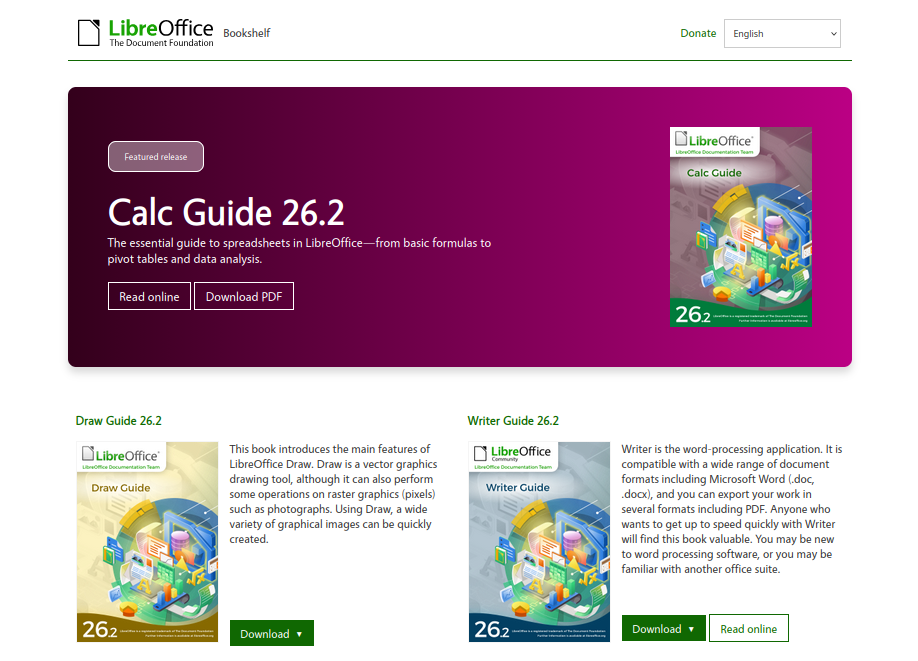
English manuals for LibreOffice 25.2 Write, Impress, Draw and Math are available for download at https://books.libreoffice.org/en/. End users can get first-level technical support from volunteers on the user mailing lists and the Ask LibreOffice website: https://ask.libreoffice.org.

Downloading LibreOffice

All available versions of LibreOffice for the desktop can be downloaded from the same website: https://www.libreoffice.org/download/.

LibreOffice users, free software advocates and community members can support The Document Foundation and the LibreOffice project by making a donation: https://www.libreoffice.org/donate.

[1] Fixes in RC1: https://wiki.documentfoundation.org/Releases/25.2.4/RC1. Fixes in RC2: https://wiki.documentfoundation.org/Releases/25.2.4/RC2. Fixes in RC3: https://wiki.documentfoundation.org/Releases/25.2.4/RC3.