LibreOffice Conference 2018: More presentation videos

The next batch of videos from our conference in Tirana is online. (Use headphones for the best audio.)

First, Simon Phipps talks about the 20th anniversary of the Open Source Initiative:

Please confirm that you want to play a YouTube video. By accepting, you will be accessing content from YouTube, a service provided by an external third party.

YouTube privacy policy

If you accept this notice, your choice will be saved and the page will refresh.

Then Heiko Tietze provides some news from the LibreOffice design team:

Please confirm that you want to play a YouTube video. By accepting, you will be accessing content from YouTube, a service provided by an external third party.

YouTube privacy policy

If you accept this notice, your choice will be saved and the page will refresh.

Finally, Caolan McNamara describes some updates to the native GTK UI:

Please confirm that you want to play a YouTube video. By accepting, you will be accessing content from YouTube, a service provided by an external third party.

YouTube privacy policy

If you accept this notice, your choice will be saved and the page will refresh.

Many more videos still to come!

Interview: Guilhem Moulin on LibreOffice infrastructure and services

A large free and open source software project like LibreOffice requires a lot of infrastructure, to support our users, developers and worldwide community. Today we speak to Guilhem Moulin, who is in charge of TDF’s infrastructure and services, about new developments and how others can get involved…

To start, please give us a quick overview of TDF’s public infrastructure.

The public infrastructure is powered by about 50 Kernel-based Virtual Machines (KVM) spread across 4 hypervisors plugged to an internal 10Gbps switch and hosted at Manitu in St. Wendel (Germany), and managed with libvirt and its KVM/QEMU driver. The virtual disk images are typically stored in GlusterFS volumes — distributed across the hypervisors — except for some transient disks (such as cache) where the IOPS need is higher and the redundancy less important.

All our public VMs run Debian GNU/Linux (currently a mix of Jessie — which are to be upgraded — and Stretch), each typically hosting a single service for better isolation. The rest of the stack is fairly usual: systemd as PID 1 & service manager, a mix of MySQL and PostgreSQL as RDMS, and nginx as SSL/TLS endpoint & reverse HTTP proxy. All of this is orchestrated and managed using saltstack.

About half of our Virtual Machines host public-facing websites; the other half are used for test instances, various production backends and internal services, as well as for tinderboxes and other hacking VMs. Some of these websites are mostly useful for developers, such our Bugzilla or gerrit instances — an overview of the development-focused sites can be found at https://devcentral.libreoffice.org. The remaining sites include the main LibreOffice website, the download page, the Wiki, Askbot, and of course the blog.

Beside these VMs, we also operate a handful of other machines for backups, monitoring, and mail systems, which are hosted offsite for obvious reasons.

What have been the most significant infra developments in the last six months?

Single Sign On (SSO) is probably what’s been the most visible to the community. Traditionally each frontend (Wiki, Bugzilla, Askbot, etc.) has its own private authentication backend, so once someone sign in to multiple services, they would have to remember multiple sets of credentials, which is cumbersome and makes password & email rotation difficult.

We now have a central authentication system (which uses an LDAP DIT as backend), but aren’t pointing individual services to it, as it would 1/ expose the shared credentials to all services hence increase the attack surface; and 2/ doesn’t solve the fact that users would have to enter their password to each service individually. Instead we’re deploying a solution using the SAML 2.0 protocol: unauthenticated users are redirected to an authentication portal against which they can authenticate, and they are redirected to the protected page afterwards.

Not all services have been migrated to SSO yet. An issue is that we have to unify accounts (people use different usernames in different services); and while we want a “critical mass” of active user accounts in LDAP before migrating a service, it’s been rather difficult to reach out to people — even among TDF officials! — and convince them to create an account in the new system. Fortunately since we migrated the authentication system of our wiki, more and more people (among whom a lot of dormant accounts, probably spammers unfortunately) started using the new system.

While it’s only visible to infra team members, we also replaced our Graphite (+ Carbon + Icinga2) based monitoring system with Prometheus (+ data exporters + alert manager). Furthermore, still on the monitoring front but public this time, we just deployed a new service, CachetHQ, to show a quick overview of TDF’s infra status:
https://status.documentfoundation.org.

Last but not least, earlier this spring we were fairly busy with GDPR compliance.

What are you working on at the moment, and what are your plans for the next six months?

Aside from daily maintenance and occasional emergencies (system crashes, hardware hiccups, performances issues, etc.), infra team members still spends quite a lot of time on the above, as this is not completely finished yet. Projects for next year include working on a better backup solution, in particular regarding database snapshots. The data collection system for download metrics needs some improvement, too.

Finally, what cool things can new volunteer admins do to get involved and help the project?

We have a wide variety of systems, ranging for highly sensitive (election, internal mail, LDAP DIT, whitebox monitoring) to pretty much fully public beside the access logs (bitergia dashboard, blackbox monitoring). We can’t give upfront access to the sensitive side of the spectrum to everyone, but there are things to help with on the other side too (developer-focused services are typically less sensitive, since development is open anyway).

Sometimes we also start fresh and replace a service with something equivalent on a brand new box; in that case there is no sensitive data at stake, and it’s a great way for new volunteer admins to gain trust. I mentioned the monitoring migration earlier; we could also imagine replacing our ageing MirrorBrain deployment with a more modern solution like Mirrorbits, for instance.

Thanks to Guilhem for his time and help. If you’re interested in joining our infra community and gaining valuable experience in a large FOSS project, see here to get started!

LibreOffice at droidcon Vienna

LibreOffice is available for Android smartphones and tablets – albeit as a “Viewer” application, for checking documents on the go. There is an experimental editing mode, but it still needs more work, and we’d love to have more help and feedback to improve it!

So to spread the word amongst potential contributors, Christian “Cloph” Lohmaier (LibreOffice’s release engineer) and Mike Saunders attended droidcon Vienna on 21st and 22nd of September.

Organised by AndroidHeads and the Google Developer Group Vienna, droidcon is made up of 20 sessions on various topics. On the first day, Cloph gave a talk titled “Struggles with a large native app, LibreOffice’s attempts at Android”, describing the first stages of development of the LibreOffice Viewer, challenges faced along the way, and the next steps to take. Full slides from the talk are here.

At the end of the talk, there were some questions from the audience about the build process and testing. As Cloph explained, the Viewer app doesn’t have many user interface elements to test, so the main issues are related to the “lifecycle” – ie when users open and close the app, rotate their devices, and so forth. And regarding the build system, Cloph noted that it’s much better today, compared to the early days of the app.

Meanwhile, one of the recurring topics at the conference was Kotlin, a “statically typed programming language for modern multiplatform applications” that runs on the Java VM. Kotlin is growing in popularity, so if you’re interested in the language and the possibility of converting the LibreOffice Android apps (including the Impress Remote), give us a hand! Our wiki has information on building the apps, and you can also talk to our developer community on IRC and mailing lists too.

Finally, after the first day of droidcon, there was an evening party with more opportunity to share ideas and meet people. So thanks to the organisers, and now we move on to the LibreOffice Conference 2018 in Tirana, which is just a few days away…!

How LibreOffice’s quality has improved thanks to automated tools and the volunteer contribution of security specialists

Last Coverity Scan metrics about LibreOffice, with 0 outstanding defects on 6 million lines of code. Kudos to our developers.

Berlin, July 25, 2018 – The Document Foundation celebrates five years of improvements to LibreOffice’s source code under Red Hat’s leadership, thanks to the adoption of automated tools such as Coverity Scan and Google OSS-Fuzz, and to the key contributions in the area of source code fuzzing of security specialists such as Antti Levomäki and Christian Jalio of Forcepoint.

“The combination of Coverity Scan, Google OSS-Fuzz and dedicated fuzzing by security specialists at Forcepoint has allowed us to catch bugs – which could have turned into security issues – before a release,” says Red Hat’s Caolán McNamara, a senior developer and the leader of the security team at LibreOffice.

Since 2013, Coverity Scan has helped to reduce the number of issues by several orders of magnitude (from 0.93 to 0.00093 per 1,000 lines of code). The score is significantly better than the FOSS software average of 0.65 and the proprietary software average of 0.71.

LibreOffice defect density score during the last two years

The Coverity Scan score is related to a static analysis to find source code defects and vulnerabilities. In static analysis, the code under examination is not executed. As such, the score does not represent an absolute value about quality and security of the software when executed on end user desktops.

More recently, developers have implemented fuzzing or fuzz testing, a technique that involves providing invalid, unexpected or random data as inputs to a program, which is then monitored for exceptions such as crashes or failing built-in code assertions, or for potential memory leaks. Fuzzing is able to catch issues just a few hours after they appear in the upstream source code repository, and help to solve bugs and potential security issues before they reach the end user.

#abetterlibreoffice

LibreOffice talks and presentations at FOSDEM 2018

FOSDEM is a major event in the free and open source software world – thousands of FOSS supporters get together to discuss new features, work on bugs, make new contacts, and just have a great time.

This year, many members of the LibreOffice community were there too, and gave talks and presentations in the Open Document Editors devroom. We’ve added the videos to a playlist, embedded below, so enjoy browsing through them to see what’s to come in LibreOffice! (Click the button in the top-left to switch between videos in the playlist.)

Please confirm that you want to play a YouTube video. By accepting, you will be accessing content from YouTube, a service provided by an external third party.

YouTube privacy policy

If you accept this notice, your choice will be saved and the page will refresh.

The LibreOffice Mardi Gras Party for Help: What’s new and fun in online Help?

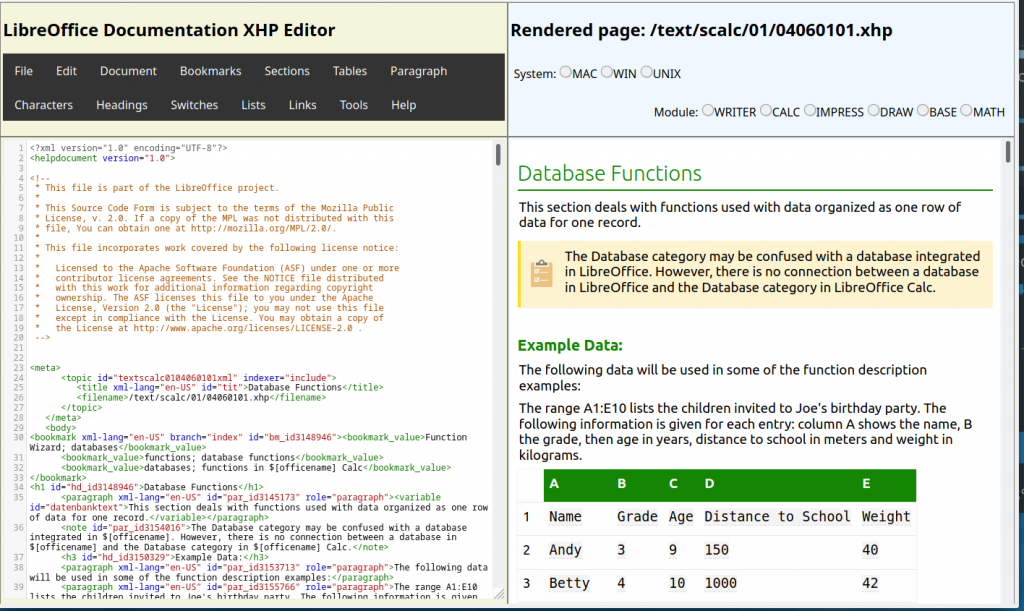
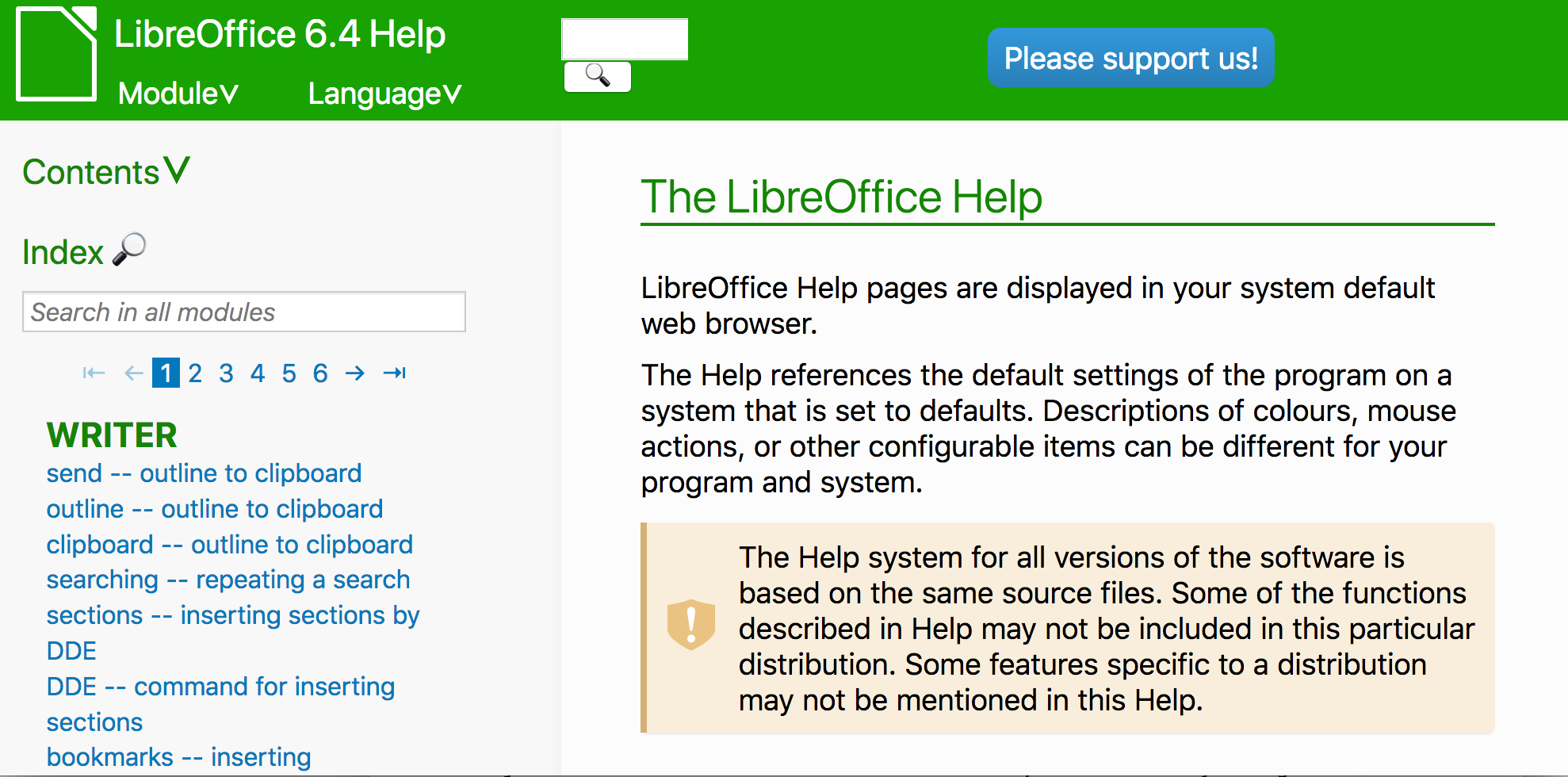
Starting with the recent release of the 6.0 family, LibreOffice has now a brand new online help system. Unlike the previous version – based on the transfer of help content to the Mediawiki framework hosted by The Document Foundation – the new help is a direct transformation of the help XML files into simple HTML files, with additions of some JavaScript magic and CSS wizardry.

But how do I get this new help online? Actually it is quite easy. Either you navigate in your browser to https://help.libreoffice.org/6.0/ from your desktop or smartphone or you just don’t install the local help packages in your computer. When the local help is not installed, LibreOffice calls the online help, passing parameters that includes the dialog box identification or UNO command, operating system language and version. Your default browser will open the correct page at the right line position.

What is new in this help online? By working on the XML transformation targeted at modern browsers, LibreOffice developers were able to insert many nice features in the pages. Here are a few, just for a start:

The top header contains two drop-down lists, one to select the module and the second to select the language of the pages. These two lists are there to let you navigate in all help domains. If you want to read the help content in another language, just select the language in the list. There are as many as 50 languages available (not every Help page is fully translated in some languages). (more…)