
LibreOffice
LibreOffice 6.4.4 Is Now Available for Download with 98 Bug Fixes
LibreOffice 6.4.4 Released for Linux, Windows, and Mac
Interesting
Microsoft: we were wrong about open source
 Berlin, May 21, 2020 – The Document Foundation announces the availability of LibreOffice 6.4.4, the 4th minor release of the LibreOffice 6.4 family, targeted at technology enthusiasts and power users. LibreOffice 6.4.4 includes many bug fixes and improvements to document compatibility.
LibreOffice 6.4.4 represents the bleeding edge in term of features for open source office suites, and as such is not optimized for enterprise-class deployments, where features are less important than robustness. Users wanting a more mature version can download LibreOffice 6.3.6, which includes some months of back-ported fixes.
For enterprise class deployments, TDF strongly recommends sourcing LibreOffice from one of the ecosystem partners, to get long-term supported releases, dedicated assistance, custom new features and other benefits, including SLAs (Service Level Agreements): https://www.libreoffice.org/download/libreoffice-in-business/. Also, the work done by ecosystem partners flows back into the LibreOffice project, benefiting everyone.
LibreOffice’s individual users are helped by a global community of volunteers: https://www.libreoffice.org/get-help/community-support/. On the website and the wiki there are guides, manuals, tutorials and HowTos. Donations help us to make all of these resources available.
Availability of LibreOffice 6.4.4
LibreOffice 6.4.4 is immediately available from the following link: https://www.libreoffice.org/download/. Minimum requirements are specified on the download page. TDF builds of the latest LibreOffice Online source code are available as Docker images: https://hub.docker.com/r/libreoffice/online/.
LibreOffice 6.4.4’s change log pages are available on TDF’s wiki: https://wiki.documentfoundation.org/Releases/6.4.4/RC1 (changed in RC1) and https://wiki.documentfoundation.org/Releases/6.4.4/RC2 (changed in RC2).
All versions of LibreOffice are built with document conversion libraries from the Document Liberation Project: https://www.documentliberation.org.
Support LibreOffice
LibreOffice users are invited to join the community at https://ask.libreoffice.org, where they can get and provide user-to-user support. People willing to contribute their time and professional skills to the project can visit the dedicated website at https://whatcanidoforlibreoffice.org.
LibreOffice users, free software advocates and community members can provide financial support to The Document Foundation with a donation via PayPal, credit card or other tools at https://www.libreoffice.org/donate.
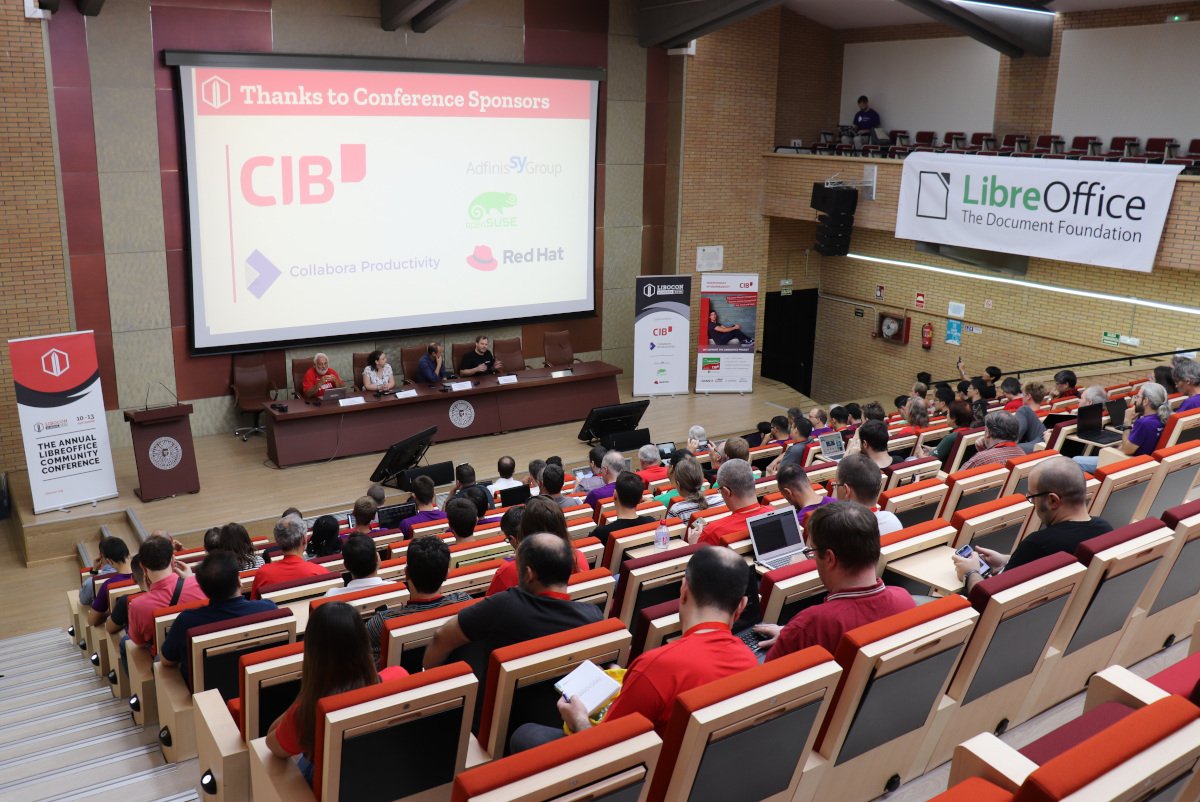
(Note: this is a section from The Document Foundation’s Annual Report 2019, which will be published in full in the coming weeks.)
In 2019, the conference was organized in Almeria by the Spanish community, and took place from Tuesday, September 10 to Friday, September 13. Most of the conference took place in the Universidad de Almeria, next to the sea, but some social events and meetups were held in the city itself.
Over 100 people from across the globe attended the conference; for several people, it was their first LibreOffice Conference and therefore the first time they could meet other community members in-person.
On Tuesday, before the main conference presentations got underway, there was a community meeting. Various members of the LibreOffice community joined for informal talks about marketing and localisation of the software, and what we can do to bring more people into the project.
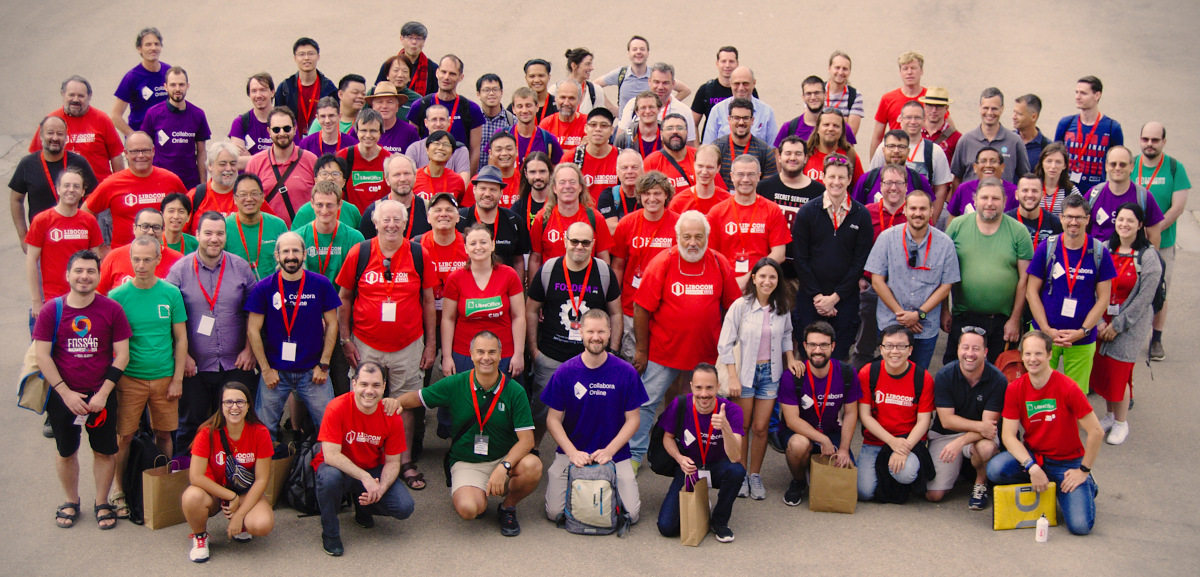
Wednesday kicked off with the opening session: a welcome and introduction from the university’s staff; the “state of the project” (summarising the last 12 months of activity in LibreOffice); quick introductions to the TDF team, Board of Directors and Membership Committee; and messages from the sponsors.
During the conference, there were over 70 talks, workshops and feedback sessions on all manner of topics. Some talks focused on technical aspects, such as continuous integration, build systems and debugging, while others were geared towards the community and other non-technical matters – for instance, getting new contributors, how the Membership Committee works, and reports from events in Asia.
In addition, community members and developers gave talks about LibreOffice Online, the PDF export feature, SmartArt editing in Impress, reproducible builds, and a neural machine translation plugin for the suite. Videos of most of the presentations – and a quick summary of the whole conference – are available on TDF’s YouTube channel as a playlist:
Please confirm that you want to play a YouTube video. By accepting, you will be accessing content from YouTube, a service provided by an external third party.
If you accept this notice, your choice will be saved and the page will refresh.
Outside of the conference tracks, various social events and meetups took place over the four days. On Tuesday evening we had a welcome party outside the accommodation, with drinks and light snacks. A beach dinner party was held on Wednesday, with more great local food to try, while a hackfest took place on Thursday, giving developers the opportunity to work shoulder-to-shoulder and discuss ideas in person.
On Friday, the conference organisers took us on a visit to the Alcazaba – the city’s castle – parts of which date back around 1,000 years. We had an entertaining guided tour with excellent views over the city as the sun set. Once the tour had finished, many people headed back into the city to sample tapas. Finally, on Saturday there was another guided tour, this time through the city’s historical downtown area.
 Microsoft released Windows 7 on October 22, 2009, and ended the support on January 14, 2020. Technical assistance and software updates from Windows Update that help protect PCs are no longer available for the product.
Microsoft released the first Service Pack for Windows 7, also known as Windows 7 SP1, in February 2011, just a few days after the release of LibreOffice 3.3, the very first release after the fork. Only the first few versions of LibreOffice could run without Windows 7 SP1, which was turning Windows 7 into a stable operating system by solving 893 bug fixes and 77 security fixes.
In 2020, we still receive complaints from users who cannot install LibreOffice because the system asks them to install Windows 7 SP1. Nine years after the release of Service Pack 1 they are surprised when they are told to update their operating system. Although Windows 7 users are now a minority, the fact that there are people who have unconsciously used their completely unsecure PCs for years is a sign of a global security issue, as these users would not behave in a different way when using a different OS.
Anyway, users who are requested to update their PCs to Windows 7 SP1 can find more details about Windows 7 SP1 and the installation instructions on this Microsoft web page: https://support.microsoft.com/en-au/help/15090/windows-7-install-service-pack-1-sp1.
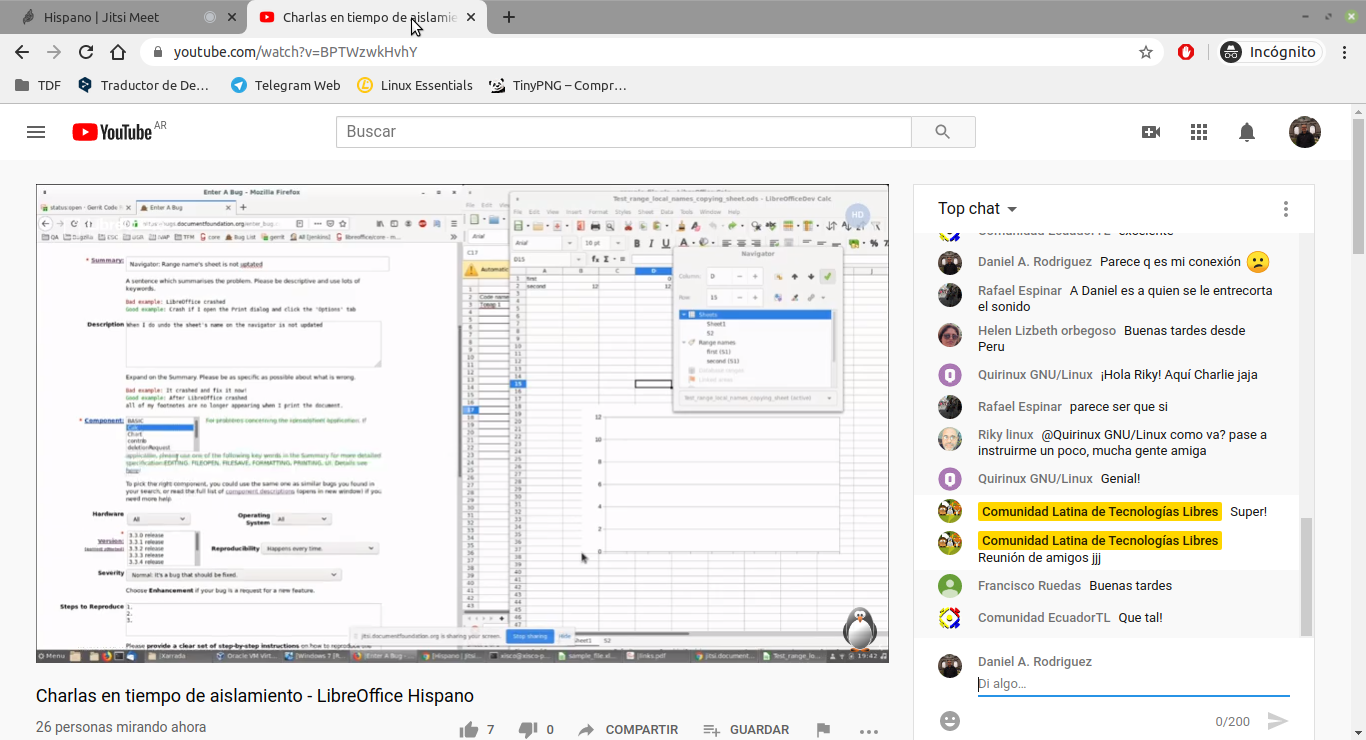
LibreOffice communities around the world love to meet in person, share ideas, work on the software, and have a good time. Of course, “real life” meetings have been difficult in recent months, so communities are going online instead. Daniel A. Rodriguez, LibreOffice contributor based in Argentina and TDF Board member, tells us about an online meetup at the weekend:
On Saturday, the Hispanic LibreOffice community held an online event via TDF’s Jitsi instance, and streamed on YouTube. The event started 17:00 UTC and last almost 4 hours. More that 35 people took part, which benefited from the presence of several members who are well-recognised for their participation and collaboration in the project:
- Celia Palacios, from Mexico, told us about the work of the documentation team.
- Mauricio Baeza, also from the Aztec land, talked about the potential of macros using Python.
- Xisco Fauli, from Spain, explained how quality control is applied to software in the development stages.
- Ismael Fanlo, another Spaniard, presented pivot tables.
- Gustavo Pacheco, from Brazil, talked about becoming a member and invited everyone to apply.
Meanwhile, I gave a tour of the collaboration possibilities presented by the project. This was, of course, an open event – free and aimed at anyone interested in the FOSS office suite per excellence. The event took place on Saturday May 16th on our Jitsi server. Also, thanks to our friend Servio from the open-source Latin community, we had a live broadcast through YouTube, now available as recording.
Thanks to everyone who took part! LibreOffice benefits enormously from the work of communities around the globe. If you’re reading this and want to boost LibreOffice in your country or language, check out our native-language projects and give us a hand!
LibreOffice
9to5 Linux: LibreOffice 7.0 Now Available for Public Testing, Final Release Coming in Early August
Phoronix: LibreOffice 7.0 Alpha 1 Released With Its Skia + Vulkan Rendering
Small Tech News: LibreOffice 7.0 First Release: Enhanced Compatibility with Microsoft Office Documents
Softpedia News: First LibreOffice 7.0 Version Is Now Available for Download
Interesting
ZDnet: Linux not Windows: Why Munich is shifting back from Microsoft to open source – again