We are pleased to announce the release of the latest Getting Started Guide, updated for LibreOffice 26.2!
The Documentation Team is proud to present this new edition, designed to help users with an introductory guide of LibreOffice, covering all aspects of the best open source free office suite, from word processing to databases as well as settings and configuration common to all modules.
This guide is part of our growing collection of documentation — lovingly written, edited, and reviewed by a global team of dedicated volunteers who are passionate about open-source software and digital freedom.
👏 The 26.2 update was coordinated by Dione Maddern, with valuable contributions from Peter Schofield and Olivier Hallot. A huge thanks to everyone involved!
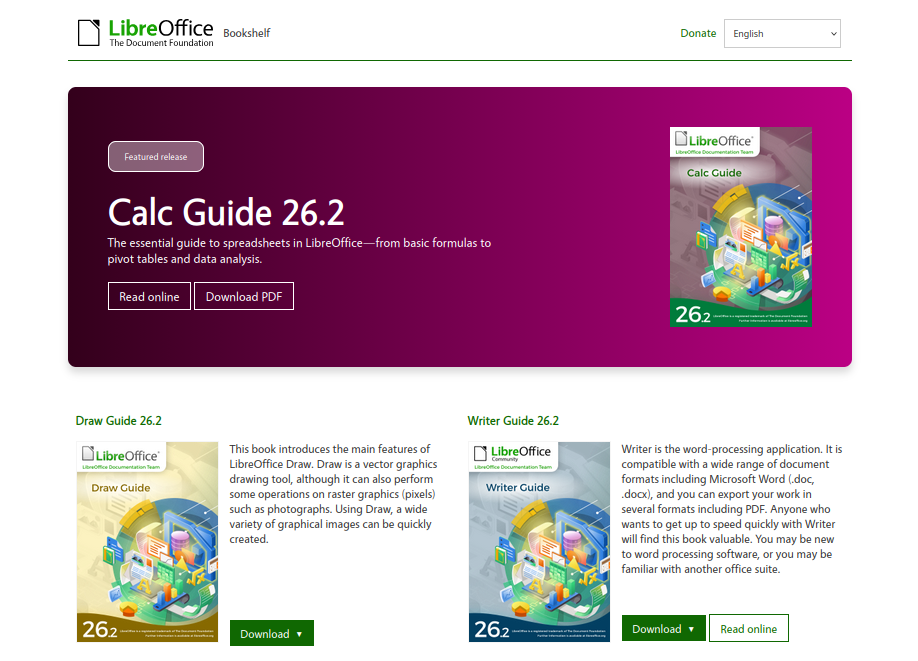
The LibreOffice Community has now a reshaped website to access the LibreOffice official literature.
Thanks to Juan José Gonzalez (TDF Web Technology Engineer), the bookshelf website has been redesigned to carry new aesthetics and user interface. Web visitors have now a summary of each guide and easy way to download or read online the contents of our guides.
“We’ve updated our bookshelf website’s appearance as part of our ongoing effort to build a unified visual identity across all our project sides. But the changes aren’t just a visual refresh: this is our first site powered by our new web components library”, said Juan José.
The website source code is available in TDF Gerrit service at https://git.libreoffice.org/infra/bookshelf/ . End users in general, LibreOffice consultants, instructors and organizations deploying LibreOffice are invited to clone the website and run it in their premises.
To access the Bookshelf, readers can use the following
From LibreOffice software, choose Help > User Guides.
Continuing our mission to provide the best LibreOffice documentation for our end users, the Documentation Team is proud to announce the release of the latest Writer Guide for LibreOffice 26.2.
Whether you’re a beginner or an expert, this guide covers all aspects of the LibreOffice Writer module—from creating simple one-page document to full book using the best practice in text editing, text formatting and document compilation.
This guide is the result of teamwork by LibreOffice Community volunteers. We extend special thanks to Dione Maddern, Claire Wood, Miklos Vajna, Ed Olson, B. Antonio Fernandez, Peter Schofield and Olivier Hallot.
“This is our first edition of the Writer Guide using Nextcloud Deck to manage the production process. It has been a bit of a learning curve for our team, but it has greatly improved task tracking and communication.” Said Dione Maddern, volunteer Writer Guide coordinator.
Dione Maddern
The guide was updated from LibreOffice 25.8 and 26.2 and included several new sections on new features as well as contents on features not yet documented in the previous editions. The Guide is up to date with LibreOffice 26.2 release and included the following updates:
Chapter 2 – Working with Text: Basics: Updated to show improvements to the Hyphenation options in the Paragraph Style dialog.
Chapter 3 – Working with Text: Advanced: Documents improvements to Writer’s tracking of interdependent changes and documents the new Reject but track new.
Chapter 5 – Page Style Basics: Updated instructions for toggling the visibility of Boundaries and Formatting Aids and Page break examples moved from Chapter 8, Introduction to Styles.
Chapter 6 – Formatting pages: Advanced: Content on Using Document Themes moved to Chapter 9, Working with Styles.
Chapter 7 – Printing and Publishing: Updated information on standards for Reference XObjects.
Chapter 8 – Introduction to Styles: Fixed out-of-order sections and figures, and reordered some sections to improve flow and clarity. Improved sections on the Styles sidebar deck and Creating paragraph styles. Page styles examples moved to Chapter 5, Page Styles Basics. Removed obsolete passage about anchoring settings being unavailable for Frame styles.
Chapter 9 – Working with Styles: Added sections to document the Asian Typography, Asian Layout, and Text Grid features. Added a section to document the Inline Heading preset frame style. Removed obsolete section about character formatting.
Chapter 10 – Working with Templates: Improved introduction. Improved sections on Updating a document by loading styles from a template, Other ways to manage templates, Creating a document from a template, and Creating a template from a document.
Chapter 11 – Images and Graphics: Improved grammar and style in multiple sections. Added a section to document the Text within a shape feature.
Chapter 13 – Tables: Added contents on table calculations
Chapter 15 – Table of contents, Indexes and Bibliography: Updated nomenclature, Updated instructions for adding entries using the Bibliography Database window. Added a section on DOI References.
Chapter 16 – Master documents: Chapter was entirely rewritten to improve clarity, completeness, and flow.
Chapter 17 – Fields: Improved and clarified instructions on how to set and use variables fields.
Chapter 18 – Forms: Added instructions for exporting to PDF forms.
Chapter 19 – Spreadsheets, Charts, Other objects: Added instructions on how to create a chart from a writer table. Updated charts with data table addition.
Chapter 20 Customizing Writer: Added sections on the Allow text to be dragged and dropped and DeepL Server options. Improved the section on the Load printer settings with the document option.
Chapter 21 – User Interface Variants: Added a section documenting the Form tab in the Additional tabs section.
Appendix A – Keyboard Shortcuts: This new Appendix was added with most important shortcut for text editing and word processing operation, organized by actions.
The Writer Guide is available in PDF, ODT format and can be read on line as web pages. To access the Guide, readers can use the following
From LibreOffice software, choose Help > User Guides.
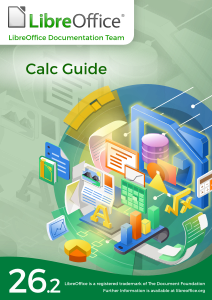
The LibreOffice documentation team is proud to announce the immediate availability of the Calc Guide 26.2.
Whether you’re a beginner or an expert, this guide covers all aspects of the LibreOffice Calc spreadsheet module—from creating simple shopping lists to performing advanced data analysis and complex calculations.
“We examine the Calc guide from the end user’s perspective—covering step-by-step instructions, explanations of the spreadsheet’s internal workings, and illustrating the use cases where each feature applies” said Olivier Hallot, Documentation Coordinator and Guide Lead for Calc.
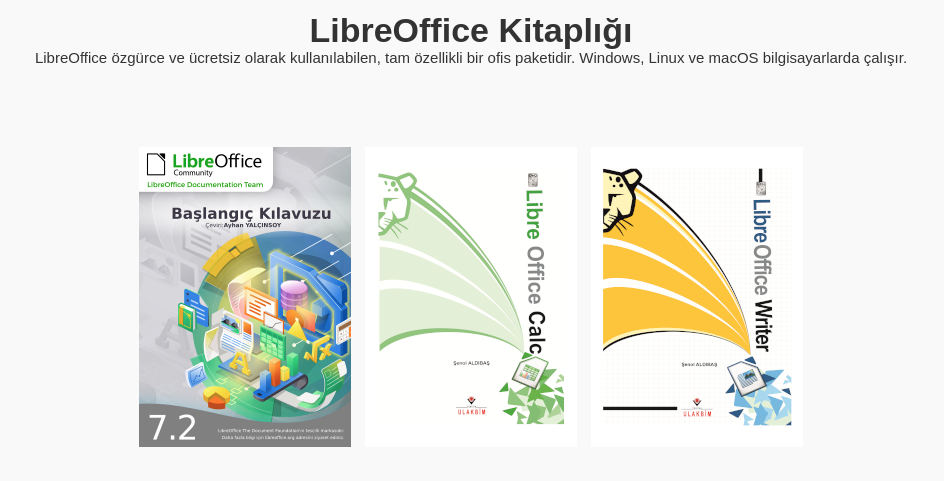
The Turkish documentation community is now publishing their LibreOffice documentation in the Turkish language in the LibreOffice Bookshelf.
Muhammet Kara, Turkish community member, says:
The Turkish documentation community is delighted to make LibreOffice resources more accessible to the Turkish people. We believe our ongoing efforts to popularize LibreOffice depend on comprehensive documentation, and we are committed to further expanding these valuable resources for our users.
The LibreOffice Bookshelf is a website for quick access to the several LibreOffice guides and related publications. It is accessible from books.libreoffice.org – or directly from inside LibreOffice by choosing menu Help > User Guides.
The new version of the LibreOffice Draw Guide 25.8 has been translated, and announced on our social media. The team is almost identical, with translations by Petr Kuběj, Zdeněk Crhonek and Radomír Strnad and technical support from Miloš Šrámek. Download it from the website. Thanks to everyone for the hard work, and if anyone would like to join the team, they are welcome to do so.