It has become a commonplace to describe the Microsoft 365 Ribbon as the finest office interface available — the most polished to look at and the most ergonomic to use. The claim is repeated so often that it tends to pass unexamined. It deserves examining, because hidden inside it is an assumption that quietly does most of the work: the idea that there exists a single best interface at all.
A competent design — for one kind of user
Let us begin by granting what is true. The Ribbon is a capable piece of design. It was built to help an occasional or intermediate user discover features by browsing rather than by memorising, and for that user it does its job well. Saying so is not a concession wrung out reluctantly; it is simply accurate, and any honest discussion should start there.
But “well-designed for a particular user” is not the same thing as “best interface,” and treating the two as equivalent is where the reasoning slips. An interface optimised for one persona is, by construction, less suited to the others: the power user who works from the keyboard and resents losing vertical screen space, the migrating user carrying twenty years of muscle memory, the user who depends on assistive technology, the user on a small or low-resolution display. A single fixed layout cannot be best for all of them at once. It can only be best for some, at the expense of the rest.
Ergonomics is a trade-off, not a verdict
The same applies to the ergonomic claim, only more sharply, because ergonomics is something one measures rather than asserts. The research on interface efficiency is consistent on one point: how well an interface performs depends on the task, its frequency, and the expertise of the person doing it. Discoverability and raw throughput pull in opposite directions. An interface that makes features easy to find for a newcomer is rarely the one that lets an expert move fastest, and the reverse is equally true.
So the Ribbon makes a trade. It spends vertical screen space and a measure of expert speed to buy browsability for the less frequent user. That is a perfectly reasonable bargain — for the people it was struck on behalf of. Calling it “the best ergonomics,” though, simply declines to name what was given up to get there. There is no free lunch in interface design; there is only a choice about who pays.
The real question: who decides?
This brings us to the point that actually matters. When a product ships a single interface, it has made the ergonomic decision on the user’s behalf and removed it from their hands. The trade-off still exists — it has merely been settled by someone else, once, for everyone.
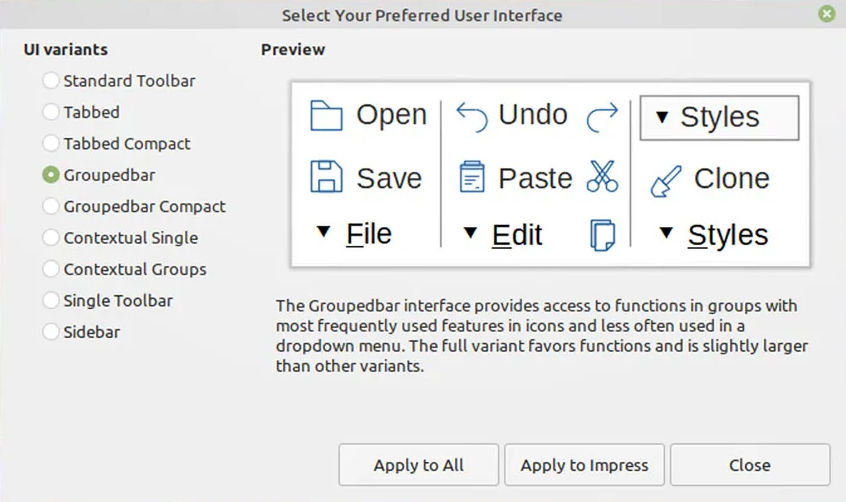
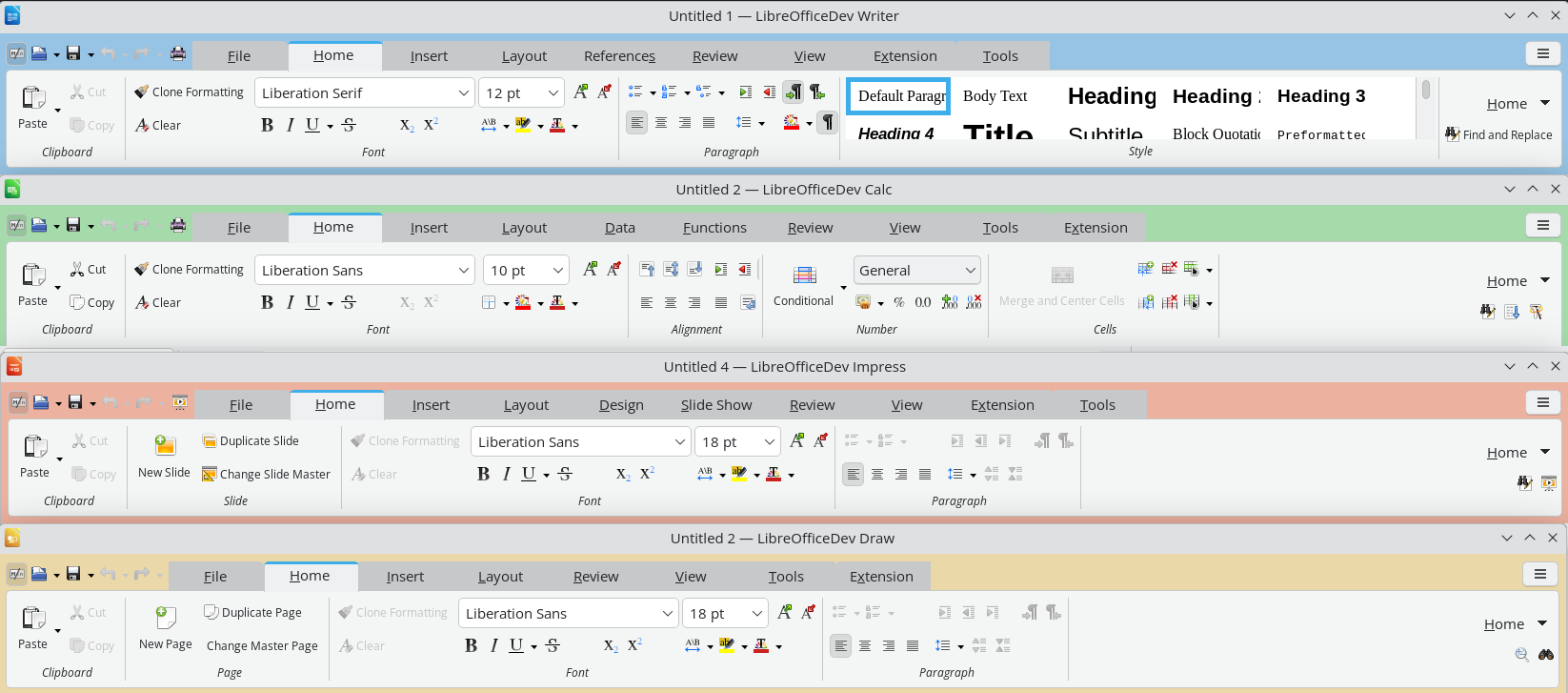
LibreOffice takes the opposite path. It offers the traditional menu-and-toolbar layout, the Tabbed interface, Tabbed Compact, the Groupedbar, a Sidebar, and a Single Toolbar mode, and it lets each user choose the one that fits their work, their hardware, and their habits. This is not a substitute for a “real” Ribbon, nor an apology for the lack of one. It is the more mature answer to the ergonomic question, for a simple reason: the only person who can properly weigh these trade-offs is the one actually performing the task. Choice is not the consolation prize. Choice is the point.
What 26.8 changes, and what it does not
LibreOffice 26.8 will bring an improved Tabbed interface — the layout closest in spirit to the Ribbon. It is worth being precise about what this means, because it is easy to misread. The improvement widens the range of good options; it does not narrow it. It is emphatically not an admission that the menu-based interface was lacking, nor a signal that it is on its way out.
The traditional menu-and-toolbar interface remains a fully supported, first-class choice, and it will not be deprecated. An ecosystem that adds options without taking any away is the exact opposite of one that imposes a single layout and asks everyone to adapt. Adding a better Tabbed interface while keeping the classic one intact is not a contradiction. It is the whole philosophy, working as intended.
The same principle, one layer down
This approach to the interface is not an isolated quirk. It is the same principle that governs how LibreOffice treats document formats, and the parallel is worth drawing out, because it reveals a consistent way of thinking about who software is meant to serve.
LibreOffice adopts the open standard, the OpenDocument Format, as its native format — the one it reads and writes by default, without compromise. At the same time it continues, release after release, to improve its support for the proprietary formats, so that users who must exchange files with others are served as well as the technology allows. The standard comes first; support for the proprietary follows, and keeps getting better, because that is what users need.
Set this beside the other approach and the contrast is stark. There, support for the open standard is present but kept deliberately limited — limited by choice, not by capability — while the proprietary format remains the privileged default. One model treats the open standard as the foundation and works continuously to serve the user across every format they encounter. The other treats the standard as a box to be ticked and the user as someone to be kept in place.
It is the same pattern in both cases. On one side, a tool that fits itself to the user — in its interface and in its formats alike. On the other, a user asked to fit themselves to the tool. There is no best interface, only the one that fits; and the software that offers the most well-made ways to fit, rather than a single default decided in advance, is the one that takes the user most seriously.
Comments continue to be posted on articles that refer to blog posts on OOXML and related topics, from users who claim to support FOSS but in fact choose proprietary software, for reasons that have nothing to do with the support they claim to offer.
These users share a preference for the proprietary OOXML document format and the Microsoft 365 ribbon interface, demonstrating on the one hand incompetence regarding formats and on the other hand subservience to proprietary marketing. Some of them even use the definition of “standard” for the ribbon interface, which in reality is neither a standard nor a good example of ergonomics.
In reality, if ODF is LibreOffice’s first advantage from an open source perspective, the flexibility of the user interface is probably the second. Let’s start with an in-depth analysis of these two important advantages.
Native support for the ODF format
LibreOffice uses ODF as its native format rather than as a second choice, handled in an approximate manner with the aim of disqualifying ODF in the eyes of users, as Microsoft, OnlyOffice and WPS Office do.
This means that documents are transferred perfectly without the risk of silent data loss, formatting corruption or schema compromise. Users working in environments that require ODF compliance, such as some EU public administrations, are guaranteed maximum fidelity without any effort.
In contrast, the complexity and ambiguity of the OOXML format, combined with the gap between the published specifications and the actual implementation, make the format almost as opaque in practice as a proprietary binary format. Technically, it is possible to access XML files, but making sense of them or achieving interoperability is another matter entirely.
LibreOffice supports the ODF format natively, which eliminates the risk of vendor lock-in and ensures that documents remain accessible in the long term, regardless of the commercial choices of a private company. This is an increasingly important consideration for European public administrations, particularly in light of EU digital sovereignty policies.
Flexible and customisable interface
LibreOffice offers several user interface modes, which users can switch between depending on their workflow and familiarity: the classic interface with toolbar, the tabbed user interface (ribbon style, for users familiar with Microsoft 365), the compact tabbed variant, the compact grouped bar, the single contextual toolbar and the sidebar-centric layout.
Microsoft 365, WPS Office, and OnlyOffice have only one user interface, which in the first case is original and in the other two cases is a simple clone, forcing users to adapt to choices dictated in one case by patent-based protection strategies, and in the others – I suspect – by a total inability to develop an original solution.
Incidentally, the characterisation of ribbon-style interfaces as “modern” or “standard”, used by several users, is not based on any objective usability parameter or design principle, but is the result of Microsoft’s dominance in the market and the huge investments made when the ribbon was introduced in Office 2007 as a new paradigm for productivity software.
From a human-computer interaction perspective, there is no consensus that the ribbon represents superior usability. In fact, it was controversial at launch and remains so among experienced users, who often find it faster to navigate menu hierarchies, once learned, than a ribbon that emphasises breadth over depth.
LibreOffice’s toolbar and menu interface reflect decades of refinement in that paradigm, and are demonstrably more efficient for users who are already familiar with it.
The idea that “modern” equals “similar to a ribbon” is a normalisation effect: the Microsoft interface has become a benchmark because of its ubiquity, not because of its proven advantages in terms of usability. Added to this is the fact that many users evaluate office software through the lens of familiarity with Microsoft Office and consider deviation from it as a problem rather than a design choice.
LibreOffice’s multiple interface options are undoubtedly a more thoughtful response to user needs than the one-size-fits-all ribbon approach. Offering users the ability to choose their own interaction model (classic menus, ribbon tabs, or grouped and compact toolbars) is a sign of design maturity, not backwardness.
Other advantages of LibreOffice over proprietary solutions
No monetisation of users. LibreOffice has no advertising, does not profile users, has no upsells, no lock-in pressure through the cloud, and no feature gating.
More options for macros and scripting. LibreOffice retains its own Basic, and adds Python, JavaScript, and BeanShell to offer experienced users extensive automation capabilities, making it significantly more flexible and capable than other software in this specific area.
Access to source code. LibreOffice is developed under the auspices of The Document Foundation, a non-profit foundation, according to the ethical principles of FOSS, and therefore with full transparency of the source code, which allows users and organisations to verify exactly what the software does.
Data privacy assurance. LibreOffice does not collect personal data, usage metrics or diagnostic information, and offers full control over documents, which is essential for data sovereignty, with encryption options to protect files with passwords and even options to remove any type of personal information from files.
Balance between platforms. LibreOffice offers full versions for Windows, macOS and Linux that are identical in terms of features and functionality, to protect the user’s right to choose their preferred operating system, with the only difference being in the installation procedure.
In summary, for users who prioritise FOSS principles – such as standard document format, access to source code and data privacy – and are not easily swayed by proprietary software strategies for the user interface, LibreOffice is the best choice overall.
Those who argue otherwise, hiding behind baseless justifications such as interoperability and modernity of the user interface (where the real advantage lies with LibreOffice), clearly need to clarify their ideas regarding support for FOSS, which is a choice where “convenience” is not a factor.
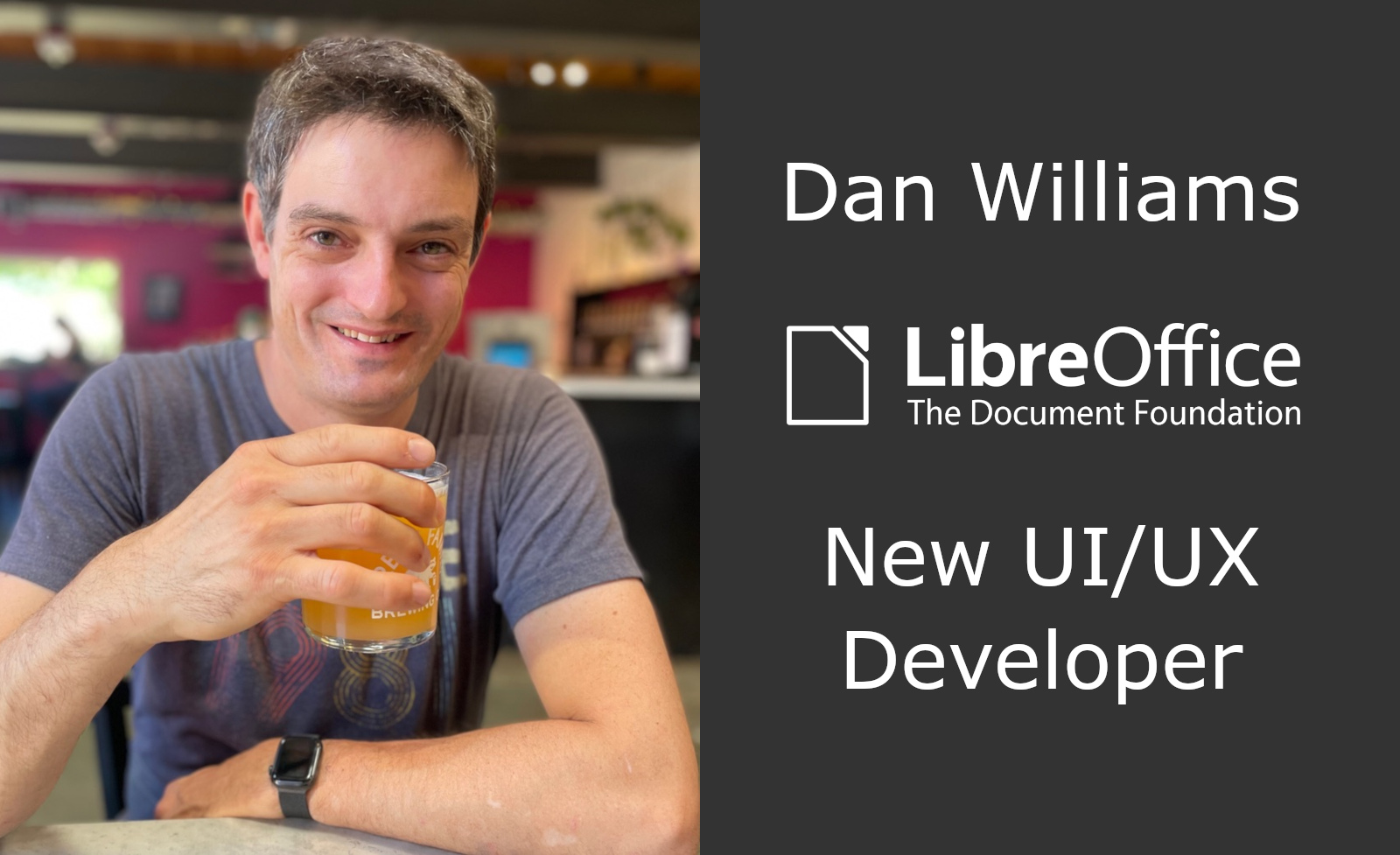
The Document Foundation is the small non-profit entity behind LibreOffice. It oversees the project and community, and is now expanding with new developer roles. So let’s say hello to Dan Williams, who joins the team to work on design and user interface (UI) improvements, with an initial focus on macOS:
Tell us a bit about yourself!
I’m from the USA, have lived on both US coasts at various times, and now live back in the “midwest” where I grew up.
I was previously a software engineer, team lead, and manager at Red Hat for more than 20 years. In that time I’ve worked on a large variety of projects, from local networking to cloud networking to desktop software. I spent two years helping build the One Laptop Per Child software stack which was an eye-opening experience from a UI and design perspective. I believe passionately in free and open-source software; all the code I’ve written so far in my career is open-source.
Oddly enough, I’m not new to the LibreOffice community; I was an OpenOffice contributor and co-founded the NeoOffice port to Mac OS X (now called macOS). That led to being hired by Red Hat to package and improve OpenOffice for Fedora and Red Hat Enterprise Linux, where I helped start the 64-bit port and realize the Native Widget Framework that’s still used in LibreOffice today. I eventually handed my Red Hat OpenOffice duties over to Caolán McNamara (now at Collabora) and moved on to networking. I still recognize quite a few of our community members who I worked with before!
Outside of office software I’m the maintainer of the ModemManager WWAN software stack and I seem to have developed a hobby of collecting LTE and 5G base stations. I enjoy playing with hardware (especially if it runs Linux), baking and cooking, building large structures out of wood, and occasionally brewing beer in my basement.
What’s your new role at TDF, and what will you be working on?
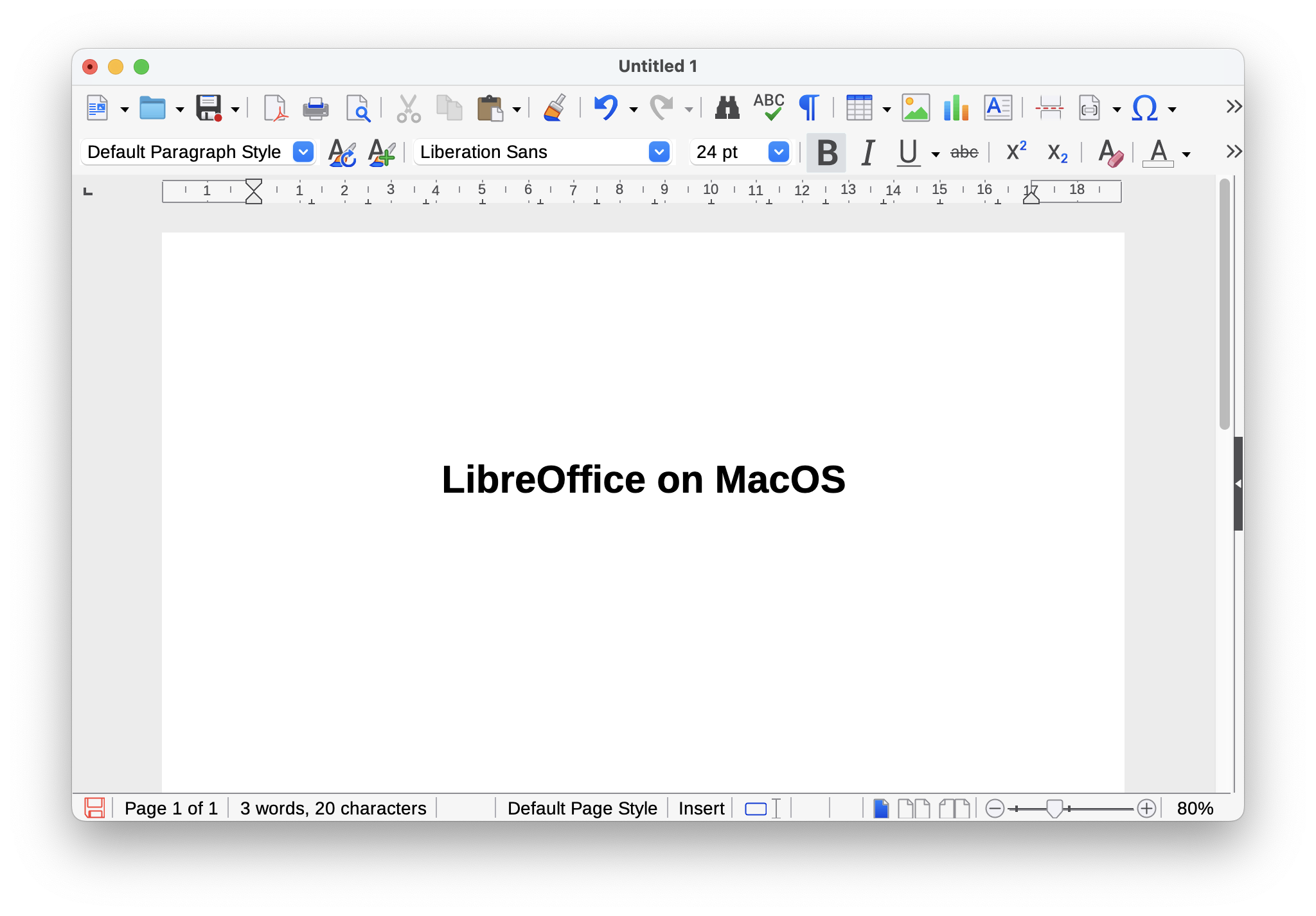
A significant part of my new role will echo my early OpenOffice contributions: Mac! I’ll convert the last bits of Carbon API into modern Cocoa ones. This old code involves some pretty core functionality like popup menus and key modifier detection so it’s going to be tricky but we need to do it. Nobody knows how much longer Apple’s going to support HIToolbox but I’d like to be prepared. I’m also going to improve general Mac usability and experience; I’ve been using LibreOffice on macOS since the beginning so I’m familiar with its rough edges.
But the Mac isn’t the only platform so I’ll be driving user interface improvements and fixing annoying bugs everywhere else too, regardless of platform or visual backend. I also look forward to working with the LibreOffice Design community to try out new ideas and see what sticks.
I enjoy the challenge of working throughout the entire codebase, from the depths of VCL/SAL up to the UI logic and layout in the applications at the top. I’m also a big believer in automated testing and continuous integration (CI) and I hope to improve our reliability and reduce regressions. It’s often a pain to write tests for a small bug fix or any other change, but I think they’re necessary for a healthy project.
How can all users of LibreOffice help out?
What are the most annoying interface and interaction bugs, for the Mac or otherwise? Make sure they’re in Bugzilla! I need help prioritizing issues – so here’s your chance to get your favorite bug looked at.
If you’re interested in LibreOffice’s user interface and visual identity, join the Design team.
Do you have Cocoa experience on the Mac and a bit of extra time? Help me out with bugs! I’d be happy to get you started.
Design has been one of the major focus points of LibreOffice in recent years. The design/UX community has continued to support QA by evaluating user reports on Bugzilla, helping development with mockups, and mentoring volunteers and students in different projects.
(This is part of The Document Foundation’s Annual Report for 2024 – we’ll post the full version here soon.)
Besides a large number of fixed issues on macOS thanks to Patrick Luby, and continuous work on the Navigator by Jim Raykowski, we had many more improvements – here is just a small selection:
Improvements in LibreOffice 24.2
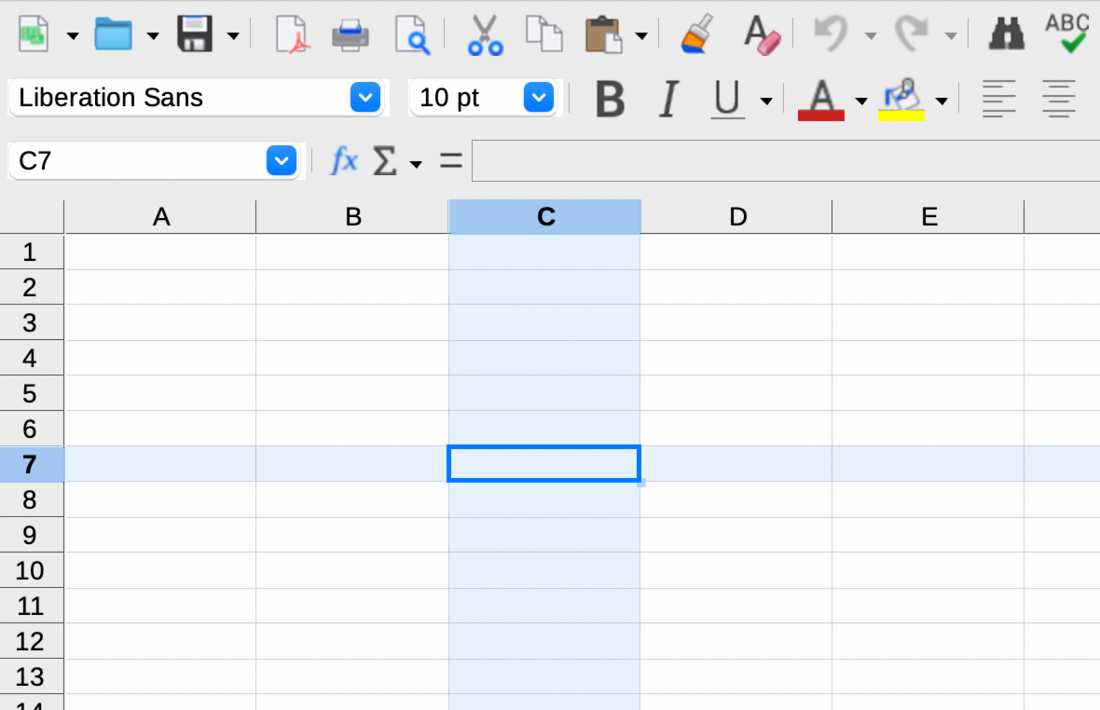
The column/row for active cells can be highlighted in Calc (implemented by Sahil Gautam)
Tools ▸ Options was complemented by a search feature (Bayram Çiçek)
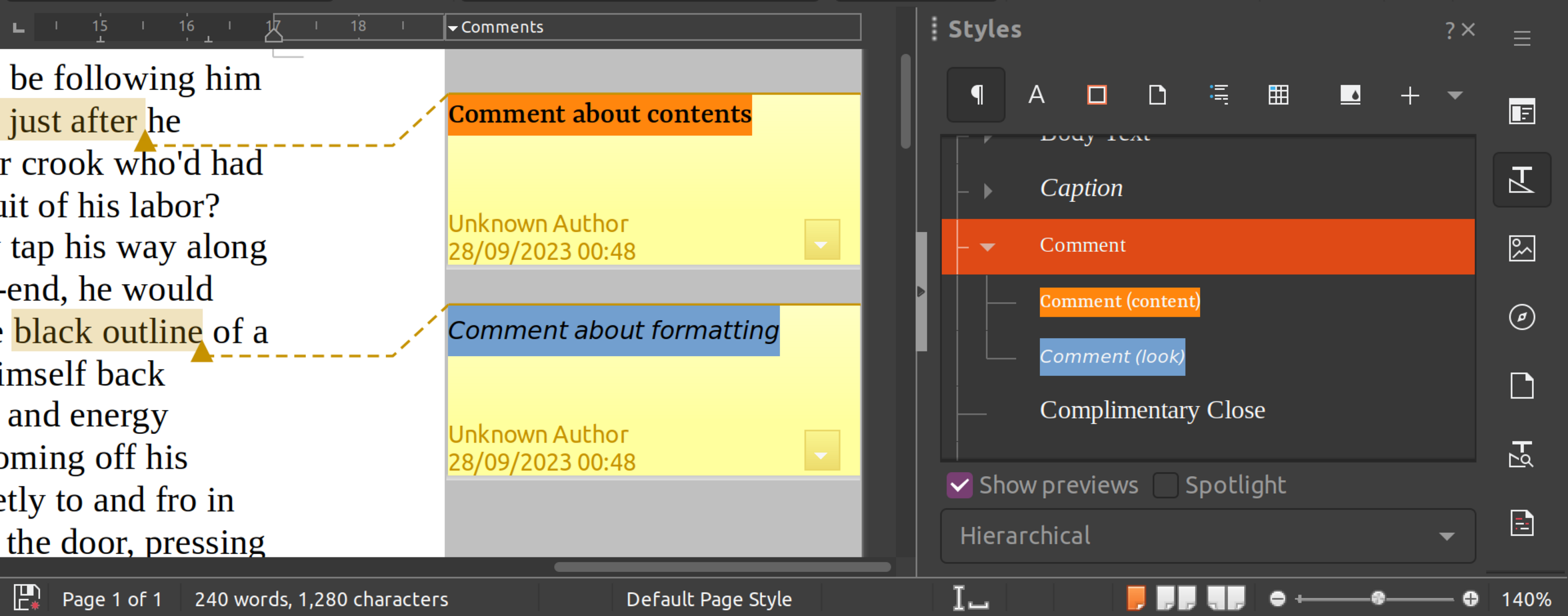
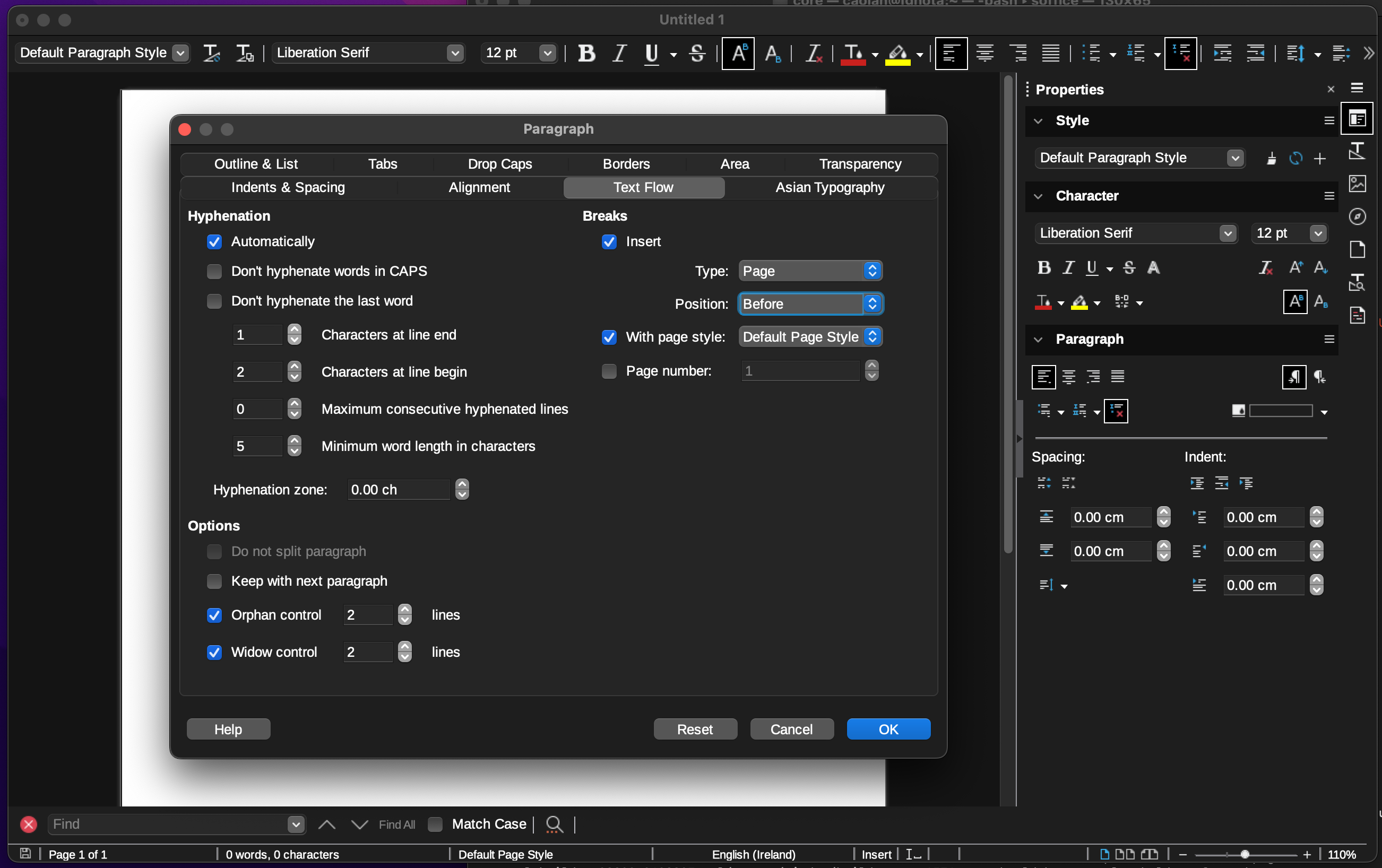
Comment styles were introduced for quick and consistent formatting of all comments (Maxim Monastirsky) (depicted in the screenshot at the top of this post)
Improvements in LibreOffice 24.8
Bundled templates were refactored with localized placeholders (Laurent Balland)
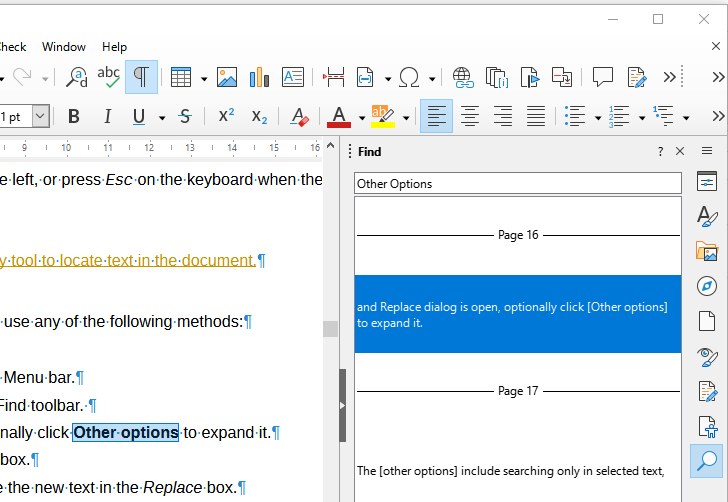
New “Quick Find” deck in the Sidebar, which lists the search results along with their context (Khushi Gautam)
Formatting characters are now treated independently from fields and do not toggle with non-printable characters (Heiko Tietze)
“Keep Ratio” settings in the Position and Size dialogs are more intuitive now with a lock symbol and reference lines (Heiko Tietze)
Hovering over a layer’s tab in Draw highlights the objects it contains (Jim Raykowski)
Among many other improvements to the Basic IDE, a dialog was added that allows users to pick one of six syntax highlighting colour schemes (Rafael Lima)
Heiko Tietze from LibreOffice’s Design community tells us about UI and UX improvements in the suite, how decisions are made, and more. (Also available on PeerTube).
Please confirm that you want to play a YouTube video. By accepting, you will be accessing content from YouTube, a service provided by an external third party.
If you accept this notice, your choice will be saved and the page will refresh.
Transcript
Mike: Welcome to episode two of the LibreOffice Podcast. This is our second episode. In the first episode, we talked about marketing free and open-source software like LibreOffice: some of the challenges of marketing in a competitive world, but also marketing not just a product, but a community as well – getting people to join a community.
In this episode, we’re going to talk about design and usability. I’m Mike Saunders from The Document Foundation, the non-profit behind LibreOffice. My colleague over there, Heiko Tietze, oversees the LibreOffice design, UX, UI, and usability community. They work on improvements to the software’s design, and we’ll be talking a bit about some of the recent changes and some of the challenges the design team has when working on free and open-source software.
So, last month — where are we now? We’re in the middle of March. At the start of last month, we released our new major stable release of LibreOffice 25.2, with the year.month versioning system, with a bunch of new features and changes as well, but quite a few on the design and user-interface side. So, Heiko, what are some of the most notable design- and UX-related changes in 25.2?
Heiko: Well, it feels to me as if our release notes grow with each release. Everything, more and more is being done with every new release, and everything is great. There might be details that get implemented, fixed, and improved, but sometimes we do larger changes.
We had a couple in the last release regarding design. One that I personally like a lot is the new appearance. It started a little bit – many years ago with Personas. Persona was a term coming from Firefox Mozilla Persona, and we picked it up and provided a similar way to customise the appearance of the program by adding an image to the background, by changing the colour gradient. Then Mozilla changed the way Personas worked and broke our implementation. Someone fixed it; Mozilla changed again, and it broke again. So it was annoying over the years. This feature was not working at all.
They also implemented some dark mode to make the application work in dark environments. It was a kind of hijacking, another way to customise the application, so it switches the background anyway. Long story short: a lot of ways to change the appearance of the application, the look and feel, and to make it blend into the operating system or to have it not blended, whatever you like. In the last release, this was merged together into one way of modification, of customisation.
The basic idea behind it – which I personally like a lot – is that we relieve users from changing the very details and let them pick some broader options. In this case, it is an extension. I like extensions — something that everyone, every individual, can help us with, can support LibreOffice with, can help the community with. It needs, in this case, just to fiddle around with RGB values, create an XML file, package it into the proper format, and share it on our application extension site. The application itself can load it, and you can change the appearance of the application. Great feature. I like it a lot. People believe it is not much needed and we should focus on more important parts.
I have another feature, if you want me to talk more, something that is probably even more controversial. Well, LibreOffice has grown from StarOffice, OpenOffice, and whatnot into LibreOffice over 30 years and even more. We have different concepts in the software, different ideas, and different people who work on it. That makes some details sometimes really difficult to understand — not only as a user; even as a developer. I’m not a developer, I’m a designer. I’m looking into the functionality. I try to verify if a feature is easy to use for the average user, something like this. But this is sometimes very difficult.
One example was the way text boundaries indicate or are switched on, and under what condition it was there. It was dependent on the non-printing characters, so the pilcrow symbol that shows up at the end of the paragraph to show the user has pressed Return to start a new paragraph. This symbol being shown or not is bound, on the other hand, to the indicator of the page boundaries, where the text ends. That’s pretty weird. There are other parts, like tables, sections, and more, that get some boundaries, all in a really strange way combined. In particular, for a table you had to go to the colour customisation to enable it.
Something that I took care of: I removed everything, put it together, put the customisation under the Tools options, Writer section, under Formatting Aids. Average users might not find it easily; a bit more experienced users hopefully do not struggle too much. Then I added one option to enable everything, and people come and say, “Oh no, that’s not going to work. It is terrible.” Partially it is. For example, the idea was that most users probably want a distraction-free editing capability of the software. You want to write down just a letter and do not care about pressing Enter twice, or about where exactly the page side — the content of the document — ends in relation to the page. That was the idea: to remove everything by default, which makes it a bit hard for tables without borders to spot.
The development was a bit — not really broken — but we fixed it. I mean, someone else took care of it, or did I? I don’t remember. In the next release, this part is fixed. So the point is: we have a lot of goodies. We are not perfect. We iterate with every release, we improve, and now it’s up to the user to tell us if it’s nice and great.
Mike: Yeah. I know there are so many different workflows, and being on social media as well for LibreOffice, I see people who, like you say, want to write a letter. They want the absolute minimum user interface. They want stripped-down, bare bones. They don’t understand why it is so complicated for the software to be able to do so many things in the background, like you were talking about.
Then you have very, very more or less experienced users because, like you say, the code base goes back to OpenOffice and StarOffice before that. There were some things in the interface, in the menus, that have been there for — what can we say now? — 40 years perhaps, since StarWriter. So people have these expectations that something will always be in the same place, or the options will always be in the same place. But if you want to simplify something… It must be difficult.
Heiko: It is always hard to remove features. Adding stuff, more and more features, that’s simple. But if we remove something, for sure someone shows up and says, “Oh no, you’ll break my workflow.” But that’s well known from every application, from every tool.
Mike: Yeah, I guess finding that balance between giving people one big toggle to turn things on and off — there are lots of fine-grained controls as well. A lot of people just want one button for dark mode: turn dark mode on. Then other people want extremely fine-grained controls over every tiny element in the interface.
Heiko: That’s exactly true. I personally like simple applications that do not give you all the options by default. I think, if we stick to the office-productivity context, Google made a great application for simple workflows. You open it, you type your text, you have a few options to modify, and that’s all. I know people who really love the presentation part. I don’t know the name. Personally, I don’t understand why.
At some point, you need the ability to go beyond the basic functionality, and Google won’t help you there. You might need a different application. Microsoft Office: great application. But if you need to understand how it works, if you go even further, if you want to change something that is not done by anything else, or something very special, then you don’t have a chance with even applications that are the market leader.
Mike: Yeah. How do you make things discoverable as well? So often I see LibreOffice being used in places where people are centering text by pressing the space bar a thousand times to move a piece, and then you show them some buttons on the toolbar that are visible by default on the toolbar, and yet they don’t use them. This is not some obscure feature tucked away in an experimental mode that you have to compile a development build for. All the stuff is there, but they don’t know a lot about this. Discoverability: some things are just there in front of our eyes anyway.
Heiko: That’s a nice aspect of software. We trust a lot in icons, and users with a bit of experience in muscle memory: you always click at some point, then you know what to do. I think everyone knows an application that exactly works how it has to work, and if you change something, everything breaks. But it is not so easy to trust the icons.
We provide options to pick an icon from different themes, mostly because we want to blend into the different operating systems. You get one icon theme on Windows that has some name; you get a different icon theme on macOS, and it makes the application use and feel at home on the system. That’s one of the basic ideas of LibreOffice.
But sometimes the icon might be not enough to identify the operation. Not might: it is for sure. We have a million — okay, a gazillion — different functions and a thousand different icons, and no one can remember the different icons. I could imagine, for the centre icon, you need to very clearly take a lot of care into the small bars that identify left-aligned, centered, and right-aligned.
What we could do to solve the problem is to label all the elements. Labels are great. Labels help to understand what is going on, and you quickly read it. It is a challenge when it comes, first of all, to localisation. There are languages that take much more space than English. I mean, Finnish is one of the fun stories: it has a lot of letters to describe a simple thing, more or less. Maybe it’s the opposite sometimes. I don’t want to blame the Finnish people for their language.
But we need to take care with all the design that we do of different languages. The length of text must not change everything in the UI and make it less appealing than it is. Of course, it is the amount of functionality. It is actually possible to enable labels on a toolbar, the classic toolbar. You can show them centered next to the icon or just the label. But in this case, the number of functions on the standard or formatting toolbar — the two on top of the UI in Writer — we don’t have enough space.
We have users who run a machine with low resolution, maybe not always an old machine, but that’s one idea we have. We don’t want the user to run the latest machines and dump everything which has an age more than two years. That’s ridiculous. Ten-year-old computers should still work, and do work properly, with LibreOffice. But in this case, you have a low resolution, and to fit functions that 90% of users want to have at a certain place at the same size, that’s a bit of a challenge.
If you talk about the primary UI, we have many users who are familiar with Microsoft products and expect us to do something like a ribbon. It is maybe the next question you would ask me. This we call the NotebookBar. It’s not really a ribbon, but it looks a bit familiar. It has the opportunity to show the labels, but also trusts a lot in the icons. From my point of view, it is not really easy to use. It is just one way to deal with the UI, but not the best, I would say.
Mike: Yeah, because I remember there’s discussion about having a floppy-disc icon used for saving, for instance. What does that mean? I mean, we’re geeks who can remember floppy disks, but it’s going back a long way. Perhaps it’s become such a novelty now that people who’ve grown up without disks still associate that with saving: that weird icon, that thing I’ve never seen in real life — ah, that means saving. But then for a lot of people now, what does saving actually mean? They save into the cloud, or you have mobile devices which don’t really expose the file system.
Heiko: That was how I started to get involved 10, 12, or more years ago. I ran an analysis about icons, and it is very typical for designers to draw an arrow, and if the arrow comes from top down, it means to save. And what? Yeah, sure, it is save. No, the floppy disk is obviously a great icon and a great way to represent it.
Then it comes quickly to design questions. Now let me try to pronounce it correctly: skeuomorphism. It was the idea of macOS to make the icons appear much more like in real life: beautiful. But the zeitgeist has changed, and I think flat icons that are everywhere nowadays are generally easy to recognise still. At this point, it is an aesthetical question.
Going back to the interface, the mixture of good icons and labels, it is crucial, and perhaps a choice for the user, something where they can decide or can start off: “I’m a beginner. I don’t know the software, so I need help from the software,” which is not just Clippy. I want to read or skim over some text. That’s very quick, much faster than hovering over an icon and waiting for the tooltip to understand what it means.
Mike: Yeah, I guess the cosmetic side is one element of usability then, because I was thinking: how do you define usability? I learned Vim years ago, and then it became very usable for me, but it’s completely unusable if you’ve never come across it before. Modal editing, absolutely no feedback unless you turn on status lines and things. So some people say, “Oh, Vim is really, really usable when you know how to use it already.” But what does usability actually mean? I guess we’ve touched on it a bit with things like icons…
Heiko: Of course it goes deeper into software. The more you learn about software, the better you understand what and how to use. I have one example from Calc. As a usability or UX team, you have to analyse the user behaviour from time to time, and we ask them what features they use, how happy they are, what they prefer, and, and, and. Everything is on the blog, and even with data everything is transparent. What I’m talking about now in detail, everyone can read in the blog post.
The point is, some of these functions are well known by everyone — copy, paste. Some are less well known. If one compares the amount of “knowledge” — bad word — how well people know a certain feature, with how the other people who know it attribute importance to it, then you find easily functions that need more love, that need to be handled easier. One example in this case would be the pivot table. When you put some data, crunch it, merge it, and put it into a new table, people who know this feature cannot live without it. Others: “What? Pivot table? What is it?”
Usability is always a question of the use case, first of all: the scenario, the user. In general, it defines some kind of persona based on real data. It analyses the scenario. It requires knowing what people want to achieve and puts this together, goes back and back and round and round, and iterates again and again. But mostly it has limited scenarios. Some specialised software has a clear use case: you enter something and you want to achieve something.
Office productivity is a broad topic. People want to write a letter, or create a thesis, write a comic. They want to create some weird stuff with a wrong application, and it is not perfectly clear. In many cases, we cannot make everyone happy, or perfectly happy, and we need to focus on the majority. We are not Vi, or Vim. Vim is one dedicated program for the nerds, and LibreOffice is for the other nerds, and hopefully for not just, say, nerds.
Mike: Yeah. How do you go about actually implementing changes then? We have, in LibreOffice, the design community, and you are overseeing their work. I guess we have developers from the ecosystem, volunteers as well, and people in all sorts of different areas. So how does a change typically come about? Is it like somebody goes on to Bugzilla and says, “Hey, this feature I find hard to use. It was impossible to discover”? I know you have different tools and mockup tools as well. What’s a typical way that an improvement comes about?
Heiko: We take the input of users. We are actually also users, but it is not like a dictatorship. We don’t tell the users how they have to work. Input is done on Bugzilla. They write a bug report: something is broken, something does not work as expected, or they have ideas how the application can be enhanced — enhancement requests. Write it down. We typically have a conversation. We discuss it a couple of times, clarify, for example, the use case, clarify if it is backed up by some standards, the idea, if it is usable in more scenarios by different users – things like that.
We create some possible solution. That can be a mockup, which is a kind of a drawing of the resulting dialog. That often helps to understand the workflow better than just writing down, “You click here, and then it happens there.” The mockup is always a good help here. But the point is, if we change the workflow, the developer needs to understand what to do, how it affects the software, and like any other people, no one wants to read a lot and try to replicate mentally the other side. Here, look at a picture.
We have a couple of companies around the ecosystem who do a lot of really great work and share their work with the open source community on LibreOffice. But we also have volunteers. We have many volunteers who do it in their spare time, and everyone is welcome — to point that out very much clearly, everyone is welcome. It makes the software great. It makes the project great. We can talk about this later.
The thing with this development is that one needs a lot of time to understand the code. It has many millions, 10 million lines of code. Once you understand a little bit of the structure, or you get help, it is not so difficult to read the code. Some parts, like Calc, are almost art: beautiful to read and beautiful to understand and easily combined. Other parts are a bit more complex, to say it politely.
We have students who take the time to understand the code and implement larger pieces. That’s often done and sponsored by Google Summer of Code. We’ve participated in the project since it was started. For example, the appearance project was one of the Google Summer of Code students, who, by the way, was hired – or now he is an intern — at one of the companies in the ecosystem. We have almost every year students that are convincing the companies to hire them. So it’s not just the money that Google pays for the student; it is not just the fun to do something for millions of users and to realise something. Writing code is a great thing, to get something really done and to make it nice – but it’s also a chance to put it on your CV and even to get a job.
Mike: Yeah, we’ve used this from the marketing side before, to encourage people to join the project and get involved in LibreOffice and open source, because traditionally free software community marketing has been: join a project because, you know, we’re all working on this nice thing together, and it’s nice for you and nice for the world. But I think it’s worth pointing out some of the more personal benefits as well.
So you join the LibreOffice design community, you make a change to some element of the interface that goes out then to tens of millions of users who will benefit from it. Some people will be annoyed by it, whatever any kind of change, but you’ve had an impact. Then, like you say, you can put that in your CV and say, “My work is now being used by millions of people.”
Heiko: Yes, that’s a point. It’s not just us, TDF, like you and me. We don’t dictate anyone what to do. It is an open source project in the very basic sense that you do open source: you, as a user, want a feature? Implement it. We help; we make it possible. My contribution is to warn users to do nothing in a very complicated way, to not add much on the primary UI, to consider the users, maybe accessibility, localisation. But no one stops anyone to request a feature, to get in contact with the developers, to discuss with experts about the software.
If you compare this with commercial products, you have no way to talk to the design team – to the leader of the design team. You don’t even know who it is. In LibreOffice, you get it. It is pretty easy to get in contact with the CEO, if there was one. For the development, there is no CEO, but even in development, we have some kind of a committee, people that come together and talk about development. Design is close to development, so I’m part of this committee. It is open for everyone. People can join and can ask questions, and that’s something that we encourage users.
From the design team, or the design aspect, it is pretty easy for me to make proposals. It is tagged on Bugzilla as EasyHack, skill design, difficulty beginner – so it means it is easy to implement, it is something that affects the design, and it is for beginners. In this case, many of these changes are just labels, and changing a label does not require any knowledge in programming. People need to understand how computers work. It is not really bad to understand what Git is, but in the end you don’t even need Git for a label change. There are different ways.
You may want to talk to other people who can explain it better than me, but the actual change, as you said, where you can make an impact – the entry hurdle for this is very low. There’s no big barrier. It goes step-by-step further and reaches quickly a point where you need more expertise, that’s for sure.
Mike: I think you talked about the transparency as well, and the fact that it’s all in the open. I think it’s interesting because, although I’m not really involved in design, I’m browsing around Bugzilla and keeping eyes on different parts of the projects, and I often see quite intense discussions going on in the design team about what to do about something. Then some people might think, “Wow, look at that from the outside. Look at this big discussion, even this argument they’re having.” But those same discussions and arguments happen inside the closed companies – it’s just you’ve got no idea.
So people have no idea what they’re talking about. I was reading today rumours of Apple radically changing the design of iOS in the next release, but we don’t know anything. We can’t read their discussions. We have no insight into the decisions they’re making and why, even if you agree or disagree with them. So I think having it in the open, people say, “Oh look, they’re arguing about something. They’re having a big argument about it,” and not just in design but in QA and stuff. But I think that’s fine. That’s great. It’s there, and then anybody can join in and “add their mustard”, as we say in German.
Heiko: Yes, that’s very German: “add your mustard”. I’m pretty sure the big companies base their decisions on user data, user input, surveys, but they don’t tell you exactly what is done. They don’t tell you how they analyse data. The amount of work is likely also so huge I guess they analyse data from thousands of people in many different ways before they do the big decision, the disruptive change in the software, for sure.
We don’t do it at this large scale. Maybe we do it similarly, but we don’t reach everyone in the community. We typically reach only the people who are interested in participation, who read on social media what LibreOffice is doing, who follow LibreOffice channels, where you multiply and share the invitation to a poll, to a survey, and even then, not everyone is eager to spend 10 or 20 minutes on a survey, answering some weird questions. Yes, that’s something that we cannot solve as an open source project. We cannot do it. But what we do is to tell people why we do something, what exactly we do, and how the results are.
One more example why it might be helpful: I do my data analysis with R, and I create graphics with R. It is a nice way, I believe, to do some — not even statistics — but data analysis. If you like my graphics, you can look into the code and learn how I create the graphics from the data. You get the raw data, what people answered, of course anonymously, and you get the code to analyse this data. Isn’t it cool? I think so.
Mike: Yeah, that’s the raw openness of it. So anybody who’s watching this and thinks, “Hey, I want to poke my nose around, have a look around, get involved in the LibreOffice design community,” what’s the best way to start? Get on IRC, Telegram, mailing list?
Heiko: Yes. The design group is everywhere. We have a special IRC channel, we have a Telegram group, and we have a Matrix room. There are bridges between Telegram and IRC, and Telegram and Matrix, so the chat systems understand each other if the bridge is running well. Most people are on Telegram. It’s a convenient way and simple.
There is a mailing list that reaches out to a couple of hundred people who are registered on the mailing list. It has not much traffic. It mostly has the announcements for the meetings — it changes between Wednesday and Thursday — so we have meetings every week. One week is meant for people from the West, and the other week meant for people from the East, and everyone is welcome to join the meeting. I announce in advance the topics. It comes from Bugzilla – input from users where I cannot do quick replies or where I feel my reply would be a bit premature. It would be too quick if I think it is not needed to do a request and resolve a ticket, and people put a lot of effort into writing down their wishes. At least we should talk about it sometimes.
Participation in the Design group is possible on the chats. People can just hang out in our chats and read what people write. They can participate in the meeting or just listen to what others talk about. They can comment on Bugzilla. This is very much welcome. That is the first and most important way to contribute to user experience and design: comment on tickets or even maybe make proposals on Bugzilla.
Everyone can tag a ticket to be relevant for the UX group. There’s a special keyword, needsUXEval, that needs to be combined with a CC. A bit overly difficult, but it is possible to trigger the attention of the UX people on Bugzilla if you just want to get input, and of course doing the actual grunt work. That’s great: analysing what people said.
Mike: Yeah, and then actually doing it, because you mentioned that as well before: doers decide. We get so many questions saying, “When will LibreOffice have feature X or improvement Y?” We say, “Well, when somebody steps up to implement it.” Doers decide the project.
So, yeah, thanks for those insights, Heiko, into the way the design team works. Anything else you’d like to add before we wrap up?
Heiko: Well, no. I’m glad to do the work. I’m happy to welcome everyone else, and if I can convince people from using LibreOffice, from going into the open source world to use open source, then my job is perfectly done, I think.
Mike: Pretty much all of us in the LibreOffice project agree with that. Having lots of users is really nice, but having lots of contributors is even better as well – to have a nice active community.
So thanks, Heiko. Thanks, everybody, for tuning in. Keep an eye or ear out for the next episode, episode three. Not sure what it will be about yet, but we have lots of other projects, sub-projects in LibreOffice to talk to as well, like QA, documentation. So let’s see what comes up next. But thanks, everybody, and bye-bye.
Design has been one of the major focus points of LibreOffice in the last few years, and the Design community has produced new icon sets, new MIME type icons, a hugely improved dark mode, and improvements to the NotebookBar
(This is part of The Document Foundation’s Annual Report for 2023 – we’ll post the full version here soon.)
Based on LibreOffice’s Human Interface Guidelines (HIG), during 2023 there were various improvements to LibreOffice’s user interface.
Improvements in LibreOffice 7.5
Support for dark and high contrast operating system themes on Windows, macOS and Linux were greatly improved. More than 40 bugs were fixed by contributors including Caolán McNamara (Red Hat), Rafael Lima, Michael Weghorn (TDF) and Rizal Muttaqin.
In addition, Maxim Monastirsky implemented an improved version of the single toolbar user interface, supporting context-aware controls and their customization. It can be activated via View > User Interface > Single Toolbar. Finally, Heiko Tietze (TDF) updated the Start Center so that it can filter recent documents by type.
Improvements in LibreOffice 7.6
Andreas Heinisch worked on the recent documents picklist under File > Recent Documents; it now shows the five most recent module-specific items first. The list can be configured using the “ShowCurrentModuleOnly” expert option to show only files that can be handled by the current LibreOffice module.
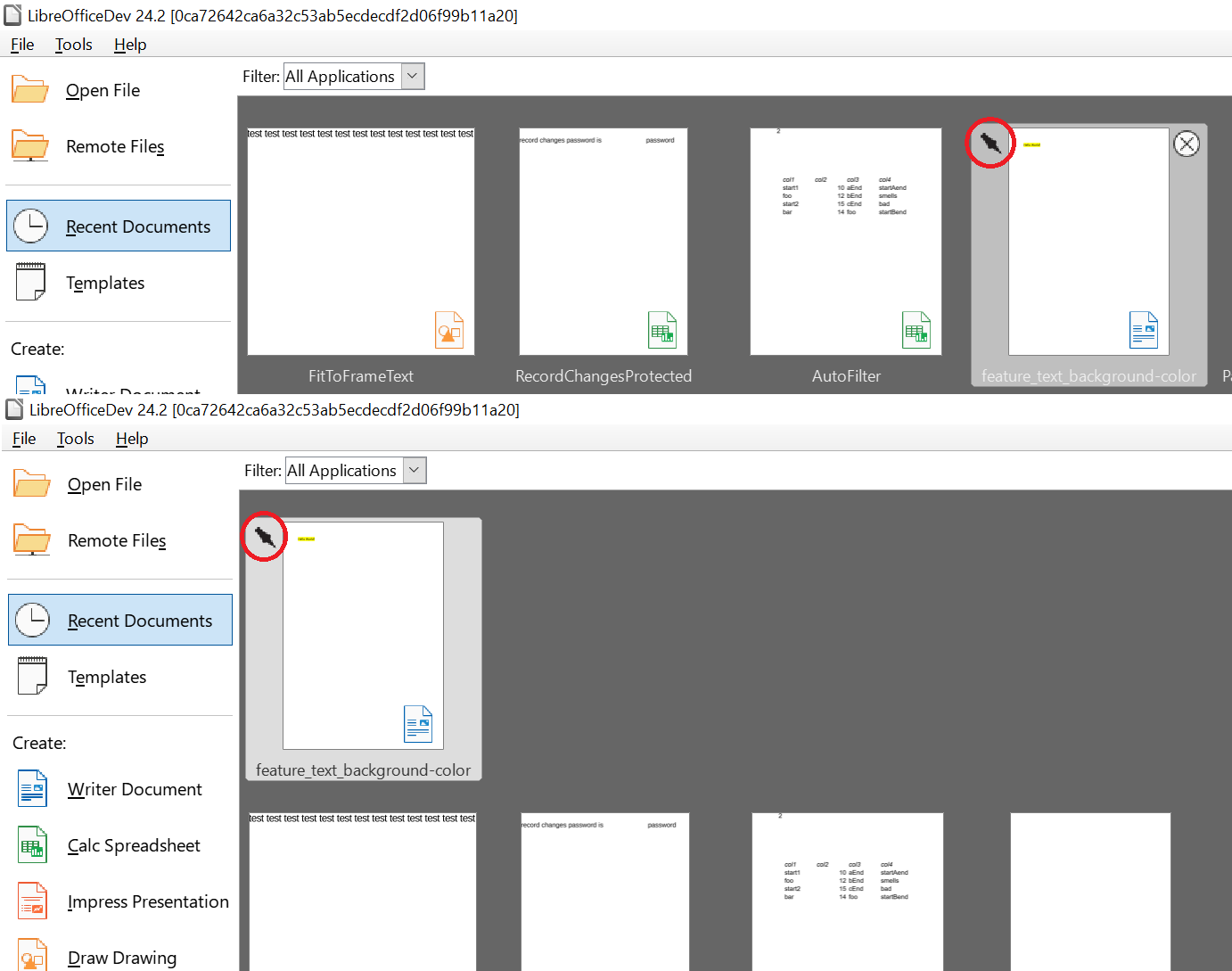
Andreas also made it possible for documents in the Start Center to be pinned, to show them at the beginning of the recently opened document list. To pin a document, users can hover the corresponding document and click on the pin icon in the top-left corner. The selected document is then shown in a separate line at the beginning of the list, along with already pinned documents.
Heiko Tietze (TDF) did further work on the colour schemes: sets of “Automatic” application colours can now be chosen independently from the Application Color scheme in Tools > Options > LibreOffice > Application Colors.
Lastly, Michael Weghorn (TDF) improved keyboard navigation for the Special Characters dialog box.

 LibreOffice 26.8 will bring an improved Tabbed interface — the layout closest in spirit to the Ribbon. It is worth being precise about what this means, because it is easy to misread. The improvement widens the range of good options; it does not narrow it. It is emphatically not an admission that the menu-based interface was lacking, nor a signal that it is on its way out.