

Picture by Elisa Riva from Pixabay
Picture by Elisa Riva from Pixabay
Our Nepalese community writes…
LibreOffice is a powerful open source office suite for many users worldwide. One of the major components is the word processing software, LibreOffice Writer, which is a highly effective tool for all levels of users.
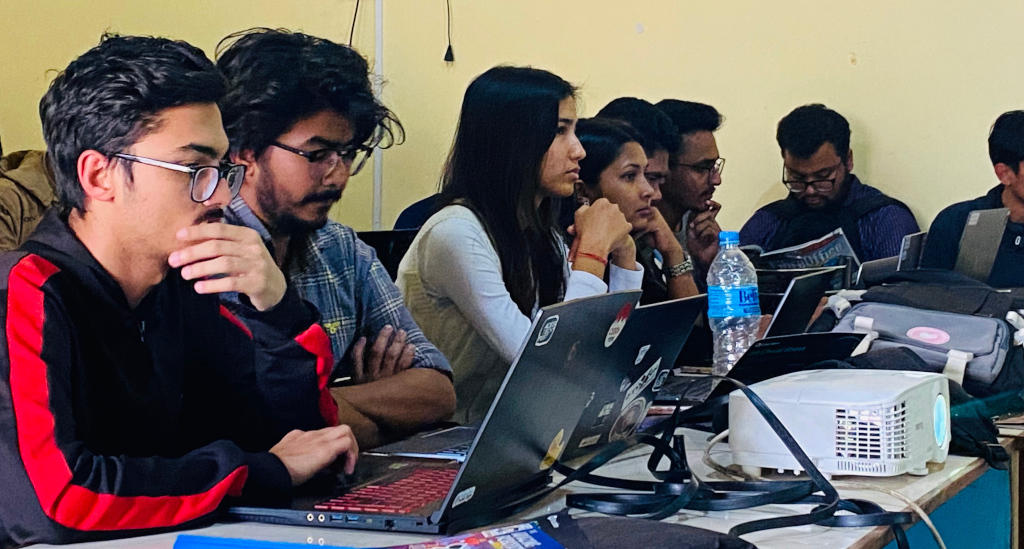
We in the Nepalese community recently conducted a CV writing session titled “LibreOffice Writer – Creating Reusable CVs”, delivered by our Liaison for the Nepalese community, Mr Suraj Bhattarai. This session was one of the guest sessions for the first and second year CS50 students at IOE Purwanchal Campus, who went through the CS50 AI course this time. The purpose of the session was to help them articulate their learning from the CS50x and CS50 AI timeline into a presentable resume, together with their other strengths, to get their very first internship into the tech industry.
Suraj shared key insights when writing resume/CVs; he mentioned that the fact that fancy CVs or Canva templates are not yet a trend among hiring managers who happen to be millennials. What sells for a peak career or a first internship is a standard resume template. Apart from online options that generate downloadable CVs after the user simply fills out major details, the offline space has no significant help rather than making one in friendly software like LibreOffice Writer.
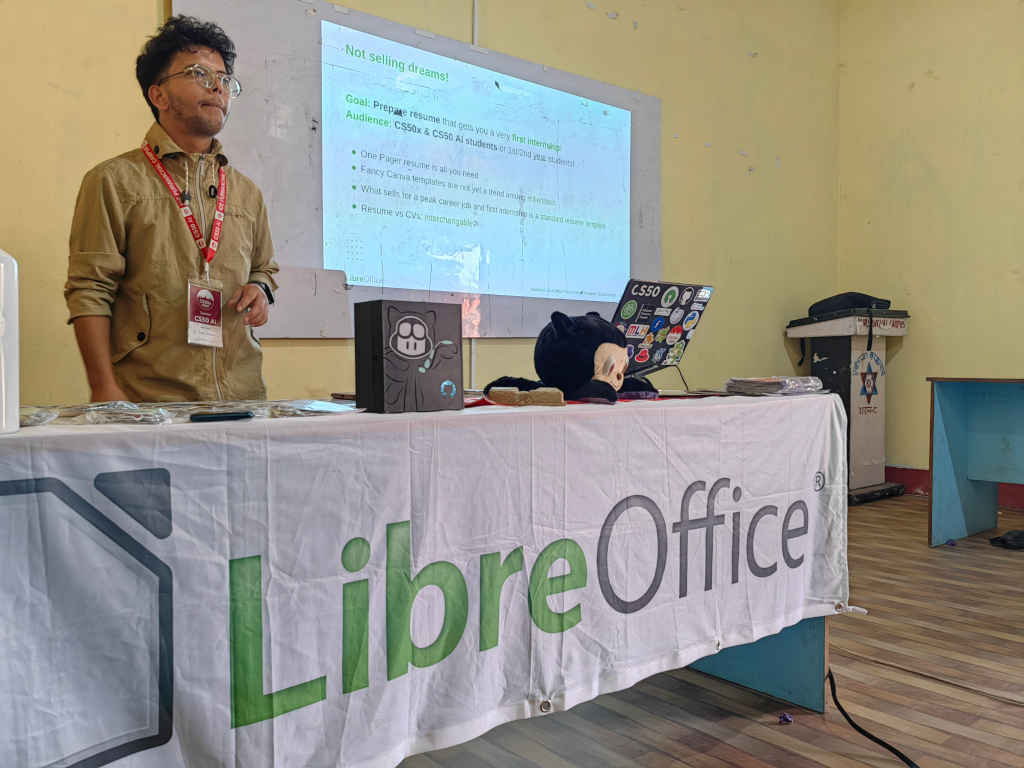
Suraj additionally shared that professional CVs/resumes for the purpose of very first internships are always simple, includes no crazy pictures, do not summarise in two or more columns, and mainly focus on experience and education – that’s it! This is equally true at every other level of careers. And for the very specific Applicant Tracking System (ATS), friendly resumes are always the best choice to go with!
He concluded that LibreOffice Writer is a powerful word processing software program that ships with many offline resume/CV templates. Also, more variations and template options could be downloaded from the official extensions site or this third-party one – the best one that resembles your very CV/resume preference. With this powerful word processing program, you can even create your very own template and publish it for millions of other LibreOffice Writer users online or offline.
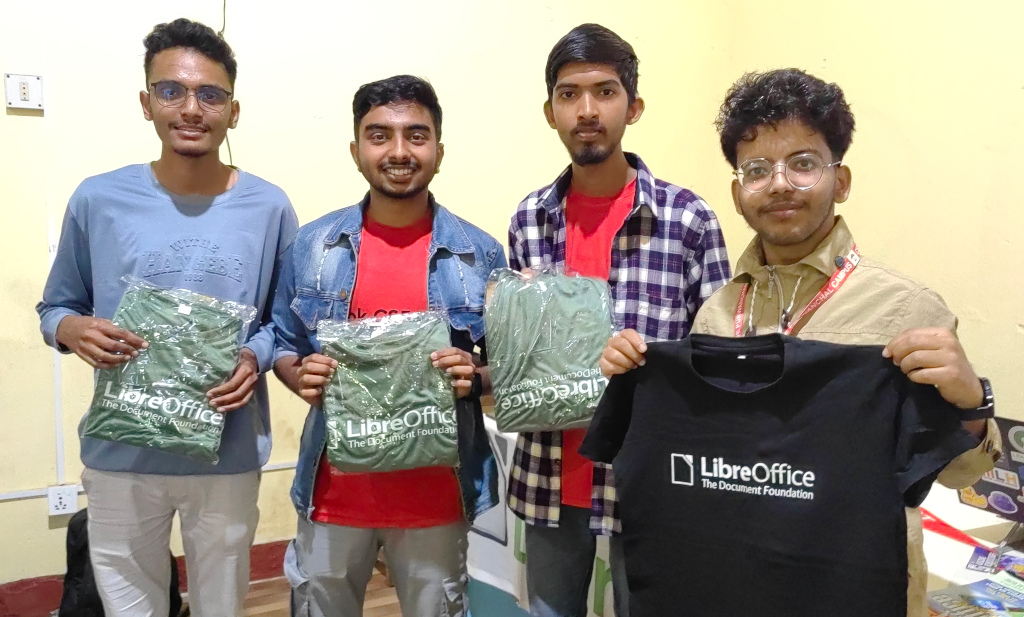
In the final minutes of the session, Suraj hosted a CV/resume building competition using LibreOffice Writer. The 10 minute-challenge was hands-on for the students to experience LibreOffice Writer and get comfortable with it. A total of 38 students showcased their resumes/CVs following tips from the session. Among them, based on the writing style, formatting, and tone of language, the top three were awarded LibreOffice T-shirts as a gesture.
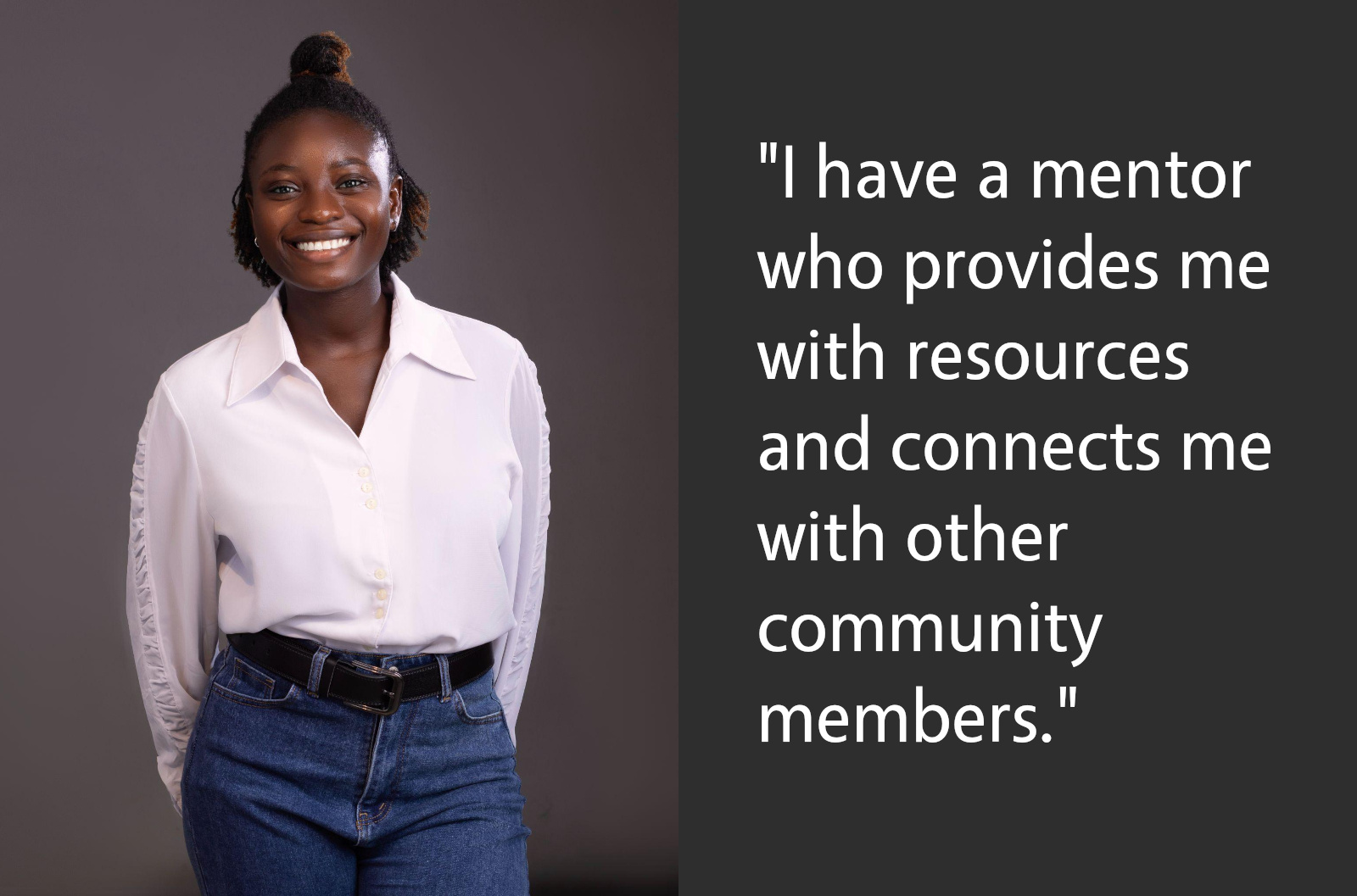
I live in Lagos, Nigeria, and I spend my time dabbling into user experience design with research, although these days, I’m diving deeper into research. I’m a big fan of books, especially well-written fiction. Music is also a huge part of my life. Let’s just say I love anything that sounds good and sing-alongs during work.
I am an Outreachy intern working on improving the LibreOffice Writer templates with guidance from my mentor, Heiko Tietze. I have spent the last month understanding the community’s pain points by carrying out a survey, analysing their responses and working to create functional templates that they need. Currently, I am iterating on priority templates like DIN 5008 Business Letter, resume and academic writing templates.
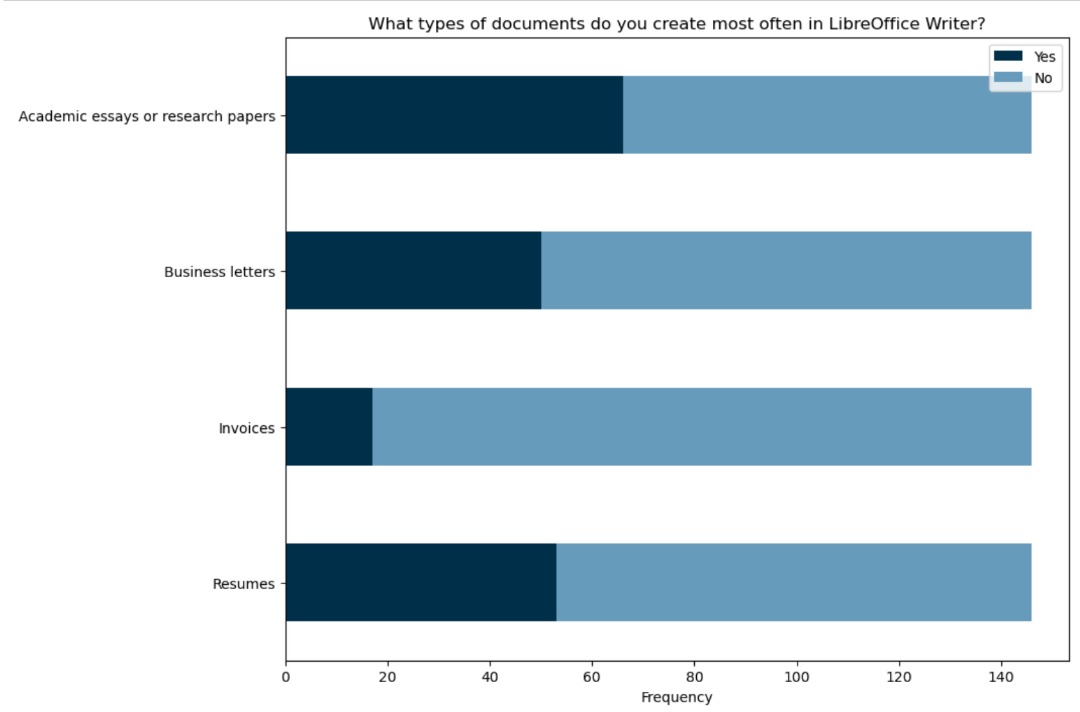
I am also doing some more research on template standards and reflecting on how to create templates that would help users. My top priority is to understand styling and implement it in the templates I am creating and also curate template contents that fits into prospective user preferences.
During my Outreachy contribution phase, I had a list of open-source projects I could choose from, but at the time, I wanted to test the limits of my capacity. As a UX designer with no coding background, the first task for this project was to submit a patch on Gerrit.
Every other contributor left the task obviously because of the task complexity and I remember one of my mentors, Ilmari telling me that the competition had become less tense due to the number of contributors dropping the project. It was a challenge that pushed me out of my comfort zone as it was my first time interacting with code. That was it for me. Completing that task gave me a sense of achievement and made me even more excited to continue with the project.
Ah, it was challenging at first. I also dealt with anxiety because there was so much to do and I didn’t know where to start but later, the bits started coming together. Luckily for me, I have a mentor who has been supportive since I started the project back in December and who has made my experience seamless. Whenever I face a blocker, I know I have a mentor who is always ready to provide me with resources and connect me with other members of the community that have resources that would be useful for each project phases.
I have decided to continue contributing to adding more templates to Writer and helping improve other aspects of user experience through user research and design after my internship ends. I like it here. Working on templates in Writer is challenging no doubt – but I think I like the way it stretches me, and helps me expand my skills in the area of research and thinking about a broader user audience.
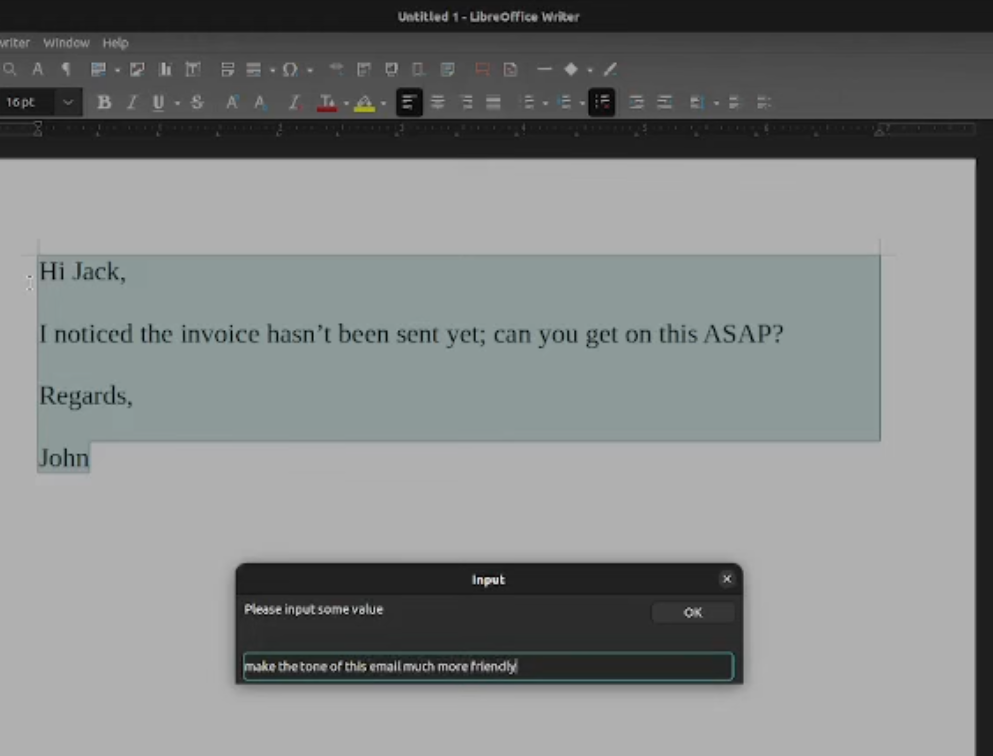
Speaking from a UX perspective, I think LibreOffice could greatly benefit from a modernized UI mostly to improve accessibility and efficiency. When I started using the Writer interface, it was quite hard for me to navigate at first; there were no modal pop-ups to help sort of onboard me into the whole experience and so having to navigate all alone made me reluctant to use the Writer tool. I also look forward to the implementation of AI because seriously, it just makes navigation and usability way easier. For example, the implementation of AI-powered suggestions for formatting would make LibreOffice feel more modern.
Thanks to Ndidi for all her contributions! 😊
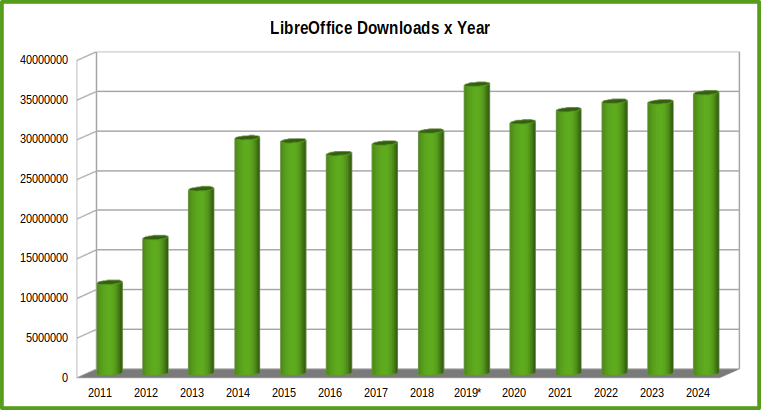
The histogram says it all.
First, rapid growth between 2011 and 2014 to 30 million downloads, despite the fierce hostility of the project created to kill LibreOffice.
Then a few years of stagnation, at a time when it seemed that desktop office suites were destined to die, and fashion was driving users to the cloud.
Then the upswing, when even the most fashionable users realised that desktop office suites would never die and would coexist with the cloud.
In 2019, a series of attacks on the download counter – no data is collected other than the click on the DOWNLOAD button – led to a barely credible increase (the figure you see has already been cleaned up as much as possible).
After 2019, a slow but inexorable growth to over 35 million downloads – and 400 million downloads since 2011, with an average of 28.6 million downloads per year – in 2024.
Thanks to everyone: those who developed LibreOffice, those who helped improve it, and those who downloaded it to use it.

LibreOffice 25.2 – our next major release – is due to arrive next week! But while you’re waiting, here’s our summary of updates, events and activities in the LibreOffice project in the last four weeks – click the links to learn more…
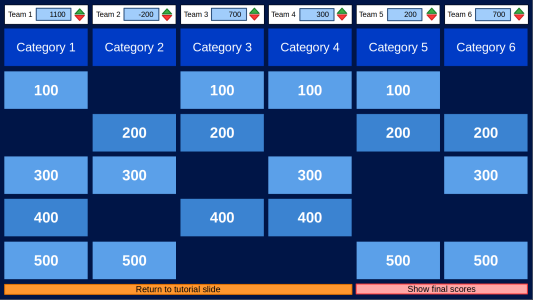
Every year, on the last Wednesday of March, advocates of free and open technologies come together to celebrate Document Freedom Day (DFD). In 2025, the Document Freedom Day will happen on March 26, and will be driven by the LibreOffice community.
Today, Document Freedom Day – together with Software Freedom Day (SFD, celebrated in September) and Hardware Freedom Day (HFD, celebrated in April) – is coordinated by the Digital Freedom Foundation (DFF). This global event raises awareness about the importance of open standards and accessible formats in the digital age, empowering individuals, organizations, and governments to embrace freedom in how they create, share, and preserve information.
But what exactly is Document Freedom Day, and why is it so crucial in today’s world? Let’s explore its significance, the challenges posed by proprietary formats, and how embracing open standards can create a more inclusive, transparent, and resilient digital future.
What is Document Freedom Day?
Document Freedom Day was established by the Free Software Foundation Europe (FSFE) to promote the use of open standards for documents, and transferred to the Digital Freedom Foundation in 2016. It is a day dedicated to advocating for formats and tools that ensure documents can be accessed, edited, and shared by anyone, without restrictions or reliance on specific software or vendors.
At its core, Document Freedom Day celebrates the idea that information should be accessible to all. It highlights the need for transparency and interoperability in digital documents, ensuring that no one is excluded or locked into using a particular platform due to proprietary constraints.
The Problem with Proprietary Formats
Proprietary formats come with significant drawbacks. They are typically controlled by a single company or entity, meaning that access to these formats can be restricted or even revoked at any time. This lack of control over how information is stored and accessed poses numerous challenges:
The Power of Open Standards
Open standards offer a solution to these challenges by providing formats that are publicly available and free from restrictive licensing. They are designed to be:
Prominent examples of open standards include the Open Document Format (ODF) for text documents, the Portable Document Format (PDF/A) for archiving, and Web standards like HTML and CSS. These formats demonstrate how openness can foster innovation and inclusivity.
One notable milestone in the history of open standards is the adoption of the Open Document Format (ODF) as an official OASIS standard in 2005. ODF was designed to provide a universal, vendor-neutral format for office documents, ensuring that users could create, edit, and share files without being tied to proprietary software. Its standardization marked a significant step forward in the global movement toward greater document freedom.
Why Document Freedom Matters
Document freedom is not just a technical issue; it is a matter of rights, equity, and sustainability. Here are a few reasons why it matters:
How to Get Involved in Document Freedom Day
Participating in Document Freedom Day is easy and impactful. Here are some ways to contribute:
A Vision for the Future
Document Freedom Day is more than just a celebration; it is a call to action. It reminds us of the importance of building a digital world where everyone can participate, innovate, and thrive without unnecessary barriers. On March 26, the LibreOffice community will organize a virtual event with a presentation about the importance of open document standards for digital sovereignty (technological independence from US companies), followed by an open discussion. We will provide details about this virtual event, which will be repeated during the day to allow people from all time zones to participate, around mid-March.
As we face challenges like rapid technological change, increasing reliance on digital communication, and the need for greater inclusivity, the principles of openness and freedom become ever more critical. By embracing open standards, we can create a future where information is a shared resource, accessible to all and preserved for generations to come.
So, this Document Freedom Day, take a moment to reflect on how you interact with digital information. Advocate for openness, educate others, and join the global community working to make document freedom a reality. Together, we can ensure that the digital world remains a space of opportunity and equality for everyone.