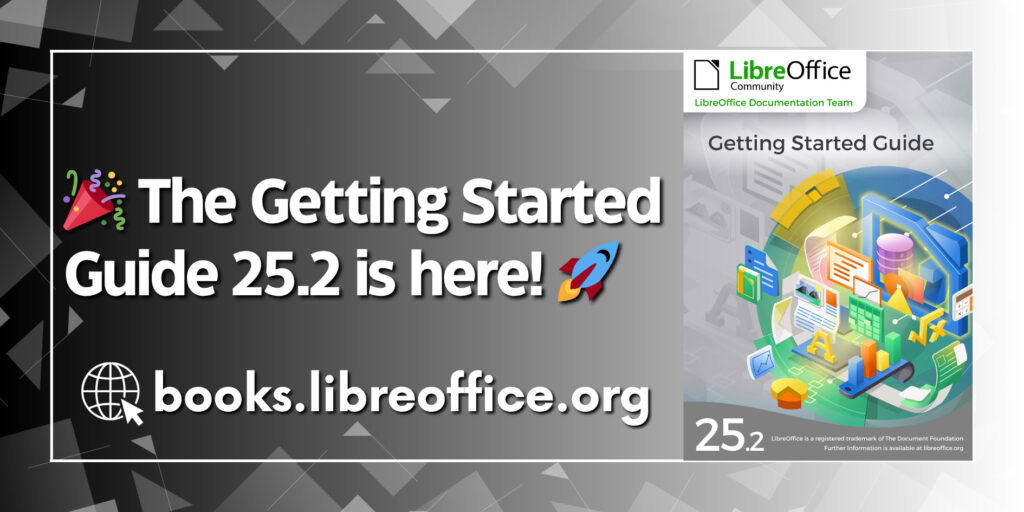
The LibreOffice Documentation Team is excited to announce the release of the brand new Getting Started Guide 25.2, updated with all the latest features of LibreOffice 25.2!
Whether you’re brand new to LibreOffice or just want a fast track to mastering its tools, this guide is your perfect starting point. Inside, you’ll find easy-to-follow introductions to:
This guide is part of our growing collection of documentation — lovingly written, edited, and reviewed by a global team of dedicated volunteers who are passionate about open-source software and digital freedom.
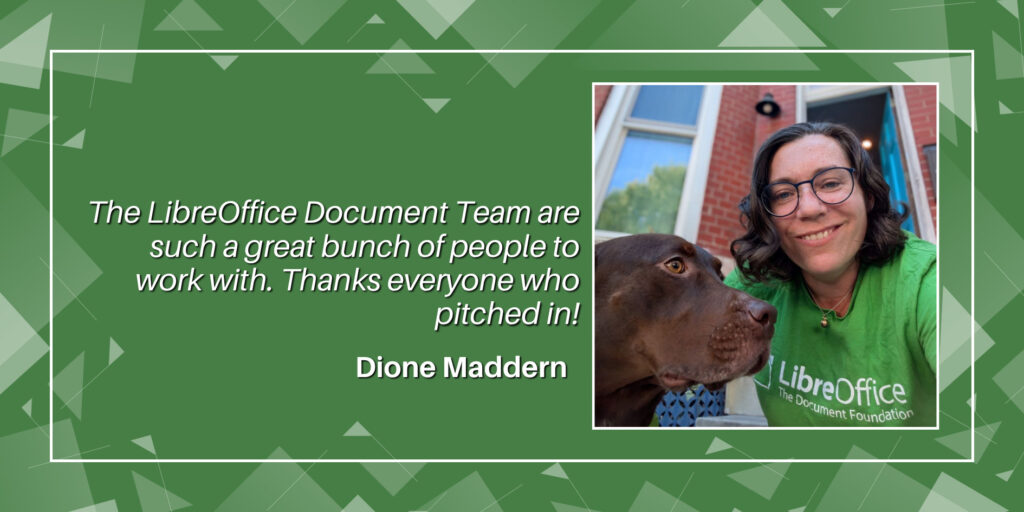
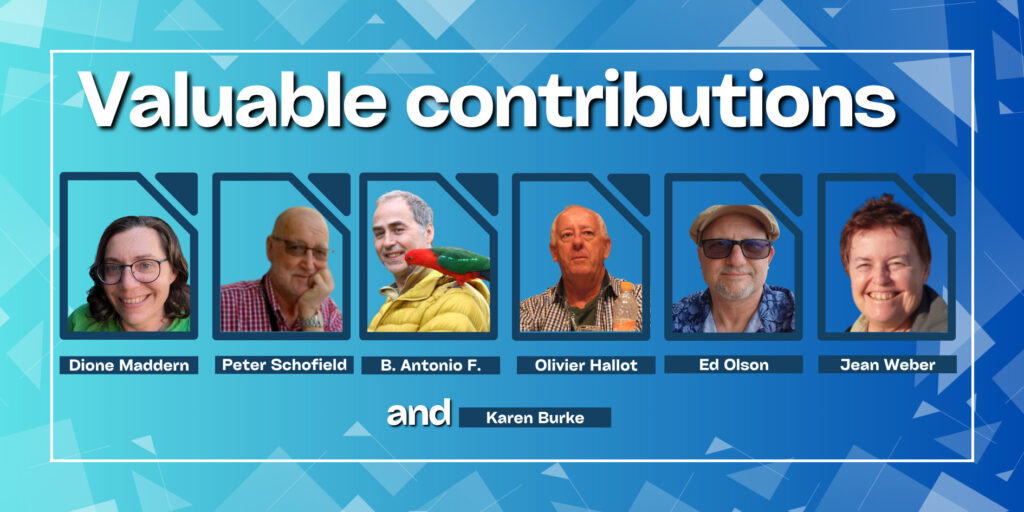
👏 The 25.2 update was coordinated by Dione Maddern, with valuable contributions from Peter Schofield, Jean Weber, Ed Olson, Karen Burke, B. Antonio F., and Olivier Hallot. A huge thanks to everyone involved!
LibreOffice 25.8 will be released as final on August, 20, 2025 (check the Release Plan). LibreOffice 25.8 Release Candidate 2 (RC2) brings us closer to the final version, which will be preceded by Release Candidate 3 (RC3). Check the release notes to find the new features included in this version of LibreOffice.
LibreOffice 25.8 RC1 can be downloaded for Linux, macOS and Windows, and it will replace the standard installation.
In case you find any problem in this pre-release, please report it in Bugzilla (you just need a legit email account in order to create a new account).
For help, you can contact the QA Team directly in the QA IRC channel or via Matrix.
LibreOffice is a volunteer-driven community project, so please help us to test, we appreciate your contribution! Happy testing!!!
If you’ve ever wondered what those .odt, .ods, or .odp files are all about – or if you’ve stumbled across them and weren’t sure what to do – this post is for you.
.odt: The Open Document Text File
Think of .odt as the open counterpart to .docx. It’s the default file format for LibreOffice Writer. You can use it for everything from a quick grocery list to a dissertation.
What’s great about .odt is that it’s built on open standards. That means anyone can build software to read or write it without jumping through legal hoops. It also means you’re not tied to one company’s ecosystem, which is increasingly important when you think about long-term access to your own data.
Yes, you can open .odt files in Word – and yes, the formatting usually holds up pretty well. Not perfect, but usable.
.ods: Spreadsheets Without Strings Attached
Spreadsheets aren’t just for accountants anymore. Whether you’re managing a budget, tracking tasks, or planning a trip, you’re probably using rows and columns for something. .ods is the ODF version of .xlsx, and it’s handled by tools like LibreOffice Calc.
If you’re used to Excel, Calc will feel familiar enough. Basic formulas, charts, conditional formatting – it’s all there. Advanced Excel users might bump into limits (especially with macros or highly specific plugins), but for everyday work, .ods gets the job done.
And again, it’s open. Your data isn’t buried in a proprietary format you need a subscription to access five years from now.
.odp: Presentations Without PowerPoint
Then there’s .odp, the ODF format for presentations. It works like PowerPoint’s .pptx. You’ve got slides. You’ve got transitions. You’ve got bullet points. Even if you’re trying to build the next TED Talk with embedded video and flashy animations, it’s more than enough.
LibreOffice Impress opens and edits .odp files easily, and you can usually open them in PowerPoint too, though some visual effects might not translate perfectly. For most professional or academic presentations, it’s a reliable option – especially when you don’t know what software will be available on the receiving end.
Other File Types in the ODF Family
ODF isn’t limited to just text, spreadsheets, and slides. There are a few lesser-known formats worth mentioning:
.odg – for vector graphics and diagrams. Think flowcharts, not Photoshop.
.odf – confusingly, this one’s for formulas (as in math), used by LibreOffice Math.
Templates like .ott (text), .ots (spreadsheets), and .otp (presentations) make it easy to standardize layouts and branding across documents.
These formats are all part of the same ecosystem. They’re modular, open, and designed to work well together.
Why It Matters
It’s easy to dismiss file formats as a technical detail, but they shape who controls access to your work. When you rely only on proprietary formats, you’re tied to that company’s tools, updates, subscriptions and limitations. You’re renting your own documents.
ODF flips that script. It’s not just a format – it’s a philosophy. One that says your work belongs to you, and you should be able to access it any time, on your terms.
If you’re already using open-source tools, chances are you’re already working in ODF whether you realized it or not. If not, it’s worth considering – especially if you want to keep your documents open, portable and future-proof.
A document format is a tool for sharing knowledge and, as such, should be as simple and accessible as possible in relation to the complexity of the document content itself. This remains true even when the format is based on an XML schema that is hidden from users when the document is displayed on screen.
Unfortunately, while an XML schema can be simple, it can also be unnecessarily complex, bloated, convoluted and difficult to implement without specific knowledge of its features. This is true even if the on-screen documents are identical. In this case, complexity is an intentional tactic used to lock users into a vendor, as is the case with the Microsoft 365 document format.
An XML schema comprises the structure, data types and rules of an XML document and is described in an XML Schema Definition (XSD) file. This tells the PC what to expect and checks that the data follows the rules. In theory, XML and XSD together form the basis of the concept of interoperability. However, in practice, an XML schema can be made so complex that it becomes a barrier rather than a bridge.
An “artificially complex” XML schema goes beyond the level of complexity needed to display even the most intricate content on screen. In fact, it is completely disconnected from the actual complexity of the content, to the extent that even a simple sentence such as “To be, or not to be, that is the question” becomes an inextricable sequence of tags that users cannot access.
This artificial complexity is characterised by a deeply nested tag structure with excessive abstraction, dozens or even hundreds of optional or overloaded elements, non-intuitive naming conventions, the widespread use of extension points and wildcards, the multiple import of namespaces and type hierarchies, and sparse or cryptic documentation.
In the case of the Microsoft 365 document format, the only characteristic not present is sparse or cryptic documentation, given that we are talking about a set of documents totalling over 8,000 pages. All the other characteristics are present to a greater or lesser extent, making life almost impossible for a developer trying to implement the schema.
To illustrate how this translates into a lock-in strategy, consider a railway system where the tracks are accessible to all, but the main train manufacturer imposes its own incredibly complicated control system. In theory, anyone could build a train compatible with the tracks, but the control system specifications are so convoluted that only the main train manufacturer can ultimately offer rail services.
The worst thing is that passengers don’t realise they are being held hostage by technical constraints that they cannot understand until ticket prices rise or the number of cities served declines. At this point, the main manufacturer can dictate its terms, which passengers are forced to accept.
This is very similar to what is happening in the world of information technology, where Microsoft is effectively forcing its customers to switch from Windows 10 to Windows 11 against their will. This switch has no technical justification and locks customers into using Windows 11 and Microsoft 365. This is because customers have completely ignored the problems that arise from using proprietary technologies.
If, over the years, the millions of Microsoft users who uncritically accepted a narrative that was credible to non-technical users but divorced from technological reality had taken a critical stance towards this monopoly, which would have raised doubts in any other sector, we would be in a very different situation today.
Instead, these users – including governments and supranational organisations – have allowed lock-in strategies, in which Microsoft 365’s artificially and unnecessarily complex XML document schema plays a fundamental strategic role, to become increasingly sophisticated and pervasive.
Therefore, if you are developing or choosing an XML-based system, bear in mind that complexity imprisons people, whereas simplicity and clarity set them free.
LibreOffice 24.8 has now reached the end of life, so all users have to update their free office suite to the latest release
Berlin, 17 July 2025 – The Document Foundation announces the release of LibreOffice 25.2.5, the fifth maintenance release of the LibreOffice 25.2 family for Windows (Intel, AMD and ARM), macOS (Apple Silicon and Intel) and Linux OSs, available for download at www.libreoffice.org/download [1].
LibreOffice 24.8 has reached the end of life, which means that this release – which includes dozen of fixes and enhancements that further improve reliability, performance and interoperability – is suggested for production environments, and all users should update their installation as soon as possible.
LibreOffice 25.2.5 is based on the LibreOffice Technology, which enables the development of desktop, mobile and cloud versions – either from TDF or from the ecosystem – that fully support the two ISO standards for document formats: the open ODF or Open Document Format (ODT, ODS and ODP) and the closed and proprietary Microsoft OOXML (DOCX, XLSX and PPTX).
Products based on the LibreOffice Technology are available for all major desktop operating systems (Windows, macOS, Linux and ChromeOS), mobile platforms (Android and iOS) and the cloud.
For enterprise-class deployments, TDF recommends a LibreOffice Enterprise-optimized version from one of the ecosystem companies, with dedicated value-added features and other benefits such as SLAs and security patch backports for three to five years.
English manuals for LibreOffice 25.2 Writer, Calc, Impress, Draw and Math are available for download at books.libreoffice.org/en/. End users can get first-level technical support from volunteers on the user mailing lists and the Ask LibreOffice website: ask.libreoffice.org.
Downloading LibreOffice
All available versions of LibreOffice for the desktop can be downloaded from the same website: www.libreoffice.org/download/.
LibreOffice users, free software advocates and community members can support The Document Foundation and the LibreOffice project by making a donation: www.libreoffice.org/donate.
Good software needs good documentation. But how do we define “good” in this sense? And what does the future hold? Find out in episode 4 of the LibreOffice Podcast! (This episode is also available on PeerTube.)
Please confirm that you want to play a YouTube video. By accepting, you will be accessing content from YouTube, a service provided by an external third party.
If you accept this notice, your choice will be saved and the page will refresh.
Transcript
Mike: Welcome to the fourth episode of the LibreOffice and Free Software podcast. I’m Mike Saunders from The Document Foundation, the small nonprofit behind LibreOffice. In the first few episodes, we talked about marketing, free and open source software and LibreOffice. Then we looked at design, UX, UI.
In episode three, we talked to a couple of people from the LibreOffice QA community looking at bug fixing, bug triaging, and so forth. And today’s topic – we’re going to talk about documentation. So in free and open source software projects, it’s a bit of a cliche – and maybe true in some cases – that documentation tends to be neglected. The developers want to work on code, want to implement new features, do cool stuff, and then documentation… who wants to write that?
But of course, many end users still need it. There’s a big difference between projects with no documentation, which we see all over the place, and projects with very extensive documentation. So yeah, I’m joined by Olivier Hallot, my colleague at The Document Foundation. Olivier oversees the documentation team and community in LibreOffice. Hi Olivier.
Olivier: Hi. Hi Mike.
Mike: So let’s talk a bit about this then – what actually makes good documentation? We say that projects and applications should have good documentation – but what exactly does that mean? And in an era of everybody looking on Reddit and Stack Overflow and stuff, why is good documentation still important today?
Olivier: Yes, of course. Documentation is very important in several aspects. The first one I would like to mention is that there is no software that is good enough if it doesn’t have a good documentation. So when you deploy a solution in your organisation, the government or corporation or whatever, you absolutely need to introduce the culture of your software to the public. And this is done mainly by documentation.
And if you don’t have documentation, people will not think your software is good enough and they will have questions. They will have probably doubts in how to use the software, and in some corporations and governments, it ends up as calls to the help desk which is always something that is increasing the cost of the deployment of the solution.
So documentation of software – in general – is part of the solution deployment in any organisation. Software without documentation is not good software, and the quality of documentation is also part of the quality of the solution. So that’s the first point.
The second one I would like to mention is that effectively, like you said, we have a situation where most of the developers like to write code – but don’t like to write documentation, or even sometimes inform the new features for the documentation team. And this leads to a situation where the feature is not well understood. And if it’s not well understood, it’s not well used and for the development team – you don’t get the right feedback from the new feature.
So that’s also an important situation where documentation is really part of software development and cannot be minimised in terms of investment and in terms of deployment.
So that’s the two aspects I would like to highlight with documentation – and it’s very important not only for commercial products where you eventually sell a license, but also for open source. In open source we have this situation where it’s nice to code but it’s not nice to document. So some big corporation has already took action to fill this gap. Notably Google has already a programme in the past. I’m not sure if it’s still there but in the past they invested into people for writing documentation on key software – especially key open software.
Mike: I think it’s an important point, especially when you’re looking at targeting businesses and large organisations, because we in the in the Linux and open source and free software world have in it for years, decades – people tend to say “Yeah but you can check a man page or look on Stack Overflow or Reddit if you have a problem”. And as geeks as home users I think a lot of the time we can do that personally, but if you are a company and you’re deploying something you want a resource – or your boss comes to you and says, “This isn’t working.” Yeah, look in the manual and fix it. Look in the documentation. Let’s fix it.
And if you say, “Well, I’ve just posted a question on a random subreddit.” Then it doesn’t look super professional. So, I think that is something we often overlook in free software. We think, “Yeah, people will find a solution on some forum somewhere. I’ll go on IRC.” But no, a company deploying free and open source software needs a resource – whether it’s a handbook or good manual pages but actually needs something to point to.
Olivier: I would like to stress that in the case of LibreOffice, I estimate that we have a very accurate documentation in the sense that we have a very good set of user guides which is maintained by the community – and also we keep track very closely with the help system. So most of the new features are introduced and documented in each release of our software.
So in terms if I compare documentation of LibreOffice with other open-source documentation, we are in a very good position to offer to the public a good set of information and documentation on the software. So that turns LibreOffice into a very good solution for businesses and also for the individuals.
Mike: So when you are overseeing the documentation team, what is it that they work on a daily basis – because I guess, like you said, you have new features in every major release that need to be documented and we see them in the release notes. The developers hopefully normally add a new feature to the release notes, but often from a developer perspective with a bug number, but then I guess you and your team then need to make sure this gets into the documentation – into the online help, into the user guide. So what is the kind of daily work of the docs team? What does it do?
Olivier: We have seven books for user guides – one for each main module of LibreOffice plus one specifically to an introductory text for that we call the Getting Started Guide. These guides are updated for each release based on the release notes that developers publish in a wiki page that we have.
So in our cases, we when we update our guides, we look at the release notes, pick each of the relevant information that needs to go to the guide, and exercise the feature, and write about the feature. So if a new feature is introduced, we exercise it to understand because sometimes the report from the developers is very terse – and we have to elaborate on the feature. And then we write in the chapter that we elected for the writing and we describe this the feature.
Plus we if we have good experience and we were savvy in terms of office suite users, you can elaborate and write about how to use the feature and where the feature applies. So that’s gives a lot of very good information for the end user.
As an example, I just wrote in the Calc Guide a feature that was introduced a bit earlier which is the new chart type. I had to imagine and understand the feature in order to really describe it correctly – not only in the books but also I use it as the information is the same for the help system.
So this is the activity that we do, and also periodically we do revise the writing of the guides in order to make the writing clear and more direct, and improving the English and the wordings of the of the content.
So that’s the permanent and ongoing work that the documentation team is executing in writing the guides. So we have, as I said seven books, and this is a lot of work. Some we fortunately only need to – let’s say – permanently update, but also when we can and we have time we can revise and rewrite the contents. So it’s an ongoing business. It’s an ongoing activity and it’s open to everyone who has good knowledge on not only in English, which is very appreciated, but also in using the advanced features of the software.
LibreOffice is a very extensive software. It goes from text editing to a database, and it is normal that not everyone understands all the features – but if you are specialist in spreadsheets, if you are good in databases, then you can improve and help us in terms of writing a good user guide for these all these modules.
So a spreadsheet, text documents, database, presentations, drawings, math equations. This these are the topics that we deal in writing the guides.
Mike: One of the challenges must be that LibreOffice has a few user interface variants. So by default, when you install it has the standard menu bar and toolbar that has been similar for years and years – but of course LibreOffice has a tabbed user interface that many people now use. It’s not enabled by default, but it’s more familiar to some users.
So how do you – as in the docs team – deal with that? Because I guess for so many things that you are documenting, so many features, where you enable the feature and how you interact with it will depend on the user’s choice of user interface – whether it’s the standard user interface or the tabbed user interface. And then there is like a simplified version with just one toolbar. So that must be a challenge to deal with.
Olivier: Yeah, the most consolidated interface is the classical menu driven and toolbar driven interface. Sometimes people complain that it looks old and it looks not modern – but it is the most complete and where all the features are. The other interfaces are still in development and we mention these interfaces – but essentially the books and the guides also deal only for the moment with the classical interface.
This is a point of attention that we can bring to the development of the books – to the new writing. I just think that we need, maybe, some more consolidation of the new interfaces that we have, so that we can eventually move the classical to the new one inside the guides. So far I have not yet got any feedback on not using the new interfaces inside our guides.
What we have in terms of feedback is sometimes some improvements of the writing. So maybe we have some unclear description of a feature – or sometimes, another example that may be a bit more illustrative than the old one. But the interface is a point of attention that we may bring to the development and also to improve the guides.
One point that is also going to be addressed in the near future is that we have changes in the dialogues and we do a lot of screenshots inside the guides – and these all these screenshots needs to be updated which is not very difficult to do. But it requires time and attention to update to the new layout of the of the dialogues. So that’s a point of attention as well.
Mike: You say updating the screenshots isn’t a such a big work – but given there are so many screenshots, are there any tools or any tips or tricks you have for generating those screenshots instead of somebody going through and pressing print screen or whatever?
Olivier: Yeah, it’s not like that. LibreOffice has a hidden feature. One of the major hidden features is that LibreOffice allows you to take a screenshot inside your own application. That means you are editing text and you want a screenshot of a feature. Then you can open the feature and with a couple of clicks you can take the screenshots of the dialogues of the feature – and doing this you can save the screenshot and insert inside into your text.
So this is a very nice feature that we have – but it’s not very well known. It’s already documented but it’s not very well known, and this is one of the things that we need to surface, because it’s a feature that sometimes is buried inside the software, and if we surface it will be very well appreciated by users.
And there are a lot of features inside LibreOffice that people sometimes oversee and are not able to really appreciate the quality of the software – and that is something that the user guides and the help can assist the user in being more productive, by using those very specific features. There is too much to say about that, and the number of features that we have is enormous – and people really need to go through and be familiar with the software to appreciate the quality of LibreOffice.
Mike: I think one improvement, two or three years ago, was the addition of the command search bar in LibreOffice. So it’s not directly documentation itself. But I think it helps with discoverability of features. Now you can actually just type in something about printing and it will show you the different features – at least accessible from the menu.
But that’s one thing that will change, if LibreOffice ever makes the tabbed user interface the default in the future – then that would be a big change for documentation. But what do you think what else has changed over the years in documentation in not just LibreOffice but free software? What do you think the future holds? What will new technologies or changes that will happen?
Olivier: You know, we are in 2025 and everybody has a cell phone, a tablet and a notebook or desktop computer. Anyway, the point is that people – especially the newer generations – they are very much connected to images and to pictures. And I think that this new generation awaits information that comes in an easier way, rather than reading text.
I really can understand that the newer generation prefers to look at streaming or look at or hear a podcast – instead of going through a manual and so, and things that are written. So it is a challenge to make the documentation more accessible to people that really are sometimes in trouble in terms of reading – not because they have not learned to read, but they are not used to reading.
So how can I make people understand the software without having to write a 500-page manual? This is a challenge. And I used to mention that if I could just plug two wires in my brain and have it downloaded the content, I would be very happy for that. But that’s a vision of the future. I don’t have the technology to achieve that. But this is the way we should look at documentation in order to make it more accessible to people that need to use an office suite – but it’s still a is quite a steep barrier to enter into software as complex as an office suite.
So I would like that people could really just make everything work by just either, for example, using a keyboard or using a voice command so that the report of April 2025 is done in a couple of minutes – instead of doing and entering data and looking at the features and updating things like that.
So this is a vision. This is for the future and who knows if we can achieve that kind of situation where everything goes easier. So this is a nice challenge.
Mike: And we’ve joked over the years about having LibreOffice on TikTok, but as time goes on, I start to think not necessarily TikTok, but short videos explaining a feature, showcasing a feature – like you say, may be more effective in many cases than a big section of a of a guide book. Although it’s nice to have a guide book and know that everything is in there, but a lot of people want that. They want to search and quickly see: right how do I how do I create a chart, and then a 30 second video comes up – bing bang bong – a short, snappy kind of video.
Olivier: And that is that is that brings us to a how can we use artificial intelligence or large language models in order to assist the user by giving the user an easier way to access the information. Maybe with an a natural interface where you can dialogue with your computer, and ask it how you execute some operations that you need for your text, for your presentation or for your spreadsheet. And this information, the knowledge, is already there – but it has to be delivered to the user. And that’s why I still also I am also looking forward to see how artificial intelligence and other technologies can be integrated inside LibreOffice in order to make the use of the office suite more easy.
So not to replace the user. It’s not the case of to replace the user because the intelligence has to come from the user. But all the hassle of formatting of arranging the information and even writing the right the correct information is something that can be assisted by the use I mean the artificial intelligence or large language model.
I’m very keen to investigate that kind of outcome. And I think that it will be a quantum leap forward in terms of using the office suite – an open source office suite with a good artificial intelligence support, restricted of course on the operation of the software, not on the contents of the user – which is something that the user needs to provide but the software can do all the formats for you and the arrangement of the information.
Just to complement, we understand at least in terms of documents that document is the combination of content, which is something that is provided by the user, and formatting. Okay. So formatting can be assisted by the computer – which is done by the software – but the content is definitely from the user.
So if we want to make the life of the user easier, we don’t not only format but also eventually improve the content or suggest content from the end user. But not replace the end user at all. That’s absolutely not in a possibility. I don’t believe that this is feasible.
Mike: I think it’s an important point. We always say there’s a lot of interesting technology in AI but a lot of people are very concerned about other office suites putting it – in forcing it in – then using it to mine data, making suggestions and people say “Just leave me alone – I just want to write.”
So I think from the LibreOffice side we steer clear of using any AI on people’s own data, but like you say from for the rest of the suite yeah the possibility one day that some kind of local – purely local – helper you say to it, “I want to change all these headings” and you could use that – I think be very interesting.
But of course we are a privacy respecting office suite, and we don’t want to do anything – we will not do anything with anyone’s data. But also maybe from the documentation side, I wonder if you trained an LLM – a large language model – on all of the documentation of the LibreOffice – all of the handbooks, the guide books, all of the online help, the wiki pages. It will be interesting to see if you fed an LLM with all of this and then see how it responds when you ask it questions like “I want to do page numbering” – this is one thing people have a lot of fun with. “I want to start the page numbering from page four and have two blank pages” – and then it’s in the documentation, but it can be tricky.
So, I wonder if that would be a case for an LLM. Again, privacy respecting – nothing to do with anyone’s data – but an LLM trained on documentation that says “Right, I’ve just scanned the handbook and the wiki pages, and here’s how to do it.”
Olivier: That is the project I think is feasible in short or medium term – to have a specific LLM that you can either have in your local computer or maybe as a service – I don’t know – but it’s I don’t think this will be extremely hard, and it will be restricted. Of course, privacy will be preserved because you’re not communicating with the outside world.
But the point is that really we I mean it’s I think it’s feasible, and I think it can be helpful not only for the user, but also for all the ecosystems that we have in terms of developers, in terms of users, in terms of documenters – all the community that is around LibreOffice will benefit of this new technologies.
Mike: And you mentioned earlier as well the languages. So one of the jobs and challenges in the documentation is – so English is kind of the working language, say the standard language – because every language is equally as valuable – but obviously it’s the de-facto communication language in many situations. But LibreOffice, the suite, is available I think in over 120 languages which is which is amazing – and big thanks to the localisation communities for doing that
But I guess that’s another challenge for the docs team then. And how do you all do it? Keep all that documentation translated and updated in all those languages.
Olivier: So let me talk about that because not only I do the coordination of the documentation inside LibreOffice, the foundation, but also I’m a translator for the interface and the help in Portuguese – Brazilian Portuguese. I live actually in Brazil. It’s a tremendous challenge I’m facing at the moment. The technology is evolving and the amount of documents that we are that we should translate is daunting. I mean it’s amazingly high volume. It’s a very high volume.
We use most modern tools that we have at hand in terms of translation. In the case of the Brazilian, team which is very active, we spend six months in terms of time to translate a 500-page book which is not good. And so the tools that we are using are not very effective. It’s a tremendous help but it’s not effective.
What we see with the new offerings that we have in terms of automatic – what we call machine translation – for Brazilian Portuguese, in that case the quality is very good and although it requires some second reading to see if there are no ambiguities translated or pure mistakes. The amount of typing and the speed of the translation can be increased and we are looking at features and ways to translate with machine translation such as DeepL or Google or MyMemory.
This will be a step forward for the translations. In the past, and actually the foundation has a server that relies at the moment on what we call translation memory – which is different from machine translation. Translation memory was a technology that was used in the last decade or so. It helps but it’s not perfect – and in our cases still there is quite a lot of work each time we need to translate a new string or book. But machine translation is quicker and is giving us with the Portuguese language very good results.
And we are confident that this is going to be the way that we can bring the new content of documentation to other languages.
Mike: It does sound like a huge challenge. And yeah, so any tools and techniques there that can help must be very welcome.
Olivier: I would like to add that like in English, where of course good documentation is absolutely necessary, good documentation in the language of the user is also a key asset for the deployment of LibreOffice – and this is a tremendous challenge that we have, to bring all this nice documentation, accurate documentation and high quality documentation, into the languages.
Even other big languages for example – if you if you take Spanish, if you take Portuguese, if you take French and German – still the translation is lagging in terms of the English documentation which is an unfortunate situation that is very hard to overcome. But how can we… still we need people to address this and that’s a challenge.
Mike: And I think it’s a requirement in some places as well, in the public sector, to have the documentation in that local language. You can’t say, “Well, there is documentation, but it’s all in English” – because even though we use English in the LibreOffice project and as a kind of standard communication language, of course, not everybody can and it’s not fair if we say, “Oh, yeah, just read some English docs.”
Olivier: I would like I would like to add that we at the foundation – we have several guides already translated of course, and we have a website we call books.libreoffice.org or where you can download the books – not only in PDF format, which is good for printing, but also the source files if you wants to use it for your personal activity. But also a third one third possibility is to read the books online, and this is very important because we often have in social networks or in forums that we are following – we have questions, people asking “How do I make the page landscape: and things like that, because maybe it’s not so easy to get catch it.
But we are able to send the reference to the user in our guides, and they can read the chapter or the section about turning a page landscape format. So this is another way that it’s important is make the documentation easy to find and easy to navigate. This is a second, another issue that we try to address at our best efforts.
Mike: I think we’ve covered a lot of topics then today – the importance of documentation, what the team does as well. Is there anything else you’d like to add before we wrap up?
Olivier: Yes, I would like just to mention to the public that not only documentation is important, but if you want to be part of the documentation team, it’s important that you understand that we have best practices in terms of writing books. We are very careful about the precision and the accuracy of the content, and also we think that it’s not only important to be a good English writer, which is nice but also to understand the software.
To understand the software means sometimes you need to exercise the software, understand what the software is doing, and then write about it. So this is a technical activity and it’s a commitment that you need to do in terms of studying the software and being part of a team that is conscious in terms of quality and accuracy.
And this rewards you and for sure, do not forget to put this a line in your resume that you were part of a documentation team. And I think this is very rewarding for your professional resume. And think about that – and also think about your personal improvement and personal enhancement of your own skills. People are happy to understand how a document is not a specific set of pages that you type in a typewriter but it’s a more deep – a concept of information management and also quality, formatting and understanding how to fit all the contents into a logical description.
So it’s not just, “Oh I know about that, I know English, I know how to write.” No, you absolutely need to really understand what an office suite is, and be it will be a good reward for you and for your professional resume.
Mike: Yes and we have some interviews on the TDF blog with people involved in documentation talking about the same thing as well and their experiences – but also how it does help to you to build up your own personal experience in technical writing as well.
So in the description of the video under or on the side depending on what video platform people using there are the links to some of these blog post interviews as well, to the LibreOffice bookshelf that Olivier mentioned and to other resources as well. So lots of nice links down there or there or there. Yeah and thanks Olivier.
Olivier: One last word for whoever wants to be part of the documentation team. It has to be fun. If it’s not fun, it’s not nice.
Mike: I totally agree. And that should be the case for everything in the in the project as well. Yeah, absolutely. So, yeah, thanks Olivier, thanks everybody for listening as well and stay tuned, we still plan some more LibreOffice podcast episodes as well. And anybody listening or watching, of course, if you have an idea for a podcast – a subject you would like us to cover in the LibreOffice project or about free software in general – then let us know in the comments. Bye everybody.