FOSDEM is one of the largest gatherings of Free Software contributors in the world and happens each year in Brussels (Belgium) at the ULB Campus Solbosch. In 2017, it will be held on Saturday, February 4, and Sunday, February 5.
As usual, the Open Document Editors DevRoom will be jointly organized by Apache OpenOffice and LibreOffice, on Saturday, February 4, in room 4.401 in Building K (from 10:30AM to 6:30PM). The shared devroom gives every project in this area a chance to present ODF related developments and innovations.
We are now inviting proposals for talks about Open Document Editors or the ODF document format, on topics such as code, extensions, localization, QA, UX, tools and adoption related cases. This is a unique opportunity to show new ideas and developments to a wide technical audience.
Length of talks should be limited to a maximum of 30 minutes, as we would like to have questions after each presentation, and to fit as many presenters as possible in the schedule. Exceptions must be explicitly requested and justified. You may be assigned LESS time than you request.
While filing your proposal, please provide the title of your talk, a short abstract (one or two paragraphs), some information about yourself (name, bio and photo, but please do remember that your profile might be already stored at Pentabarf).
To submit your talk, click on “Create Event”, then make sure to select the “Open Document Editors” devroom as the “Track”. Otherwise, your talk will not be even considered for any devroom at all.
If you already have a Pentabarf account from a previous year, even if your talk was not accepted, please reuse it. Create an account if, and only if, you don’t have one from a previous year. If you have any issues with Pentabarf, please contact ode-devroom-manager@fosdem.org.
The deadline is Monday, December 5th, 2016. Accepted speakers will be notified by Sunday, December 11th, 2016. The DevRoom schedule will be published on the same day.
Recording Permission
The talks in the Open Document Editors DevRoom will be audio and video recorded, and possibly streamed live too.
In the “Submission notes” field, please indicate that you agree that your presentation will be licensed under the CC-BY-SA-4.0 or CC-BY-4.0 license and that you agree to have your presentation recorded. For example: “If my speech is accepted for FOSDEM, I hereby agree to license all recordings, slides, and other associated materials under the Creative Commons Attribution Share-Alike 4.0 International License. Sincerely, Name”.
Berlin, November 3, 2016 – The Document Foundation (TDF) announces the availability of LibreOffice 5.2.3 “fresh”, the thirdminor release of the LibreOffice 5.2 family, representing the bleeding edge in term of features and as such targeted at technology enthusiasts, early adopters and power users.
For all other users and especially for enterprise deployments, TDF suggests LibreOffice 5.1.6 “still”, with the backingof professional support by certified people (a list is available at: http://www.libreoffice.org/get-help/professional-support/).
With the availability of the LibreOffice 5.3 Alpha, the project has entered the road to LibreOffice 5.3, which will be announced at the end of January 2017. The next step in the process will be the release of LibreOffice 5.3 Beta around the end of November, and the announcement of the user interface concept.
Users can start learning about the new exciting features on LibreOffice 5.3 Release Notes page (https://wiki.documentfoundation.org/ReleaseNotes/5.3). The page will be updated for the next month, when the feature set will be frozen for the final quality assurance activity and the preparation of launch materials.
LibreOffice users, free software advocates and community members can support The Document Foundation with a donationat http://donate.libreoffice.org.
Several companies sitting in TDF Advisory Board (http://www.documentfoundation.org/governance/advisory-board/) are providing either value added Long Term Supported versions of LibreOffice or consultancy services for migrations and trainings, based on best practices distilled by The Document Foundation.
We’re already in to a new Month of LibreOffice, but in October we ran a series of Community Weeks, looking at what different teams in the LibreOffice project do, and how you can help them. So firstly, here’s a reminder of the articles, and then we’ll find out what effect they had…
So what effect did the Community Weeks have on the projects? Here’s what each team had to say:
Olivier Hallot (documentation): “The Community Weeks brought more people to the realm we are working in, and I had 3 new people showing up. One is a PhD professor from a university in India, who wrote a page on a set of Calc functions, and asked for more work. Another is a New Zealand national, involved in migrations and support, who is updating our books. I also got someone on IRC, but he did not came back. So overall, the week is positive, but we need people to return after their first contributions.”
Jan Iversen (development): “The week worked well – during the last period 15 people have got their first patch merged, and will appear by name in the 5.4 release notes. I often hear “but I cannot work full-time”, so it is important to realize that while roughly 50% of the changes are done by 20-30 people, the other 50% is done by hundreds of people making 1-10 patches a year. Every change counts and is very welcome! We arrange developers days, when a group wants help, so please contact us at mentor@documentfoundation.org if you need help.”
Xisco Fauli (QA): “There were 4-5 new users who showed up on IRC during the Bug Hunting Session, who may have joined from reading the Community Week posts. Also, we hope both posts from that week will help readers to report better bugs in the future (attaching simpler samples, adding clearer steps, and so forth).”
Heiko Tietze (design): “The campaign was interesting and encouraged readers to follow links to the Design Team Blog. Even if we didn’t get more active people showing up in the design project, comments are always welcome.”
Thanks to everyone who took part. We’ll do more Community Weeks next year, so if there’s something you want us to focus on, just let us know!
A short interview to introduce Guilhem Moulin, the team member in charge of the development and the maintenance of The Document Foundation (TDF) infrastructure since October.
Q1. You have just started to take care of TDF infrastructure. Why did you apply for the role?
I finished my studies last spring and wanted to take a few months off to travel a bit and try to tie some loose ends on the many side projects I started earlier and never had time to finish. In particular, with the Debian 9 freeze approaching, I wanted to do some triaging on the BTS to help uploading some new upstream releases to the next Debian Stable. All in all, I was not really in a hurry to start with a new day job.
Of course, although I live rather cheaply, I had limited savings and I knew at some point I would have to find a job to pay the bills. I was looking for that day with apprehension, because I didn’t want to take a usual “9 to 5” job in an office, and was also afraid to have to make compromises and use proprietary software or closed formats to comply to an employer’s internal policy.
Although I never was a member, I knew TDF as a major actor of the Free Software ecosystem and as a strong supporter of open formats. So when one of my friends tipped me about the opening at TDF, I jumped on my keyboard to prepare an application. The mere fact of managing the infrastructure of one of the most popular Free Software projects out there was a unique enough opportunity to combine the practical and the enjoyable without renouncing my convictions. Furthermore, working from home with flexible working hours was particularly appealing to me.
Q2. Can you provide a short personal background, including both your education and work experiences?
I’ve been at school until very recently, actually I grew up in France and moved to Gothenburg (Sweden) in 2010 for my doctoral studies. I have graduated earlier this year with a PhD in theoretical Computer Science from Chalmers University of Technology [0].
In parallel to my studies, I did some volunteering work for various organizations. In particular, I’ve been a volunteer system administrator at Fripost [1], a Sweden-based association (ideell
förening) providing an email infrastructure for its members.
Q3. Which is your perception of the project, as seen from outside and then as a team member (even for a short time)?
As a mere user, I was aware that LibreOffice was one of the biggest Free Software project out there, and although I wasn’t familiar with TDF internals, I was very pleased it was managed by a non-profit organization.
My first contact with the community was in Brno earlier this year (at the LibreOffice Conference), and I was impressed by its cohesion. I also immediately felt very welcome! Moreover, I’m used to go to conferences where the audience is a lot less diverse, and I was pleased to see a better gender / ethnic / background balance at LibreOCon. Even if I know there is still a long, long way to go…
As a very fresh team member, I’m still trying to get up to speed on the infrastructure. But I’d say staff & team members reflect the atmosphere of the general community and so far have been very helpful and very welcoming.
Q4. Which are the objectives of your role within TDF, in the short and long term?
Aside from regular internal infrastructure maintenance, which is probably irrelevant for most members and contributors, my short term goal is to implement Single Sign On (starting with the most popular services, namely Gerrit, the wiki, and Bugzilla) so people don’t have to remember one set of credentials per service. I’m also eager to try out Jabber/XMPP [2] as a modern (and free!) alternative to our weekly phone calls.
A long term goal would be to lower the threshold to get oneself accustomed to the infrastructure. Getting fresh blood in the infra team is crucial for sustainability, especially in a non-profit where most of the contributors are volunteers.
Q5. How would you describe yourself?
I guess I’m an idealist, and rather binary: I’m absolutely passionate about the things I care about — and find it really hard to make compromises about these (so I guess it’s good I ended up in infra and not in marketing :-D) — and I tend to neglect the rest. As such, I live a relatively simple life and value principles over comfort or convenience.
Q6. Are you contributing to other open source projects? If yes, which is your role, and which are your expectations?
I’ve been a Debian GNU/Linux [3] user for over a decade, but only became a maintainer around 2 years ago, after a couple of months contributing to various packages. Debian is aiming at being the “the universal operating system”, and of course I expect its releases to become better and better.
Beside package maintenance and some minor contributions to my packages’ upstream I enjoy email-related protocols, and one of my long-term project is to write an email client to replace the venerable mutt [4] I’ve been using for around 10 years.
I also feel close to the GnuPG [5] and Tor [6] communities, although for the latter, I mostly contribute by only running relays these days.
Q7. Last, but not least, which is your personal hardware/software configuration? Do you have any preferred tool?
I still use the old Thinkpad X60s I bought second hand in 2010 (although I believe I changed every single part by now: screen, motherboard, case,…) the BIOS of which I replaced by a free one (libreboot [7]). By today’s standard a Core™2 Duo isn’t that fast anymore, but it doesn’t bother me much as I tend to use my laptop merely as a terminal: for builds or heavy computation I remotely access a workstation. I also recently bought an USB armory from Inverse Path [8] which I would like to use as an air gap for my GnuPG secret keyring.
Of course, I run Debian GNU/Linux [3] on all my machines (sid on my laptop & workstations, and the latest stable on servers) I don’t use a desktop environment like GNOME or KDE, but a minimalist tiling window manager (dwm [9]) instead. My editor of choice is Vim, and the current email client is mutt [4]. For web browsing I pretty much exclusively use the Tor Browser. In fact, I’d say Tor is my favorite tool.
Back in May we had a Month of LibreOffice, crediting contributions to the software across the entire project. It was fantastic, with hundreds of badges and barnstars awarded to developers, translators, bug reporters, and also to people who help with documentation, the Ask.LibreOffice site and social media.
Well, it’s time to do it again! Read on and learn how to award barnstars and collect badges…
Barnstars
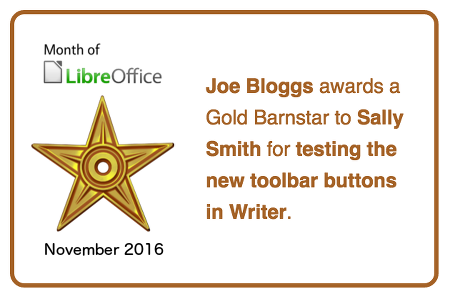
If you’re involved in the LibreOffice community and want to show your appreciation for someone’s efforts, award them a barnstar on our special wiki page. This is a bronze, silver or gold icon that shows your thanks for that person’s help or contribution, like so:
To award a barnstar, just email barnstars@libreoffice.org, say who should get it and what they did. We’ll then add it to the page.
Badges
Meanwhile, LibreOffice contributors can earn badges throughout the month. They look like this:
We’ll add every contributor to the list of badges on our wiki. Everyone who earns a badge can proudly show it off on their blog or social media accounts! At the end of the campaign we’ll make a high-score list for the contributors who earned the most badges.
How do I get a badge?
There are six badges covering many aspects of LibreOffice:
Help to confirm bugs: go to our Bugzilla page and look for new bugs. If you can recreate one, add a comment like “CONFIRMED on Windows 10 and LibreOffice 5.2.2”. (Make sure you’re using the latest version of LibreOffice.)
Contribute code: The codebase is big, but there are lots of places to get involved with small jobs. See our Developers page on the website and this page on the wiki to get started. Once you’ve submitted a patch, if it gets merged we’ll award you a badge!
Translate the interface: LibreOffice is available in a wide range of languages, but its interface translations need to be kept up-to-date. Or maybe you want to translate the suite to a whole new language? Get involved here.
Write documentation: Another way to earn a badge is to help the LibreOffice documentation team. Whether you want to update the online help or add chapters to the handbooks, here’s where to start.
Answer questions from users: Over on Ask LibreOffice there are many users looking for help with the suite. We’re keeping an eye on that site so if you give someone useful advice, you’ll get a shiny badge to add to your collection.
Spread the word: Tell everyone about LibreOffice on Twitter! Just say why you love it or what you’re using it for, add the #libreoffice hashtag, and we’ll award you with a badge.
Can you get all six badges? Good luck!
So let’s go
The campaigns run until the end of the month, so you have around four weeks to award barnstars (or earn them!) and pick up badges for your contributions. We’ll be posting regular updates on our Twitter account, and of course keep an eye on the wiki pages to see the progress. Stay tuned!
With the availability of the LibreOffice 5.3 Alpha, we have entered the road to LibreOffice 5.3, the next significant major release of the best free office suite ever developed. The software is in the early stage of the final development cycle, and as such should be installed only by expert community members skilled in quality assurance tasks, or involved in launch activities. Although in Alpha stage, LibreOffice 5.3 has an outstanding Coverity Scan score, as confirmed on October 20, with 0.01 defects per 1,000 lines of code (the image on the left is a screenshot of the Coverity Scan dashboard). LibreOffice 5.3 will be officially announced at the end of January 2017.
The next step in the process will be the release of LibreOffice 5.3 Beta around the end of November. At that time, we will announce our user interface concept, based on the joint efforts of development, design and marketing teams.
In the meantime, users can start learning about the new exciting features on LibreOffice 5.3 Release Notes page (https://wiki.documentfoundation.org/ReleaseNotes/5.3). The page will be regularly updated for the next month, when the feature set will be frozen for the final quality assurance activity and the preparation of launch materials.

 FOSDEM is one of the largest gatherings of Free Software contributors in the world and happens each year in Brussels (Belgium) at the ULB Campus Solbosch. In 2017, it will be held on Saturday, February 4, and Sunday, February 5.