Hazard: A LibreOffice Impress template to play Jeopardy-like games

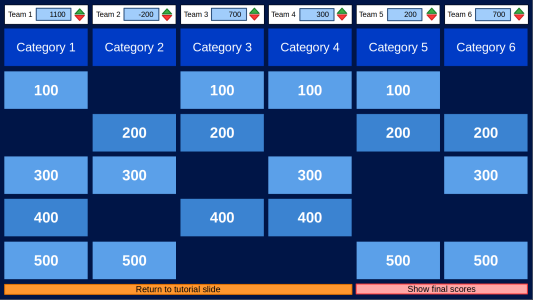
Hazard LibreOffice template screenshot

Marcial Machado recently posted on Reddit about his “fully-featured LibreOffice Impress template for creating Jeopardy-style games. Just add your questions and categories, and you’re good to go!” So let’s find out more…

What does the template do?

At its core, the template is meant to emulate what a game of Jeopardy is like. You can click on any of the squares on the game board and it will send you to the slide with the associated question, where you can either return to the board in the case of a misclick, or reveal the answer to the question. Returning to the board from the revealed answer slide will erase the square you clicked on to clearly show which questions are left to be answered.

You can also use the green and red arrows at the top to give and remove points to up to 6 teams in increments of 100, in order to keep track of everyone’s correctly- and incorrectly-guessed answers. Once the board’s cleared, you can click the pink button at the bottom right to clearly display the top three teams and the points they earned. I made sure to include details on how to edit, and use, the template in the first two slides!

Why did you develop it?

The simple reason for why I developed this template was because: I use LibreOffice, I wanted a Jeopardy presentation that worked in LibreOffice, and I couldn’t find one. The more verbose reason is that there is a comparative dearth of visually-appealing presentation templates in the OPT world than there is in the PPTX world; this is no fault of the creators of OPT templates, but rather because the proprietary nature of something like PowerPoint incentivizes templates made for profit, whereas most people who create LibreOffice Impress templates do it out of interest.

This necessarily means that there are just less people making LibreOffice Impress templates in total, without mentioning the much smaller userbase LibreOffice has compared with Microsoft Office. Now, some PowerPoint files do work in Impress, and the work done by the dev team and contributors is commendable, but a converted document is still a converted document. Formatting might be slightly off, and macros are almost always a bust. Since I realized I wanted this Jeopardy project to exist, and realizing my own frustration with the fact that such a project didn’t exist already, I went ahead and tried it out myself, and then released it to the public!
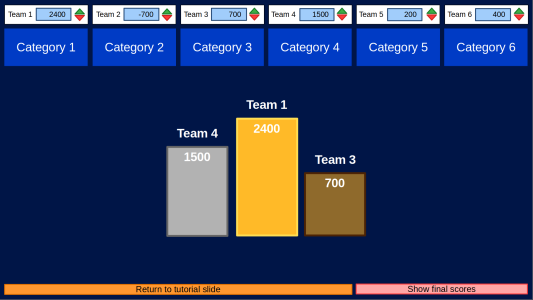
Hazard LibreOffice template screenshot

Do you have any tips for other people interested in creating templates in LibreOffice?

I have a few:

  • Focus on a problem you, yourself, have. You’ll be much more eager to bring a project to completion and to a high level of quality if you have a vetted interest in the final product.
  • Tell yourself that no one, ever, is going to make what you want to be made. The problem with a community of like-minded contributors is that everyone thinks everyone else is likely to fix the problem they have, so there’s a huge diffusion of responsibility; think of walking past some trash on the sidewalk and thinking, “someone else will pick that up eventually.” No! You be the one who throws it in the trash! In the same way, once you realize there’s an issue you can fix, or you can learn how to fix, be the one to fix it – no one else is gonna fix it for you!
  • Be patient. Like, really patient. Because no one is gonna fix this problem for you, you have all the time in the world to get it right. Read some documentation, go to some forums, sit on it a few days. Maybe get some feedback. Depend on time and on others to both find motivation and create a better end-product. The Jeopardy template I ended up releasing was the third completed project I made!
Get the template from here

24 more videos from the LibreOffice Conference 2024!

We’ve finished editing and uploading another batch of videos from our recent conference in Luxembourg. Now the playlist has a total of 51 videos and is almost entirely complete! (There are a couple more that we’re chasing up.)

So, enjoy watching and learning about the technology and community behind the suite. Use the icon in the top-right to choose videos from the playlist:

Please confirm that you want to play a YouTube video. By accepting, you will be accessing content from YouTube, a service provided by an external third party.

YouTube privacy policy

If you accept this notice, your choice will be saved and the page will refresh.

LibreOffice at LinuxDays 2024 in Prague

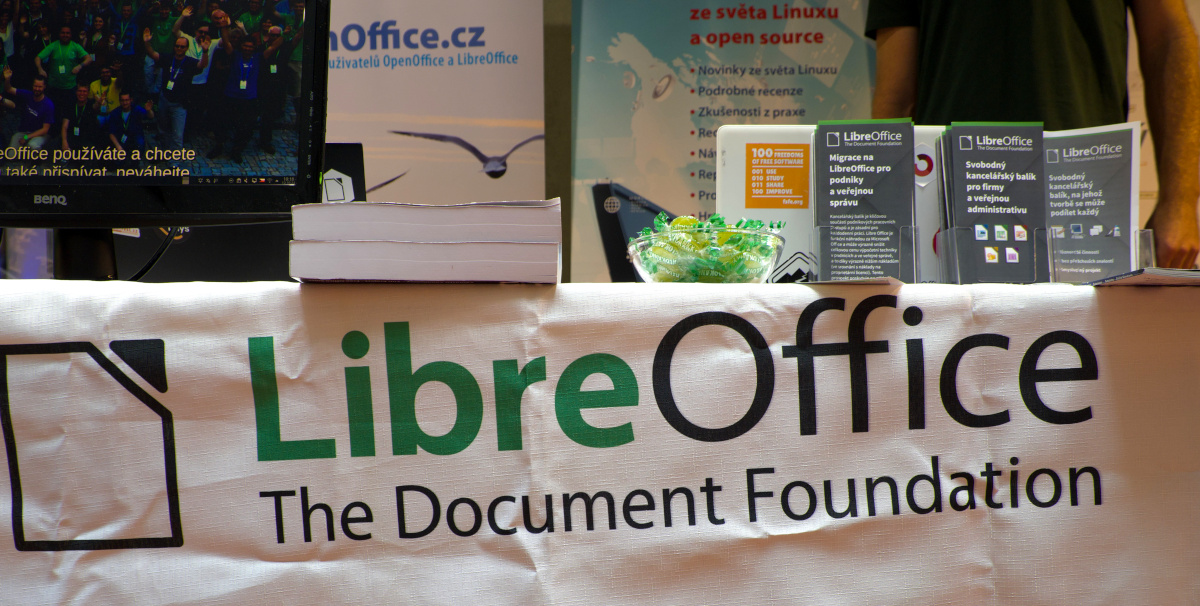
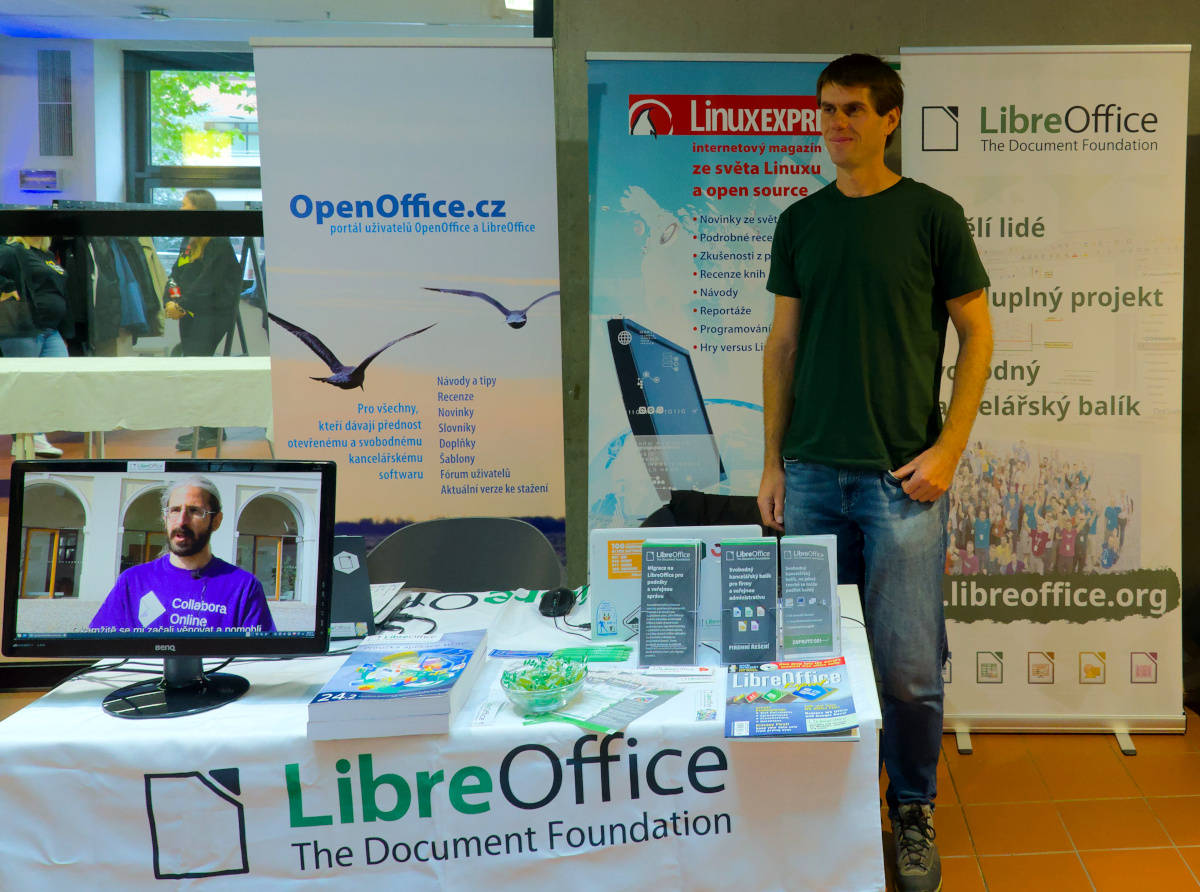
LibreOffice booth at LinuxDays 2024 in Prague

Our Czech community provides insights from the LinuxDays 2024 conference, which took place over the weekend of 12 – 13 October in Prague:

At the LibreOffice booth, there was a very large group of people (with a few exceptions) of satisfied LibreOffice users, of which young people (primary and secondary school students) were represented in surprisingly large numbers. This means that even the youngest generation, who prefer a different approach to data processing than office software, can be reached by LibreOffice.

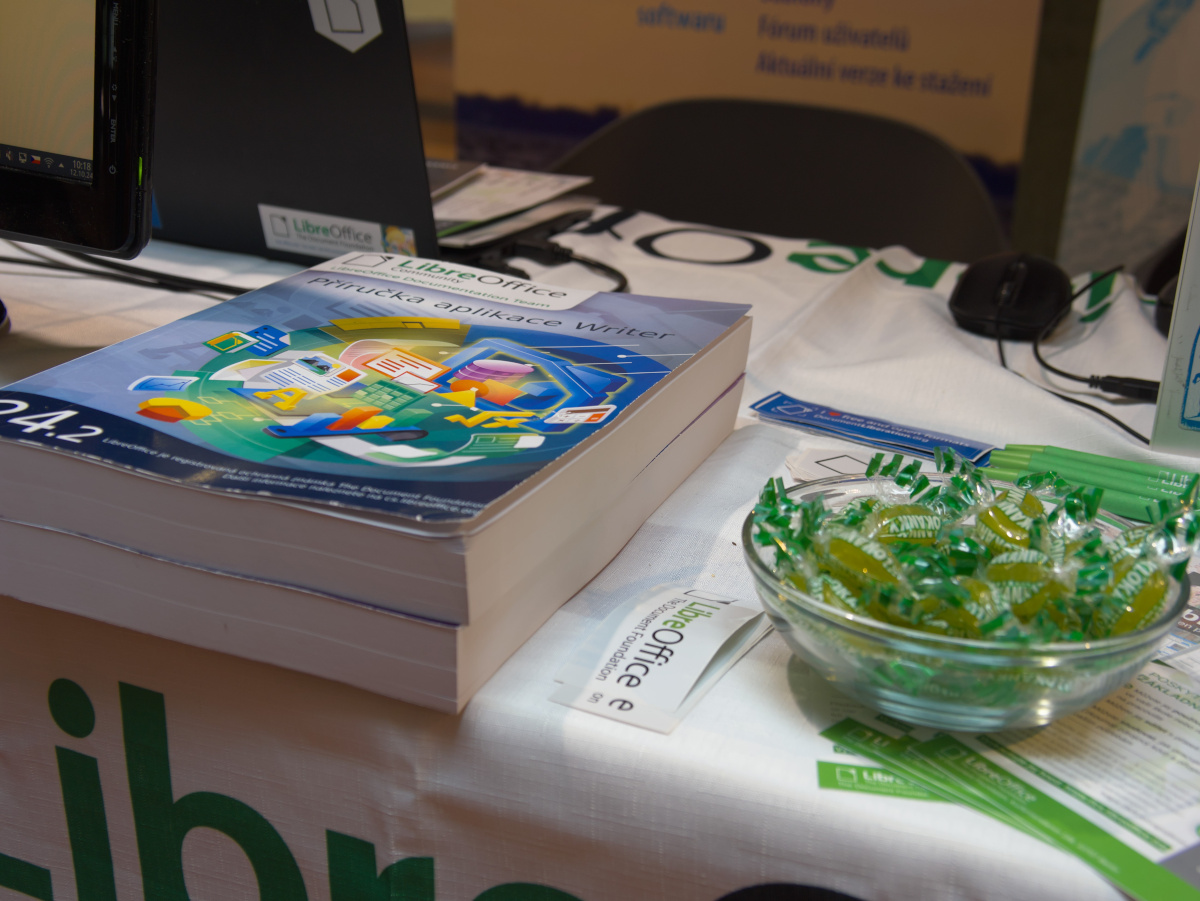
This year we had a special treat for conference visitors: printed manuals for LibreOffice Base and Writer. The printing of these manuals was provided by Zdeněk Crhonek. They are printed in colour on high quality paper and probably attracted the most interest – they caught the eye at first sight.

The look of LibreOffice

Users overwhelmingly expressed satisfaction with LibreOffice. The features are sufficient, the user interface is easy to get used to, and so is the way of working. For some users, the interface is seen as “old school” – but one such good thing is the implementation of alternative layours. It’s fair to say that few users know about the option to change the user interface layout, despite the fact that this option is offered in the very first dialog after installing the package.

This means that users don’t read these tips (which is a big mistake – they contain very useful and practical advice), and furthermore that LibreOffice lacks a wizard to guide the user through the various setup options. There are a lot of them, but they are hidden, so “nobody” knows about them. Such a guide would be a very useful addition indeed.

LibreOffice booth at LinuxDays 2024 in Prague

Using LibreOffice modules

Most users use LibreOffice to write text, create spreadsheets, and some even make presentations. In this regard, it should be noted that LibreOffice is a really extensive package; it is not a better typewriter. A word processor is not Notepad. So it is a pity that LibreOffice’s features remain unused. Users often create texts that require formatting in, for example, TeX, Markdown and so on. This is also a possible way to go, but they can equally (and better) take advantage of Writer’s extensive range of features. The same applies to Calc: this application is not just for creating spreadsheets, but also for computational operations and visualizations.

Insights on individual modules:

  • Of particular interest was the discovery that you can add content as automatic text in Writer.
  • One user would appreciate a significant improvement in the usability of bulk correspondence by allowing the source data used for this purpose to be imported into Writer, but then independent of the source database (as is reportedly the case in Microsoft Word).
  • Writer supports LaTeX via the TexMaths add-on, which converts the content to PNG or SVG but preserves the source syntax.
  • Users confirmed a known fact, that there is no video compatibility between Impress and PowerPoint. However, exporting from Impress to PDF works – then the videos are preserved.
  • Users are not familiar with Impress Remote. This allows you to control the presentation remotely using your mobile phone. The phone needs to be paired with the computer on which the presentation is running (communication is via Bluetooth or Wi-Fi). One person was very interested in this possibility, but unfortunately we had a problem with pairing devices – so the process could be simplified more.
  • One booth visitor uses Impress very often, but not always on her own laptop. The advantage is to use a portable version of LibreOffice (or the AppImage on Linux).

LibreOffice online or on mobile is no longer a secret

A surprisingly large number of users know and even use the mobile version of LibreOffice from Collabora. When we presented this application three years ago, at the InstallFest 2020 conference, it attracted a lot of interest. Now it seems that awareness is much better, although it is still surprising how few people know about the online version of LibreOffice.

However, there is even more interest in Collabora’s online LibreOffice solution, which is already quite widely used, or at least of interest, by conference visitors. Some users have problems with installation, so they would welcome more easily accessible tutorials on how to install (in different ways).

LibreOffice booth at LinuxDays 2024 in Prague

Microsoft Office/365 in education

The necessity or obligation to use Microsoft Office/365 for school purposes is a major frustration, especially for young users (school children). This applies both to school work itself and to the creation of homework. We think this practice is totally unacceptable: schools are not supposed to function as Microsoft training facilities (the worst in this case is the combination of a teacher and a certified Microsoft Insider).

Teachers should be aware of the negative impact they are having on children by requiring Microsoft Office; they are creating more users of one commercial company’s products, regardless of the existing and available open source alternatives. Even primary school students can be more aware than their teachers in this respect, as they demonstrated at this event. Yet the number of schools using and subscribing to LibreOffice is not small.

The fact that Microsoft 365 has been found to violate EU data regulations also speaks against the use of the cloud version; for this reason, its use in education is banned in the German state of Hesse, and the state of Schleswig-Holstein will switch to LibreOffice in 2025.

At the conference, the use of LibreOffice in public administration resonated more than ever. It seems that users are really interested in this topic. This is a good sign, subjectively it seemed that this topic is already outdated, but this is not the case.

LibreOffice project and community recap: November 2024

LibreOffice project and community recap banner

Here’s our summary of updates, events and activities in the LibreOffice project in the last four weeks – click the links to learn more…

  • The main theme of November was the Month of LibreOffice, saying thanks for community contributions all across the LibreOffice project – coding, documentation, QA, design and more. At the end of the month we announced the results with 301 contributors eligible to receive sticker packs! Thanks to everyone who took part 😊

Month of LibreOffice banner

  • Meanwhile, we started editing and uploading videos from the recent LibreOffice Conference 2024 in Luxembourg. So far there are 35 videos to watch, covering various aspects of the suite and development – with some more still to come! Here’s the playlist:

Please confirm that you want to play a YouTube video. By accepting, you will be accessing content from YouTube, a service provided by an external third party.

YouTube privacy policy

If you accept this notice, your choice will be saved and the page will refresh.

LibreOffice Writer Guide 24.8 cover

  • New features are coming to LibreOffice thanks to participants in the Google Summer of Code 2024, including comments in the sidebar, native support for histogram charts and cross-platform .NET bindings for the UNO API.

GSoC logo

  • In the middle of November, we announced LibreOffice 24.8.3, the third bugfix update to the latest stable branch. All users are recommended to get it.

LibreOffice 24.8 banner

  • We have a new podcast! In episode 1, Italo Vignoli and Mike Saunders (both at The Document Foundation) discuss marketing LibreOffice and free software – the challenges and opportunities. (It’s also available on PeerTube.)

Please confirm that you want to play a YouTube video. By accepting, you will be accessing content from YouTube, a service provided by an external third party.

YouTube privacy policy

If you accept this notice, your choice will be saved and the page will refresh.

  • Then we talked to Moritz Duge who is working on the WebAssembly port of LibreOffice, among other things.

Moritz Duge

Please confirm that you want to play a YouTube video. By accepting, you will be accessing content from YouTube, a service provided by an external third party.

YouTube privacy policy

If you accept this notice, your choice will be saved and the page will refresh.

Keep in touch – follow us on Mastodon, X (formerly Twitter), Bluesky, Reddit and Facebook. Like what we do? Support our community with a donation – or join our community and help to make LibreOffice even better!

Winners in the Month of LibreOffice, November 2024 – Get your free sticker pack!

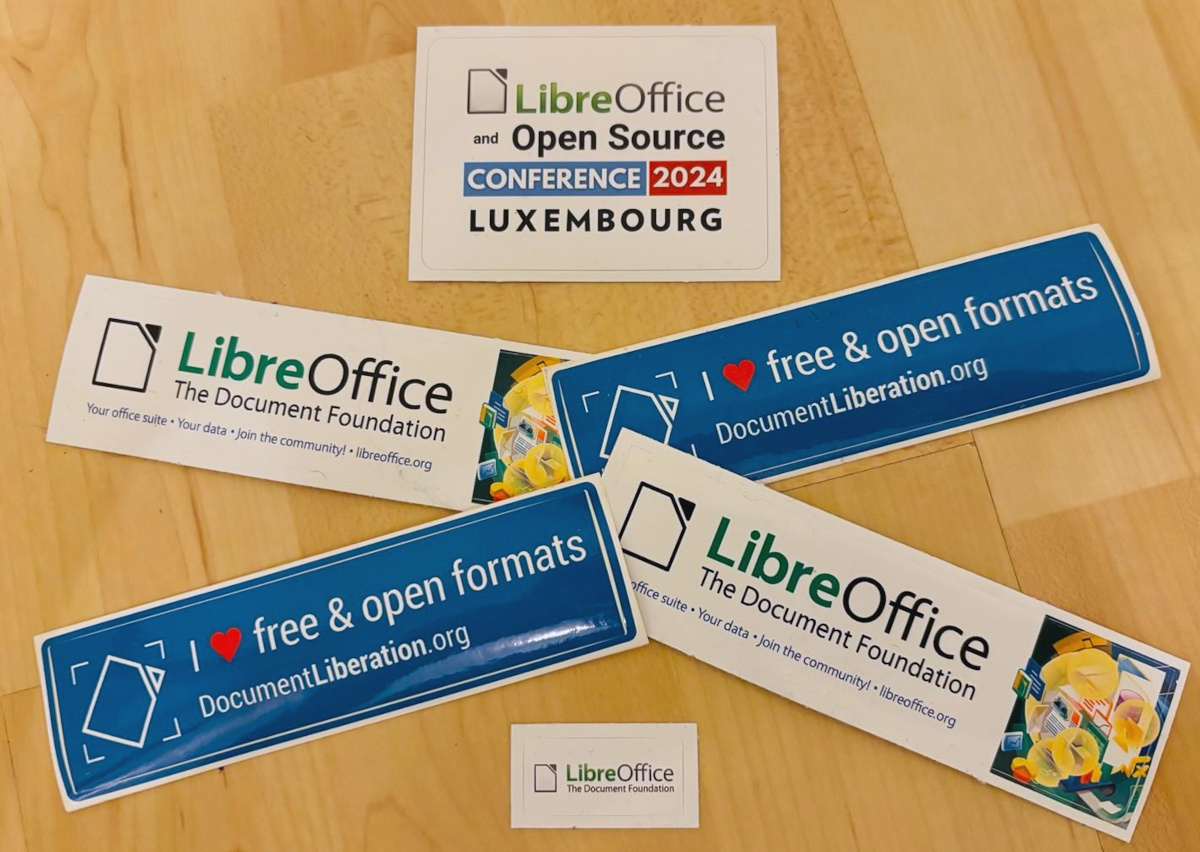
Month of LibreOffice stickers

At the beginning of November, we began a new Month of LibreOffice campaign, celebrating community contributions all across the project. We do these every six months – so how many people got sticker packs this time? Check it out…

Fantastic work, everyone! Hundreds of people, all across the globe, have helped out in our projects and communities. And those are just community contributions, not including the hundreds more from our ecosystem and certified developers!

We’re hugely thankful for the work – and, of course, everyone who’s listed on the wiki page can get a sticker pack, with the stickers shown above.

How to claim

If you see your name (or username) on this page, get in touch! Email mike.saunders@documentfoundation.org with:

  • your name (or username) from the wiki page
  • along with your postal address

…and we’ll send you a bunch of stickers for your PC, laptop and other kit. (Note: your address will only be used to post the stickers, and will be deleted immediately afterwards.) If you contributed to the project in November but you’re not on the wiki page, please let us know what you did, so that we can add you!

There is one more thing…

And we have an extra bonus: ten contributors have also been selected at random to get an extra piece of merchandise – a LibreOffice hoodie, T-shirt, rucksack or snazzy glass mug. Here are the winners (names or usernames) – we’ll get in touch personally with the details:

  • Richard England
  • Ashleigh Sinclair
  • @OhWeh@climatejustice.social
  • UnklDonald
  • Henner Drewes
  • mkt
  • Ekaterine Papava
  • @pdunn@twit.social
  • Chika
  • Bryan Zanoli

Congratulations to all the winners, and a big thanks once again to everyone who took part – your contributions keep the LibreOffice project strong. We plan to have another Month of LibreOffice in May 2025, but everyone is welcome to see what they can do for LibreOffice at any time!

Video: Government moving 30,000 PCs from Microsoft to LibreOffice

Here’s a video from our recent LibreOffice Conference 2024. It details the ongoing migration of 30,000 PCs from Microsoft Office/365 to LibreOffice in the northern German state of Schleswig-Holstein. (The video is also available on PeerTube.)

Please confirm that you want to play a YouTube video. By accepting, you will be accessing content from YouTube, a service provided by an external third party.

YouTube privacy policy

If you accept this notice, your choice will be saved and the page will refresh.