LibreOffice 7.2 Community is strong on interoperability

Over 60% of code commits for the brand new version of the best free and open source office suite are focused on interoperability with Microsoft’s proprietary file formats

Berlin, August 19, 2021 – LibreOffice 7.2 Community, the new major release of the volunteer-supported free office suite for desktop productivity, is available from https://www.libreoffice.org/download. Based on the LibreOffice Technology platform for personal productivity on desktop, mobile and cloud, it provides a large number of interoperability improvements with Microsoft’s proprietary file formats. In addition, LibreOffice 7.2 Community offers numerous performance improvements in handling large files, opening certain DOCX and XLSX files, managing font caching, and opening presentations and drawings that contain large images. There are also drawing speed improvements when using the Skia back-end that was introduced with LibreOffice 7.1.

LibreOffice 7.2 is now available natively for Apple Silicon, a series of processors designed by Apple and based on the ARM architecture. Because of the early phase of development on this specific platform, binaries are provided but should not be used for any critical purpose at this stage. Software will be available from the following page: https://download.documentfoundation.org/libreoffice/stable/7.2.0/mac/aarch64/.

LibreOffice and Interoperability

LibreOffice 7.2 Community adds a significant number of improvements to interoperability with legacy DOC files, and DOCX, XLSX and PPTX documents. Microsoft files are still based on the proprietary format deprecated by the ISO in April 2008, and not on the ISO approved standard, so they embed a large amount of hidden artificial complexity. This causes handling issues with LibreOffice, which defaults to a true open standard format (the OpenDocument Format).

The LibreOffice community is happy to have many talented developers who are tackling these issues.

Thanks to the focused development activity from volunteer and sponsored developers, LibreOffice 7.2 takes a significant step forward in terms of transparent interoperability, while maintaining many advantages in terms of resiliency, robustness and compliance with standards – to the benefit of enterprise and individual users.

LibreOffice offers the highest level of compatibility in the office suite market segment, starting with native support for the OpenDocument Format (ODF) – beating proprietary formats in the areas of security and robustness – to superior support for DOCX, XLSX and PPTX files. In addition, LibreOffice provides filters for a large number of legacy document formats, to return ownership and control to users.

LibreOffice 7.2 Community New Features [1]

LibreOffice 7.2 Community’s new features have been developed by 171 contributors: 70% of code commits are from 51 developers employed by three companies sitting in TDF’s Advisory Board – Collabora, Red Hat and allotropia – or other organizations (including The Document Foundation), and 30% are from 120 individual volunteers.

In addition, 232 volunteers have provided localizations in 151 languages. LibreOffice 7.2 Community is released in 119 different language versions, more than any other free or proprietary software, and as such can be used in the native language (L1) by over 5.4 billion people worldwide. In addition, over 2.3 billion people speak one of those 119 languages as their second language (L2).

GENERAL

• Popup list to search for menu commands
• Scrollable style picker in the NotebookBar
• Fontwork panel in the Sidebar
• New list view for the templates dialog
• Built-in “Xray”-like UNO object inspector

WRITER

• Background fills can cover whole pages, beyond margins
• Page styles can now have a gutter margin
• Mail merge shows a warning about nonexistent data sources
• RDF metadata in Style Inspector
• Custom color metadata field shadings

CALC

• Calc now can filter by color in AutoFilter
• HTML tables listed in the External Data dialogue now show captions
• “Fat cross” cursor available in the options
• Type can be selected in “Moving Average” trend lines

IMPRESS & DRAW

• New templates: Candy, Freshes, Grey Elegant, Growing Liberty, Yellow Idea
• Multiple columns now available in text boxes
• Direct access to the scaling factor via the status bar

A video summarizing the top new features in LibreOffice 7.2 Community is available on YouTube: https://www.youtube.com/watch?v=cWmURg_rM2o and PeerTube: https://peertube.opencloud.lu/videos/watch/d9413c81-a568-4a0e-b570-6200fc1d062c.

LibreOffice for Enterprises

For enterprise-class deployments, TDF strongly recommends the LibreOffice Enterprise family of applications from ecosystem partners – for desktop, mobile and cloud – with a large number of dedicated value-added features. These include long-term support options, professional assistance, personalized developments and other benefits such as SLA (Service Level Agreements): https://www.libreoffice.org/download/libreoffice-in-business/.

Despite this recommendation, an increasing number of enterprises are using the version supported by volunteers, instead of the version optimized for their needs and supported by the different ecosystem companies.

Over time, this represents a problem for the sustainability of the LibreOffice project, because it slows down the evolution of the project. In fact, every line of code developed by ecosystem companies for their enterprise customers is shared with the community on the master code repository, and improves the LibreOffice Technology platform.

Products based on LibreOffice Technology are available for major desktop operating systems (Windows, macOS, Linux and Chrome OS), for mobile platforms (Android and iOS), and for the cloud. Slowing down the development of the platform is hurting users at every level, and may ultimately lead to a stagnation of the LibreOffice project.

Migrations to LibreOffice

The Document Foundation has developed a Migration Protocol to support enterprises moving from proprietary office suites to LibreOffice, which is based on the deployment of an LTS version from the LibreOffice Enterprise family, plus migration consultancy and training sourced from certified professionals who offer CIOs and IT managers value-added solutions in line with proprietary offerings. Reference: https://www.libreoffice.org/get-help/professional-support/.

In fact, LibreOffice – thanks to its mature codebase, rich feature set, strong support for open standards, excellent compatibility and long-term support options from certified partners – represents the ideal solution for businesses that want to regain control of their data and free themselves from vendor lock-in.

Availability of LibreOffice 7.2 Community

LibreOffice 7.2 Community is immediately available from the following link: https://www.libreoffice.org/download/. Minimum requirements for proprietary operating systems are Microsoft Windows 7 SP1 and Apple macOS 10.12.

Change Logs: https://wiki.documentfoundation.org/Releases/7.2.0/RC1 (RC1), https://wiki.documentfoundation.org/Releases/7.2.0/RC2 (RC2), https://wiki.documentfoundation.org/Releases/7.2.0/RC3 (RC3).

LibreOffice Technology-based products for Android and iOS are listed here: https://www.libreoffice.org/download/android-and-ios/, while for App Stores and ChromeOS are listed here: https://www.libreoffice.org/download/libreoffice-from-microsoft-and-mac-app-stores/.

For users whose main objective is personal productivity, and therefore prefer a release that has undergone more testing and bug fixing over the new features, The Document Foundation maintains the LibreOffice 7.1 family, which includes some months of back-ported fixes. The current version is LibreOffice 7.1.5.

The Document Foundation does not provide technical support for users, although they can get it from volunteers on user mailing lists and the Ask LibreOffice website: https://ask.libreoffice.org.

LibreOffice users, free software advocates and community members can support The Document Foundation with a donation at https://www.libreoffice.org/donate.

LibreOffice 7.2 is built with document conversion libraries from the Document Liberation Project: https://www.documentliberation.org.

[1] Release Notes: https://wiki.documentfoundation.org/ReleaseNotes/7.2.

Press Kit

Download link: https://nextcloud.documentfoundation.org/s/AgY6G3WAAtsCZrn.

The importance of LinkedIn Pages for the LibreOffice Project

LinkedIn has reached the number of 750 million subscribers worldwide, and is now the best social media to support products, as it is used by almost 100% of enterprises (click on the above thumbnails to see the full image). The Document Foundation has launched the foundation and the LibreOffice LinkedIn pages a while ago, followed in late 2020 by the LibreOffice Enterprise LinkedIn page. These pages have grown organically during the years to reach respectively 1,169, 1.055 and 197 followers. It is now time to leverage the effective potential of these content resources for the growth of the project, especially in areas which are not directly related to the FOSS ecosystem.

We need the help of TDF and community members to grow the number of people subscribed to these pages, and to add contents about community activities, product development, migrations, large enterprise deployments, and the open document format. In general, community activities should be published on The Document Foundation page, product development and open document format news on the LibreOffice page, migrations and large enterprise deployments on the LibreOffice Enterprise page. We are happy to receive your content suggestions, and to put them online.

In addition, if you are not yet a LinkedIn member, you should create your own profile and link it to The Document Foundation and LibreOffice, as this will increase the relevance of the pages, and this will attract subscribers from other FOSS projects and also from outside FOSS projects.

The Document Foundation LinkedIn page
To go to the page and subscribe, click on the image
LibreOffice LinkedIn page
To go to the page and subscribe, click on the image
LibreOffice Enterprise LinkedIn page
To go to the page and subscribe, click on the image

LibreOffice Conference Sponsorship Package

By sponsoring the LibreOffice Conference you will have the opportunity to connect with one of the largest and most dynamic FOSS communities, with supporters, volunteers and users in every country in the world. The virtual event lasts for three days, from 23 to 25 September 2021. You can download the prospectus from this link: https://conference.libreoffice.org/assets/libocon2021/2021conferencesponsorship.pdf – And contact us here if you’re interested! #libreoffice #libocon

Announcement of LibreOffice 7.1.5 Community

Berlin, July 22, 2021 – LibreOffice 7.1.5 Community, the fifth minor release of the LibreOffice 7.1 family, targeted at technology enthusiasts and power users, is available for download from https://www.libreoffice.org/download/. LibreOffice 7.1.5 includes around 55 bug fixes, with 20% focused on Microsoft Office file compatibility (DOCX, XLSX and PPTX, and legacy DOCs).

For enterprise-class deployments, TDF strongly recommends the LibreOffice Enterprise family of applications from ecosystem partners, with long-term support options, professional assistance, custom features and Service Level Agreements: https://www.libreoffice.org/download/libreoffice-in-business/.

LibreOffice Community and the LibreOffice Enterprise family of products are based on the LibreOffice Technology platform, the result of years of development efforts with the objective of providing a state of the art office suite not only for the desktop but also for mobile and the cloud.

Products based on LibreOffice Technology are available for major desktop operating systems (Windows, macOS, Linux and Chrome OS), mobile platforms (Android and iOS) and the cloud. They may have a different name, according to each company brand, but they share the same LibreOffice unique advantages, robustness and flexibility.

Migrations to LibreOffice

The Document Foundation has developed a Migration Protocol to support enterprises moving from proprietary office suites to LibreOffice, which is based on the deployment of a LTS version from the LibreOffice Enterprise family, plus migration consultancy and training sourced from certified professionals who offer CIOs and IT managers value-added solutions in line with proprietary offerings. Reference: https://www.libreoffice.org/get-help/professional-support/.

Availability of LibreOffice 7.1.5 Community

LibreOffice 7.1.5 Community represents the bleeding edge in term of features for open source office suites. For users whose main objective is personal productivity and therefore prefer a release that has undergone more testing and bug fixing over the new features, The Document Foundation provides LibreOffice 7.0.6.

LibreOffice 7.1.5 change log pages are available on TDF’s wiki: https://wiki.documentfoundation.org/Releases/7.1.5/RC1 (changed in RC1) and https://wiki.documentfoundation.org/Releases/7.1.5/RC2 (changed in RC2).

LibreOffice Technology based products for Android and iOS are listed here: https://www.libreoffice.org/download/android-and-ios/, while for App Stores and ChromeOS are listed here: https://www.libreoffice.org/download/libreoffice-from-microsoft-and-mac-app-stores/

LibreOffice individual users are assisted by a global community of volunteers: https://www.libreoffice.org/get-help/community-support/. On the website and the wiki there are guides, manuals, tutorials and HowTos. Donations help us to make all of these resources available.

LibreOffice users are invited to join the community at https://ask.libreoffice.org, where they can get and provide user-to-user support. People willing to contribute their time and professional skills to the project can visit the dedicated website at https://whatcanidoforlibreoffice.org.

LibreOffice users, free software advocates and community members can provide financial support to The Document Foundation with a donation via PayPal, credit card or other tools at https://www.libreoffice.org/donate.

LibreOffice 7.1.5 is built with document conversion libraries from the Document Liberation Project: https://www.documentliberation.org.

EXTENDED LibreOffice Conference Call for Papers

LibreOffice Conference Call for Papers has been extended until July 18, 2021. This is the final deadline, and no further extension will be offered. To facilitate the development of the conference schedule, proposals can only be submitted using TDF event management platform at https://events.documentfoundation.org/libocon2021/cfp.

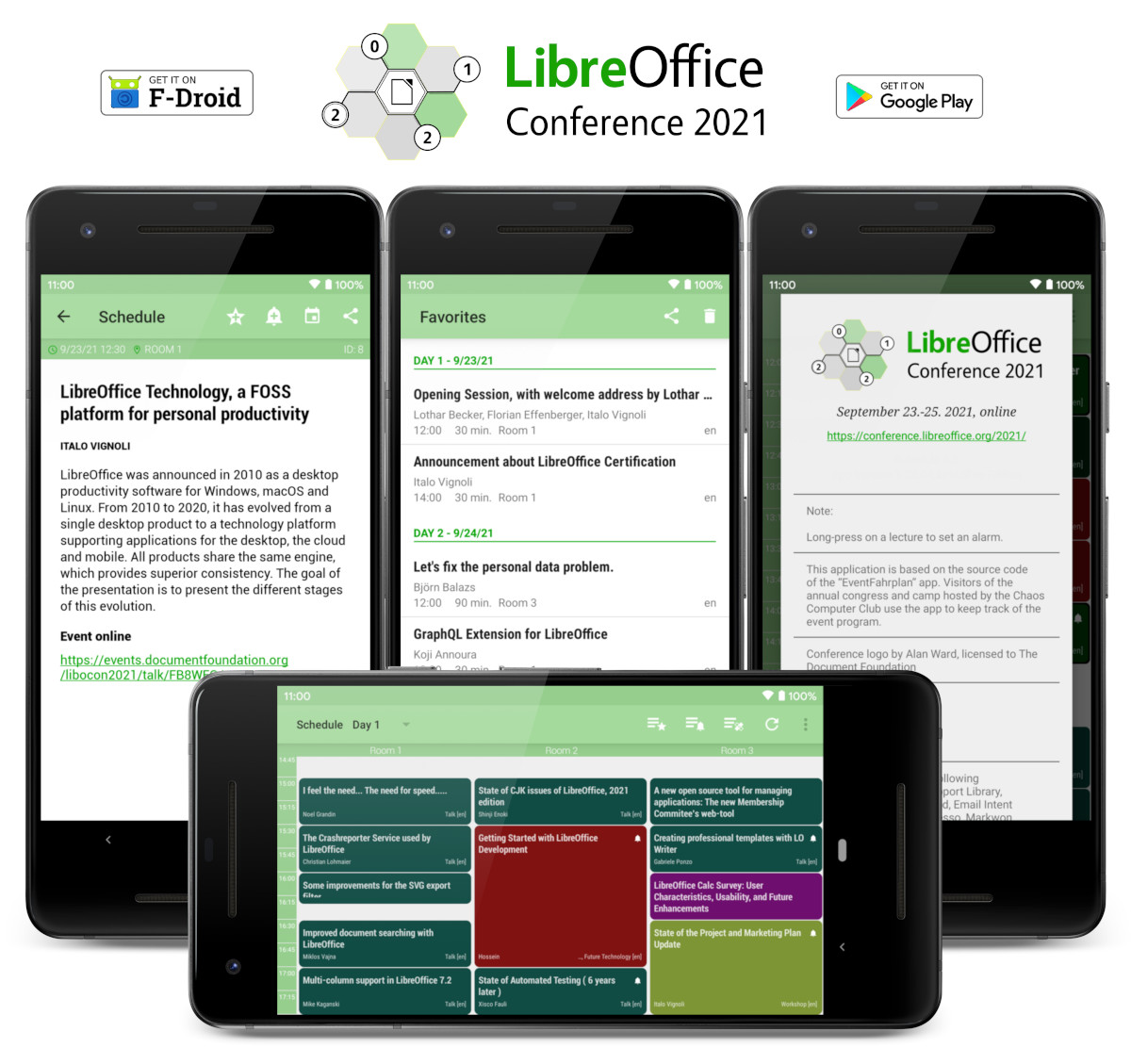
LibreOffice Conference 2021 will take place online from September 23 to 25, Thursday to Saturday. The Document Foundation invites all members and contributors to submit talks, lectures and workshops. Whether you are a seasoned presenter or have never spoken in public before, if you have something interesting to share about LibreOffice, ODF, the Document Liberation Project or the ODF Toolkit, we want to hear from you!

The conference program will be based on the following tracks:

  • a) Development, APIs, Extensions, Future Technology
  • b) Quality Assurance
  • c) Localization, Documentation and Native Language Projects
  • d) Appealing Libreoffice: Ease of Use, Design and Accessibility
  • e) Open Document Format, Document Liberation and Interoperability
  • f) Advocating, Promoting, Marketing LibreOffice
  • g) Diversity and Inclusion, New Generation Project for Students’ Inclusion

Presentations, case studies and technical talks will discuss a subject in depth and will last 30 minutes (including Q&A), while Workshops will last 90 minutes (including Q&A). Lightning talks will cover a specific topic and will last 5 minutes (including Q&A). Sessions will be streamed live and recorded for download.

If you do not agree to provide the data for the talk under the “Creative Commons Attribution-Share Alike 4.0 License”, please explicitly state your terms. In order to make your presentation available on TDF YouTube and PeerTube channels, please do not submit talks containing copyrighted material (music, pictures, etc.).

If you want to give multiple talks, please submit a separate proposal for each one, using the submission form at the following address (is always the same): https://events.documentfoundation.org/libocon2021/cfp.

Thanks a lot for your participation!

Interview with Hossein Nourikhah

Which is your perception of the project, as seen from the outside world?
I see LibreOffice project as an alternative path. The road to office productivity suites doesn’t have to end up in proprietary office applications and file formats. LibreOffice project is a way out, trying to provide freedom to the users, alongside providing user friendly, cost efficient products that are also accessible for the disabled people.
On the other hand, LibreOffice is a complex piece of software, consisting of ~10 millions of lines of code [1], which is somehow difficult for an average programmer to get involved in its development. This is something that can be improved through various means, including better tools and documentation, and of course, more helping hands.

How do you see office suites – desktop, mobile and cloud – evolving in the next 10 years?
As software/hardware platforms change, so does the application software, and office suite is not an exception. Being able to run on the mobile devices and cloud is one thing that we see today, but for the next decade, pervasive computing and internet of things seem to be the next platforms. So, being able to communicate with the user through new and challenging input and output channels like TTS, voice recognition and haptic technologies would be something feasible, and perhaps plausible. AI is something essential in this road-map.
I think it is very important for the LibreOffice community to accept these new platforms, and embrace the new ways of communicating with the users, providing the users the freedom and privacy they need in the new era.

Are you a LibreOffice user? Which is your opinion of LibreOffice as a user of desktop software?
Yes, of course! I use the latest Ubuntu LTS, and I am a LibreOffice user on a daily basis. In fact, I was an enthusiastic user of an early version of OpenOffice.org from Red Hat 9.0 in 2003 [2], and I have switched to LibreOffice when it was released.
I am a happy user, although there are glitches in text rendering for my own language (Persian/Farsi). I hope we can fix them sooner with the help of kind LibreOffice developers.

Why did you decide to apply for the position of Developer Community Architect?
For at least two reasons:
Firstly, I wanted to spend my time on a free software that will benefit the people, no matter their skin color, nationality, race and wealth.
And secondly, I wanted to get involved in an international community of developers, and try to attract more and more people, convincing them to use LibreOffice, and encourage them to contribute in the way they can.

Although you have just started working as Developer Community Architect, which is your opinion about LibreOffice source code?
Looking at the history of the code, it is more than 30 years now since the start, and I think there are hidden gems out there! You design a GUI with glade, and at runtime, you can get X, Qt, gtk, etc user interface out of it with visual class library (VCL). This is very interesting.
On the other hand, I think there are a lot of places for improvement, and the most important part of it is from the architectural point of view. Instead of a monolithic application, a multi-process architecture would provide advantages that are available today in some web browsers.

You are from Iran, a country with a huge historical heritage. Can you provide a short description?
Yes. Iran (previously called Persia), is a country from the west of Asia. Currently It spans from Caspian Sea in the north to Persian Gulf in the south. I am originally from Mazandaran, a lovely flourishing area in the southern coast of Caspian Sea with the well known Hyrcanian Forests.
Iran (Persia) has a long history of civilization. Alongside Italy (Ancient Rome), Persia was one the great civilizations of the ancient world. Now, the heritage of the ancient Persia, from the old landmarks to the distinguished scientists and figures spans over several countries. 24 UNESCO World Heritage Sites are currently inside today’s Iran [3], in which most of them are cultural sites, except 2 natural sites of Lut Desert and Hyrcanian Forests.
But besides the long history, it has kind people that want to have a good relation with all the nations worldwide. We also have nice looking Persian kitties that many people around the world love them. 🙂

Which is your operating system of choice, and your preferred development tools?
I use Ubuntu LTS. Debian-based distros are neat, and in case Ubuntu is a platform that I can describe as both user-friendly and developer-friendly. Advanced Package Tool (APT) and Debian Package Manager (dpkg) are great tools that were far ahead of their time, even compared to the commercial software tools from expensive proprietary operation systems. It is very interesting from a user’s viewpoint that you can install any package you like with a single click or a single command:
sudo apt-get install some-pacakge
And it is very helpful from a developer’s viewpoint that you can build a package with just 3 simple commands: Installing dependencies, getting the source code, and building the package is straightforward:
sudo apt-get build-dep some-package (install dependencies)
apt-get source some-package (install the sources)
cd some-package-dir; dpkg-buildpackage -b (build it!)
Let’s remember Ian Murdock (rip), the founder of Debian project and the original creator of these great tools.
I usually use Qt Creator IDE for most of my development work, but I occasionally use Visual Studio Code.

Your personal message to the LibreOffice community, in your native language (and of course in English).
In Farsi/Persian:
پیام من به جامعه لیبره‌آفیس این است: لیبره افیس یک فرصت برای دسترسی به نرم‌افزاری آزاد، دوست داشتنی و بسیار مفید برای کارهای روزمره است. اگر می‌خواهید بهتر شود، باید خودتان کمک کنید؛ چون لیبره آفیس نرم‌افزار خودتان است!
In English:
LibreOffice is an opportunity to have access to a free, lovely and useful software for the daily tasks. If you want it to become better, you should help; because LibreOffice is your own software!

References
[1] LibreOffice at OpenHub: “507,456 commits made by 2,118 contributors representing 9,706,279 lines of code”, https://www.openhub.net/p/libreoffice
[2] Red Hat Linux 9 Features Latest Open Source Technologies, https://www.redhat.com/en/about/press-releases/press-redhatlinux9
[3] Properties inscribed on the World Heritage List (24), Iran (Islamic Republic of), https://whc.unesco.org/en/statesparties/ir

To get in touch with Hossein:

E-Mail: hossein@libreoffice.org
IRC: hossein at libreoffice-dev room in LiberaChat Network irc://irc.libera.chat/#libreoffice-dev