How do different free and open source software projects do mentorship, and how can we all learn from each other? Daniel Garcia Moreno (EndlessOS Foundation and GNOME), Emily Gonyer (openSUSE), Ilmari Lauhakangas (The Document Foundation), and Marie Nordin (Fedora) discuss this in a panel moderated by Ben Cotton:
Please confirm that you want to play a YouTube video. By accepting, you will be accessing content from YouTube, a service provided by an external third party.
In 2021, LibreOffice celebrated its eleventh birthday. Two new major versions of the suite introduced a variety of new features, while minor releases helped to improve stability as well
(This is part of The Document Foundation’s Annual Report for 2021 – we’ll post the full version here soon.)
The Document Foundation announced two major releases of LibreOffice in 2021: version 7.1 on February 3, and version 7.2 on August 19. In addition 13 minor releases were also made available:
LibreOffice 7.1.1 – March 4
LibreOffice 7.0.5 – March 12
LibreOffice 7.1.2 – April 1
LibreOffice 7.1.3 – May 6
LibreOffice 7.0.6 – May 13
LibreOffice 7.1.4 – June 10
LibreOffice 7.1.5 – July 22
LibreOffice 7.1.6 – September 9
LibreOffice 7.2.1 – September 16
LibreOffice 7.1.7 – November 4
LibreOffice 7.2.3 – November 25
LibreOffice 7.2.4 and 7.1.8 – December 6
In July, our Quality Assurance community organised a Bug Hunting Session in preparation for the release of LibreOffice 7.2. This was based on the first Release Candidate (RC), and we encouraged technically-minded users to try out the RC and help to identify and fix bugs before the final release. Communication took part on our QA IRC channel, which is also bridged to a Telegram group. The session ran from 07:00 UTC to 19:00 UTC.
LibreOffice 7.1
On February 3, LibreOffice 7.1 was officially released after six months of work. Developers at Collabora, allotropia, CIB, Red Hat, NISZ, The Document Foundation and other companies and organisations – along with volunteers – worked on many new features. For instance, a new dialog was added which lets users select their desired user interface design on first startup (including the regular menu+toolbar setup, and NotebookBar alternative).
In Writer, a new Style Inspector was created to display the attributes of Paragraph and Character Styles, and manually formatted (Direct Formatting) properties. In Calc, significant speed improvements for Autofilter and find/replace operations were implemented, while the possibility to add visible signatures to existing PDF files in Draw was included too. On top of the new features, there were many other general improvements to performance, compatibility and stability.
With the help of the Indonesian community, TDF produced a video to explain and demonstrate many of the new features in LibreOffice 7.1. This was linked to in the announcement, and embedded into various web news websites that covered the release. The video is also available on PeerTube.
Please confirm that you want to play a YouTube video. By accepting, you will be accessing content from YouTube, a service provided by an external third party.
If you accept this notice, your choice will be saved and the page will refresh.
LibreOffice 7.2
Later in the year, on August 19, TDF released LibreOffice 7.2. Based on the LibreOffice Technology platform for personal productivity on desktop, mobile and cloud, it provided a large number of interoperability improvements with Microsoft’s proprietary file formats. In addition, LibreOffice 7.2 Community offered numerous performance improvements in handling large files, opening certain DOCX and XLSX files, managing font caching, and opening presentations and drawings that contain large images. There were also drawing speed improvements when using the Skia back-end that was introduced with LibreOffice 7.1.
A popup list to search for menu commands was added to the user interface, helping new users to find features that may otherwise be tucked away inside the menu. In addition, a built-in “Xray”-like UNO object inspector was implemented, along with a new list view for the Templates dialog. In Writer, background fills were updated to cover whole pages, beyond margins, while in Calc, HTML tables listed in the External Data dialogue now show captions. Impress was boosted with a set of new templates, to make presentations more attractive and appealing: Candy, Freshes, Grey Elegant, Growing Liberty, Yellow Idea and more.
Many other features were added as well, and there were a large number of compatibility improvements. As with the previous release, the TDF team worked with the Indonesian LibreOffice community to make a video to demonstrate the new features:
Please confirm that you want to play a YouTube video. By accepting, you will be accessing content from YouTube, a service provided by an external third party.
Here’s our summary of updates, events and activities in the LibreOffice project in the last four weeks – click the links to learn more…
We started off March with a custom shape tutorial from Regina Henschel. If you’ve ever tried to draw special and complex shapes beyond the basic offerings of LibreOffice, check it out!
During March, TDF released two new updates for LibreOffice: 7.3.1 and 7.3.2. These fix bugs and improve compatibility – so all users of the 7.3 branch are recommended to update. (We also released LibreOffice 7.2.6 on March 10.)
Meanwhile, the Czech community worked on a translation of the LibreOffice Base Guide 6.4. Thanks to Marcela Tomešová, Martin Kasper, Zdeněk Crhonek, Jan Martinovský, Roman Toman and Miloš Šrámek for their great work! 👍
How can we make free and open source software development sustainable in the long term? Mike Saunders from The Document Foundation appeared on the Sustain OSS podcast to talk about this issue, along with the challenges and opportunities in building communities.
In the middle of the month, the Board of Directors at The Document Foundation started its new term. Welcome to new new members, and thank you to those who are moving on, for all their work and support.
LibreOffice is taking part in the Google Summer of Code 2022. If you’re a contributor, want to improve your programming skills and receive a financial stipend to implement new features in LibreOffice, get involved!
Companies in the LibreOffice ecosystem contribute many features and fixes to the software, and provide long-term support (LTS) versions and other benefits. We caught up with Michael Meeks of Collabora Productivity to find out what his team has been working on in recent versions of the suite.
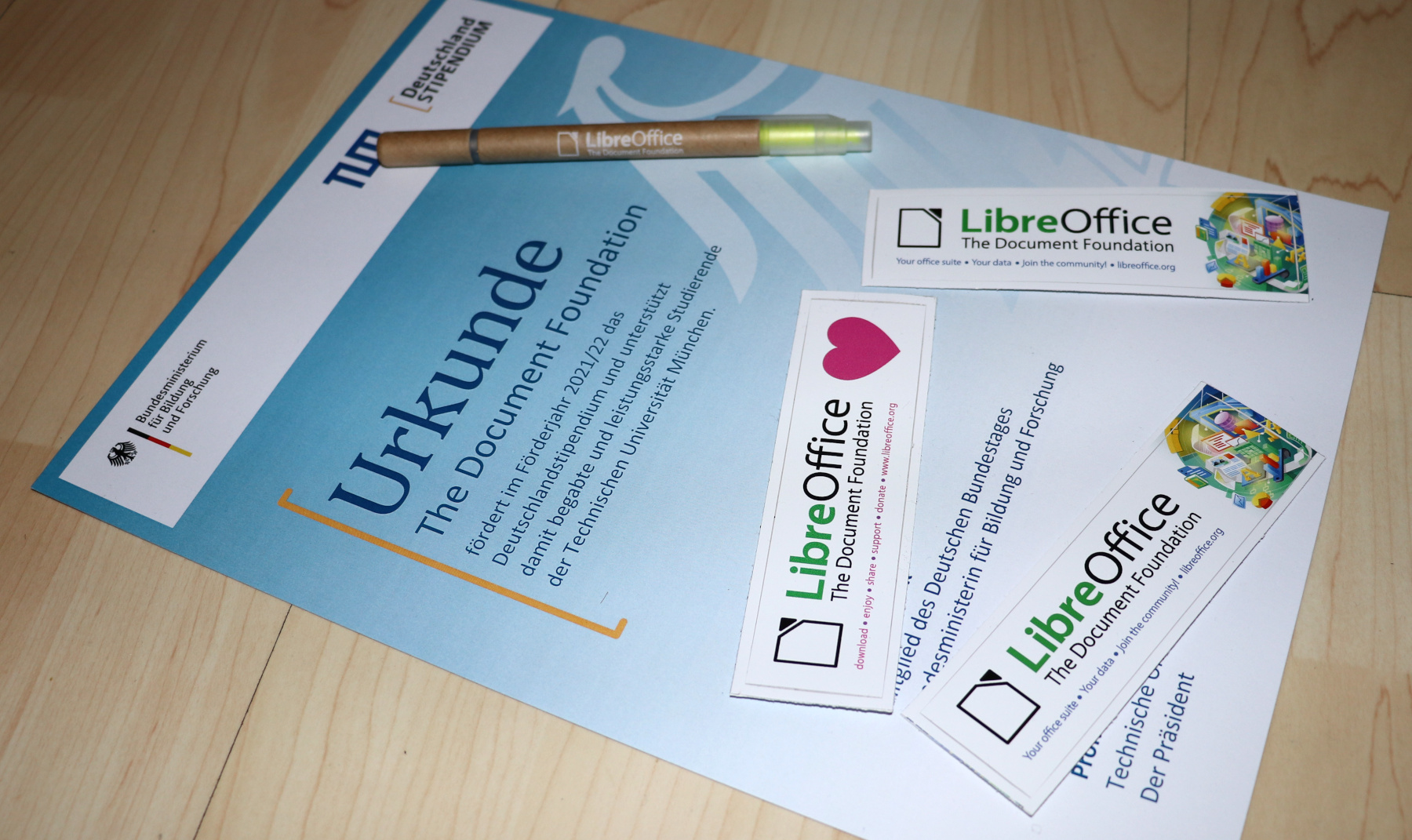
In 2019, the German LibreOffice community sadly lost one of its most active members, Klaus-Jürgen Weghorn. In his memory, The Document Foundation (the non-profit foundation behind LibreOffice) has decided to support a student through the Deutschlandstipendium initiative.
And finally, our documentation team announced the Writer Guide 7.3. This covers all aspects of the word processing component in LibreOffice, and is well worth keeping on your (digital) bookshelf…
Berlin, March 31, 2022 – LibreOffice 7.3.2 Community, the second minor release of the LibreOffice 7.3 family, targeted at technology enthusiasts and power users, is available for download from https://www.libreoffice.org/download/.
The LibreOffice 7.3 family offers the highest level of compatibility in the office suite market segment, starting with native support for the OpenDocument Format (ODF) – beating proprietary formats in the areas of security and robustness – to superior support for DOCX, XLSX and PPTX files.
Microsoft files are still based on the proprietary format deprecated by ISO in 2008, which is artificially complex, and not on the ISO approved standard. This lack of respect for the ISO standard format may create issues to LibreOffice, and is a huge obstacle for transparent interoperability.
LibreOffice for enterprise deployments
For enterprise-class deployments, TDF strongly recommends the LibreOffice Enterprise family of applications from ecosystem partners, with long-term support options, professional assistance, custom features and Service Level Agreements: https://www.libreoffice.org/download/libreoffice-in-business/.
LibreOffice Community and the LibreOffice Enterprise family of products are based on the LibreOffice Technology platform, the result of years of development efforts with the objective of providing a state of the art office suite not only for the desktop but also for mobile and the cloud.
Products based on LibreOffice Technology are available for major desktop operating systems (Windows, macOS, Linux and Chrome OS), mobile platforms (Android and iOS) and the cloud. They may have a different name, according to each company brand strategy, but they share the same LibreOffice unique advantages, robustness and flexibility.
Availability of LibreOffice 7.3.2 Community
LibreOffice 7.3.2 Community represents the bleeding edge in term of features for open source office suites. For users whose main objective is personal productivity and therefore prefer a release that has undergone more testing and bug fixing over the new features, The Document Foundation provides LibreOffice 7.2.6.
LibreOffice individual users are assisted by a global community of volunteers: https://www.libreoffice.org/get-help/community-support/. On the website and the wiki there are guides, manuals, tutorials and HowTos. Donations help the project to make all of these resources available.
LibreOffice users are invited to join the community at https://ask.libreoffice.org, where they can get and provide user-to-user support. People willing to contribute their time and professional skills to the project can visit the dedicated website at https://whatcanidoforlibreoffice.org.
LibreOffice users, free software advocates and community members can provide financial support to The Document Foundation with a donation via PayPal, credit card or other tools at https://www.libreoffice.org/donate.
Writer Guide 7.3 comes with the latest updates for LibreOffice Community 7.3
The Documentation team is happy to announce the immediate availability of the Writer Guide 7.3.
This user guide has been updated from Writer Guide 7.2. It covers changes that are visible in the LibreOffice Writer user interface and additional information from earlier releases, including:
Enhancements to Track Changes (Chapter 3). More details are in the Release Notes.
Added details about the Print dialog in macOS (Chapter 7).
Updated details about Templates dialog (Chapter 10).
Updated list terminology in Chapter 11 and anywhere else lists are mentioned.
Minor rewording and replacement figures in several chapters.
LibreOffice 7.3 Community includes many changes not visible in the user interface. These changes include further improvements in interoperability with Microsoft’s proprietary file formats, including new features targeted at users migrating from Microsoft Office to LibreOffice, or exchanging documents between the two office suites. These improvements include:
New handling of change tracking in tables and when text is moved.
Performance improvements when opening large DOCX and XLSX/XLSM files, improved rendering speed of some complex documents, and new rendering speed improvements when using the Skia back-end introduced with LibreOffice 7.1.
Improvements to import/export filters.
ScriptForge libraries, which make it easier to develop macros, have been extended with various features.
This update was possible with the volunteer work of Jean H. Weber and Kees Kriek from the LibreOffice Documentation Team. A big thank you to Jean and Kees for their wonderful work.
The LibreOffice Documentation Team is devoted to produce the best documentation for LibreOffice and is open to everyone interested in contributing to our collective effort.
With the Deutschlandstipendium, the German government is expanding student funding through a program that is also kick-starting a new scholarship culture in Germany. The federal government and private sponsors – companies, associations, foundations and individuals – work together to support high-achieving students. In this way, civil society is taking responsibility for talented young people and making a contribution to Germany’s future.
We are in contact with the student and will report more here on the blog.