 Which is your perception of the project, as seen from the outside world?
I see LibreOffice project as an alternative path. The road to office productivity suites doesn’t have to end up in proprietary office applications and file formats. LibreOffice project is a way out, trying to provide freedom to the users, alongside providing user friendly, cost efficient products that are also accessible for the disabled people.
On the other hand, LibreOffice is a complex piece of software, consisting of ~10 millions of lines of code [1], which is somehow difficult for an average programmer to get involved in its development. This is something that can be improved through various means, including better tools and documentation, and of course, more helping hands.
How do you see office suites – desktop, mobile and cloud – evolving in the next 10 years?
As software/hardware platforms change, so does the application software, and office suite is not an exception. Being able to run on the mobile devices and cloud is one thing that we see today, but for the next decade, pervasive computing and internet of things seem to be the next platforms. So, being able to communicate with the user through new and challenging input and output channels like TTS, voice recognition and haptic technologies would be something feasible, and perhaps plausible. AI is something essential in this road-map.
I think it is very important for the LibreOffice community to accept these new platforms, and embrace the new ways of communicating with the users, providing the users the freedom and privacy they need in the new era.
Are you a LibreOffice user? Which is your opinion of LibreOffice as a user of desktop software?
Yes, of course! I use the latest Ubuntu LTS, and I am a LibreOffice user on a daily basis. In fact, I was an enthusiastic user of an early version of OpenOffice.org from Red Hat 9.0 in 2003 [2], and I have switched to LibreOffice when it was released.
I am a happy user, although there are glitches in text rendering for my own language (Persian/Farsi). I hope we can fix them sooner with the help of kind LibreOffice developers.
Why did you decide to apply for the position of Developer Community Architect?
For at least two reasons:
Firstly, I wanted to spend my time on a free software that will benefit the people, no matter their skin color, nationality, race and wealth.
And secondly, I wanted to get involved in an international community of developers, and try to attract more and more people, convincing them to use LibreOffice, and encourage them to contribute in the way they can.
Although you have just started working as Developer Community Architect, which is your opinion about LibreOffice source code?
Looking at the history of the code, it is more than 30 years now since the start, and I think there are hidden gems out there! You design a GUI with glade, and at runtime, you can get X, Qt, gtk, etc user interface out of it with visual class library (VCL). This is very interesting.
On the other hand, I think there are a lot of places for improvement, and the most important part of it is from the architectural point of view. Instead of a monolithic application, a multi-process architecture would provide advantages that are available today in some web browsers.
You are from Iran, a country with a huge historical heritage. Can you provide a short description?
Yes. Iran (previously called Persia), is a country from the west of Asia. Currently It spans from Caspian Sea in the north to Persian Gulf in the south. I am originally from Mazandaran, a lovely flourishing area in the southern coast of Caspian Sea with the well known Hyrcanian Forests.
Iran (Persia) has a long history of civilization. Alongside Italy (Ancient Rome), Persia was one the great civilizations of the ancient world. Now, the heritage of the ancient Persia, from the old landmarks to the distinguished scientists and figures spans over several countries. 24 UNESCO World Heritage Sites are currently inside today’s Iran [3], in which most of them are cultural sites, except 2 natural sites of Lut Desert and Hyrcanian Forests.
But besides the long history, it has kind people that want to have a good relation with all the nations worldwide. We also have nice looking Persian kitties that many people around the world love them. 🙂
Which is your operating system of choice, and your preferred development tools?
I use Ubuntu LTS. Debian-based distros are neat, and in case Ubuntu is a platform that I can describe as both user-friendly and developer-friendly. Advanced Package Tool (APT) and Debian Package Manager (dpkg) are great tools that were far ahead of their time, even compared to the commercial software tools from expensive proprietary operation systems. It is very interesting from a user’s viewpoint that you can install any package you like with a single click or a single command:
sudo apt-get install some-pacakge
And it is very helpful from a developer’s viewpoint that you can build a package with just 3 simple commands: Installing dependencies, getting the source code, and building the package is straightforward:
sudo apt-get build-dep some-package (install dependencies)
apt-get source some-package (install the sources)
cd some-package-dir; dpkg-buildpackage -b (build it!)
Let’s remember Ian Murdock (rip), the founder of Debian project and the original creator of these great tools.
I usually use Qt Creator IDE for most of my development work, but I occasionally use Visual Studio Code.
Your personal message to the LibreOffice community, in your native language (and of course in English).
In Farsi/Persian:
پیام من به جامعه لیبرهآفیس این است: لیبره افیس یک فرصت برای دسترسی به نرمافزاری آزاد، دوست داشتنی و بسیار مفید برای کارهای روزمره است. اگر میخواهید بهتر شود، باید خودتان کمک کنید؛ چون لیبره آفیس نرمافزار خودتان است!
In English:
LibreOffice is an opportunity to have access to a free, lovely and useful software for the daily tasks. If you want it to become better, you should help; because LibreOffice is your own software!
References
[1] LibreOffice at OpenHub: “507,456 commits made by 2,118 contributors representing 9,706,279 lines of code”, https://www.openhub.net/p/libreoffice
[2] Red Hat Linux 9 Features Latest Open Source Technologies, https://www.redhat.com/en/about/press-releases/press-redhatlinux9
[3] Properties inscribed on the World Heritage List (24), Iran (Islamic Republic of), https://whc.unesco.org/en/statesparties/ir
To get in touch with Hossein:
E-Mail: hossein@libreoffice.org
IRC: hossein at libreoffice-dev room in LiberaChat Network irc://irc.libera.chat/#libreoffice-dev

 LibreOffice Conference Call for Papers has been extended until July 18, 2021. This is the final deadline, and no further extension will be offered. To facilitate the development of the conference schedule, proposals can only be submitted using TDF event management platform at https://events.documentfoundation.org/libocon2021/cfp.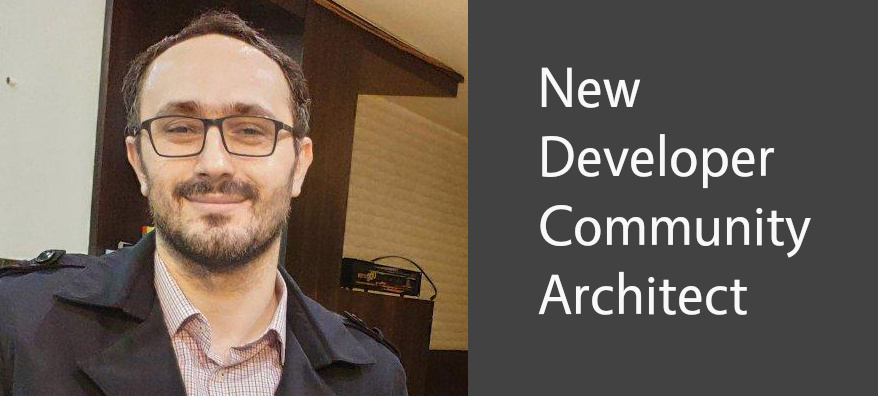
 The Document Foundation is pleased to announce that LibreOffice’s native document format – the OpenDocument Format for Office Applications (ODF) 1.3 – has been approved as OASIS Standard with 14 affirmative consents and no objections. ODF is a free, open XML-based document file format for office applications, to be used for documents containing text, spreadsheets, charts and graphical elements. ODF 1.3 is an update to the international standard Version 1.2, which was approved by the International Organization for Standardization (ISO) as ISO/IEC 26300 (2015).