Update on tender to implement Curl based HTTP/WebDAV UCP (#202104-01)

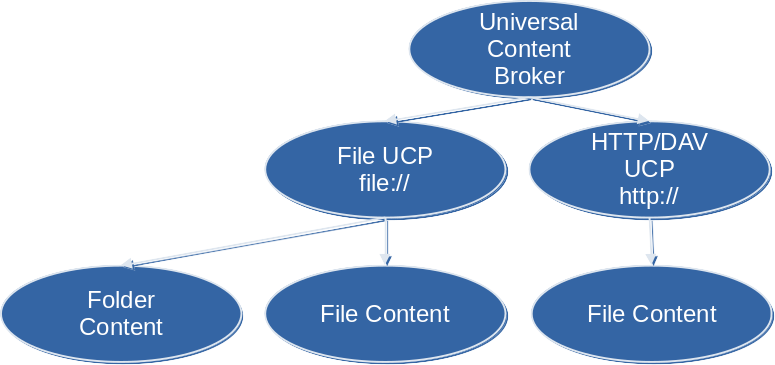
In April last year, The Document Foundation posted a tender to implement Curl based HTTP/WebDAV UCP in LibreOffice. Now we have an update from allotropia, the company that won the tender:


This is to report the recent activities we performed.

  • We held a presentation during this year’s FOSDEM conference, giving an in-depth account of what we did, why we did it, and the problems we’ve met. Both video and slides are available, licensed as CC-BY 2.0 BE currently.
  • We’ve accompanied that with a blog post, going into detail.
  • Additionally, we’ve fixed a number of additional bugs; all told, we believe the implementation is now definitely production-ready (and likely quite better than the old ones).

All included, we provided a total of 126 commits, that went into this development work (there were also 7 community contributions), which includes the previous work by Giuseppe. You can see the full list from the core repo, via:

git log --grep='webdav-curl'

…or see this link. From our side, this now concludes work on this tender. We hope the services rendered were satisfactory, and both The Document Foundation and the LibreOffice users will enjoy the new implementation!


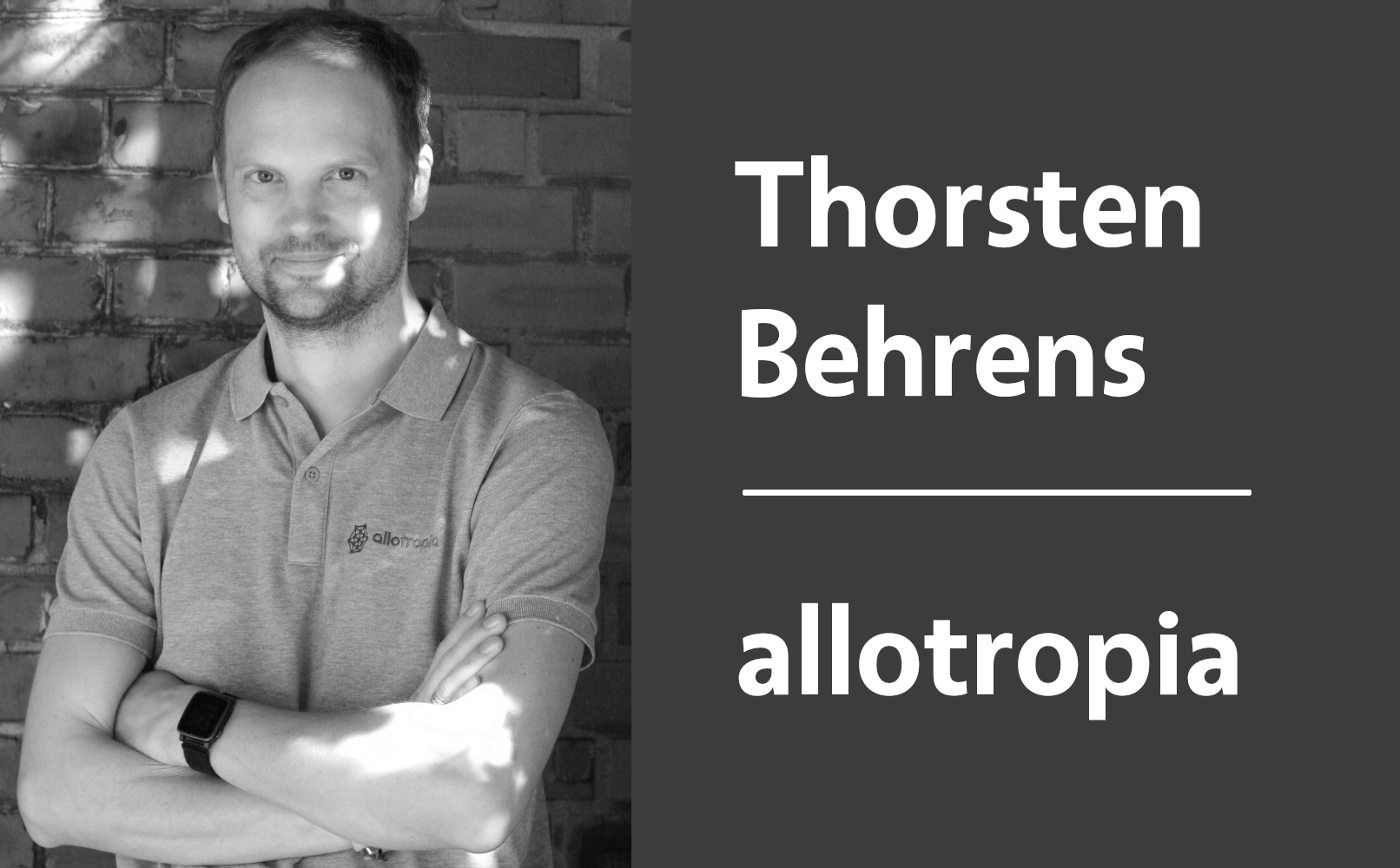
LibreOffice ecosystem interview: Thorsten Behrens at allotropia

LibreOffice is developed by a worldwide community, made up of volunteers, certified developers and companies in the wider ecosystem. Today we’re talking to Thorsten Behrens, who serves on The Document Foundation’s Board of Directors and works for allotropia…

Tell us a bit about yourself!

I’m Thorsten Behrens, living in Hamburg, Germany. With a great team of LibreOffice experts, I run allotropia software GmbH, which specialises in Open Source and Open Standards consulting and products.

The code and the project itself had me involved from 2001 on (then still called OpenOffice.org).

What does allotropia provide in the LibreOffice ecosystem?

We strive to be a full-service shop for all things LibreOffice. Just to list a few examples, we have helped companies to train their internal development team alongside a LibreOffice migration; we’re regularly developing bug fixes and new features for the office suite, and we’re also maintaining a number of extensions for the benefit of the entire ecosystem (e.g. the LibreOffice Eclipse development plugin, the Edit in LibreOffice Nextcloud plugin, or the LibreOffice Starter Extension).

Additionally, we’re offering LTS (long-time supported) versions of LibreOffice, via our partner CIB software GmbH. In the same vein, we also maintain customer-specific LTS branches, in case a larger organisation has decided to stick with one particular version of the suite.

And not to forget, allotropia also sponsors Michael Stahl, one of the editors of the OpenDocument Format, to keep the ODF standard evolving and keeping up with all the new LibreOffice features that need saving to disk.

What has allotropia been working on in LibreOffice 7.3?

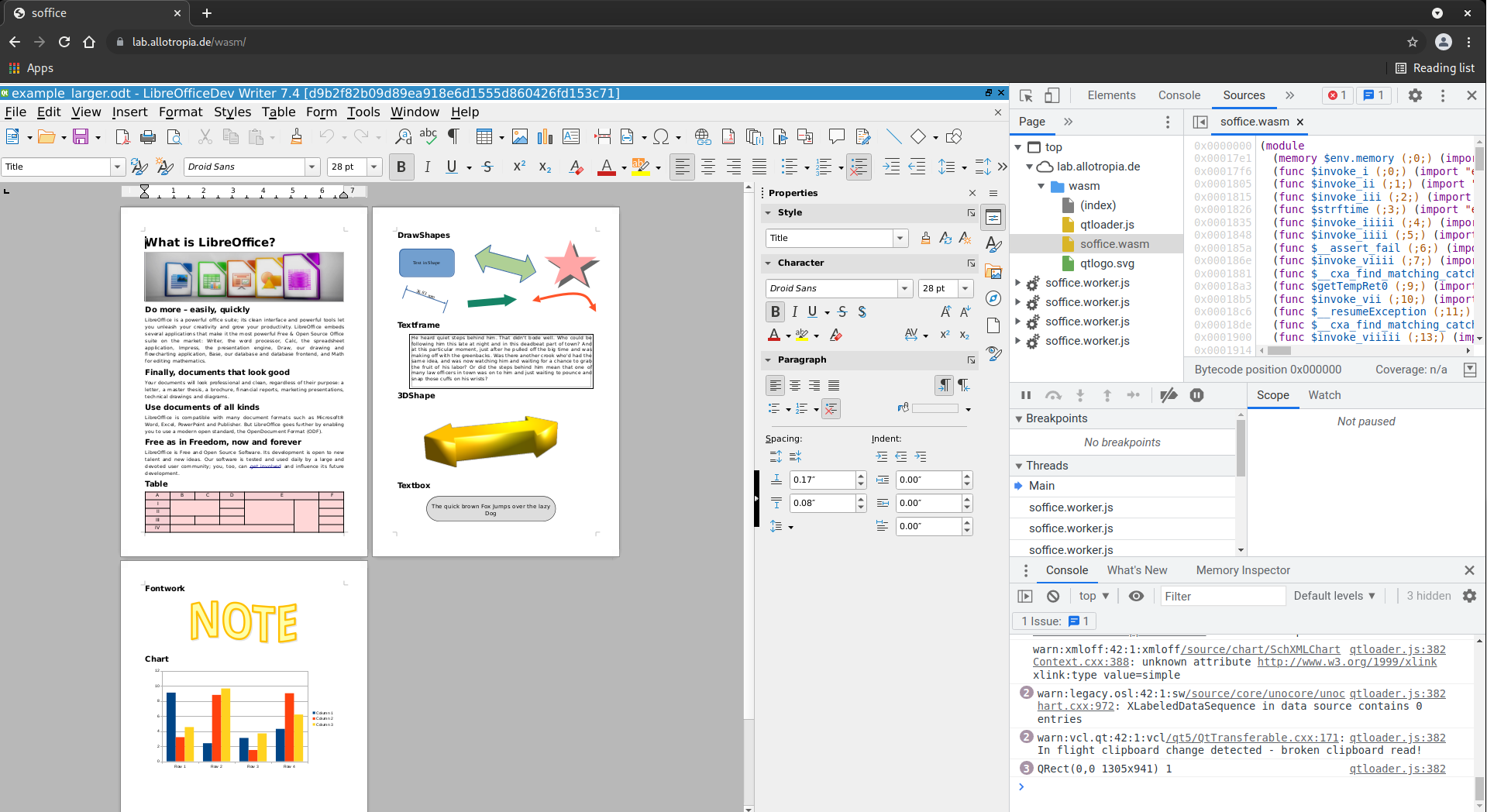
Besides lots of smaller additions for LibreOffice 7.3, one of the highlights we’re currently working on is a port of LibreOffice to directly run in a browser – without any need for a server installation. We’re provisionally calling it LOWA – LibreOffice WebAssembly, since WebAssembly (WASM) is the underlying browser technology this is using.


Another feature we’re quite proud of, is the rewrite of LibreOffice’s old network file access code. That work was sponsored by The Document Foundation, has landed in 7.3, solved a number of long-standing problems, and at the same time got rid of over 17,000 lines of (pretty old) code.

Looking beyond this release, what else are you planning to do?

There’s just a ton of work still to do, to make the LOWA LibreOffice really usable, so that will keep us pretty busy this year. Beyond that, we’re always eager to help making the overall developer experience for LibreOffice better – that helps us too, in our daily work! Along those lines, there’s another project currently underway, called CoverRest, to bring better and nicer integration with code coverage, static analysis and general code checking into the LibreOffice development process.


Find out more

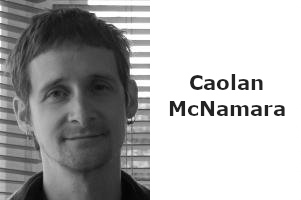
LibreOffice ecosystem interview: Caolán McNamara at Red Hat

LibreOffice is developed by a worldwide community, made up of volunteers, certified developers and companies in the wider ecosystem. Today we’re talking to Caolán McNamara, a long-time LibreOffice developer who works for Red Hat…

Tell us a bit about yourself!

I’m a Principal Engineer at Red Hat, Inc. on the Desktop Team since 2004! And I live on the west coast of Ireland.

What does Red Hat do in the LibreOffice ecosystem?

We try and do a lot of different things, from integration with the GNOME desktop, Calc and UNO work, and porting to architectures such as aarch64 and ppc64le, but I can highlight some of the efforts we make in detecting flaws close to when they get introduced into LibreOffice.

We maintain the regular crashtesting infrastructure, where we import and export 120,000+ documents and typically fix, or identify the triggering commit, any new import/export failures as they are discovered.

Similarly, we maintain the LibreOffice Coverity instance and work to keep the warnings to an effectively zero level in over six million lines of code, as part of that early detection of code flaw process.

In the same theme, we manage the LibreOffice OSS-Fuzz work and work to maintain the level of import related issues to a minimum, especially as a tool to detect potentially security related regressions before they are released, with over 1000 fixed to date.

We recently released LibreOffice 7.3 – what did you work on in that version?

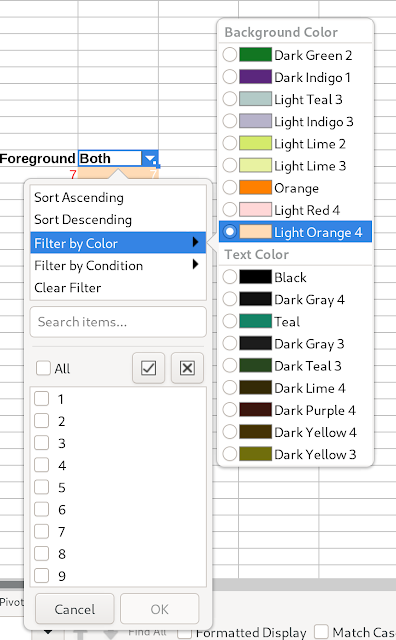
The last user interface feature I did for 7.3 was a little rework of the calc autofilter dropdown, to add “popup on hover” of the color filter submenus and adding color names and some other tweaks, which itself was just an extension of Samuel Mehrbrodt’s (allotropia) more substantial LibreOffice 7.2 work to support color filtering in the autofilter.

Another feature we worked on that landed in upstream 7.3 was extension of the command line conversion of spreadsheets to comma separated value files to additionally support the optional export of each tab of a spreadsheet to a separate output CSV file.

Looking beyond this release, what else are you planning to do?

I’m working on GTK4 version of LibreOffice. It’s not finished by any means, but it’s mostly functional and making progress.

Follow Caolán’s LibreOffice work on his blog, and check out his FOSDEM talk about the GTK4 port.

Using a Matrix Bridge with LibreOffice IRC Channels

Hossein Nourikhah writes:

Ever wondered about using modern chat tools to discuss LibreOffice? Here we will discuss using a Matrix bridge to connect to the LibreOffice IRC rooms, to participate more efficiently in LibreOffice-related discussions.

Traditionally, IRC has been the preferred way of communication for the FOSS communities including the LibreOffice community. There are multiple IRC rooms that you can join, and the one related to the LibreOffice development is #libreoffice-dev at Libera Chat network. A more complete list is in the TDF Wiki:

IRC is an open protocol, and there are many clients for it. With the modern IRC clients, some of the shortcoming of the earlier IRC clients are now resolved. For example, you can use encryption in your connection.

https://libera.chat/guides/connect#accessing-liberachat-via-tls

On the other hand, IRC still has its drawbacks. You have to be online to get the messages, and you will lose the messages that was sent when you were offline. There are solutions like “IRC bouncers” that can help resolve this specific issue, but when compared to the modern chat clients and protocols, IRC still falls behind. So, many people prefer the new tools for chat.

But, is there a way to connect these two worlds, old and new? Fortunately there is a solution: using a Matrix bridge.

Using the Matrix Bridge for the LibreOffice IRC Channels

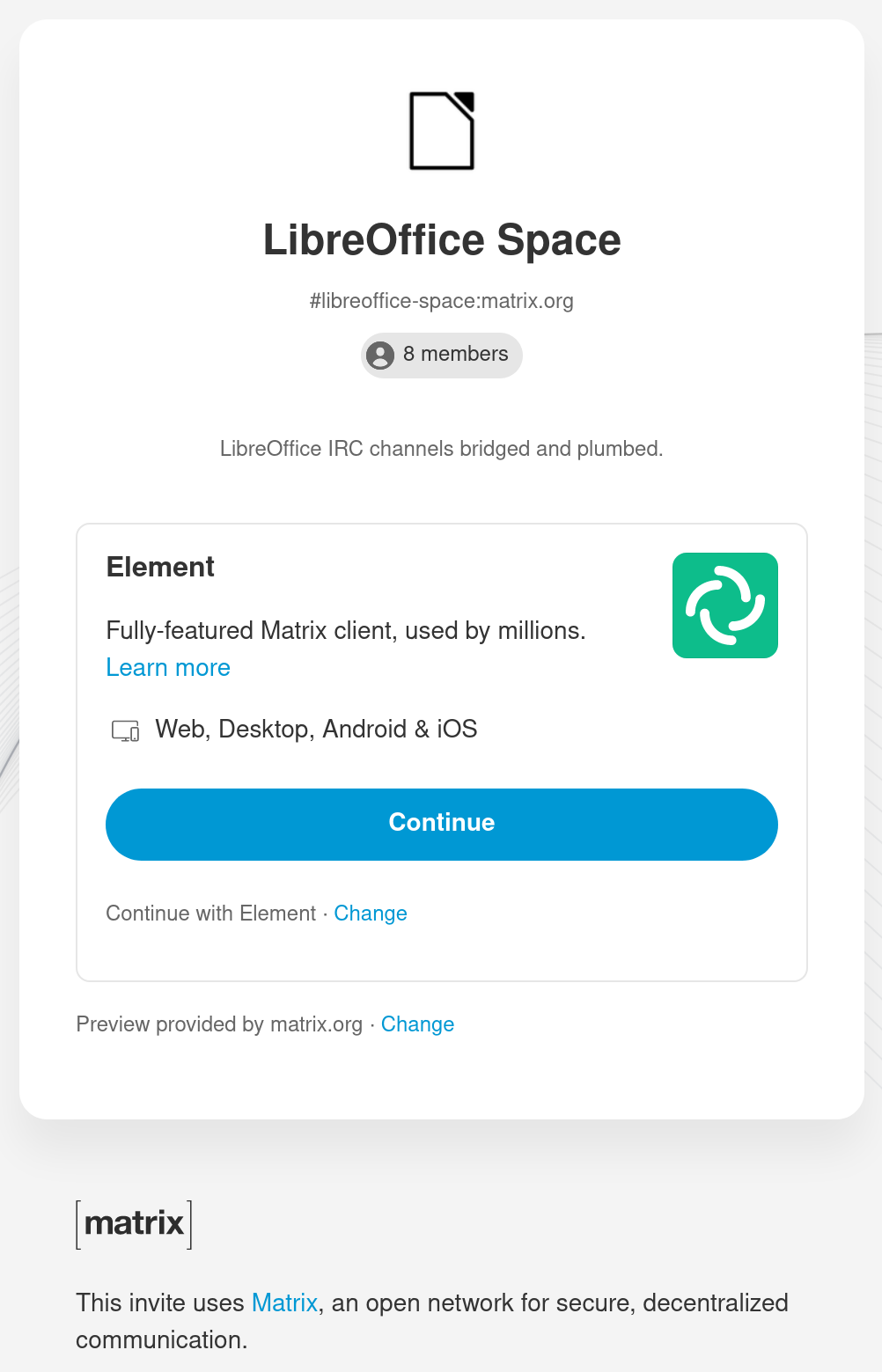
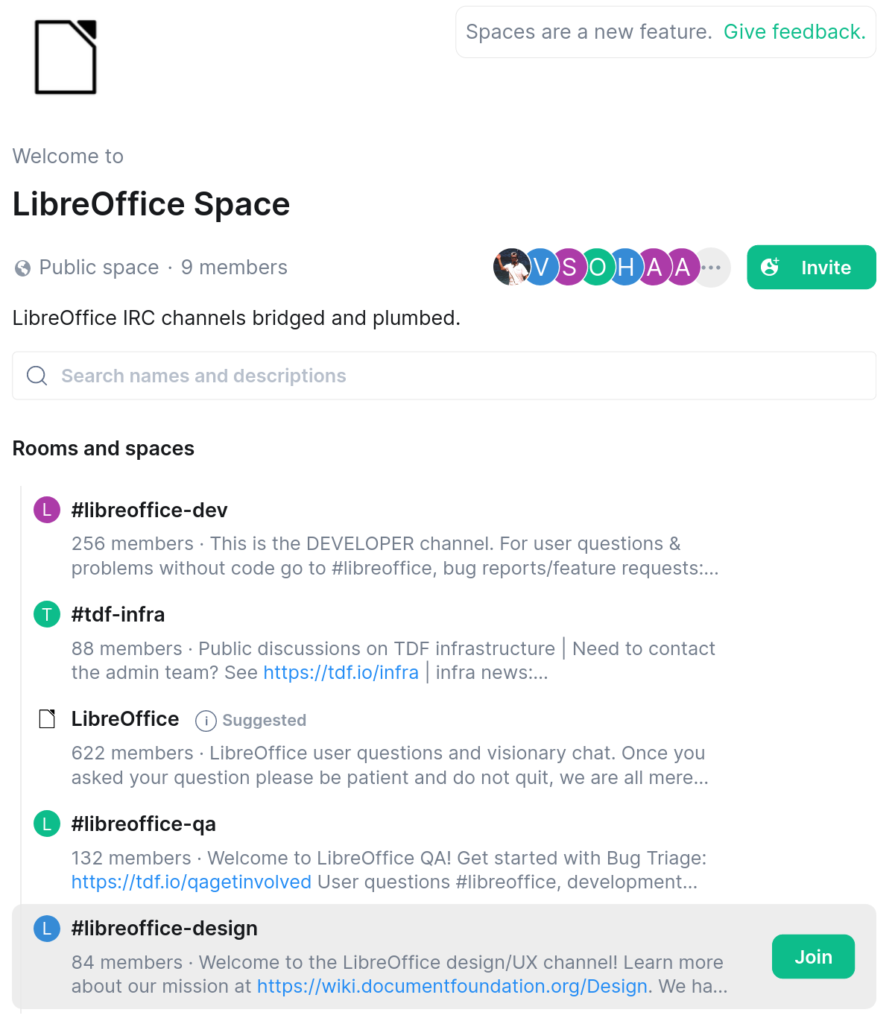
To use the matrix bridge for the LibreOffice IRC channels, first you need a Matrix account. Then, by clicking on the link below you can connect to the “LibreOffice space“, and see the LibreOffice channels in Matrix:

https://matrix.to/#/#libreoffice-space:matrix.org

"<yoastmark

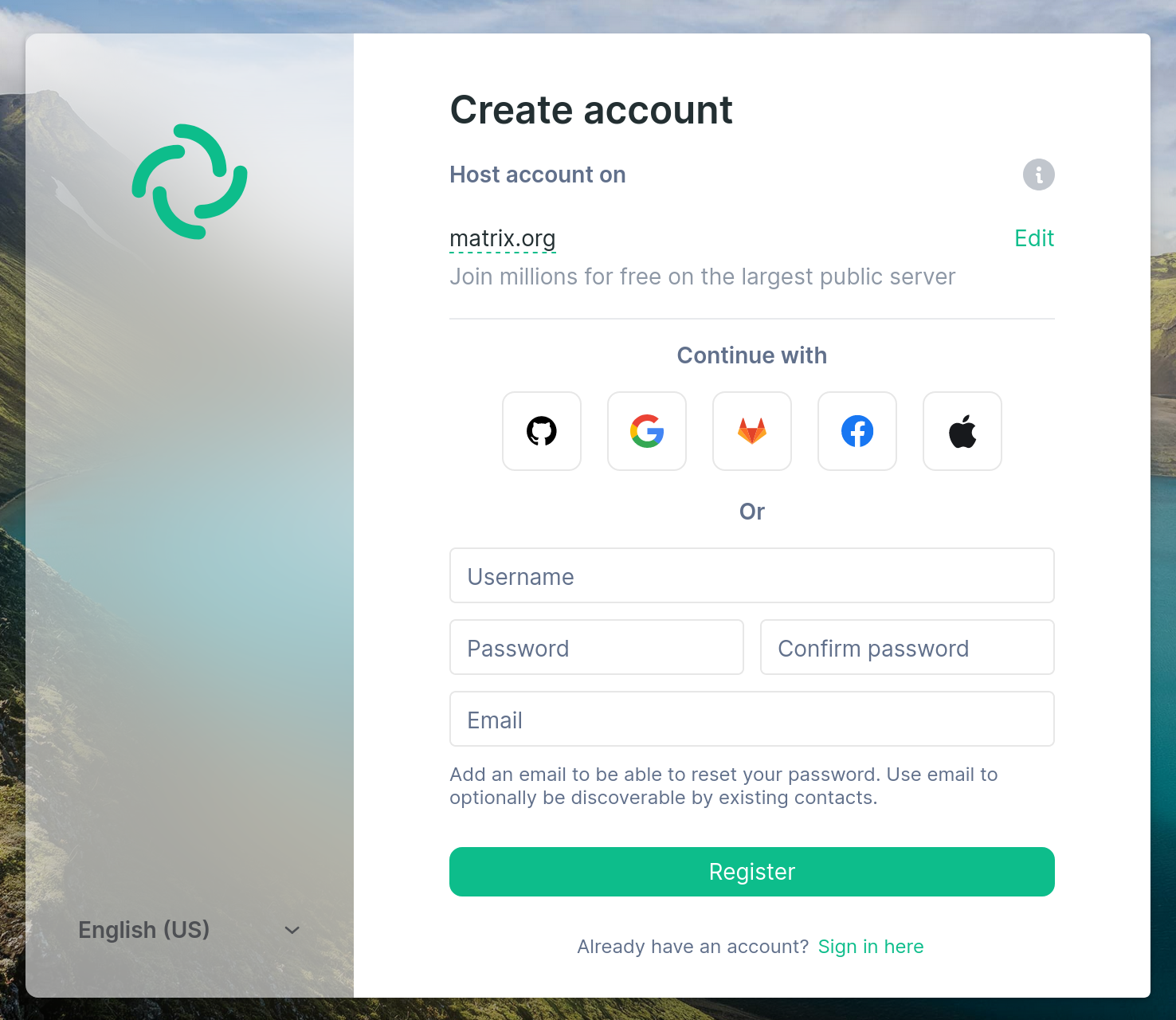
You don’t have an account? No problem! You can register one at matrix.org. It is as easy as a simple sign up, by entering username, password and your e-mail. You have to verify your e-mail address by opening a link sent to your inbox.

You, or your organization can have your own Matrix home server. If not, you can stick to matrix.org account. In any way, having a Matrix account lets you to join the LibreOffice space.

Join LibreOffice space

Subsequently, after joining the LibreOffice space you can join separate rooms and enjoy the Matrix bridge!

Join rooms in the LibreOffice space which uses Matrix bridge to IRC

Then, if you look at the users list in the IRC rooms, you see several people with [m] after their names. They are usually people that are using Matrix bridge. If you are also using Matrix bridges, you can use the Matrix for private messages and use all the features available in Matrix protocol and client.

Finally, we hope that you enjoy the LibreOffice space on Matrix, and have fun!

Community Member Monday: Bayram Çiçek

Today we’re talking to Bayram Çiçek, who’s helping to implement new features in LibreOffice as part of the Google Summer of Code…

Tell us a bit about yourself!

I live in Çanakkale, Turkey. I’ve just graduated with a bachelor’s degree in Computer Science from Çanakkale Onsekiz Mart University.

When I was a student, professors and instructors always told us about the importance and benefits of contributing to free and open source projects like LibreOffice. Since I was a LibreOffice user for years, the idea of not just being a user – but developing it, to go beyond being a user – has always been exciting to me. Therefore I decided to contribute to LibreOffice.

In November 2020, Hacettepe University organized an event called “ACM Hacettepe Lectures”. I attended the course “Contributing to Open Source Projects with C++” by Muhammet Kara. We sent our first patches to LibreOffice and Collabora Online together with other attendees, and this is how my journey began.

Then, I decided to apply to Google Summer of Code 2021, and I was lucky enough to get selected as a student under the mentorship of Muhammet Kara and Heiko Tietze, in the past summer. I worked on the most-annoying bugs, and tried to fix as many bugs as I could during GSoC.

What are you working on in the LibreOffice project right now?

Currently, I’m working on Tables in Writer, and hoping to add a diagonal-borders feature to it. After gaining some more experience, I’ll be working on some bugs that related to my GSoC project, as I mentioned in my GSoC final report.

Why did you decide to become a member of The Document Foundation?

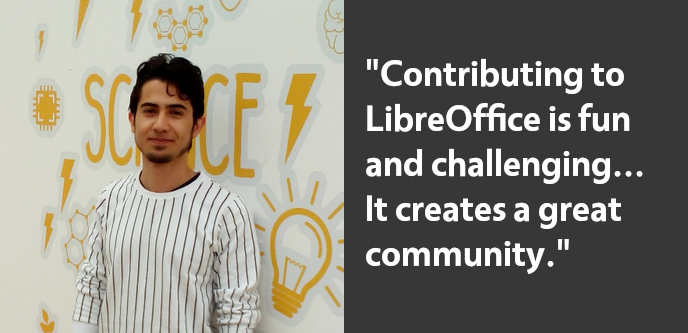
I think contributing to LibreOffice is both fun and sometimes challenging. When ‘fun’ and ‘challenge’ come together, it creates a great community, as LibreOffice does; and being a part of this community makes you more passionate and stronger. And that’s why I wanted to become a TDF member.

Anything else you plan to do in the future?

I will work on most-annoying bugs and I’ll be fixing as many bugs as I can in the future. Also, I want to actively contribute to Collabora Online.

On the other hand, I’ll continue to contributing to Turkish translation of LibreOffice and I want to be an active member of Turkish Community to spread the open source usage and LibreOffice.

Many thanks to Bayram for all his contributions, and enthusiasm in our community! And to everyone reading this: Find out what you can do for LibreOffice – have fun, build up your skills, and do awesome things 😊

LibreOffice and Google Summer of Code 2021: The results

Google Summer of Code logo

This year, LibreOffice was once again a mentoring organization in the Google Summer of Code (GSoC), a global program focused on bringing more student developers into free and open source software development. Seven projects were finished successfully. Students and mentors enjoyed the time, and here we present some of the achievements, which should make their way into LibreOffice 7.3 in early February 2022!

You can experiment with the new features by using daily builds and report any problems in our bug tracker.


100 Paper Cuts by Bayram Çiçek

Mentors: Muhammet Kara (Collabora), Heiko Tietze (TDF)

100 Paper Cuts aims to improve user interface, implementing enhancement requests and solving the most annoying issues on the user experience (UX) side of LibreOffice.

Bayram fixed six bugs from different topics. Most notable are border preview not showing the diagonal border option, a bug where cropping flipped images occurred at the wrong side, and mouse-over effect for different palettes in the area tab.

Learn more about 100 Paper Cuts in the final report.
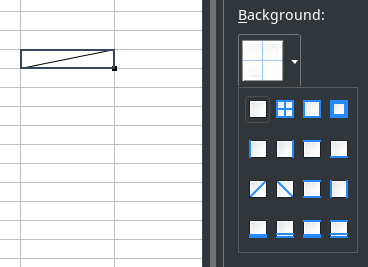
Screenshot of diagonal borders


Integrate .ui dialogs with translation tooling/string search webservice to help translators by Sary Nasser

Mentors: Christian Lohmaier, Olivier Hallot (TDF)

Sary automated the adding of screenshots to our translation platform, Weblate, while associating them with translatable words. This will greatly help translators by providing context for their work.

Learn more about the translation tooling in the final report.


Tests for the VCL graphic backends by Akshit Kushwaha

Mentors: Tomaž Vajngerl, Luboš Luňák (Collabora)

LibreOffice adapts its user interface to different operating systems with the help of its graphics toolkit Visual Class Library (VCL). Thanks to Akshit’s work, we have a working suite of automated graphics rendering tests. There is now also the ability for users to run the tests manually, inspect the results and attach them to our bug tracker in case there is a problem.

Learn more about the tests in the final report.
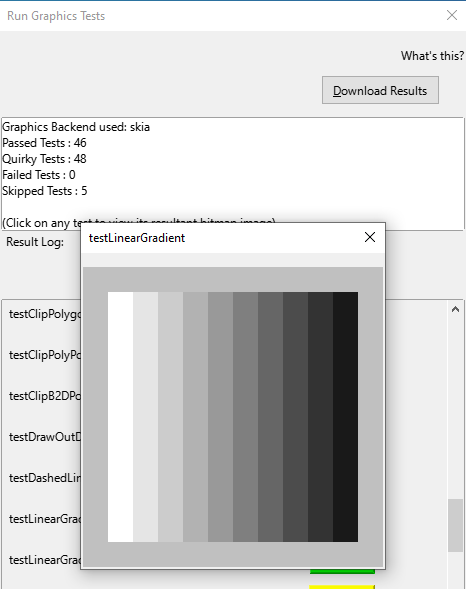
Screenshot of VCL tests


Improving table styles by Balázs Sántha

Mentors: László Németh (independent), Michael Stahl (allotropia)

This project resulted in fixes for the most annoying Writer table style issues. Further work is needed to provide full DOCX compatibility.

Learn more about DOCX tables styles in the final report.


Make SVM (StarView Metafile) format independent of the VCL Metafile + tests of the format by Panos Korovesis

Mentors: Tomaž Vajngerl, Miklos Vajna (Collabora)

Thanks to the work of Panos, the SVM file format is handled independently of internal VCL constructs, which will make important reorganisation of the VCL code possible. Panos also created automated tests for the SVM format.

Learn more about the SVM project in the final report.


Show text styles together in the sidebar by Anshu Khare

Mentors: Mike Kaganski, Tomaž Vajngerl (Collabora), Heiko Tietze (TDF)

Both paragraph as well as character styles are essential means to format text. Many users struggle with this concept and use direct formatting. Also, we don’t show both at once, and the two style families are not obvious to spot for casual users.

In order to improve the handling of styles (and as necessary preparation for the styles highlighter), Anshu started to rework the code. The new code makes it now possible to merge both lists into one view. A first patch was also part of the project – although it is not finished yet.


Implement Interface for external data source import into Calc by Tushar Kumar Rai

Mentors: Markus Mohrhard (independent), Heiko Tietze (TDF)

The data provider allows to import various data such as local CSV files or streams from external sources, and to apply transformations like adding/removing rows or columns, formatting and numerical operations with the data before it is inserted into the sheet. Plus, to update the data by still applying the transformations is just a click.

The project aimed to rework the user interface. Tushar organized the layout according the user workflow and common UI principles and made the workflow of adding/removing transformations easy to understand. He also added a couple of transformations.

Learn more about the data provider project in the final report.
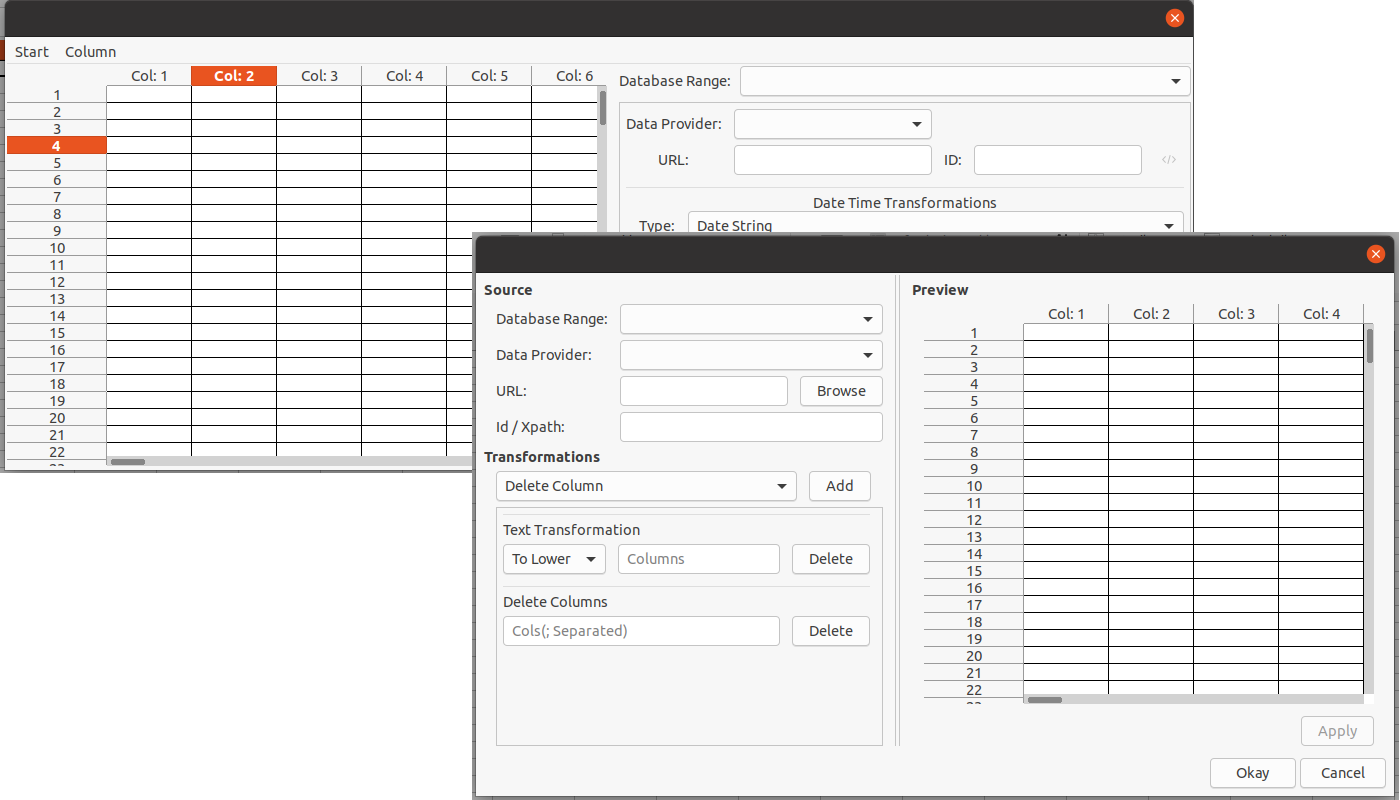
Screenshot of Data Provider


Wrapping up

Many thanks to all students who spent their summer time improving LibreOffice. You are awesome! And special thanks also to the mentors who always put so much love and energy into these tasks. That’s what makes LibreOffice rock.

Now we are looking forward to next year’s GSoC. If you are interested, why not prepare early? Learn more at out wiki page where some ideas are listed.

Participating in GSoC is a great way to build your skills, and show future employers what you’re capable of!