LibreOffice community members: Have your say in our survey!

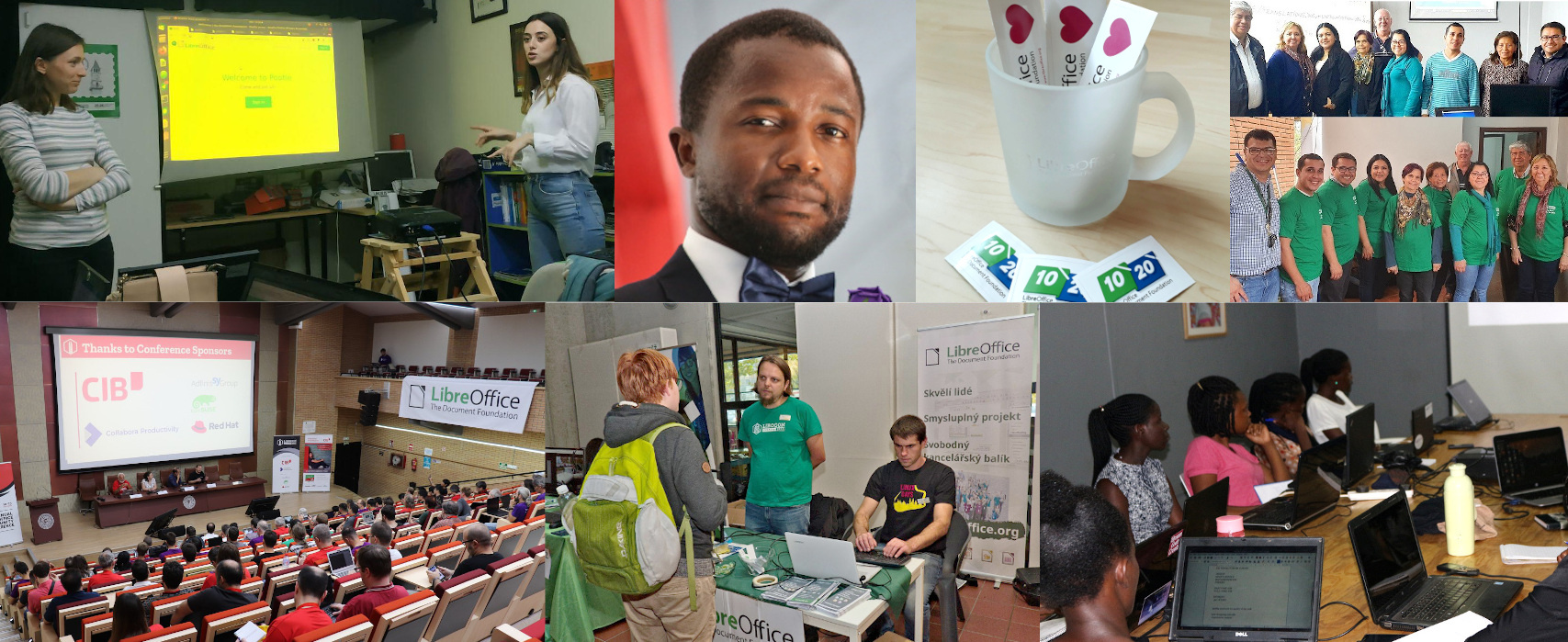
At The Document Foundation, we try to grow and strengthen our community in many ways. We’d like to improve our support for existing community members who’re working on LibreOffice, but also increase the number of contributors (and TDF members).

To achieve this, we’ve created a survey for active members inside the LibreOffice community, to identify areas where focused activity is needed, and address the needs of local projects around the world.

There are 17 questions in the survey, and it runs from today until September 8. So, if you’re active in the LibreOffice or Document Liberation projects, let us know what you think! We appreciate all feedback:

» Click here to take part in the survey

Open Badges for awesome Czech documentation contributors!

LibreOffice’s documentation team is driven by volunteers around the world. Today, we want to say a special thanks to members of the Czech LibreOffice community, who’ve worked hard to translate and proof-read the software’s documentation.

So we’re sending out Open Badges – special, customised badges with embedded metadata, describing their achievements. The badges can be verified using an external service, and are a great way to show off contributions and use as proof of participation.

So, here are the badge recipients – we’re sending them out personally:

  • Translators: Petr Kuběj, Radomír Strnad and Zdenek Crhonek
  • Proof-readers: Petr Valach and Marcela Tomešová
  • Czech screenshots: Roman Toman
  • Git and OmegaT maintenance, machine translations, chapters cleaning and tools support: Miloš Šrámek

Huge thanks to all recipients – check your inbox for your badges!

Meanwhile, here’s a quick history of recent Czech guide translations:

Fixing an Interoperability Bug in LibreOffice: Missing Lines from DOCX (part 3/3)

By Hossein Nourikah, Developer Community Architect at The Document Foundation

In LibreOffice, interoperability is considered a very important aspect of the software. Today, LibreOffice can load and save various file formats from many different office applications from different companies across the world. But, bugs are inevitable parts of every software: there are situations where the application does not behave as it should, and a developer should take action and fix it, so that it will behave as it is expected by the user.

What if you encounter a bug in LibreOffice, and how does a developer fix the problem? In these series of articles, we discuss the steps needed to fix a bug. In the end, we will provide a test and make sure that the same problem does not happen in the future, again.

The article is presented in three parts:

  1. Understanding the Bugs and QA
  2. Developing a Bug Fix
  3. Writing the Tests and Finishing the Task

This is the third part.

3. Writing the Tests and Finishing the Task

So, if you have read the two previous parts on “Fixing an Interoperability Bug: Missing Lines in Save and Load” (part 1, part 2), this is the third and last part of these series. In this part, we discuss how to write a test, submit the patch to the Gerrit and try to get it incorporated into the LibreOffice code.

3.1. Writing a Test for the Regression

In order to make sure that this regression will not happen again, we should create test for every bug that is fixed. If we don’t do this, there is a big chance that this bug will occur again and again.

But how to start writing a test? The answer is that there are ~3000 tests available in sw/qa/extras/ folder, and there is a tiny document sw/qa/extras/README that describes them. These tests can be a basis for writing a new test. For example, test for tdf#91687 consist of these lines:

DECLARE_WW8EXPORT_TEST(testTdf91687, "tdf91687.doc")
{ // Exported Watermarks were resized
 uno::Reference xWatermark = getShape(1);
 CPPUNIT_ASSERT_EQUAL(sal_Int32(5172), xWatermark->getSize().Height);
 CPPUNIT_ASSERT_EQUAL(sal_Int32(18105), xWatermark->getSize().Width);
}

It uses a macro DECLARE_WW8EXPORT_TEST too, that checks some properties of the document after loading it, and then again after saving and reloading it. If some property is erroneously changed, the test will fail, and you will get noticed.
As you can see, the name of the test, and the name of the test document in which here is .doc file, come from the bug number.

The test for this regression should check for the position and size of the shapes, so there are similarities between the our desired test and the test above. But how can we find the properties of the elements of the document? The answer is the new UNO object inspection tool for the LibreOffice:

https://blog.documentfoundation.org/blog/2021/03/02/update-on-tender-for-a-built-in-uno-object-inspection-tool-in-libreoffice/

As can be seen in figure 1, the size for Shape7 which is the first vertical line, is visible on the right.

In previous versions, tools called XRAY or MRI were used for object inspection.

Figure 1. UNO object inspection tool for the LibreOffice

The completed test comes below. It takes Shape7, Shape8 and Shape9 which are the three vertical lines, and ensures that they have the same size in the first load, and after save and reload. Without the fix, some of these test fail, which are size checking for the first and last vertical lines. Their size was reduced to ~0, so it is justifiable that previously they were erroneously disappearing after save and reload. The test passes after applying the fix.

DECLARE_WW8EXPORT_TEST(testTdf123321, "shapes-line-ellipse.doc")
{
 // These are the 3 lines in which 1st and 3rd one were
 // disappearing before
 uno::Reference<drawing::XShape> l1 = getShape(7);
 uno::Reference<drawing::XShape> l2 = getShape(8);
 uno::Reference<drawing::XShape> l3 = getShape(9);
 // first line (smallest)
 // Fails without the fix: Expected: 423, Actual: 2
 CPPUNIT_ASSERT_EQUAL(sal_Int32(423), l1->getSize().Height);
 // Fails without the fix: Expected: 0, Actual: 2
 CPPUNIT_ASSERT_EQUAL(sal_Int32(0), l1->getSize().Width);
 CPPUNIT_ASSERT_EQUAL(sal_Int32(7908), l1->getPosition().X);
 CPPUNIT_ASSERT_EQUAL(sal_Int32(37), l1->getPosition().Y);
 // second line (larger)
 CPPUNIT_ASSERT_EQUAL(sal_Int32(2542), l2->getSize().Height);
 CPPUNIT_ASSERT_EQUAL(sal_Int32(2), l2->getSize().Width);
 CPPUNIT_ASSERT_EQUAL(sal_Int32(7916), l2->getPosition().X);
 CPPUNIT_ASSERT_EQUAL(sal_Int32(289), l2->getPosition().Y);
 // third line (largest)
 // Fails without the fix: Expected: 7027, Actual: 2
 CPPUNIT_ASSERT_EQUAL(sal_Int32(7027), l3->getSize().Height);
 // Fails without the fix: Expected: 0, Actual: 2
 CPPUNIT_ASSERT_EQUAL(sal_Int32(0), l3->getSize().Width);
 CPPUNIT_ASSERT_EQUAL(sal_Int32(7911), l3->getPosition().X);
 CPPUNIT_ASSERT_EQUAL(sal_Int32(231), l3->getPosition().Y);
}

As you can see, not all the tests fail without the fix, but they are in place to protect the correct load and save of the shapes in the future.

3.2. Cleaning up and Submitting the Changes

After we finished the fix, we commit the changes, and submit it to the LibreOffice Gerrit.

$ git add include/svx/svdopath.hxx svx/source/svdraw/svdopath.cxx sw/qa/extras/ww8export/data/shapes-line-ellipse.doc sw/qa/extras/ww8export/ww8export2.cxx

$git commit

Let’s see our latest commit:

$ git show --name-only

Author: Hossein <hossein@libreoffice.org>
Date:   Mon Jul 19 13:03:42 2021 +0200

    tdf#123321 Fix DOC/DOCX export bug which made some lines disappear
    
    * Fix the wrong calculation of SdrPathObj (line) extent while exporting
      to .doc and .docx formats. This resolves tdf#123321 which cause some
      lines to disappear after save and reload. This fix does not break
      tdf#91687
    * added tests to make sure this does not happen again, based on the
      .doc file provided in Bugzilla
    * Loading the bad exported file in MS Word is OK, but it does not work
      in LibreOffice, and some of the lines will be hidden. This needs
      additional work.
    
    The regression came from d72e0cadceb0b43928a9b4f18d75c9d5d30afdda
    
    Change-Id: Ic5a7af4d29df741204c50590728542e674ee9f91

include/svx/svdopath.hxx
svx/source/svdraw/svdopath.cxx
sw/qa/extras/ww8export/data/shapes-line-ellipse.doc
sw/qa/extras/ww8export/ww8export2.cxx

The actual commit information is lengthy, but for making it shorter, we only listed the name of the changed or new files. Then, we submit the patch:

$ ./logerrit submit master

This is with the assumption that we have successfully configured Gerrit before. One should set up Gerrit before doing this. A step-by-step manual is presented in The Document Foundation Wiki.

https://wiki.documentfoundation.org/Development/gerrit/setup

3.3 Getting the Submission Merged

Every submission to the Gerrit is reviewed by one or more developers, and is possibly gets merged into to the code after the submitter has done all the requested fixes and improvement. This is done by the decision one of the people with commit access. Commit access is granted to the developers who had a good record of contributions and are trusted to change the code base directly.

So, the code is reviewed in the Gerrit:

https://gerrit.libreoffice.org/c/core/+/119116

Every submitted code is built automatically by Jenkins in a process called CI (continues integration). If the build is successful, you will get a     Verified +1     from Jenkins.

If, for any reason, one of the builds for several platforms that is tested fails, you will get     Verified -1     from Jenkins. Then, you will have to fix the problem and re-submit again. Please note that there are situations that some tests fail because of the Jenkins problem itself. If that is the case, you should ask people in the #libreoffice-dev irc channel to invoke a resume for you, or try rebasing to initiate a rebuild.

The original submission (patch set 1) lacked the tests, so a test was requested. After doing the improvements, including a change in the title and uploading seven patch sets in total, it was given the   Code Review +2   from the reviewer. Here, Miklos Vajna from Collabora has done the reviews and merging.

Then, the proposed changes eventually got merged into the code by the reviewer with appropriate access. After that, everyone can pull the changes from Git:

https://git.libreoffice.org/core/+/bda4d7a7c3fcc259e023f568606be5dcba818db9

3.4 Marking the Bug as Fixed

After the commit is done, the journey ends with marking the bug as fixed. Looking at the other possible registrations of the symptoms at TDF Bugzilla, it turns out that another bug can be considered a duplicate of this one:

Bug 127296 – FILESAVE: DOC Rotated line loses rotation when saved

https://bugs.documentfoundation.org/show_bug.cgi?id=127296

It is reported in 2019-09-02, and it is newer than the one we have fixed. So, we can mark tdf#127296 as a duplicate of this one. After that, we can safely change the status of tdf#123321 to “RESOLVED FIXED”, and we’re done!

3.5 Want to Get Involved?

If you want to get involved in Libreoffice development, you can help in fixing the bugs. Looking at the statistics from TDF’s Bugzilla, we see that there is a total of ~12k open bugs, in which ~1.3k of them are regressions. Among them, around 1.1k are bibisected. They are more suitable for getting into, because the root of the problem is known to some extent.

You can go through the same process that was discussed in the series of articles here to fix the bugs and submit your patch, and if you had any questions, #libreoffice-dev is a good place to ask. Also, it is suggested that you join the LibreOffice development mailing list. See the instructions here.


Hossein Nourikhah is the Developer Community Architect at the The Document Foundation (TDF), the non-profit behind LibreOffice. If you need assistance getting started with LibreOffice development, you can get in touch with him:

E-Mail: hossein@libreoffice.org

IRC: hossein in the IRC channel #libreoffice-dev on the Libera.Chat network connect via webchat

Community Member Monday: Jessé Moreira

Love LibreOffice too? Want to help us spread the word about it, and other free and open source software (FOSS) projects? Then we appreciate your help! Everyone can raise awareness about the importance of FOSS and open standards, like the OpenDocument Format, LibreOffice’s native format.

For instance, Jessé Moreira from the Brazilian Portuguese LibreOffice community has created a set of tutorial videos. Here’s what he has to say:

Hello! I am a high school math teacher. I love LibreOffice and make videos demonstrating educational software applications. I have a channel that talks about libreoffice in Portuguese on Odysee and YouTube.
I intend to continue promoting LibreOffice by recording videos and contributing to the incredible project. Greetings from Brazil!

Thanks, Jessé! We have more videos created by other community members too. Recently, we talked to Harald Berger from the German community about how he makes his tutorials. To anyone reading this who also wants to contribute videos in their language, drop us a line and let’s work together!

And one more thing: Jessé recently became a Member of The Document Foundation, the non-profit entity behind LibreOffice. This means that he can help to steer the project and vote for the Board of Directors, amongst other things. All LibreOffice contributors are welcome to become Members and help us to keep doing awesome things:

Please confirm that you want to play a YouTube video. By accepting, you will be accessing content from YouTube, a service provided by an external third party.

YouTube privacy policy

If you accept this notice, your choice will be saved and the page will refresh.

Fixing an Interoperability Bug in LibreOffice: Missing Lines from DOCX (part 2/3)

By Hossein Nourikah, Developer Community Architect at The Document Foundation

In LibreOffice, interoperability is considered a very important aspect of the software. Today LibreOffice can load and save various file formats from many different Office applications from different companies across the world. But, bugs are inevitable parts of every software: There are situations where the application does not behave as it should, and a developer should take action and fix it, so that it will behave as it is expected by the user.

What if you encounter a bug in LibreOffice, and how a developer fixes the problem? In these series of articles, we discuss the steps needed to fix a bug. In the end, we will provide a test and make sure that the same problem does not happen in the future, again.

The article is presented in three parts:

  1. Understanding the Bugs and QA
  2. Developing a Bug Fix
  3. Writing the Tests and Finishing the Task

This is the second part.


2. Developing a Bug Fix

So, if you have read the previous part of “Fixing an Interoperability Bug: Missing Lines in Save and Load” (part 1), this is the sequel. Here we try to develop a solution for the problem with our knowledge of C++.

The first thing we need is to build the LibreOffice core. Depending on the platform, you can find the instructions in the TDF wiki.

See the instructions for building LibreOffice on:

2.1. Finding the Responsible Change

So, now we know that through this commit, these files were changed. One (or possibly all) of the changes is responsible for the regression. So we try to find a minimize set of changes that lead to the problem. We can use --name-only option from git:

$ git show d72e0cadceb0b43928a9b4f18d75c9d5d30afdda --name-only

So, the changed files are:

  1. filter/source/msfilter/escherex.cxx
  2. filter/source/msfilter/msdffimp.cxx
  3. include/svx/msdffdef.hxx
  4. sw/qa/extras/ww8export/data/tdf91687.doc
  5. sw/qa/extras/ww8export/ww8export2.cxx
  6. sw/source/filter/ww8/wrtw8esh.cxx

Sometimes we have to go back to this specific commit using git checkout command to be able to work on the exact commit before the one that created the bug. But, most of the time, reverting the specific commit is easier, and the build will be much faster. Also, building older versions of LibeOffice is tricky. We can instead invoke this command:

$ git revert d72e0cadceb0b43928a9b4f18d75c9d5d30afdda

Now we should try to resolve the possible conflicts, then build the code and make sure the problem has gone away! Then we can try to re-introduce one or more changes to achieve a minimal set of changes that reproduces the problem.

We can start at the file level to find the relevant files to work on. Files 4 and 5 are related to the tests, so they should have no impact. File 1 and 2 seem to be related, as both are from filter/source/msfilter folder, file 3 is also related to these two files. After leaving out all the files, we see that changes from 6 (sw/source/filter/ww8/wrtw8esh.cxx) is enough to reproduce the problem. So, we have few lines of code changes in front of us:

@@ -756,7 +756,12 @@ void PlcDrawObj::WritePlc( WW8Export& rWrt ) const
                OSL_ENSURE(pObj, "Where is the SDR-Object?");
                if (pObj)
                {
-                   aRect = pObj->GetSnapRect();
+                   aRect = pObj->GetLogicRect();
+
+                    // We have to export original size with padding
+                    const SfxItemSet& rSet = pObj->GetMergedItemSet();
+                    const SdrMetricItem* pItem = static_cast(rSet.GetItem(SDRATTR_TEXT_UPPERDIST));
+                    aRect.SetSize(Size(aRect.GetWidth(), aRect.GetHeight() + pItem->GetValue()));
                }
            }

If we work further on this piece of code, we will find that the change from pObj->GetSnapRect() to pObj->GetLogicRect() is the source of regression: Good catch!

2.2. Creating a Fix

As described in the previous section, going back to pObj->GetSnapRect() fixes the problem, but wait! Isn’t that change supposed to fix a problem?

(GOOD)

(BAD)

Figure 1: Wrong increase of watermark size
after save and reload

If we go back to git master using:

git reset --hard HEAD^1

and then only change pObj->GetSnapRect() to pObj->GetSnapRect(), this test fails with the change. Try:

$ make CPPUNIT_TEST_NAME="testTdf91687" -sr CppunitTest_sw_ww8export2

If we take a look at the tdf#91687 in the Bugzilla, we see the example sw/qa/extras/ww8export/data/tdf91687.doc that contains a watermark (Figure 1) that gets bigger by save and reload! Looking more carefully to the changes, it becomes clear that rotation is important here. If we change the watermark example in order to set rotation to zero, nothing happens.

This is not limited to watermarks: Saving and re-loading any custom shape leads to such a wrong increase in size. On the other hand, this does not have any effect on the lines, rotated or not.

2.3. Fixing the Side Effects

In order to fix the undesired side effects, we should make a difference between the lines and the complex shapes. So, what is the difference? If we look closely to the code, we find out that pObj object is from SdrObj class, which is abstract DrawObject. The documentation for this class can be found here:
https://docs.libreoffice.org/svx/html/classSdrObject.html

Figure 2. Class hierarchy for SdrObject

So, objects from different SdrObject subclasses are sent here, and appropriate GetSnapRect() or GetLogicRect() is called. But which method? According to the runtime polymorphism, this is determined at runtime. So without debugging, nothing becomes clear.

By setting a break-point at this modified line and stepping into the GetLogicRect() function, it becomes clear that two types of object are created for the shapes:

  • pObj is SdrObjCustomShape (x4): representing 4 ellipeses
  • pObj is SdrPathObj (x5): representing 5 lines

So, the trick would be creating a GetLogicRect() method for SdrPathObj and make it invoke GetSnapRect(). In this way, lines and custom shapes are treated differently.

We declare GetLogicRect() in include/svx/svdopath.hxx:

virtual const tools::Rectangle& GetLogicRect() const override;

and add its implementation in svx/source/svdraw/svdopath.cxx:

const tools::Rectangle &SdrPathObj::GetLogicRect() const
{
    return GetSnapRect();
}

Then we rebuild the LibreOffice by invoking make, and then start the LibreOffice from instdir/program/soffice. After loading, saving, and re-loading the example DOCX file, we see that this fix actually works!

In the third part, we are going to talk about the steps needed to get our changes merged into the LibreOffice Code. If you want to get involved in LibreOffice development, it is suggested that you join the LibreOffice development mailing list. See the instructions here.


Hossein Nourikhah is the Developer Community Architect at the The Document Foundation (TDF), the non-profit behind LibreOffice. If you need assistance getting started with LibreOffice development, you can get in touch with him:

E-Mail: hossein@libreoffice.org

IRC: hossein in the IRC channel #libreoffice-dev on the Libera.Chat network connect via webchat

Tender to implement support for editing and creation of a Dynamic Diagram feature (#202108-02)

The Document Foundation (TDF) is the charitable entity behind the world’s leading free/libre open source (FLOSS) office suite LibreOffice.

We are looking for an individual or company to implement support for editing and creation of Dynamic Diagrams.

The work has to be developed on LibreOffice master, so that it will be released in the next major version.

The task is to solve the following problem: Our existing “SmartArt” import uses the fallback stream in OOX files (and has some issues). It therefore gives us only the draw shapes that are imported, so we lose the original layout. Additionally, in older file versions we don’t have the cached shapes, and therefore can’t render anything.

The solution we seek, and as such the scope of this tender, is to have a schema driven diagram layout as a core feature. This should be interoperable with OOX (at least MSO2016) and have suitable extensions for ODF. It should layout interoperability, and allow editing of the underlying data, and selection of a schema.

The tender consists of the packages

A) Import and export in ODF and OOXML

  • load/save diagram data (layout and data model)
  • show the diagram in a cross-platform and pixel-perfect way
  • this should solve the issues from tdf#106547
  • provide automated test for the diagram layout mechanism

B) Creation of new diagrams within all modules, at least Writer and Draw/Impress

    • the solution should provide a couple of exemplary layouts such as a hierarchy with rectangle for organizational charts, for example, and linear as well circular arrangements of shapes to illustrate processes
    • values should be entered by the user with a floating widget presenting a bullet list that describes the hierarchical position

  • consider accessibility at all UI parts

C) Modification of existing diagrams

  • It must be possible to modify the data model later and add or delete content to the diagram; ideally, the floating input widget opens when the diagram is selected

D) Sharing of diagram layouts via extensions

  • Diagrams are generated from complex XML layouts, which should be provided and shared by the community

E) Document the Dynamic Diagram feature

and optionally

F) Provision of an interactive diagram layout tool

  • In coordination with the UX/design team an user interface should be implemented that simplifies creation of XML layouts

The following two bugs are amongst the relevant ones for this tender:

Support for Editing and Creation of SmartArt: https://bugs.documentfoundation.org/show_bug.cgi?id=37932

Auto-Layout for flowcharts and automatic flowcharts from Calc / Excel: https://bugs.documentfoundation.org/show_bug.cgi?id=92902

Further information can also be found in these two blogposts:

Note: There was recent effort on the layouting side. While this is better than 2-3 years ago, it still requires much work. Especially the editing functionality is just a proof of concept.

All technology standards of relevance, as well as their targeted versions for this tender should be declared or defined in the offer’s description of implementation (e.g. name and version of the cryptographic API on the respective operating systems).

A key item of the deliverables for this tender, and therefore also a decision criteria – besides qualification, references, price, and completeness of fulfilment – is extensive documentation about the approach chosen to implement the above items, covering more than just the pure implementation. We expect bidders to provide documentation on both the code and the non-code parts of this tender, e.g. methodology, structure and technical aspects. The Document Foundation will publish this under a free and open source license and make it available to the general public. Another criteria for the evaluation of the bids will be the description of the required test activities and the delivery of (automated) tests supporting work items for the described tender implementation or feature specification.

Required skills

  • Extensive knowledge of C++
  • Experience working on the LibreOffice source code

Other skills

  • English (conversationally fluent in order to coordinate and plan with members of TDF)

We use free, libre and open source (FLOSS) software for development wherever possible, and the resulting work must be licensed under the Mozilla Public License v2.0.

TDF welcomes applications from all suitably qualified persons regardless of their race, sex, disability, religion/belief, sexual orientation or age.

Bidders will get a preference for including a partner or independent developer who has not been involved in a successful tender before. For such developers, who have not yet been part of a successful tender bid, we aim on a best-effort basis, but without any guarantees whatsoever, to provide some mentoring in understanding the code base and the process in contributing to the code. We expect that time and efforts on the bidder’s side should not be part of the paid work for this tender. Please mention such need of LibreOffice development mentoring in your offer.

As always, TDF will give some preference to individuals who have previously shown a commitment to TDF, including but not limited to certified developers and/or members of TDF. Not being a member, or never having contributed before, does not exclude any applicants from consideration.

The task offered is a project-based one-off, with no immediate plans to a mid- or long-term contractual relationship. It is offered on a freelance, project basis. Individuals and companies applying can be located anywhere in the world.

When budgeting, we anticipated that this project (all items combined) to take in the region of 16 weeks of work. Should bidders’ assessment result in a significantly different number, please reach out to us before sending your bid, so we can clarify upfront.

TDF is looking forward to receiving your applications for one or more of the aforementioned tasks, your financial expectations and the earliest date of your availability, via e-mail to a committee at tender20210802@documentfoundation.org no later than September 20, 2021.

Applicants who have not received feedback by October 18, 2021 should consider that their application, after careful review, was not accepted.

All bidders are invited to ask their questions on this tender until September 6, 2021. Questions and answers will be made public in a collected and anonymized form.