LibreOffice community focus: Documentation

Earlier this month we talked to the localisation community about the preparations they are making for LibreOffice 6.0, which is due to be released in late January (or early February). Now we turn to the documentation project, and Olivier Hallot, who is coordinating updates to guidebooks and a new help system…

olivier_hallot_07062010_964x1036What has the documentation community been working on in preparation for LibreOffice 6.0?

The community is engaged in delivering two major features for the 6.0 release: the first is a new and updated Getting Started Guide, a book targeted at new users of LibreOffice 6.0. We included the latest developments that are in the scope of an introductory text for LibreOffice 6.0. For 2018 we are assembling a team of writers to update our other guides, starting with the Calc Guide.

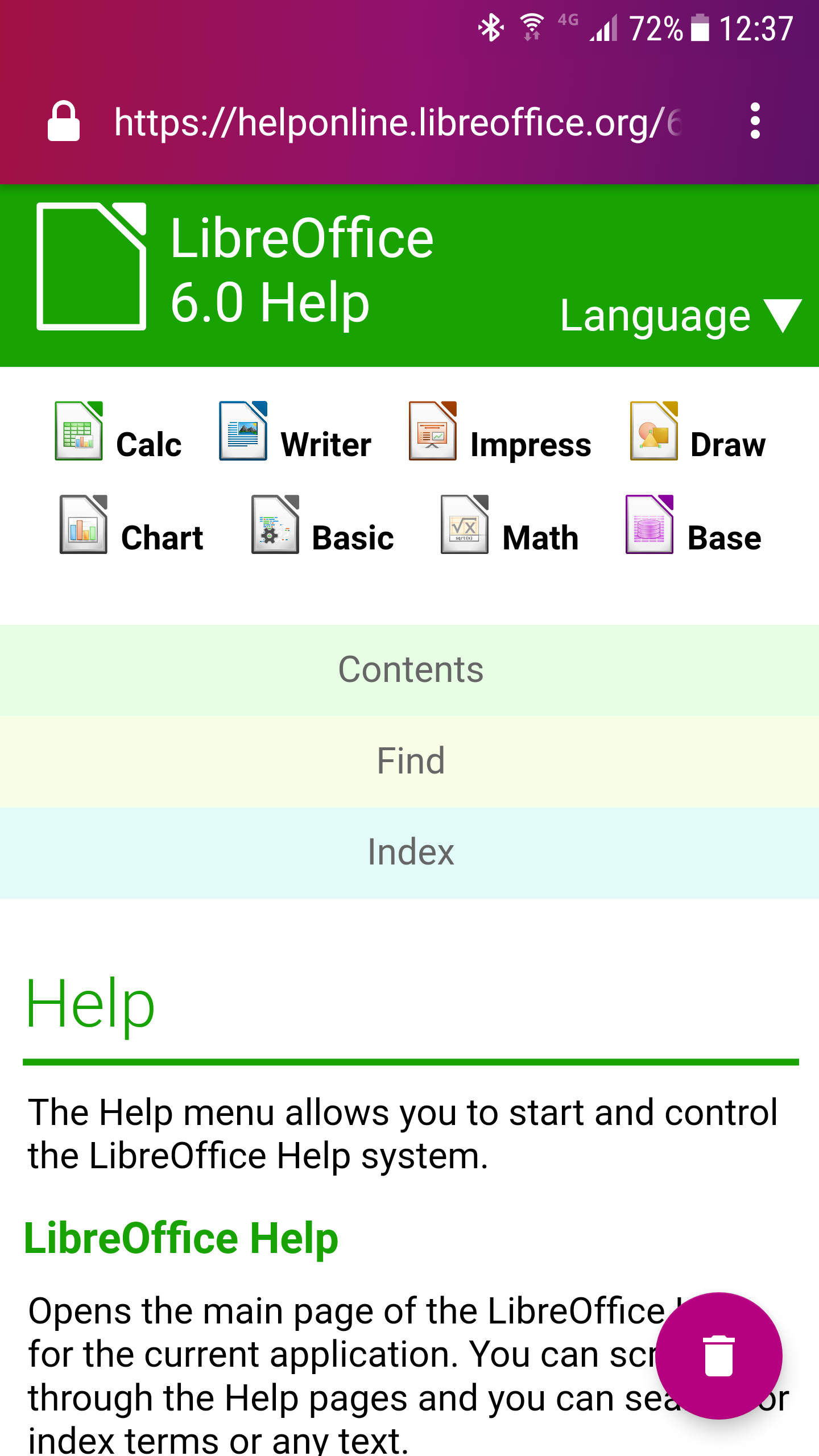
The other major feature is the new LibreOffice help system, a completely redesigned help system that now uses the operating system’s web browser to display help pages. Here’s a screenshot from the LibreOffice 6.0 release notes, showing how it looks in a mobile web browser:
What are your favourite new features in this release?

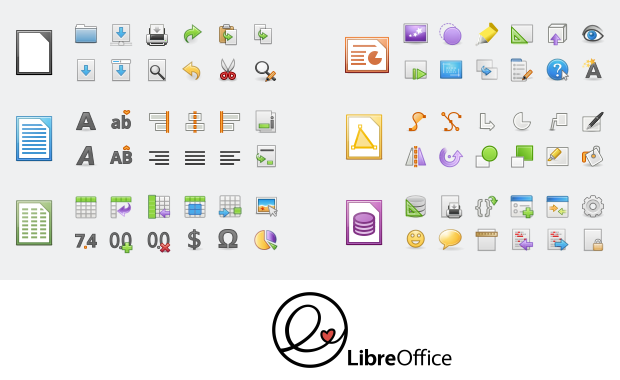
I always appreciate applications that have beautiful aesthetics. When choosing between two applications or desktop environments with the same features, I take the one that’s good-looking and has a well-crafted user interface. There are so many excellent programs with clumsy interfaces or ugly aesthetics struggling to survive. It is purely subjective but in the end, beauty pays. So my take for 6.0 are the features that bring a better and nicer UI: new icons, toolbars and redesigned dialogs. Here’s a preview of the Elementary icon set, which will be included in 6.0:
Aesthetics, together with essential technology evolutions, were the drive to develop our new help system based on web technology. We expect to open an avenue for improving the contents of our help with multimedia, animations and better navigation – altogether bringing a modern web experience for our users who are reading the help.

What tools and services do you use in the documentation community?

At the moment we use Plone as our document repository, and we have a workflow for editing, revision and publication. Released documents are available on our documentation website for download, and some l10n (localisation) communities prefer to use the TDF wiki.

With the recent developments in LibreOffice Online, I am planning to use it for document editing and production, in a simpler way than using Plone. LibreOffice Online is by far the best online editor for OpenDocument formatted files, and is an essential feature for preserving our current documents and making editing easier.

For 2018, we will work to develop an special online editor for help files, making it easier for occasional contributors to make changes to the content.

Finally, how can people get involved with the documentation community?

The first step is to read this page and follow the instructions there. We need good software documenters, along with people who really know how an office suite works, and who are capable of writing about new features with authority.

Thanks Olivier, and thanks to the whole documentation community for their work in LibreOffice 6.0. Over the next few weeks, we’ll be talking to other projects, including QA and development – keep checking this blog for updates.
LibreOffice community focus: Localisation

LibreOffice 6.0 is due to be released at the end of this month (or in early February), and you can learn about the changes in on the wiki. Closer to the release, we’ll make a short video showing off the new features in action. But as we head towards LibreOffice 6.0, we want to hear from the many communities that have contributed to this version. We start off by talking to Sophie Gautier, who has been working with the localisation community to make the software available in as many languages as possible…

What has the localisation community been doing in preparation for LibreOffice 6.0?
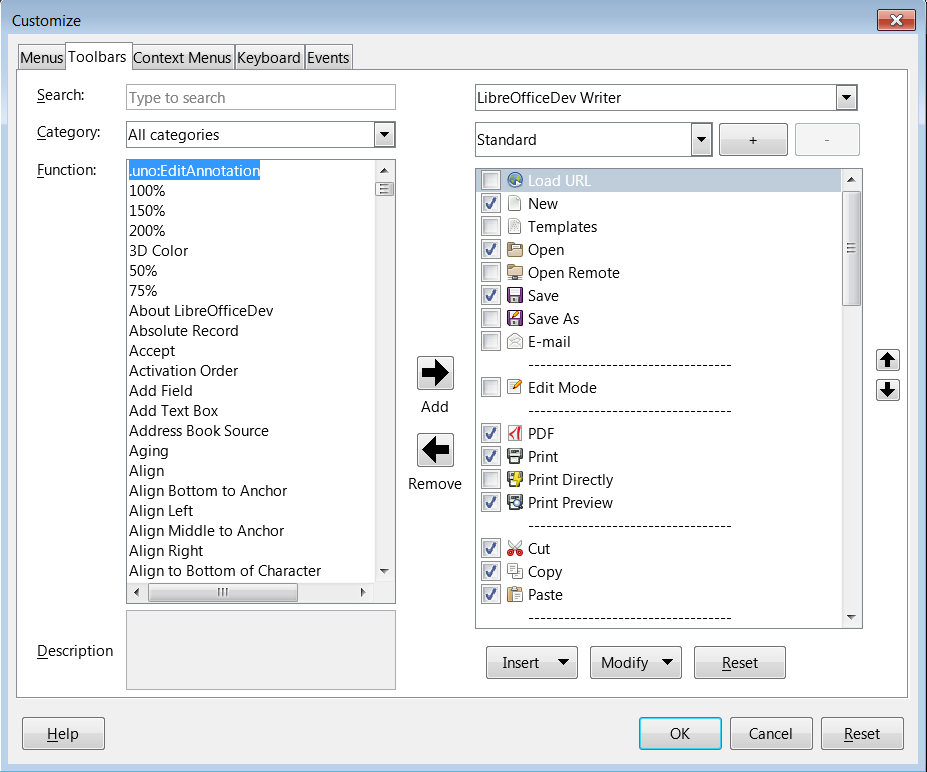
Each time a developer makes a change to the user interface (UI), that means some work for the localisation team, both in terms of the UI itself and the help system. And our UX/Design team has been very busy moving menu entries, designing new dialogs and making new toolbars – so all this work ends up in the hands of the translation team.

Once we have finished the translations of the suite, we have to check that our translations are correct. Sometimes, the localisation process means that you’re translating out of context, with very poor references for where you are in the interface.

Then, there are also press release preparations, new features pages for the website, videos, and all the work done by the marketing team that we have to translate and adapt to our languages, to cover the LibreOffice 6.0 launch.

What are your favourite new features in this release?

I’m not sure I have a preferred one – I’m just always amazed by the work done by the community at each level. I’m very grateful for it, but to name a few: I like the new and easy way to customise the UI, OpenPGP signing of documents, and the work done to modernise the help system.

What tools and services do you use in the localisation community?

Most of the teams use Pootle as an online tool for translations. Some other teams use Pootle as a repository for their files, but also use a computer-assisted translation tool (like OmegaT) to work on the files. Some others don’t use Pootle as a
repository and commit their files directly to Gerrit. We want our teams to be able to use the tools they like the best to translate.

To search for the strings in the source code and get some context (which dialog the string is in, other strings in the dialog, accelerators, etc.) we use OpenGrok which is a simplified web interface for browsing the code.

Finally, how can people get involved with the localisation community?

If a language team already exists, it’s best to contact them directly (the address can be found on our wiki). If none exists, then the best way is to ask on l10n@libreoffice.org for the creation of the language – both in LibreOffice itself, and on Pootle. We will help the newcomers with the first steps in localisation.

Also, Yousuf Philips has written a script that categorises and references the most important strings to translate at the beginning. This shows what is most visible in the interface, and will be of the most help for the users.

Thanks Sophie for that overview – and indeed, a hearty thanks to the whole localisation community for their great help with preparing LibreOffice 6.0. Over the next couple of weeks, we’ll be talking to other communities in the LibreOffice project, so stay tuned to the blog…

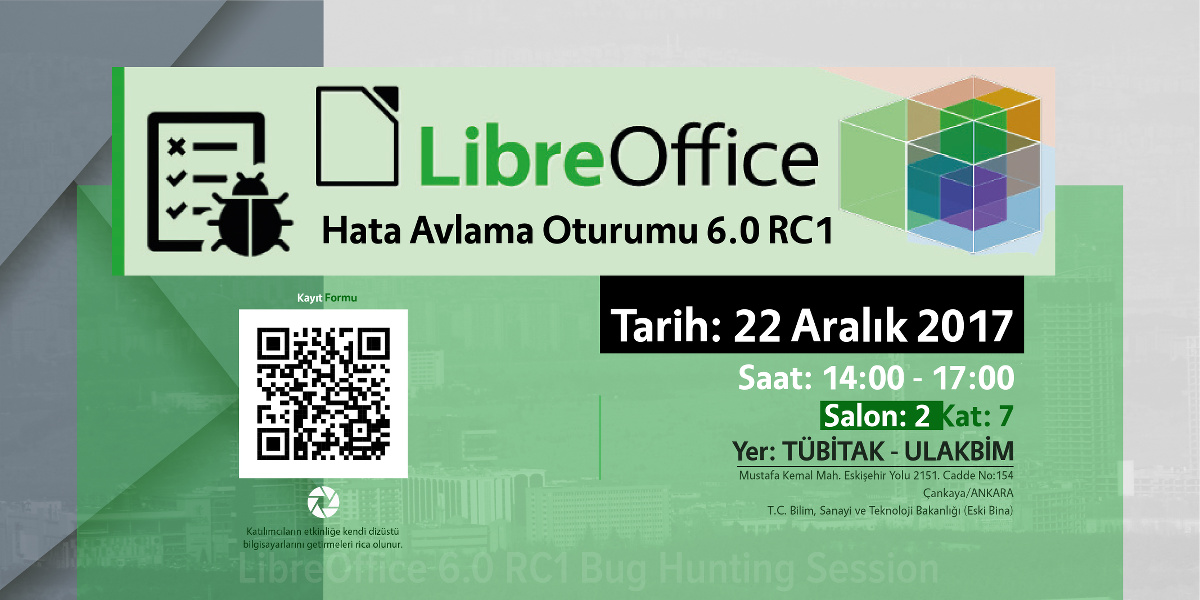
Coming up on December 22: Bug Hunting Session for LibreOffice 6.0 RC1

2017 is coming to a close, but our community is still busy preparing for the release of LibreOffice 6.0, which is due in late January 2018. Many new features have been added to this version, and to make it as reliable as possible, we want your help!

On December 22 we will have an international Bug Hunting Session (BHS), testing the RC1 (first release candidate) of LibreOffice 6.0. You can download, try out and test this RC1 version – and if you spot any bugs, let our QA (Quality Assurance) community know.

Mentors will be available to help you file bugs from 11:00 UTC to 15:00 UTC on that day. All assistance is greatly appreciated – together we can make LibreOffice 6.0 the best release ever, for millions of people around the world! For full details on the Bug Hunting Session, and how to get involved, see our wiki:

Click here for full details about the Bug Hunting Session

In addition, there will be a local event in Ankara, organised by the Turkish LibreOffice community. Here are the details:

  • Date: Dec 22 Friday
  • Time: 14:00-17:00 (UTC+3)
  • Location: TUBITAK ULAKBIM, 7th Floor, Meeting Room 2
  • Registration form: https://goo.gl/forms/paVTg3ExZDn0Oytj1
  • Attendees will bring their own laptops. Registration until Thursday 17:00 (UTC+3) is required. There will be snacks, tea, and some swag!

Document Liberation Project: 2017 in review


While most of the posts on this blog are about LibreOffice, another project overseen by The Document Foundation is DLP – the Document Liberation Project. Whereas LibreOffice is an end-user application, DLP is a collection of free and open source software libraries that help to convert document formats. Developers can use these libraries in their programs, in order to import and export a large variety of files – including proprietary formats. Many well-known applications use DLP libraries, including Inkscape, Scribus, Calligra and of course LibreOffice.

So, what happened in DLP throughout 2017? Read on for our round-up of the year’s news…

New import filter: QuarkXPress

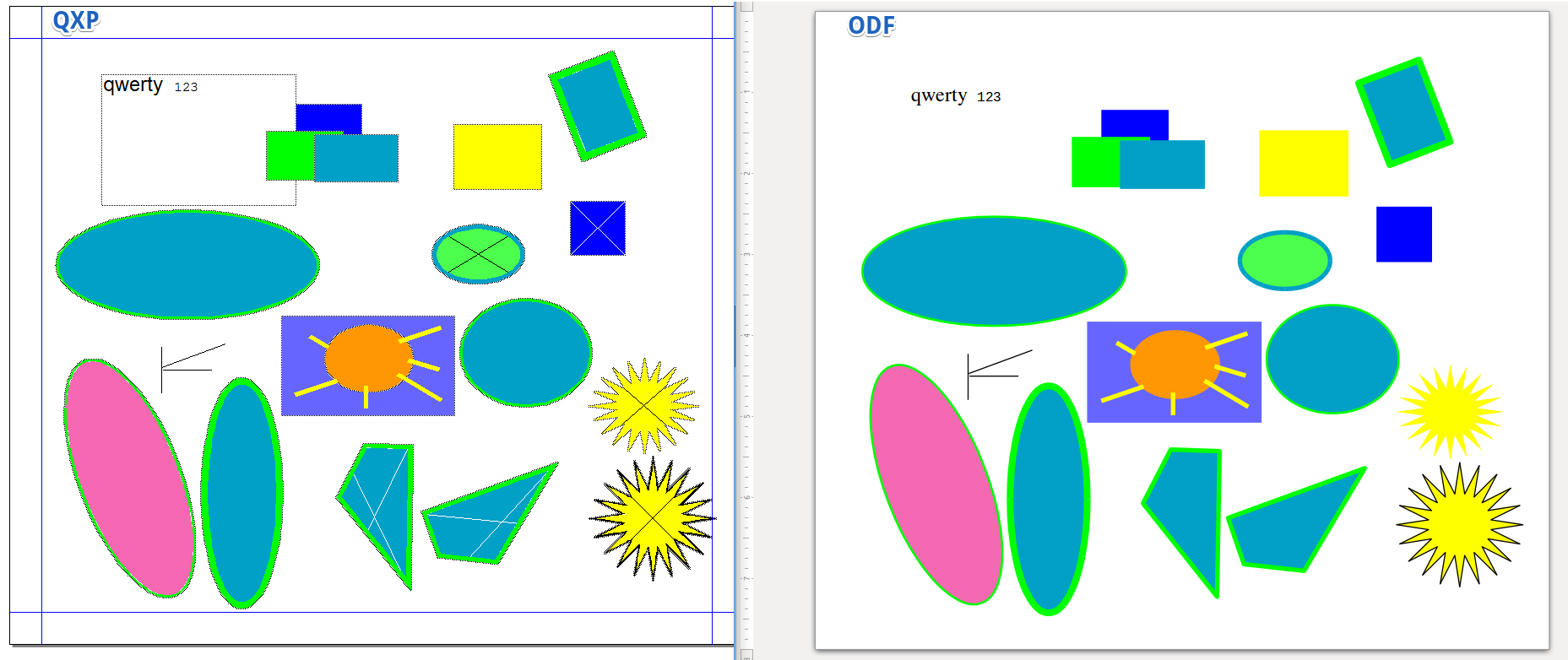
Aleksas Pantechovskis, as part of the Google Summer of Code, worked on a new import filter for QuarkXPress documents: libxqp. It currently supports QuarkXPress 3.1 – 4.1 documents, and this image shows it in action (original QuarkXPress file on the left, and how it’s converted into OpenDocument on the right):

Big improvements to Lotus 123 import

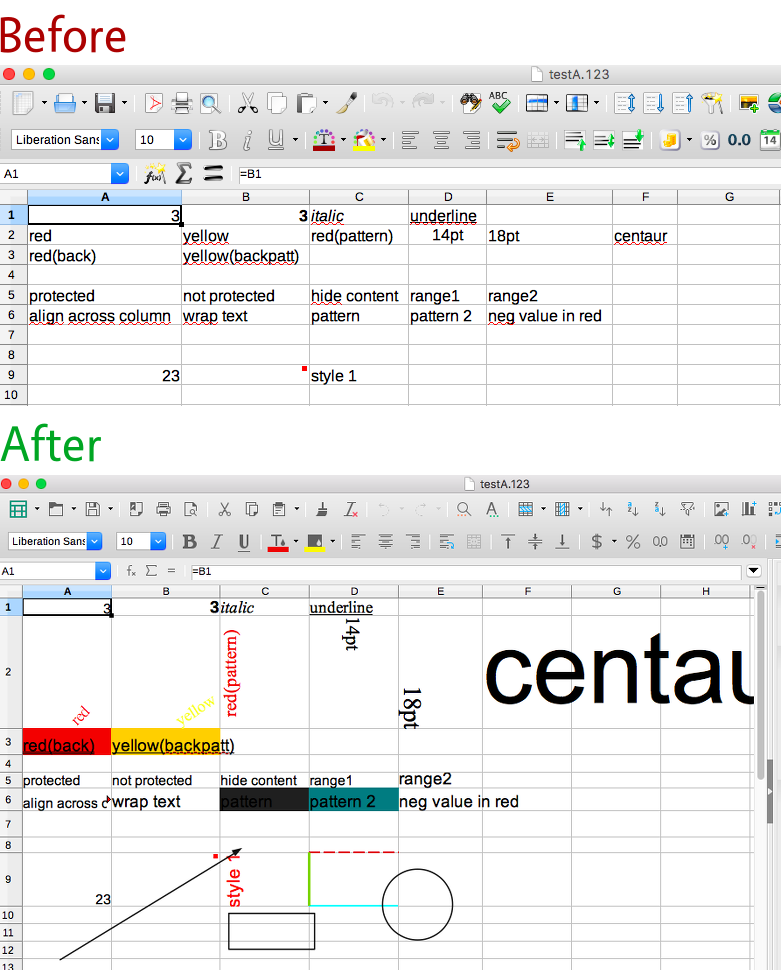
Laurent Alonso made some major improvements to the Lotus 123 filter, adding support for many formatting and layout options. Check out these pictures as an example – the top shows a Lotus 123 file in LibreOffice 5.3, missing almost all of its formatting. Underneath, however, you can see how it’s rendered in LibreOffice 5.4, with much more of the formatting present (click for bigger):

New library releases

Throughout the year, many libraries were updated as well. Here’s a summary:

  • 2 Aug – libepubgen 0.0.1 – This fixes escaping of HTML entities, and the code has been updated to C++11
  • 12 Sep – libwpd 0.10.2X – Also updated to C++11, and includes various fixes from OSS-Fuzz
  • 12 Sep – libwpg 0.3.2 – Improves performance of reading image data from WPG2 files
  • 14 Sep – libzmf 0.0.2 – Minor code cleanups and some fixes from OSS-Fuzz
  • 15 Sep – libcdr 0.1.4 – Fixes issues found by Coverity, and require C++11 for build
  • 16 Sep – libfreehand 0.1.2 – Parses more features, including text on paths, stroke patterns, arrows, and custom line and fill styles
  • 21 Oct – libvisio 0.1.6 – Various improvements to import of MS Visio files, plus Coverity and OSS-Fuzz fixes
  • 23 Oct – libetonyek 0.1.7 – Improves support for gradients, cell styles, non-RGB colours, and table border lines
  • 13 Dec – libepubgen 0.1.0 – EPUB3 support, plus support for embedded fonts, cover images and footnotes
  • 13 Dec – writerperfect 0.9.6 – Adds support for StarOffice Writer and Zoner Draw documents, and includes universal conversion tools

Find out more!

For details on the libraries mentioned above, see the projects page on the site. And check out the contribute page to see how you can help – because even if you’re not a developer, you can prepare sample documents for testing. Oh, and to learn more about DLP, watch this short video!

Please confirm that you want to play a YouTube video. By accepting, you will be accessing content from YouTube, a service provided by an external third party.

YouTube privacy policy

If you accept this notice, your choice will be saved and the page will refresh.

LibreOffice contributor interview: Gautam Prajapati

Gautam has been working on the LibreOffice Viewer for Android, as part of the Google Summer of Code. We caught up with him at our recent conference in Rome, to talk about progress in the Android app, his experiences of joining the community, and how others can get involved.

Please confirm that you want to play a YouTube video. By accepting, you will be accessing content from YouTube, a service provided by an external third party.

YouTube privacy policy

If you accept this notice, your choice will be saved and the page will refresh.

Month of LibreOffice, November 2017: The results!

The Month of LibreOffice, November 2017 has finished – and what a great month it has been. There have been contributions all across the project, including source code patches, bug report confirmations, user interface translations and documentation updates. Not to mention user support on Ask LibreOffice, along with LibreOffice promotion on Twitter! Here’s how many stickers have been awarded:

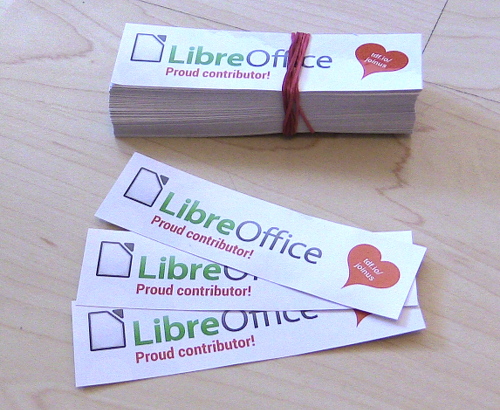
Click the number for the full details. And if you see your name (or username) on that page, claim your sticker for your laptop, PC or other devices! Simply email mike.saunders@documentfoundation.org with your name (or username) from the wiki page, and “Sticker claim” in the subject line, along with your postal address. We’ll send you a sticker in the next couple of weeks – and it’ll look like this:

(Note that your postal address will only be used for posting the sticker to you, and not be stored afterwards or used otherwise.) Enjoy showing off your sticker, and thanks again for your contribution!

Going into detail

So what happened over the month? Let’s go through the sections on the stickers page. The first, code patches, shows source code contributions from community members. It has been great to get fixes, updates and new features from the community – and note that this list doesn’t include people who are paid to work on the code on a daily basis! See here for a full list of recent development activity.

Next up we have bug report confirmations. This is an important job, and our QA community works hard to categorise and check new bug reports as they come in. It’s also a way for anyone to get involved, even if you’re not a developer: just find a new report on our bug tracker, see if it affects you as well (with the latest LibreOffice version), and confirm it if so. This helps our QA team to narrow down the cause of a bug.

Then we had translations of the LibreOffice interface – lots of fantastic work there! One of the goals of LibreOffice is to make the software accessible to everyone, regardless of location or language, so it’s great to see so many contributions here. Next we give credit to people who help other users on Ask LibreOffice, which isn’t always an easy task, but the answers can be very useful for other people in the future.

Finally, we had documentation contributions and people spreading the word on Twitter. A huge thanks once again to everyone who took part, and don’t forget to claim your sticker! We’ll run another Month of LibreOffice next year – but you can get involved at any time. Join our friendly community, help make LibreOffice even better, and we look forward to your contributions!