LibreOffice monthly recap: August 2018

August was a big month for our project, with the release of a brand new version of LibreOffice! And surrounding the release, there was lots of activity in our development, documentation, design, QA and translation communities…

  • LibreOffice 6.1 was announced early in the month, with many new features and updates including new icon themes, improved EPUB support, a revamped image handling engine, and the ability to sort anchored images in Calc. Check out the announcement for more details, and this video for a demonstration of the new features:

Please confirm that you want to play a YouTube video. By accepting, you will be accessing content from YouTube, a service provided by an external third party.

YouTube privacy policy

If you accept this notice, your choice will be saved and the page will refresh.

  • The day after the release, we organised an “Ask us Anything” session on Reddit. TDF team and board members, along with community participants, answered questions, responded to ideas, and shared feedback about the new release. The Reddit post has over 33,000 views at the time of writing, so a big thanks to everyone who took part!
  • One week later, we looked at some statistics relating to the new version. LibreOffice 6.1 had been downloaded 373,758 times (for comparison, it’s 649,158 now). We had 274,916 visits to our website, 192,232 visits to our blog, and 21,347 impressions of the announcement tweet.

  • Meanwhile, the LibreOffice 6.0 branch continues to be maintained, and is recommended for enterprise deployments. Our hard-working documentation community released the LibreOffice 6.0 Writer Guide, with a general introduction to Writer followed by chapters about specific features. It’s available in ODT and PDF formats, and also in hard-copy (printed). If you find the documentation useful, you can give the community a hand!
  • Also in August, we showcased the results of the tender to implement of a HSQLDB binary format import in LibreOffice. Tenders are aimed at improving LibreOffice in several strategic areas, and documenting the approach and work carried out, to foster sharing of knowledge and inclusion of the wider volunteer community. Collabora was assigned this specific tender, and our blog post links to technical explanations from developer Tamás Bunth.
  • In the middle of the month, we chatted to Sam Tuke, a long-time Free Software supporter and campaigner, who helps the LibreOffice project in marketing and QA (quality assurance). We plan to post regular “Community Member Monday” interviews on this blog, so stay tuned!

  • Finally, our Taiwanese community reported back from the “LibreOffice Asia Meetup”, an event held in Taipei. The attendees included LibreOffice and other Free Software community members from Japan, Korea, Indonesia and Taiwan. Franklin Weng, TDF board member and one of the organisers, said: “Besides sharing our experiences of adopting ODF and using LibreOffice, we can also learn from many different countries and help each other”.

Keep in touch – follow us on Twitter, Facebook and Google+. Like what we do? Support our community with a donation – or join us and help us to make LibreOffice even better!

LibreOffice Asia Meetup in A+A Space, Taipei, Taiwan

Community members from five different countries had a good time, and talked about holding a LibreOffice Asia Conference in the future

Event report by: Wally Lian, PR & Marketing Consultant, Software Liberty Association Taiwan

This summer is hot in Taiwan, and so are the FOSS (Free and Open Source Software) communities! From the end of July to the middle of August, there were several big FOSS events in Taiwan. The first one coming on stage was the Debian Conference, which was held in Taiwan and Asia for the first time, and lasted for two weeks. Then, this year three big Asian FOSS events of COSCUP, Gnome Asia Summit, and OpenSUSE Asia Summit decided to merge together and held an event at the National Taiwan University of Science and Technology on 11 and 12 August.

Besides these global and Asian FOSS events, there were also many interesting opportunities and plans going on. One of them was: LibreOffice community members in Asia planned to have a meetup during the joint COSCUP/Gnome Asia/OpenSUSE Asia event, and discussed holding a LibreOffice Asia Conference.

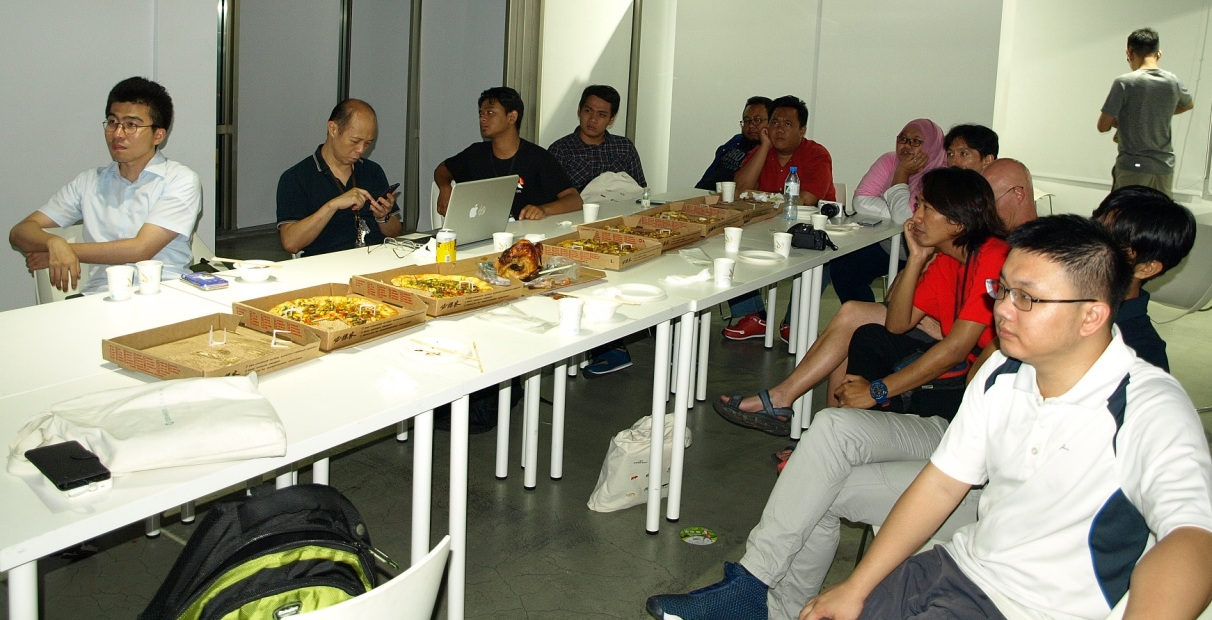
Before the meetup started, SLAT and A+A Space prepared a lot of food

This meetup was held in the evening on 11 August in A+A space, which is a nice and friendly space for FOSS communities, also a community made up of several artists who use FOSS as their tools to create their artwork. The attendees included LibreOffice and other FOSS community members from Japan, Korea, Indonesia and Taiwan.

The organizer, Franklin Weng, the current President of Software Liberty Association Taiwan and current board member of The Document Foundation, said that this meetup was an important milestone. “Now the Taiwanese government is going on adopting the Open Document Format and related office suites. It is very important to link our government and our people with international communities. Besides sharing our experiences of adopting ODF and using LibreOffice, we can also learn from many different countries and help each other,” said Franklin.

At the meetup, Franklin introduced the 30-second animation for LibreOffice Android Viewer, which was generated by LibreOffice Taiwan and A+A Space. He explained that the original idea was to raise the awareness of visual design in FOSS communities. Then he explained the meaning and special Easter eggs hidden in the animation, and showed a “behind the scenes” documentary for it. Then, the host of A+A Space, Michael Wu, introduced the wonderful work from A+A Space, including 3D graphs, 3D models, VR work, classes in universities, and so on.

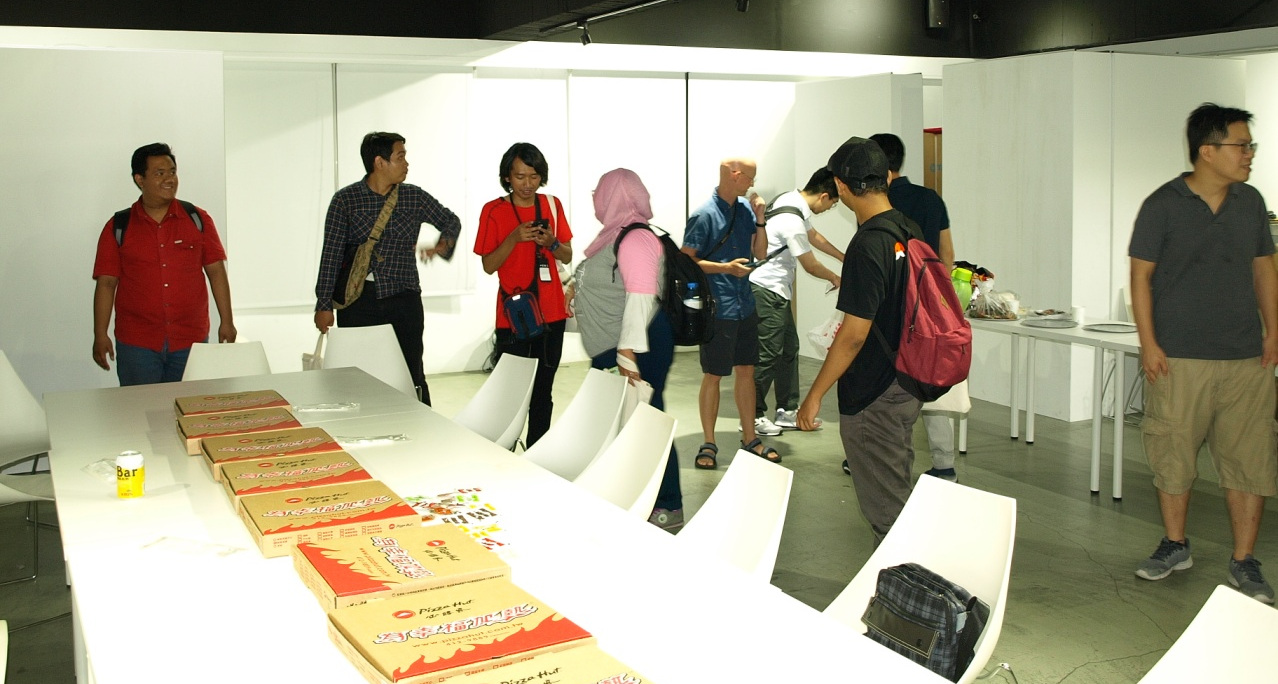
During the meetup

Then everyone started to share their work and experiences. Rania Amina, who was responsible for visual design in the LibreOffice Conference Indonesia, showed his wonderful artwork to attendees. Ahmad Haris also shared his experiences holding LibreOffice Conference Indonesia, which was a huge success. Shinji Enoki shared the current status of Japanese support in LibreOffice, and many events held in Japan. Daehyun Sung introduced himself and shared some interesting things in Korea, including the system North Korea is using.

Also, Bobby Tung, a senior FOSS member in Taiwan who also contributed a lot to W3C standards, shared the current status of Unicode support for CJK. Kevin Lin, a LibreOffice Migration Professional in Taiwan, showed his work on LibreOffice Online and Web form API usage. Shelandy Ting shared his interesting artwork using Gimp.

After sharing, attendees split into different groups and talked with each other. During this meetup, members from Japan and Indonesia showed interest in holding a LibreOffice Asia Conference. Besides conferences, attendees also exchanged experiences migrating to LibreOffice in organizations and public administrations. We believe that the adoption of the Open Document Format and migrations to LibreOffice will advance hugely in Asia.

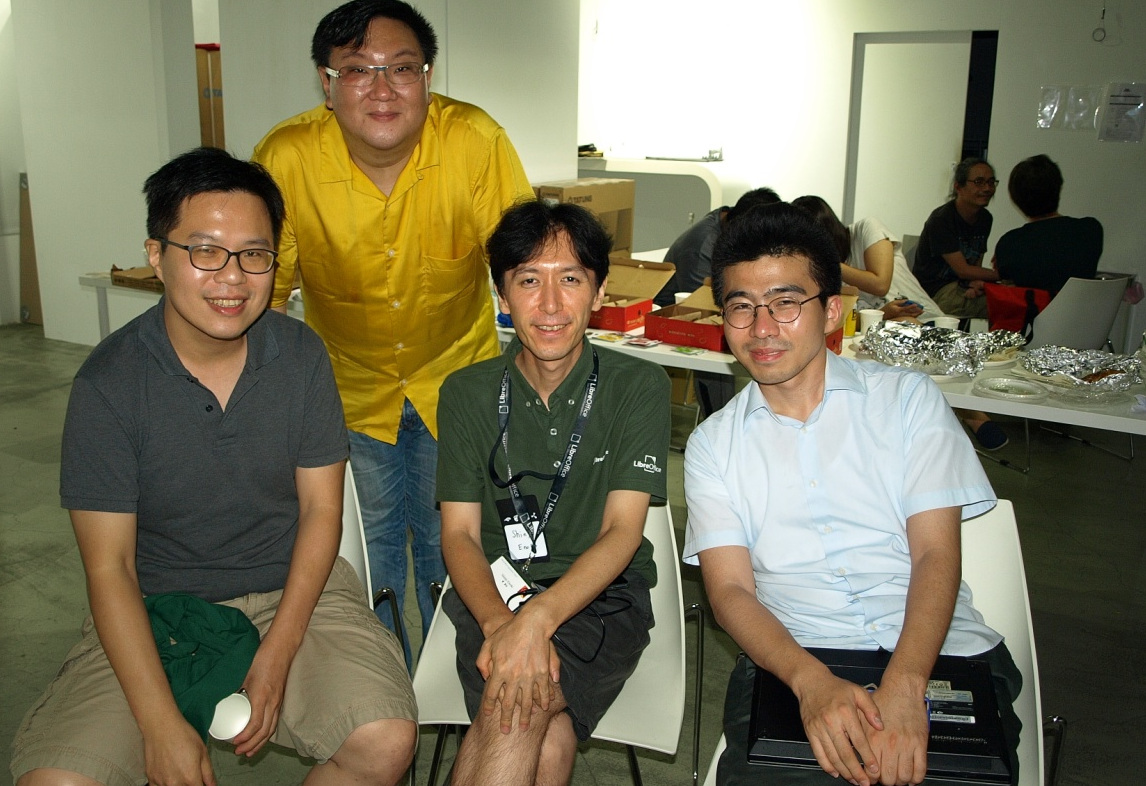
Mark Hung (Left 1st), Bobby Tung (Left 2nd) from Taiwan, Shinji Enoki (Right 2nd) from Japan, and Daehyun Sung (Right 1st) from Korea.

A big thanks to the LibreOffice communities in Asia for organising this event! If you love LibreOffice and want to help spread the word in your location or language, check out our native language communities. Together we can help to spread the word about free software and open standards!

LibreOffice 6.1: A week in stats

On August 8, we announced LibreOffice 6.1, a new version of the suite with many great features and updates created by our worldwide community. Let’s look at some stats from the last week!

373,758 downloads

These are just stats for our official downloads page, of course – some Linux users will have acquired the new release via their distribution’s package repositories. And we still offer the LibreOffice 6.0 branch which is especially suited to enterprise deployments.

274,916 visits to our website

Our main website is the central resource for all things LibreOffice, including downloads, release notes, help, community support and more.

192,232 visits to our blog

Most of these were for the release announcement, but we’ve been posting other updates as well. On a related note, if you want to follow blog posts by other members of the LibreOffice community, check out the TDF Planet.

18,738 views of our New Features video

We made a video highlighting the new features in LibreOffice 6.1, with an awesome introduction created by our Taiwanese community. This video was embedded into various news websites that covered the release.

21,347 impressions of the announcement tweet

We use Twitter to spread the word about LibreOffice, free software and open standards, so a big thanks to our supporters who retweeted the announcement. It had 197 retweets and 269 likes.

Over 32,000 views of our Reddit “Ask us Anything”

One day after the release, team and board members from The Document Foundation, along with some community members, organised an “Ask us Anything” session on the /r/linux subreddit. This was an opportunity for free software and GNU/Linux fans to ask us all about the new release, and indeed anything else about LibreOffice. We had 205 comments and 312 upvotes.

But there’s more to come!

A huge thanks to our community for making LibreOffice 6.1 happen! But we’re not done yet; we’re already busy adding new features and updates to LibreOffice 6.2, which is due for release early next year – and you can help out! Whether it’s with design, marketing, documentation, coding or translations, you can get involved, join our friendly community and make a big difference to LibreOffice. Come join us!

Community Member Monday: Sam Tuke

Over the last few years we’ve posted many LibreOffice contributor interviews on this blog. Today, we catch up with Sam Tuke who is a member of the marketing community and helps out with QA too…

Where do you live, and are you active on IRC/social media?

I live in Berlin, Germany. Originally I’m from Suffolk, England. I like Twitter and Mastodon for community news. For my business, which makes Free Software newsletter app phpList, I use Facebook and Telegram too.

In which areas of the LibreOffice project are you active?

The marketing team, and filing occasional bugs.

How did you get involved with LibreOffice?

While in high school I started a small business building computers for local people. They needed an office suite to come with their new PCs, and OpenOffice.org was the perfect fit. I’ve been a user and advocate ever since, following my friends to LibreOffice when it was established.

Later on I became a full time Free Software developer, and after that a campaigner. From 2014 I worked on marketing LibreOffice-related products at Collabora. It was an exiting time and I had the opportunity to announce LibreOffice for Android and LibreOffice Online.

What was your initial experience of contributing to LibreOffice like?

Much like other open source apps: find and use a complicated bug tracker to report an annoying problem. But I was encouraged by quick follow up by a friendly bug triager, and since then several issues that I reported have been fixed and released. Satisfying!

What does LibreOffice need most right now?

Marketing. It’s a brilliant software suite which offers great potential value to most people alive today, particularly when you consider the mobile and web-based products. Reaching all those people who stand to benefit from LibreOffice is hard work, but it’s worth doing. Italo Vignoli and Mike Saunders have been making strides in this direction, and that’s fantastic to see.

Also: focus. With so many different kinds of users out there, LibreOffice can suffer from being too powerful for it’s own good. LibreOffice has had the benefit of contributions from a variety of usability experts and professionals. There’s plenty more to do, but recent releases, and particularly LibreOffice 6.1 include gratifying improvements from Kendy, Heiko, Andreas and others, which I’m eager to see.

What tools do you use for your work?

Markdown everywhere: Gedit, Writer, Nextcloud notes, and Pandoc to convert between them. Sometimes I also use Thorsten’s odpdown to make presentations.

Calc handles internal financial reporting at the firm, with many charts, and a few arcane formulas which LibreOffice fortunately includes. Draw is great for quick colourful diagrams like server infrastructure and organisational charts.

What do you do when you’re not working on LibreOffice?

Since finishing a Master’s degree in spring I’ve become a mentor of startups in West Africa, and had time so speak at more Free Software conferences at home and abroad. In order to keep up with new interns at work I’ve also been reading textbooks on marketing and security – perfect for long sunny evenings in the park.

Thanks Sam! Stay tuned to the blog for more interviews. In the meantime, if you’re new to the LibreOffice project and want to help us make it even better, start here!

Taming LibreOffice 6.1’s New Help System

or… the Help must help.

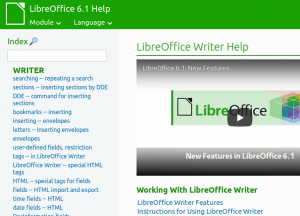
LibreOffice 6.1 has been released and carries a refactored and improved new Help system, based on modern browser technologies. Let’s explore what this new help brought to LibreOffice.

The main driver of the new Help is our vision that the Help must help. When we look at the old help system from the perspective of a typical user, we realize quickly that the text and layout of the help pages don’t provide the best experience. So how can we improve the experience and help our users better? The diagnostic was straightforward: the LibreOffice Help system was tied to a very limited technology, so we had to unleash LibreOffice Help.

The approach was to look at the capabilities of modern browser technologies of 2018, and compare them to the aging help system that relied on 2000’s web standards. Until LibreOffice 6.1, the local help consisted of static description text, very few images, no multimedia and almost no easy support for evolution and improvements.

(more…)

The Document Foundation announces LibreOffice 6.1, a major release which shows the power of a large and diverse community of contributors

Berlin, August 8, 2018 – The Document Foundation announces LibreOffice 6.1, the second major release of the LibreOffice 6 family presented in January 2018, with a significant number of new and improved features:

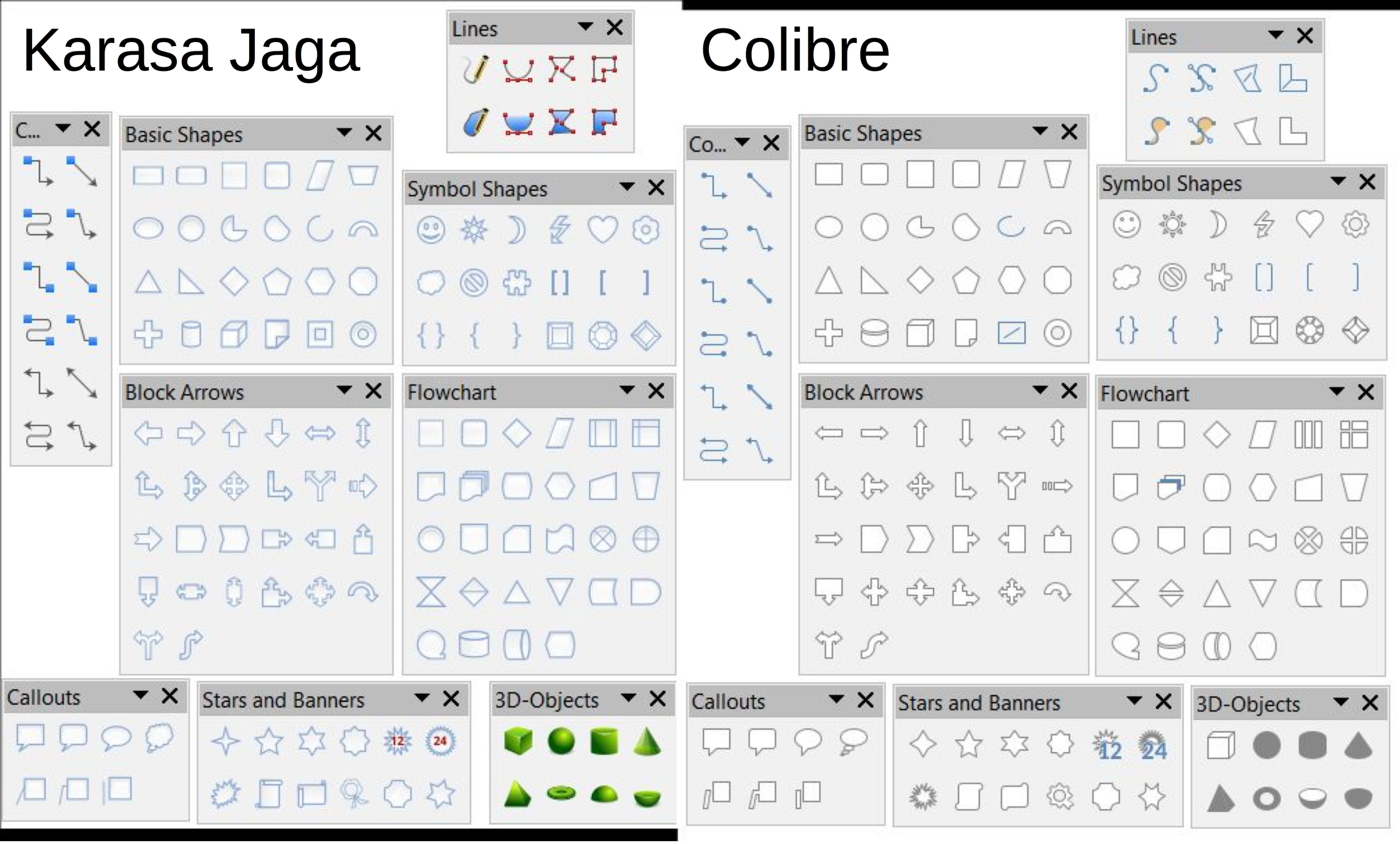
  • Colibre, a new icon theme for Windows based on Microsoft’s icon design guidelines, which makes the office suite visually appealing for users coming from the Microsoft environment;
  • A reworked image handling feature, which is significantly faster and smoother thanks to a new graphic manager and an improved image lifecycle, with some advantages also when loading documents in Microsoft proprietary formats;
  • The reorganization of Draw menus with the addition of a new Page menu, for better UX consistency across the different modules;
  • A major improvement for Base, only available in experimental mode: the old HSQLDB database engine has been deprecated, though still available, and the new Firebird database engine is now the default option (users are encouraged to migrate files using the migration assistant from HSQLDB to Firebird, or by exporting them to an external HSQLDB server);
  • Significant improvements in all modules of LibreOffice Online, with changes to the user interface to make it more appealing and consistent with the desktop version,
  • An improved EPUB export filter, in terms of link, table, image, font embedding and footnote support, with more options for customizing metadata;
  • Online Help pages have been enriched with text and example files to guide the users through features, and are now easier to localize.

LibreOffice 6.1’s new features have been developed by a large community of code contributors: 72% of commits are from developers employed by companies sitting in the Advisory Board like Collabora, Red Hat and CIB and by other contributors such as SIL and Pardus, and 28% are from individual volunteers.

In addition, there is a global community of individual volunteers taking care of other fundamental activities such as quality assurance, software localization, user interface design and user experience, editing of help system text and documentation, plus free software and open document standards advocacy at a local level.

A video summarizing the top new features of LibreOffice 6.1 is available on YouTube: https://www.youtube.com/watch?v=JvoCpnwGNFU.

Enterprise deployments

LibreOffice 6.1 represents the bleeding edge in term of features for open source office suites, and as such is targeted at technology enthusiasts, early adopters and power users.

For any enterprise class deployment, TDF maintains the more mature LibreOffice 6.0, which should be sourced from a company providing a Long Term Supported version of the suite (they are all members of TDF Advisory Board, and are listed here: http://www.documentfoundation.org/governance/advisory-board/).

Also, value-added services for migrations and trainings, to support enterprise class deployments in large organizations, should be sourced from certified professionals (list available here: http://www.libreoffice.org/get-help/professional-support/).

LibreOffice is deployed by large organizations in every continent. A list of some large or significant migrations announced in the media is available on the TDF wiki: https://wiki.documentfoundation.org/LibreOffice_Migrations.

Availability of LibreOffice 6.1

LibreOffice 6.1 is immediately available from the following link: https://www.libreoffice.org/download/. Minimum requirements for proprietary operating systems are Microsoft Windows 7 SP1 and Apple macOS 10.9. Builds of the latest LibreOffice Online source code are available as Docker images: https://hub.docker.com/r/libreoffice/online/.

LibreOffice Online is fundamentally a server service, and should be installed and configured by adding cloud storage and an SSL certificate. It might be considered an enabling technology for the cloud services offered by ISPs or the private cloud of enterprises and large organizations.

LibreOffice users, free software advocates and community members can support The Document Foundation with a donation at https://www.libreoffice.org/donate.

LibreOffice 6.1 is built with document conversion libraries from the Document Liberation Project: https://www.documentliberation.org.

Press Kit

The press kit, with background documents – Hybrid PDF, opened from within LibreOffice can be edited as normal ODT files – and high-resolution images, is here: https://nextcloud.documentfoundation.org/s/3B8ZecMNMcWcxHy.


LibreOffice 6.1: a background on the user interface

For the last eight years, LibreOffice’s user interface guidelines have been inspired by a consistent end-user-driven and context-based approach (according to the available screen real estate, the application and the specific task), to provide the best mix between power (the level of control over features) and simplicity (the number of options available on the screen).

The Design Team at The Document Foundation has made several changes to the different icon styles for LibreOffice 6.1, to improve the visual appearance of the office suite and provide a more consistent look and feel with operating systems and desktop environments.
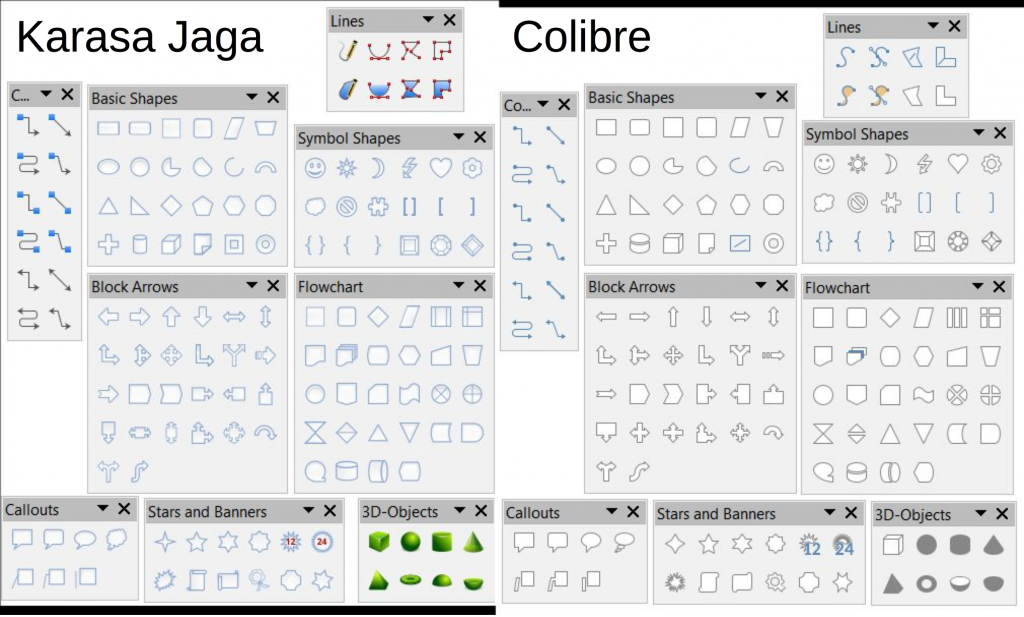
Colibre, a completely new icon style designed from scratch by the Austrian volunteer Andreas Kainz, is now the default on Windows. Colibre is entirely based on icon design guidelines from Microsoft, which means that the style uses the same color scheme as Microsoft Office and offers a consistent look and feel with the proprietary office suite. The design of each icon has been inspired by Breeze and Elementary.

Karasa Jaga, a new icon style originally created for Sundara OS and designed by the Indonesian volunteer Rizal Muttaqin, has also been added. Karasa Jaga, which means “feel the future” in the Sundanese language spoken in western Java, has been heavily inspired (and is derived) from the now discontinued Oxygen icon style.

Elementary is now the default icon style on Gnome-based desktop environments, while Sifr has replaced HiContrast as the default high contrast icon style.

Industrial and Oxygen have been removed because of missing maintenance and SVG support. All legacy icon styles are available as extensions.

In addition, the Notebookbar – which is still experimental – has been significantly improved and has been completed for Writer, while it is still work in progress for the other modules in the suite. The objective is to provide a solution as powerful and simple as the current default LibreOffice user interface, which is based on toolbars.

Looking forward, it looks like LibreOffice user interface – for which the source code is available on our repository at https://github.com/LibreOffice – has inspired the future evolution of some proprietary office suites, which in the last 10 years have chosen a different – and obviously obfuscated – approach.


Contributors to LibreOffice 6.1

LibreOffice 6.1 represents the global effort of a large and diverse community of enterprise-sponsored and volunteer contributors.
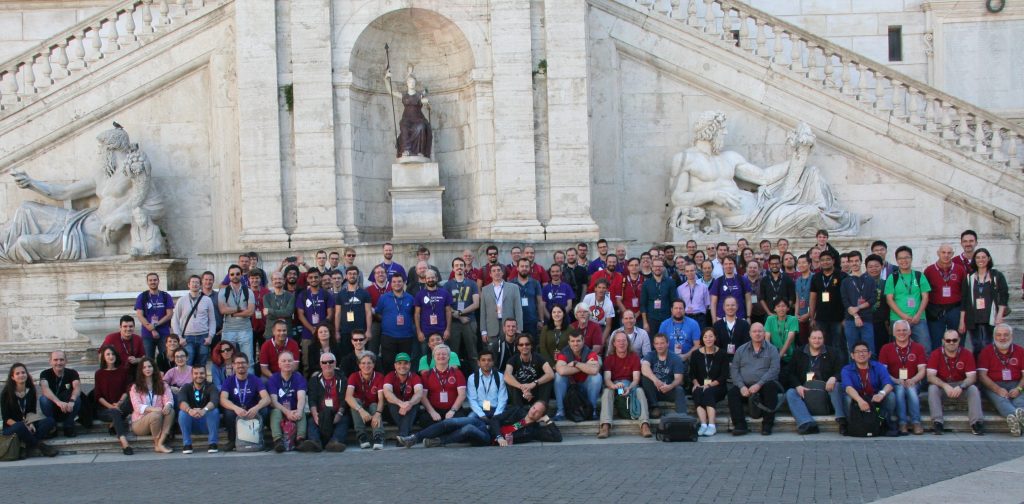
This is a list of the people who have contributed a new feature or an improvement to the software or the user interface, or a new localization.

Adolfo Jayme Barrientos
Andrea Gelmini
Andreas Kainz
Armin Le Grand, CIB
Ashod Nakashian, Collabora
Ayaspell
Belkacem Mohammed
Berend Ytsma
Caolán McNamara, Red Hat
DaeHyun Sung
Dennis Francis, Collabora
Dennis Roczek
Eike Rathke, Red Hat
Furkan Tokac
Gabor Kelemen
Gülşah Köse, Pardus
Heiko Tietze
Henry Castro, Collabora
Ilmari Lauhakangas
Jan Holešovský, Collabora
Joseph S. Maza
Kohei Yoshida
Kompilainenn
László Németh, FSF.hu
Lera Goncharuk
Luboš Luňák, Collabora
Marco Cecchetti, Collabora
Mark Hung
Maxim Monastirsky
Merzouk Ouchenem
Michael Meeks, Collabora
Michael Stahl, CIB
Michael Wolf
Mike Kaganski, Collabora
Miklos Vajna, Collabora
Muhammet Kara, Pardus
Nabil Semɛun
Nithin Kumar Padavu
Olivier Hallot, TDF
Pranav Kant, Collabora
Rizal Muttaqin
Samuel Mehrbrodt, CIB
Serge Krot, CIB
Slimane Amiri
Sophia Schröder
Stanislav Horáček
Stephan Bergmann, Red Hat
Szymon Kłos, Collabora
Tamás Bunth, Collabora
Tomaž Vajngerl, Collabora
Tor Lillqvist, Collabora
V. Stuart Foote
Yasin Bouklif
Yazid Bouhamam
Yousuf Philips
Xisco Faulí, TDF

Of course, the release of LibreOffice 6.1 has been possible thanks to the invaluable contributions of many other people, who have donated their time for user interface design and user experience improvements, localization in over 100 different languages, quality assurance, documentation and online help, and other product related activities, including marketing and communications.

In addition, many other people have supported end users on mailing lists, online resources and social media, answering questions and providing guidance to solve any kind of issue, from a simple download query to the most sophisticated pivot table questions.