Community Member Monday: Hüseyin GÜÇ

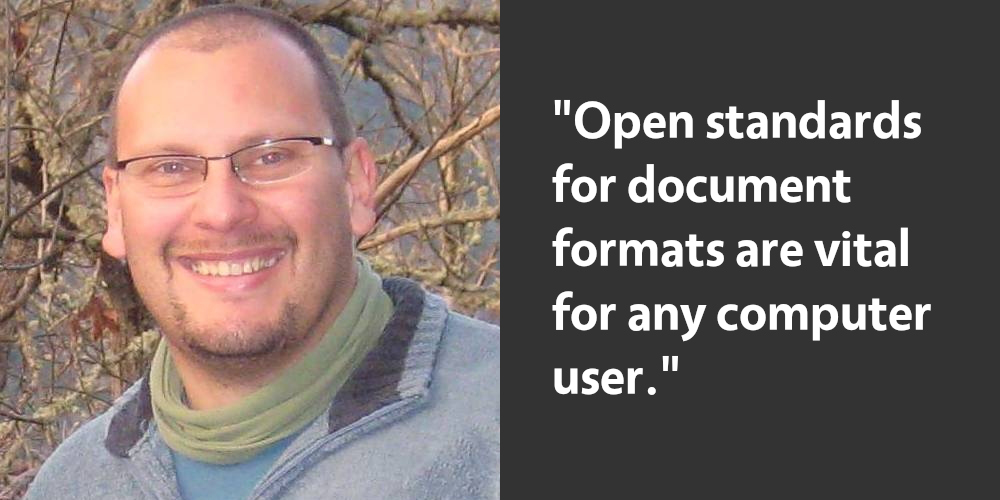
Today we’re speaking to Hüseyin GÜÇ from our Turkish community, who’s helping with translations and spreading the word. Last year, he updated us on a LibreOffice migration in a municipality in Turkey.

Tell us a bit about yourself!

I’m a passionate administrator and open source enthusiast, starting my career 26 years ago. I live in Istanbul, and enjoy keeping myself up to date with the latest in the open source world, and trying out the latest tools, features, and services around Linux. In my spare time, I participate in the Turkish translation of open source applications.

You recently decided to become a Member of The Document Foundation, the non-profit behind LibreOffice. Tell us about that…

I want the OpenDocument Format and LibreOffice application to be used in my institutions and city. For this reason, I wanted to support The Documentation Foundation individually.

Also, I am here because I think the LibreOffice community has a differentiation from other open source communities. You can install and use open source applications, but there is a need for the OpenDocument Format to become widespread in order to use the produced output.

Here, I want to be a part of this dissemination and I believe that there will be an opportunity for this. Open source usage in Turkey is not at the desired level yet. In addition, it is very sad that many individuals and institutions are unaware of the OpenDocument Format and LibreOffice. I want to strive to eliminate this problem.

Many thanks to Hüseyin for his contributions! Learn more about the Turkish LibreOffice community here. And if you want to spread the word about LibreOffice in your area, join our marketing community – we can help you!

The LibreOffice Calc Guide 7.1 is Here!

The LibreOffice Documentation community announces the immediate availability of the Calc Guide 7.1, with additions based on the the improvements in LibreOffice Calc 7.1, which was released in February this year.

Download Calc Guide 7.1

The Guide is the volunteer effort of many members of the documentation community. Revisions and enhancements on the contents are the work of Rafael Lima from Brazilian community, Martin Van Zijl and Kees Kriek from the Dutch community, Celia Palacios from the Hispanic language community. A special mention to Yusuf Keten from the Google Summer of Code program on new extensions and templates dialogs, to Steve Fanning for his editorial review and to Jean Hollis Weber for her improvements and organization of the text. The LibreOffice Calc Guide 7.1 update activities was coordinated by Felipe Viggiano from Brazil.

Celia, Jean, Kees, Steve, Rafael, Felipe

The book is available in PDF format and contains 545 pages, covering all basic and advanced features of the spreadsheet module of LibreOffice, and is a must-read book for exploiting the maximum of LibreOffice Calc.

Download the Calc Guide 7.1

LibreOffice Design Community Work in 2020

Design has been one of the major focus points of LibreOffice in the last few years, and has produced new icon sets and a number of incremental updates to the user interface – menus, toolbars and the SideBar – and the creation of the brand new NotebookBar…

(This is part of The Document Foundation’s Annual Report for 2020 – the full version will be posted here on the blog soon.)


Improvements in LibreOffice 7.0

Icon Themes

A new Sukapura icon theme, based on Apple’s color palette as defined in macOS Human Interface Guidelines for Visual Design, was developed to become the default on macOS. The Sukapura icon theme is based on the Colibre icon theme and developed to fit macOS desktop environment in mind. (Added by Rizal Muttaqin)

The Colibre icon theme was adopted as default for the Windows operating system was refreshed based on the new Monoline style iconography implemented by Microsoft Office 365. The goal of the Monoline style is to have a consistent, clear, and accessible iconography to communicate action and features with simple visuals, ensure the icons are accessible to all users, and have a style that is consistent with those used elsewhere in Windows. (Rizal Muttaqin)

Sifr was polished and updated, with fewer icons falling back to Breeze or Colibre, while the unmaintained Tango icon theme was removed from core, but is still available as an extension. (Rizal Muttaqin, Heiko Tietze)

Dialogs

The Windows Installer was updated with new icons and images, based on LibreOffice 7.0’s visual theme. (Bayu Rizaldhan Rayes, Rizal Muttaqin, Muhammad Rivan)

Impress Presenter Screen

The Impress Presenter Screen shows on the personal computer or laptop screen when the presentation is projected on a second screen or a projector. The screen shows both the current and the next slide, plus optionally the speaker notes, plus a timer and some presentation controls such as arrows to go back and forth.

The visual appearance of the screen was refreshed, according to the user interface design. The extra white border pixel in the box was removed as well as the blurred shadow, while the background has been darkened to make the icons in the bottom bar more visible.

Three buttons were added: the first two to pause and resume the timer, which are useful to get the complete control on the timing of the session which was missing in the past, and a third to exit the Presenter Screen, in addition to the Esc button used in past versions. (Rizal Muttaqin)


Improvements in LibreOffice 7.1

Icons

The Elementary icon theme has been updated to be more consistent with Elementary branding colors, which are named after natural elements such as fruits. (Rizal Muttaqin)

Dialogs

LibreOffice offers several User Interface options, from the traditional one based on Toolbars and Menus, with Sidebar, to the different NotebookBar alternatives, which are more familiar to users migrating from proprietary solutions. To help users choose the best User Interface for their preferences or habits, a new dialog window was added to select the UI during the first start. (Heiko Tietze, TDF)

NotebookBar

A new widget providing styles preview was added to the tabbed NotebookBar. (Szymon Kłos, Collabora)


Like what we do? Support the LibreOffice project and The Document Foundation – get involved and help our volunteers, or consider making a donation. Thank you!

Month of LibreOffice, May 2021 – Half-way through!

At the start of May, we launched the Month of LibreOffice, encouraging all users to get involved and help to make the software even better. Everyone who contributes – be it to documentation, translations, bug report testing and other areas – can claim a cool sticker pack, and has a chance to win extra merch too:

So how’s it looking? 285 sticker packs have been awarded so far – so if you see your name/username on that list, congrats! We still have two weeks to go, though, so if you’re not yet on the list, read on to find out how you can take part…

Do something awesome

So, let’s get started! There are many ways you can help out – and as mentioned, you don’t need to be a developer. For instance, you can be a…

  • Handy Helper, answering questions from users on Ask LibreOffice. We’re keeping an eye on that site so if you give someone useful advice, you can claim your shiny stickers.
  • First Responder, helping to confirm new bug reports: go to our Bugzilla page and look for new bugs. If you can recreate one, add a comment like “CONFIRMED on Windows 10 and LibreOffice 7.1.2”.
  • Drum Beater, spreading the word: tell everyone about LibreOffice on Twitter or Mastodon! Just say why you love it or what you’re using it for, add the #libreoffice hashtag, and at the end of the month you can claim your stickers.
  • Globetrotter, translating the user interface: LibreOffice is available in a wide range of languages, but its interface translations need to be kept up-to-date. Or maybe you want to translate the suite to a whole new language? Get involved here.
  • Docs Doctor, writing documentation: Whether you want to update the online help or add chapters to the handbooks, here’s where to start.

So, join us! And keep following updates on this blog and our Mastodon and Twitter accounts…

LinkedIn Pages, an invitation to subscribe

The Document Foundation has launched the foundation and the LibreOffice LinkedIn pages a while ago, followed in late 2020 by the LibreOffice Enterprise LinkedIn page. These resources have never been promoted in a serious and continuous way, so they have grown organically during the years to reach respectively 1,112, 949 and 171 followers. Given the growing importance of LinkedIn as a source of information, it is now time to leverage the effective potential of these content resources for the growth of the project, especially in areas which are tangent to the FOSS ecosystem.

As usual, we need the help of TDF and community members to grow the number of people subscribed to these pages, and to add contents about community activities, product development, migrations, large enterprise deployments, and the open document format. In general, community activities should be published on The Document Foundation page, product development and open document format news on the LibreOffice page, migrations and large enterprise deployments on the LibreOffice Enterprise page. We are happy to receive your content suggestions, and to put them online.

The Document Foundation LinkedIn page
To go to the page and subscribe, click on the image
LibreOffice LinkedIn page
To go to the page and subscribe, click on the image
LibreOffice Enterprise LinkedIn page
To go to the page and subscribe, click on the image

Brazilians in turbo mode: Impress Guide 7.0 in Portuguese is now available

The Brazilian LibreOffice community is pleased to announce the immediate availability of the Portuguese Impress 7.0 Guide, the complete guidebook for creating high quality presentations in any environment, be it family, cultural or professional.

The book is 330 pages, and details the fundamentals of Impress, before covering the concepts of slide masters, styles, presentation templates, graphic objects, transition effects, object animations, export to other formats and much more. It’s rich in illustrations and examples – as well as scripts for the most important operations when editing and running presentations.

The documentation team in Brazil grew with the arrival of Luciana Mota, Diego Marques Pereira and Márcia Buffon Machado. Here are the newcomers’ messages to all!

Luciana Mota

“I already used LibreOffice professionally when it was still BrOffice.org. I learned about the work of the documentation team in Brazil through social networks, and decided to participate. It was a good surprise to get back in touch with former colleagues and everyone excited about reviewing the texts and answering questions. I’m learning a lot from this team. The Impress Guide was just the beginning, and I am already working on the Writer Guide with this great team!” said Luciana Mota.

Diego Marques Pereira

“I followed the activities of LibreOffice through the Telegram channel, and the activities of the LibreOffice documentation group in Brazil caught my attention. I started with some formatting tasks – and then went on to review one of the chapters of the Impress Guide, and participated in team meetings to answer questions and learn a lot about LibreOffice. I am already reviewing some chapters of the Writer Guide (that I consider one of the most important in the suite). The opportunity left me with a new perspective on text editors and software documentation” added Diego Marques.

Márcia Buffon Machado

“I’ve recently met the skilled Brazilian LibreOffice documentation group and, from my experience in localisation (EN-PT) and enthusiasm for this software, I was welcomed and started collaborating with them. It’s been a rewarding experience! We’re sharing knowledge about the software and technical writing all the time in the virtual group, as well as in the weekly virtual meetings. I’m living in Ireland and, even with different time zones, I enjoy those meetings because learning is a social and collaborative process and the best way for building a better world” said Márcia Buffon Machado.

The Impress 7.0 Guide is the group efforts of Peter Schofield, Felipe Viggiano, Claire Wood, Regina Henschel, Dave Barton, Jean Hollis Weber, Samantha Hamilton and Olivier Hallot.

Jackson, Timothy, Vera, Flavio, Felipe, Raul, Tulio and Olivier

The LibreOffice Brazilian Portuguese documentation team is composed by Raul Pacheco da Silva, Vera Cavalcante, Jackson Cavalcanti Jr, Tulio Macedo, Marcia Buffon Machado, Luciana Mota, Felipe Viggiano, Diego Peres Marques, Timothy Brennan Jr and Flavio Schefer, coordinated by Olivier Hallot. The final assembly of the Impress Guide was in charge of Vera Cavalcante.