Recap: Free Software and Linux Days 2018 in Istanbul

Native-language projects around the world help to promote LibreOffice by translating the software, building communities, and attending events. Muhammet Kara reports on a recent event in his home country of Turkey…


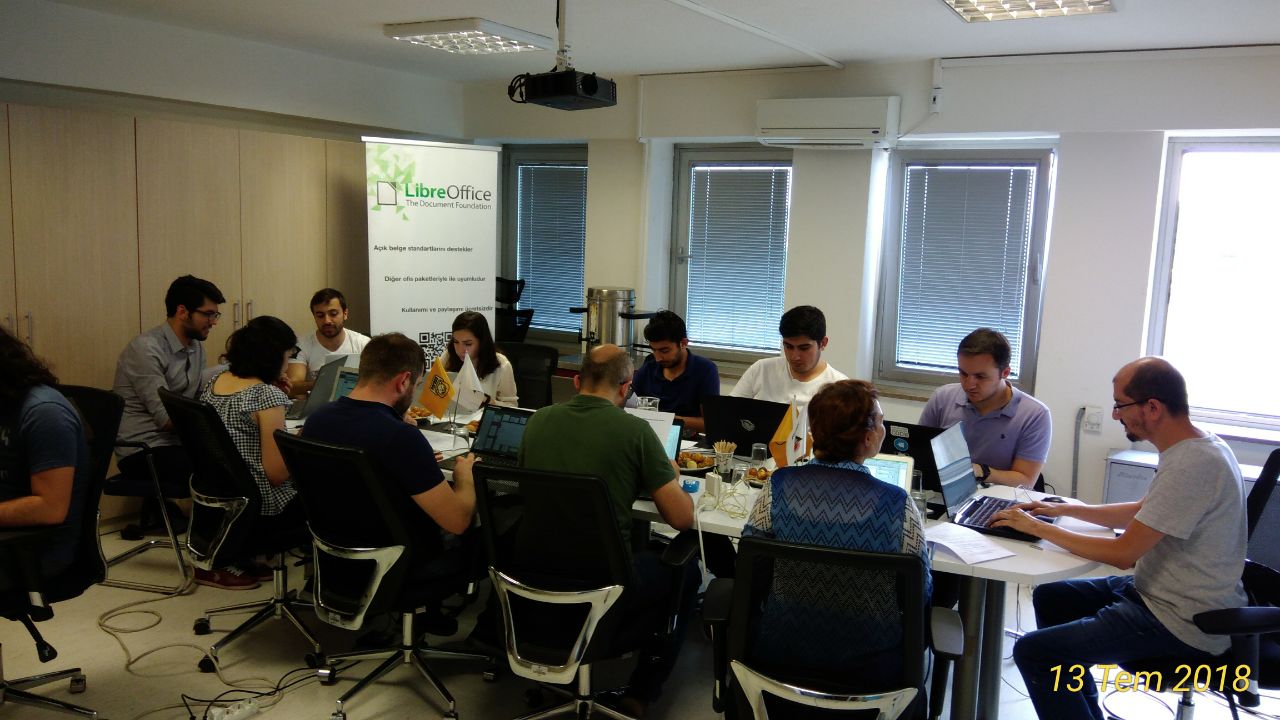
I am back at home after the Free Software and Linux Days 2018 in İstanbul. It was a small and cozy event. The number of attendees was lower than the previous years, but on the plus side, we had more time for each visitor. It was also a good opportunity to break the ice between different segments of the Turkish Free Software community.

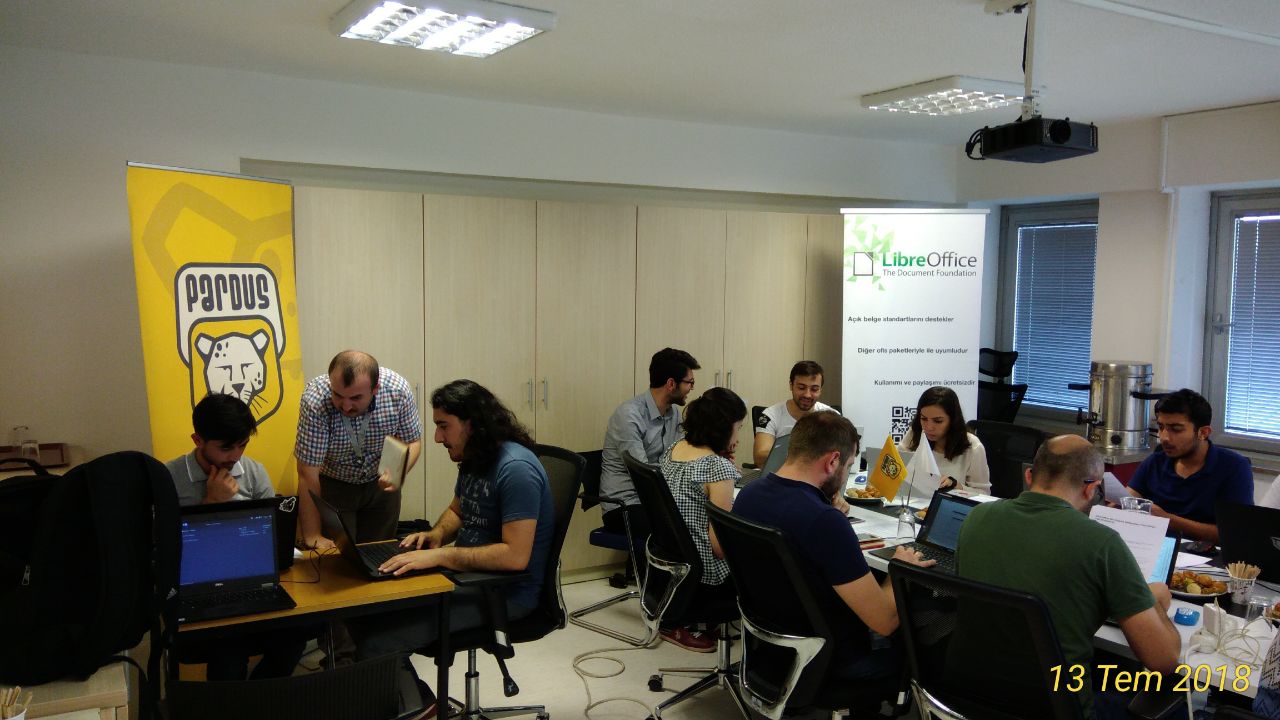
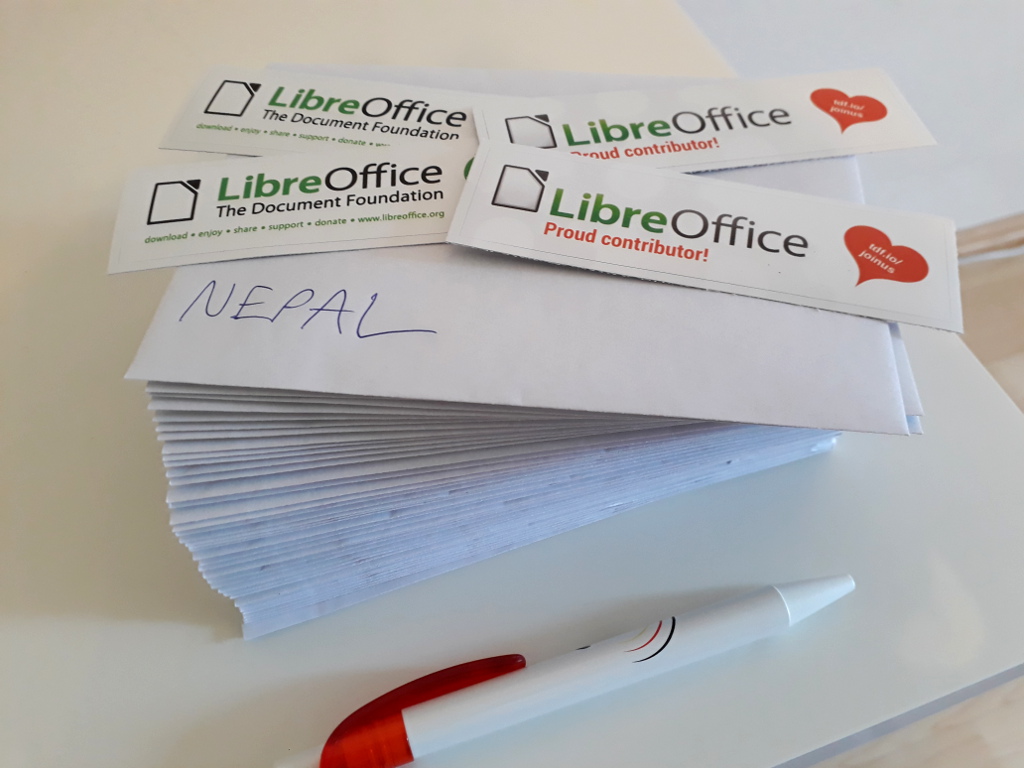
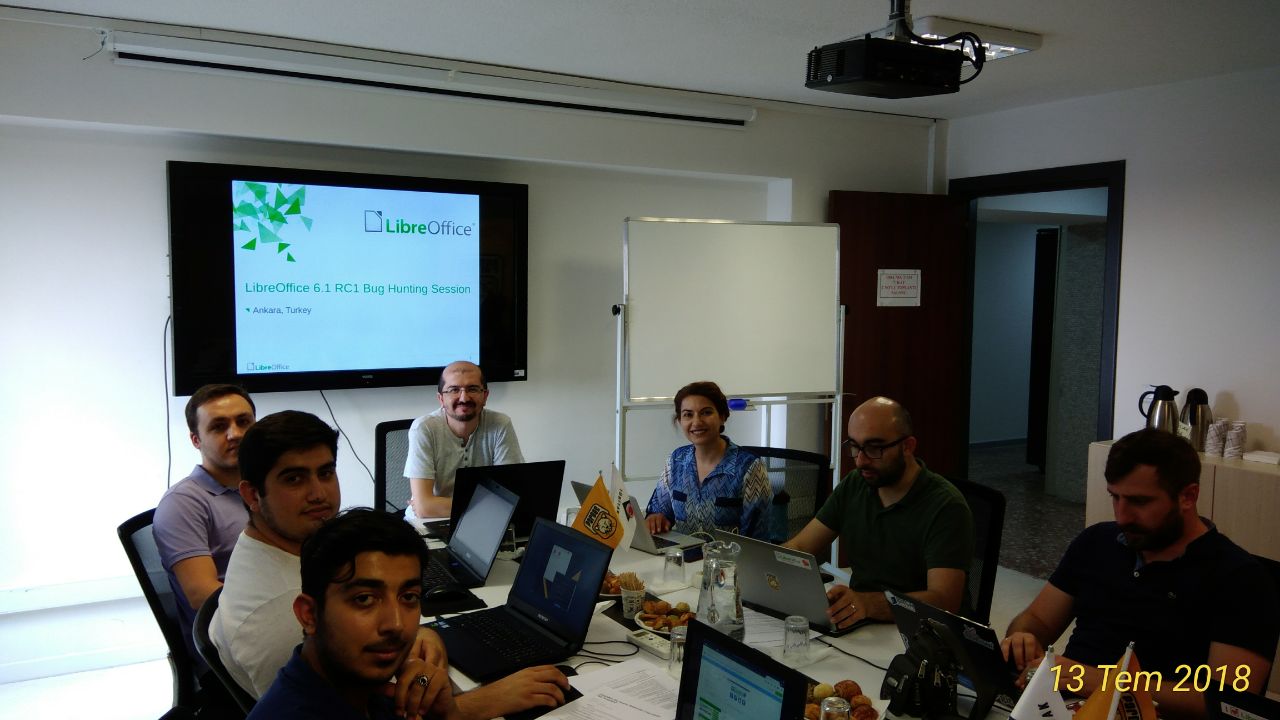
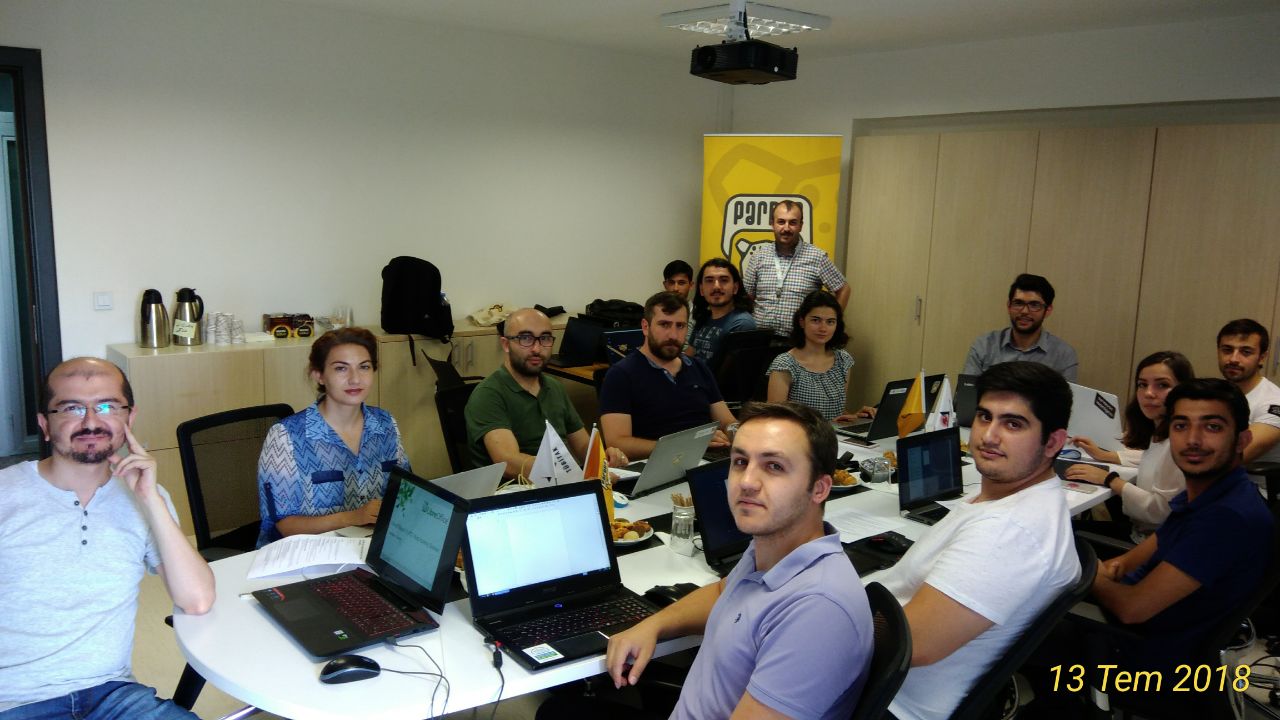
We had a nice booth, jointly run by LibreOffice Turkey and GNOME Turkey community members, next to the Pardus booth. We gave out stickers to the visitors, answered their questions about LibreOffice, GNOME, and Free/Libre Software in general. Community members also had a lot of time to chat, and to discuss the current situation and the future of our community in Turkey.

We also had three LibreOffice related presentation/seminar sessions:

  • LibreOffice Geliştiricisi Olmak (Being a LibreOffice Developer), by Muhammet Kara
  • LibreOffice Sertifikasyonu (LibreOffice Certifications), by Muhammet Kara
  • Açık Belge Biçimi (The Open Document Format), Nurcan Tür

And we now have all materials to set up a complete LibreOffice booth in any upcoming event in Turkey, thanks to The Document Foundation for funding the booth stuff, and the travel costs of the booth staff.

Please see the wiki page for more details, photos, and links to related tweets.


Many thanks to Muhammet and the other attendees and organisers! If you use LibreOffice and want to help promote it in your local region, join our marketing community and we can help you with ideas, presentations and materials.

LibreOffice and VolunteerMatch: Welcoming new contributors

Free and open source software, such as LibreOffice, is all about community. Anyone can get involved, and many people join the LibreOffice community because they want to improve something in the software – features, compatibility, translations, documentation, marketing and more. As we’ve seen in the ongoing Month of LibreOffice, we have hundreds of volunteers active in making the software better.

But new volunteers are always welcome! And we try to reach out to as many people as possible. So we’ve set up a page on VolunteerMatch, a US-based non-profit organisation that “connects millions of people with a great place to volunteer”. Our page currently shows six opportunities to get involved with LibreOffice, including development, user interface, marketing, documentation and QA (quality assurance).

If you use LibreOffice and want to help improve it, check out the opportunities – or let us know if we should add more. And please help us to spread the word, so that we can continue to grow our community and bring in new volunteers. Thank you!

Share on Facebook | Share on Twitter | Share on Google+ | Share on LinkedIn

(Thanks to Ilmari Lauhakangas for his help.)

Month of LibreOffice, May 2018 – The first week in

On May 1st, we started a new Month of LibreOffice, celebrating contributions all across the project. Everyone who gets involved will be awarded a cool sticker for their work – so how many stickers have been won so far?

So that’s almost 150 community members who’ve helped to improve LibreOffice in the last week alone! Click the number above to see if your name (or username) is on the list. And if you’re not there, now’s the time to get involved! There are many ways you can help the LibreOffice project and claim a sticker – and join our friendly community as well:

How to get a sticker

  • Help to confirm bugs: go to our Bugzilla page and look for new bugs. If you can recreate one, add a comment like “CONFIRMED on Windows 10 and LibreOffice 5.4.6”. (Make sure you’re using the latest version of LibreOffice.)
  • Contribute code: The codebase is big, but there are lots of places to get involved with small jobs. See our Developers page on the website and this page on the wiki to get started. Once you’ve submitted a patch, if it gets merged we’ll send you a sticker!
  • Translate the interface: LibreOffice is available in a wide range of languages, but its interface translations need to be kept up-to-date. Or maybe you want to translate the suite to a whole new language? Get involved here.
  • Write documentation: Another way to earn a badge is to help the LibreOffice documentation team. Whether you want to update the online help or add chapters to the handbooks, here’s where to start.
  • Answer questions from users: Over on Ask LibreOffice there are many users looking for help with the suite. We’re keeping an eye on that site so if you give someone useful advice, you can claim a shiny sticker.
  • Spread the word: Tell everyone about LibreOffice on Twitter! Just say why you love it or what you’re using it for, add the #libreoffice hashtag, and at the end of the month you can claim a sticker. (We have a maximum of 100 stickers for this category, in case the whole internet starts tweeting!)

So join us! We’ll be awarding stickers throughout the whole month, and then posting them in June. See this video for more info:

Please confirm that you want to play a YouTube video. By accepting, you will be accessing content from YouTube, a service provided by an external third party.

YouTube privacy policy

If you accept this notice, your choice will be saved and the page will refresh.
Welcome gla11y, the user interface accessibility checker!

LibreOffice is designed with great attention to accessibility, to make the suite convenient and comfortable to use, and to cater to users with special needs. Last year The Document Foundation published a Tender to Implement Accessibility Improvements regarding user interface widgets that are added to the suite but which have accessibility shortcomings.

French company Hypra, which works on accessibility improvements in free and open source software, was awarded the tender. Today they are announcing the tool that they have developed – note that this tool is not targeted at end users of LibreOffice, but rather at developers. Of course, all users who have experienced accessibility issues in LibreOffice can benefit from it. Let’s hear what Hypra has to say…


Making LibreOffice usable by everybody, including disabled people, is a must so that anyone can work on documents for their own uses or their daily job. Accessibility concerns happen to be very diverse, and fixing or even just detecting them can be complex. Some of them can actually be detected automatically, and this is the goal of the “gla11y” tool, which is the result of the tender.

Gla11y (Glade accessibility) is a Python script which takes .ui files (Glade graphical interface description files), and reports the accessibility issues which can be found with static analysis. This includes mostly the missing labelling relations, which happens to be a very frequent accessibility issue. If, for instance, a dialog box contains several GtkEntry widgets to be filled in by the user, and several GtkLabel widgets to describe them, but with no relations between the two series, a blind user would have to remember the different parts, thus considerably reducing usability. This will show up in gla11y warnings as:

     myfile.ui:5 WARNING: 'GtkLabel' 'label1' does not specify what it labels within 'GtkFrame' 'frame1'
     myfile.ui:9 WARNING: 'GtkLabel' 'label2' does not specify what it labels within 'GtkFrame' 'frame1'
     myfile.ui:12 WARNING: 'GtkEntry' 'entry1' has no accessibility label while there are orphan labels within 'GtkFrame' 'frame1'
     myfile.ui:14 WARNING: 'GtkEntry' 'entry2' has no accessibility label while there are orphan labels within 'GtkFrame' 'frame1'
     4 new warnings 

Adding relations between each widget and its label will allow screen readers to tell users exactly when to type what.

Running a basic version of gla11y alongside compilation of LibreOffice was integrated on February 21; It only checked for broken relation links. It turns out that there is currently no such bug, so it didn’t raise any warning, but now we are sure that no such bug will be introduced in the future (as happened in the past).

Gla11y runs in all compilation cases, except when using the old version 2.6 of Python and python-lxml is not available, so it will be running in mostly all development scenarios, thus catching issues as early as possible. It is useful to have the python-lxml library installed, or make sure that it is built automatically by LibreOffice, so that the analysis can be done faster and warnings get displayed better.

An initial version of more advanced analysis, which actually finds some existing issues, was merged on February 28.

As of today, the tool reports a total of 2155 warnings in 434 .ui files (out of the existing 981 .ui files). Of course, we do not want to overwhelm developers with all of these existing issues, so a suppression mechanism has been implemented, so that only warnings for new issues will be emitted; warnings for existing issues will be silenced by rules in suppression files.

In this way, to start with we will prevent the introduction new accessibility issues, while existing issues are progressively fixed. Also, for now only very basic warnings are enabled, and we will enable the complete set progressively. That will allow us to observe how developers react to some warnings, and fix heuristics and documentation on the
wiki
for them, before enabling more warnings.

Regarding fixes for existing issues, gla11y reports both labels and widgets which don’t have relations (“orphaned” labels and widgets). Very often, it is very easy to find which relation is missing and remove the warnings (actually, remove the suppression rules) with a few lines of .ui files. Working on this could thus be part of “Easy Hacks” for new contributors.

Fixing warnings raised by gla11y will hopefully greatly improve usability in LibreOffice for disabled people. Of course, there remain many other accessibility issues which can not be detected by static analysis, but gla11y will helps to cover a fair bit of the work, and leave time to concentrate on the more difficult issues.


Thanks to Hypra for their work on this tool! Learn more about how TDF uses its tendering process to improve LibreOffice and share knowledge with the community.

Having fun together: The Nepalese LibreOffice Community

Who makes LibreOffice? And who can get involved to make it even better? The answer is – everyone! For instance, the Nepalese LibreOffice community spent much of April 2018 localising the software, and at the end of the month, they had a fun meetup:

Saroj Dhakal summarised what they did:

  • The FOSS Nepal Community and Kathmandu University Open Source Club participated in and co-organised the event
  • For translations of LibreOffice, participants reduced the number of critical error strings from over 9000 down to 3808
  • LibreOffice Online was completely localised during this event
  • The number of active contributors increased from 2 to 35

At the end of the event, participants received a certificate, thanking them for their help:

So, great work by the Nepalese community! One of the main goals of LibreOffice is to make the software available in as many languages as possible, bridging digital divides across the globe. So all help from translators and localisers is really appreciated.

And as you can see, joining an open source community like LibreOffice is a great way to meet new people and have fun! There are many things you can help out with, from translations and marketing through to design and documentation: see here for more.

The May 2018 Month of LibreOffice begins!

Please confirm that you want to play a YouTube video. By accepting, you will be accessing content from YouTube, a service provided by an external third party.

YouTube privacy policy

If you accept this notice, your choice will be saved and the page will refresh.
LibreOffice is made by hundreds of people around the world. And throughout May, we want to say a big thank you to everyone involved! Now is a great time to get involved with our friendly community and help out in many areas, from translations and documentation through to user support and marketing.

Over the next four weeks, we’ll be keeping track of contributions to the project, and add your name to this wiki page if you help out. The page will be updated daily, and everyone listed there can claim a sticker, as shown in the video above! Here’s how you can get involved…

How to get a sticker

There are many ways you can help the LibreOffice project and claim a sticker:

  • Help to confirm bugs: go to our Bugzilla page and look for new bugs. If you can recreate one, add a comment like “CONFIRMED on Windows 10 and LibreOffice 5.4.2”. (Make sure you’re using the latest version of LibreOffice.)
  • Contribute code: The codebase is big, but there are lots of places to get involved with small jobs. See our Developers page on the website and this page on the wiki to get started. Once you’ve submitted a patch, if it gets merged we’ll send you a sticker!
  • Translate the interface: LibreOffice is available in a wide range of languages, but its interface translations need to be kept up-to-date. Or maybe you want to translate the suite to a whole new language? Get involved here.
  • Write documentation: Another way to earn a badge is to help the LibreOffice documentation team. Whether you want to update the online help or add chapters to the handbooks, here’s where to start.
  • Answer questions from users: Over on Ask LibreOffice there are many users looking for help with the suite. We’re keeping an eye on that site so if you give someone useful advice, you can claim a shiny sticker.
  • Spread the word: Tell everyone about LibreOffice on Twitter! Just say why you love it or what you’re using it for, add the #libreoffice hashtag, and at the end of the month you can claim a sticker. (We have a maximum of 100 stickers for this category, in case the whole internet starts tweeting!)

So there’s plenty to do! Dive in, get involved and help make LibreOffice better for millions of people around the world – and enjoy your sticker as thanks from us. We’ll be posting regular updates on this blog and our Twitter account over the next four weeks!