LibreOffice 5.3.5 available for download

Berlin, August 3, 2017 – The Document Foundation (TDF) announces LibreOffice 5.3.5, the fifth minor release of the LibreOffice 5.3 family, targeted at enterprises and individual users in production environments.

TDF suggests deploying LibreOffice in large organisations, public administrations and enterprises with the backing of professional support by certified people (a list is available at: http://www.libreoffice.org/get-help/professional-support/).

LibreOffice 5.3.5 includes a number of bug fixes along with improvements to the help content. Technical details about the release can be found in the change logs here: https://wiki.documentfoundation.org/Releases/5.3.5/RC1 (fixed in RC1) and https://wiki.documentfoundation.org/Releases/5.3.5/RC2 (fixed in RC2).

Download LibreOffice

LibreOffice 5.3.5 is immediately available for download from the following link: http://www.libreoffice.org/download/.

LibreOffice users, free software advocates and community members can support The Document Foundation with a donation at http://www.libreoffice.org/donate/. Donations help TDF to maintain its infrastructure, share knowledge, and organise events such as the LibreOffice Conference, with the next one taking place in October in Rome (http://conference.libreoffice.org).

Several companies sitting in TDF’s Advisory Board (http://www.documentfoundation.org/governance/advisory-board/) provide either value-added Long Term Supported versions of LibreOffice or consultancy services for migrations and training, based on best practices distilled by The Document Foundation.

TDF Dashboard: an open window on LibreOffice development

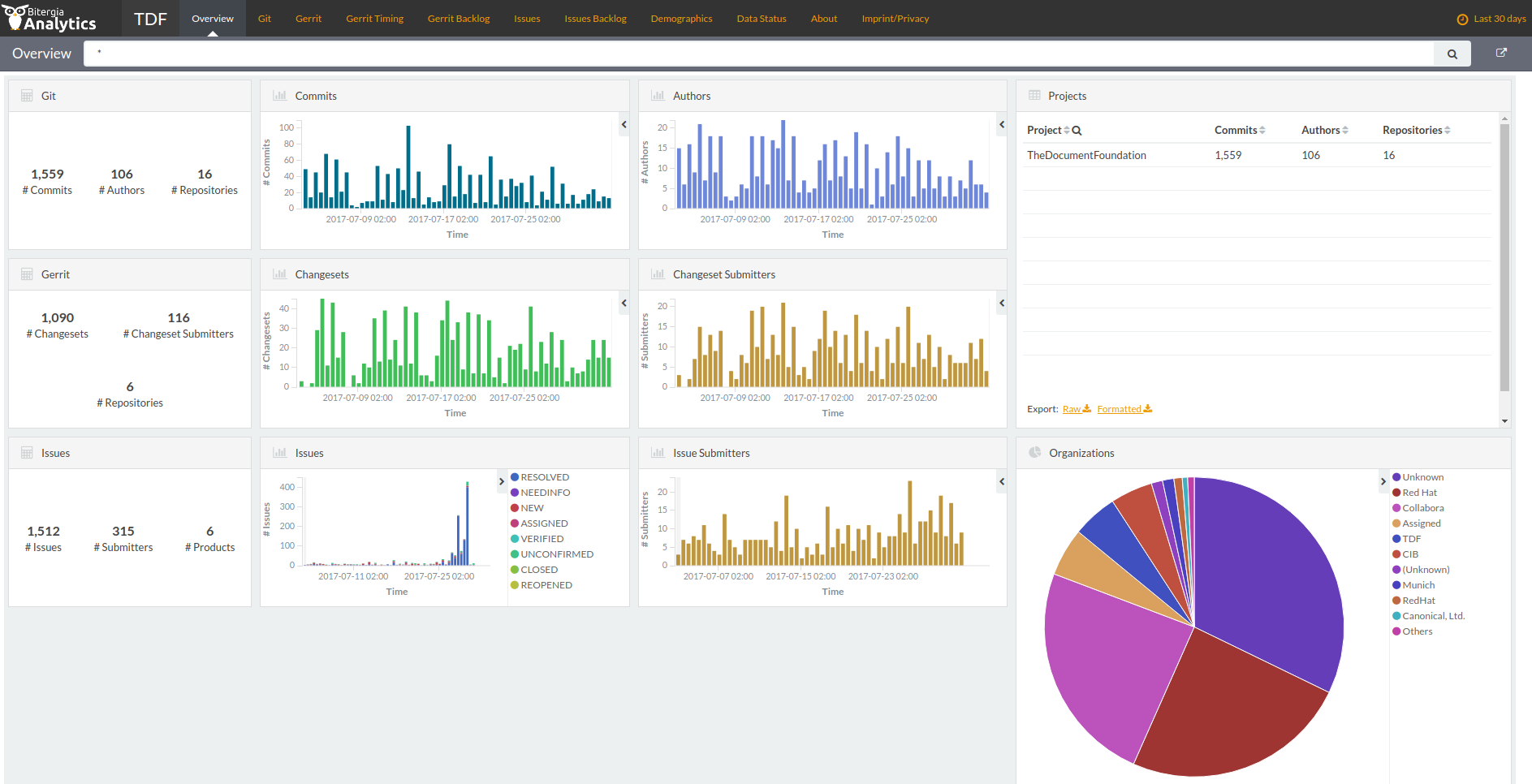
Berlin, August 2nd, 2017 – Effective immediately, The Document Foundation offers a transparent overview of LibreOffice development with the announcement of a Dashboard, available at http://dashboard.documentfoundation.org, which provides a visual representation of the activity on the source code.

LibreOffice Dashboard: activities during the last 30 days

Developed by Bitergia, the Dashboard is based on information retrieved from publicly available data sources, such as Git, Gerrit and Bugzilla repositories, or mailing lists archives. All tools used to retrieve, store, analyse and visualize data from repositories are based on free, open source software. The key component is GrimoireLab, a software development analytics toolset.

“The Dashboard shows the key information about LibreOffice development in several panels, each one including different visualizations, with many actionable elements”, says Bjoern Michaelsen, one of TDF BoD members who has managed the project. “When the user interacts with the actionable elements, the information in the whole panel (or in the whole dashboard) are reconfigured, by filtering in or out some data. Following our transparency guidelines, we are therefore offering an open window on LibreOffice development”.

“Bitergia was founded by a group of Spanish FLOSS enthusiasts, with a large experience in development, research and consultancy”, says company co-founder Jesus Gonzalez-Barahona. “We are very happy to see our software deployed by The Document Foundation for LibreOffice, one of the largest and most successful free software projects”.

Other key software used to produce the Dashboard are Python (to develop most of the retrieval and analytics programs), ElasticSearch (for data storage) and Kibitter, a fork of Kibana contributed back upstream (for data visualization).

LibreOffice 5.4 released with new features for Writer, Calc and Impress

Berlin, July 28, 2017 – The Document Foundation announces LibreOffice 5.4, the last major release of the LibreOffice 5.x family, immediately available for Windows, macOS and Linux, and for the cloud. LibreOffice 5.4 adds significant new features in every module, including the usual large number of incremental improvements to Microsoft Office file compatibility.

Shorter, sweeter documents make interoperability easier

Inspired by Leonardo da Vinci’s “simplicity is the ultimate sophistication”, LibreOffice developers have focused on file simplicity as the ultimate document interoperability sophistication. This makes ODF and OOXML files written by the free office suite more robust and easier to exchange with other users than the same documents generated by other office suites.

Thanks to the efforts of developers, the XML description of a new document written by LibreOffice is 50% smaller in the case of ODF (ODT), and around 90% smaller in the case of OOXML (DOCX), in comparison with the same document generated by the leading proprietary office suite. Additional details in the file simplicity backgrounder: https://nextcloud.documentfoundation.org/s/5Oe8guDN0XSS7h8.

LibreOffice 5.4 highlights

  • A new standard colour palette has been included, based on the RYB colour model.
  • File format compatibility has been improved, with better support for EMF vector images. This helps when you’re importing detailed diagrams from other office software.
  • Imported PDF files are rendered with much better quality, also when inserted into a document, while exported PDF files – from Writer and Impress – support embedded videos (and linked videos if opened with Acrobat Reader).
  • LibreOffice 5.4 supports OpenPGP keys for signing ODF documents on Linux. If you already use GPG/PGP for signing emails, it ensures the authenticity of your ODF documents regardless of the mode of transport or storage.

WRITER

  • In Writer, you can now import AutoText from Microsoft Word DOTM templates.
  • When you’re exporting or pasting numbered and bulleted lists as plain text, their full structure is preserved.
  • In the Format menu, you can now create custom watermarks for your documents.
  • New context menu items have been added for working with sections, footnotes, endnotes and styles.

CALC

  • Calc now includes support for pivot charts, which use data from pivot tables. When the table is updated, the chart is automatically updated as well.
  • Comments are now easier to manage, with menu commands to show, hide and delete all comments.
  • When applying conditional formatting to cells, you can now easily change the priority of rules with up and down buttons.
  • Extra sheet protection options have been added, to optionally allow insertion or deletion of rows and columns.
  • Lastly, when you’re exporting in CSV format, your settings are remembered for the next export operation.

IMPRESS

  • In Impress, when you’re duplicating an object, you can now specify fractional angles. In addition, your settings are saved for the next duplication operation.

ONLINE

  • Finally, LibreOffice Online has been improved as well. Performance is better, while the layout adapts responsively to mobile devices. In addition, a read-only mode has been added.

A list of the most significant new features is presented in a short video (https://www.youtube.com/watch?v=lBNWOWJul4w). A page with a description of new features – and links to relevant resources – is available on the wiki at https://wiki.documentfoundation.org/ReleaseNotes/5.4.

LibreOffice 5.4 has also been improved “under the hood,” thanks to the work of hundreds of volunteers. This translates into an open source office suite which is easier to develop, maintain and debug. Although this is not visible to users, it is extremely important for enterprise deployments.

LibreOffice Online

LibreOffice Online is fundamentally a server service and should be installed and configured by adding a cloud storage and an SSL certificate. It might be considered an enabling technology for the cloud of ISPs or the private cloud of enterprises and large organizations. Builds of the latest LibreOffice Online source code are available as Docker images: https://hub.docker.com/r/libreoffice/online/. Background document providing the positioning of LibreOffice Online: https://nextcloud.documentfoundation.org/s/uSdCYL2TgPa3yUI.

Enterprise deployments

LibreOffice 5.4 represents the bleeding edge in term of features for open source office suites, and as such is targeted at technology enthusiasts, early adopters and power users. For enterprise class deployments, TDF maintains the more mature 5.3 family – to be updated very soon with the announcement of the 5.3.5 release – which should always be supported by certified professionals (http://www.libreoffice.org/get-help/professional-support/).

Several companies sitting in TDF Advisory Board (http://www.documentfoundation.org/governance/advisory-board/) are providing either value added Long Term Supported versions of LibreOffice or consultancy services for migrations and training, based on best practices distilled by The Document Foundation. LibreOffice is deployed by large organizations in every continent. A list of the most significant migrations announced in the media is available on TDF wiki: https://wiki.documentfoundation.org/LibreOffice_Migrations.

Availability of LibreOffice 5.4

LibreOffice 5.4 is immediately available from the following link: http://www.libreoffice.org/download/. LibreOffice users, free software advocates and community members can support The Document Foundation with a donation at http://www.libreoffice.org/donate.

LibreOffice 5.4 is built with document conversion libraries from the Document Liberation Project: http://www.documentliberation.org.

Press Kit

The press kit, with background documents and high-resolution images, is here: https://nextcloud.documentfoundation.org/s/pfz28pVIhoZJ7uO.


Report from the Indonesian Community

I am Taufik Hidayat, Founder and Coordinator of BLOI (Belajar LibreOffice Indonesia) Community in Telegram. The BLOI group was created on March 16th, 2016, as GBLOI (Grup Belajar LibreOffice Indonesia). The acronym was then simplified in BLOI (Belajar LibreOffice Indonesia). The objective of the group is to help Indonesians to learn and use LibreOffice.

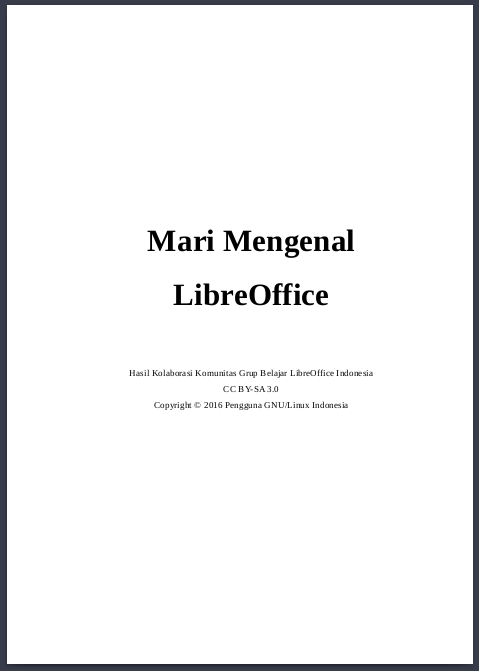
We announced the first book about LibreOffice in the same month, on April 21st, 2016. The original title was “Mari Mengenal Aplikasi LibreOffice”, then changed into “Mari Mengenal LibreOffice”. The book has 42 pages and has been written by 6 people (http://libreoffice.puskomedia.web.id/kontributor/). Two months after the release of the first book, we started our second project: “Lebih Dekat Dengan LibreOffice Writer”, to focus on Writer. This book has 225 pages and has been written by 15 people (http://libreoffice.puskomedia.web.id/kontributor/). The second book was completed in 3 months and was released on October 30, 2016, and has been reprinted three times since then. Both books can be downloaded from http://libreoffice.puskomedia.web.id/buku/.

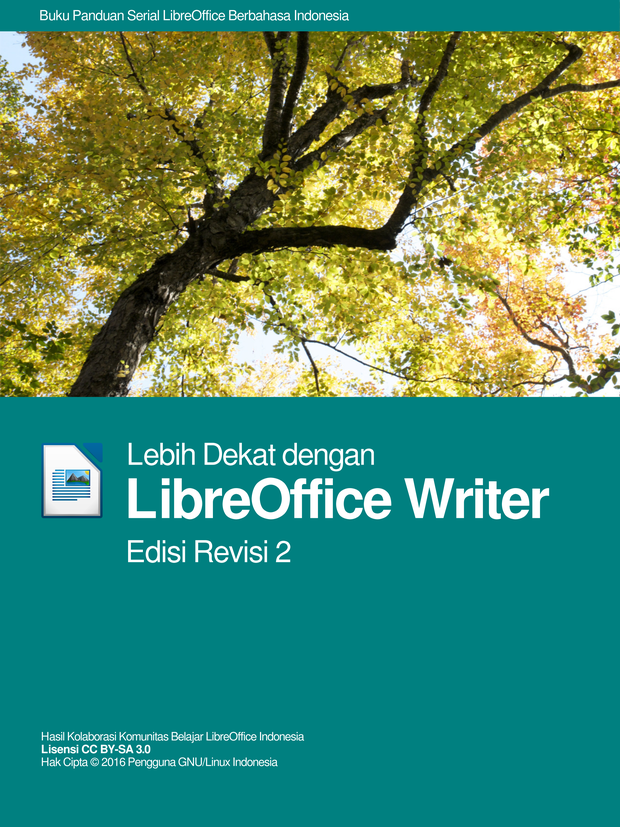
We decided to print our second book to allow everyone to get a “phisical” copy, in addition to the digital one (e-book). But even after the publication of the second book, I still had the feeling that those two books were not enough. So, we decided to publish an improved version, which is called “Lebih Dekat dengan LibreOffice Writer Edisi Revisi 2” and contains many changes over the previous one (changes are listed here: http://libreoffice.puskomedia.web.id/2017/07/12/pesan-buku-lebih-dekat-dengan-libreoffice-writer-edisi-revisi-2/#more-46). We published only the printed version of this book, which we sell through the website to raise the money to pay contributors and cover the costs. All of our books are published under the CC BY-SA 3.0 license.

On July 12th, 2017, we have released the official website of the BLOI Community. Before, we were using my own blog at http://ubupediaindonesia.wordpress.com. The BLOI Community website has many contributors, which are listed on the same page: http://libreoffice.puskomedia.web.id/kontributor/. They contribute to the book, to the domain (website, subdomain and server), to the mirror, and to the different administrative tasks, including the delivery of orders.

Today, the BLOI Community has specific growth plans: collecting donations and member fees, organising online courses, creating jobs and providing directions for the community. We have announced jobs for people who want to help us share Free Software concepts in Indonesia (http://libreoffice.puskomedia.web.id/lowongan/). We are trying to make our members prosperous. For next year, we are planning either a seminar or a workshop to gather the community face-to-face, and educate people about free software and especially LibreOffice. For the future, we are also thinking about a 3rd collaboration book project: “Lebih Dekat dengan LibreOffice Calc”.We hope that our community becomes useful either for LibreOffice newbie or our country Indonesia. So we can share the spirit of free software to

We hope that our community becomes useful both for the LibreOffice newbie and our country Indonesia so that we can share the free software ethos to the whole country.

TDF 2016 Annual Report has been published

The Annual Report of The Document Foundation for the year 2016 is now available as a PDF document, in three different versions: English Low Resolution, English High Resolution, and German.

Documents can be downloaded from the following links:

English Low Resolution (7.4MB): https://tdf.io/ar2016low
English High Resolution (22.7MB): https://tdf.io/ar2016high
German: https://wiki.documentfoundation.org/File:TDF2016AnnualReportDE.pdf

The annual report is also available for print-on-demand on Lulu, at the following address: http://www.lulu.com/shop/the-document-foundation/annual-report-2016/paperback/product-23265884.html.

Taming the LibreOffice Help System

LibreOffice’s help system needs to evolve and be more effective for users.

LibreOffice’s help system was designed in 2003-2004 and released in 2005. Since then it has not evolved, except for the introduction of an online version hosted in a wiki server (and accessible from LibreOffice when the local help is not installed).

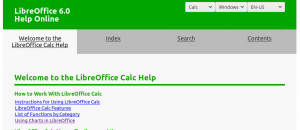
I worked recently to transform our ancient help system into a modern browser-based version. The partial result is available in the (temporary) website at https://helponline.libreoffice.org – please be advised that this is still work in progress.

The XML help pages are transformed into pure, almost static and responsive HTML. This approach has some advantages:

  • Works in every browser
  • Provides the current functionality of the help system
  • Preserves the current development, help authoring, release engineering and translation process as it is
  • You can read the help pages in your mobile phone or tablet
  • It’s easy to add extra markup for better search engine indexing

The disadvantage is an increase in disk storage on the server.

Transforming XML into HTML for every browser

The help pages were designed when the minimal standard HTML was version 3.2 and, since then, many developments have brought us HTML5 in all major browsers. There is little advantage now to keep the current XML, and all of its designed functionality can be replaced and improved by HTML, CSS and JavaScript, for example, adding better navigation and multimedia contents.

The new Help page layout benefits of many modern technologies

(more…)