The Document Foundation announces LibreOffice 6.0: power, simplicity, security and interoperability from desktop to cloud

Berlin, January 31, 2018 – The Document Foundation announces LibreOffice 6.0, a major release and a dramatically improved free office suite, which celebrates the 7th anniversary of the availability of the very first version of LibreOffice. Today LibreOffice is more powerful, simple and secure, and offers superior interoperability with Microsoft Office documents.

LibreOffice 6.0 is immediately available for Windows, macOS and Linux, and for the cloud. The new major release adds a large number of significant new features to the core engine and to individual modules (Writer, Calc and Impress/Draw), with the objective of providing users with the best in terms of personal productivity.

A video summarizing the top new features of LibreOffice 6.0 is available on YouTube: https://www.youtube.com/watch?v=YHBve8v13VY.

Power

The Notebookbar, although still an experimental feature, has been enriched with two new variants: Grouped Bar Full for Writer, Calc and Impress, and Tabbed Compact for Writer. The Special Characters dialog has been reworked, with the addition of lists for Recent and Favorite characters, along with a Search field. The Customize dialog has also been redesigned, and is now more modern and intuitive.

In Writer, a Form menu has been added, making it easier to access one of the most powerful – and often unknown – LibreOffice features: the ability to design forms, and create standards-compliant PDF forms. The Find toolbar has been enhanced with a drop-down list of search types, to speed up navigation. A new default table style has been added, together with a new collection of table styles to reflect evolving visual trends.

The Mail Merge function has been improved, and it is now possible to use either a Writer document or an XLSX file as data source.

In Calc, ODF 1.2-compliant functions SEARCHB, FINDB and REPLACEB have been added, to improve support for the ISO standard format. Also, a cell range selection or a selected group of shapes (images) can be now exported in PNG or JPG format.

In Impress, the default slide size has been switched to 16:9, to support the most recent form factors of screens and projectors. As a consequence, 10 new Impress templates have been added, and a couple of old templates have been updated.

Simplicity

The old WikiHelp has been replaced by the new Help Online system, with attractive web pages that can also be displayed on mobile devices. In general, LibreOffice Help has been updated both in terms of contents and code, with other improvements due all along the life of the LibreOffice 6 family.

User dictionaries now allow automatic affixation or compounding. This is a general spell checking improvement in LibreOffice which can speed up work for Writer users. Instead of manually handling several forms of a new word in a language with rich morphology or compounding, the Hunspell spell checker can automatically recognize a new word with affixes or compounds, based on a “Grammar By” model.

Security

OpenPGP keys can be used to sign ODF documents on all desktop operating systems, with experimental support for OpenPGP-based encryption. To enable this feature, users will have to install the specific GPG software for their operating systems.

Document classification has also been improved, and allows multiple policies (which are now exported to OOXML files). In Writer, marking and signing are now supported at paragraph level.

Interoperability

OOXML interoperability has been improved in several areas: import of SmartArt and import/export of ActiveX controls, support of embedded text documents and spreadsheets, export of embedded videos to PPTX, export of cross-references to DOCX, export of MailMerge fields to DOCX, and improvements to the PPTX filter to prevent the creation of broken files.

New filters for exporting Writer documents to ePub and importing QuarkXPress files have also been added, together with an improved filter for importing EMF+ (Enhanced Metafile Format Plus) files as used by Microsoft Office documents. Some improvements have also been added to the ODF export filter, making it easier for other ODF readers to display visuals.

LibreOffice Online

LibreOffice Online is fundamentally a server service, and should be installed and configured by adding cloud storage and an SSL certificate. It might be considered an enabling technology for the cloud services offered by ISPs or the private cloud of enterprises and large organizations.

New features introduced with LibreOffice 6.0 aim to align the functionality of the desktop and cloud versions, especially in areas where users expect similar behavior. For instance, a Save As feature has been added, while the amount of rows managed by Calc has been increased to half a million. In addition, a Find and Replace dialog and spell checking support have been added to Writer, Calc and Impress.

Builds of the latest LibreOffice Online source code are available as Docker images: https://hub.docker.com/r/libreoffice/online/. Background on LibreOffice Online: https://nextcloud.documentfoundation.org/s/scDjtQPATAzpeyE.

LibreOffice Viewer for Android

The upcoming release of LibreOffice Viewer for Android will be able to create new documents, will offer a tab-based toolbar with formatting options, and will let users add pictures either from the camera or from a file stored locally or in the cloud. In addition, the Calc user interface will be improved with column headers, while Impress will offer a presentation mode. The release is planned during the first quarter of 2018.

Enterprise deployments

LibreOffice 6.0 represents the bleeding edge in term of features for open source office suites, and as such is targeted at technology enthusiasts, early adopters and power users.
For enterprise class deployments, TDF maintains the more mature 5.4 family – now at 5.4.4 – which should always be supported by certified professionals (a list is available here: http://www.libreoffice.org/get-help/professional-support/).

Several companies sitting in TDF Advisory Board (http://www.documentfoundation.org/governance/advisory-board/) are providing either value added Long Term Supported versions of LibreOffice or consultancy services for migrations and trainings, based on best practices by The Document Foundation.

LibreOffice is deployed by large organizations in every continent. A list of the most significant migrations announced in the media is available on TDF wiki: https://wiki.documentfoundation.org/LibreOffice_Migrations.

Availability of LibreOffice 6.0

LibreOffice 6.0 is immediately available from the following link: https://www.libreoffice.org/download/. Minimum requirements for proprietary operating systems are Microsoft Windows 7 SP1 and Apple macOS 10.9.

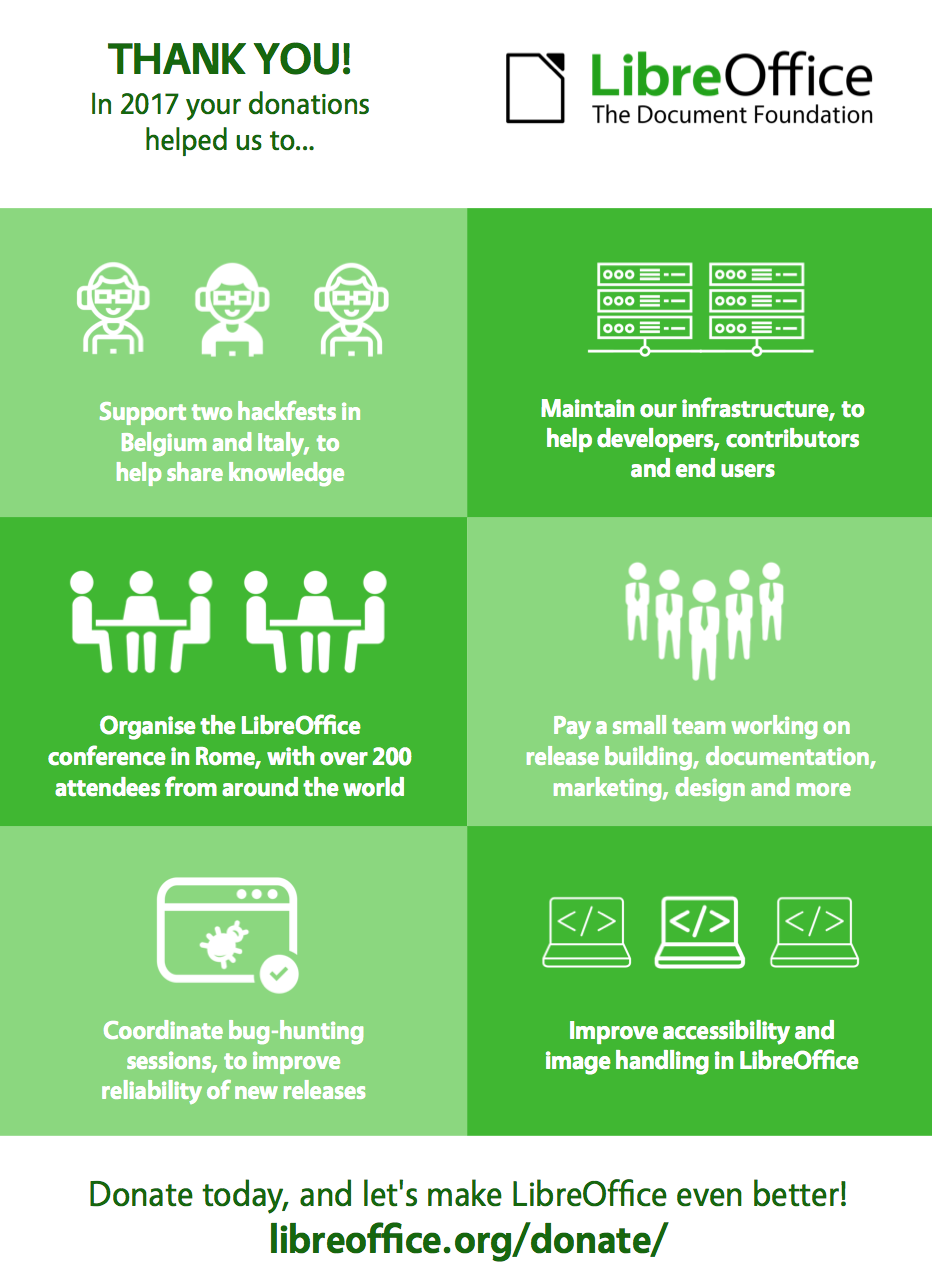
LibreOffice users, free software advocates and community members can support The Document Foundation with a donation at https://www.libreoffice.org/donate.

LibreOffice 6.0 is built with document conversion libraries from the Document Liberation Project: https://www.documentliberation.org.

Press Kit

The press kit, with background documents – Hybrid PDF, opened from within LibreOffice can be edited as normal ODT files – and high-resolution images, is here: https://nextcloud.documentfoundation.org/s/0hAzrnp6ecLJwbe.

Documentation Community Releases Writer Guide 5.4

Internet, January 29th, 2018. The LibreOffice documentation community is pleased to announce the immediate availability of the Writer Guide 5.4, with all innovations and enhancements of LibreOffice 5.4. The guide is an in-depth reorganization and revision of the Writer Guide 4.2. The work was lead by Jean Hollis Weber, with collaboration from Cathy Crumbley and Bruce Byfield.

The book is targeted to end users, who look for advanced techniques for contents production, maintainability and update of text documents, unleashing the full power of a leading edge, solid word processor.

(more…)

LibreOffice community focus: Development

Over the past few weeks, we’ve talked to the documentation, localisation, QA (quality assurance) and design communities about their preparations for LibreOffice 6.0, which is due to be released this week. For our final Community Focus, we turn to the developer community, which has helped to implement many of the new features you can see in the release notes.

How does the community work on new features?

Development in LibreOffice is achieved using a wide variety of tools and services, which is a testament to the maturity and longevity of the project. The LibreOffice developer toolkit is best summarized by going through the lifespan of a single patch:

1. Communication. When a user would like to see a new feature in LibreOffice, or identifies a problem, he/she has one of several options to bring it up:

  • Bugzilla: We use our own self-hosted Bugzilla instance. This one of the biggest installations of Bugzilla out there. If you don’t want to report a new issue but would like to contribute towards existing ones, we collect and sort bugs based on skill, difficulty and topic. We also provide a list of EasyHacks that new contributors are encouraged to tackle for a start.
  • E-mail lists: We have several e-mail lists used for general discussion, reports, help and development, the two most important are: libreoffice@lists.freedesktop.org (developers) and users@global.libreoffice.org (users). Here’s how to sign up to the lists.
  • IRC: Core and not-so-core LibreOffice hackers usually hang around in the #libreoffice and #libreoffice-dev channels on the Freenode IRC network. You are welcome to join and ask for help, guidance and general support in there.
  • Telegram, QA, Twitter, etc: We are present on many other online services – global or localized for your community. Check the full list here.

Users, developers and project members usually roam these communication channels and both development and general discussion is taking place. Communication is key. Then the next part is…

2. Development. During this phase the most important tools in the LibreOffice developers’ toolkit are:

  • Git: The LibreOffice source code is self-hosted using Git and is available here. Getting started with LibreOffice and Git is outlined on this page, and an easy build set-up can be achieved using the logerrit tool that we provide.
  • Wiki: The Wiki is a good place to look for information and refine your question before reaching out.
  • Code search: You can easily search (grok) the codebase and reference parts of code in your inquiries to developers using the Opengrok installation.

3. Next steps. Once general agreement has been achieved on how to implement a new feature or fix a specific bug, the following services are used:

  • Gerrit: Core developers and newcomers alike collaborate on the shared code base, using the communication channels outlined before, and Gerrit code review. The Gerrit procedure is recommended for all submissions and all projects that are part of the LibreOffice realm. Signing up on our self hosted Gerrit is crucial to the development process and getting you code admitted into the project.
  • Jenkins and Tinderboxes: Once a specific patch is submitted via Gerrit, a set of automatic continuous integration QA&build tests are being run for all supported platforms, and any defects or regressions will be reported automagically along with feedback from other developers.

An overview of our most critical infrastructure used for development and release engineering is available on this site, while the Wiki has a list of additional services.

Another useful tool – a new addition to the toolkit – is the LibreOffice dashboard. You can use it to inspect the development, release and lifecycle of LibreOffice core and its associated repos with a bird’s-eye view.

So that’s the final Community Focus – a big thanks to all developers and testers who’ve helped to add the many great new features in LibreOffice 6.0! (And thanks to Teodor Mircea Ionita for his help with this post.) Stay tuned to this blog for the official announcement of the new release…

How TDF uses its tendering process to improve LibreOffice and share knowledge with the community

In 2017, The Document Foundation (TDF) launched four tenders aimed at improving LibreOffice in several strategic areas, where the tasks are beyond the capabilities of independent volunteer developers. Proposals from several companies have been carefully evaluated by the Foundation with the help of competent and independent volunteers. Development activity is going to start soon and we want to share some details with you upfront.

All proposals include sharing knowledge via blog posts and other documentation. The source code will be available in the public Git repository, while the development process will be discussed during public ESC calls and in our open mailing lists. This will make it easier for volunteer developers to further contribute to the source code and to implement additional features based on the tendered items.

Development results will be evaluated by TDF jointly with the volunteers who helped to assess the proposals.

These are the four tenders:

(1) Tender to Implement Accessibility Improvements
(https://blog.documentfoundation.org/blog/2017/04/27/tender-accessibility/)

Hypra will develop a tool to find and flag new Glade widgets that are added without accessibility (a11y) markup, which will catch all the common cases and blacklist all the existing dialog and/or widgets without these. The goal is to avoid future a11y regressions.

TDF will invest € 18,000.00

(2) Tender to improve image handling in LibreOffice
(https://blog.documentfoundation.org/blog/2017/05/02/tender-improve-image-handling-libreoffice-201705-01/)

Collabora will develop a mechanism, which will be propagated through filters and UNO APIs, to better manage (compressed) image streams out of document storage into an on-disk cache. This should avoid any chance of data loss, while improving image detail reading performance and storage

TDF will invest € 39,750.00.

(3) Tender to deprecate LibreOffice’s SVG filter in favor of SVGIO
(https://blog.documentfoundation.org/blog/2017/05/03/tender-deprecate-libreoffices-svg-filter-favour-svgio-201705-02/)

CIB will remove the old SVG import filter code (used for importing documents) and switch all SVG handling to the SVGIO filter (used when inserting images into a file).

TDF will invest € 9,520.00.

(4) Tender to implement HSQLDB binary format import in LibreOffice
(https://blog.documentfoundation.org/blog/2017/05/04/tender-implement-hsqldb-binary-format-import-libreoffice-201705-03/)

Collabora will develop a mechanism to import database files with high fidelity from the HSQLDB binary file format, which has been used inside many existing ODB files, by reading the Java serialization code, and writing a filter to import all data into LibreOffice Base. The objective is to remove the legacy Java/HSQLDB database and move to Firebird.

TDF will invest € 29,750.00.

Sunday Marketing #4

Document classification is one of LibreOffice 6.0 improved features. As the concept of classification is not well known outside enterprises and large organizations, to help marketing the feature we have produced this graphic to help community members with presentations. Of course, we have used LibreOffice Draw, and you are invited to localize the ODG file embedded into the attached Hybrid PDF file. The graphic complements the background, which provides additional information about classification.

Brazilian community releases its Getting Started Guide for LibreOffice 5.2

The Internet, January 25th, 2018. The Brazilian community is pleased to announce the immediate availability of the Getting Started Guide 5.2, with all innovations and enhancements from LibreOffice 5.2. The guide is an in-depth update of the 5.0 Getting Started Guide that has already been translated.

The team was composed of IT professionals, translators, engineers, teachers and technicians. The team members are:

  • Chrystina Pelizer (Getting Started Guide project leader, translator and reviewer)
  • Vera Cavalcante (reviewer and book assembler)
  • Fábio Coelho (translators, reviewer and infra manager)
  • Túlio Macedo, Raul Pacheco da Silva, Valdir Barbosa e Olivier Hallot (translators and reviewers)

Thanks to The Document Foundation’s support, the team met together at the Instituto de Física of UNESP university in São Paulo, Brazil for a final review sprint of the translated chapters, and then delivered the contents to Vera Cavalcante for book assembly and release.

Without the face-to-face meeting in December 2017 sponsored by TDF, the guide’s release would have been delayed further due to personal and professional commitments of the volunteer team members. The face-to-face meeting was an opportunity to boost productivity, and the team finished the revision in two days of focused work. The team is planing more meetings for the other guides under production.

The new guide can be downloaded in PDF or ODT formats from the LibreOffice documentation website at http://documentation.libreoffice.org/pt-br/ .