Start developing LibreOffice! Download the source code, and build on Windows

Please don’t use these instructions in practice – they become obsolete over time. Instead, follow the wiki article for building on Windows.

(This post was originally written in Hungarian by Adam Kovacs for his blog. Thanks Adam!)

In our previous post in this series, we looked at building on Linux. But it’s also possible to download and compile the LibreOffice source code on Windows, so that’s what we’ll demonstrate here!


Step 1: Download and install Visual Studio Community version (free)

Get it from the Visual Studio website. Add these components during installation:

  • MSVC v142 – VS 2019 C++ x64/x86 build tools (v14.2x)
  • C++ core features
  • Windows 10 SDK (10.0.xxxxx.x)
  • Windows Universal C Runtime
  • C++ ATL for v142 build tools (x86 & x64)
  • .NET Framework 4.x.x SDK
  • C++ 2019 Redistributable MSMm (only required to build MSI installer)

Step 2: Download and install openJDK

Get these:


Step 3: Download and install Cygwin

Get it from here. Then, in a command prompt, access the Cygwin installer directory, for example:

cd c:\Users\username\Desktop\

And run the following command:

setup-x86_64.exe -P autoconf -P automake -P bison -P cabextract -P doxygen -P flex -P gcc-g++ ^
-P gettext-devel -P git -P gnupg -P gperf -P make -P mintty ^
-P nasm -P openssh -P openssl -P patch -P perl -P python -P python3 ^
-P pkg-config -P rsync -P unzip -P vim -P wget -P zip -P perl-Archive-Zip ^
-P perl-Font-TTF -P perl-IO-String

(This command installs different dependencies, including packages and programs, that are needed to compile LibreOffice.)

If you later want to install new programs or packages in Cygwin, you can also restart the installer. Then, when you can select the programs from the list, look for the appropriate name (eg nano, mc, wdiff) and in the drop-down list, change pending to full.


Step 4: Download JUnit and Ant

From now on, all commands are run in Cygwin.

mkdir -p /cygdrive/c/sources
cd /cygdrive/c/sources
wget https://archive.apache.org/dist/ant/binaries/apache-ant-1.9.5-bin.tar.bz2
tar -xjvf apache-ant-1.9.5-bin.tar.bz2
wget http://downloads.sourceforge.net/project/junit/junit/4.10/junit-4.10.jar

(These commands will download JUnit and Ant to the c:\sources folder. The path of Ant will be, for example: c:\sources\apache-ant-1.9.5, which should be specified later in autogen.input.)


Step 5: Download Make

mkdir -p /opt/lo/bin
cd /opt/lo/bin
wget http://dev-www.libreoffice.org/bin/cygwin/make-4.2.1-msvc.exe
mv make-4.2.1-msvc.exe make
chmod a+x make

(This will allow you to start the actual compilation later.)


Step 6: Download the LibreOffice source code

Create a directory for LibreOffice somewhere (eg in your home directory), and then go into it:

mkdir ~/libreoffice
cd ~/libreoffice

This command downloads the source files to the current directory (the “.” character):

git clone git://gerrit.libreoffice.org/core .

If the current directory is not specified as a parameter, it will create a “core” directory and download the files.

Another example: this command creates a directory called “libreoffice” in the current directory, and downloads the source code into this newly created directory:

git clone git://gerrit.libreoffice.org/core libreoffice

In the event of a download error, try replacing git:// with https://.


Step 7: Edit autogen.input

In the LibreOffice folder, create a file named autogen.input with the following content (replace the paths with the actual ones):

--enable-64-bit
--enable-debug
--with-ant-home=/cygdrive/c/cygwin64/source/apache-ant-1.9.5
--with-jdk-home=/cygdrive/c/Program Files (x86)/ojdkbuild/java-1.8.0-openjdk-1.8.0.181-1 
--disable-odk
--with-visual-studio=2019

If you still need some settings in autogen.input, you can use the ./autogen.sh –help command to list all possible settings.


Step 8: Run autogen.sh

cd ~/libreoffice
./autogen.sh

Step 9: Run “make” (this starts the actual compilation)

/opt/lo/bin/make

If you would like to compile without unit tests (so if you don’t want to check that what you have changed in the source code will cause regressions), use the “build-nocheck” parameter:

/opt/lo/bin/make build-nocheck

Note: if you forget to add a specific option (such as –enable-debug) to autogen.input, and then add it and run “autogen.sh” and “make” again, it no longer updates the existing files, so the new settings do not apply. You must then run a “make clean” first, and then run “make” again:

/opt/lo/bin/make clean
/opt/lo/bin/make

(The latter can of course be run with the “build-nocheck” parameter.)


Step 10: Run the newly built version of LibreOffice

When compilation has finished, you can start it from the LibreOffice directory:

./instdir/program/soffice
./instdir/program/soffice --writer
./instdir/program/soffice --calc

At this point, a lot of information is written to the command line while running LibreOffice. We can turn them off like this:

SAL_LOG=-INFO instdir/program/soffice

Now only SAL_DEBUG type values will be written to the command line (if they are already placed in the code somewhere).

If you just want to convert a file (for example, to fix export errors), you can do so. The converted file is then created in the LibreOffice directory (it is therefore advisable not to place the files to be converted in the LibreOffice directory, to avoid confusing them with the files that have already been converted). For instance:

SAL_LOG=-INFO instdir/program/soffice --convert-to docx ../chart_borderline.docx

Additional information

When the compilation is finished, and we modify the contents of one of the source files, we will start the compilation again. But this will not compile the entire codebase from scratch (unless we run the “make clean” command), but it only compiles the files we modified, which is a significant time saving.

If we forget to include a setting in autogen.input, but the compilation has already been done, then it is not enough to add the setting and start the compilation again – we also need to run make clean before.

For example, if we compiled without –enable-debug, add –enable-debug to the autogen.input file, then run make clean, followed by make or make build-nocheck.

You can also compile specific modules of LibreOffice:

/opt/lo/bin/make sw

Or:

/opt/lo/bin/make build-nocheck sw

These are the names of the modules:

  • sw: Writer (formerly StarWriter)
  • sc: the spreadsheet (Calc)
  • sd: Impress and Draw
  • dbaccess: database manager (Base)
  • starmath: formula editor
  • oox: source code files for importing and exporting Office Open XML files (docx, xlsx, pptx, …)
  • chart2: source code files for managing charts

For more modules, see here.

Community Member Monday: Jun Nogata

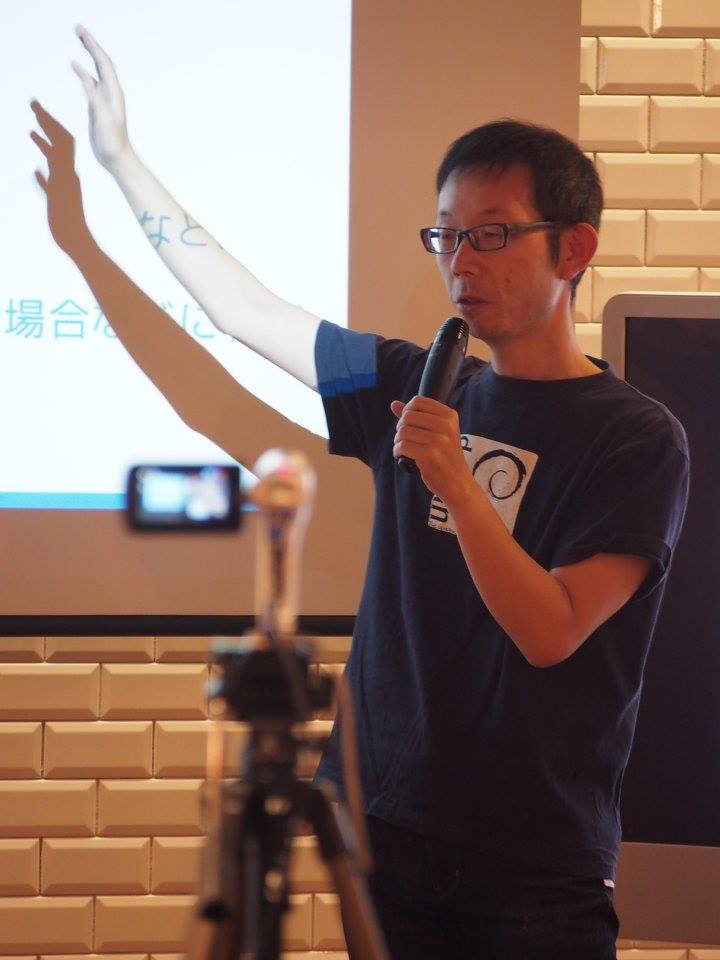
Today we’re talking to Jun Nogata from our Japanese community!

To start, tell us a bit about yourself!

So, I live in Himeji, Japan where UNESCO World Heritage site Himeji Castle is. I work a part-time lecturer at a local university.

I am a big fan of free and open source software (FOSS). I started to use Linux from Slackware 95, and I’m using Debian Sid at the moment. I am active in the Debian community in Japan and I’m also an OpenStreetMap mapper.

I like listening to indie rock music, playing guitar and DJing sometimes. Also, I’m learning Korean – I want to talk to my friend DaeHyun Sung from the Korean LibreOffice community!

Oh, and I created the LibreOffice Impress templates “Midnight Blue” and “Alizarin” – thank you for using them. On social media, you can find me on Twitter and Facebook.

What are you working on in LibreOffice at the moment?

I am working on the Japanese Ask LibreOffice website as answerer and moderator – and I’m also involved in marketing and public relations for the Japanese team.

Previously, there was no marketing from the Japanese team. December 2018, I started to post information about LibreOffice from the Japanese community Twitter accounts. There were reactions from the users, like: “I was worried that there was no information about LibreOffice, but now it’s getting better.”

I talked to the Japanese team about the necessity of creating a blog, to share and communicate information outside of social networking services. Naruhiko Ogasawara consulted with Italo Vignoli to create the blog for the Japanese team. I am happy to add information about LibreOffice in Japanese to the blog.

Is there anything else you’d like to work on in the future?

I would like to try to improve the Japanese settings. LibreOffice is known as “cost-free, but poor-quality office software” in Japan because LibreOffice’s settings are not appropriate for the language.

In Japanese, for example, you can set characters per line and lines per page to determine the page layout, but the page style text grid is not able to specify characters per line and lines per page due to improper implementation. (If you are interested, please set 37 characters x 30 lines, without changing the font and ruby size.) I will try to fix these settings and change the bad image.

How did you originally get involved with LibreOffice – and what was the experience like?

As a user, I was attending the “Kansai LibreOffice Group” (関西LibreOffice勉強会) hosted by Shinji Enoki. My templates were included in LibreOffice 4.4 – it was a big surprise, and a pleasure for me that I could contribute to LibreOffice without changing the source code. A big thanks to the whole community for LibreOffice!

Finally, what do you see in the future for LibreOffice? What does it need most?

Ideally? users in all languages can use LibreOffice without changing any settings. The paragraph style of Writer is “Align left”, but in Japanese, “Justified” is standard. Japanese users need to change the settings before writing documents. That is very difficult.

However, if set the default setting to “Justified”, Americans and people who speak European languages will be in trouble. So I think that LibreOffice can create a mechanism to resolve conflicting settings in different languages.

Thanks Jun! Japanese LibreOffice users are welcome to join us and get involved in the project – we look forward to meeting you! (Also check out the English page too.)

Coming up: Second Bug Hunting Session for LibreOffice 6.3, on July 08

LibreOffice 6.3 is being developed by our worldwide community, and is due to be released in early August 2019 – see the release notes describing the new features here.

In order to find, report and triage bugs, the LibreOffice QA team is organizing the second Bug Hunting Session for LibreOffice 6.3 on Monday July 08, 2019.

Tests will be performed on the first Release Candidate version, which will be available on the pre-releases server a few days before the event. Builds will be available for Linux (DEB and RPM) with GTK3 and KDE5 support, macOS and Windows. ( Note that it will replace your actual installation)

Mentors will be available from 07:00 UTC to 19:00 UTC for questions or help in the IRC channel #libreoffice-qa and the Telegram QA Channel. Of course, hunting bugs will be possible also on other days, as the builds of this particular Release Candidate (LibreOffice 6.3.0 RC 1) will be available until mid July. Check the Release Plan.

The Document Foundation announces LibreOffice 6.2.5

Berlin, July 4, 2019 – The Document Foundation announces LibreOffice 6.2.5, the fifth bug and regression fixing release of the LibreOffice 6.2 family, targeted at tech-savvy individuals: early adopters, technology enthusiasts and power users. Users in production environments can start evaluating LibreOffice 6.2.5.

LibreOffice’s individual users are helped by a global community of volunteers: https://www.libreoffice.org/get-help/community-support/. On the website and the wiki there are guides, manuals, tutorials and HowTos. Donations help us to make all of these resources available.

LibreOffice users are invited to join the community at https://www.libreoffice.org/community/get-involved/, to improve LibreOffice by contributing back in one of the following areas: development, documentation, infrastructure, localization, quality assurance, design or marketing.

LibreOffice 6.2.5 provides many bug and regression fixes over the previous version, contributed by a thriving community of developers, which are described in the change log pages: https://wiki.documentfoundation.org/Releases/6.2.5/RC1 (changed in RC1) and https://wiki.documentfoundation.org/Releases/6.2.5/RC2 (changed in RC2).

Enterprise Deployments

LibreOffice 6.2.5 still represents the bleeding edge in term of features for open source office suites, but may also be considered for enterprise class deployments. In early August, when LibreOffice 6.3 will be released, LibreOffice 6.2.5 will replace LibreOffice 6.1.6 as the best choice for production environments.

Organizations looking for an enterprise class application backed by support and service level agreements (SLA) should source a LibreOffice LTS (Long Term Supported) version from those TDF Advisory Board members who provide this product (https://www.documentfoundation.org/governance/advisory-board/).

Also, value-added services for enterprise class deployments – related to software support, migrations and training – should be sourced from certified professionals (https://www.libreoffice.org/get-help/professional-support/).

Sourcing software and/or services from the ecosystem of certified professionals represents the best support option for enterprises deploying LibreOffice on a large number of desktops. In fact, these activities are contributed back to the project under the form of improvements to the software and the community, and trigger a virtuous circle which is beneficial to users and all other stakeholders.

Availability of LibreOffice 6.2.5

LibreOffice 6.2.5 is immediately available from the following link: https://www.libreoffice.org/download/. Minimum requirements for proprietary operating systems are Microsoft Windows 7 SP1 and Apple macOS 10.9. Builds of the latest LibreOffice Online source code are available as Docker images: https://hub.docker.com/r/libreoffice/online/.

LibreOffice Online is fundamentally a server service, and should be installed and configured by adding cloud storage and an SSL certificate. It might be considered an enabling technology for the cloud services offered by ISPs or the private cloud of enterprises and large organizations.

LibreOffice users, free software advocates and community members can support The Document Foundation with a donation at https://www.libreoffice.org/donate.

LibreOffice 6.2.5 is built with document conversion libraries from the Document Liberation Project: https://www.documentliberation.org.

Annual Report 2018: LibreOffice events and activities around the world

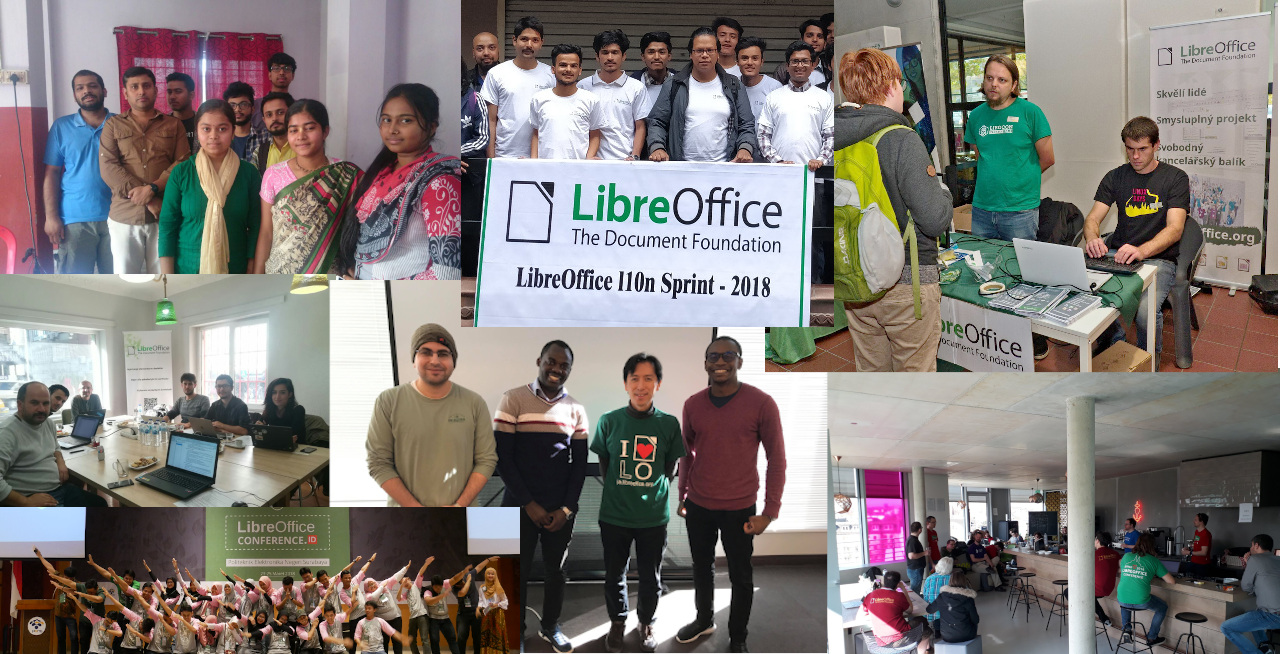
Community is awesome! By helping to translate and market LibreOffice around the world, native language projects bring enthusiasm and passion to the global community. Here’s what they did in 2018, taken from our Annual Report…


Albania – OSCAL

OSCAL is the annual international Open Source Free Software Conference in Albania dedicated to empowering Software Freedom, Open Knowledge, Free Culture and Decentralization. In 2018, some team, Membership Committee and Board members attended the event to meet local community members and discuss plans for the upcoming LibreOffice Conference 2018 (which is covered elsewhere in this report).


Austria – event

The GNU/LinuxDay event took place in Dornbirn, Vorarlberg, on 13th of October. Community members from LibreOffice and The Document Foundation were present, including Christian Lohmeier, Marina Latini, Florian Effenberger and Robert Einsle. They had a booth with various materials, and talked to visitors.


Brazil – documentation

In January, the Brazilian community announced the availability of the Getting Started Guide 5.2, with all innovations and enhancements from LibreOffice 5.2. The guide was an in-depth update of the 5.0 Getting Started Guide that was already translated into Brazilian Portuguese. The translation team was composed of IT professionals, translators, engineers, teachers and technicians: Chrystina Pelizer, Vera Cavalcante, Fábio Coelho, Túlio Macedo, Raul Pacheco da Silva, Valdir Barbosa and Olivier Hallot.


Cuba – Document Freedom Day

In April, The Document Foundation supported the Cuban LibreOffice community, represented by Carlos Parra Zaldivar, for Document Freedom Day 2018 in Holguín, on the opening day of the International Book Exhibition in the local library Biblioteca Provincial “Alex Urquiola”. LibreOffice is included in the Cuban GNU/Linux distribution Nova, and as such is part of the IT syllabus in all schools.


Cyprus – events

During the last weekend of the year (December 28-30), there was a series of events at Middle East Technical University Northern Cyprus Campus, organized by the METU NCC ACM Student Chapter. Most of the attendees were from the Computer Engineering department. All attendees completed the “getting started” part of LibreOffice development, while some of them submitted their patches to Gerrit, and some began preparing to do so.


Czech Republic – LinuxDays and OpenAlt
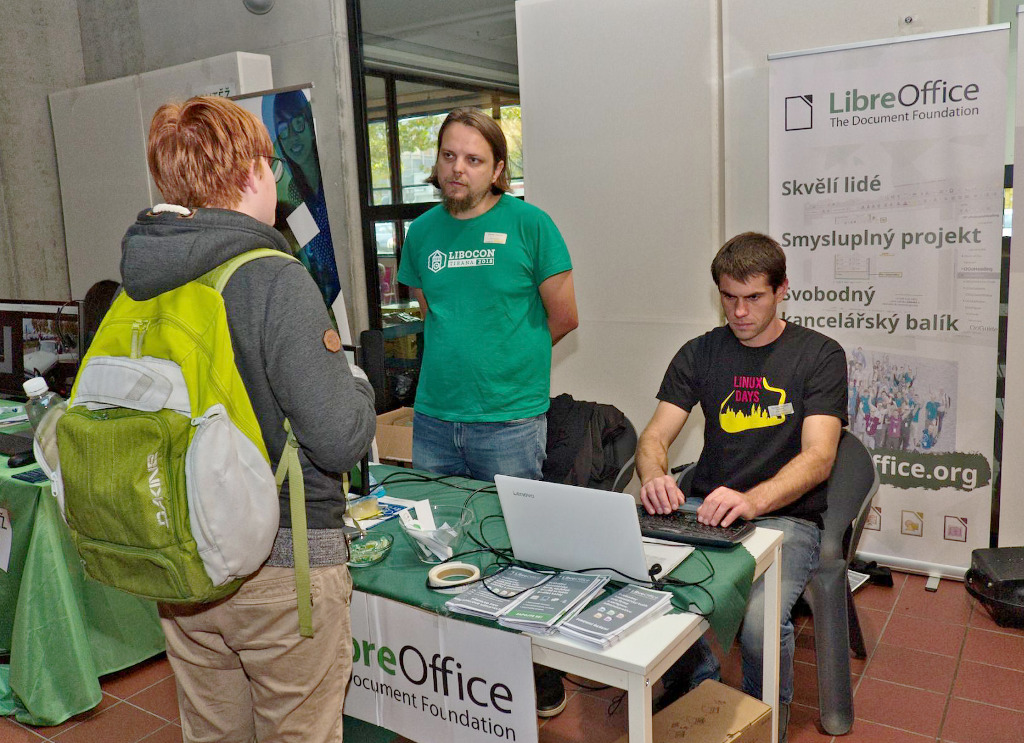
Zdeněk Crhonek and Stanislav Horáček attended the two biggest Czech FOSS events, LinuxDays in Prague and OpenAlt in Brno. There was generally positive feedback from users, interest in new features and what is going on. Also, there was discussion with someone from the National Technical Library in Prague (who enthusiastic about FOSS, migrated client computers to Linux and LibreOffice, and encouraging us to spread the word about it) and a representative of an organization trying to coordinate using FOSS in Czech municipalities (two towns running LibreOffice, with the intention to pay for some bug fixing).

Other meetups took place at these events: a meeting with the Slovak community (Miloš Šrámek and Andrej Kapuš) in Brno, a meeting with the Czech localization community (Mozilla, Linux distributions), discussing mainly the possibility of a new Czech dictionary, and a discussion with a marketing specialist who suggested ways to simplify the LibreOffice web page.

Apart from events, the Czech community worked continuous localization of LibreOffice’s user interface, website, help and marketing materials (press releases, video subtitles). There was also user support and moderation on the Czech “Ask LibreOffice” site.


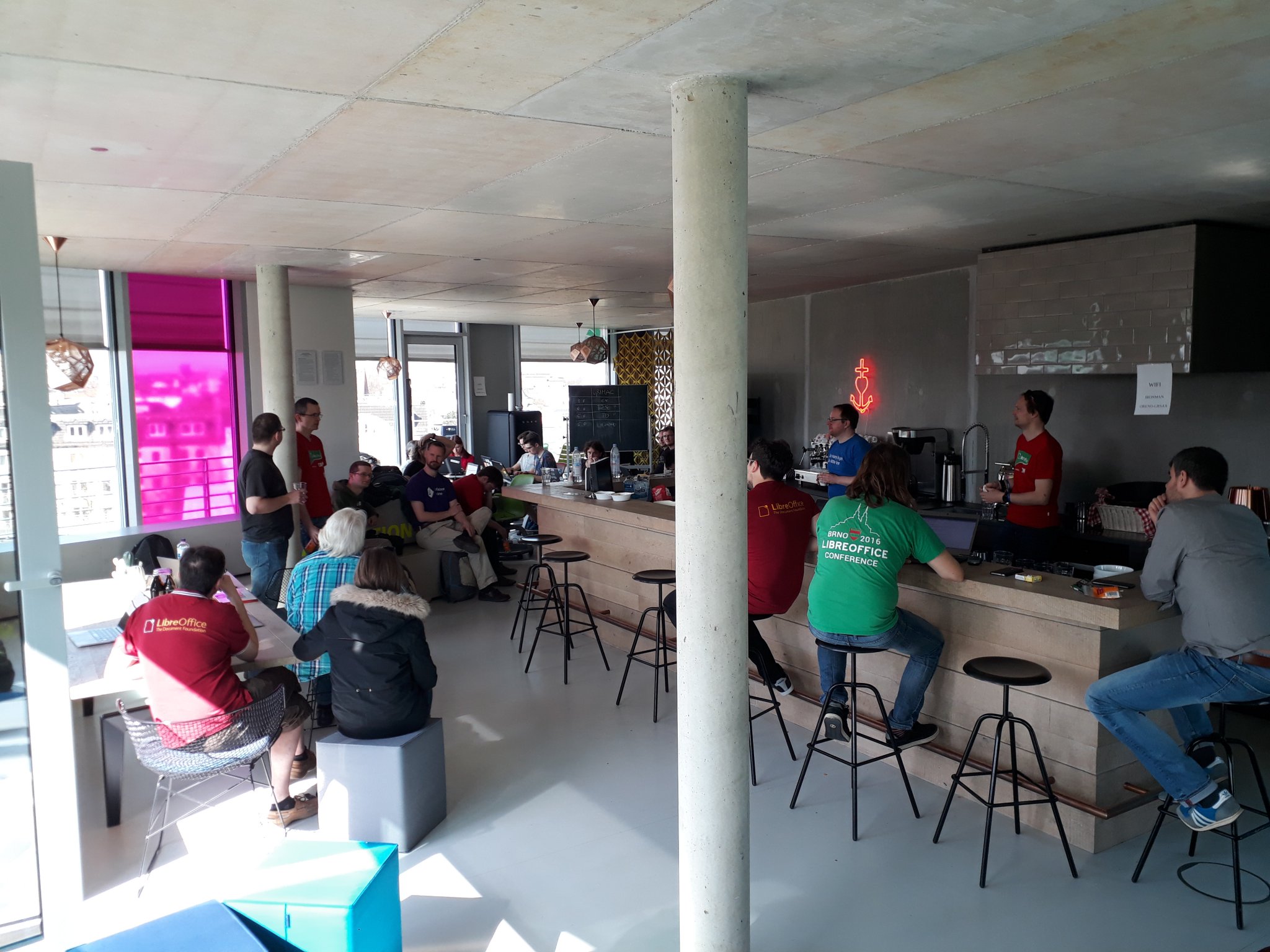
France – workshops

The French community organised workshops for documentation, QA, and localisation. Inno³ kindly supported one workshop by hosting the community at ‘Le 137’, a coworking space near Gare du Nord in Paris. Participants gathered at a restaurant near there and then went to work all together on QA and localisation. They worked on fixing bugs and localising LibreOffice Online.


Germany – meetup, calls and events
Christian Lohmeier (LibreOffice’s release manager) and Mike Saunders (Marketing & PR) attended the Augsburger Linux-Infotag in southern Germany in April. They set up a booth which had a screen showing a video of LibreOffice 6.0, along with stickers and flyers encouraging people to get involved with the project. Mike gave a talk in German called “LibreOffice: where we’re from, where we’re going, and how to get involved”.

Up in northern Germany, the community had a meetup in Hamburg to discuss various ideas and issues in the project, such as attending more conferences in the German-speaking region, with a more targeted focus. For instance, instead of simply telling people what LibreOffice is (which most Linux users already know), the focus should be more clearly on bringing in potential new contributors. Some some “action items” were also defined, including the creation of a new “Get involved” flyer for events, and a German translation of the “Get involved” page on the website.

On November 13th, Florian Effenberger gave a presentation about The Document Foundation at HTW Dresden – a university for technical and scientific studies. This was part of a series of talks about free and open source software.

In addition, the German community organised regular calls (TelKos) to discuss upcoming events and ways to spread awareness about LibreOffice.


India – localisation sprint
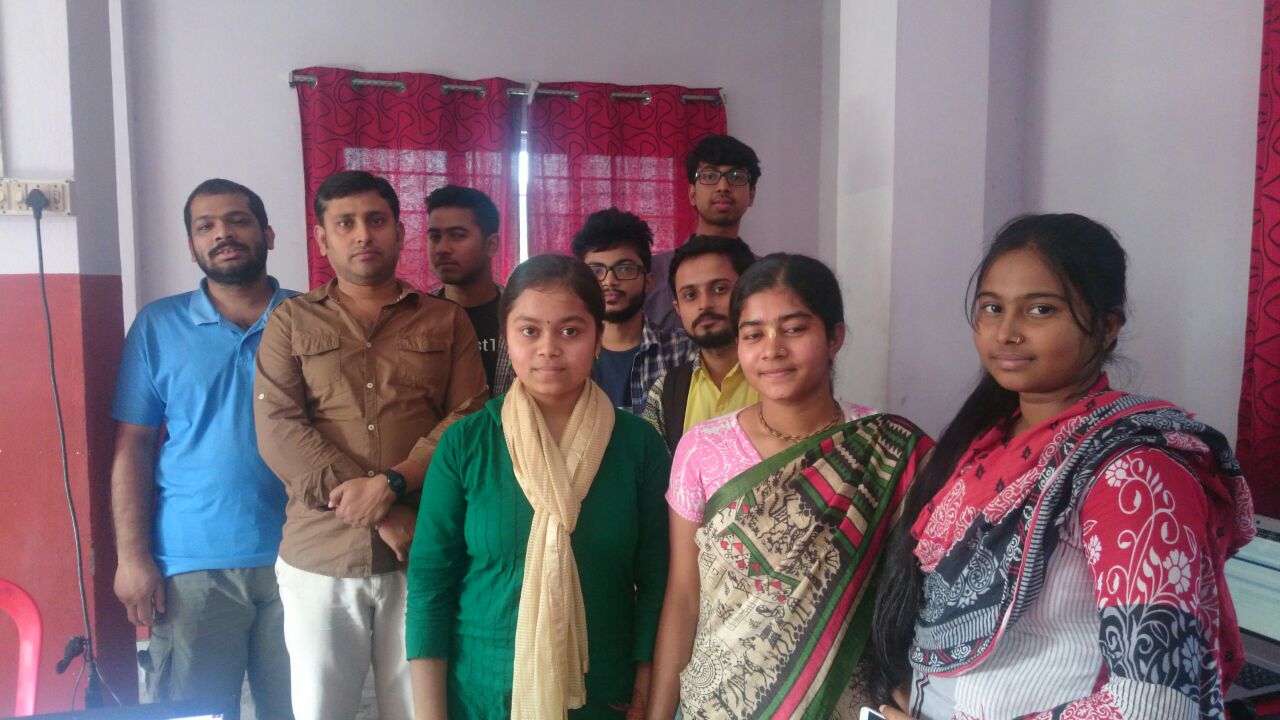
Ten people participated in a localisation sprint in Kolkata, on November 11. Participants made contributions together for the Bengali-India locale. On November 4, there was pre-meetup on localisation portal basics: Biraj Karkamar gave the participants basic details on how to add suggestions and submissions in the portal. Also that day, participants created their profiles on the portal.

The main event started with introductions, then they had a short recap on the pre-meetup. Following that was hands-on portal. Biraj showed the style guide of the bn-IN locale translation, which is followed in open source localisation. Then the sprint started, which was almost five hours long. Biraj summed it up with: “it was good and productive. Of course, it was fun too!”


Indonesia – conference
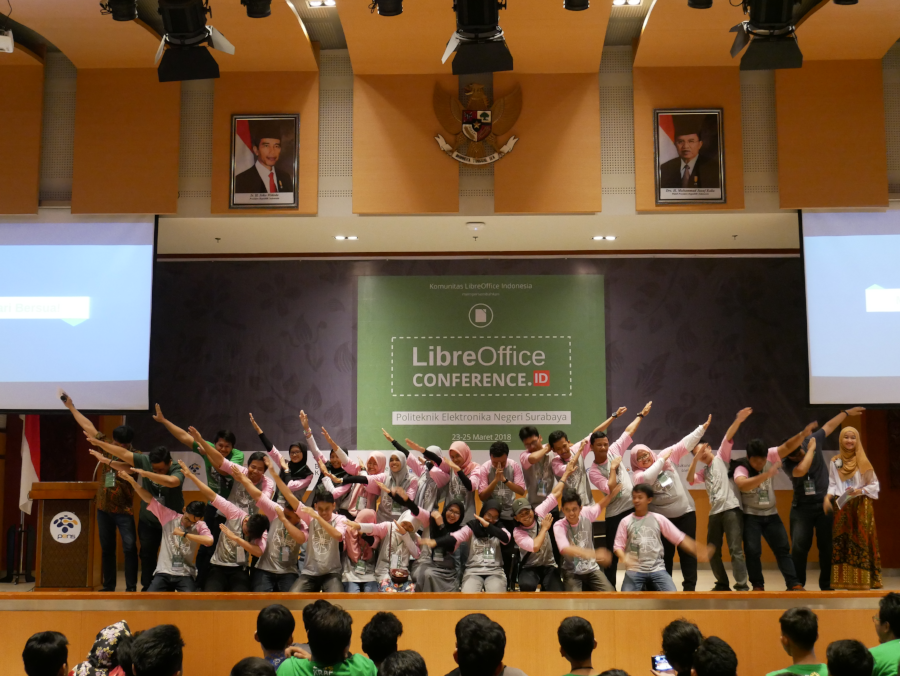
The Indonesian community organised a conference about LibreOffice on March 25 and 26. It was hosted by Politeknik Elektronika Negeri Surabaya (PENS), and was first of its kind in South East Asia. On the day before the conference, the Indonesian LibreOffice community organized a localization workshop, led by Andika Triwidada, a long-time contributor who has coordinated the Indonesian localization for many years.

On the first day of the conference, in the morning. there was a meeting with a group of PENS’ IT professors, led by the university dean, where discussions took place about the opportunity of increasing the presence of open source software in their syllabus. In addition, the university is going to evaluate the migration to open source software and LibreOffice, including the migration to ODF as a way to overcome vendor’s lock-in.


Italy – conference and schools

Associazione LibreItalia, representing the Italian LibreOffice community, organized several events targeted at students – from primary schools up to universities – to educate them about free open source software and open document standards, and support the concept of “digital citizenship”. Several community members have been active in Northern and Central Italy, and have also targeted their communication efforts to parents.

In November, the community met in Sanremo for the fifth LibreItalia Conference, to discuss past activities and arrange new ones. The event was also an opportunity to meet the President of PA Social, the association representing social media managers of Italian public administrations, to talk about potential collaboration opportunities.


Japan – conference and meeting
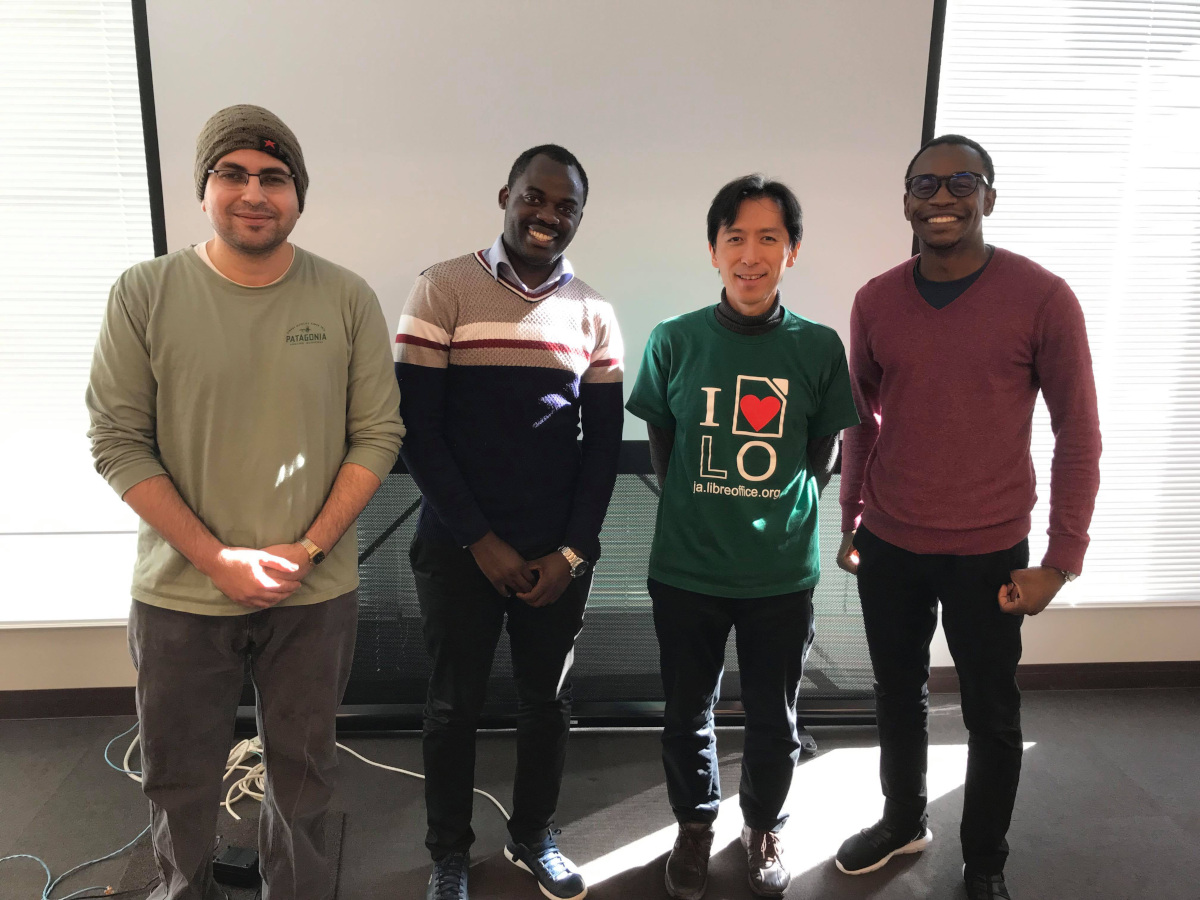
On 13th December, at the Yahoo! Lodge (1-3, Kioi-cho, Chiyoda-ku, Tokyo), LibreOffice community members who are usually far away from one another met up for a chance to interact. At this event, participants had a question-and-answer session about translations, discussed some other topics, and prepared slides for the following day. Attendees included: Naruhiko Ogasawara, Shinji Enoki, Masaki Murakami Tomas Kapiye (from Namibia), Dieudonne Dukuzumuremyi (Rwanda), Hatem Wasfy (Egypt) Rin Nakamura and Atsushi Ueda.

On the following day, the LibreOffice Japanese team did a seminar. This time, the speakers were Tomas Kapiye, Dieudonne Dukuzumuremyi and Hatem Wasfy. One of the talks was about “How African students contribute to LibreOffice”.

During the year, Japanese community members contributed articles to websites and online magazines about their events, and new versions of LibreOffice.


Nepal – localisation sprint
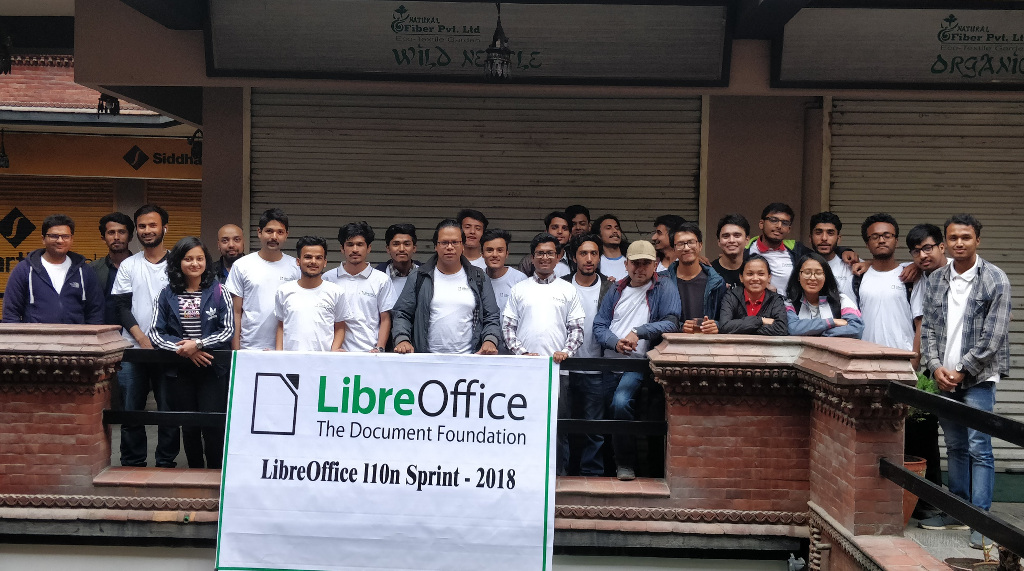
The Nepalese LibreOffice community spent much of April 2018 localising the software, and at the end of the month, they had a meetup together with the Kathmandu University Open Source Club. For translations of LibreOffice, participants reduced the number of critical error strings from over 9000 down to 3808, while LibreOffice Online was completely localised during this event. In addition, the number of active contributors increased from 2 to 35. At the end of the event, participants received a certificate, thanking them for their help.


Hispanic community – Telegram channel

Many local LibreOffice communities have Telegram channels for communication. The Spanish Telegram channel was featured in MuyLinux online magazine; this brought a sizeable influx of new members and traffic.


Taiwan – meetup and Bug Hunting Session
A meetup was held in the evening on 11 August in A+A space, which is a nice and friendly space for FOSS communities, and also a community made up of several artists who use FOSS as their tools to create their artwork. The attendees included LibreOffice and other FOSS community members from Japan, Korea, Indonesia and Taiwan. Franklin Weng introduced the 30-second animation for LibreOffice Android Viewer, which was generated by LibreOffice Taiwan and A+A Space.

Rania Amina, who was responsible for visual design in the LibreOffice Conference Indonesia, showed his artwork to attendees, while Ahmad Haris also shared his experiences holding LibreOffice Conference Indonesia, which was a huge success. Shinji Enoki described the current status of Japanese support in LibreOffice, and many events held in Japan. Daehyun Sung introduced himself and shared some interesting things in Korea.
After this, attendees split into different groups and talked with each other. During this meetup, members from Japan and Indonesia showed interest in holding a LibreOffice Asia Conference. Besides conferences, attendees also exchanged experiences migrating to LibreOffice in organizations and public administrations.

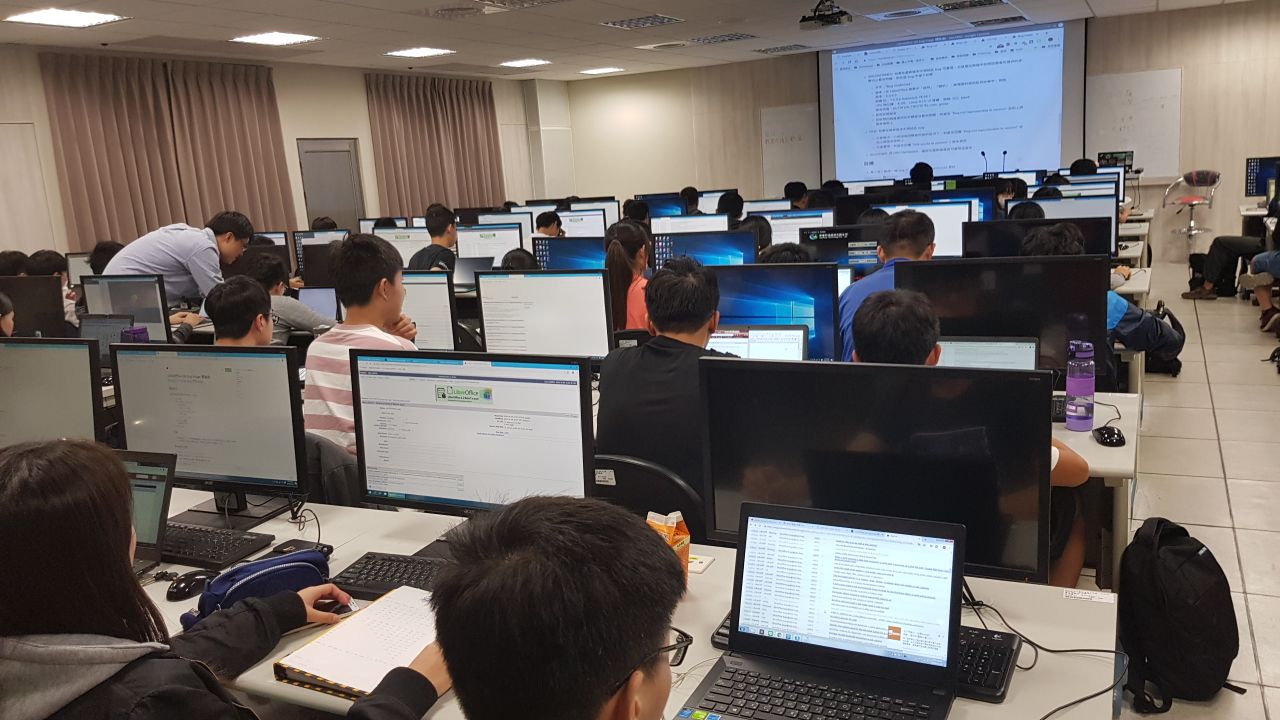
On November 29, the Taiwanese community held a three-hour “LibreOffice Bug Triage Experience” event. A total of 70 students from National Cheng-Kung University and three members of The Document Foundation (Franklin Weng, Cheng-Chia Tseng and Jeff Huang) attended. First, Franklin introduced Bugzilla and the bug issue lifecycle. In this event the participants installed the daily build master version of LibreOffice and focused on three things: testing new reports, confirming bugs, and reproducing issues.
Students searched for these three kinds of bugs and randomly chose one to examine. The three TDF members helped and guided students during the whole session. In a short time, students found that it was a lot easier than they expected, so they were quite happy, excited and confident. The organisers estimate that in total, more than 100 bugs were confirmed/reported as not reproducible.


Turkey – events, Bug Hunting Sessions and training
In May, members of the Turkish community attended the Free Software and Linux Days 2018 in Istanbul. They had a booth, jointly run by LibreOffice Turkey and GNOME Turkey community members. During the event they gave out stickers to the visitors, and answered their questions about LibreOffice, GNOME, and Free/Libre Software in general. Community members also had a lot of time to chat, and to discuss the current situation and the future of the community in Turkey. Also at the event, attendees gave three talks: Being a LibreOffice Developer, LibreOffice Certifications, and The Open Document Format.

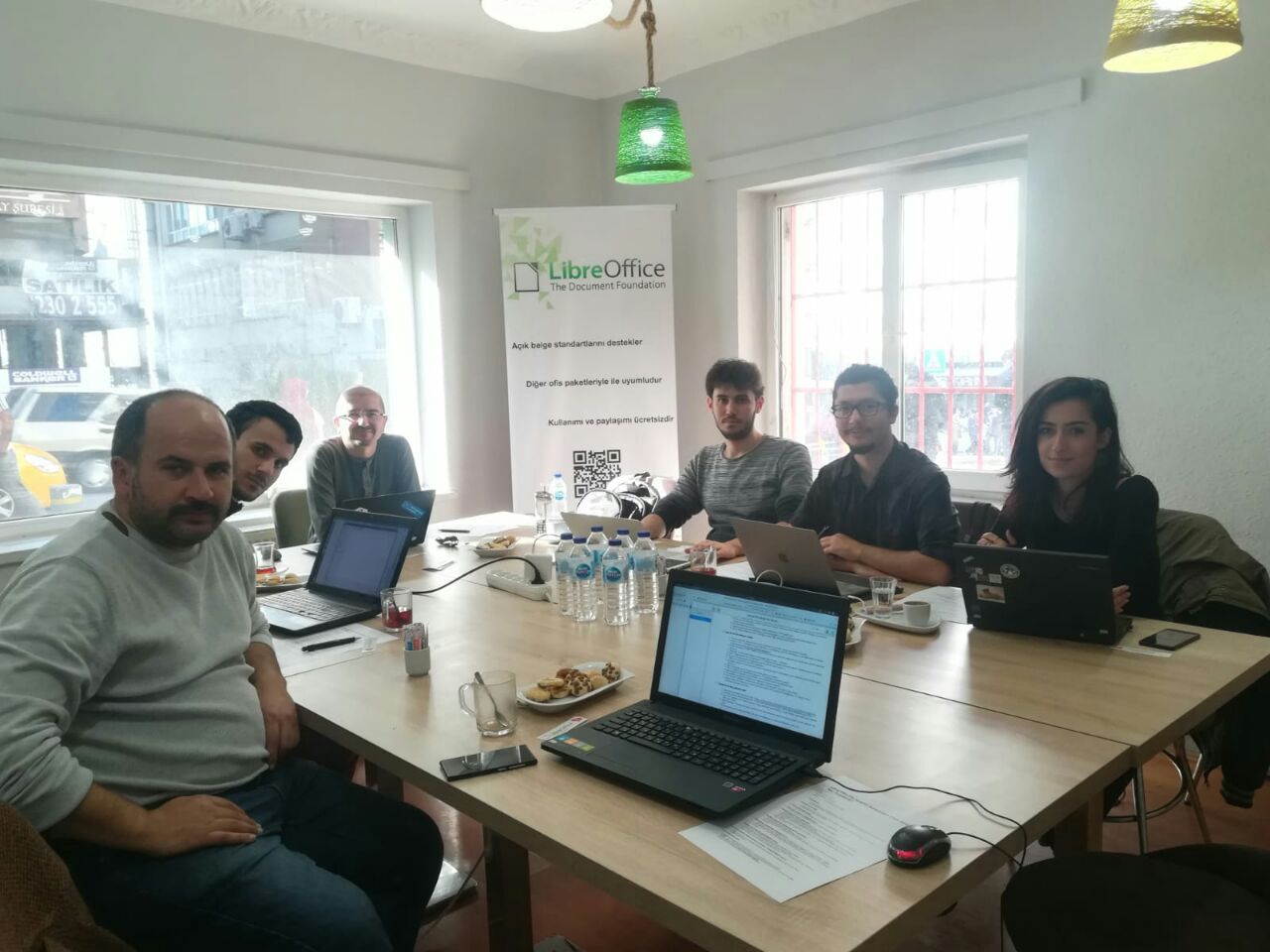
A couple of months later, the community organised a Bug Hunting Session for LibreOffice 6.1 Release Candidate 1, to find and fix issues before the final release in early August. Around 15 people were present, and they tested LibreOffice for three hours. Multiple bugs were discovered – some were reported, some were discussed, others were prepared for reports later. After the session, there was a long discussion about community and ecosystem building for LibreOffice in Turkey.

A second Bug Hunting Session took place in Ankara in November: eight people (including one remotely from Istanbul) participated in the live session, and participants tested LibreOffice 6.2 Alpha on Linux, Windows and macOS. The event started with self-introductions, and participants chatted for a short while, to get to know each other. Then Muhammet Kara, the organiser, went through the bug reporting and QA process briefly, and introduced the participants to LibreOffice’s Bugzilla installation. Several bugs were identified, and bug reports were created for them.

Lastly, Gökhan Gurbetoğlu organised some LibreOffice training in October. It was a two-day event and took place in İstanbul, as part of the Open Source in Public Institutions Conference’s local sessions (Kamu Açık Kaynak Konferansı). There were 25 trainees on both days; the first day started with a quick introduction to LibreOffice’s interface and continued with Writer. Then the second day was for Calc.


USA – OSCON
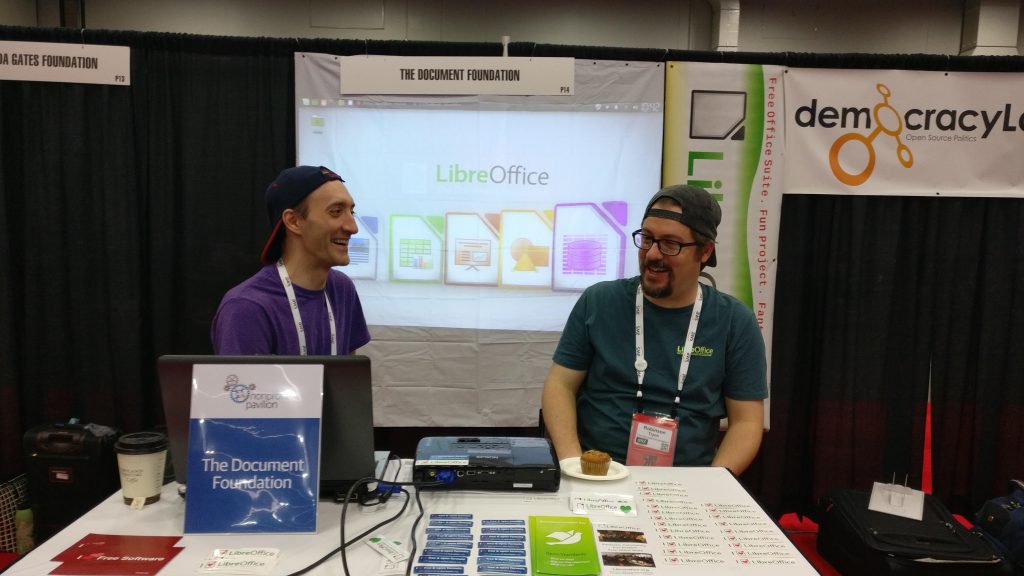
OSCON is the largest open source conference and exhibition in the United States. The event returned to Portland to celebrate its 20th anniversary in July, after a couple of years in Austin, Texas. The Document Foundation was given a free booth in the Non Profit Pavilion, and was represented by three enthusiastic volunteers – Robinson Tryon and Robin Haberman from the US, and Eric Bright from Canada – who had lots of good conversations with everyone from long-term users and supporters of LibreOffice, to those who were new to the whole concept of FOSS.


Wrapping up…

Of course, this report contains just a selection of native language project achievements in 2018 – so TDF would like to say a big thank you to everyone, across the planet, who is helping to make powerful productivity tools available to everyone, regardless of their location or mother tongue. Cheers!

The COSM Project

In 2017, contributors to the Open Document Format (ODF) specification at OASIS (Organization for the Advancement of Structured Information Standards) noted that while the Technical Committee continues to generate changes, the integration of these changes – a substantial task, which is key for the future of the ODF standard – is only being conducted on a volunteer basis.

To support current adoptions of the ODF standard format by governments and enterprises and potential adoptions in the future, it would have been important to release the new ODF 1.3 version in a timely manner, to avoid that delays could affect the position of ODF in the marketplace.

Open Document Format 1.0 was published as an ISO/IEC international standard ISO/IEC 26300 – Open Document Format for Office Applications in 2006. Open Document Format 1.2 was published as ISO/IEC standard in 2015.

In early 2018, the Board of Directors of The Document Foundation addressed the need of evolving the standard by establishing the independent COSM – Community of ODF Specification Maintainers – project at Public Software CIC (a UK Community Interest Company) to hold funds and to retain editors to work at the Technical Committee.

The COSM project co-ordinates with the OASIS TC, solicits and secures funds from ODF stakeholders, solicits experienced editors and arranges for one or more to work at the direction of the TC to edit the specification.

As a major ODF stakeholder, TDF donated a seed of Euro 10,000 to get the COSM project started, plus up to Euro 20,000 to match each euro donated by other stakeholders. So far, the COSM project has been backed by Microsoft, Collabora, CIB and the UK Government.

Editors have been working on the ODF 1.3 specifications, which have been regularly reviewed during the weekly meetings of the Technical Committee, and are expected in the third quarter of 2019. A number of features have been also been assigned to ODF 1.4. The COSM Project is now soliciting funds for future work.

Significant contributions to the specifications have been made by Regina Henschel (volunteer from The Document Foundation) and Michael Stahl from CIB.

ODF Advocacy at OASIS

Following the initiation of the COSM project, team members of The Document Foundation and CIB have got in touch with OASIS management to re-launch the defunct ODF Adoption TC as ODF Advocacy. The project has been accepted and has been launched as OASIS Open Project in May 2019, with the objective of increasing the awareness of ODF and fostering adoption by governments.

The Document Foundation All Rights Reserved 2025
Proudly powered by WordPress | Theme: Refined Magazine Pro by Candid Themes.