The Document Foundation welcomes the release to OASIS of the TC Committee Draft of ODF Version 1.3 for ratification

Editor of the new version of the ODF standard document format sponsored by the Community of ODF Specification Maintainers (COSM) *

Berlin, November 7, 2019 – The Document Foundation welcomes the release to OASIS of TC Committee Draft of ODF Version 1.3 for ratification. At the end of the process, ODF Version 1.3 will be submitted to ISO to become a standard. The final approval is expected in late 2020 or early 2021.

Editing of ODF Version 1.3 Committee Draft has been sponsored by the Community of ODF Specification Maintainers (COSM), a project launched by The Document Foundation in 2017 with the donation of a seed of euro 10,000 to get the COSM project started, plus up to euro 20,000 to match each euro donated by other stakeholders.

So far, the COSM project has been backed by Microsoft, Collabora, the UK Government Digital Services, CIB, the European Commission’s StandICT project and Open-Xchange. The money has been used to pay an editor to finalize the ODF 1.3 specification and manage it through the OASIS review and ratification process.

Major new features of ODF 1.3 are digital signature and OpenPGP-based XML encryption of documents, plus several improvements to features already available in ODF 1.2 like new polynomial and moving average regression types for charts, a new specification for number of decimal digits in number formatting, a special header/footer style for first page of documents, contextual spacing for paragraphs, additional type argument values for the WEEKDAY function, and the new text master template document type. Most of these new features have been contributed by developers at CIB, Collabora, Microsoft and The Document Foundation.

“The third revision of ODF is now well on the way to becoming a ratified standard and confirms that the crowdfunding approach TDF seeded at COSM is an effective way to have the open document standard maintained without needing a deep-pocketed international corporation behind them”, said Thorsten Behrens, TDF board member.
Tender for consultancy on implementing ODF 1.3 conformance in LibreOffice (#201911-01)

The Document Foundation (TDF), the charitable entity behind the world’s leading free office suite LibreOffice, seeks for companies or individuals to

provide consultancy on implementing ODF 1.3 conformance in LibreOffice

to start work as soon as possible. TDF is looking for an individual or company to give technical consultancy on ensuring that LibreOffice will properly implement the Open Document Format (ODF) version 1.3 for both importing and exporting. This can involve one or more of the following tasks:

Required skills

  • Extensive knowledge of C++
  • Experience working on the LibreOffice source code
  • Experience with implementing and testing the Open Document Format

We exclusively use free, libre and open source (FLOSS) software for development wherever possible, and the resulting work must be licensed under the Mozilla Public License v2.0.

Other skills

  • English (conversationally fluent in order to coordinate and plan with members of TDF)

TDF welcomes applications from all suitably qualified persons regardless of their race, sex, disability, religion/belief, sexual orientation or age.

Bidders will get a preference for including a partner or independent developer who has not been involved in a successful tender before.

As always, TDF will give some preference to individuals who have previously shown a commitment to TDF, including but not limited to certified developers and/or members of TDF. Not being a member, or never having contributed before, does not exclude any applicants from consideration.

The task offered is a project-based one-off, with no immediate plans to a mid- or long-term contractual relationship. It is offered on a freelance, project basis. Individuals and companies applying can be located anywhere in the world.

TDF is looking forward to receiving your applications for one or more of the aforementioned tasks, your financial expectations and the earliest date of your availability, via e-mail to a committee at tender20191101@documentfoundation.org no later than November 15, 2019.

Applicants who have not received feedback by November 29, 2019, should consider that their application, after careful review, was not accepted.

Additional information as per 2019-11-06: When budgeting, we anticipated that this project to take in the region of 20 (twenty) days of work

Starting today: The Month of LibreOffice, November 2019 – get cool swag!

Thanks to our worldwide community of developers and supporters, every release of LibreOffice includes new features, bugfixes, compatibility boosts, translations, and other improvements. This month, we want to say a big thanks to everyone who helps out – and encourage more people to join our friendly community as well! So how are we going to do this?

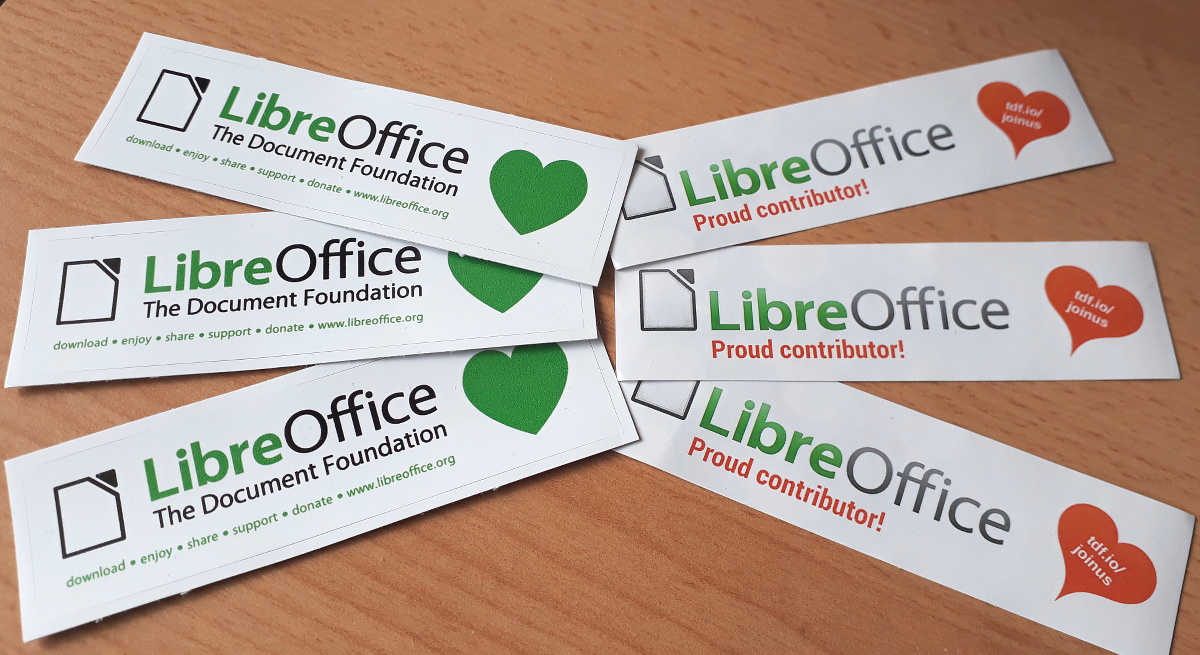
Well, everyone who contributes can claim an awesome sticker pack at the end of the month:

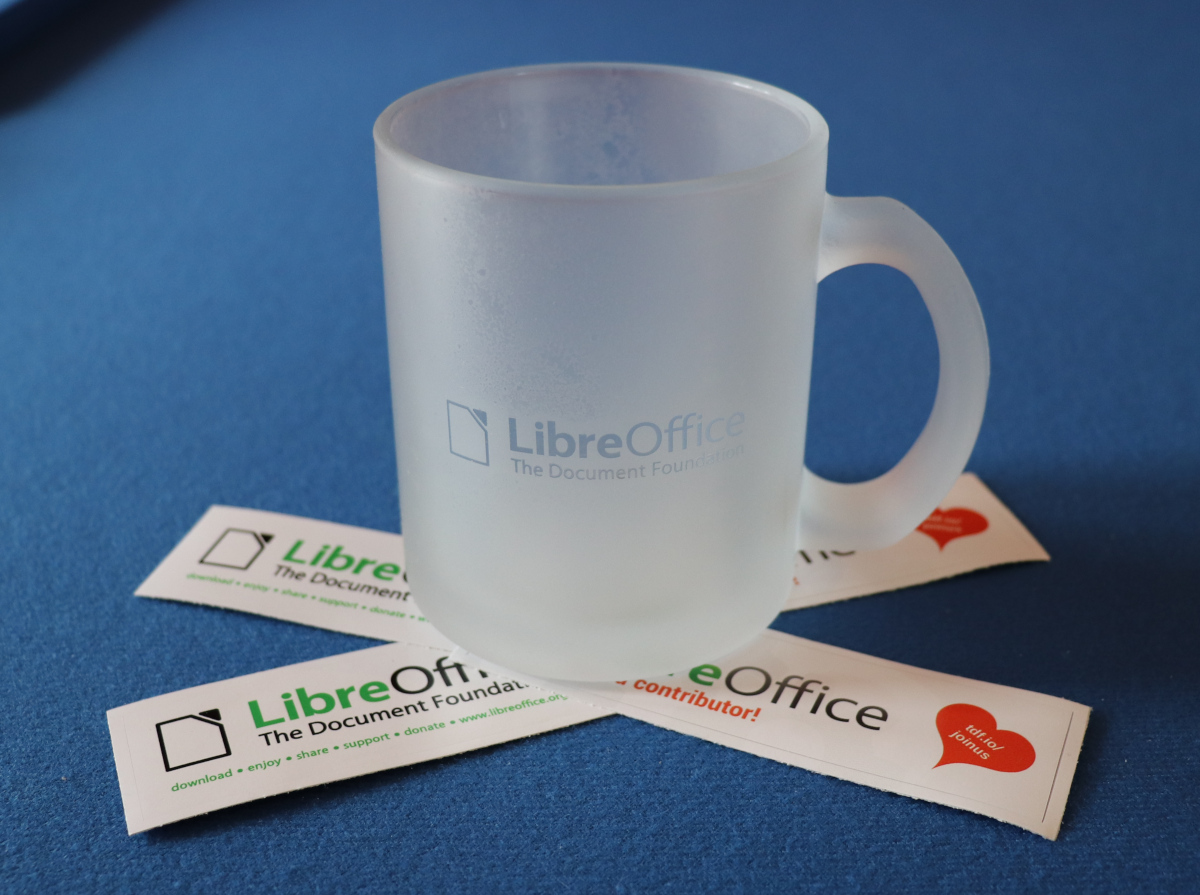
And even better, we’ll also choose 10 contributors at random to receive an exclusive glass LibreOffice mug – there aren’t many of these in the wild:

How to take part

So, let’s get started! There are many ways you can help out – and you don’t need to be a developer. For instance, you can be a…

  • Handy Helper, answering questions from users: over on Ask LibreOffice there are many users looking for help with the office suite. We’re keeping an eye on that site so if you give someone useful advice, you can claim your shiny stickers.
  • First Responder, helping to confirm new bug reports: go to our Bugzilla page and look for new bugs. If you can recreate one, add a comment like “CONFIRMED on Windows 10 and LibreOffice 6.3.3”. (Make sure you’re using the latest version of LibreOffice!)
  • Drum Beater, spreading the word: tell everyone about LibreOffice on Twitter or Mastodon! Just say why you love it or what you’re using it for, add the #libreoffice hashtag, and at the end of the month you can claim a sticker. (We have a maximum of 100 stickers for this category, in case the whole internet starts tweeting/tooting!)
  • Globetrotter, translating the user interface: LibreOffice is available in a wide range of languages, but its interface translations need to be kept up-to-date. Or maybe you want to translate the suite to a whole new language? Get involved here.
  • Code Cruncher, contributing source code: The codebase is big, but there are lots of places to get involved with small jobs. See our Developers page on the website and this page on the wiki to get started. Once you’ve submitted a patch, if it gets merged we’ll send you a sticker!
  • Docs Doctor, writing documentation: Another way to earn a badge is to help the LibreOffice documentation team. Whether you want to update the online help or add chapters to the handbooks, here’s where to start.

So there’s plenty to do! As the contributions come in, we’ll be updating this page every day with usernames. So dive in, get involved and help make LibreOffice better for millions of people around the world – and enjoy your sticker as thanks from us. We’ll be posting regular updates on this blog and our Mastodon and Twitter accounts over the next four weeks!

The Document Foundation releases LibreOffice 6.3.3

Berlin, October 31, 2019 – The Document Foundation announces LibreOffice 6.3.3, the third minor release of the LibreOffice 6.3 family, with many quality and compatibility improvements. LibreOffice 6.3.3 “fresh” is targeted at technology enthusiasts and power users, who are invited to update their current version.

LibreOffice’s individual users are helped by a global community of volunteers: https://www.libreoffice.org/get-help/community-support/. On the website and the wiki there are guides, manuals, tutorials and HowTos. Donations help us to make all of these resources available.

LibreOffice 6.3.3’s changelog pages are available on TDF’s wiki: https://wiki.documentfoundation.org/Releases/6.3.3/RC1 (changed in RC1) and https://wiki.documentfoundation.org/Releases/6.3.3/RC2 (changed in RC2).

LibreOffice in business

For enterprise-class deployments, TDF strongly recommends sourcing LibreOffice from one of the ecosystem partners to get long-term supported releases, dedicated assistance, custom new features and other benefits, including Service Level Agreements (SLAs). Also, the work done by ecosystem partners flows back into the LibreOffice project, benefiting everyone.

Also, support for migrations and training should be sourced from certified professionals who provide value-added services which extend the reach of the community to the corporate world and offer CIOs and IT managers a solution in line with proprietary offerings.

In fact, LibreOffice – thanks to its mature codebase, rich feature set, strong support for open standards, excellent compatibility and long-term support options from certified partners – represents the ideal solution for businesses that want to regain control of their data and free themselves from vendor lock-in.

Availability of LibreOffice 6.3.3

LibreOffice 6.3.3 is immediately available from the following link: https://www.libreoffice.org/download/. Minimum requirements are specified on the download page. TDF builds of the latest LibreOffice Online source code are available as Docker images: https://hub.docker.com/r/libreoffice/online/.

LibreOffice Online is fundamentally a server-based platform and should be installed and configured by adding cloud storage and an SSL certificate. It might be considered an enabling technology for the cloud services offered by ISPs or the private cloud of enterprises and large organizations.

All versions of LibreOffice are built with document conversion libraries from the Document Liberation Project: https://www.documentliberation.org.

Support LibreOffice

LibreOffice users are invited to join the community at https://ask.libreoffice.org, where they can get and provide user-to-user support. People willing to contribute their time and professional skills to the project can visit the dedicated website at https://whatcanidoforlibreoffice.org.

LibreOffice users, free software advocates and community members can provide financial support to The Document Foundation with a donation via PayPal, credit card or other tools at https://www.libreoffice.org/donate.

LibreOffice and Google Summer of Code 2019: The results

This year, LibreOffice was once again a mentoring organization in the Google Summer of Code (GSoC) a global programme focused on bringing more student developers into free and open source software development. We ran six projects – and all were finished successfully. Both students and mentors enjoyed the time, and here we present some of the achievements, which should make their way into LibreOffice 6.4 in early February!

Generating QR Codes in LibreOffice – by Shubham Goyal

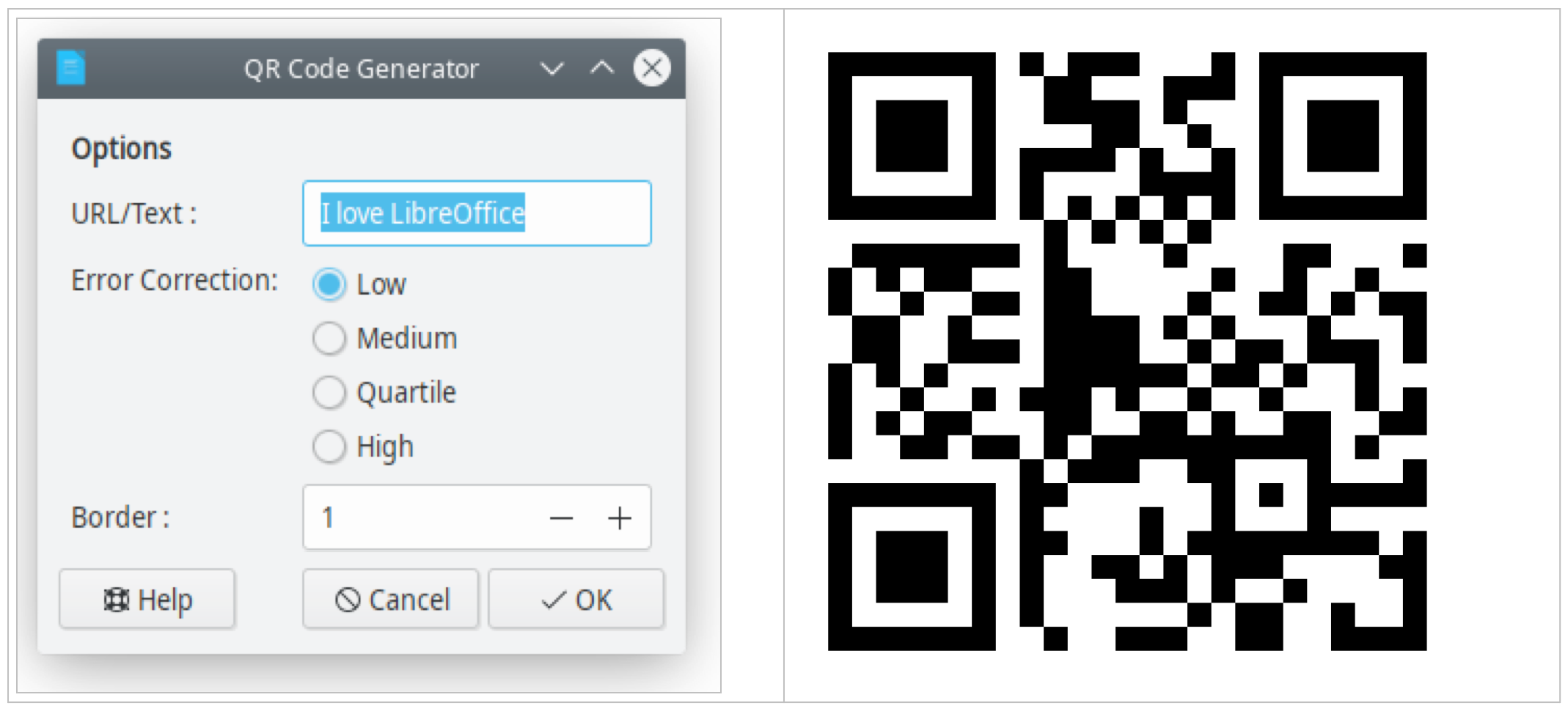
The ability to print and display hyperlinks as quick response (QR) codes has been requested for many years (bug 62168), and eventually Shubham Goyal implemented this feature. You can insert a QR code at the current cursor position or the table cell per Insert > Object > QR Code… or edit the inserted object with the context menu. Learn more in the final report.

NotebookBar improvements – by Sumit Chauhan

LibreOffice introduced the optional NotebookBar user interface in version 6.2. Now, thanks to Sumit, users can customise the NotebookBar by changing the visibility of buttons, as shown here:

Please confirm that you want to play a YouTube video. By accepting, you will be accessing content from YouTube, a service provided by an external third party.

YouTube privacy policy

If you accept this notice, your choice will be saved and the page will refresh.

Users will be able to access this dialog from the menu: Tools > Customize, then go to the NotebookBar tab. Sumit explains some of the technical work behind this on his blog.

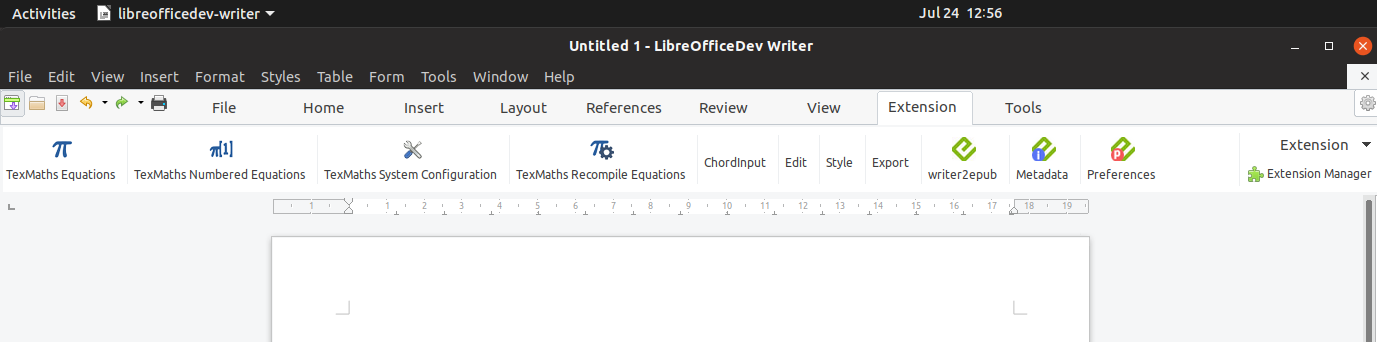
Another project Sumit worked on is extension support, which allows users to add extensions in the NotebookBar. There is an extension tab in all the NotebookBar interfaces where the added extension will be available (technical details here).

LibreOffice for Android (Online) – by Kaishu Sahu

In the last few years, LibreOffice for Android was lagging behind development of LibreOffice Online, because all the new features had to be re-implemented in Java. This year, a new approach to the LibreOffice Android app took place, reusing the Online work directly in the app. Kaishu Sahu’s code was important part of this effort – he has implemented features like inserting images, slideshows, save as, printing, sharing a document, dimming when inactive, and more.

Implement Chart Styles – by Gagandeep Singh

Previously, all chart formatting was directly applied. Chart styles allow users to quickly apply the same formatting presets to different charts and therefore make it easier to change them.

Wrapping up

Many thanks to all students who spent their summer time improving LibreOffice. You are awesome! And special thanks also to the mentors who always put some much love and energy into these tasks. That‘s what makes LibreOffice rock.

Now we are looking forward to next year’s GsoC. If you are interested, why not prepare early? Learn more at out wiki page where some ideas are listed.

LibreOffice monthly recap: October 2019

Here’s our summary of updates, events and activities in the LibreOffice project in the last four weeks – click the links to learn more!

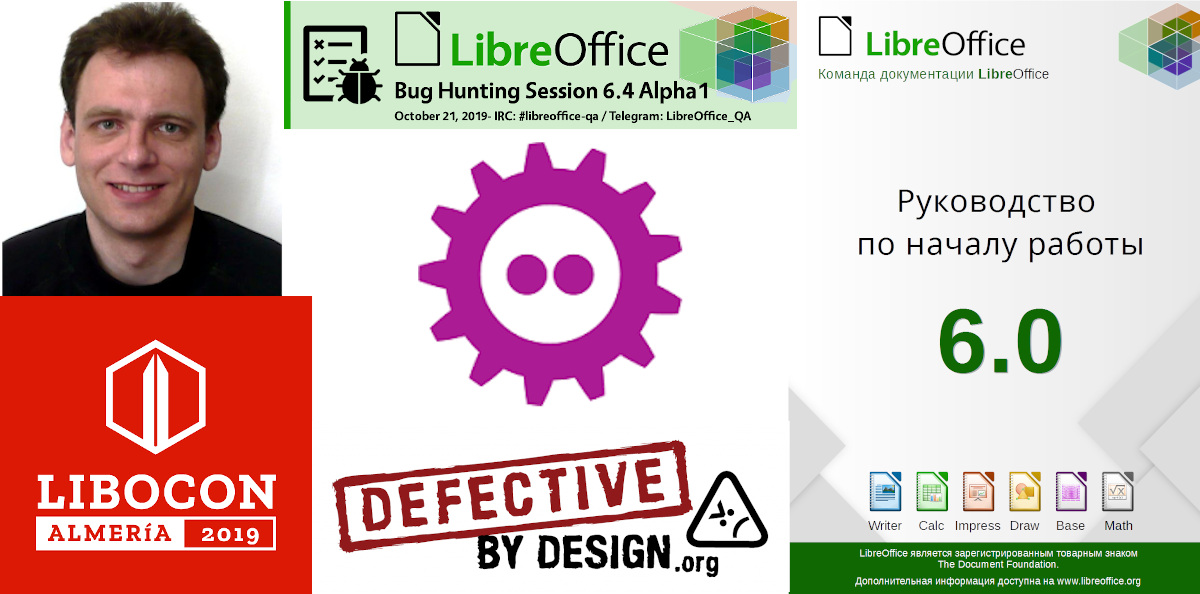
  • We kicked off the month by interviewing Ilmari Lauhakangas, aka Buovjaga, who has joined the TDF team in Development Marketing. Ilmari is a long-time member of the LibreOffice community, and has been especially active in the QA project.

  • Then we announced the LibreOffice 10/20 Logo Community Contest. The year 2020 will be the 20th anniversary of the free office suite (OpenOffice.org was announced on July 19, 2000) and the 10th anniversary of LibreOffice (announced on September 28, 2010). So to celebrate, we want a special logo for presentations, events and swag – and you can help out! See the blog post for more details…

  • Meanwhile, throughout the month we edited and uploaded more presentation videos from the LibreOffice Conference 2019 in Almeria, Spain. Check out the playlist below – use the button at the top to switch between videos. There are currently 44 presentations to explore, and some more to come! (For better audio, use headphones.)

Please confirm that you want to play a YouTube video. By accepting, you will be accessing content from YouTube, a service provided by an external third party.

YouTube privacy policy

If you accept this notice, your choice will be saved and the page will refresh.

  • On October 12, The Document Foundation supported the International Day Against DRM 2019. Digital Restrictions Management is the practice of imposing technological restrictions that control what users can do with digital media – and “Defective by Design” is a broad-based anti-DRM campaign that is targeting Big Media, unhelpful manufacturers and DRM distributors.

  • Later in the month, we had the first Bug Hunting Session for LibreOffice 6.4 (which is due to be released in February 2020). All LibreOffice users with some technical knowledge are invited to join future Bug Hunting Sessions, report any issues they find, and help to make LibreOffice 6.4 a rock-solid release!

  • Also coming up in February next year is FOSDEM, the biggest European meetup of free and open source software developers. We announced the Open Document Editors DevRoom Call for Papers, so if you want to talk about topics such as code, extensions, localization, QA, UX, tools and adoption-related cases, submit a talk (deadline is Saturday, November 30, 2019).

  • On October 17, we announced LibreOffice 6.2.8, the last version in the LibreOffice 6.2 family. All users of LibreOffice 6.2.x versions should update immediately for enhanced security, and be prepared to upgrade to LibreOffice 6.3.4 as soon as it becomes available in December.

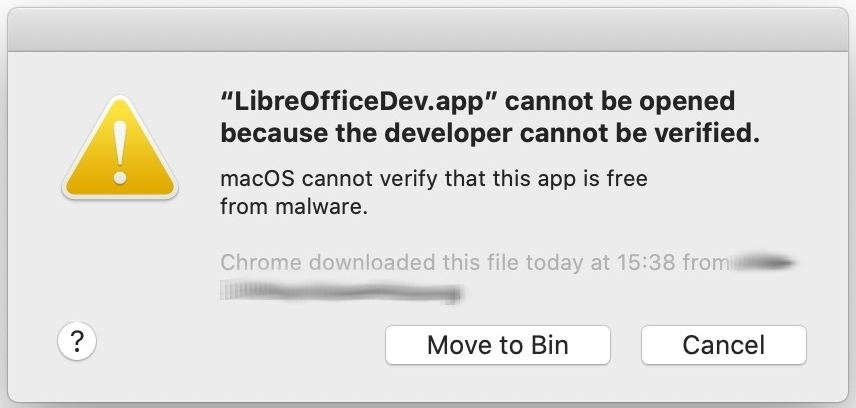
  • If you’re a macOS users and have updated to the latest macOS release (10.5, aka Catalina), and you’re having issues running LibreOffice, check out our help page. Typical messages are “macOS cannot verify the developer of LibreOffice.app”, or “LibreOffice.app was blocked from use because it is not from an identified developer” – we show you how to fix them and have LibreOffice running smoothly as usual!

Please confirm that you want to play a YouTube video. By accepting, you will be accessing content from YouTube, a service provided by an external third party.

YouTube privacy policy

If you accept this notice, your choice will be saved and the page will refresh.

Keep in touch – follow us on Twitter, Facebook and Mastodon. Like what we do? Support our community with a donation – or join us and help to make LibreOffice even better!